-
-
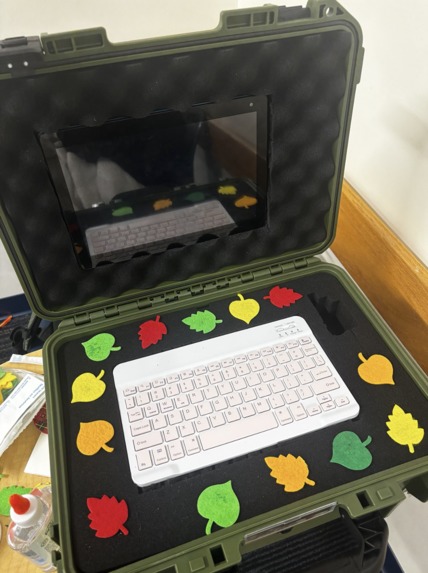
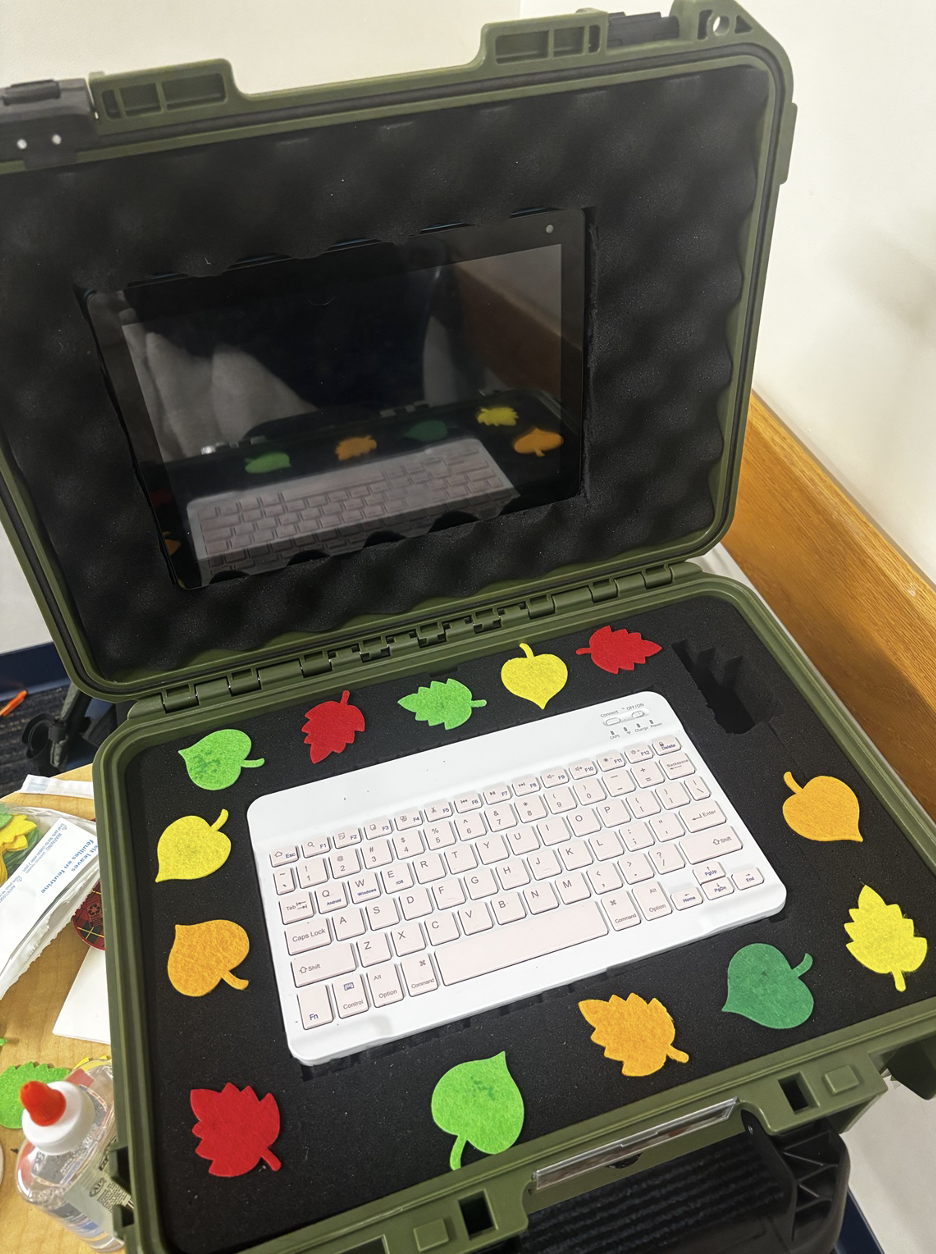
PhytoDex Inside Cyberdeck
Inspiration
PhytoDex was inspired by a mix of our interests in technology and plants. One of our team members is a former Plant Science major, so there was already a genuine love for plants and an interest in understanding plant health within the team.
We also recognized a common problem: when a plant starts looking unhealthy, it can be difficult to figure out what is actually wrong. Yellowing leaves, discoloration, drooping, spots, or other visible changes can have several possible causes, and plant owners often end up searching through multiple websites or guessing at what their plant needs.
We wanted to combine our technical backgrounds with that interest in plants to create something more interactive and useful. That idea became PhytoDex: a portable botanical cyberdeck that can photograph a plant, analyze visible signs on its leaves, help users understand possible problems, and keep track of the plant over time.
What it does
PhytoDex is a Raspberry Pi-powered plant health and care system built into a portable cyberdeck.
A user can take a picture using the cyberdeck's USB camera, use a tablet or phone camera, or upload an existing image. The photo can then be analyzed with Gemini to return information such as the suggested plant name, health rating, visible signs, possible causes, next steps, certainty level, and limitations of what can be determined from a single image.
Instead of treating every scan as a one-time result, users can save plants to My Garden, give them nicknames, and rescan them later. PhytoDex keeps each dated assessment so users can view their history and compare previous and recent scans.
The project also includes:
- PlantDex, a built-in library of 15 common houseplants with care information
- Ask Phyto, where users can ask plant-care questions in natural language
- My Garden, for saving plants and tracking their scan history
- System monitoring, which displays information about the cyberdeck's hardware, camera, network, database, AI status, CPU temperature, and uptime
- Clear offline behavior when Gemini is unavailable
We also designed the diagnosis system to avoid pretending the AI knows more than it does. PhytoDex uses evidence levels rather than made-up numerical confidence percentages, explains the limits of analyzing one photo, and does not automatically assume Gemini's suggested plant species is correct.
How we built it
PhytoDex combines physical hardware with a full-stack web application.
The cyberdeck is built around a Raspberry Pi, a USB camera, a tablet display, and a compact keyboard. The Raspberry Pi hosts the entire application locally, while the tablet connects to it through a browser over the local network.
For the software, we used:
- Python
- Flask for the backend and API
- Waitress to serve the application
- SQLite for plant, garden, photo, and scan-history data
- Google Gemini for image analysis and plant-care responses
- HTML, CSS, and JavaScript for the frontend
- Git and GitHub for collaboration and version control
The Raspberry Pi handles the web interface, API, database, uploaded photos, and USB camera. Gemini runs through Google's cloud when AI analysis is requested, while much of the rest of the application can continue working locally.
Because different members of the team were developing separate parts of the project at the same time, we also used shared API contracts and Git branches so that the classifier, diagnosis logic, database, frontend, camera features, and other backend services could eventually work together as one application.
Challenges we ran into
One of our biggest challenges was integration.
Different parts of PhytoDex were being developed simultaneously, which meant that even small differences between branches could cause problems. Route names, response fields, database structures, plant IDs, error codes, and frontend expectations all had to match before the complete application could work smoothly.
For example, the photo-analysis frontend had to use the same API routes and response structure as the backend diagnosis system. We also had to make sure that saving a plant did not automatically convert an AI-generated plant name into a database ID. Instead, users are able to make the final species selection.
Another challenge was designing AI output responsibly. A photo can show visible signs of stress, but it cannot directly test things such as soil conditions, root health, or moisture levels. Because of that, we built the interface to communicate uncertainty and limitations instead of presenting the AI response as a guaranteed diagnosis.
Hardware created another layer of complexity. The application needed to support a USB camera on the Raspberry Pi while also allowing photos from a tablet or phone. We also had to account for local-network access, camera availability, and situations where Gemini or an internet connection is unavailable.
Finally, this was a hackathon project, so we had to balance ambitious ideas with the time available. We focused on getting the core experience working reliably while still building something that felt like a complete product rather than only an AI demo.
What we learned
One of the biggest things we learned was how important integration and communication between different parts of a system are.
Building an AI feature is much more than sending an image to a model. The image has to be captured or uploaded, validated, processed, sent through the analysis pipeline, converted into predictable data, displayed clearly to the user, and optionally saved correctly in the database.
We gained experience working with:
- APIs and shared data contracts
- Frontend and backend integration
- Gemini and multimodal AI
- Flask application architecture
- SQLite and persistent data
- Image capture and processing
- Raspberry Pi hardware
- Git branches, merging, and collaborative development
- Testing and debugging a project built by multiple people
We also learned how valuable it is to design around the limitations of AI instead of hiding them. PhytoDex does not treat a single image as absolute proof of a diagnosis, and building around that limitation helped us create a more realistic plant-care tool.
Most importantly, we learned how to take several independently developed components and turn them into one system that works together.
What's next for PhytoDex
With more time, we would continue expanding PhytoDex beyond the hackathon.
We would like to add more plants to PlantDex, continue improving Gemini's diagnosis and care recommendations, test the system with a wider range of real-world plants, and make long-term scan comparisons more detailed.
We would also like to continue improving the physical cyberdeck, expand its offline capabilities, and explore additional ways to track plant health over time.
Our goal is for PhytoDex to become more than a plant scanner: a portable companion that helps people discover, understand, and care for the plants around them.


Log in or sign up for Devpost to join the conversation.