-
-
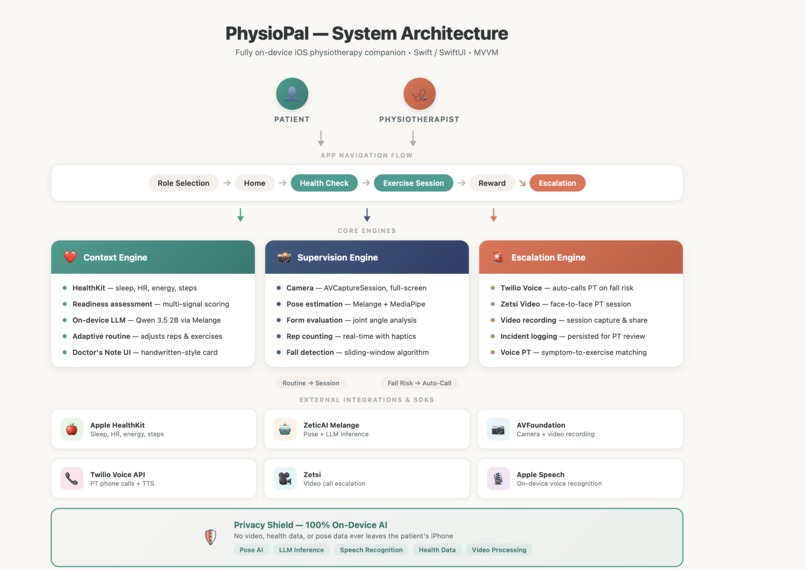
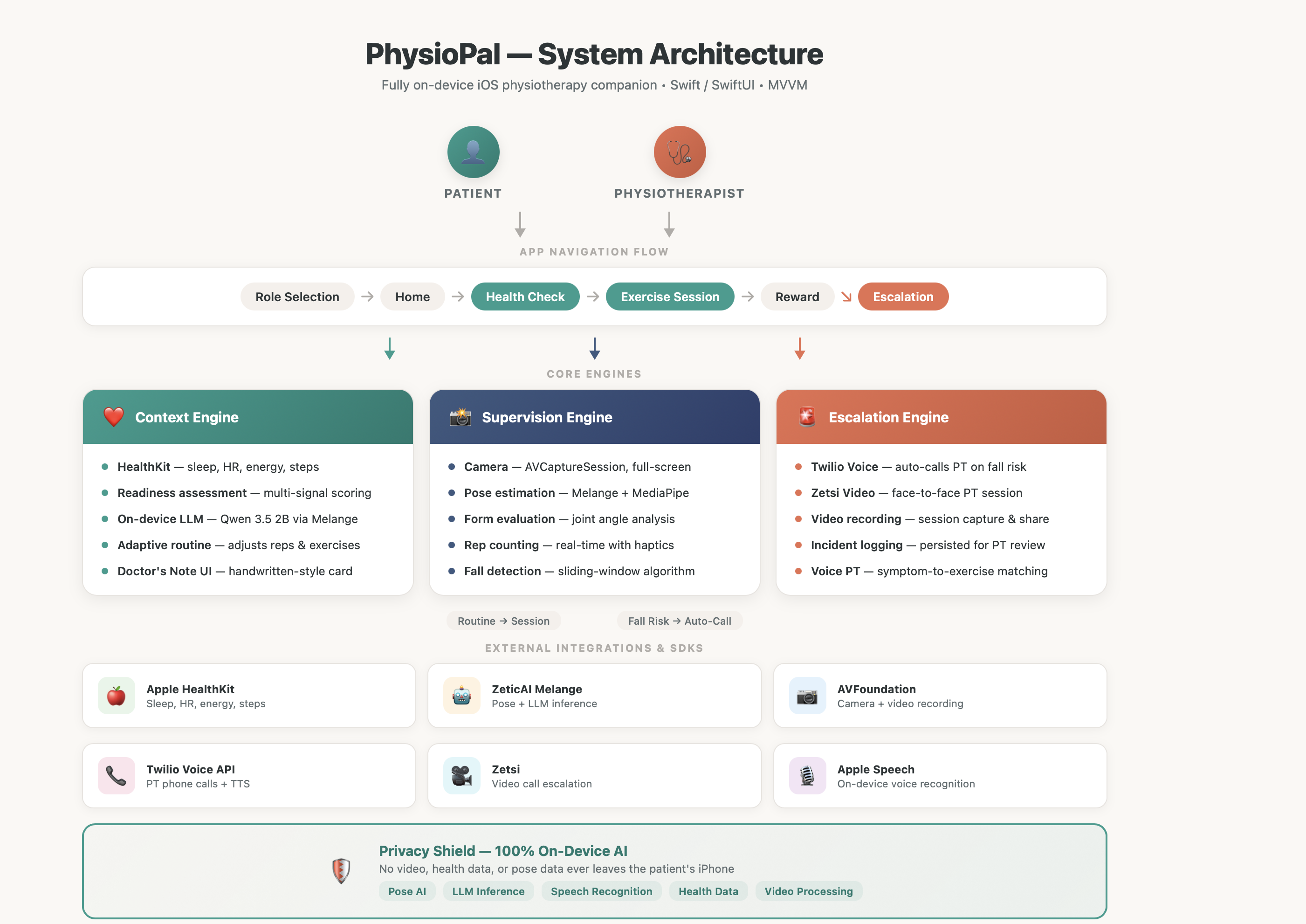
Architecture diagram
-
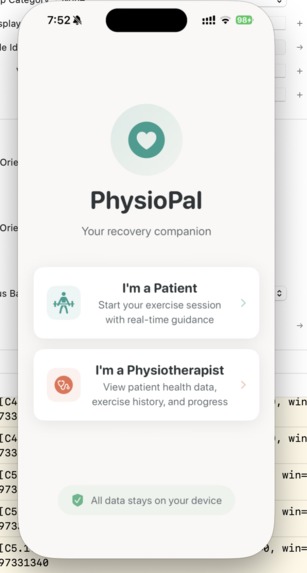
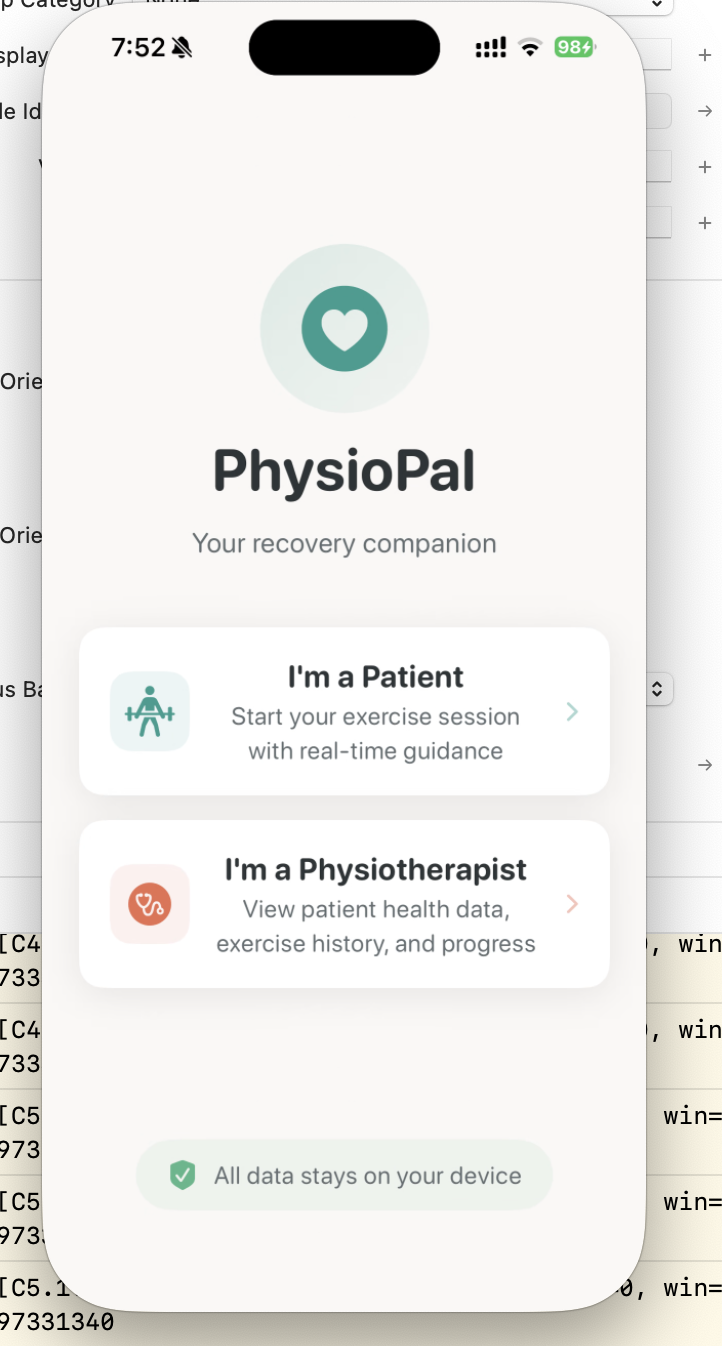
Home page
-
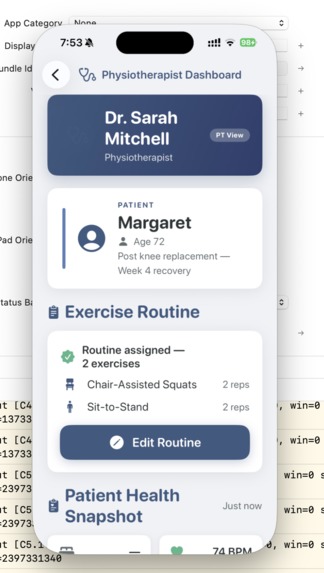
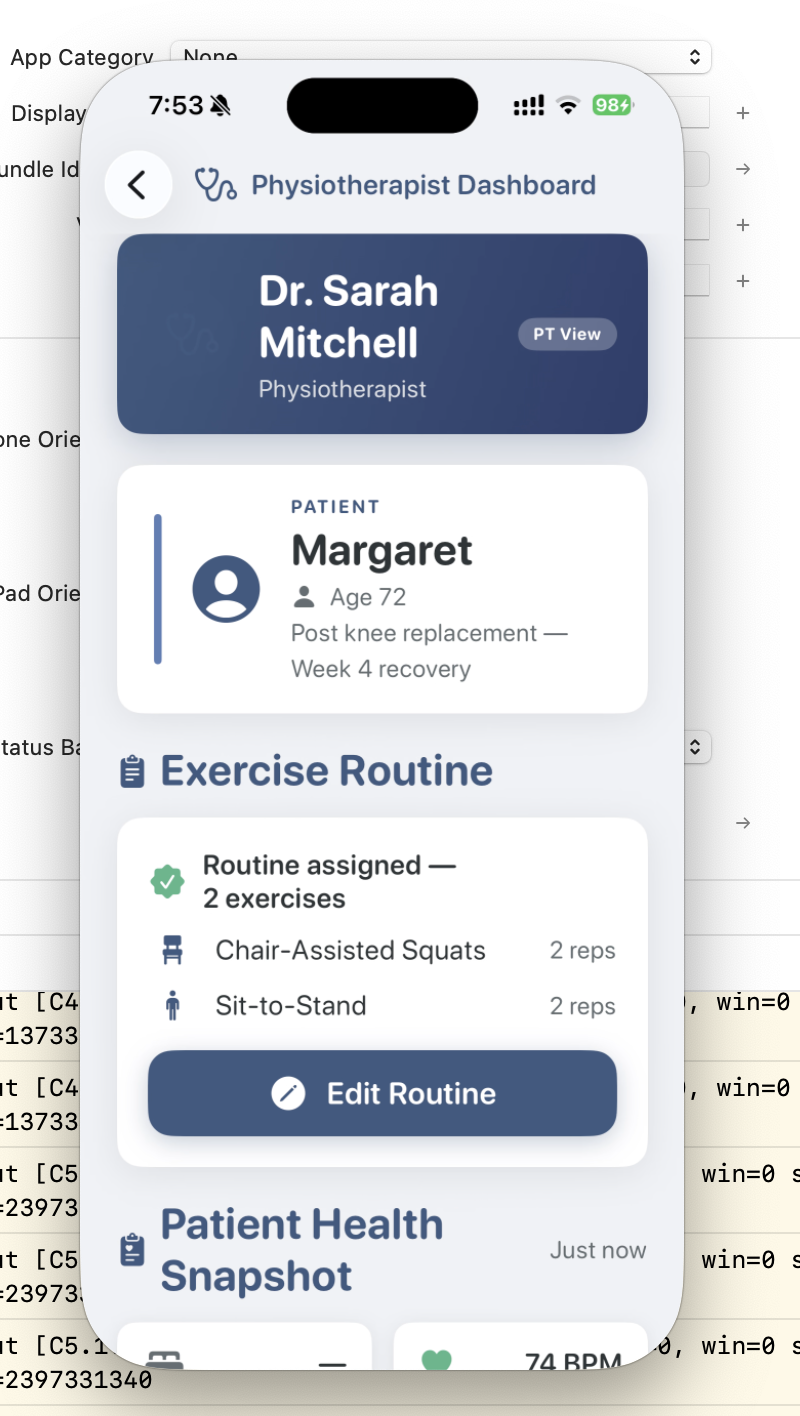
Physiotherapist's View
-
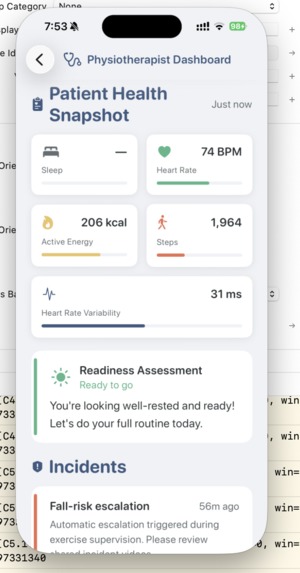
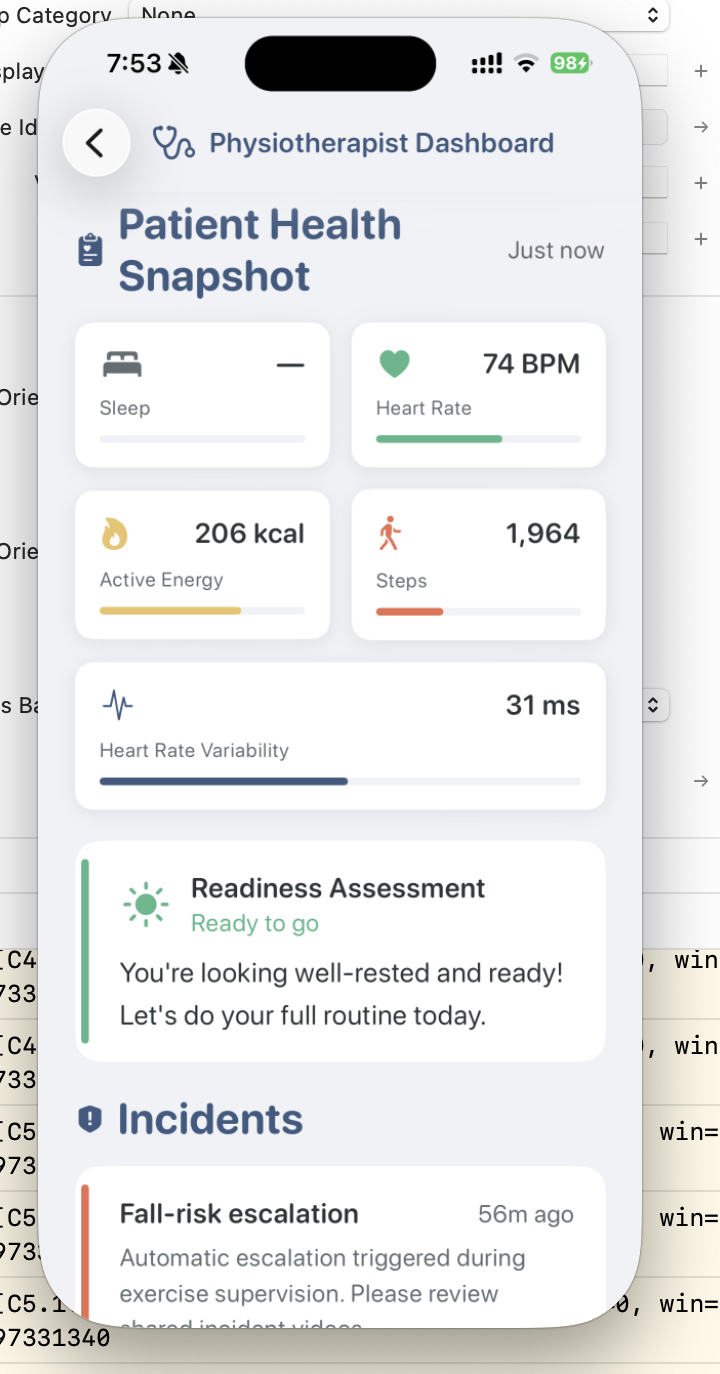
Patient health from physiotherapist dashboard
-
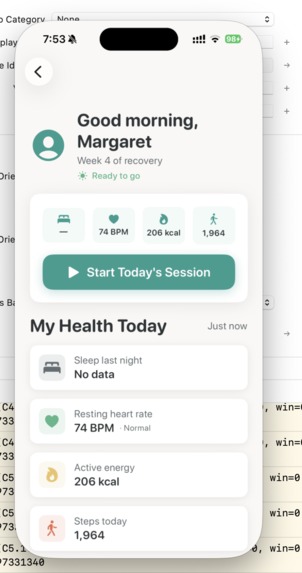
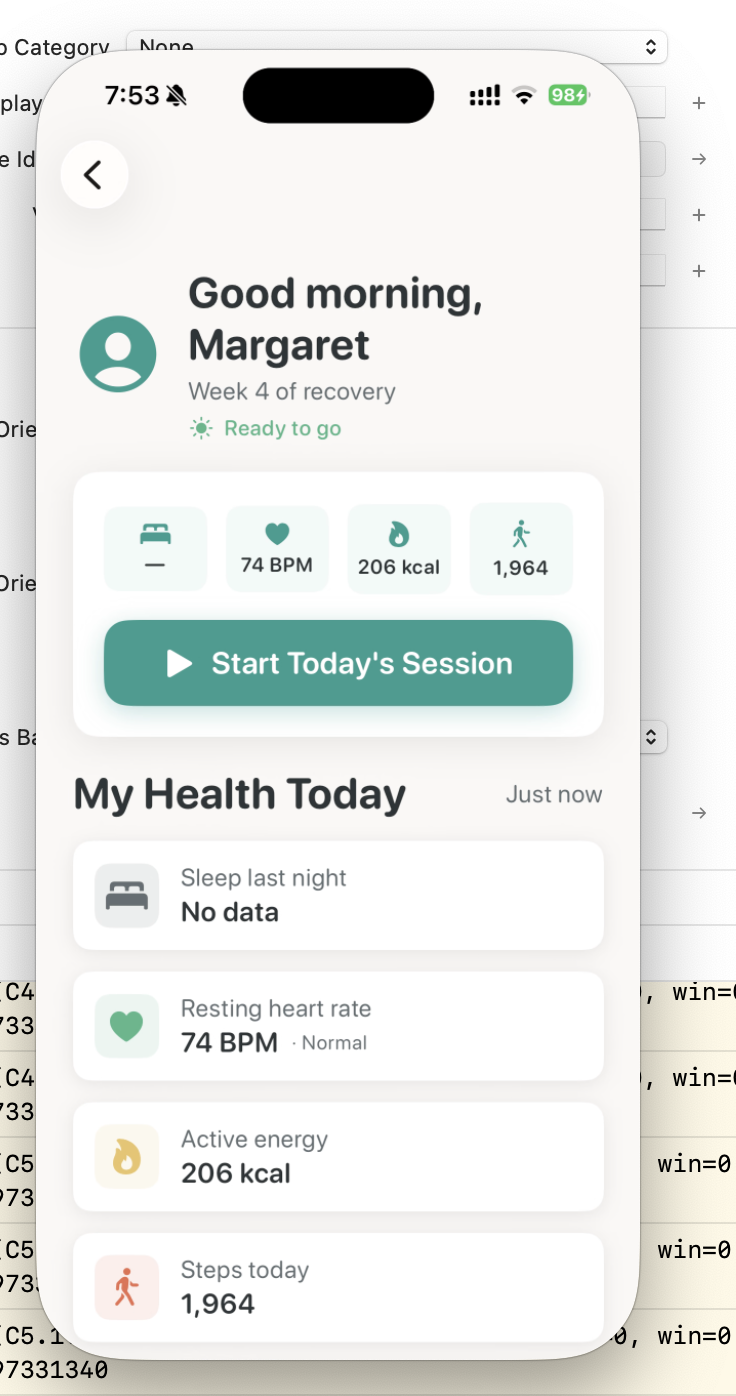
Patient's view
-
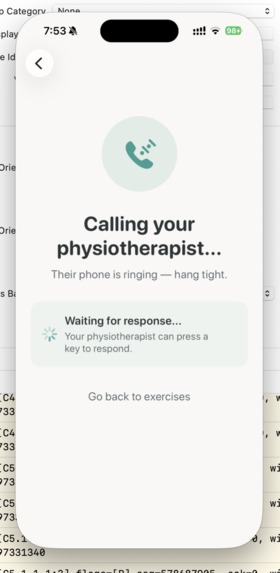
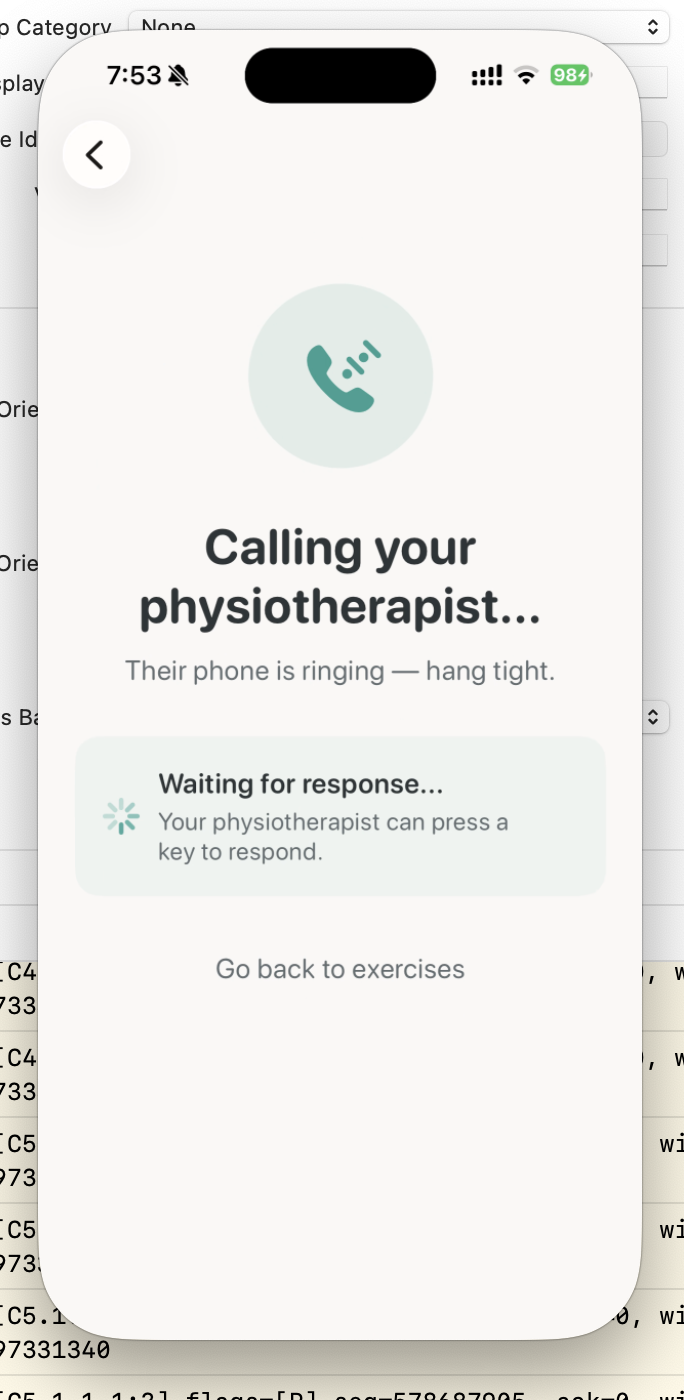
Instant call to physiotherapist from app
-
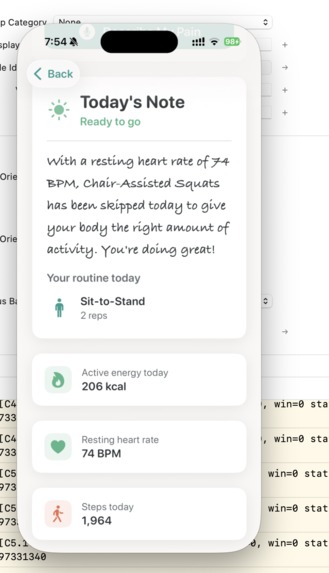
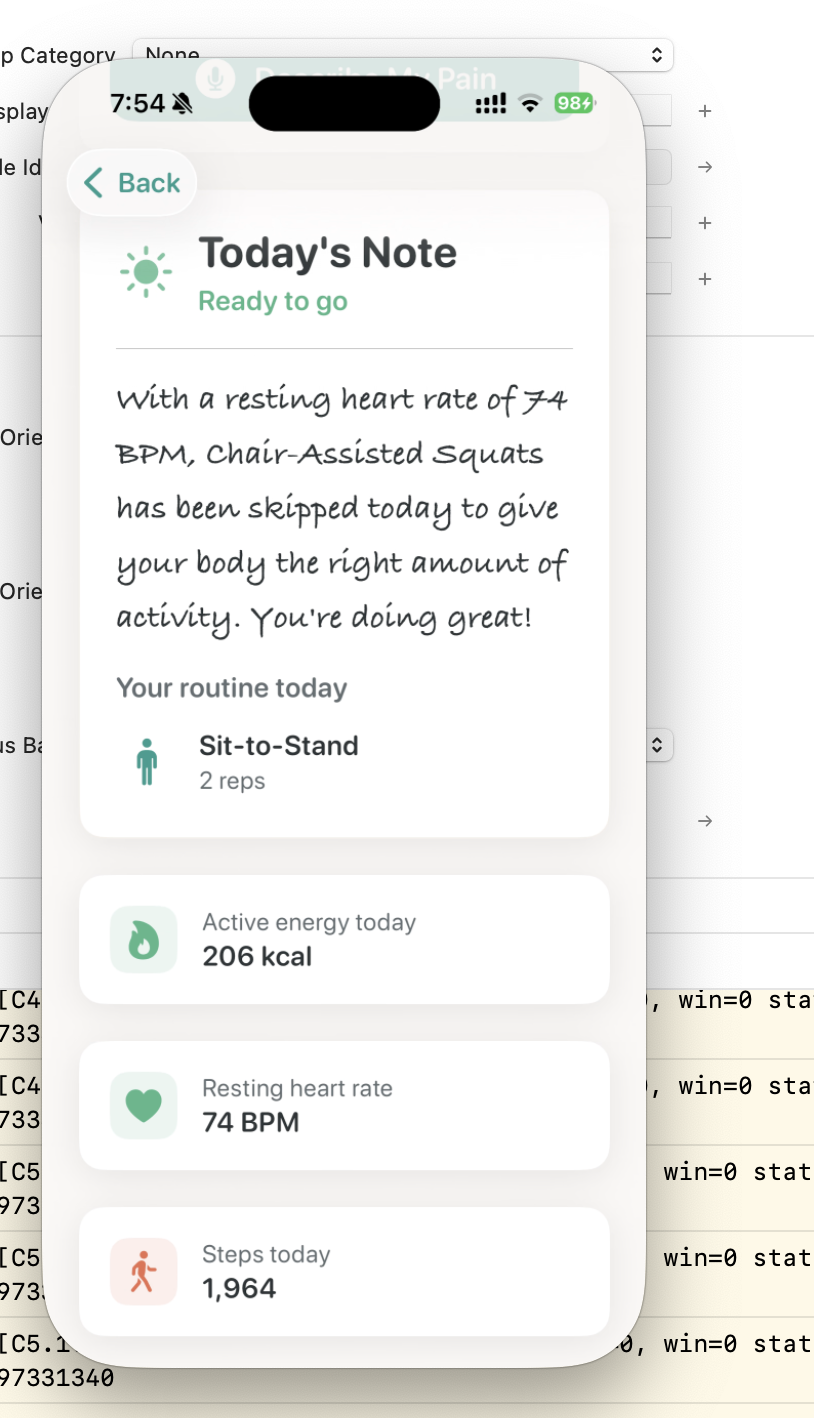
AI based routine changes
Inspiration
Every year, millions of patients are prescribed physiotherapy exercises — and most do them
wrong at home, unsupervised. The "Supervision Gap" is the #1 reason physical therapy
fails. Continuous live monitoring is expensive. Cloud-based AI cameras raise serious privacy
concerns, especially for elderly patients who are the most vulnerable.
We asked: What if your iPhone could be a private, always-available physiotherapist?
Our grandparents inspired the design — we wanted an app that a 70-year-old with reading
glasses could use without hesitation, that feels like a kind companion rather than a
clinical tool.
What it does
PhysioPal is a fully on-device iOS app with three engines working together:
Context Engine — Reads Apple Health data (sleep, heart rate, active energy, steps)
and adapts your exercise routine in real-time. Bad night's sleep? Deep squats become chair-assisted squats automatically. An on-device LLM personalizes the recommendation.Supervision Engine — Uses your iPhone camera with on-device pose estimation (ZeticAI Melange + Google MediaPipe) to track your skeleton in real-time, count reps, detect incorrect form, and give corrective feedback like "Let's adjust your back a little." Your
camera feed never leaves your phone.Escalation Engine — If you're struggling or a fall risk is detected, the app
automatically calls your physiotherapist via Twilio and offers a live video call. It also records and shares session videos with your PT for review.
Bonus: A voice-powered digital PT lets patients describe pain ("my knee hurts") and get AI-matched exercise recommendations via on-device speech recognition.
How we built it
- Platform: Swift / SwiftUI, iOS 17+, MVVM architecture
- Pose Estimation: ZeticAI Melange SDK + Google MediaPipe running entirely on Apple Neural Engine — zero cloud inference
- Health Integration: HealthKit queries for sleep, heart rate, active energy, and step
count with a multi-signal readiness assessment
- On-Device LLM: Qwen 3.5 2B deployed via ZeticAI Melange SDK, running fully on-device
to personalize exercise routines based on real-time health data
- Fall Detection: Custom sliding-window algorithm tracking hip/shoulder displacement
over 0.8s with multi-signal confirmation to minimize false positives
- Telephony: Twilio Voice API for automatic PT calls with TTS context, ngrok tunnel for
webhook delivery
- Video Calls: Zetsi platform integration for face-to-face PT escalation
- Voice AI: Apple's on-device Speech framework (SFSpeechRecognizer) for real-time
symptom capture — runs entirely offline with no audio data leaving the phone
Challenges we ran into
Coordinate system hell: The camera sensor captures in landscape, but the app runs in
portrait. Pose estimation landmarks would intermittently render horizontally instead of vertically due tovideoRotationAnglenot always taking effect on early frames. We solved
it by detecting actual buffer dimensions at runtime and dynamically choosing the correct orientation transform.Twilio + ngrok cold starts: The first call attempt always failed because ngrok's free tier returns an HTML interstitial page instead of JSON. We built a 3-layer defense:
ngrok-skip-browser-warningheaders, HTML response detection, and automatic retry logic
with connection warm-up.Video save race condition: Tearing down the camera preview before the
stopRecording()callback fired silently lost the last exercise video. We restructured the teardown sequence to defer camera cleanup until after the recording was saved.Fall detection false positives: Frame-to-frame delta detection was unreliable with
irregular camera frame timing. We replaced it with a sliding-window approach requiring multiple confirming signals before triggering escalation.
Accomplishments that we're proud of
- 100% on-device privacy — No video, health data, or pose data ever leaves the phone. This isn't a feature, it's a fundamental design constraint we never compromised.
- Full-screen immersive camera with frosted glass HUD controls — feels like a
professional fitness app, not a hackathon prototype.
- Automatic fall detection → PT call pipeline that works end-to-end: detect fall risk →
record video → mark as shared → call PT via Twilio → offer video follow-up.
- Elderly-first design that passes the "can a 70-year-old use this?" test — warm colors,
large text, linear navigation, encouraging language.
- Voice-powered symptom input — say "my knee hurts" and get a matched exercise
recommendation with a 2-second AI processing indicator.
What we learned
- On-device ML is powerful but unforgiving — coordinate systems, buffer orientations, and
model input formats have zero tolerance for assumptions. - Designing for elderly users forced us to be better designers overall — constraints breed clarity.
- Swift concurrency and GCD don't always play nicely together, especially around actor
isolation and timeout patterns.
- The gap between "it works on my phone" and "it works reliably every time" is where 80% of
the effort lives.
What's next for PhysioPal
- Custom exercise builder for physiotherapists to prescribe personalized routines
directly through the app - Progress tracking with weekly reports and trend analysis shared securely with the PT
- Apple Watch integration for real-time heart rate monitoring during exercises
- Multi-language support to serve diverse elderly populations
- TestFlight beta with real physiotherapy clinics to validate clinical effectiveness

Log in or sign up for Devpost to join the conversation.