-
-
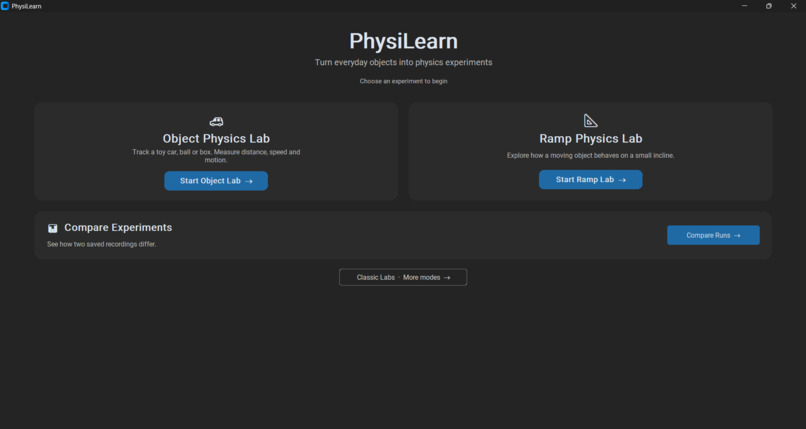
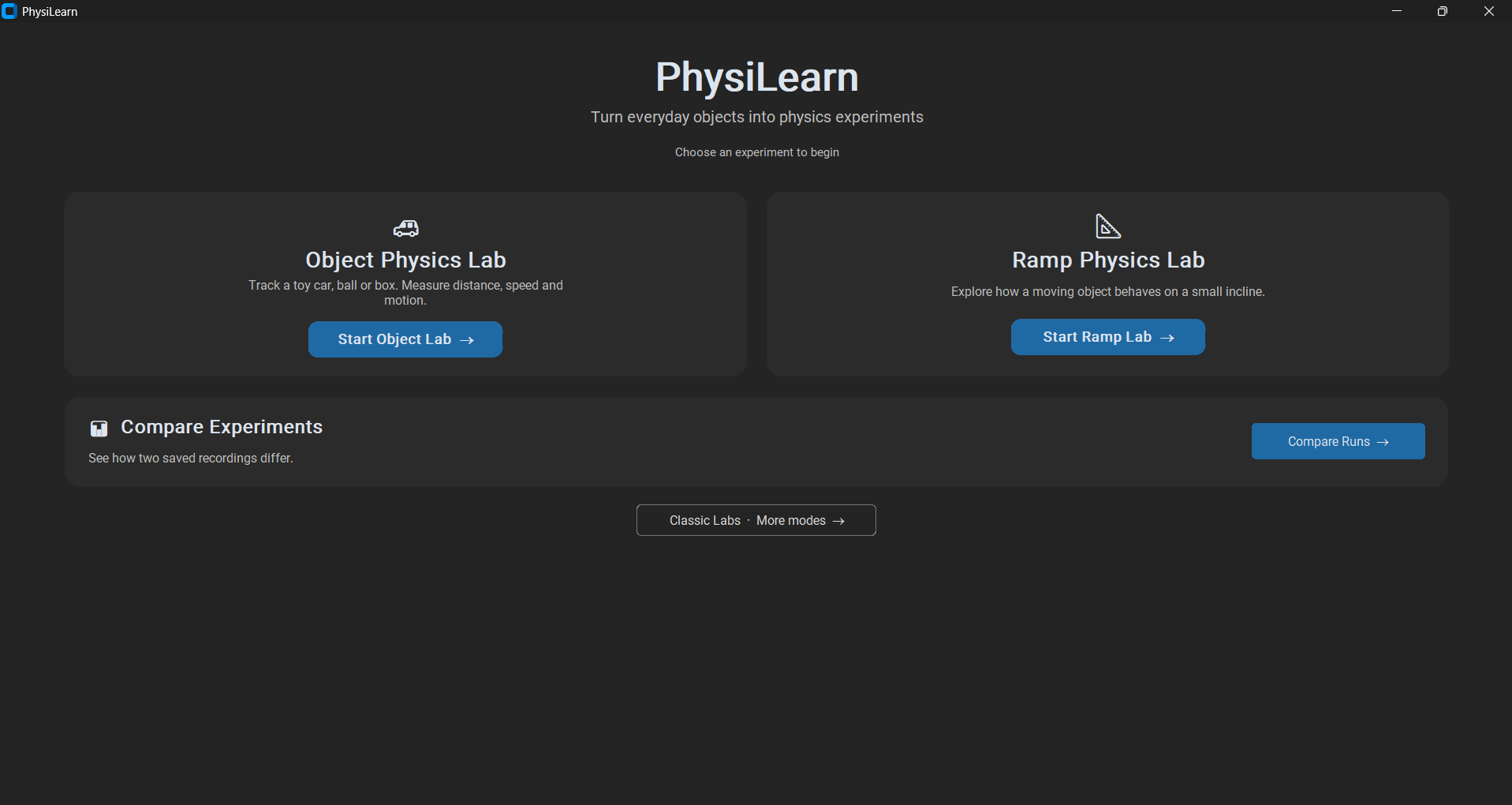
Home Screen
-
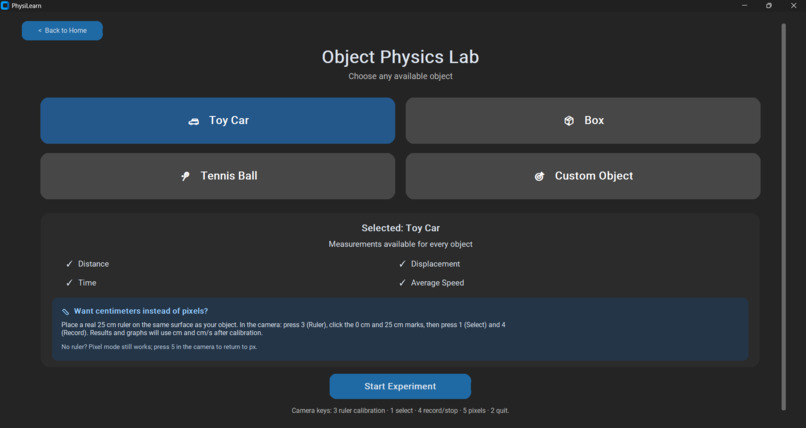
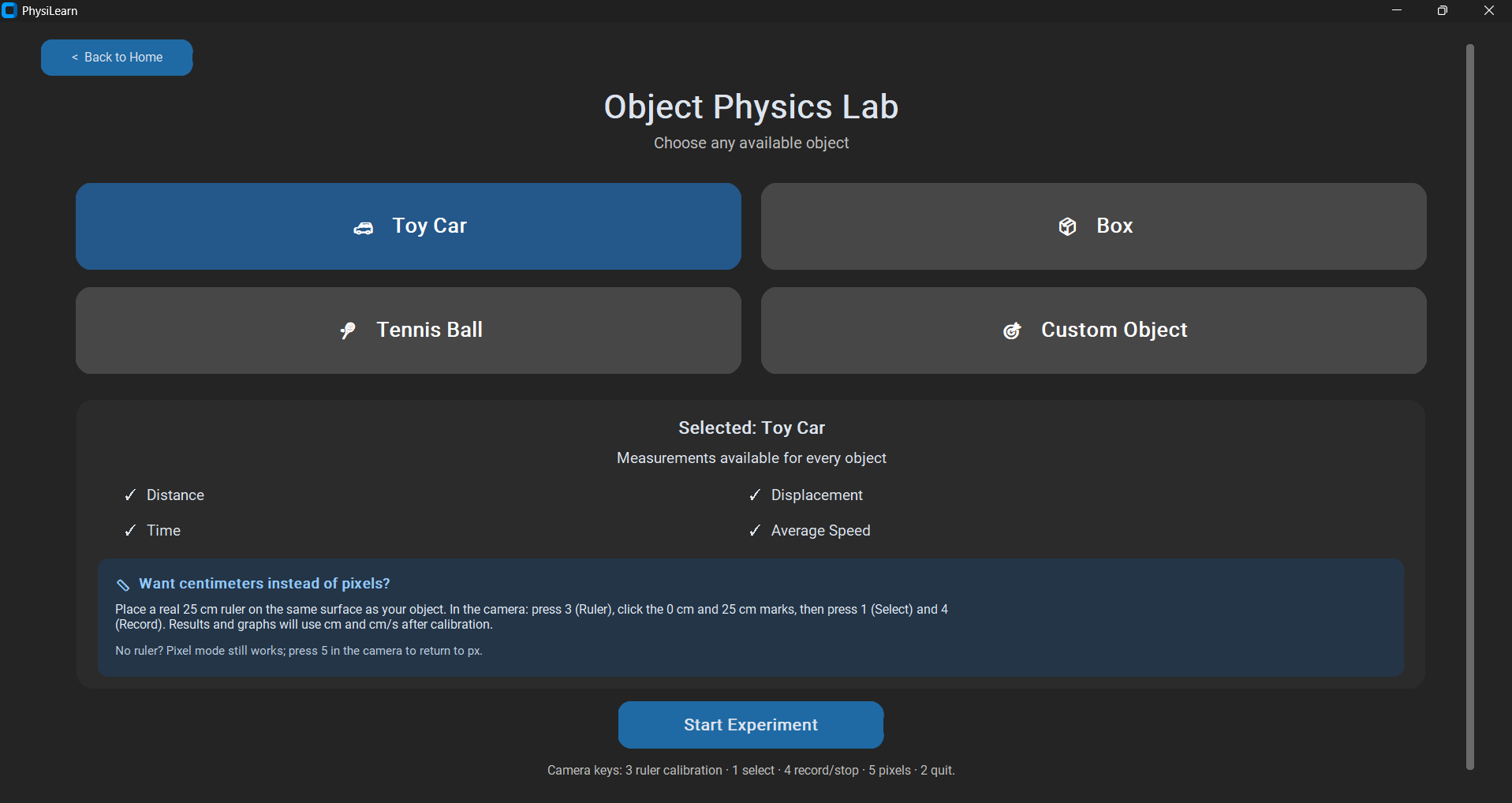
Object Physics Lab — Object Selection
-
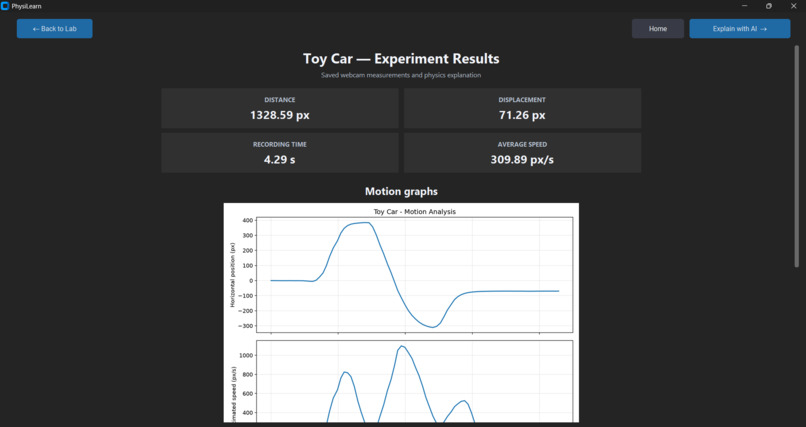
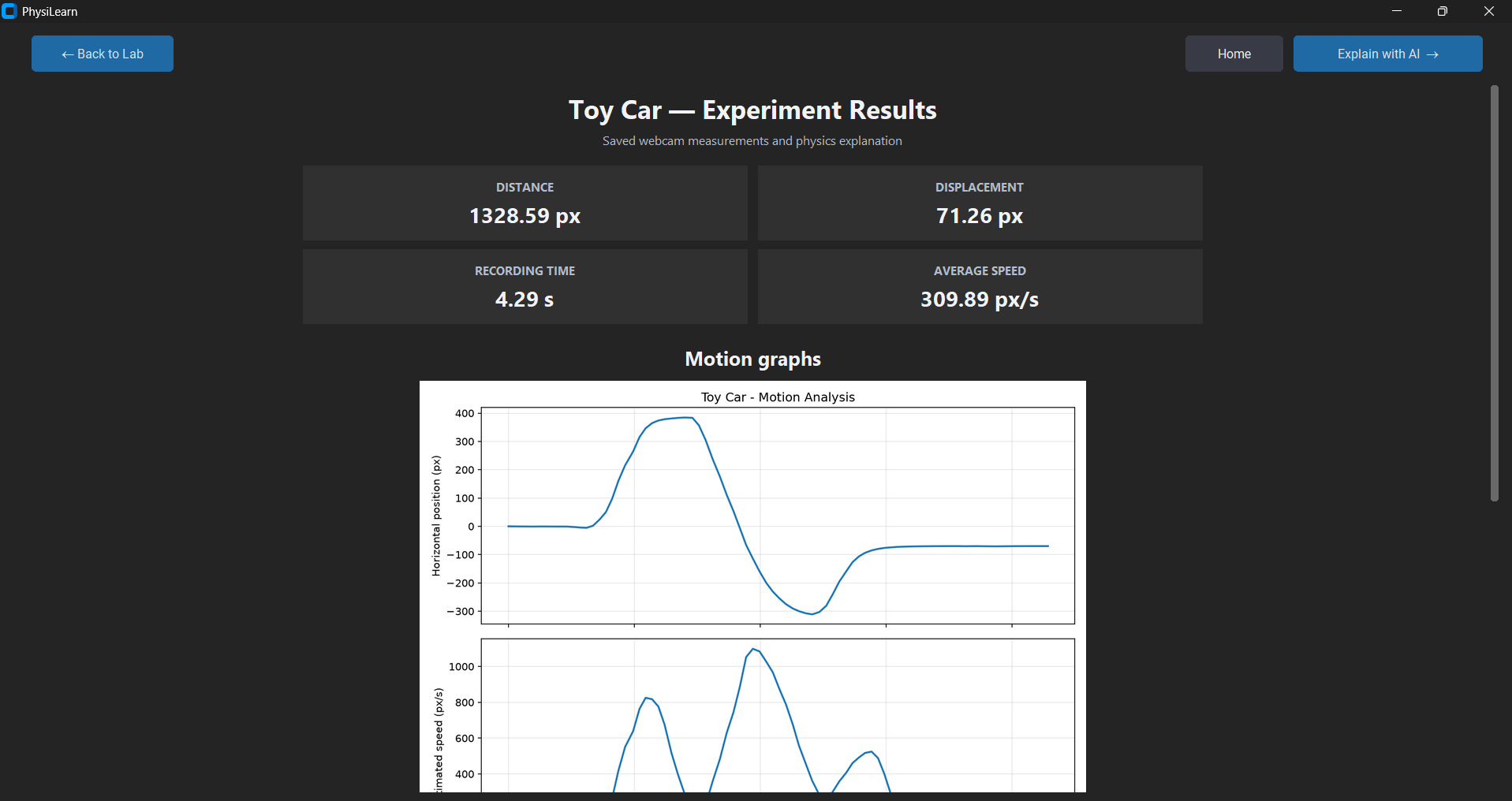
Object Physics Lab — Experiment Results
-
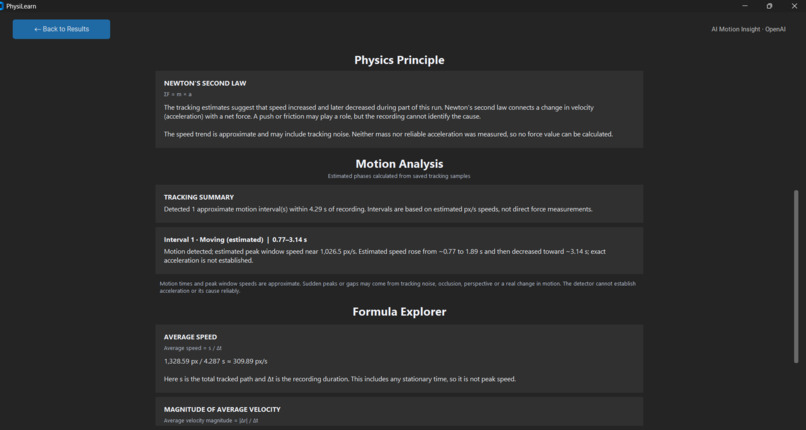
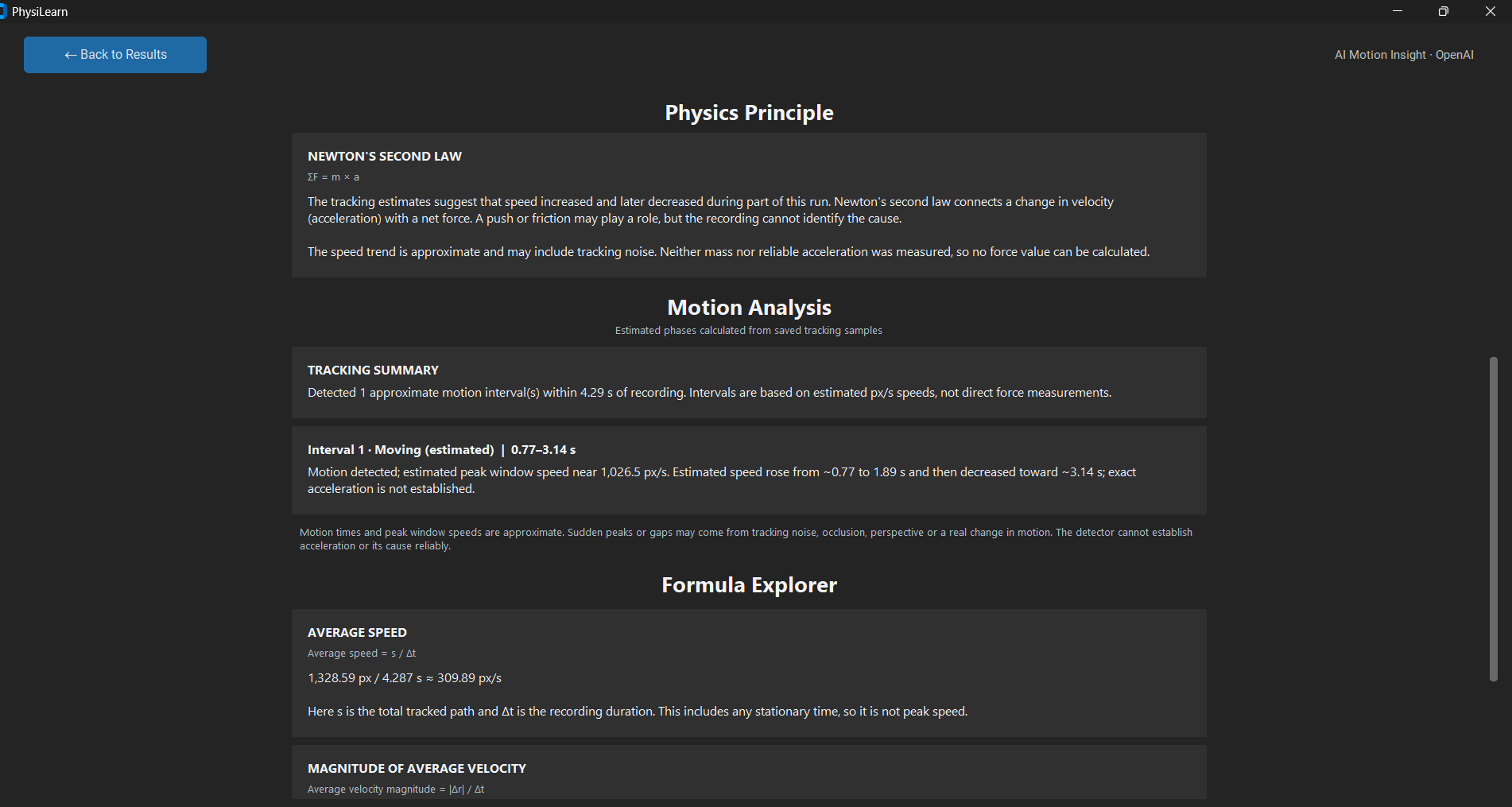
Physics Principle & Motion Analysis
-
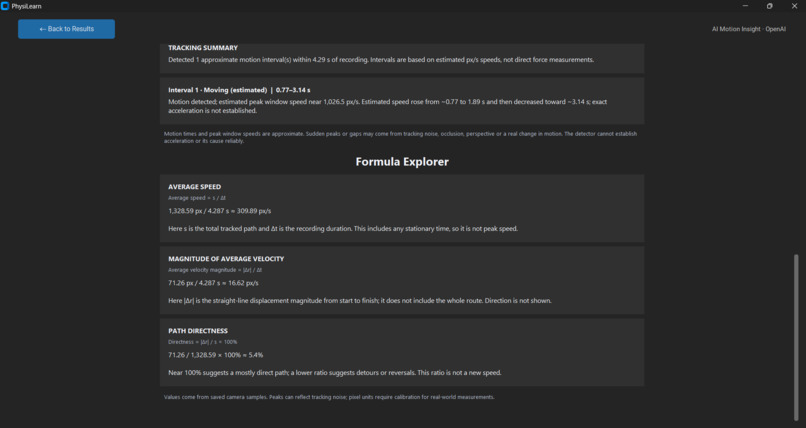
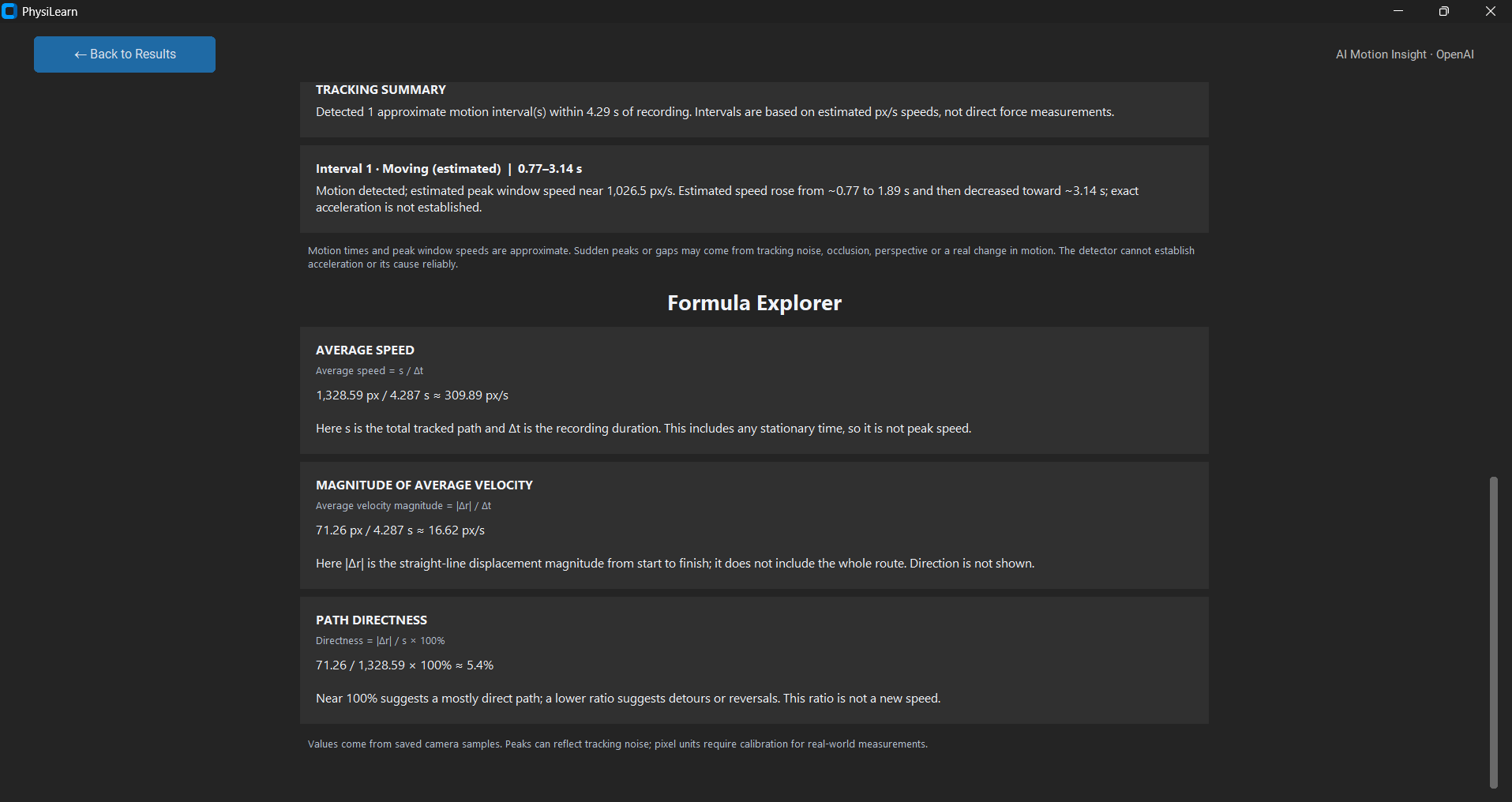
Formula Explorer — Real Measurements
-
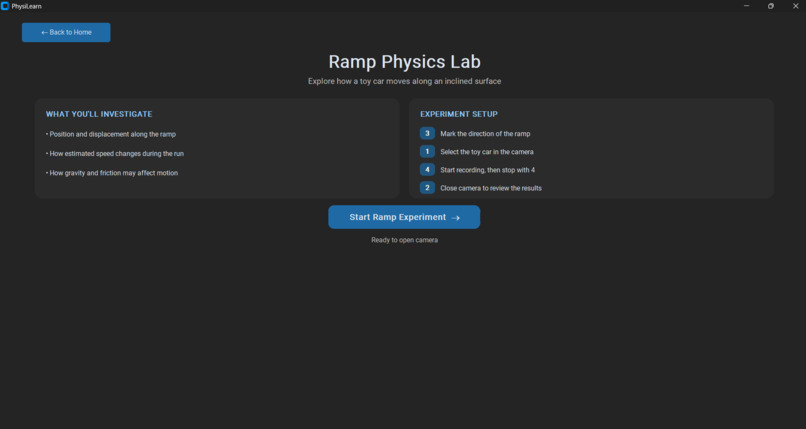
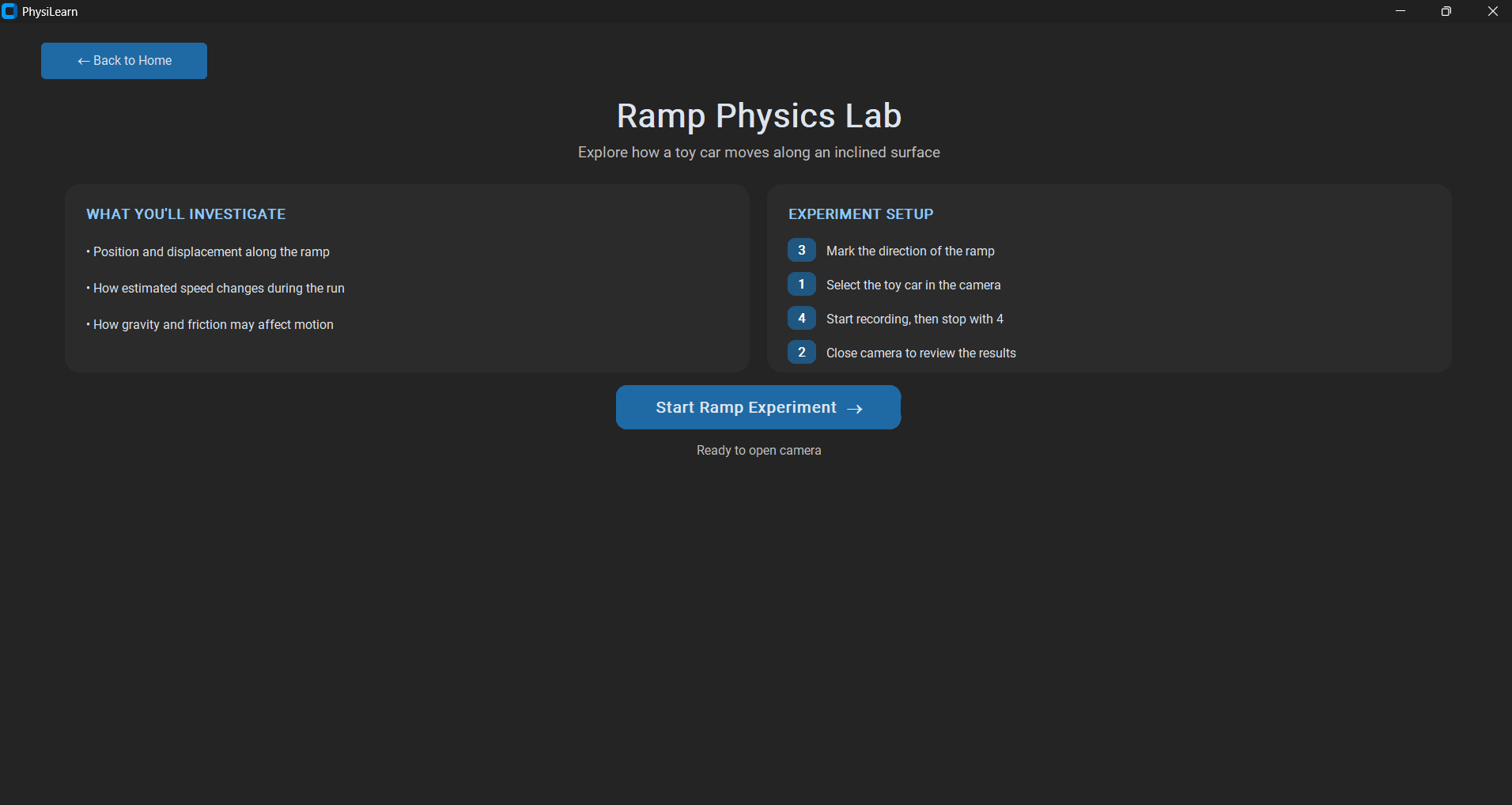
Ramp Physics Lab
-
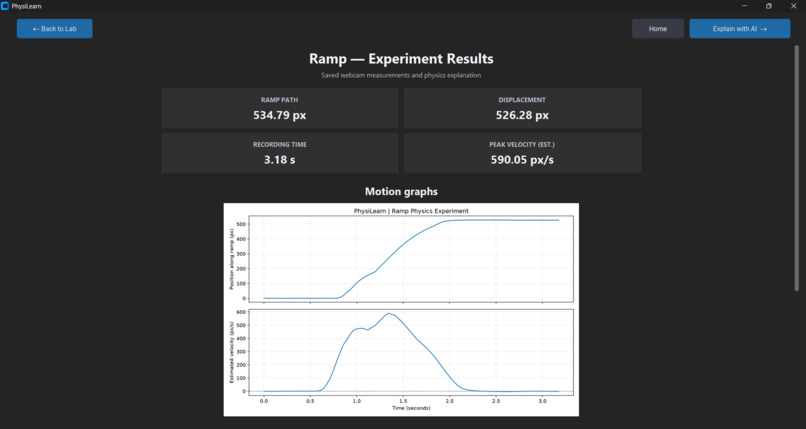
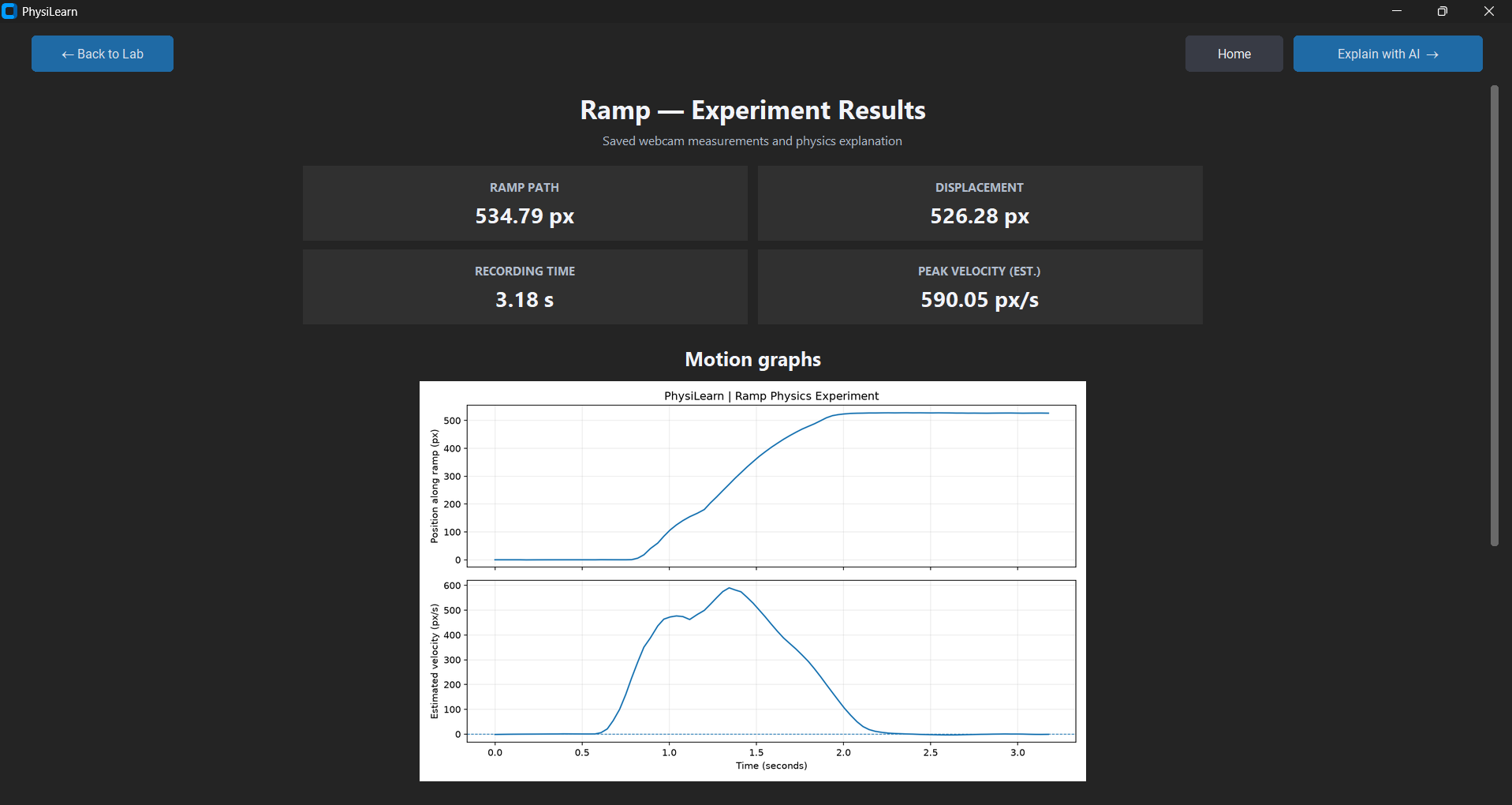
Ramp Physics Lab — Experiment Results
-
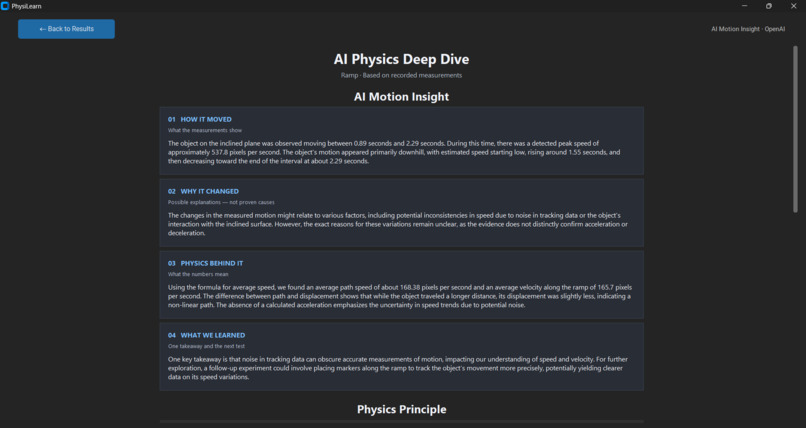
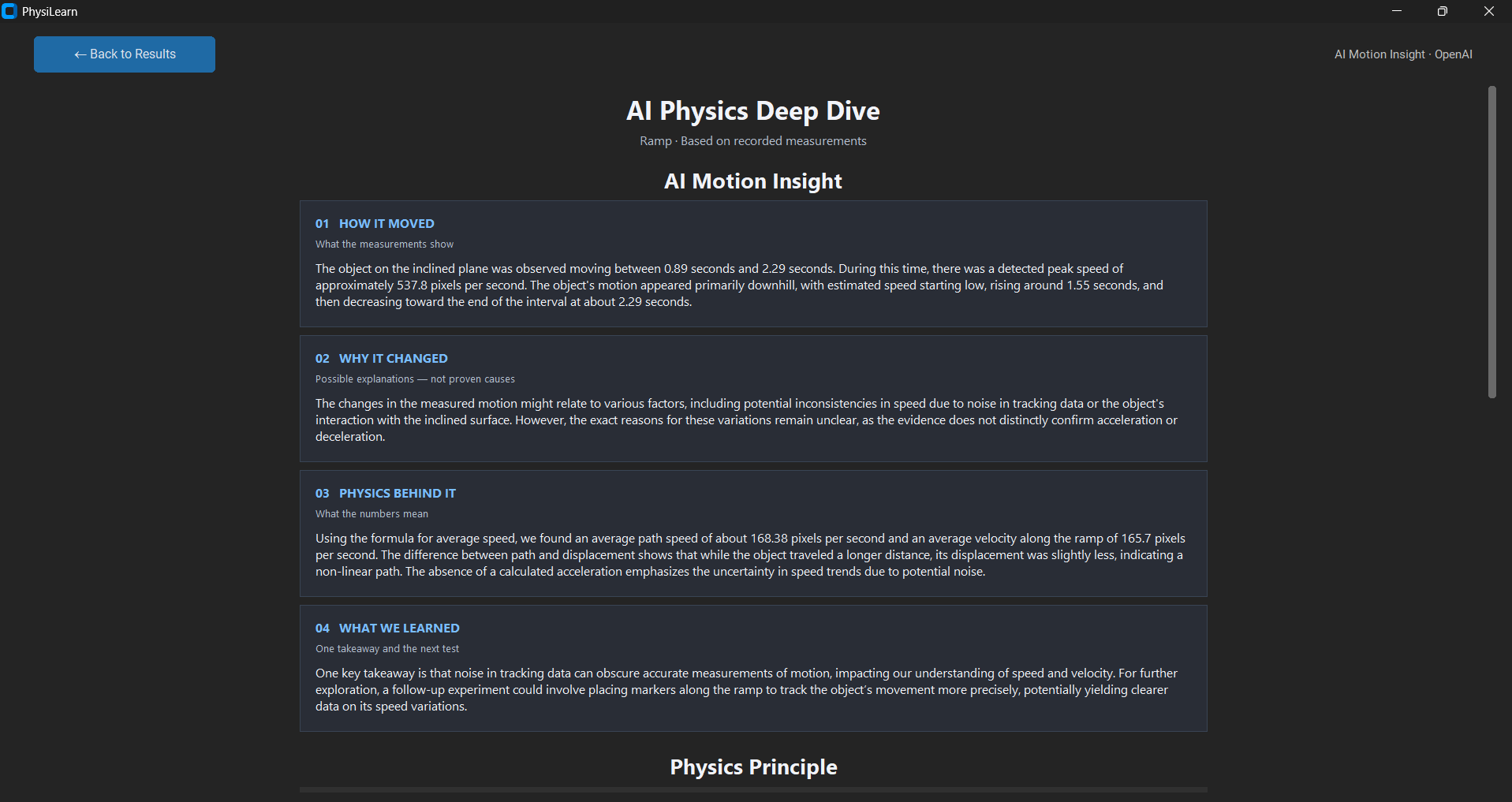
AI Motion Insight — Ramp Experiment
-
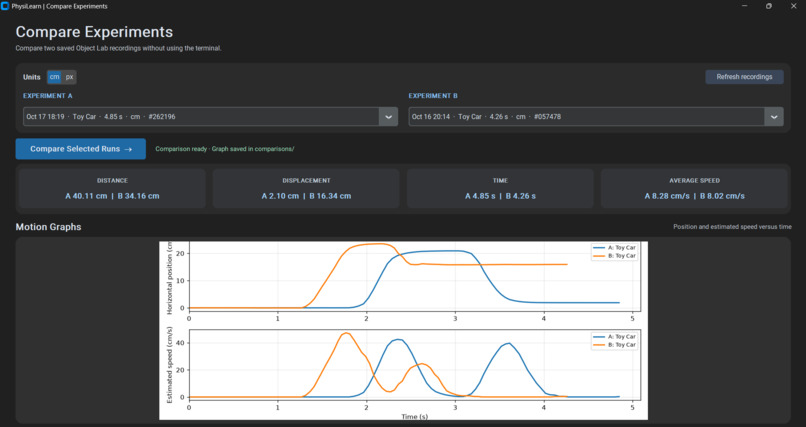
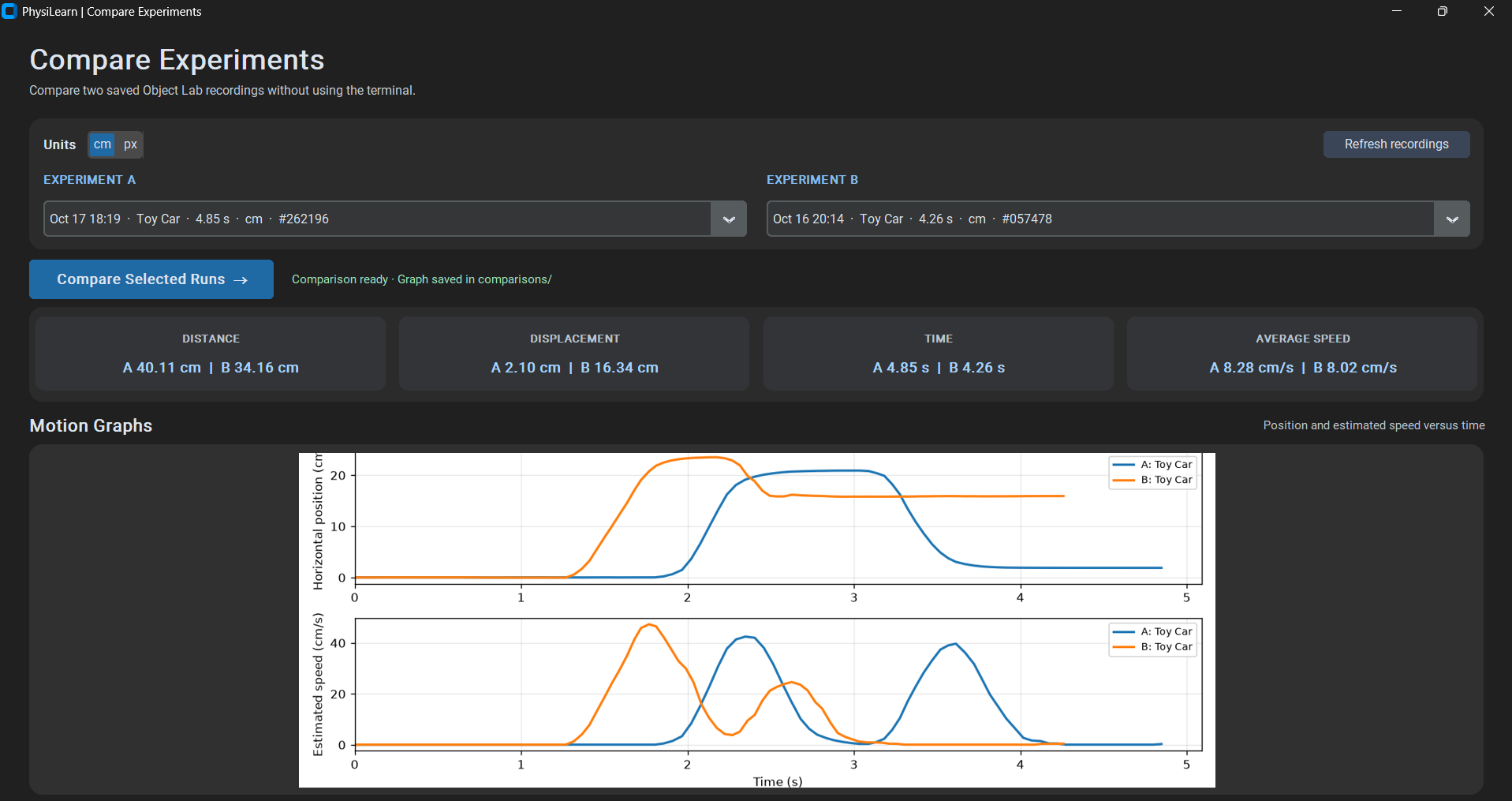
Compare Experiments — Motion Graphs
Inspiration
I've always enjoyed physics, but I noticed that solving textbook problems and understanding real motion are two different things. We often learn formulas for speed, distance, and acceleration without getting many opportunities to explore these concepts ourselves.
I wanted to build something that would allow students to turn ordinary objects into their own physics experiments, using just a webcam and a computer. That's how PhysiLearn started.
What it does
PhysiLearn is an interactive desktop physics laboratory that combines computer vision, motion analysis, and AI-powered explanations.
The application includes three main features:
1. Object Physics Lab
Students can track everyday objects such as toy cars, balls, and boxes using their webcam. PhysiLearn estimates distance, displacement, recording time, and average speed, then generates motion graphs.
With ruler calibration, students can estimate measurements in centimeters instead of pixels.
2. Ramp Physics Lab
Students can observe a toy car moving along an inclined surface. The application tracks its position along the ramp and helps students explore changes in motion and possible effects of gravity and friction.
3. Compare Experiments
Students can select two saved recordings and compare their measurements and motion graphs side by side.
PhysiLearn also includes AI Motion Insight, which uses recorded measurements to generate personalized explanations of how an object moved, what might have influenced its motion, and which physics principles are relevant.
The AI does not calculate or invent measurements. Python handles the numerical calculations, while AI helps students interpret the results.
How I built it
I developed PhysiLearn primarily in Python.
- OpenCV handles webcam capture and object tracking.
- NumPy processes numerical measurements.
- Matplotlib creates position and speed graphs.
- CustomTkinter provides the desktop interface.
- OpenAI API generates personalized physics explanations.
- JSON stores experiment results for later comparison.
The workflow is straightforward: the webcam captures an object's movement, the tracking system estimates its positions over time, Python calculates physics quantities, and the application presents graphs and explanations.
Challenges I faced
One of the biggest challenges was achieving reliable object tracking. Fast movements, motion blur, changing lighting, and temporary tracking errors sometimes produced inaccurate measurements.
Another challenge was calibration. Initially, measurements were only available in pixels, which are not intuitive for students. I added ruler-based calibration so the Object Lab could estimate real-world distances.
I also encountered performance issues in the interface, particularly when displaying results and graphs. Fixing these problems required several rounds of debugging and testing.
Integrating AI presented another challenge: I wanted it to explain actual measurements rather than generate convincing but unsupported physics claims. To address this, the AI receives calculated data and is instructed to distinguish observations from possible explanations.
Accomplishments
I'm particularly proud that PhysiLearn works with real objects rather than simulated measurements.
Students can perform an experiment, examine the resulting graphs, explore relevant physics concepts, and compare different recordings in one application.
Another achievement was integrating computer vision, deterministic physics calculations, and personalized AI explanations into a single learning experience.
What I learned
Building PhysiLearn taught me a lot about Python development, computer vision, graphical interfaces, API integration, and debugging.
More importantly, I learned that collecting data is only part of an experiment. Understanding measurement uncertainty and interpreting results responsibly are just as important.
I also learned how much iteration is required to turn an initial prototype into a more complete application.
What's next for PhysiLearn
In the future, I'd like to improve tracking accuracy, expand the available experiments, and add more interactive learning activities.
I also hope to explore how PhysiLearn could be used in classrooms, making hands-on physics more accessible to students who don't have specialized laboratory equipment.
My goal is simple: make physics something students can observe, experiment with, and understand for themselves.
Development note: PhysiLearn began as an earlier hackathon prototype. For EurekaDev, I expanded it with the Object Physics Lab, Ramp Physics Lab, calibration, experiment comparison, and AI Motion Insight. I also used AI-assisted development tools while building, debugging, and refining the application.

Log in or sign up for Devpost to join the conversation.