-
-
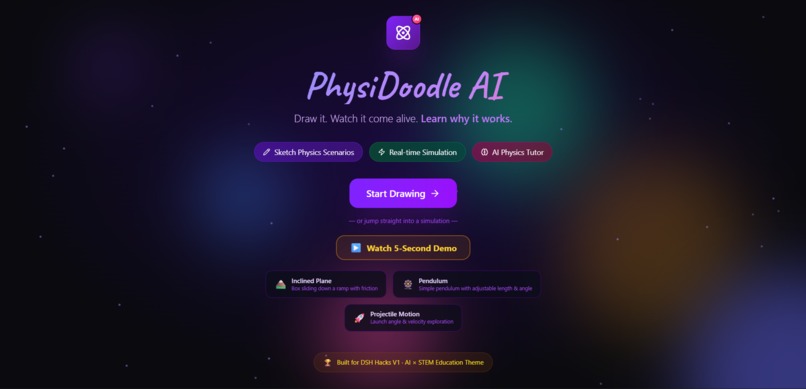
Home
-
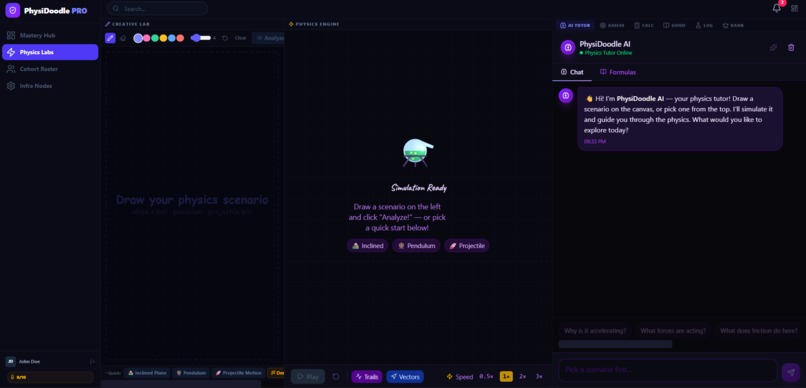
Main Dashboard
-
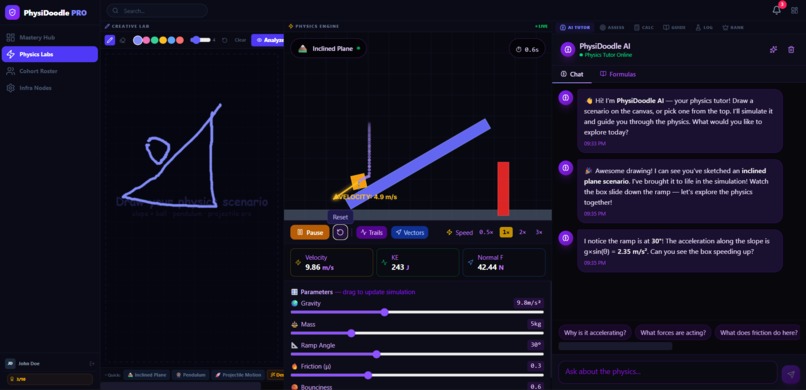
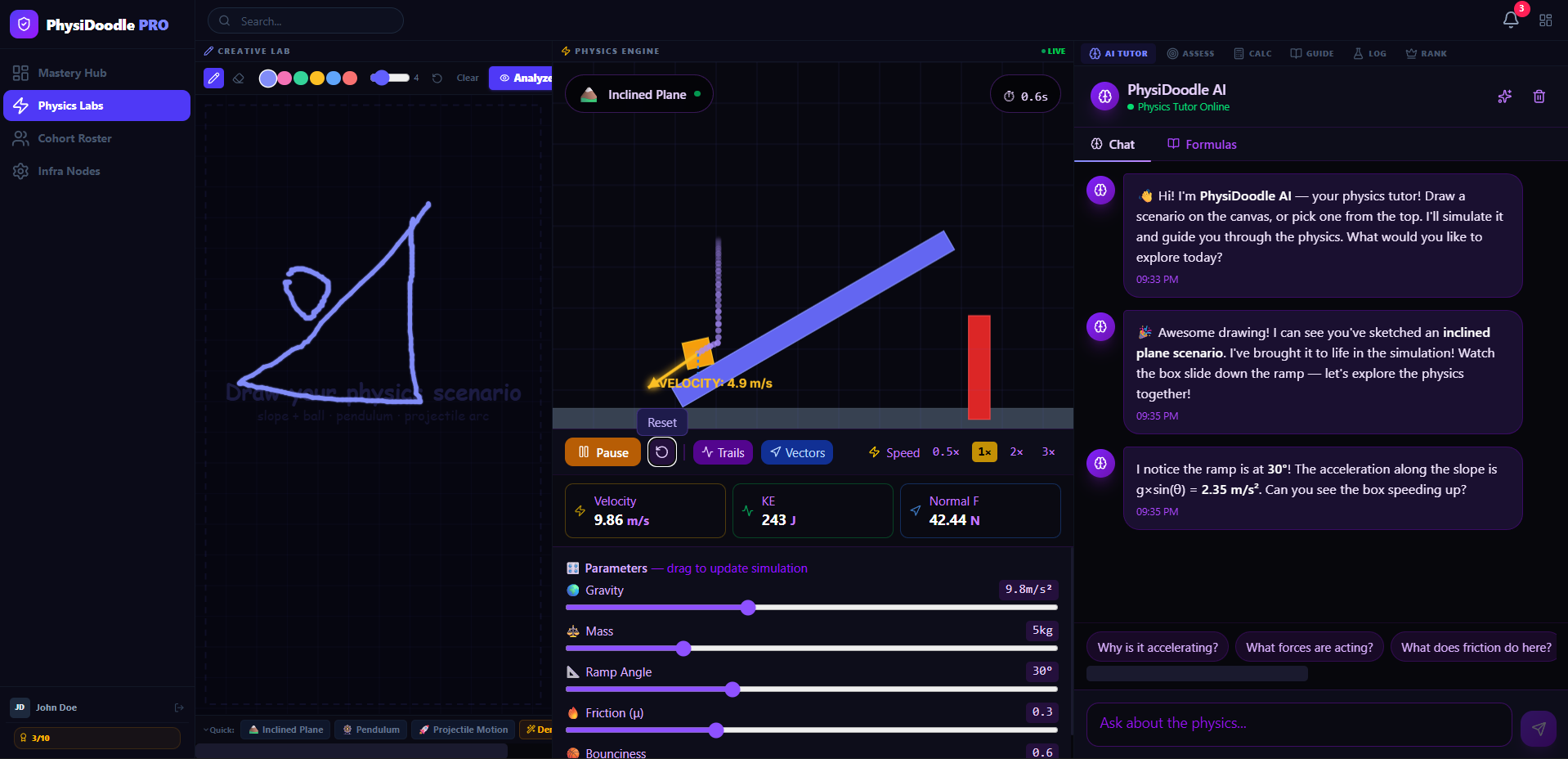
Example of Inclined Plane with Parameters
-
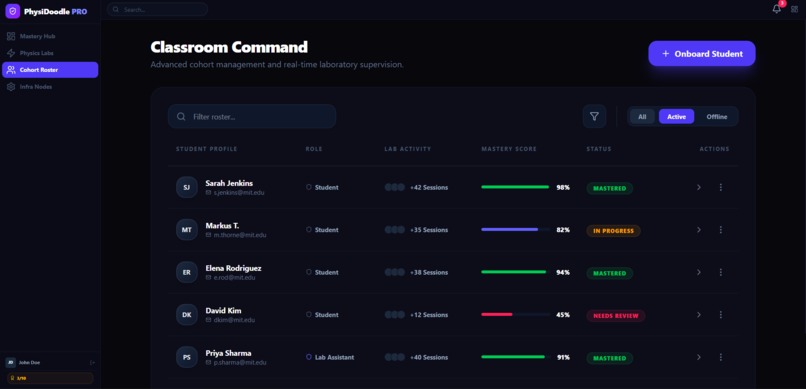
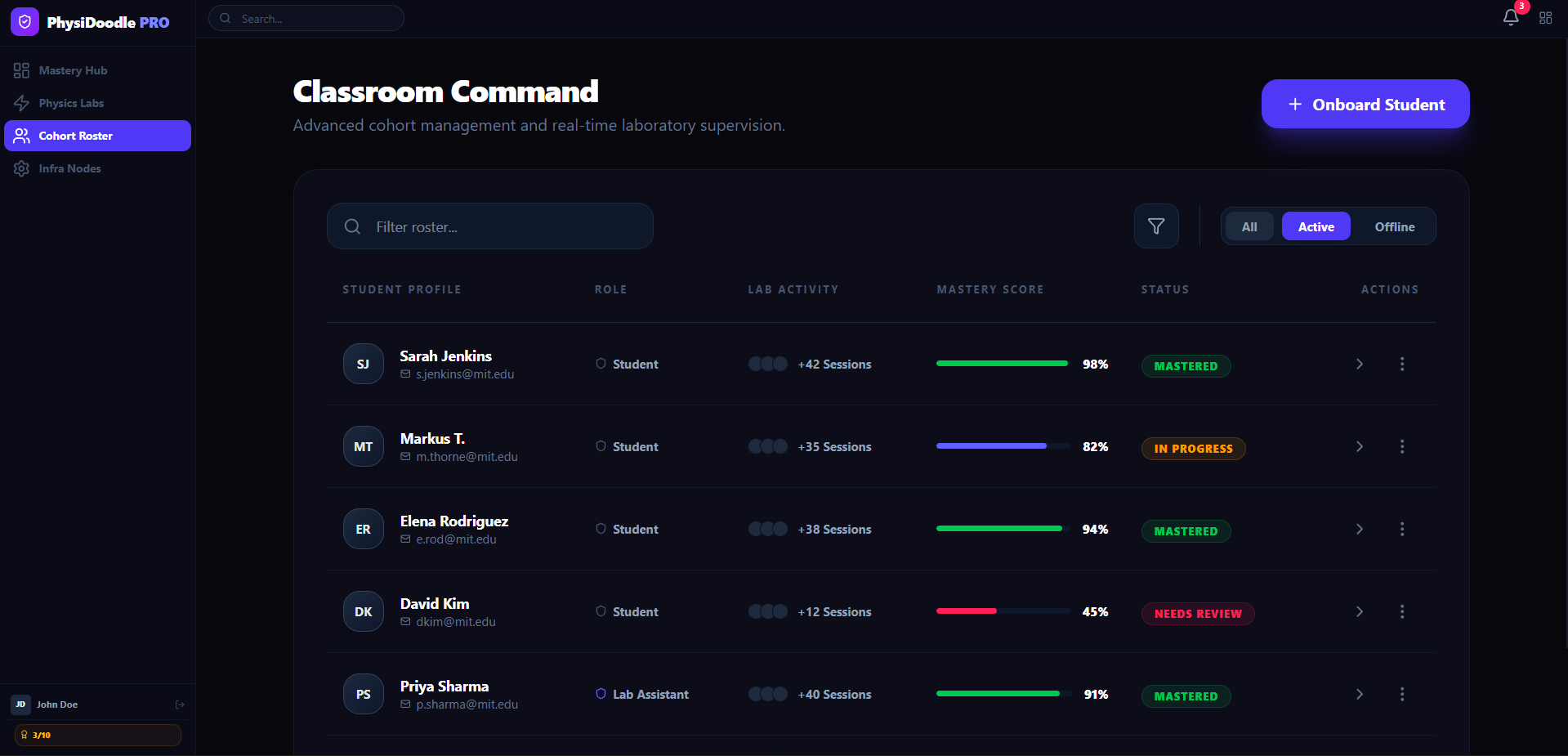
Classroom Dashboard
-
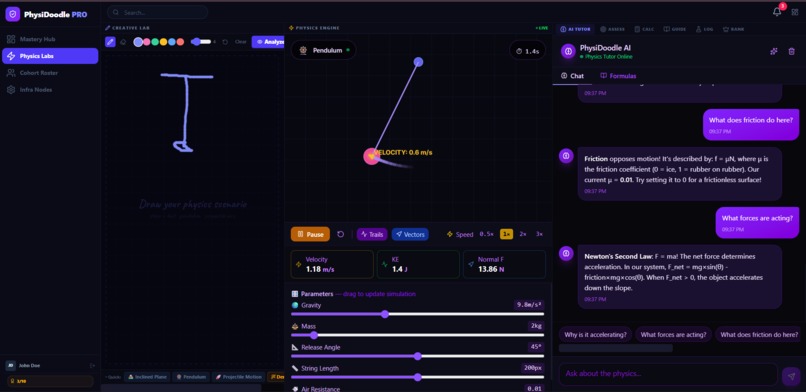
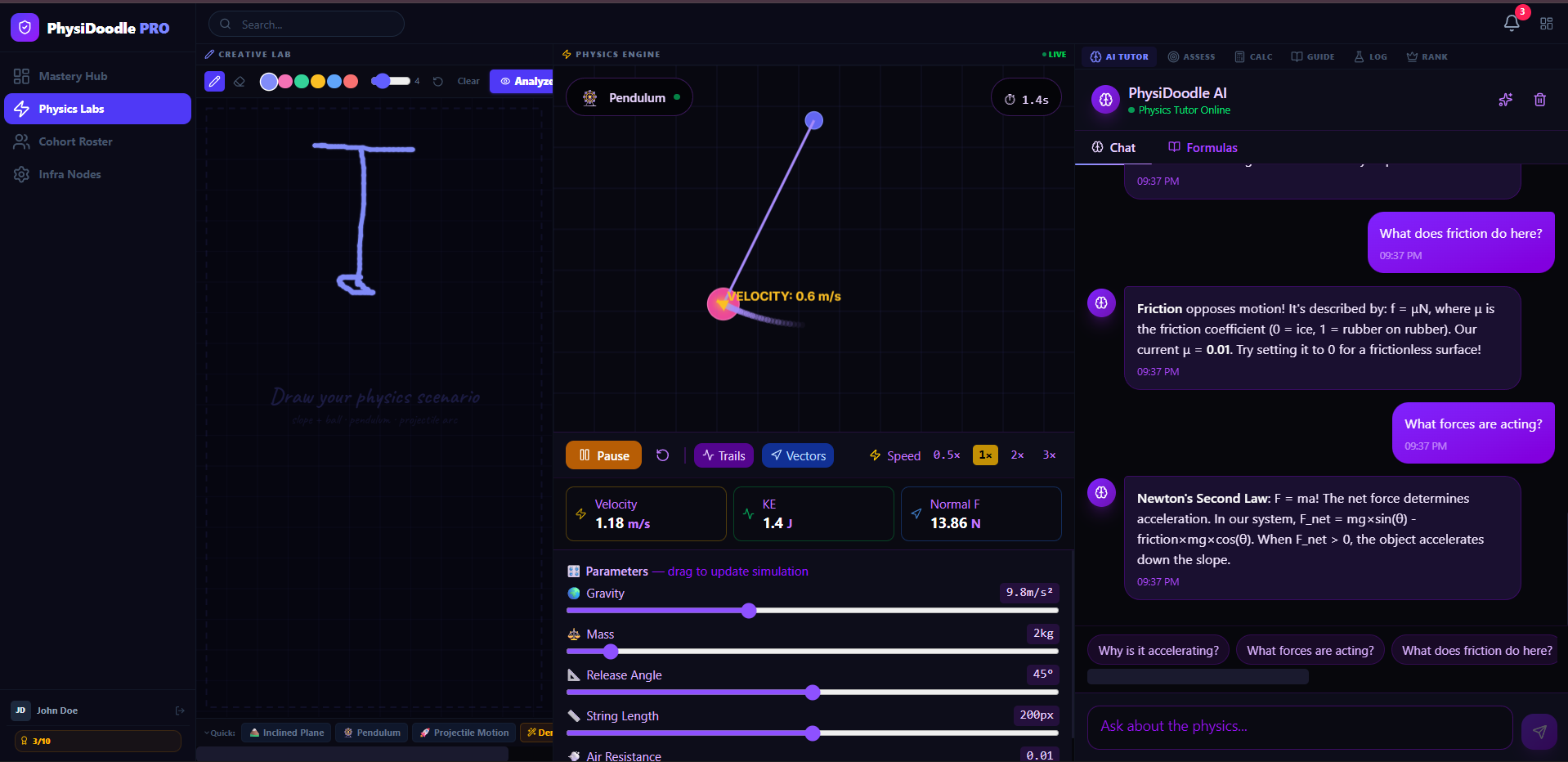
Example of Simple Pendulum with Parameters
-
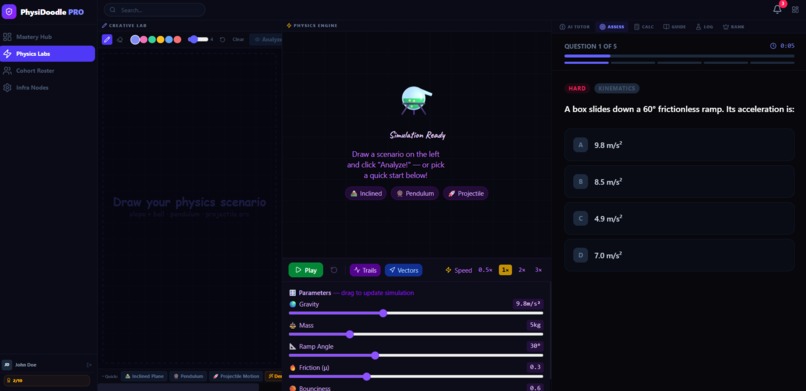
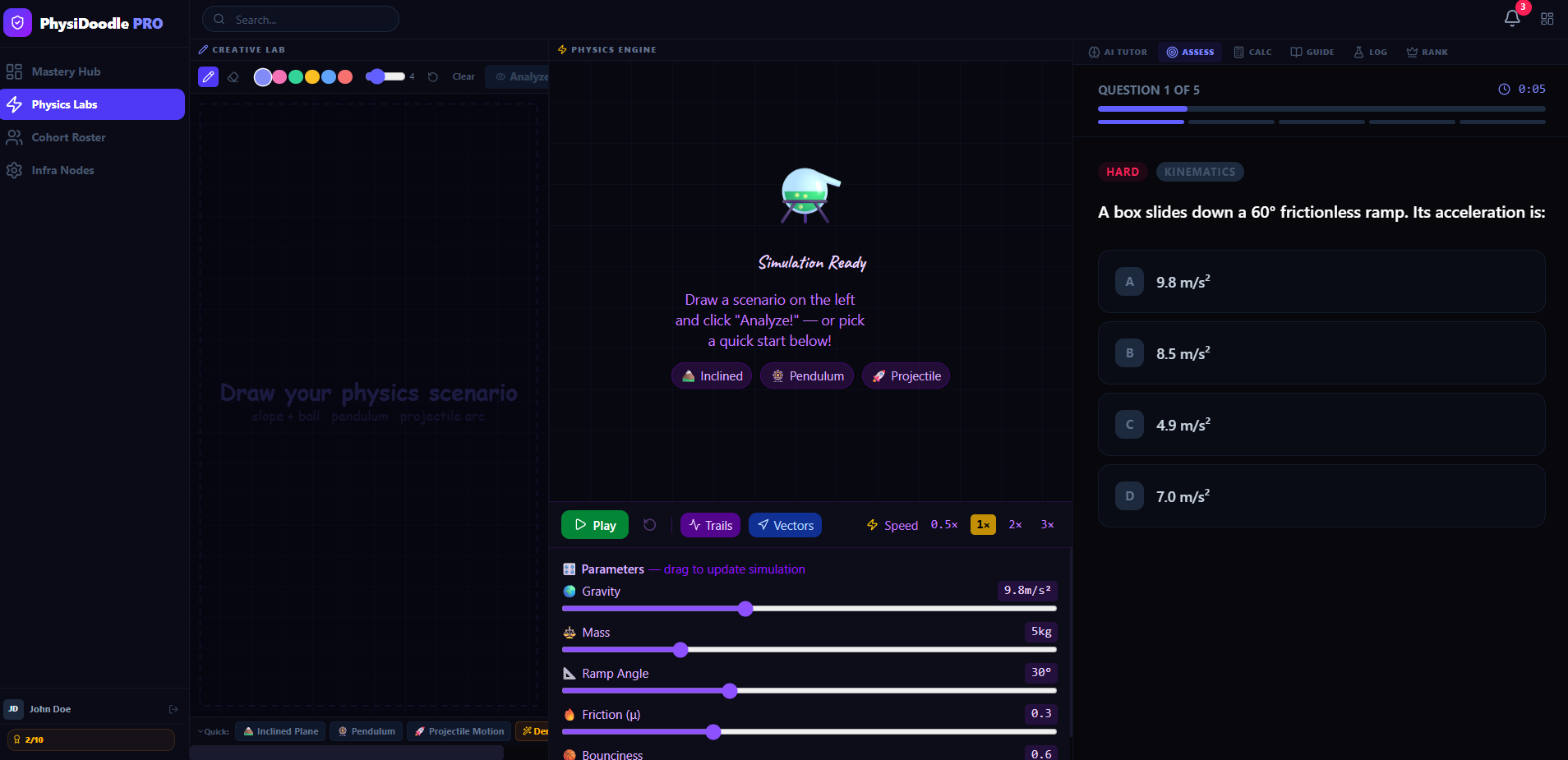
Assesment
Inspiration
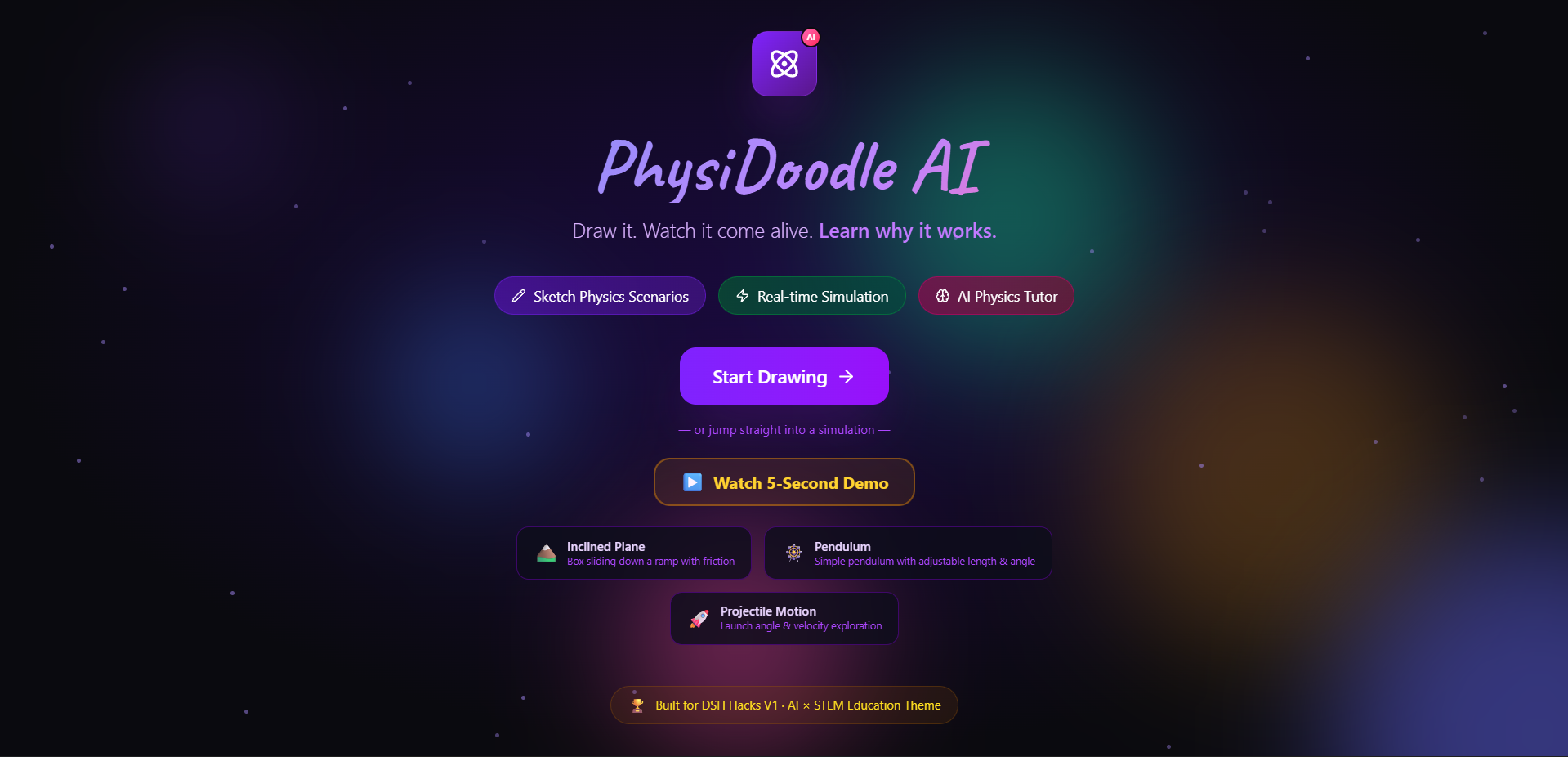
STEM education often suffers from a "feedback latency" problem. Students draw a diagram on paper, but wait days for a teacher to grade it, or struggle with complex software that requires coding knowledge. We wanted to build a system where the feedback loop is instantaneous. Our inspiration was to create a "Creative → Scan → Simulate → Learn" loop that runs entirely in the browser, respecting student privacy while delivering enterprise-grade physics simulation.
What it does
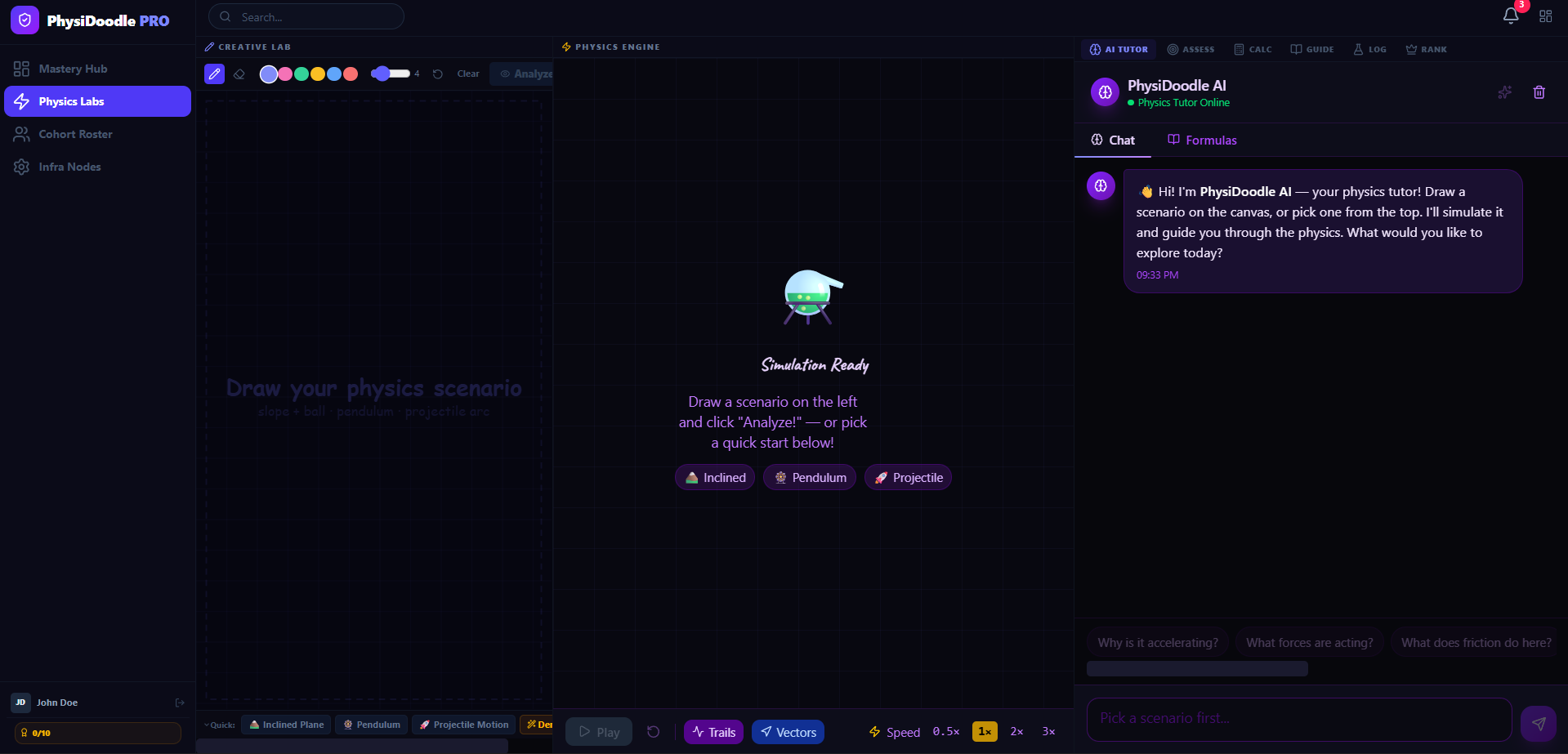
PhysiDoodle AI is a comprehensive STEM platform that allows students to draw physics scenarios on an HTML5 Canvas. Unlike standard simulators, our Custom Pixel-Buffer Heuristics analyze the raw drawing data client-side to identify ramps, pendulums, and projectiles without sending images to a server.
Once analyzed, the Matter.js engine brings the drawing to life. The platform includes:
- Real-Time Vector Visualization: Shows velocity and force arrows during simulation
- AI Tutor Chat: Context-aware guidance based on the specific physics parameters detected
- Gamification Engine: Earn badges (e.g., "Ballistics Expert") triggered by
useAchievementshooks - Synthesized SFX: Zero-latency sound effects generated via Web Audio API upon collisions
- Classroom Dashboard: Institutional tools for tracking student progress and mastery
- Quiz Panel: Dynamic quizzes generated based on the drawn scenario
- Formula Calculator: Auto-extracts relevant physics formulas (e.g., ( F = ma ), ( E = mgh )) and calculates results
- Guided Tutorials: Step-by-step walkthroughs for beginners
- Experiment History: Save and revisit past simulations
- Leaderboard & Student Progress: Gamified tracking to encourage engagement
How we built it
Core Architecture
- Framework: React 19 + Vite for sub-second HMR and optimized rendering
- Styling: Tailwind CSS 4 for high-performance layout management
- Physics Engine:
Matter.jsintegrated via a customusePhysicsEnginehook to bridge React state with the physics world - Computer Vision: We built a custom
canvasAnalysismodule. Instead of relying solely on external APIs, we scan raw pixel buffers to calculate bounding boxes and directional vectors, identifying diagonals as ramps and vertical anchors as pendulums - Audio: A dedicated
sounds.tsutility uses frequency oscillators to synthesize sound effects dynamically - Visuals: HTML5 Canvas API for the drawing lab and the high-performance confetti system
- Icons: Lucide React for enterprise-grade iconography
- Deployment: Vercel optimized via
vercel.jsonfor SPA routing
Key Technical Components
- Client-Side Vision: The
canvasAnalysis.tsmodule performs heuristic scoring to identify shapes without server latency - Physics Bridge:
usePhysicsEngine.tsmanages Matter.js bodies, constraints, and collision events - Gamification:
useAchievements.tstracks unique badges and triggers confetti effects - Audio Synthesis:
sounds.tsuses Web Audio API for zero-latency, procedurally generated sound effects
Challenges we ran into
Client-Side Vision Accuracy
Translating arbitrary pixel data into physics primitives was difficult. A shaky hand-drawn line needed to be smoothed and interpreted as a perfect rigid body. We implemented a Heuristic Scoring system to assign confidence levels to detected shapes.
Audio-Physics Sync
Ensuring sound effects played exactly at the moment of collision in the Matter.js engine required precise event listening within the render loop.
React 19 Compatibility
Migrating to React 19 new concurrency features while managing the Matter.js render loop required careful useEffect cleanup to prevent memory leaks.
Accomplishments that we're proud of
The Feedback Loop. We successfully created a seamless flow: Draw to Scan to Simulate to Calculate to Quiz to Badge. The moment a student draws a line and sees a velocity vector arrow appear on the moving object is magical.
We are also proud of the Privacy-First AI. By doing analysis client-side, we ensure student data never leaves their device. This is a critical differentiator for EdTech adoption in schools with strict data policies.
What we learned
We learned how to manipulate raw pixel buffers for computer vision tasks without heavy libraries. We also mastered the integration of Web Audio API for procedural sound generation, adding a layer of polish often missing in hackathon projects.
We discovered that heuristic-based shape detection can be surprisingly accurate when combined with physics-aware constraints, and that React 19 concurrent features require careful handling of external render loops like Matter.js.
What's next for PhysiDoodle AI
We plan to expand the heuristic engine to recognize electrical circuits and chemical bonds. We also aim to integrate with LMS platforms like Google Classroom to allow teachers to assign specific Doodle Challenges directly to their students.
Future versions will include:
- Multiplayer collaborative drawing sessions
- AR mode for projecting simulations onto real-world surfaces
- Advanced analytics for institutional partners
- Support for chemistry and biology simulations


Log in or sign up for Devpost to join the conversation.