Inspiration
For the Bolt.new One-Shot Challenge, I wanted to push the limits of what’s possible in a single frontend-only session. I’ve always loved interactive web experiments and physics-based creative tools. This was a chance to combine performance-focused frontend development, modern UI/UX design, and browser-based physics simulations—all without backend dependencies.
What it does
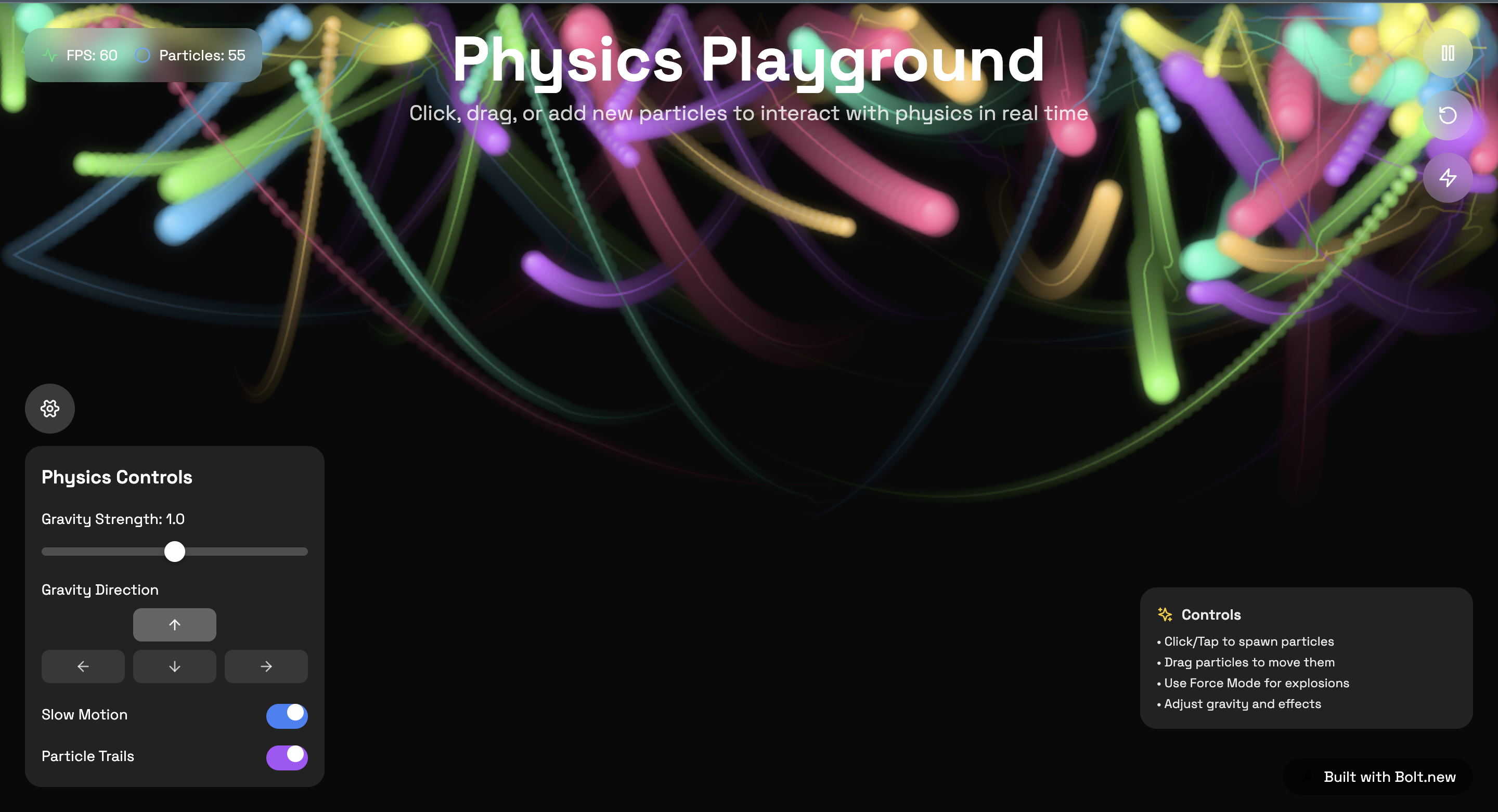
Physics Playground lets users interact with real-time physics directly in their browser:
- Click to spawn new particles
- Drag and drop particles to reposition them
- Watch them react to gravity and elastic collisions against canvas boundaries
- Adjust gravity strength and direction using UI controls
- Toggle Slow Motion mode for dramatic effect
- Enable trails for aesthetic motion blur
- Monitor real-time particle count and FPS
- Reset the simulation instantly
The app is fully responsive and works seamlessly on both desktop and mobile browsers.
How I built it
This project was built in a single coding session for the Bolt.new One-Shot Challenge using:
- HTML5 for page structure
- Tailwind CSS for layout, styling, and responsive design
- JavaScript with the Canvas API for rendering and real-time physics simulation
- Lightweight optional use of matter.js for physics utilities (where needed)
Performance optimization was key: all calculations and rendering run client-side at 60fps, with zero backend and no external API calls.
Challenges I ran into
- Balancing visual effects (like trails and color gradients) with frame rate performance
- Ensuring responsive touch support for mobile browsers without breaking desktop usability
- Keeping physics calculations efficient and smooth as particle count increased
- Designing and implementing UI controls (sliders, toggles) while staying within the single-session time limit
Accomplishments that I'm proud of
- Building a complete, mobile-friendly, real-time physics sandbox in one uninterrupted coding sprint
- Creating a visually engaging UI with animations, soft gradients, and fluid controls
- Achieving high performance and smooth physics simulation in a purely frontend environment
- Delivering a fully deployable, backend-free app ready for hosting on Netlify or Vercel
What I learned
- Techniques for optimizing Canvas-based animations for both desktop and mobile browsers
- How to design touch-friendly controls that don’t conflict with mouse-based interactions
- Strategies for managing real-time physics calculations within JavaScript constraints
- The importance of scope control and decision-making speed in a one-shot challenge environment
What's next for Physics Playground
- Adding more object types and physics behaviors (springs, constraints, fluid effects)
- Implementing multi-touch gesture support (like pinch and zoom)
- Allowing users to export and share custom particle setups
- Expanding the UI with more control options while keeping the UX clean and performant
- Exploring WebGL or shaders for enhanced visual effects
Built with
- HTML5
- Tailwind CSS
- JavaScript (Canvas API)
- Optional: matter.js or p5.js
Built With
- bolt.new
- css
- html5
- javascript
- tailwind

Log in or sign up for Devpost to join the conversation.