What it does
Physics God Sandbox is a 3D creative playground where you wield ultimate power. Users can:
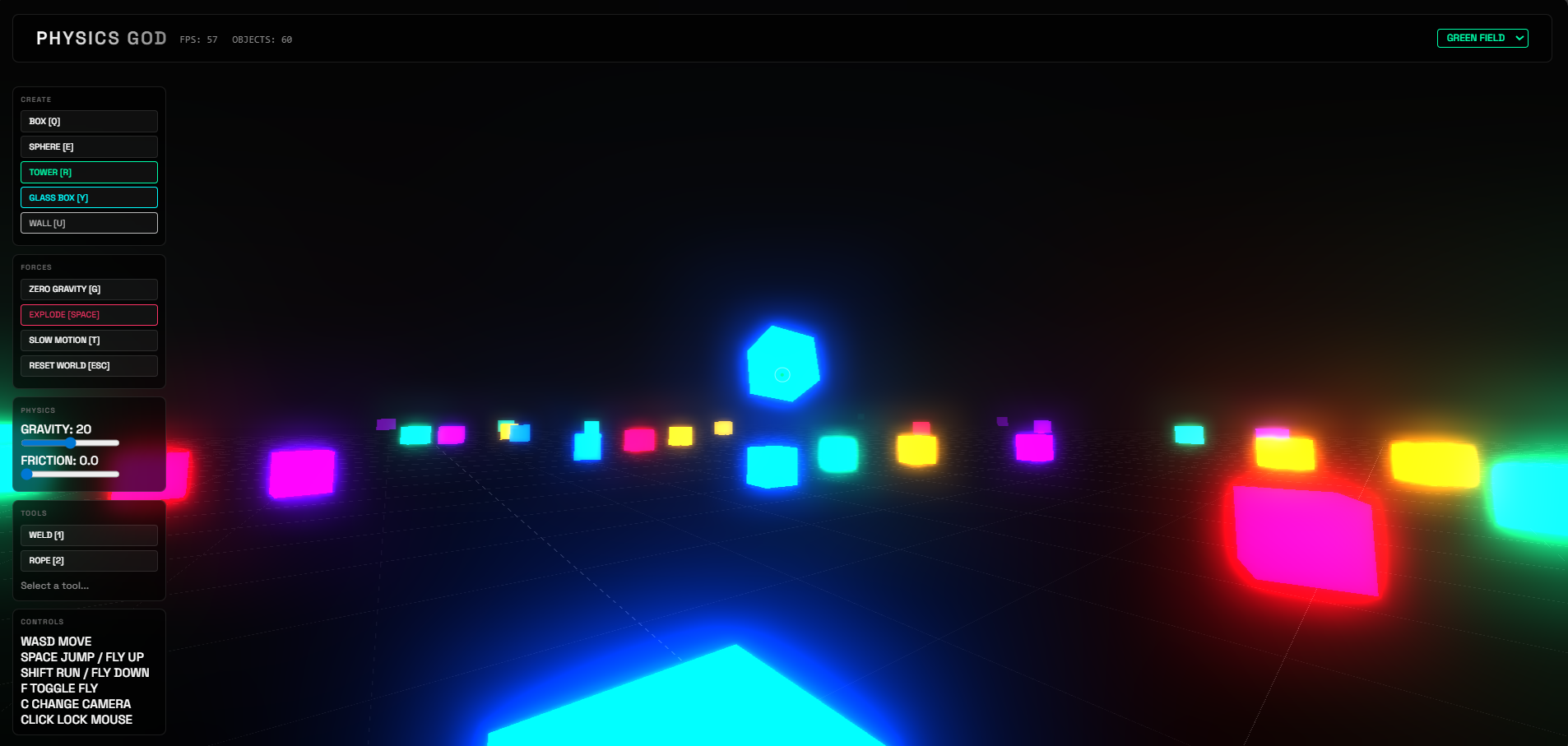
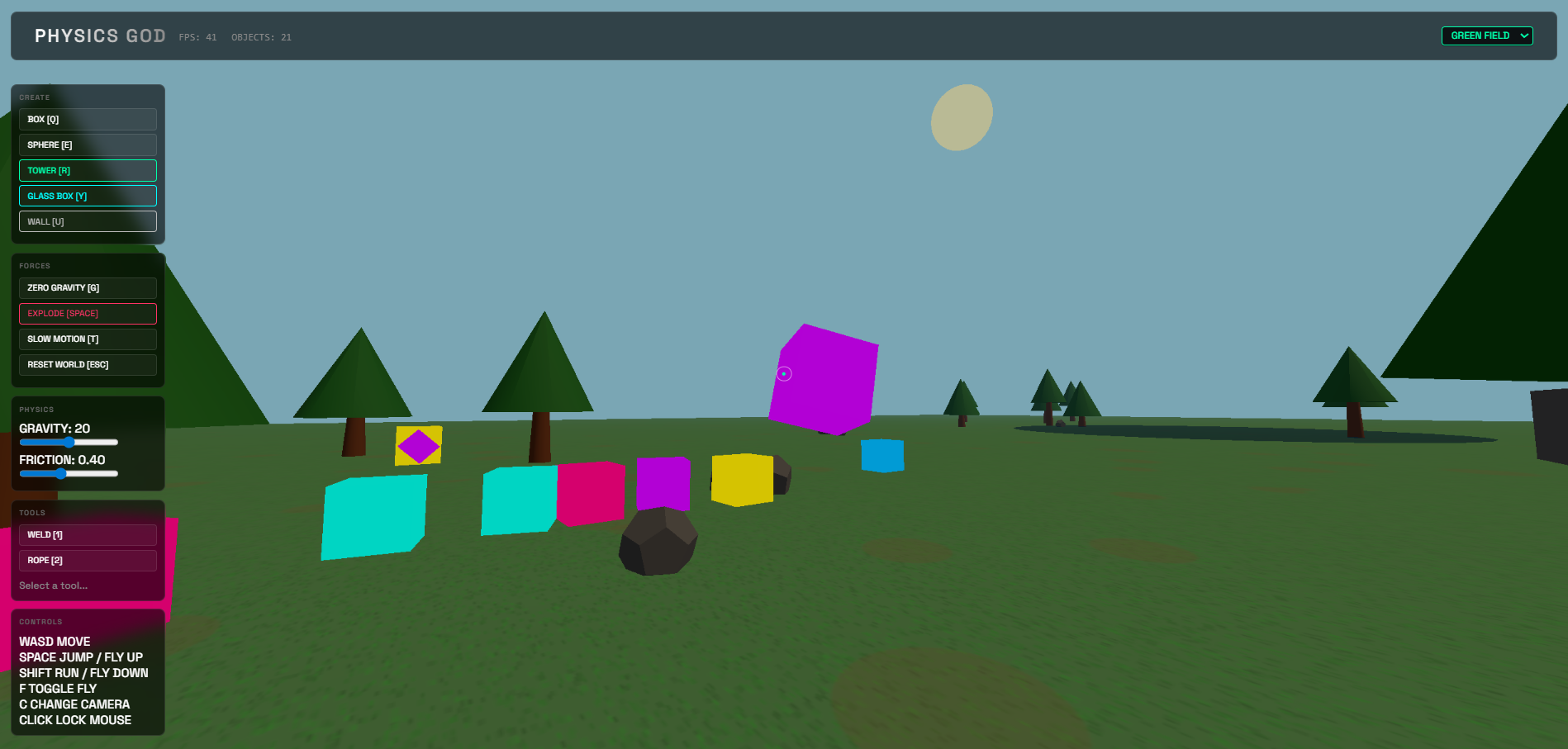
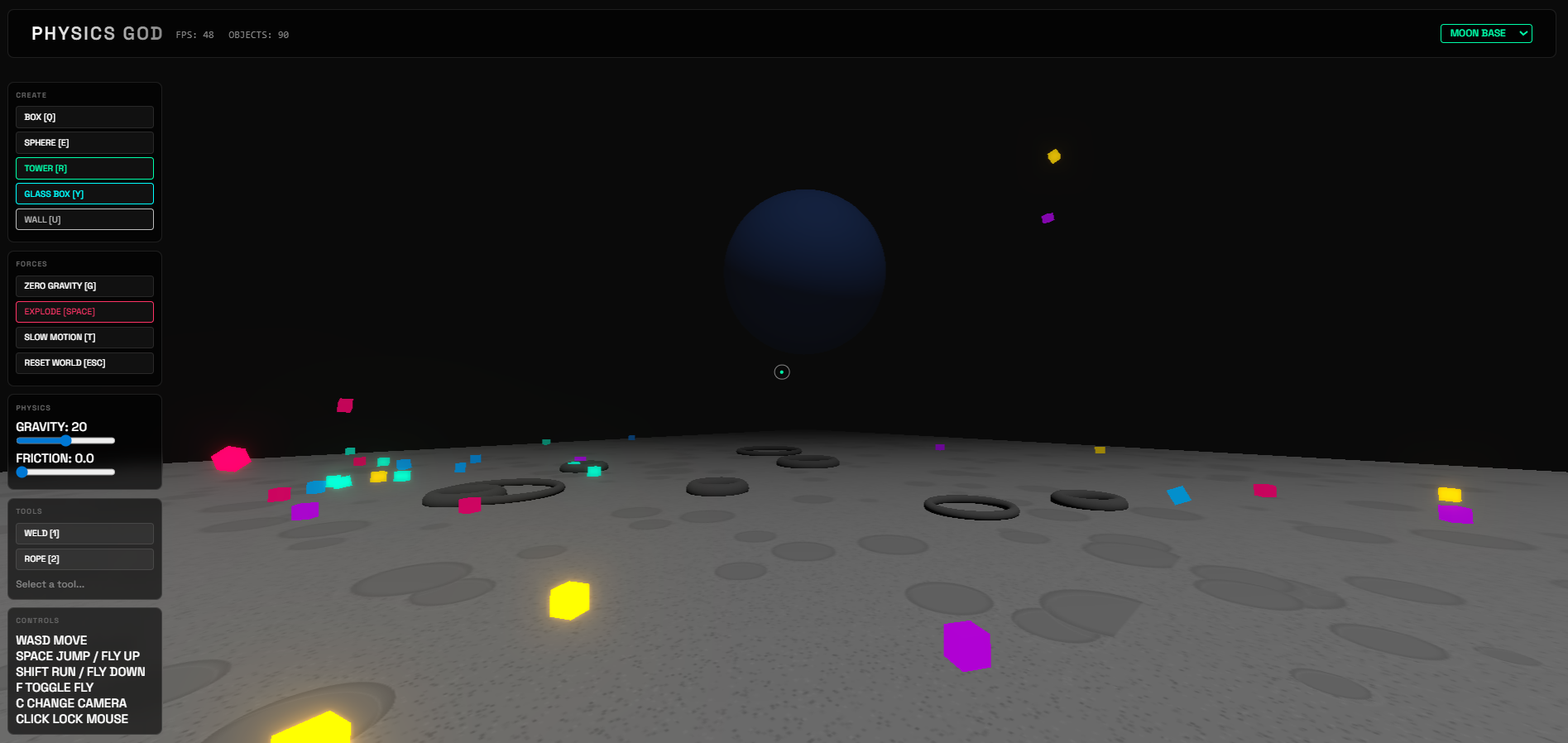
Spawn & Shatter: Create boxes, spheres, and breakable glass that shatters dynamically on impact. Manipulate Physics: Control gravity (Zero-G, Heavy), slow down time, and use telekinesis to grab and throw objects. Build Complex Structures: Use the Weld (rigid) and Rope (flexible) tools to connect objects and build forts or machines. Explore Worlds: Switch instantly between a Neon Grid, a dusty Moon Base (with low gravity), and a serene Green Field. Construct: Deploy static Walls to create arenas or testing grounds.
How we built it
We built the engine from scratch using JavaScript and two core libraries:
Three.js: For high-performance 3D rendering, lighting, shadows, and post-processing (Bloom effects). Cannon-es: For the physics simulation, handling rigid body dynamics, collisions, and constraints. The environments use procedural generation to create terrain textures and scatter details like rocks and trees on the fly, ensuring varied visuals without heavy asset downloads.
Challenges we ran into
Physics <-> Visual Sync: Keeping the physics simulation running smoothly even when "Time Dilation" (slow motion) was active required careful tuning of the time steps. Constraint Logic: Implementing the "Click Object A -> Click Object B" logic for the Weld/Rope tools was tricky to manage alongside the standard "Grab" mechanic, leading to some initial UI bugs. Performance vs. Visuals: Balancing dynamic lighting and bloom effects with the physics engine (especially when glass shatters into many pieces) required optimizing object pooling and shadow maps.
Accomplishments that we're proud of
Dynamic Glass Breaking: We successfully implemented a system where objects fracture into smaller physics bodies upon high-speed impact, which feels incredibly satisfying. Seamless Environment Switching: The ability to completely reload the scene (physics, lighting, textures) instantly without refreshing the page. Intuitive Tooling: Creating a UI that feels like a creative suite, with hotkeys and visual feedback for complex actions like welding.
What we learned
We gained a deep appreciation for the math behind 3D interaction—specifically Raycasting for mouse picking and Quaternions for rotation handling. We also learned how to manage complex state machines for tools (Weld vs. Grab vs. Spawn) and how important user feedback (like highlighting selected objects) is for 3D tools.
Built With
- cannon-es
- css3
- html5
- javascript
- three.js
- vite


Log in or sign up for Devpost to join the conversation.