-
-
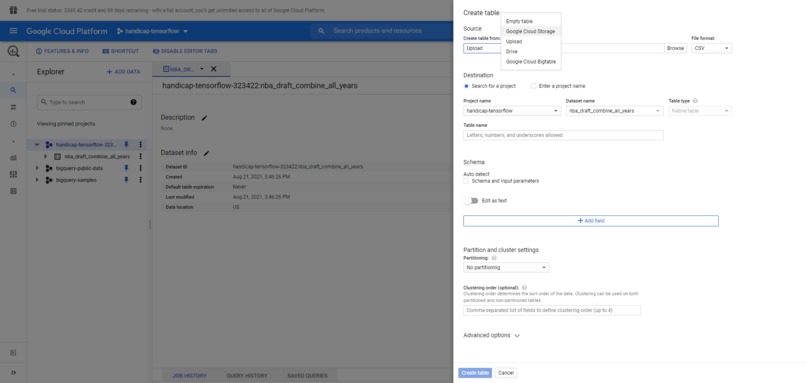
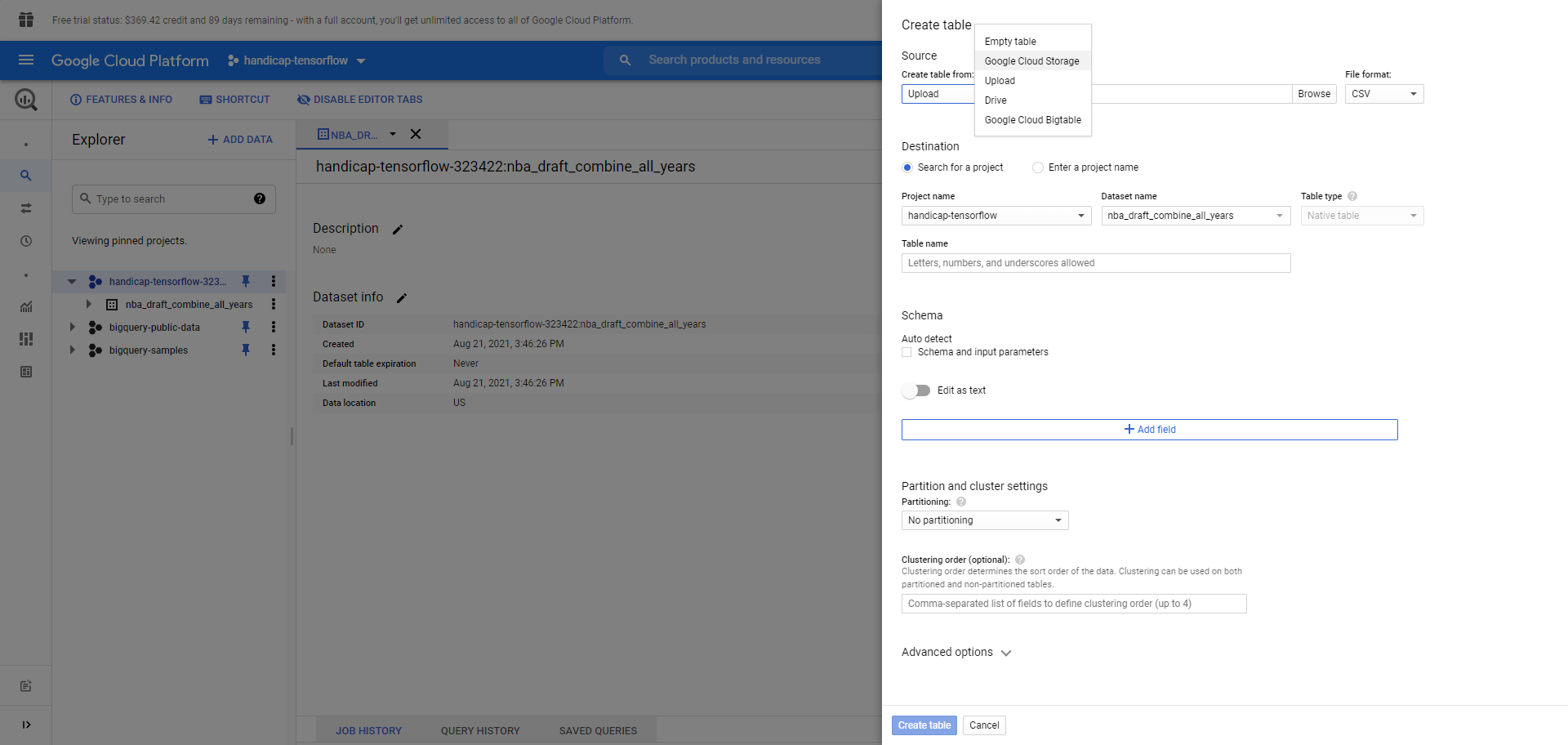
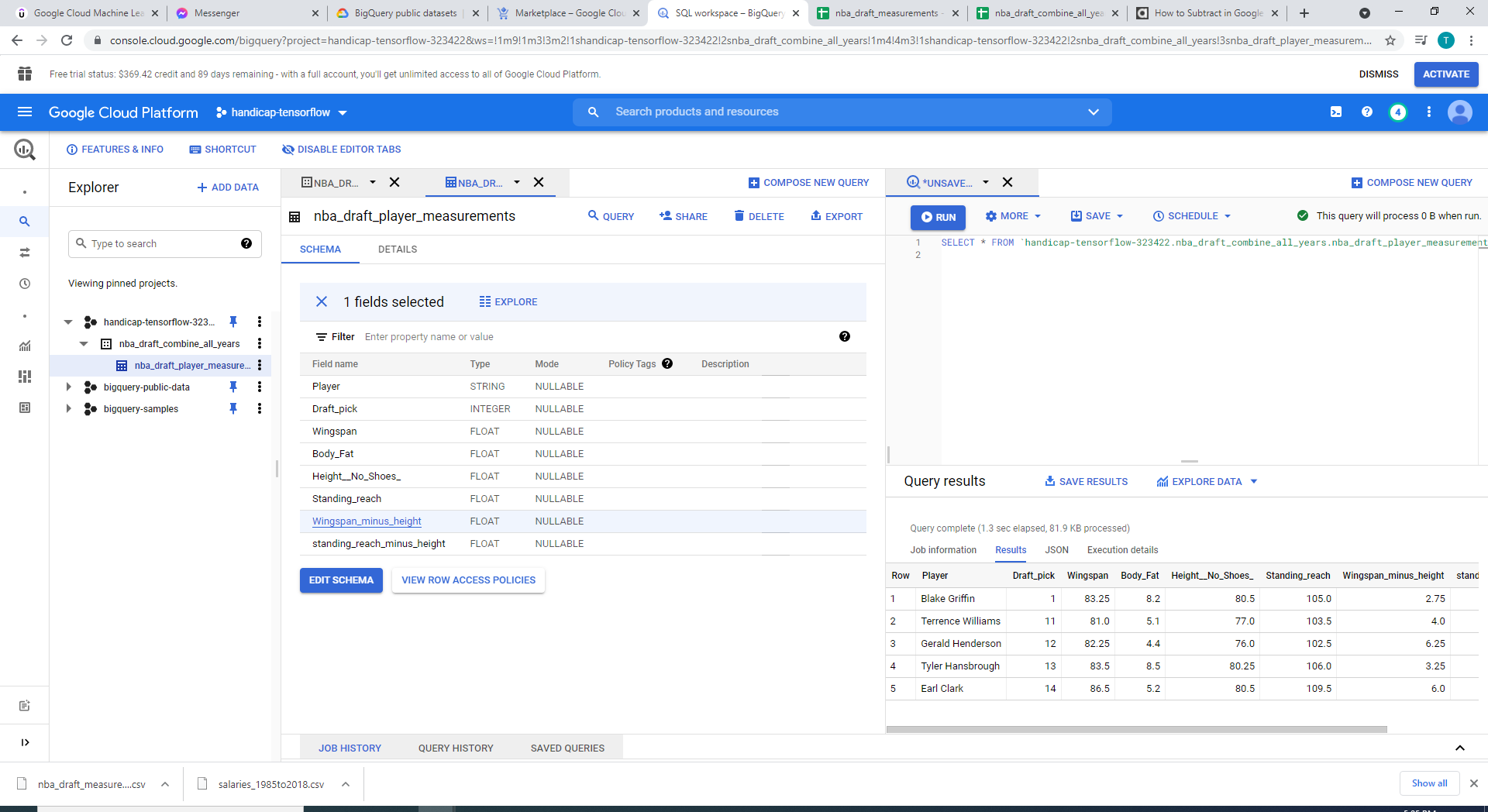
Creating a table in GCP BigQuery data warehouse via uploading csv or importing from google sheets
-
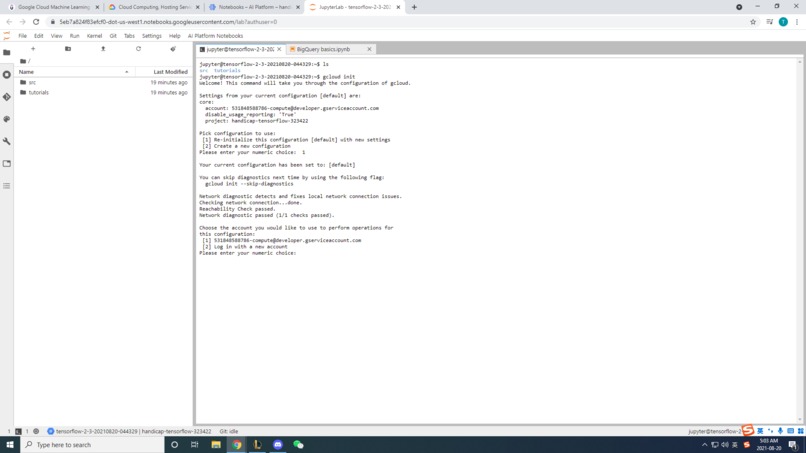
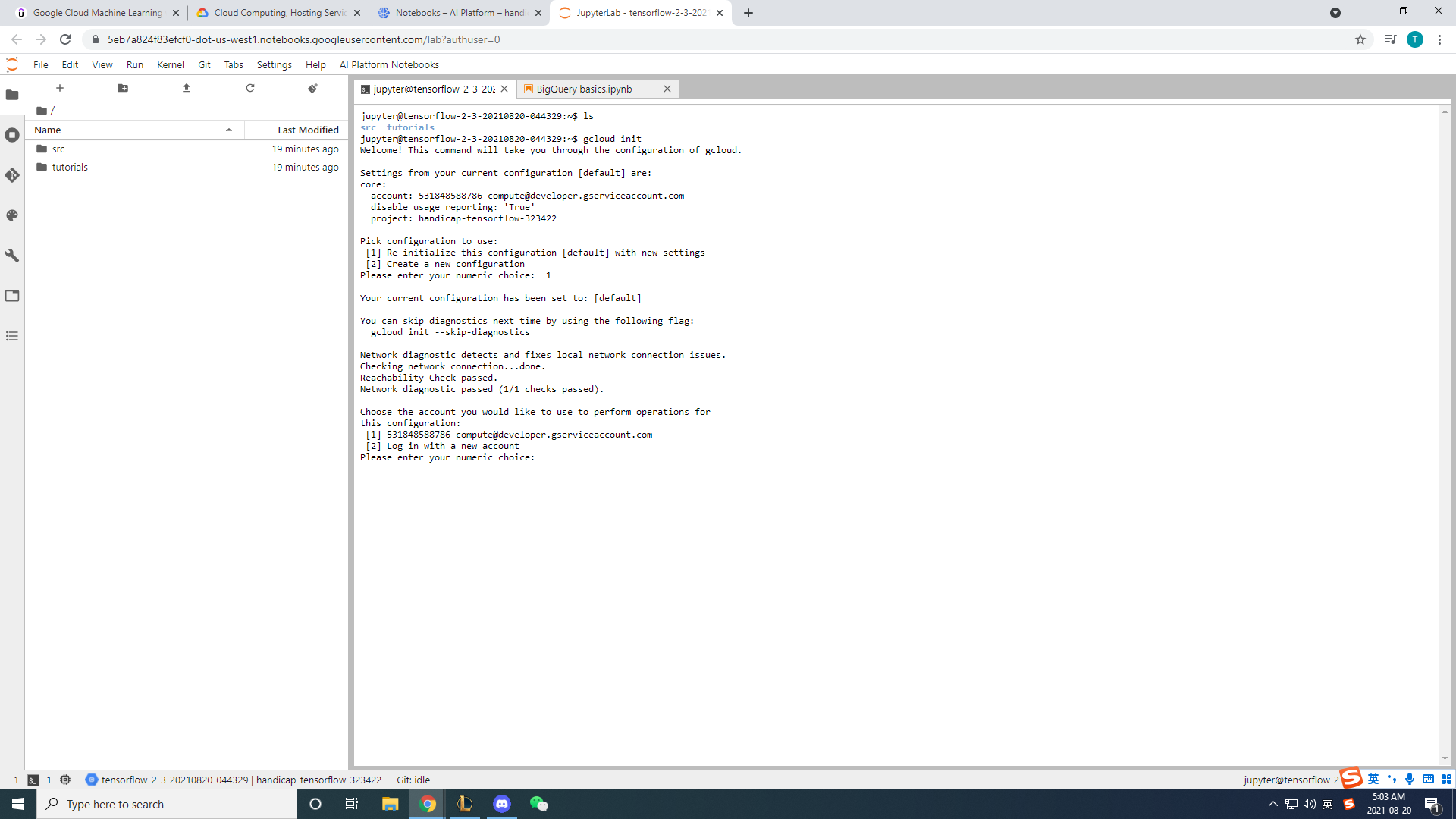
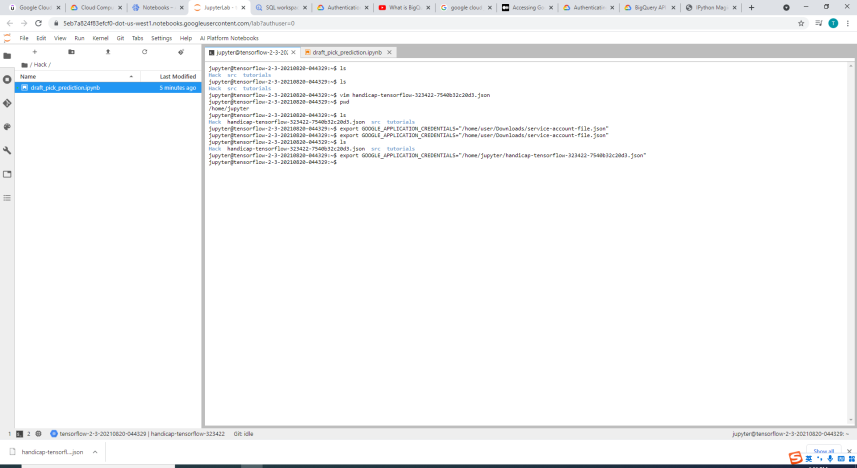
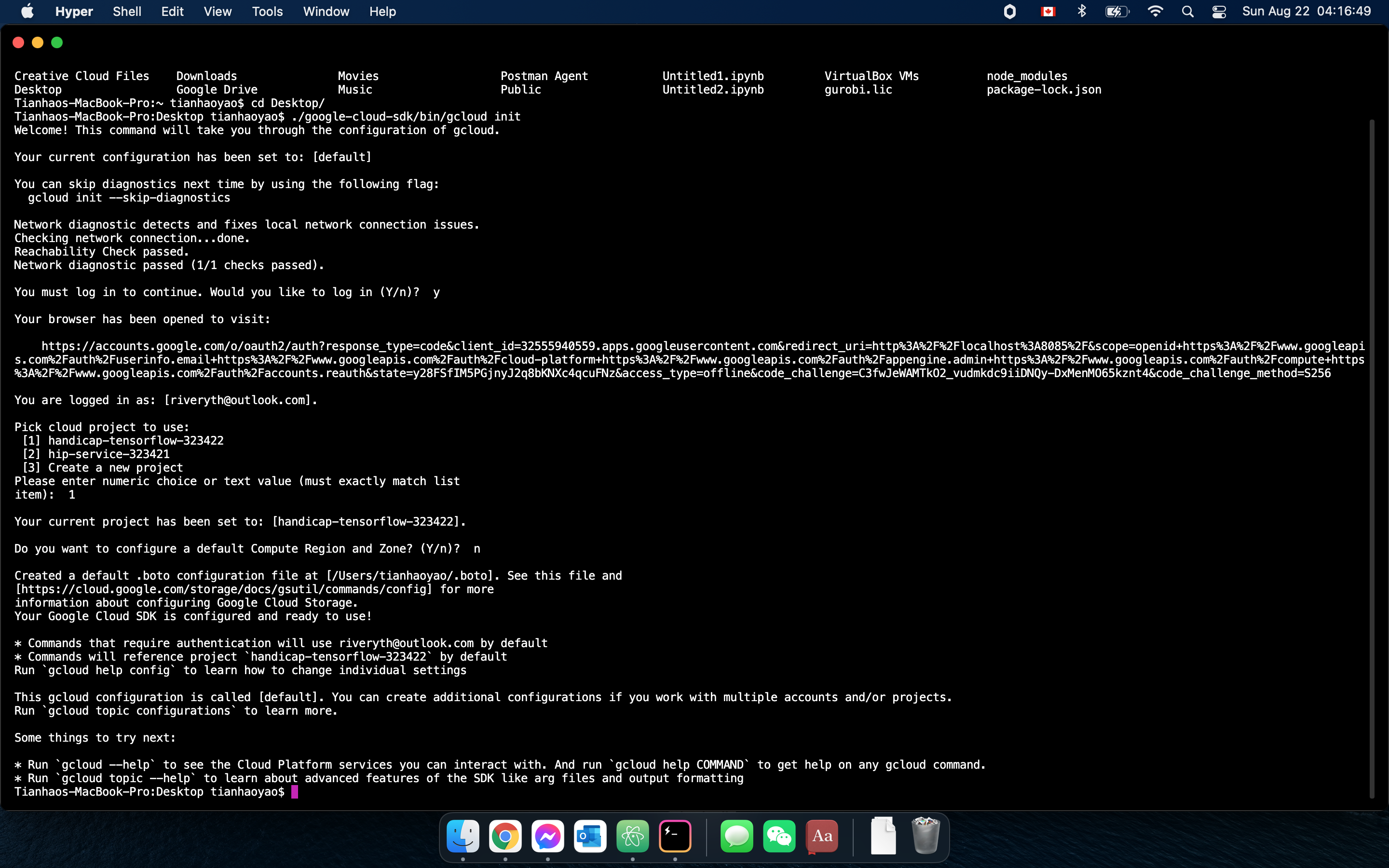
Initializing Google Cloud for Jupyter notebook
-
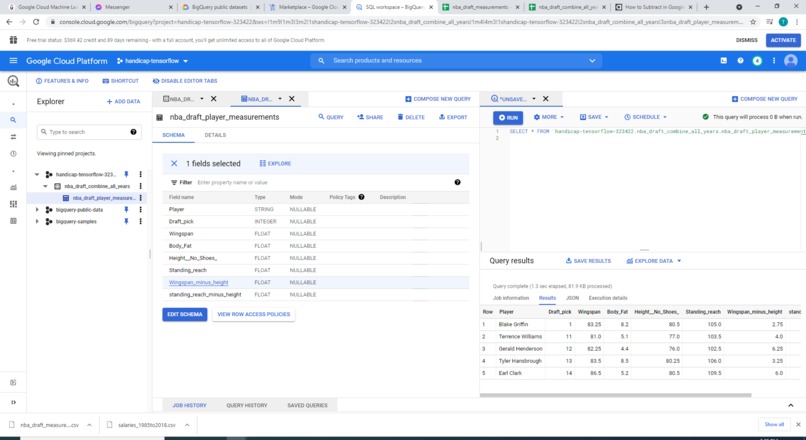
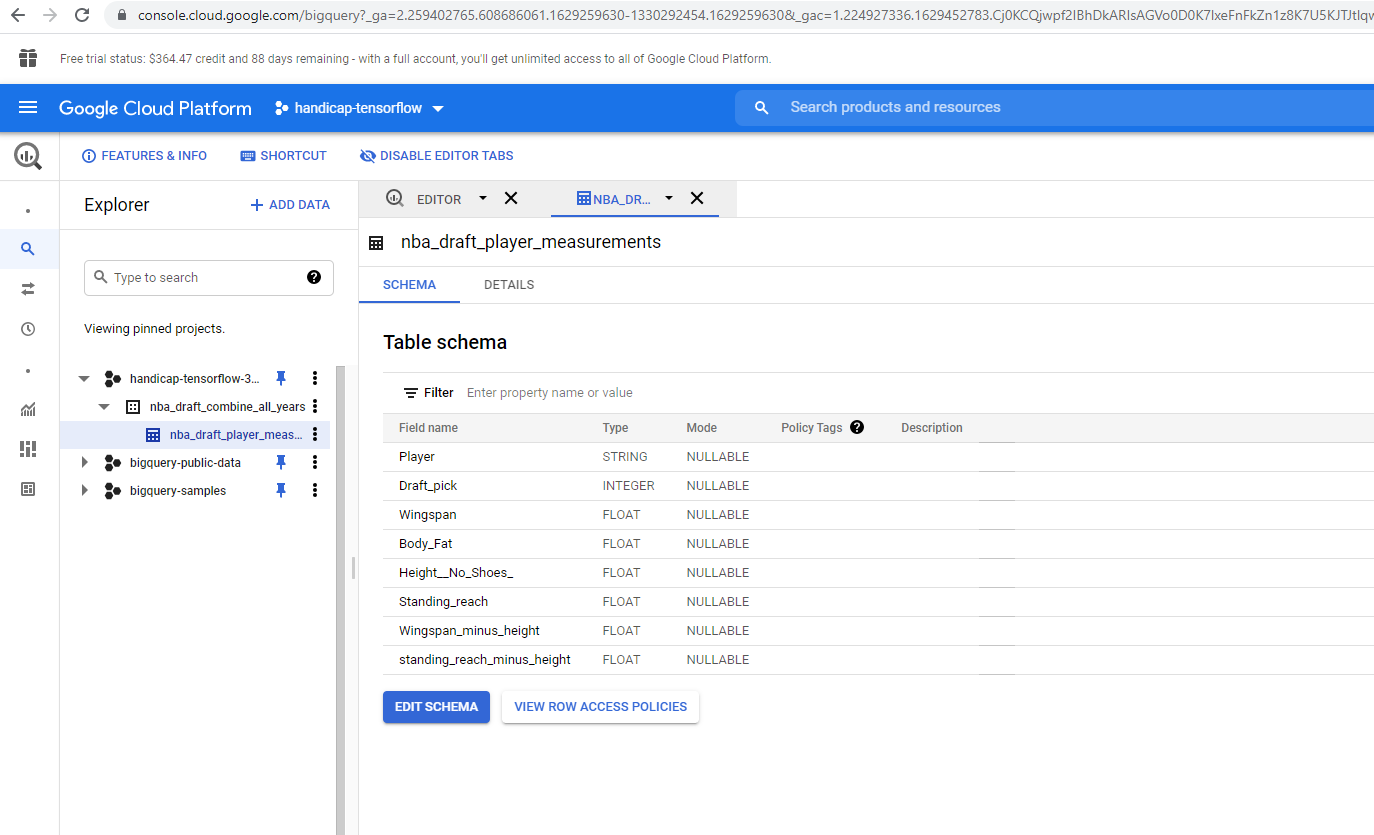
Table schema of the physical measurement dataset
-
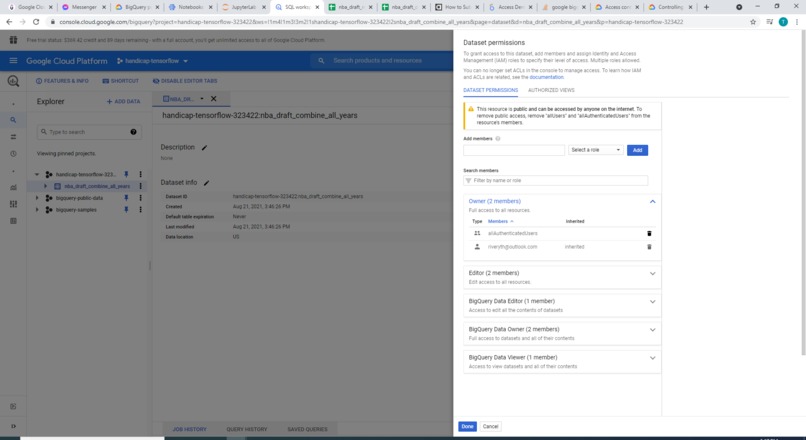
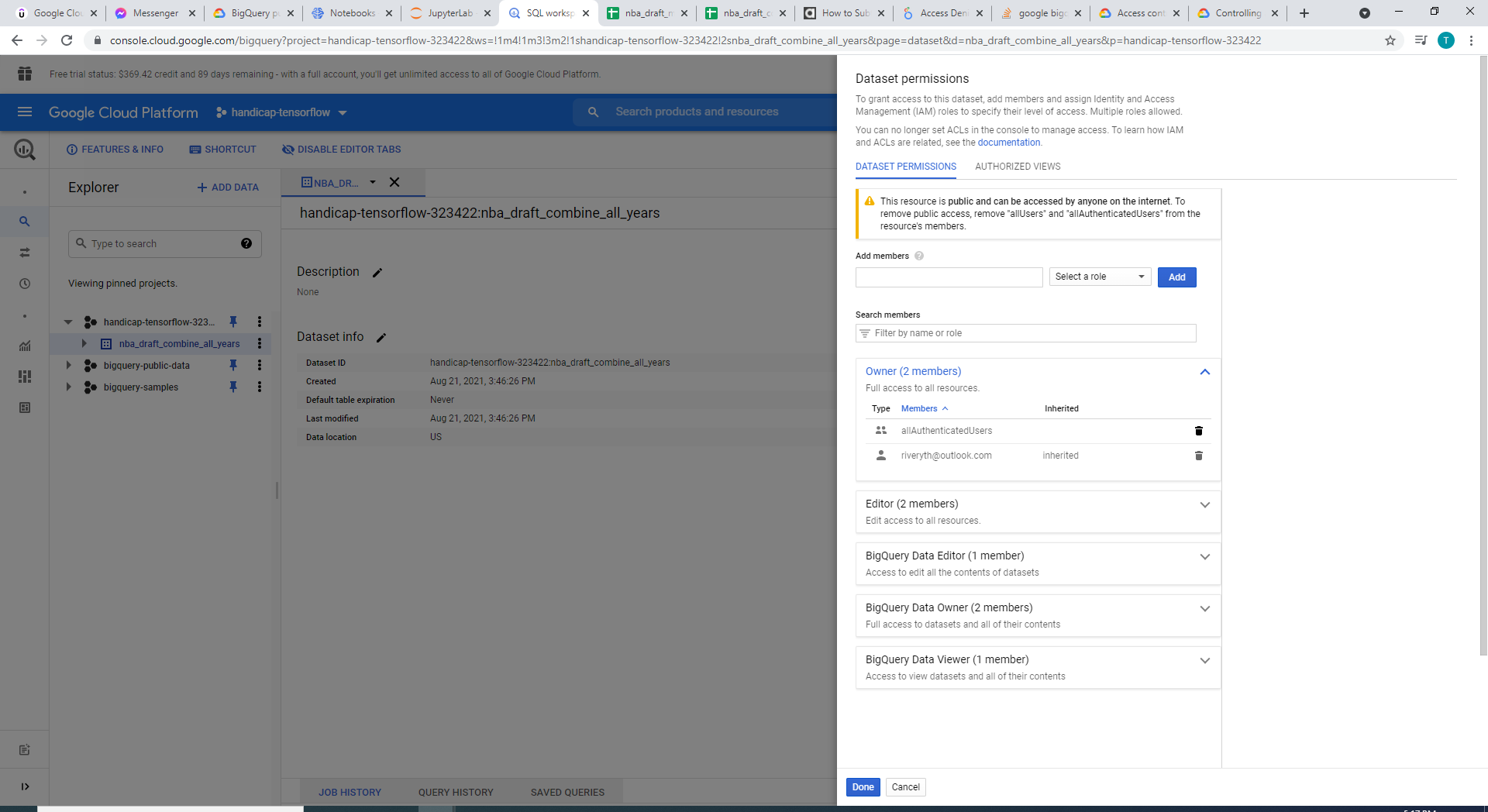
Modify authentication settings to Big Query to avoid 403 permission denied
-
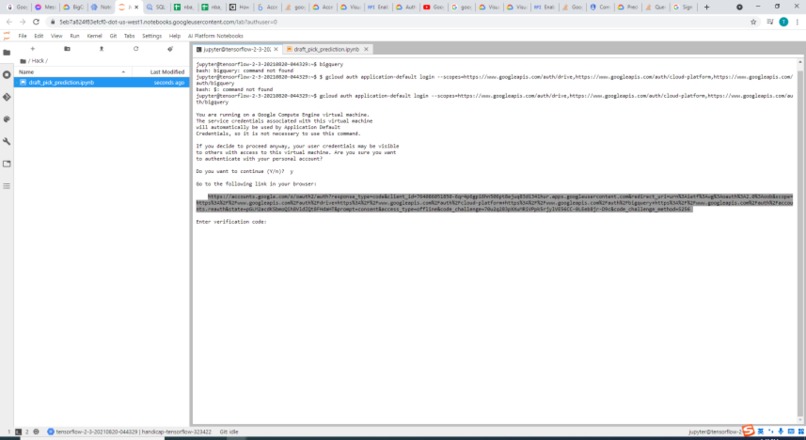
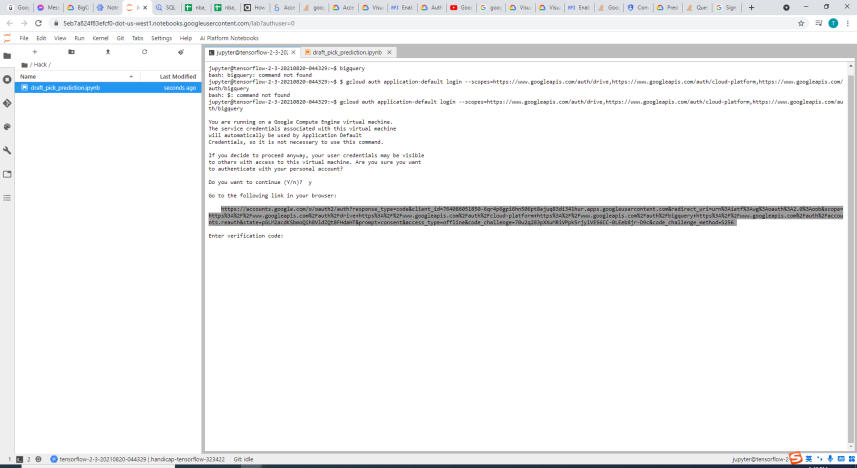
Providing Google OAuth2 for Jupyter notebook ML 1/2
-
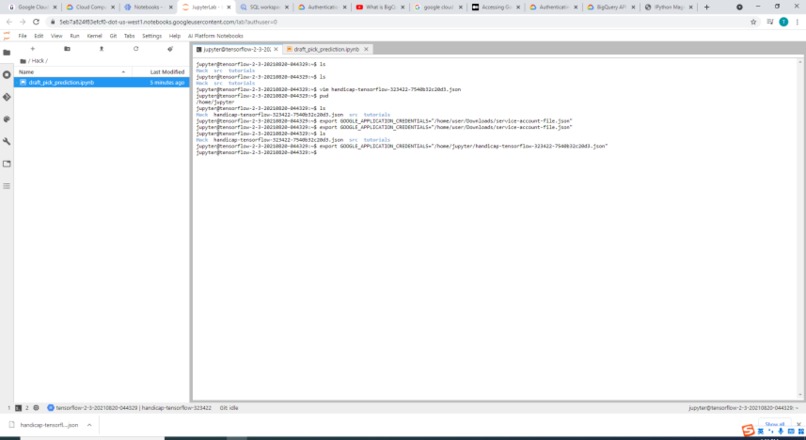
Providing Google OAuth2 for Jupyter notebook ML 2/2
-
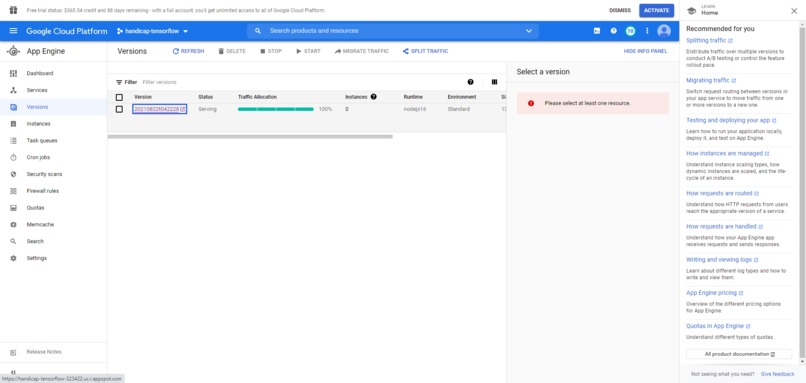
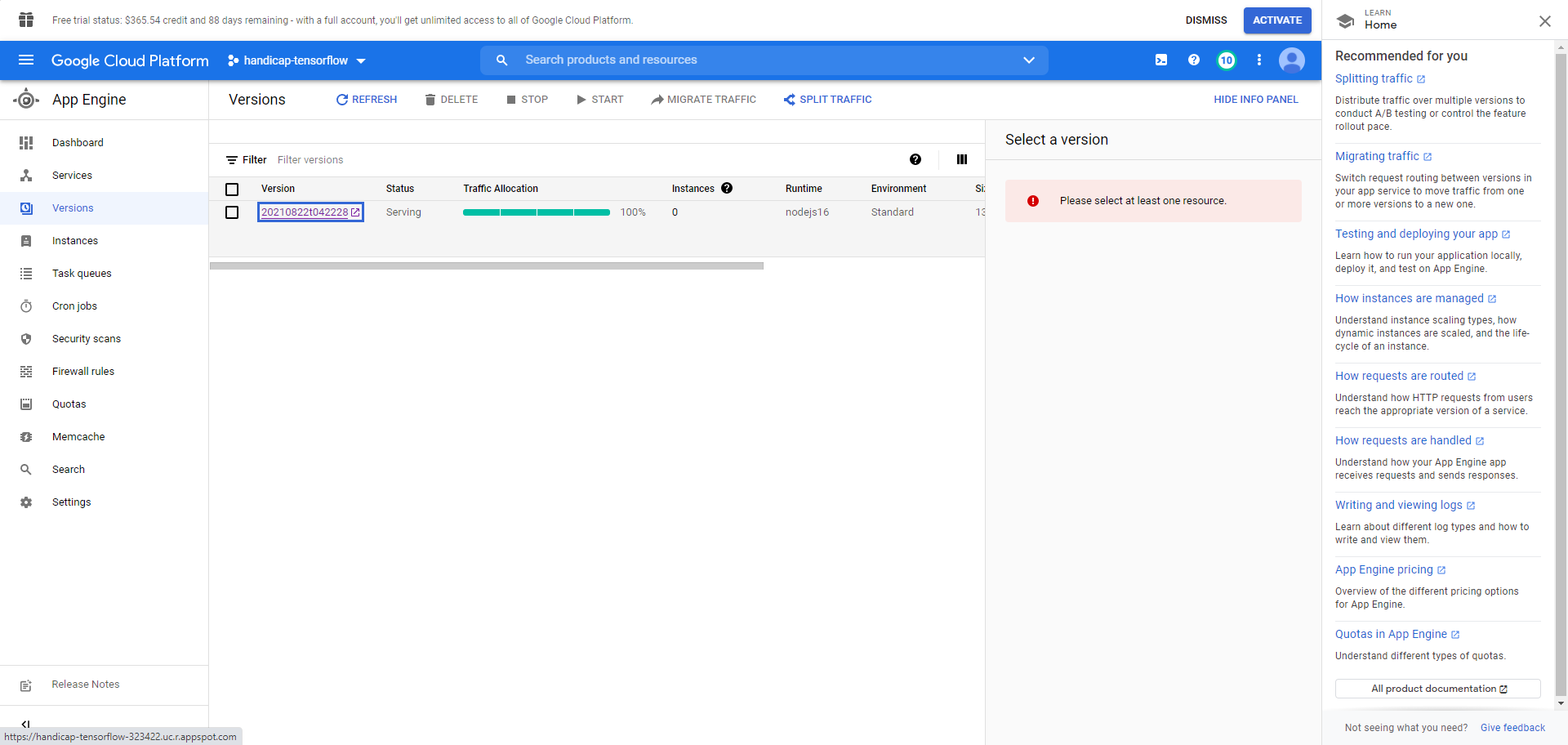
Overview of app engine (an instance deployed)
-
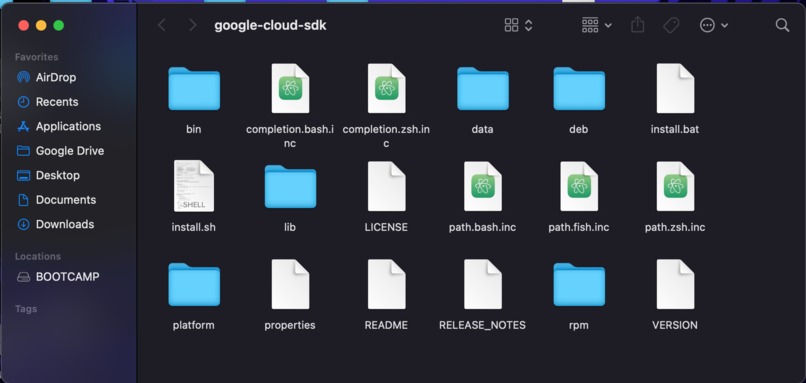
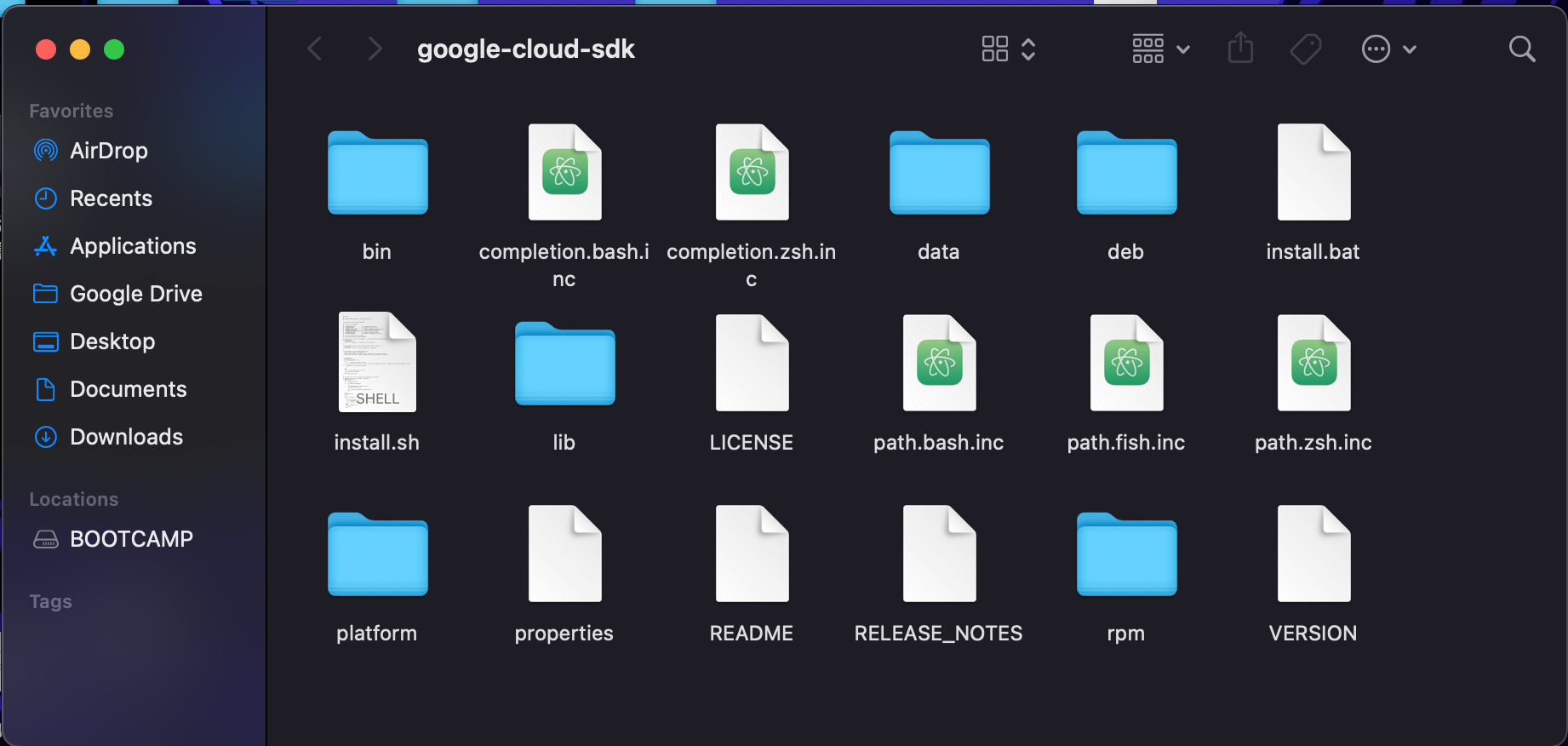
Downloading Google Cloud's SDK to local computer for app engine deployment
-
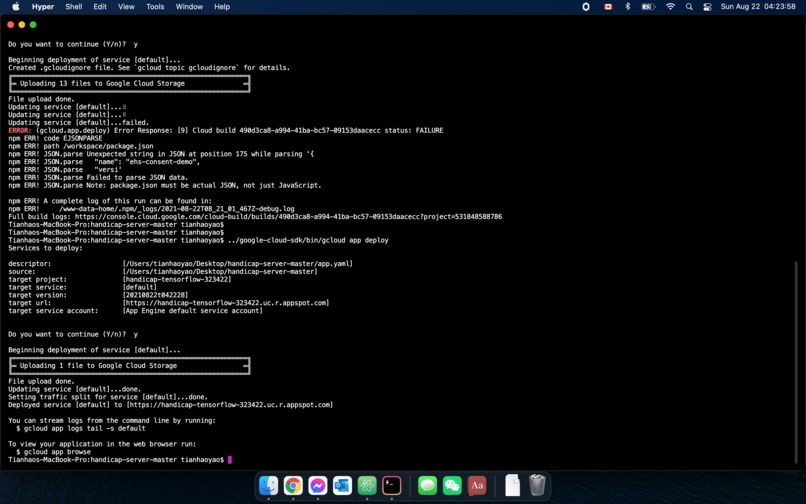
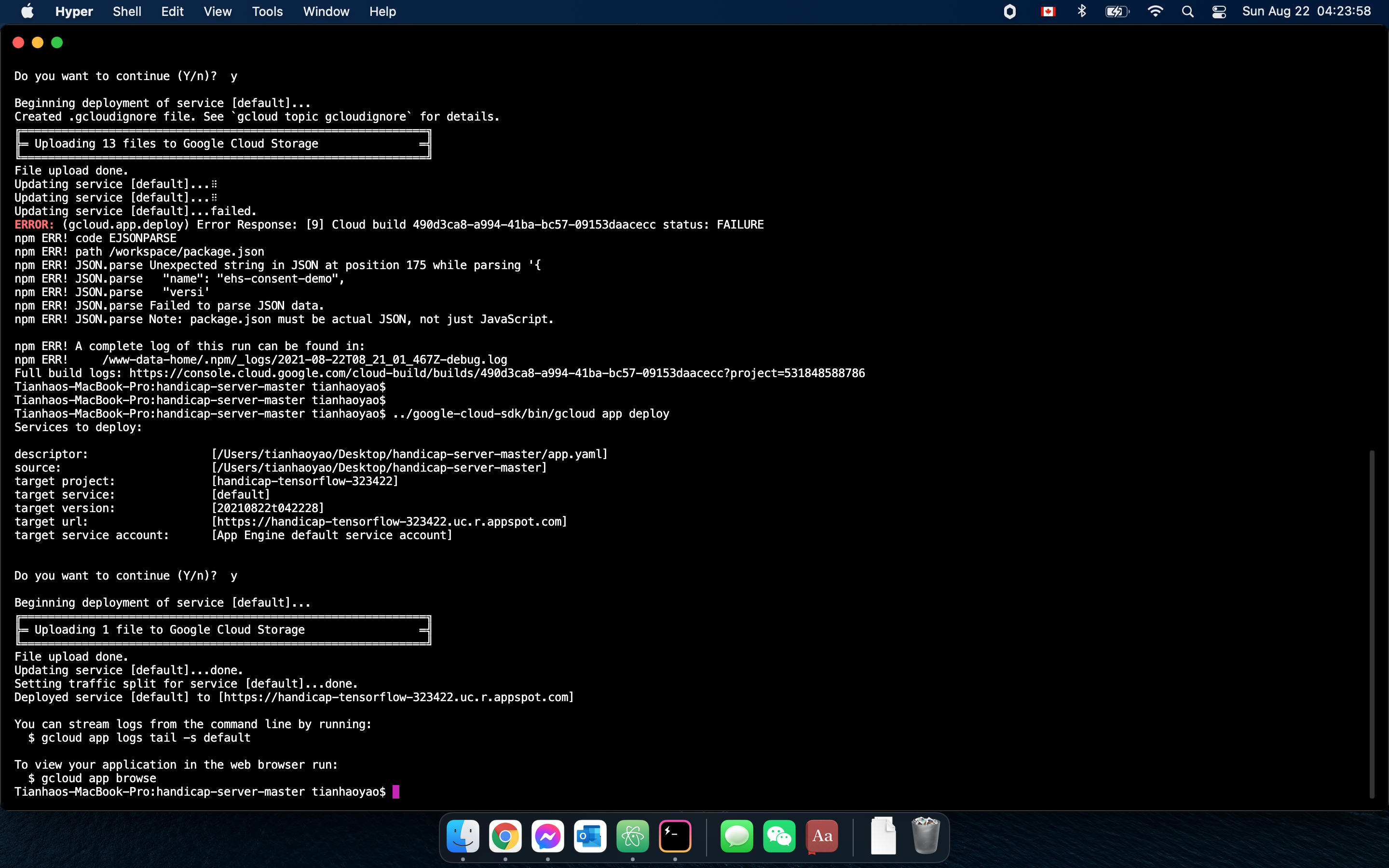
Deploying a Node.js application to app engine on the local CLI 1/2
-
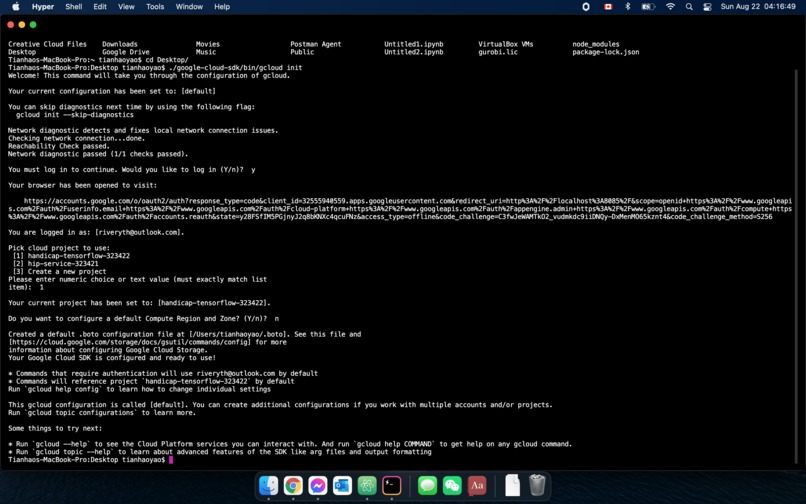
Deploying a Node.js application to app engine on the local CLI 2/2
-
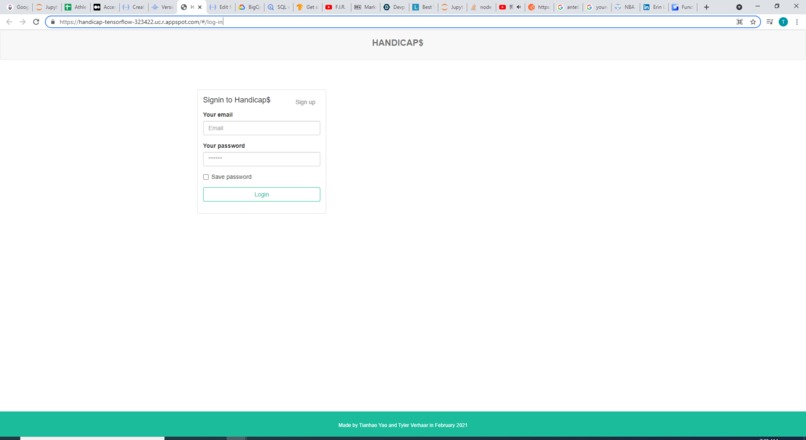
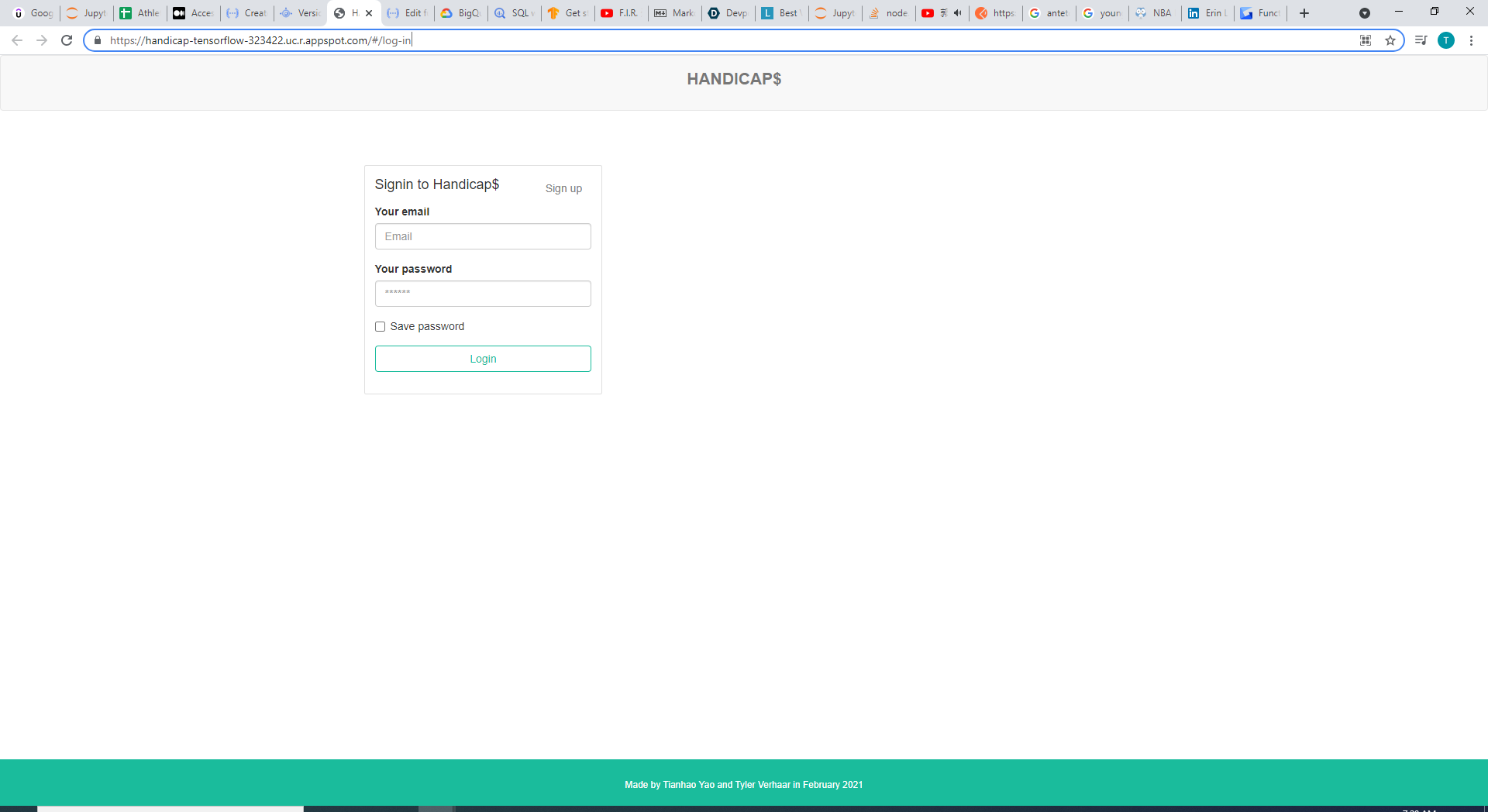
Web application with new and better URL (Heroku to appspot)
-
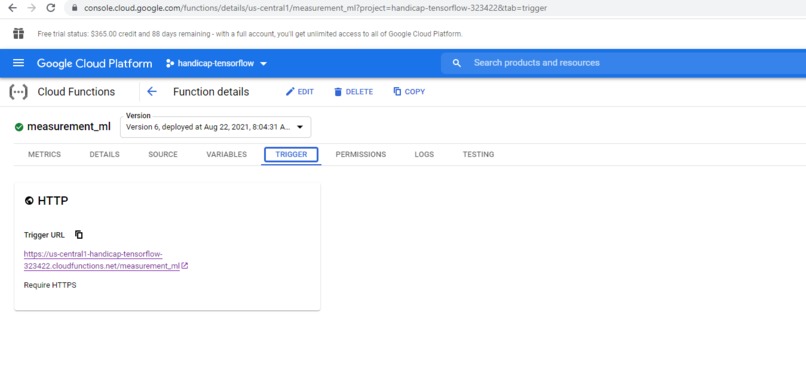
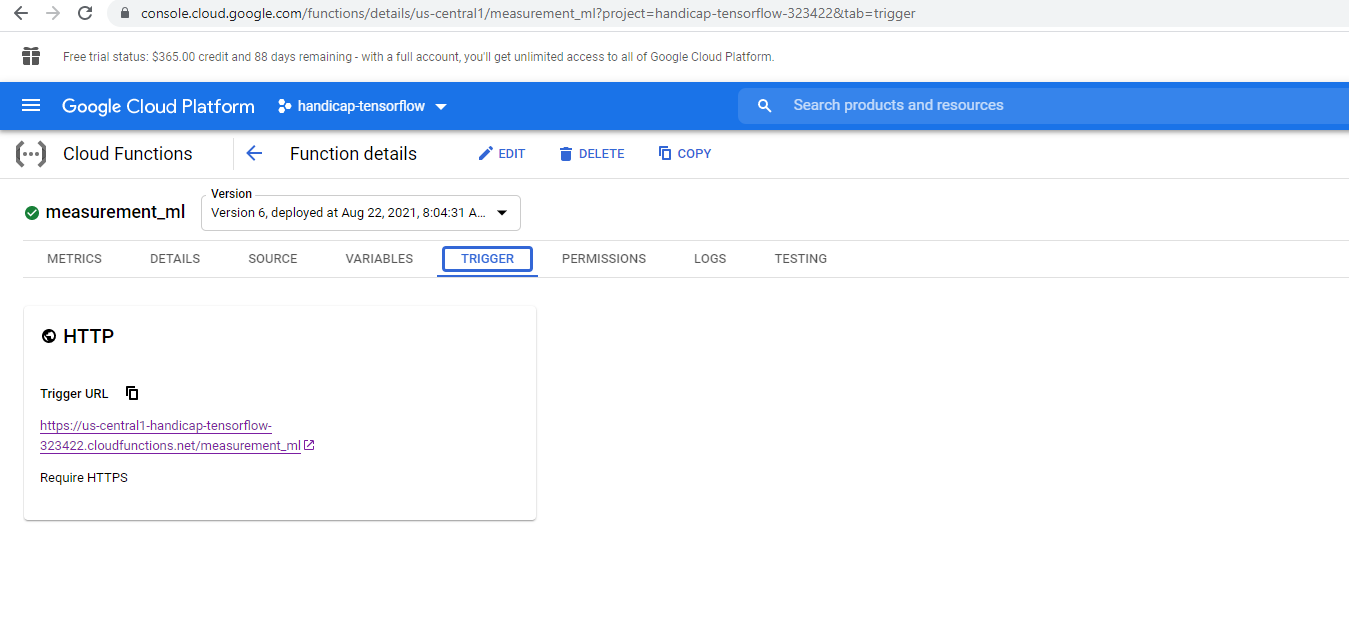
Cloud function trigger (REST API endpoint) for the ML model
-
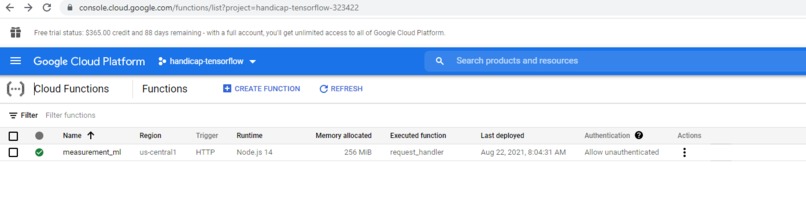
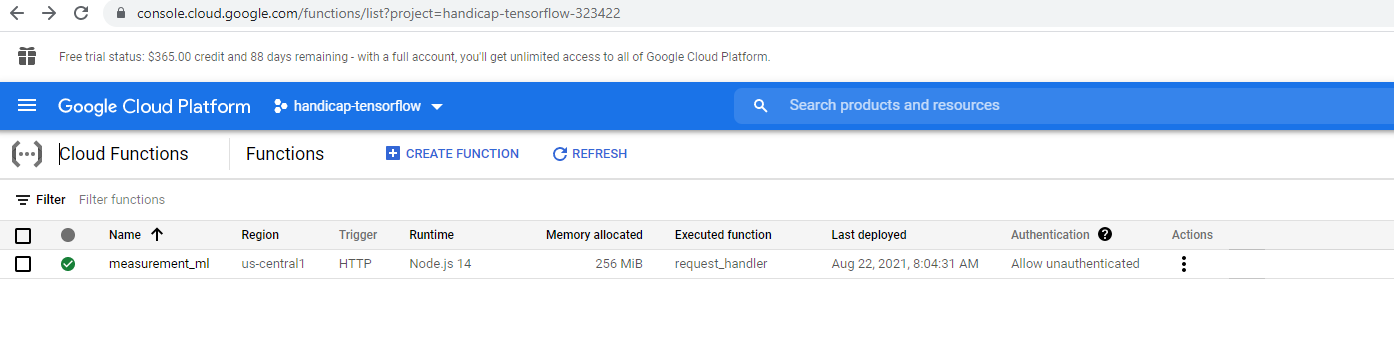
Cloud function overview
-

REST API Endpoint enabled by GCP's cloud functions
-
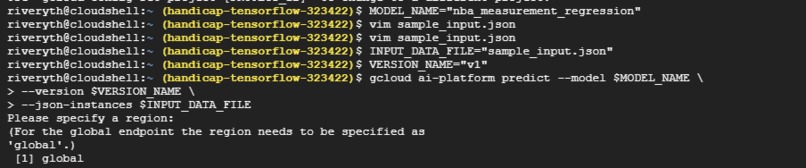
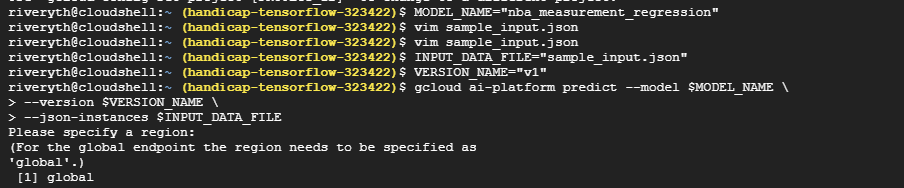
Using deployed model to perform predictions on the cloud console command line

Inspiration
Earlier this year I built a project named handicap$, which was a mock of an industry standard (sports) betting site, but our goal has always been to offer some very unique betting categories other than just which team will win a match. Back then, we used machine learning to predict the precise possibility of each country winning the next International Olympiad in Informatics (IOI) and which university is most likely going to win the next Putnam Competition.
This time, we want to build a betting category on players' placements in the NBA draft. Just as always, we wanted to opt for a quantitative approach instead of relying on experience. We wanted to answer questions such as: What is the likeliness of Player A selected as one of the first 40 picks, or which side has higher chances of winning this head-to-head matchup--Player B's placement versus Player C's placement +7.5, etc.? We also wondered, what made Giannis Antetokounmpo an almost lottery draft pick back then when he was only playing in the B-league of Greece? Was it because that his size and physical talent? Did that make such a difference?
What it does, how we built it and what we learned
The above two questions can be influenced by a wide variety of factors, but we decided to explore how accurately we can predict a player's placement in an NBA draft given their body (physical measurements). We obtained our dataset, which details the critical measures (height, wingspan, age, speed, bench, etc.) of players who entered the NBA draft combine, from https://data.world/achou/nba-draft-combine-measurements. For simplicity and demonstration purposes, we omitted all but three factors: wingspan minus height, reach minus height, and body fat of a player, as well as his placement in the NBA draft. We then trained with Tensorflow and Keras a machine learning model on Google Cloud's AI Platform and deployed it under production mode there as well.
There are several reasons why we chose Google Cloud. Firstly, GCP's BigQuery is an extremely potent and advanced Data Warehouse that supports fast and secure transfer of huge volumes of data. That is it makes data storage and querying fast, scalable, and reliable. We need to understand that although in our example, we only had a few hundred rows in our dataset, for a highly robust machine learning model to be built in real life, we sometimes will need to collect and handle millions (if not trillions) of data instances (rows). This is what a typical relational database cannot handle. In the meantime, BigQuery is extremely easy to use as well as it supports most SQL query statements.
 We also launched a Jupyter notebook from GCP's AI platform (and it is stored in the compute engine virtual Linux machine that we provisioned on GCP). We also embedded BASH commands and IPython magics into the notebook so as to manipulate files, environment variables, and libraries.
The compute engine makes it even more convenient than collaborating on GitHub because multiple collaborators can enter the VM, and view, edit and save files on it. Before using the services of BigQuery, we need to make sure that we pass the OAuth2 layer of Google as it the one avenue towards using any Google Cloud's APIs. The model is trained and tested with Tensorflow, Keras and pandas, which are all built in libraries if we launch the Jupyter notebook from GCP-AI. There is also a terminal provided that directly connects to the virtual machine as well which enables the user to quickly create and store other files.
We deployed our model into production on GCP-AI's testing cloud console and made a REST API for it using the Cloud Function utility provided by GCP as well, so now anybody can get access to and use the ML model by sending a post request (with no authentication or access token needed) to the endpoint.
Finally, we previously have had our Handicap$ website (Angular + Node.js) on Heroku, but this time we used GCP's App Engine. I think that the default URL offered by App Engine is cooler than that provided by the Heroku App, and App Engine loads the webpage so much faster when it isn't cached! :-)
Please note that the handicap$ website wasn't created during the hackathon but it was launched to App Engine over the weekend. Please also, if possible, take a close look at the images uploaded and the caption under each of them, as they provide wonderful insight into the detailed work performed for each component.
Challenges and Accomplishments
I ran into a variety of configuration, authentication, and usage issues with GCP-AI and BigQuery, etc. I had to find, read, and compare potential solutions online and completely by myself. However, I was able to learn many functionalities of GCP from blank within a very tight time window and resolved dozens of issues swiftly and independently during the hackathon.
What's next for Physical Talent
Our plan is to obtain larger and more comprehensive datasets so as to construct robust machine learning models (e.g. logistic regressions, k-th nearest neighbors, etc.), in order to fulfill our purpose of as accurate as possible predictions.
Built With
- cloud-storage
- gcp-ai-platform
- gcp-app-engine
- gcp-bigquery
- gcp-compute-engine
- google-cloud
- google-oauth2
- jupyter-notebook
- keras
- python
- tensorboard
- tensorflow
- virtual-machine


Log in or sign up for Devpost to join the conversation.