-
-

Car leasing website created with PHPVibe.site
-
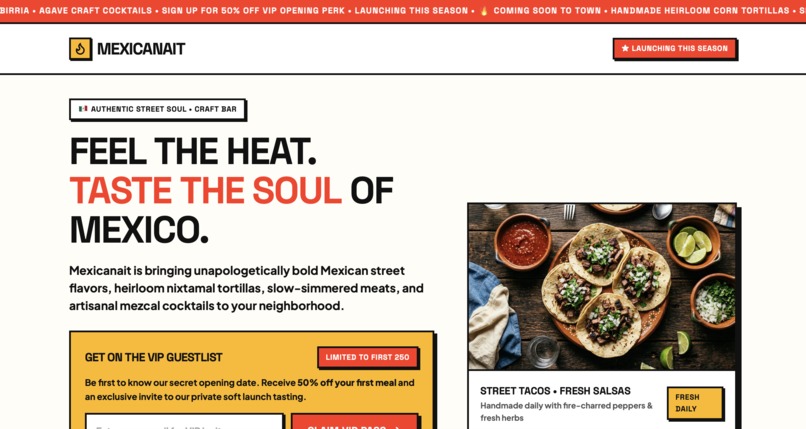
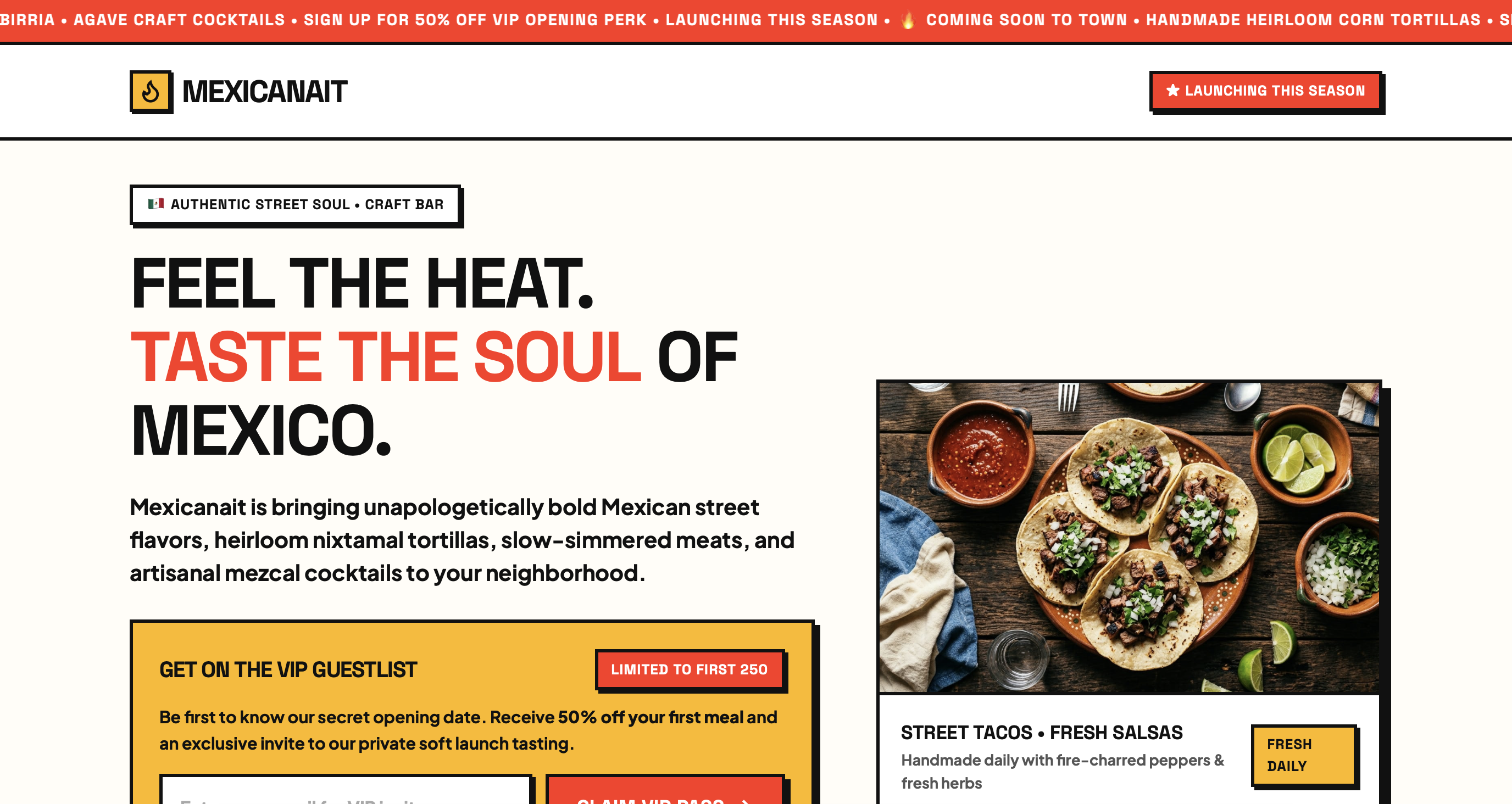
Mexican restaurant coming soon page created with PHPVibe.site

Most AI coding tools assume you’re comfortable with things like Vercel, Supabase, Node, GitHub, and the terminal. But there’s a huge part of the web that doesn’t work that way.
Millions of people still run websites on cheap shared hosting from companies like Hostinger, Namecheap, GoDaddy, or Bluehost, using cPanel, FTP, and PHP. Millions have never opened the terminal window or installed an npm package.
PHPVibe is for those people. It’s for someone who doesn’t want to spend their day in a terminal, install packages they don’t understand, or learn an entire modern development stack just to get a website online. If you already have $3/month hosting and want a simple website you can actually understand and manage yourself, that’s who we’re building for.
What it does
You describe the website you want in plain English. PHPVibe asks a few questions when it needs to, then builds the whole thing for you. The result is a straightforward PHP website that runs on inexpensive shared hosting, without a pile of dependencies or a complicated setup. It comes with everything needed to install and manage the site, including a database and basic security protections.
Once it’s ready, you can preview it, download it as a ZIP, or publish it directly to your hosting account. The goal is pretty simple: describe what you want, get a real website, and put it online without needing to become a developer first.
How we built it
Under the hood, PHPVibe is a fairly large TypeScript project, but we’ve tried hard to keep the actual websites it creates simple. The generated sites are dependency-free PHP with SQLite and handwritten CSS. We also built a small security layer that the AI isn't allowed to change, so things like passwords, forms, sessions, and database queries are handled consistently rather than being reinvented every time.
One of the bigger ideas we built around is the concept of regions. Instead of asking the AI to rebuild an entire website every time you say “make the hero blue,” we mark the different parts of the site so we can change just the relevant piece. That makes edits much cheaper and faster. It also lets you click something in the preview and edit it directly. We added screenshots and direct text editing too, because we learned that sometimes the clever system doesn't work as reliably as simply looking at the actual page and changing what you can see.
Challenges
Deleting a section sounded like it should be easy. It wasn't. We had built safeguards to stop edits from accidentally breaking the system, but when one of those safeguards quietly refused an edit, we didn't tell the user what had happened. The result was an editor that appeared to ignore you. We eventually learned that if something refuses to happen, the user needs to know why and what they can do instead.
We also spent a lot of time figuring out how much AI to use for each edit. Give it too little room and useful changes fail. Give it too much and a tiny change can become surprisingly expensive. And our original idea of marking parts of the code for easy editing was much messier in practice than it sounded on paper. Sometimes fixing an edit took more work than building the feature in the first place.
Accomplishments
The biggest one is that it actually runs on a $3 shared hosting account. We've tested the whole experience on real cPanel hosting: upload the files, run the installer, set a password, remove the installer, submit a form, read it in the admin area, and make sure the database isn't exposed. That's the promise of PHPVibe, and we wanted to prove it with something real rather than a demo server.
We also got surprisingly far with editing. Clicking text in a preview can usually tell us whether that text lives in the page itself or comes from the database, and we got 59 out of 60 clicked elements mapped correctly in testing.
We also found that looking at screenshots of the actual rendered website made a big difference: it cut our edit cycles by almost 40% and made changes both cheaper and more reliable. Chromium runs alongside the site in sandbox and screenshots it to support design edits.
What we learned
The biggest lesson is that you have to verify surprising results, especially when something works suspiciously well. Beginners' luck applies to code too. We also learned that silent failures are terrible. If the system refuses to make a change, the user needs to see what happened, why it happened, and ideally how to fix it.
And perhaps most importantly, there usually isn't one cause behind a problem. Building software is a continuous process of changing things, seeing what breaks, fixing them, and trying again. We’ve stopped expecting the system to behave perfectly just because the original idea was simple.
What's next
Payments are next. We want someone to be able to add payments to their site without having to figure out a whole new technical stack, regardless of which payment provider they use.
We also want to get much better at design. We've worked hard to avoid the familiar blue-and-purple look that shows up in a lot of AI-generated websites, but we're not yet at the point where PHPVibe consistently creates designs that really wow. And finally, we want to create templates for people who know they need a website but don't necessarily know what to ask an AI to build.
Built With
- gcp
- gemini
- genkit
- php
- typescript

Log in or sign up for Devpost to join the conversation.