-
-
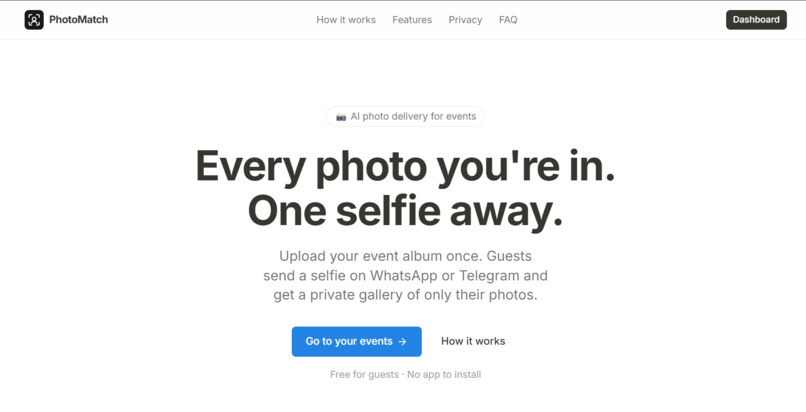
Landing Page
-
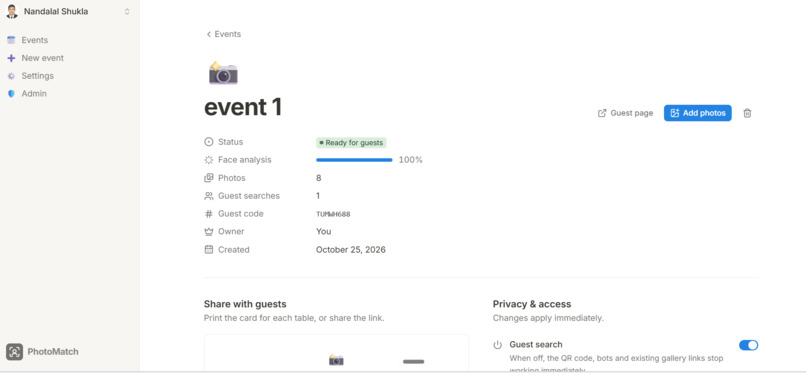
Dashboard page for event creators
-
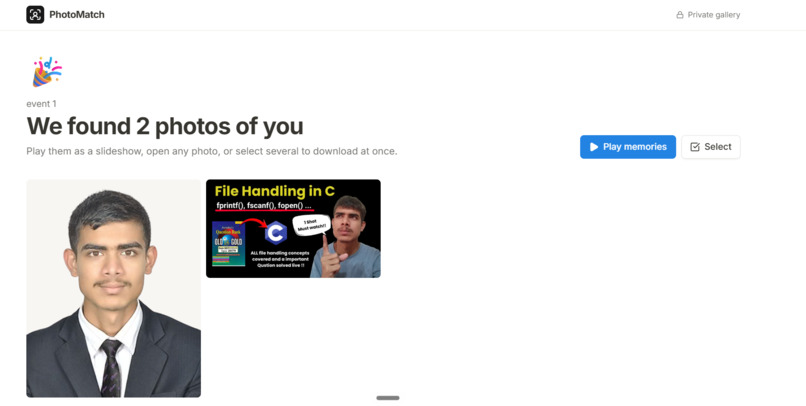
Private Gallery page for guests
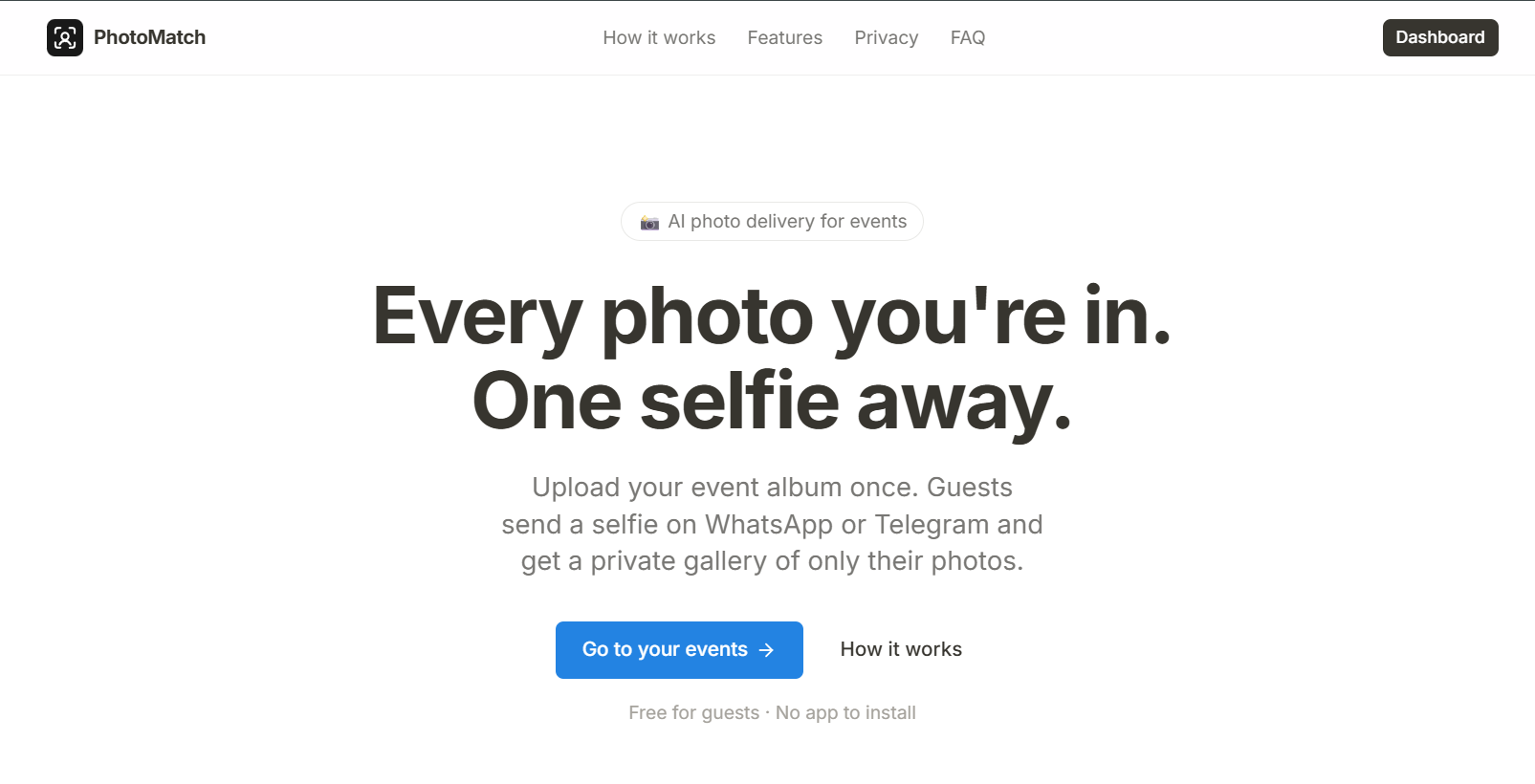
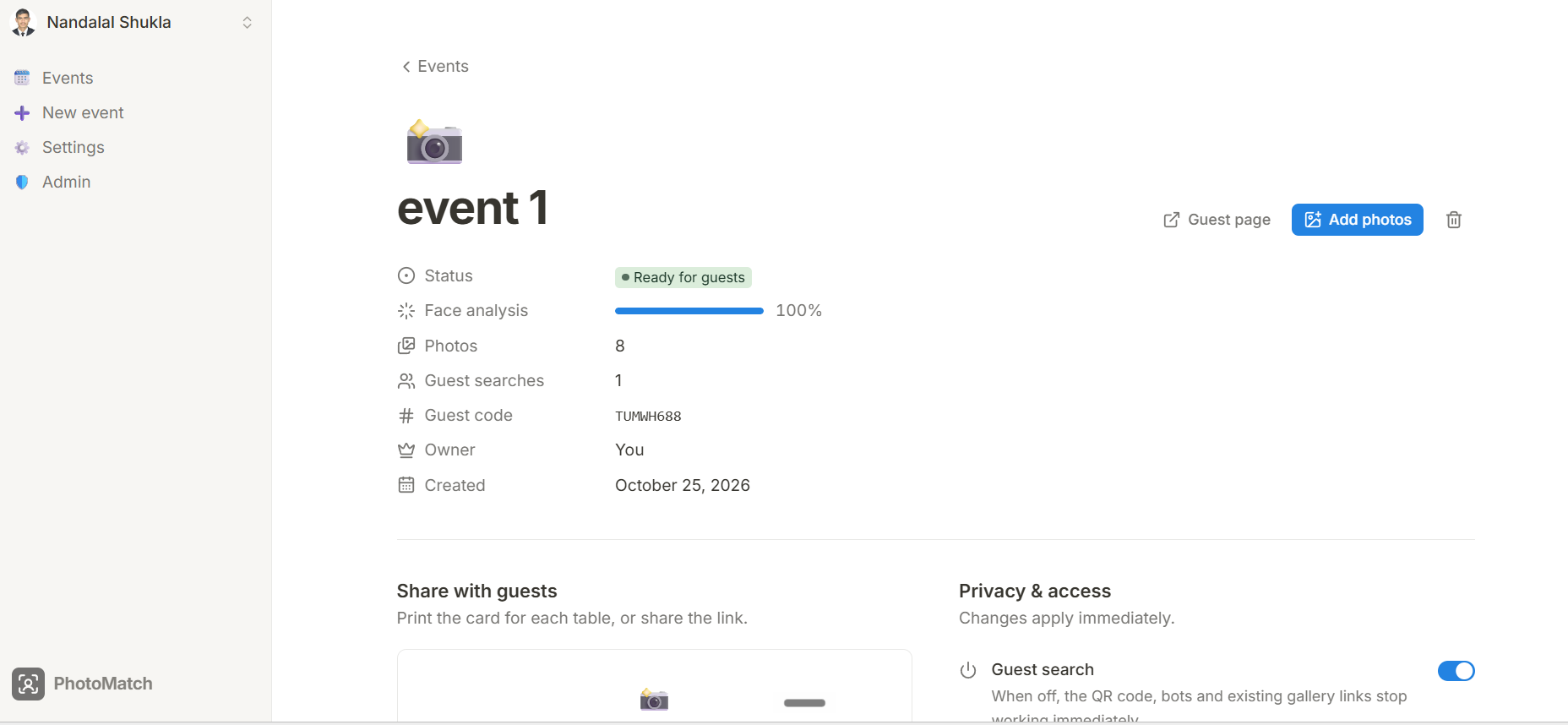
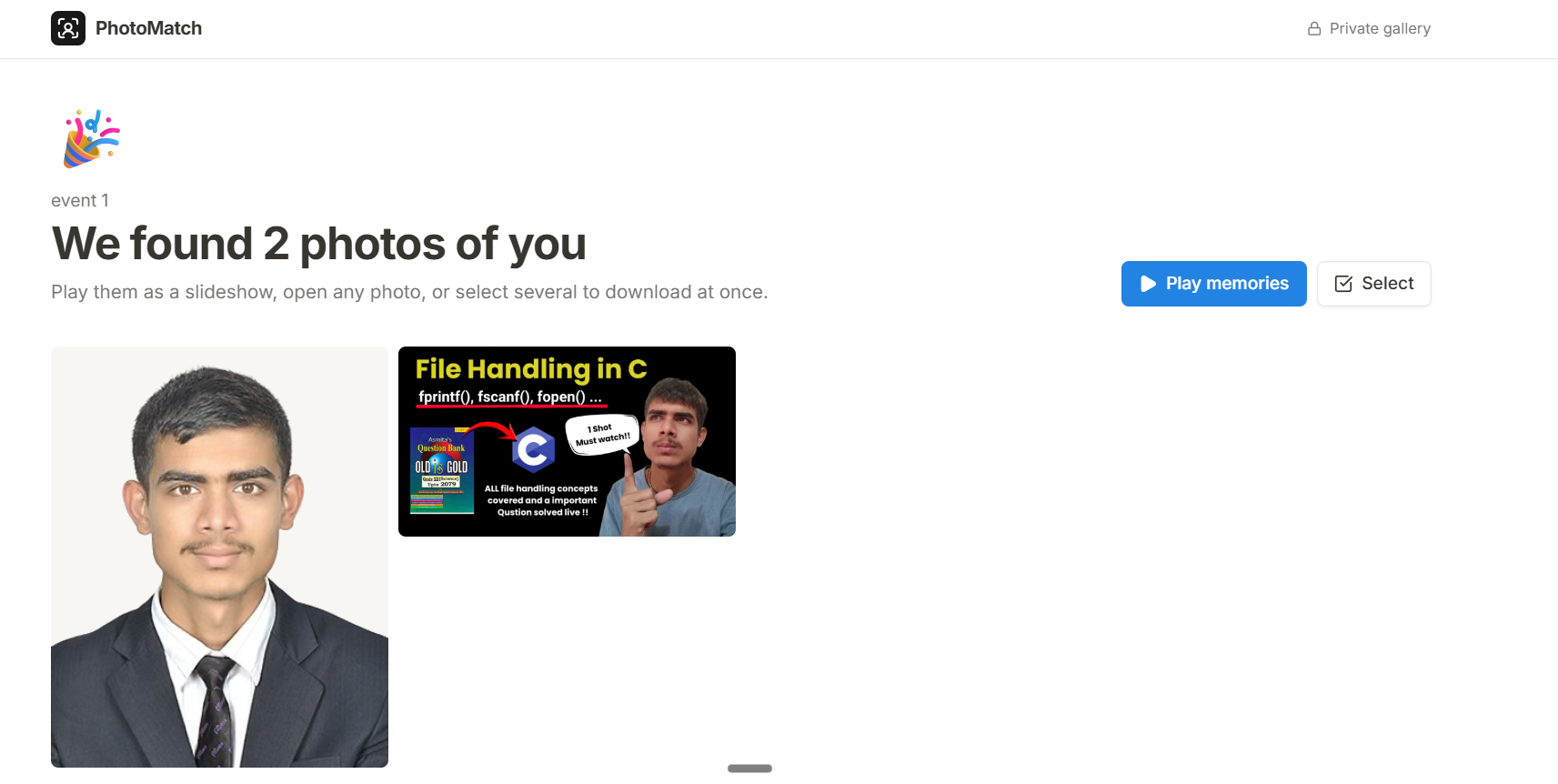
Find every event photo you're in, with just a selfie.
🔗 GitHub: https://github.com/nandalalshukla/photoMatch
🎬 Demo video: https://youtu.be/HSeYr2-PAM0
🌐 Live demo: https://photomatch.southeastasia.cloudapp.azure.com/
👤 Built by: Nandalal Shukla, Vindhyachal Gupta
Inspiration
At my sister's wedding, our photographers captured thousands of photos. Just a few days later, my phone exploded with messages from people asking for their photos. Everyone wanted their own photos, and nobody wanted to scroll through thousands of pictures to find the few they were in.
So I became the photo search engine. I spent hours scrolling, recognising faces, picking pictures and sending them one person at a time. Every message I answered brought two more. It was exhausting, it pulled me away from my family, and people still waited days for photos they cared about.
Simply sharing one big album with everyone wasn't a good option either. A wedding is a private family event, and not everyone is comfortable with their photos being passed around to anyone with a link.
This happens at every wedding, birthday, college fest, conference and party: the photos exist, but getting the right photos to the right people is slow, manual and not private. That's what inspired PhotoMatch AI.
What it does
PhotoMatch AI lets every guest find their own photos with just a selfie.
- The organizer uploads the whole album once and gets a QR code.
- Guests scan the QR code and send one selfie to the PhotoMatch AI bot on WhatsApp or Telegram. No app, no account.
- Within seconds, the bot replies with a private gallery link containing only the photos that guest appears in, ready to download.
- For private events, the organizer switches on liveness detection. Before the gallery opens, the guest does a quick live face check on their camera (look straight, then turn your head). It proves a real person is present and that it's the same person who sent the selfie. A forwarded link is useless to anyone else.
No more spam. No more scrolling. No more photos ending up with the wrong people.
Key features
There are two roles: event organizers, who add photos of an event, and guests, who find their photos from an event.
| For organizers | For guests |
|---|---|
| Sign up with email (verified) or Google | No app, no account, no password |
| Drag-and-drop thousands of photos | Works in WhatsApp and Telegram |
| Duplicate photos skipped automatically | One selfie → private gallery in seconds |
| Live progress while faces are analysed | Select favourites, download as ZIP |
| One QR code to share | Optional 10-second live face check |
| Guest search on/off, liveness on/off anytime | Selfies are never stored |
| Account page with signed-in devices | |
| Admin dashboard (users, events, stats) |
How we built it
PhotoMatch AI has three parts:
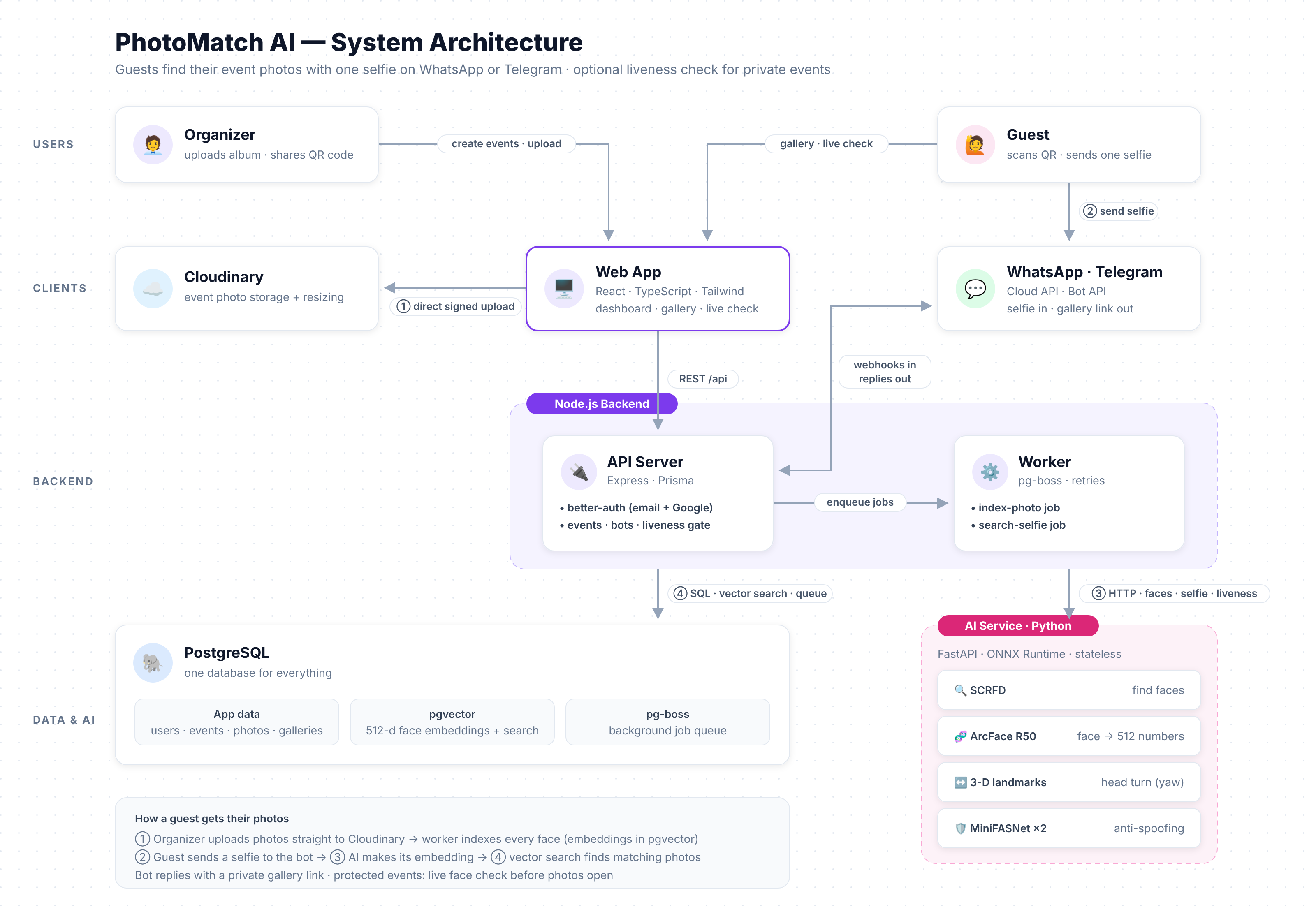
| Part | Technology | Job |
|---|---|---|
| Web app | React, TypeScript, Tailwind CSS | Organizer dashboard, guest page, liveness camera, private gallery |
| Node.js backend | Node.js, Express, Prisma, pg-boss | Accounts, events, bots, background jobs, face search |
| AI service (Python) | Python, FastAPI, ONNX Runtime | Finds faces, creates face fingerprints, checks liveness |
Plus: PostgreSQL + pgvector (all data, face fingerprints and the job queue), Cloudinary (photo storage), WhatsApp Cloud API and Telegram Bot API (guest bots).
1️⃣ Uploading photos
The organizer drags photos into the web app. Each photo is uploaded directly from the browser to Cloudinary using a short-lived, signed permission from our API, so huge albums never pass through (or slow down) our server.
Before uploading, the browser computes a SHA-256 fingerprint of each file and asks the API which ones the event already has. Duplicates are skipped, even renamed copies, and the database itself refuses the same photo twice in one event.
2️⃣ Finding every face
For every photo, a background worker (pg-boss job queue on PostgreSQL) sends a resized copy to the AI service:
- A face detector (SCRFD) finds every face and 5 landmarks (eyes, nose, mouth corners).
- Each face is aligned and passed to a face recognition model (ArcFace, ResNet-50), which turns it into a "face fingerprint": a list of 512 numbers. Photos of the same person produce fingerprints that point in almost the same direction.
The fingerprints are stored in PostgreSQL using the pgvector extension, right next to the photos.
3️⃣ Matching a guest's selfie
- The guest scans the QR code, and the guest page opens WhatsApp or Telegram with the event code pre-filled.
- The bot receives the selfie through a secure webhook (Telegram secret header / WhatsApp HMAC signature).
- The AI turns the selfie into a fingerprint.
- One SQL query finds every photo in that event with a face similar enough to the selfie (cosine similarity with pgvector).
- The bot replies with the private gallery link.
The selfie image is processed in memory and never stored. Only its fingerprint is kept, because the liveness check needs it later.
4️⃣ Liveness detection (private events)
The gallery page opens the guest's camera and guides them step by step: tips → face in the oval → "I'm ready" → 3-2-1 → hold still → animated arrow: slowly turn your head to your left. It captures a burst of frames during each step, and the server keeps the most straight-on and the most-turned frame, so a slow or late turn still passes.
Three checks must pass:
| Check | How | Stops |
|---|---|---|
| Head turn | 3-D face landmark model measures the head angle: straight (≤ 15°), then turned (≥ 20°) | Printed photos held up to the camera, which can't turn |
| Anti-spoofing | Two MiniFASNet models analyse the face texture at two zoom levels | Photos of photos, faces shown on a phone or laptop screen |
| Identity | The live face must match the selfie that created the gallery | Someone else opening a forwarded link |
If all pass, the gallery unlocks through a signed, httpOnly cookie valid for 30 minutes on that device only. Guests get 5 attempts per gallery.
5️⃣ Accounts & security
Organizer accounts use better-auth: email + password with mandatory email verification, password reset, Google sign-in, secure session cookies, signed-in device management and an admin role, without hand-writing authentication code.
Engineering decisions
| Decision | Why |
|---|---|
| pgvector inside PostgreSQL instead of a separate vector database | Face fingerprints live next to the photos. Deleting an event automatically deletes its face data. One database to run and back up. |
| pg-boss job queue on PostgreSQL instead of Redis | Reliable background jobs with retries, without running another server. |
| Direct browser → Cloudinary uploads | Thousands of photos never pass through our server: no temp files, no upload bottleneck. |
| AI models run directly with ONNX Runtime | We ported InsightFace's pre/post-processing ourselves (verified identical results), so the AI service installs on Windows, macOS and Linux without a C++ compiler. |
| Stateless AI service over HTTP | Python only does maths on images; all data logic stays in one place (Node). Easy to test, restart and scale. |
| One conversation flow for both bots | Telegram and WhatsApp adapters only parse and send messages; the guest conversation is written once. |
| Burst capture for liveness | Guests don't have to hit an exact moment. The server picks the best frames. |
| Content fingerprints for duplicates | Skips re-uploads by content, not file name, and makes interrupted uploads resumable. |
Privacy & security
- Selfies are never stored, only a 512-number fingerprint used for matching.
- Liveness gate for private events: forwarded gallery links are useless to others.
- Organizers only see their own events, and guest search can be switched off instantly (QR, bots and gallery links all stop working).
- Signed uploads are limited to each event's own folder, and the server re-checks every photo it's told about.
- Webhooks verified: Telegram secret header and WhatsApp HMAC-SHA256 signature, compared in constant time.
- Strict security headers (Content-Security-Policy via Helmet), rate limiting on auth and liveness, and parameterised SQL.
Challenges we ran into
- Handling thousands of photos without a bottleneck. Routing uploads through our server would have meant temp files and slow uploads, so we moved to signed, direct browser-to-Cloudinary uploads.
- Duplicate and interrupted uploads. File names can't be trusted, so we hash file contents in the browser (SHA-256) and enforce uniqueness in the database too. This also made interrupted uploads resumable.
- Running the AI models anywhere. InsightFace normally needs a C++ compiler, which made installation painful. We ported its pre- and post-processing to run directly on ONNX Runtime and verified the results were identical.
- Making liveness feel easy. Asking guests to turn their head at an exact moment is frustrating, so we capture a burst of frames and let the server pick the most straight-on and the most-turned ones.
- Defeating spoofing while confirming identity. Head-turn checks, texture-based anti-spoofing and identity matching against the original selfie each stop a different attack, and all three had to work together.
- Keeping guests' data private. We designed the flow so selfies are processed in memory and never stored, and so a forwarded gallery link reveals nothing.
Accomplishments that we're proud of
- A guest goes from one selfie to a private gallery in seconds, with no app, no account and no password.
- A single conversation flow powers both WhatsApp and Telegram.
- A three-layer liveness check (head turn, anti-spoofing, identity) that makes forwarded links useless to anyone else.
- Selfies are never stored.
- A simple, reliable architecture: pgvector and pg-boss on PostgreSQL mean one database to run, back up and clean up.
- A fully working live demo, with organizer accounts, an admin dashboard and signed-in device management.
What we learned
- Keeping vectors, jobs and data in one PostgreSQL database removes a lot of operational complexity.
- Face recognition models turn faces into 512-number fingerprints, and similar faces can be found with a single cosine-similarity query.
- Liveness detection needs several independent checks, because each one stops a different kind of attack.
- Privacy is a design choice, not an add-on: not storing selfies, verifying webhooks and signing cookies shaped the architecture from the start.
- Small UX details, like burst capture and clear step-by-step guidance, decide whether a security feature feels usable.
- Using a proven library like better-auth is safer than hand-writing authentication.
What's next for PhotoMatch AI
- Support for more messaging platforms and a lightweight web-only option for guests.
- Faster processing and smarter face matching for very large albums.
- Organizer tools such as event analytics, album sharing controls and automatic gallery expiry.
- Stronger anti-spoofing and more liveness challenges.
- Bringing PhotoMatch AI to weddings, college fests, conferences and parties at scale.
Built With
- ai
- arcface
- azure
- cloudinary
- express.js
- fastapi
- github
- nextjs
- pgvector
- python
- react
- typescript

Log in or sign up for Devpost to join the conversation.