Inspiration
PhotoMaster started with a problem that was small, repetitive and surprisingly difficult to solve well.
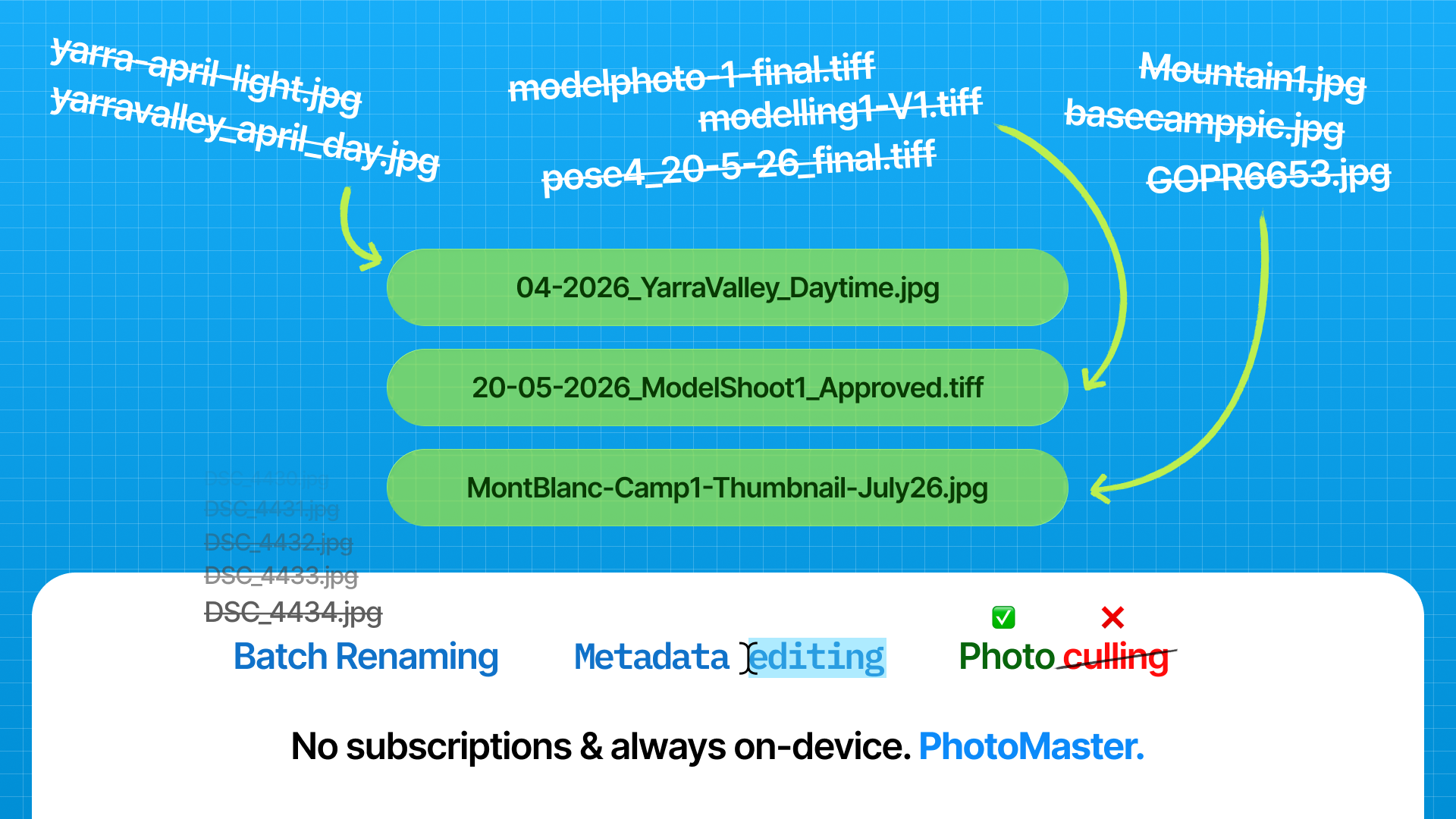
I wanted a quick way to batch rename my photographs using a consistent naming scheme. I had developed my own format containing information such as the date, location, film simulation or recipe, camera and sequence number. However, every time I returned from a shoot, I had to remember exactly how I had formatted the previous batch. Small inconsistencies would creep in: a different separator, a missing field, a slightly different camera name or a sequence formatted in another way.
The macOS bulk renaming tool was too limited for the naming system I wanted. Adobe Lightroom could do more, but its renaming functionality was tied to a Creative Cloud subscription. Neither felt like the right answer for a relatively straightforward local task.
The problem became more obvious when I started receiving scans from film photography labs. Unlike photographs produced by a digital camera, those scans often arrived with little or no useful metadata. When I imported them into Apple Photos, they were not always indexed or ordered correctly because the application could not determine when or where the photographs had been taken.
Editing that information was possible, but not pleasant. My existing solution involved running a script through a very user-unfriendly interface. It technically worked, but it was slow, awkward and easy to avoid until the unorganised photographs began piling up.
I realised that these were not two separate problems. Renaming, reviewing and repairing metadata were all parts of the same photography workflow. That became the idea behind PhotoMaster.
The idea of building my own software was not new to me. I had been trying to learn programming since I was a young child. My father bought me books and learning software for languages such as Ruby and Python, and I later studied Visual Basic and some basic C# at school. I would begin learning, understand parts of it and become excited about what I might be able to create, but it never properly stuck.
The more abstract and mathematical parts of programming did not come naturally to me. I could imagine how an application should work, how it should look and what problems it should solve, but I struggled to translate those ideas into the syntax, architecture and technical decisions required to build it.
After graduating from high school, I largely put those ideas aside. Then OpenAI launched Codex, and PhotoMaster came back to me. Building a native macOS application in SwiftUI was far beyond anything I had previously attempted, but Codex gave me a way to start.
What it does
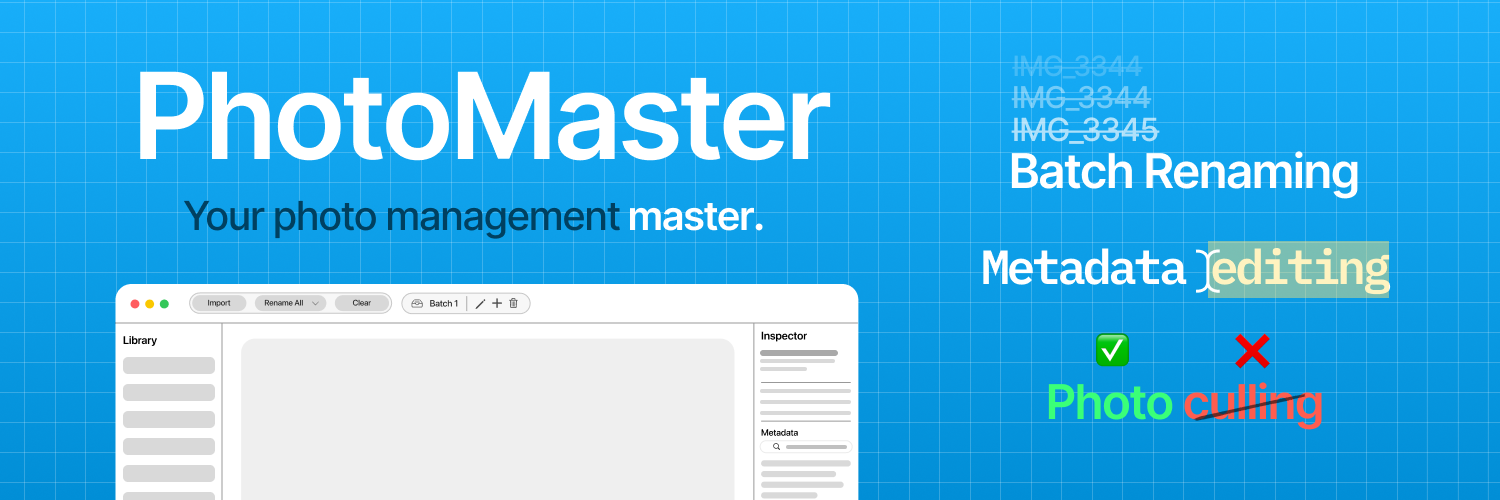
PhotoMaster is a native macOS application for importing, reviewing, renaming, editing and culling local photo libraries.
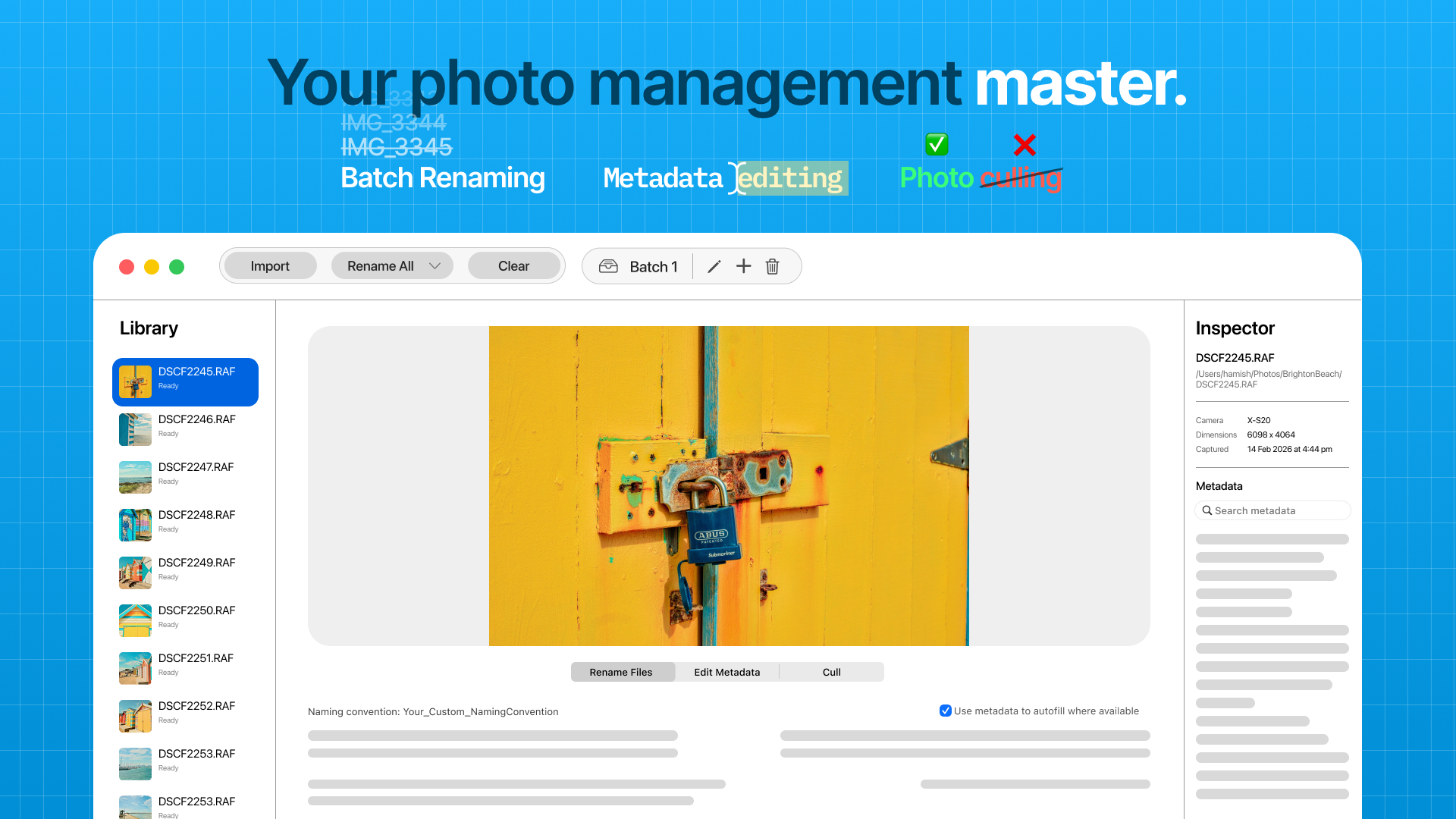
Users can import individual photographs or entire folders, including nested folders, and move quickly through their images using a large preview and filmstrip. PhotoMaster reads available metadata from each photograph and uses it to help populate a consistent file-naming structure.
The default naming system can include the date, location, film simulation or recipe, camera and sequence number. However, the application has a powerful preset editor that lets you configure your own naming convention in any way you like, and create automatic actions that happen on import if certain elements are detected, like a camera or specific exif field.
When normal metadata is missing, PhotoMaster can attempt to recover dates from existing filenames. It also detects naming conflicts and creates a safe alternative rather than silently overwriting an existing photograph.
PhotoMaster includes a metadata inspector and editor for correcting information such as dates, camera details and other image properties. When an image format supports safe metadata writing, PhotoMaster updates the file directly. For RAW photographs and other formats that cannot be safely rewritten, it creates a standard XMP sidecar file instead. This preserves the original image while allowing corrected metadata to remain associated with it.
The application also includes photo culling. Users can mark photographs as picks or rejects, move rejected photographs into a separate folder, or deliberately delete them after confirmation.
PhotoMaster supports persistent batch workspaces, allowing multiple shoots or collections to be managed separately. It also remembers sessions, settings, recent values and operation history between launches.
The entire application is local-first. It has no accounts, cloud backend, analytics service or subscription system. Photographs, metadata, filenames, folder paths, previews and thumbnails remain on the user’s Mac and are never uploaded.
How we built it
PhotoMaster was built as a native Apple Silicon macOS application using Swift, SwiftUI, AppKit and Apple’s system frameworks.
From the beginning, I established four priorities that shaped the project:
- Good design
- Excellent performance
- Simplicity
- User friendliness
I did not want PhotoMaster to feel like a graphical wrapper placed over a script. I wanted it to feel like a real Mac application, so I used Codex as my implementation and investigation partner throughout development. I defined the product, workflows, design direction, privacy requirements and expected behaviour. Codex helped translate those decisions into Swift, investigate unfamiliar frameworks, implement features, write tests and diagnose problems across the codebase.
The first version focused on importing and batch renaming photographs. From there, we gradually expanded the application to include previews, a filmstrip, metadata inspection and editing, reusable naming values, file moving and copying, operation history and photo culling.
PhotoMaster was developed over several months. I eventually placed it on hold when the remaining technical problems became difficult to solve with the tools available to me and I became busy with university.
When GPT-5.6 was released and I finished my degree, I returned to the project. That second development phase substantially changed the application.
Working with Codex and GPT-5.6 Sol, I built a more complete theming engine, persistent batch management, session restoration, improved onboarding, culling workflows and major performance enhancements. I also began the less visible work required to turn a personal project into an application that another person could safely install, understand and use.
GPT-5.6 Sol was particularly useful for investigating stubborn issues that had survived several previous attempts. It could follow behaviour across a larger codebase, form a theory about the cause, implement a fix, test its assumptions and continue iterating when the first solution was incomplete.
Improvements to Codex’s longer-running workflows also made it practical to undertake larger jobs such as performance audits, interface refactors and distribution preparation without dividing every problem into dozens of isolated prompts.
PhotoMaster was not produced from a single instruction. It was built through continuous iteration, testing and decision-making. I tested it using real photo libraries, identified incorrect or confusing behaviour, evaluated proposed solutions and decided which changes genuinely improved the product.
Challenges we ran into
One of the largest challenges was metadata handling.
Image formats do not all store information in the same way, and not every format allows metadata to be safely modified. Digital photographs may contain detailed EXIF, TIFF, IPTC and GPS information, while film scans can arrive with almost nothing useful.
We had to build a system that could extract information from multiple metadata sources, recover dates from filenames when necessary and avoid damaging files that could not be safely rewritten. Supporting XMP sidecars for RAW and other non-writable formats was an important part of solving that problem.
File operations presented another major challenge because some PhotoMaster actions are destructive. A frontend bug may be frustrating, but a bug in a culling or renaming operation can move, overwrite or permanently delete somebody’s photographs.
That meant carefully handling confirmations, filename collisions, partial failures and situations where the interface’s understanding of a library no longer matched what was actually stored on disk. The application needed to clearly communicate what it was about to do, what it was currently doing and what had happened afterward.
Performance was also difficult. Loading high-resolution images and large RAW files can be expensive, particularly when a folder contains hundreds or thousands of photographs. We had to prevent image decoding, metadata extraction and session restoration from freezing the interface.
This required moving expensive operations away from the main interface thread, loading previews only when needed, controlling concurrent work and improving the way restored sessions were hydrated in the background.
SwiftUI frontend behaviour was another persistent source of difficulty. Managing shared state across the workspace, settings, batch sessions and separate windows created subtle bugs. Fixing one visual or state-management issue could unexpectedly affect another part of the application.
Some of the hardest work involved diagnosing these interactions rather than adding visible features. GPT-5.6 Sol helped us trace behaviour across larger sections of the codebase and resolve frontend issues that previous models had struggled to fix consistently.
Preparing the application for other people also created a new set of challenges. A project that works on its creator’s Mac is not automatically ready for distribution. We needed onboarding, clearer error states, packaging scripts, release verification, privacy-safe diagnostics and a self-contained sample library that could demonstrate the application without requiring access to somebody’s personal photographs.
Accomplishments that I'm proud of
I am proud that PhotoMaster grew from a personal batch-renaming tool into a capable native photography workflow application.
It can now import and review large photo collections, construct consistent filenames, recover missing information, edit metadata, support XMP sidecars, manage separate batches, restore sessions and help users cull unwanted photographs.
I am particularly proud that these features exist inside an interface designed to feel approachable rather than technical. PhotoMaster handles complex file and metadata operations, but users should not need to understand those underlying systems to use it.
I am also proud of the application’s local-first privacy model. PhotoMaster does not require an account, subscription, server or internet connection. It does not collect analytics or upload any part of the user’s photo library.
Another major accomplishment was making the application safe enough to perform real operations on my own photography library. Building a demonstration is one thing, but trusting an application to rename, move, edit and potentially delete personal photographs is a much higher standard.
More personally, I am proud that PhotoMaster exists at all.
For years, I had ideas for applications that never progressed beyond notes, sketches or concepts because traditional programming education never properly clicked for me. PhotoMaster is evidence that those ideas no longer have to remain imaginary.
It has also become the most developed part of a broader collection of applications I call the MasterSuite. Other projects include BillMaster for managing recurring bills, a personal timesheet application, MealMaster for storing and scheduling recipes, and a simple note-taking application.
These projects share the same goal: replacing software that is complicated, subscription-based or poorly suited to my needs with focused tools that are pleasant to use.
What I learned
The most important thing I learned is that AI-assisted development does not remove the need for human judgement.
Codex could implement features, investigate bugs and explain unfamiliar systems, but it could not decide what PhotoMaster should become. I still needed to define the problem, establish priorities, evaluate the interface, test real workflows and decide when a technically valid solution was wrong for the product.
Codex did not remove the need to think. It changed the level at which I was able to think.
Instead of becoming stuck on syntax or spending weeks trying to understand why a framework behaved unexpectedly, I could concentrate on what the user needed, what felt confusing, what could go wrong and how the application should respond.
I also learned that building software involves much more than adding features. Performance, error handling, accessibility, privacy, packaging, onboarding and recovery from unexpected states often require more work than the visible feature itself.
The project taught me to be cautious around destructive operations and not to trust the happy path. A successful rename involving ten ordinary JPEG files does not prove that the same operation will behave correctly with thousands of mixed-format photographs, conflicting names, missing metadata or interrupted file access.
Most importantly, I learned that my previous difficulty learning traditional programming did not mean I lacked the ability to create software.
I have always had ideas, opinions about design and a strong sense of how tools could work better. Codex gave me a practical way to apply those abilities.
For the first time, the gap between imagining software and creating it felt manageable.
Codex has been one of the most freeing tools I have ever had access to. It has allowed me to act on ideas that previously would have remained sketches, notes or thoughts in my head. It has not stopped me from learning or making decisions. It has finally given me a way to participate directly in creating software despite the barriers that prevented traditional programming education from clicking for me.
What's next for PhotoMaster
My goal is to release PhotoMaster publicly through the Mac App Store.
The next major step is external testing through TestFlight. So far, most development and testing has been conducted using my own devices and photography libraries. Testing with a wider range of users, cameras, file formats and workflows will help uncover assumptions that are difficult to identify alone.
I also want to continue improving performance with extremely large libraries and high-resolution RAW files, strengthen accessibility throughout the interface and refine the onboarding experience for users who may not already understand metadata or structured file naming.
The main barriers are no longer whether the application can be built. They are the practical realities of independent software distribution, including the Apple Developer Program fee, broader testing and marketing an application without an existing audience.
PhotoMaster will be the first MasterSuite application I plan to release publicly, with the recipe management application MealMaster intended to follow.
What began as a way to stop forgetting my own file-naming convention has become a native photography utility that I now use to organise, inspect, rename, repair and cull photographs.
The next step is turning it from software made for myself into software that other photographers can trust with their own libraries.
Built With
- ai
- chatgpt
- codex
- macos
- swift
- swiftui

Log in or sign up for Devpost to join the conversation.