-
-
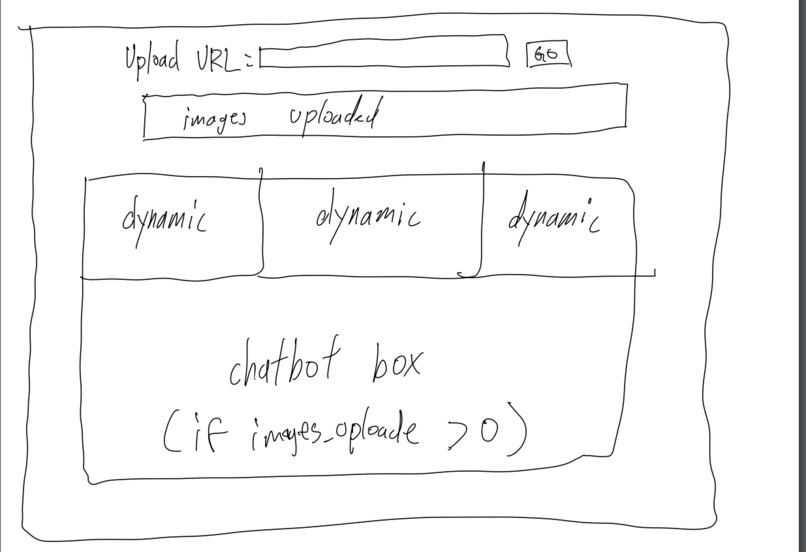
Ray's First Design Outline!
-
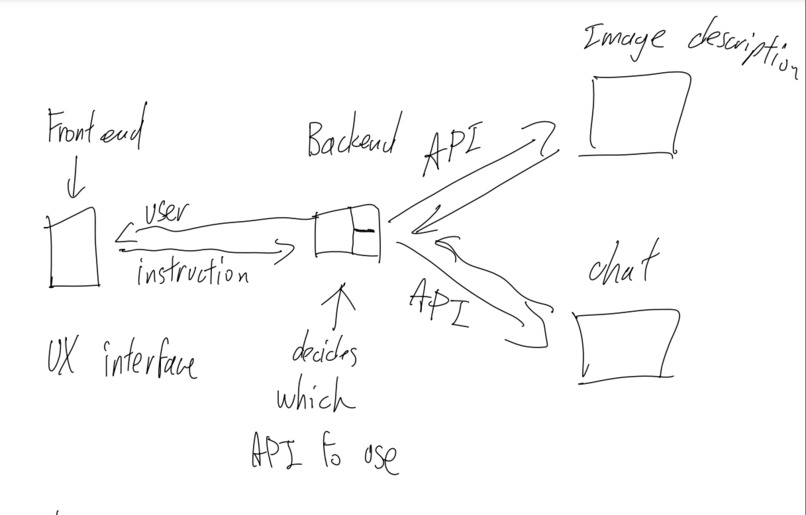
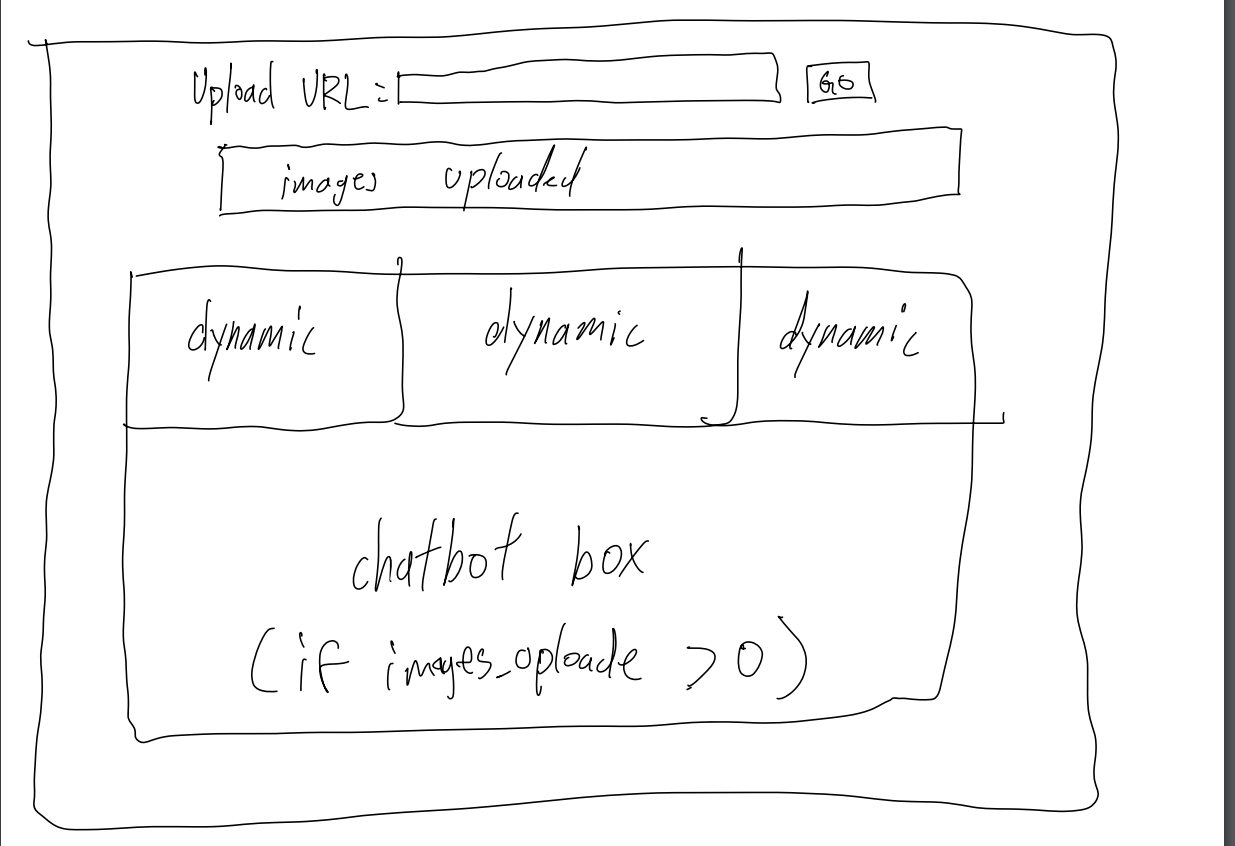
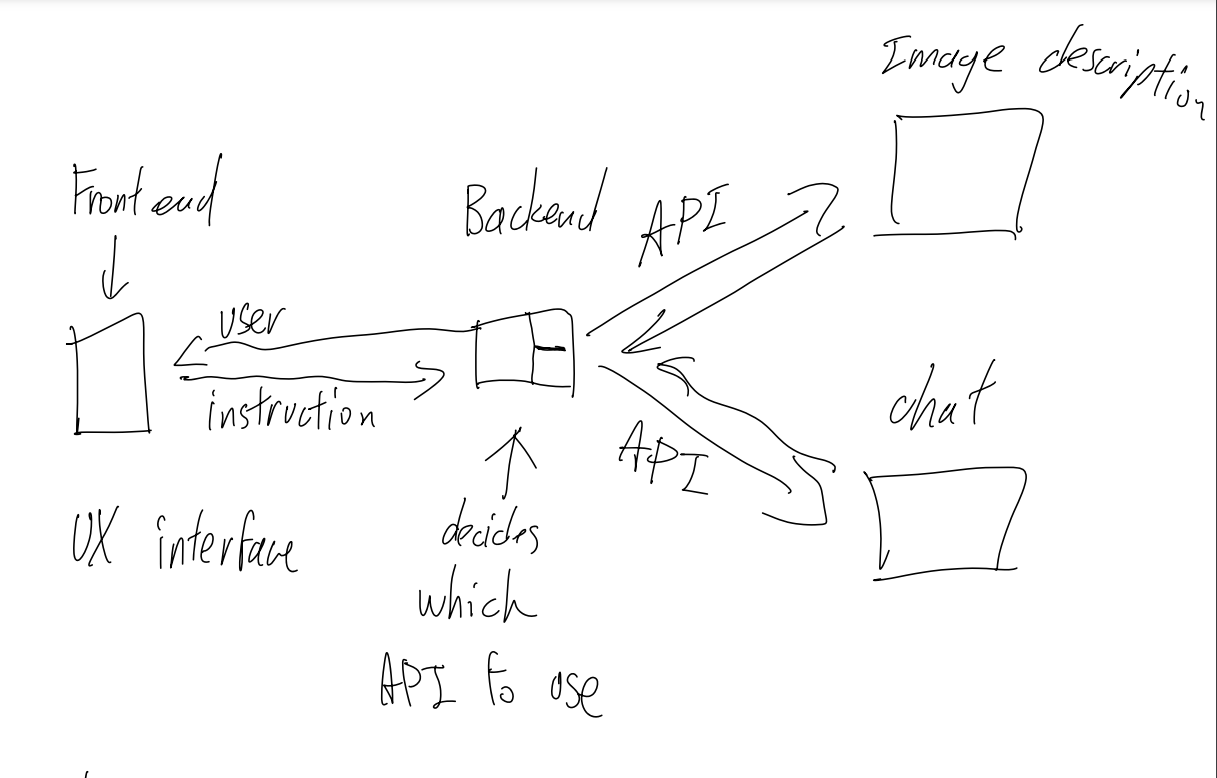
Divison of Tasks & First Draft of Plan!
-
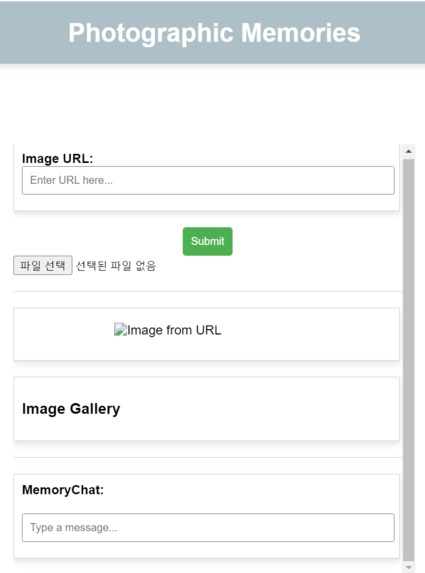
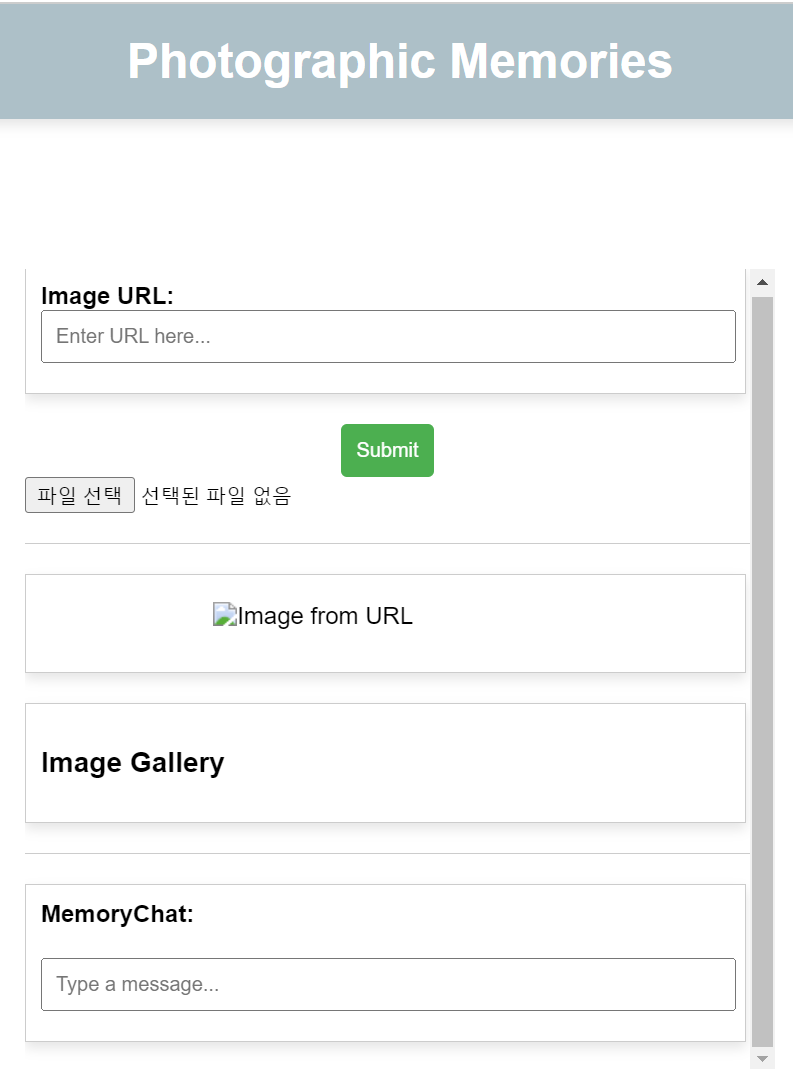
Actual Webpage
-
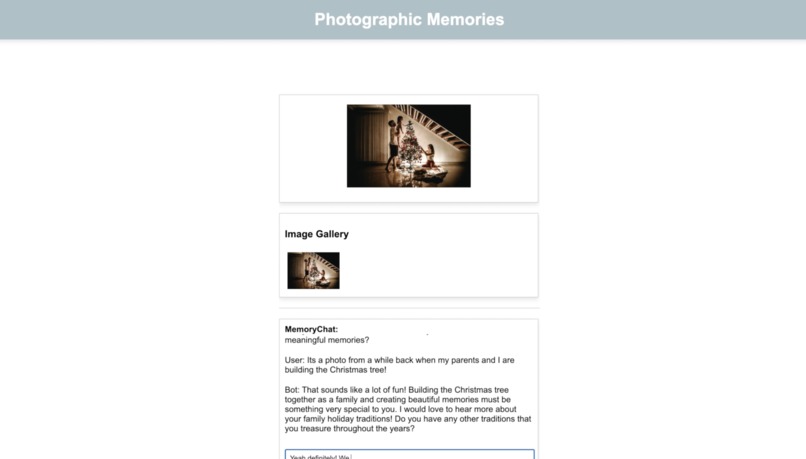
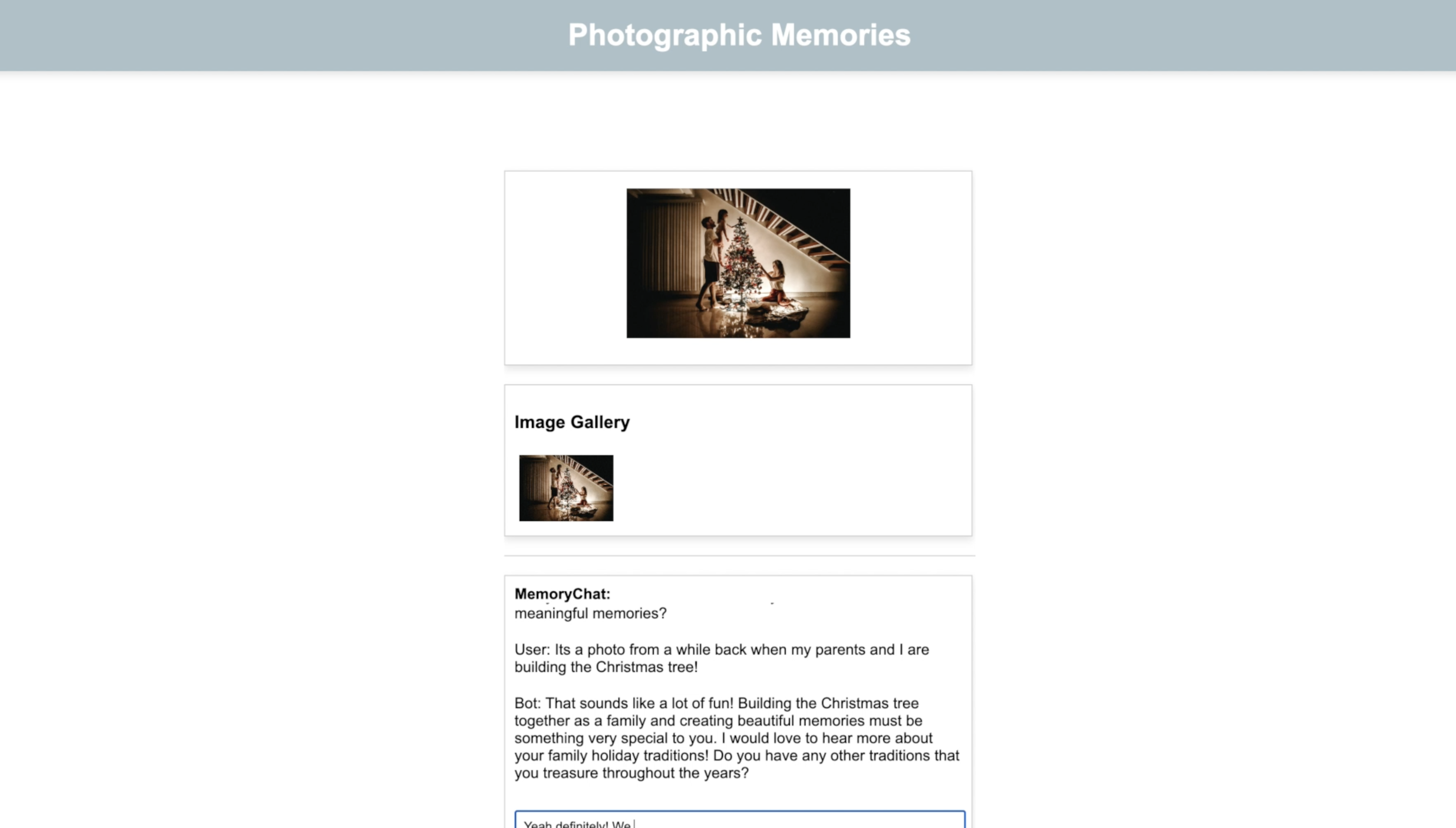
Example Conversation
-
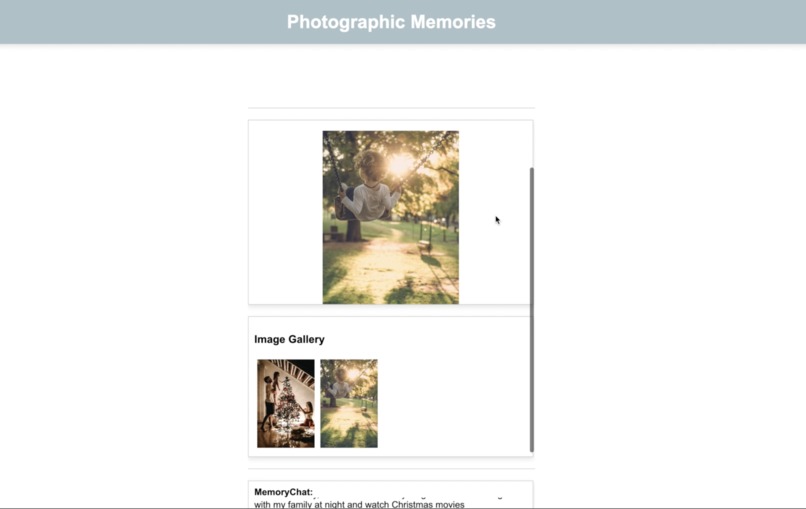
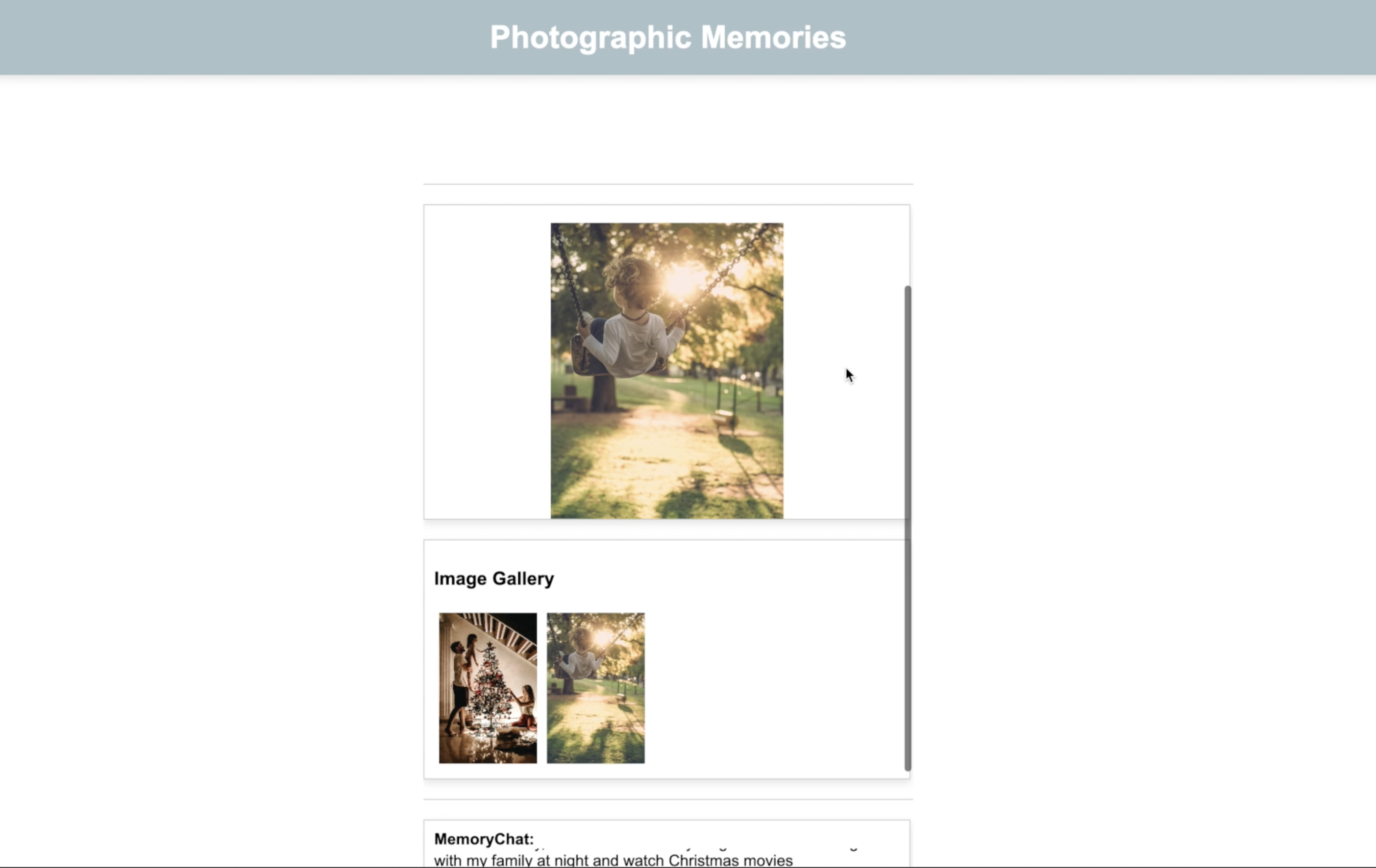
Importing Multiple Pictures
Inspiration~ ♪(´▽`)
Inspired by the Nostalgia theme of this year's hackathon and recent conversation-based artificial intelligence Large Language Models (LLM), we explored methods to allow Users to re-live a moment in their past.
The world is rapidly developing and advancing technologically. It sometimes may seem overwhelming and people have been constantly anxious about the future. We aim to develop an application that can Pause time and let Users look back and cherish those precious memories while reminding them of how far they have come along throughout their lives.
What it does! o(°▽°)o
PhotographicMemory takes the user down memory lane, utilizing user-selected photos to revisit cherished moments. Users can submit the URL of their chosen picture, and let our Chatbot, powered by Cohere's AI models, guide them through a seamless and non-intrusive conversation. The Chatbot initiates and sustains a meaningful discussion, alternating with the user's responses, creating an engaging dialogue. In essence, PhotographicMemory is designed to provide users with a therapeutic immersion and reminiscence of their past events.
How we built it! (๑•̀ㅂ•́)و✧
Python => Python was used to code the backend and API call functions of our project.
HTML, CSS, JS, Ajax => HTML and CSS were used to code the front end, create textboxes, text, and containers, and display images. JavaScript and Ajax were used for the backend server requests, such as the updating of the art gallery.
Flask => Flask was used to take in the user input to store it, where it can then be communicated to the backend of the project. It receives requests from AJAX to execute certain commands and passes the data to the backend class to process.
Azure => Azure's Computer Vision API generates detailed descriptions, including tags and image captions, by analyzing user-uploaded images. Its output is fed to Cohere's Generate AI model to create customized responses.
Cohere => Cohere's \generate endpoint was used to receive Azure's image descriptions and generate a photo-specific response to initiate the conversation with the user. Cohere's \chat endpoint was used to continue the conversation between the chatbot and the user in a naturally flowing way by choosing specific parameters to use. The key was the chat_history parameter that was updated for every response and passed into Cohere's LLM Model as a part of the persisting discussion of a treasured moment. Both were given very specific prompt/message arguments to focus on the theme of nostalgia.
Challenges we ran into... :O
- Utilizing Flask => Post, redirect, and get formula
- Some modules not running on a teammate's device
- Handling all program inputs and spacing components in the front end
- Getting an expected response for Cohere's \chat endpoint
- Implementing text-to-speech
Accomplishments that we're proud of! ƪ(˘⌣˘)ʃ
- Our team used Flask for the first time AND made it work!!!
- Ray's solution of creating a venv for Dorothy's computer & later pushing the requirements.txt for all users to be able to run the program!
- It was Wingfung's first hackathon, but he learned HTML and CSS quickly and completed the front end! We're especially proud of his perseverance in implementing the art gallery/photo album!
- We weren't chased by time!
What we learned :)
- HTML, CSS, and Flask operations
- Post-redirect-get algorithm
- How to create and use a virtual environment (replacement possible by requirements.txt)
- How to use APIs in Python
- Cohere's different APIs' functionalities
- Microsoft Azure Describe Image API's functionality
- That some of us really like K-pop!
What's next for PhotographicMemory? (≧∇≦)ノ
- Find a module (OR maybe even develop one?!) that also analyzes and extracts descriptions and possibly date metadata from uploaded image files.
- Incorporate text-to-speech (TTS) so that the project implements a social model of disability to be more user-friendly (especially for the elders who have impaired vision due to physical aging).
- Find a way to meaningfully use the Cohere's \classifier function in the program! It was implemented but later set aside because of its mere usage in conditional responses.


Log in or sign up for Devpost to join the conversation.