-
-
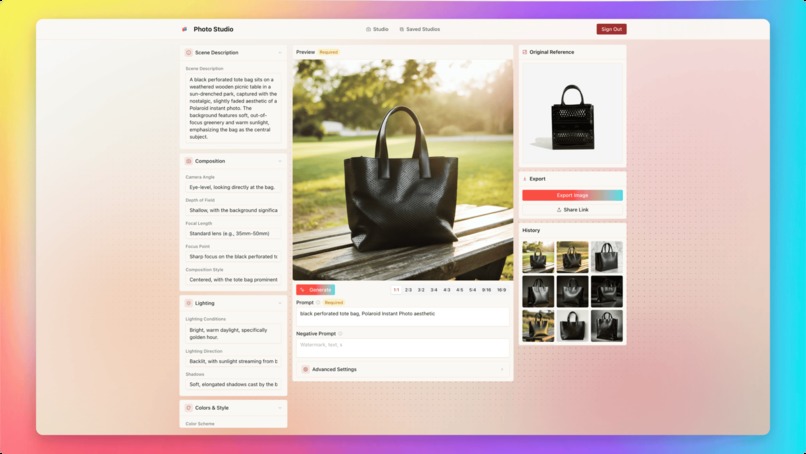
Refine with dynamic UI
-
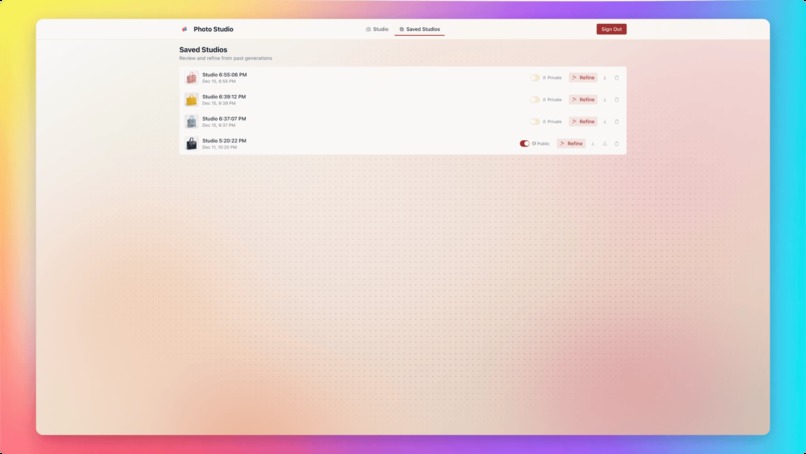
Save and Share Studios
-
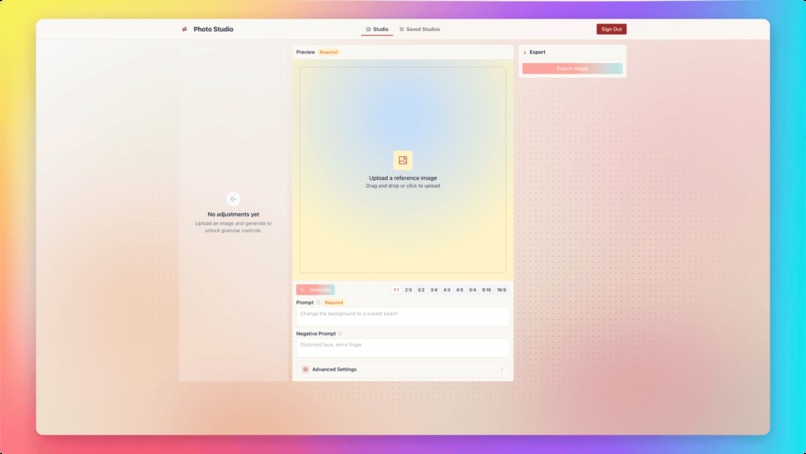
Start with any prompt and image
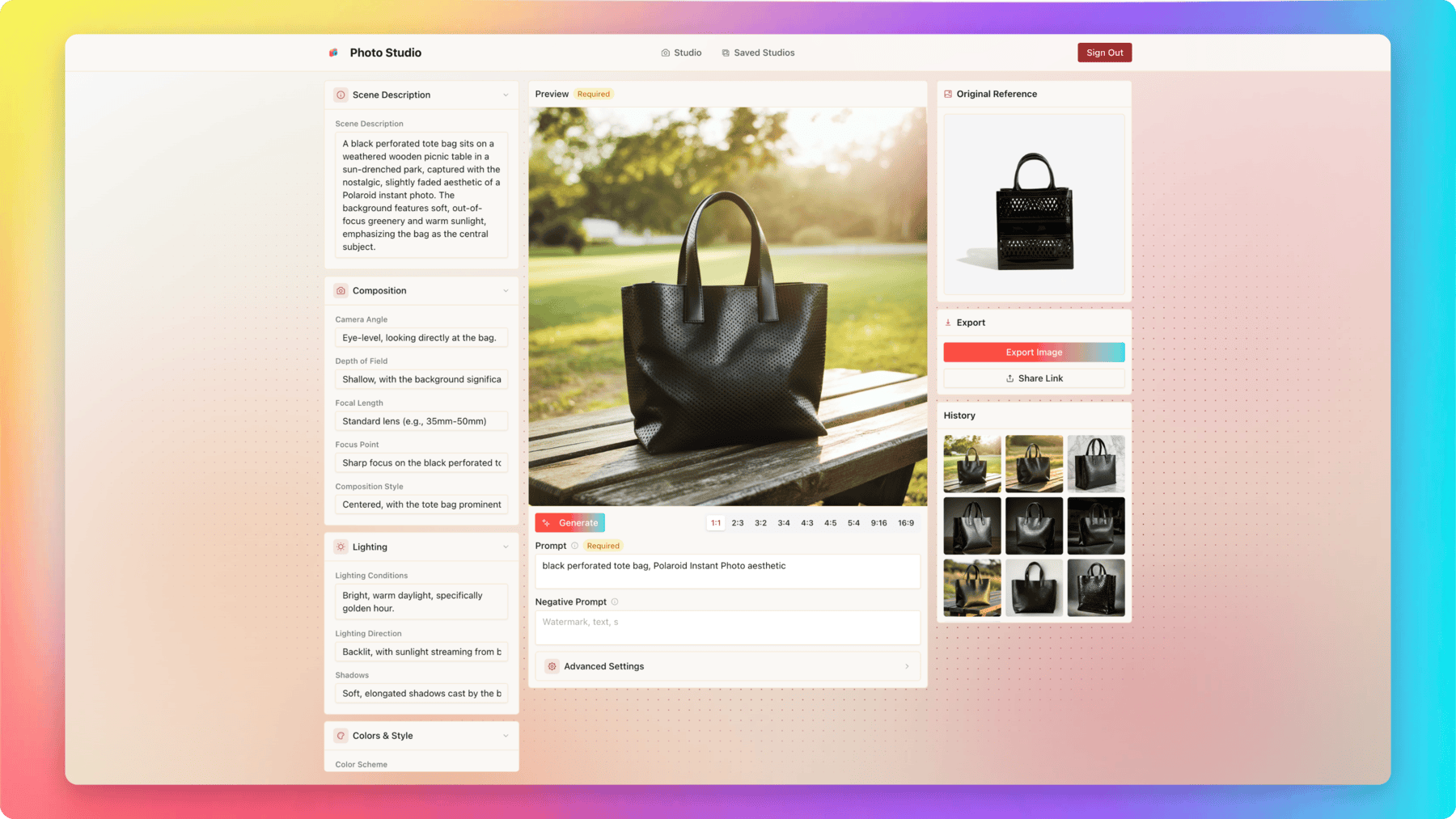
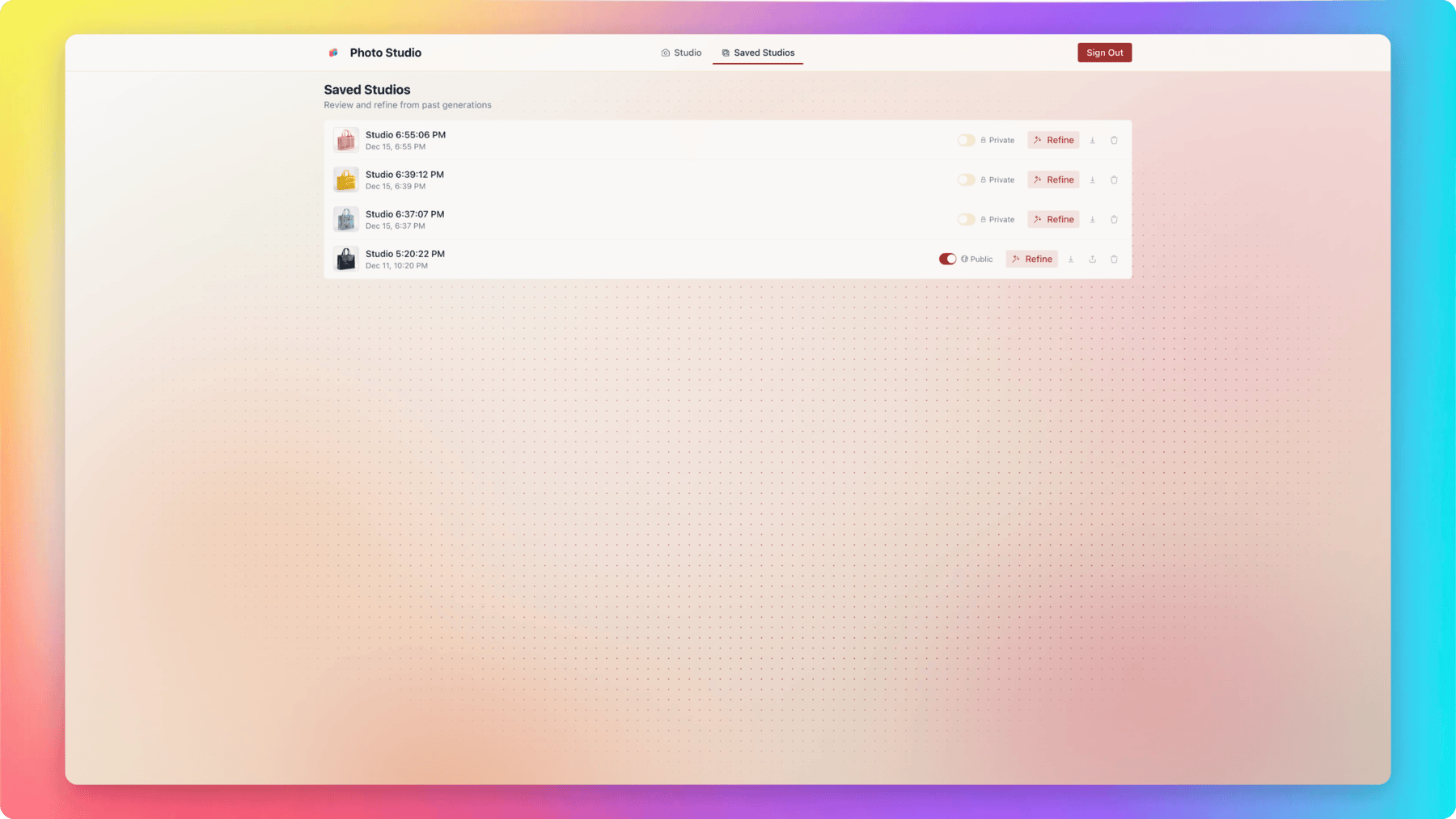

Photo Studio: AI-Generated UI for Granular Control
Inspiration
You know that feeling when you're trying to wrangle an AI image generator with text prompts? It's like playing a guessing game where you're never quite sure what words will unlock the exact look you want. I got tired of that dance between "the AI interpreted my prompt completely wrong" and "close, but not quite."
That frustration led me to this idea of an "Inverse UI". Instead of some developer (me) sitting down and hard-coding sliders for generic things like "brightness" or "contrast," what if the AI could look at your specific request and generate the exact control panel you need for that particular image? Like, if you're going for a cyberpunk city, you'd get sliders for "Neon Glow" and "Rain Density." Ask for a studio portrait? You get controls for "Softbox Intensity" and "Bokeh." The controls match the content.
What it does
Photo Studio is basically an intelligent workspace that evolves as you create.
When you generate an image, the system doesn't just spit out pixels and call it a day. It analyzes what you made and generates a custom UI panel specifically for that image. You get sliders, color pickers, toggles—whatever makes sense for controlling the lighting, composition, style, all the things that matter for your specific scene. These changes modify the underlying structured prompt JSON (returned from the Bria API) and in turn generates a new prompt that describes the changes you made to the JSON. These precise instructions guide the diffusion model, so you get way more predictable control over what changes.
The image updates as you tweak things (with some smart debouncing so it's not regenerating every millisecond). Every generation gets saved in your history, so you can always go back and branch off from any point you liked better.
You can also save your whole setup as a "Studio" and share it. Other people can clone your studio and start creating with your exact configuration, which I think is pretty cool for building a creative community.
How I built it
I went with a modern stack that could handle the real-time, interactive nature of what I was trying to build:
Frontend: Built with Next.js and React 19, styled with Tailwind CSS v4 because I wanted that clean, premium look. I used Framer Motion pretty heavily for the layout transitions—especially for those dynamic UI sections that expand and collapse as they stream in from the AI. That progressive reveal feels way more natural than just popping everything in at once.
Backend: I chose Convex for this. It handles my database, file storage for all the images, and keeps everything synced in real-time without me having to wire up a bunch of WebSocket infrastructure. The way it links Studios and GeneratedImages tables makes the history feature basically trivial to implement.
AI Layer:
- I'm using Vercel's AI SDK, specifically
experimental_useObjectto stream the UI schema from the LLM directly to the client. Watching those controls appear progressively as the AI "thinks" of them is one of those small details that makes the whole thing feel alive. - The LLM returns strict JSON schemas that define sections (Camera, Lighting, etc.) and inputs (sliders, dropdowns, toggles), which my
DynamicSectioncomponent renders. - For the actual image generation, I integrated Bria AI's API. After the API returns a structured prompt, I would then feed that output into Gemini 3.0 to formulate the UI schema. The resulting UI can then be modified by the end user which in turn will be fed into Gemini 2.5 Flash to convert the UI schema into a succinct prompt that defines the subsequent image refinement that the end user wants. This flow allows a user to incrementally refine their image continuously with the need to type a prompt.
Auth: Went with Convex Auth using Google/GitHub OAuth. Keeping the auth in the same ecosystem as the data layer just makes everything simpler.
Challenges I ran into
Streaming Valid JSON UI: This was probably the trickiest part. Getting the AI to stream a valid JSON structure that React can render while it's still being generated required some careful handling. I had to build in robust error handling for partial states so the UI wouldn't flicker or crash when the JSON was incomplete.
State Synchronization: I essentially have three sources of truth that all need to stay in sync: the visual UI state (where all the sliders are positioned), the underlying JSON "Structured Prompt," and the actual text prompt that gets sent to the image generator.
UX of "Infinite" Controls: How do you present an arbitrary number of AI-generated controls without completely overwhelming the user? I solved this by grouping controls into collapsible sections (Camera, Light, Color) and making smart choices about what to show by default. Less is often more.
What I'm proud of
The "Living" UI: Watching the interface build itself based on your prompt still feels magical to me, even after building it. It transforms what could be a static form into something that feels like a conversation.
The Polish: I didn't want this to look like some basic admin panel thrown together for a demo. The design, the custom input widgets, the smooth micro-interactions—all those details add up to make it feel native and premium.
Sharing Just Works: I'm honestly surprised at how easy Convex made the "Share Studio" feature. It essentially turns every user into a toolmaker for the rest of the community, which is the kind of creative compounding effect I was hoping for.
What I learned
Structured Prompts Are Game-Changing: Breaking a prompt down into explicit, discrete parameters (Subject, Style, Medium, Lighting) gives you way better consistency than just throwing a wall of text at the model. It's like the difference between giving someone directions by waving vaguely versus giving turn-by-turn instructions.
React 19 + AI SDK: Working with the latest React features and Vercel's AI SDK showed me how much the line between frontend and AI is blurring. The traditional separation of concerns is getting a lot more fluid.
AI Intent Inference: The AI is surprisingly good at guessing what controls you might want. Generate a car? You get a "Speed" slider. Generate a forest? Here's "Fog Density." It's not perfect, but it's way better than I expected.
What's next
Community Remixing: Expanding the sharing so you can "fork" studios and track the lineage of popular styles. I want to see what happens when people start building on each other's work.
In-Painting & Region Control: Let the dynamic UI target specific parts of the image. Like "change only the shirt color" or "make just the background more dramatic."
Export to Code: This is a bit ambitious, but imagine tweaking a button style in the Studio and being able to export the actual CSS or Tailwind code directly. Bridge that gap between design exploration and implementation.
Built With
- ai-sdk
- convex
- gemini
- next.js
- react
- typescript

Log in or sign up for Devpost to join the conversation.