-
-
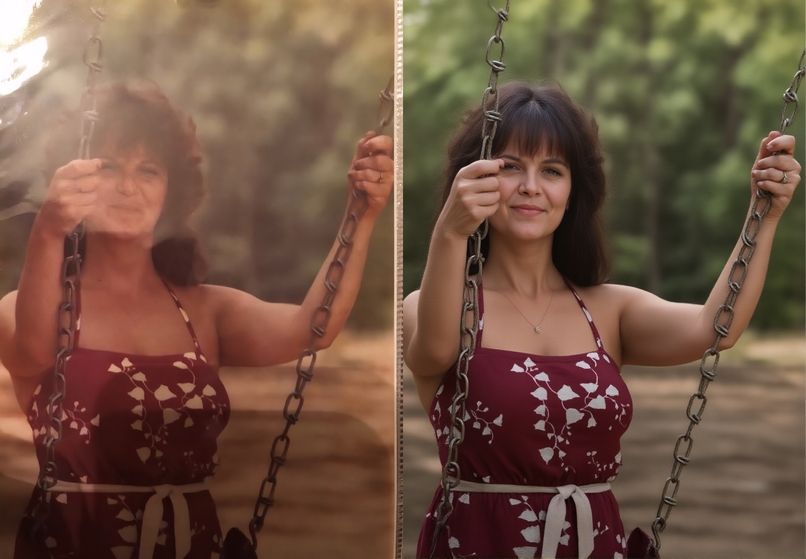
restore and colorize this photo, photorealistic
-
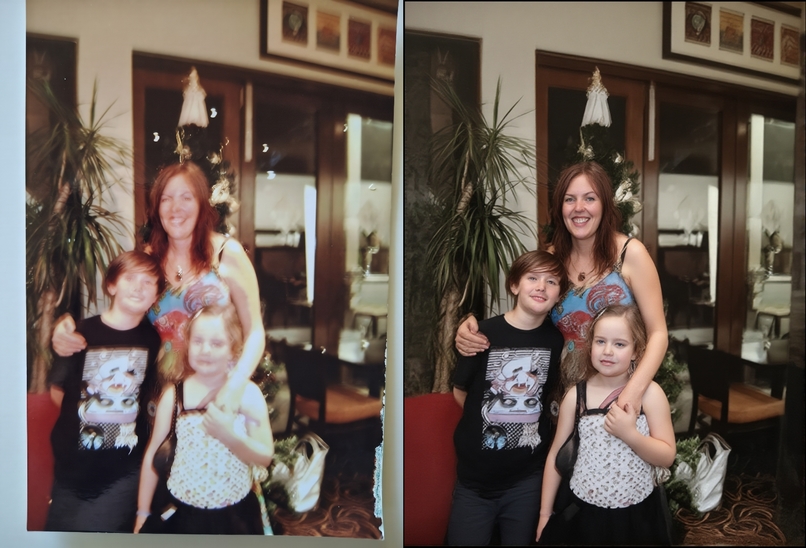
restore and colorize this photo, photorealistic
-
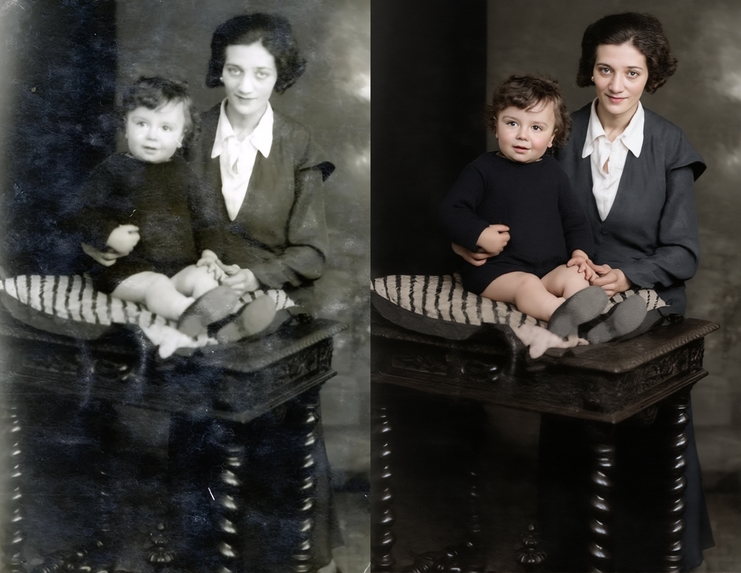
restore and colorize this photo, photorealistic
-
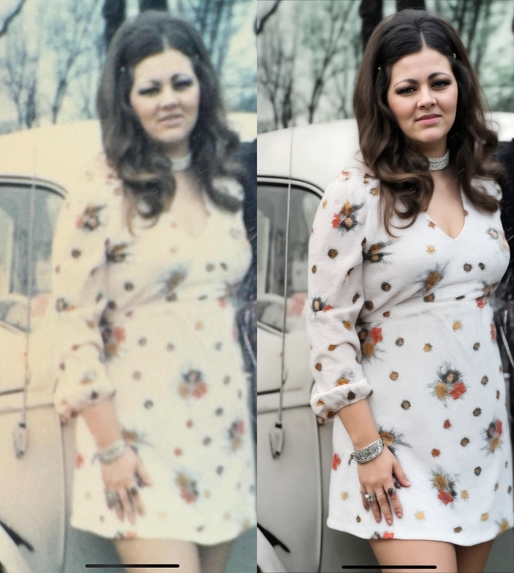
restore and colorize this photo, photorealistic
-
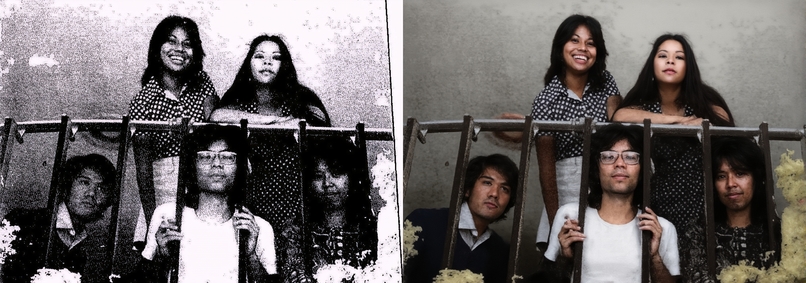
restore and colorize this photo, photorealistic
-
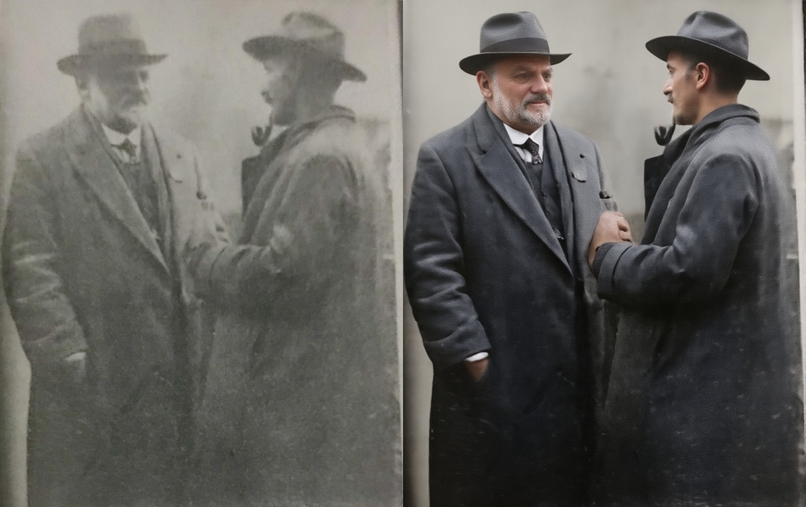
restore and colorize this photo, photorealistic
-
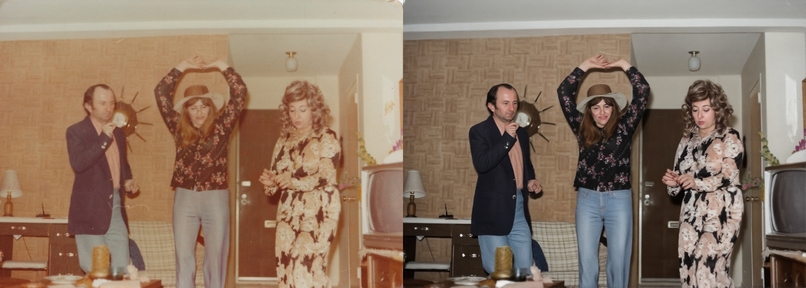
restore and colorize this photo, photorealistic
-
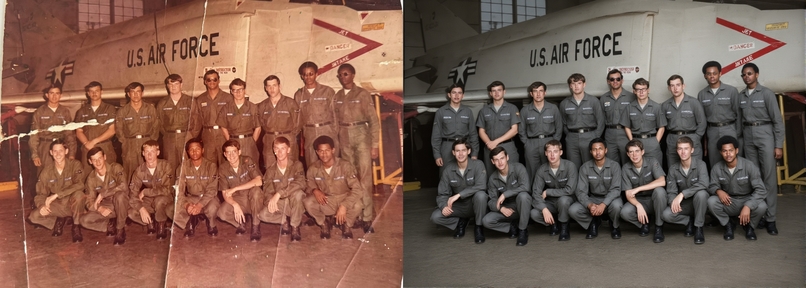
restore and colorize this photo, photorealistic
-
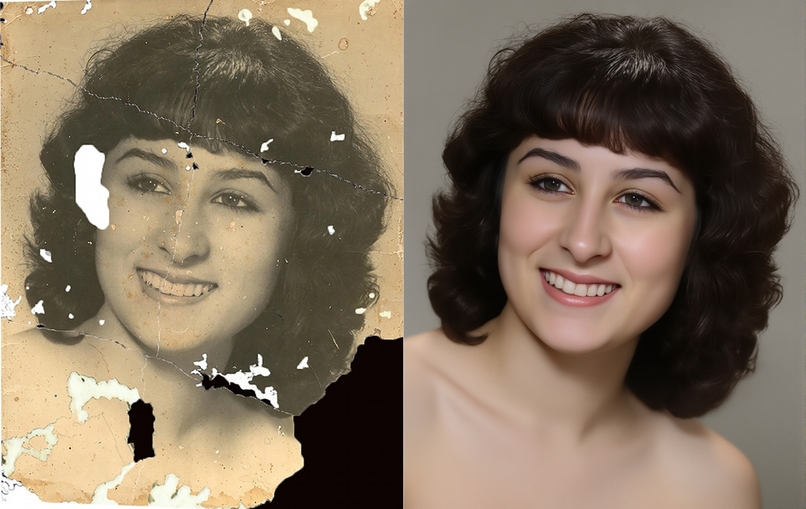
restore and colorize this photo, photorealistic
-
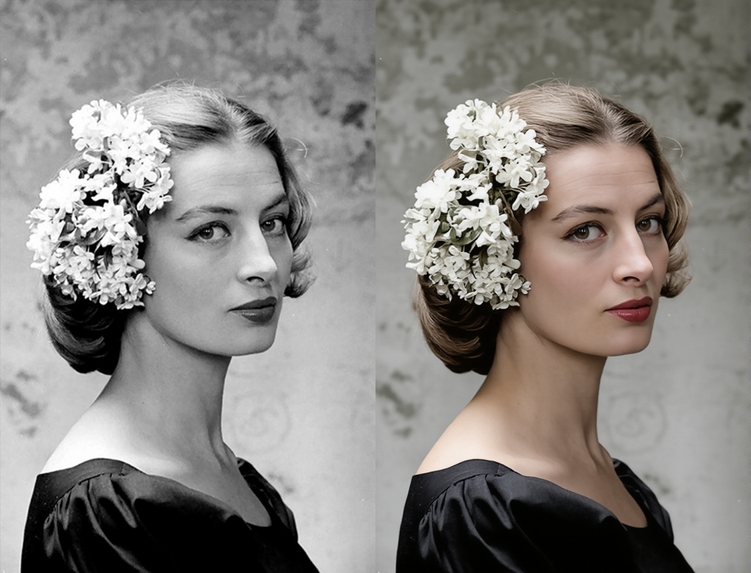
restore and colorize this photo, photorealistic
-
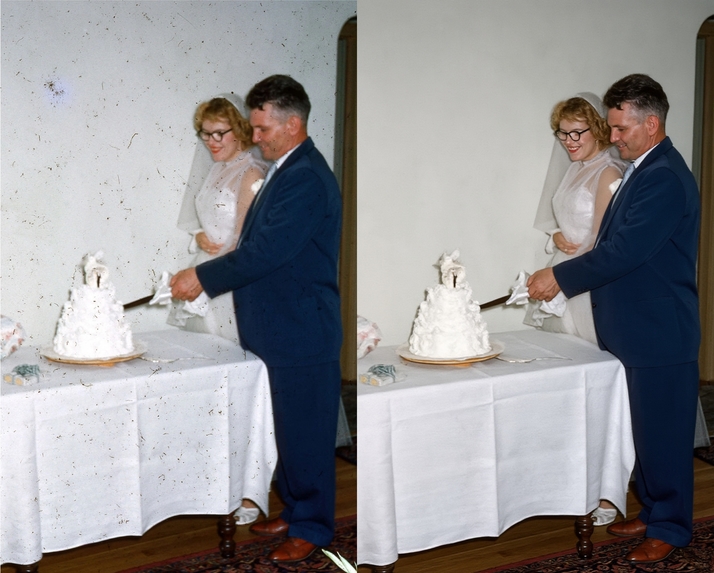
restore and colorize this photo, photorealistic
-
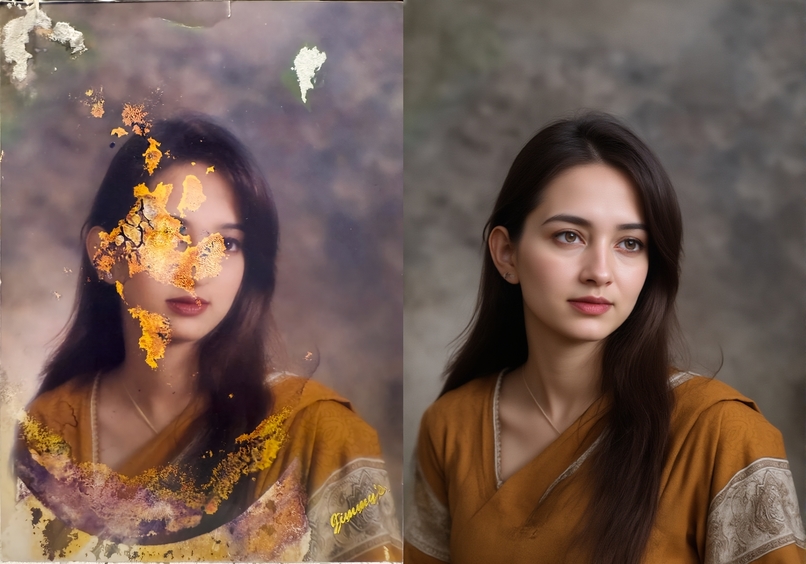
restore and colorize this photo, photorealistic
-
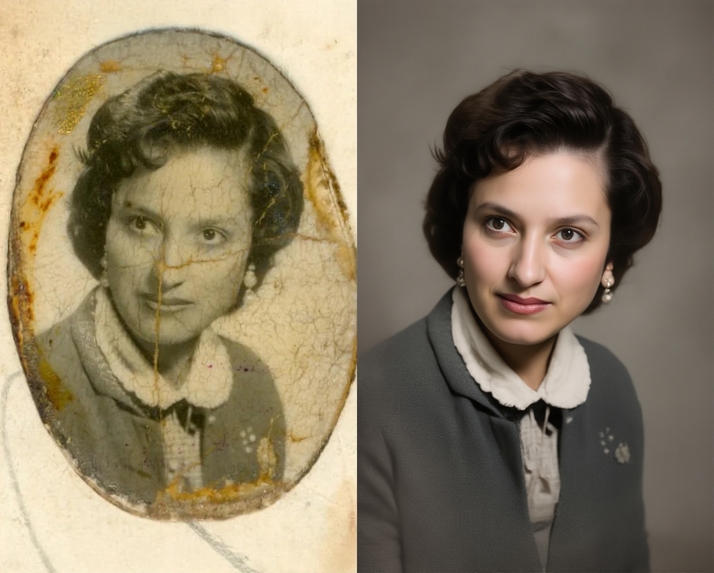
restore and colorize this photo, photorealistic
-
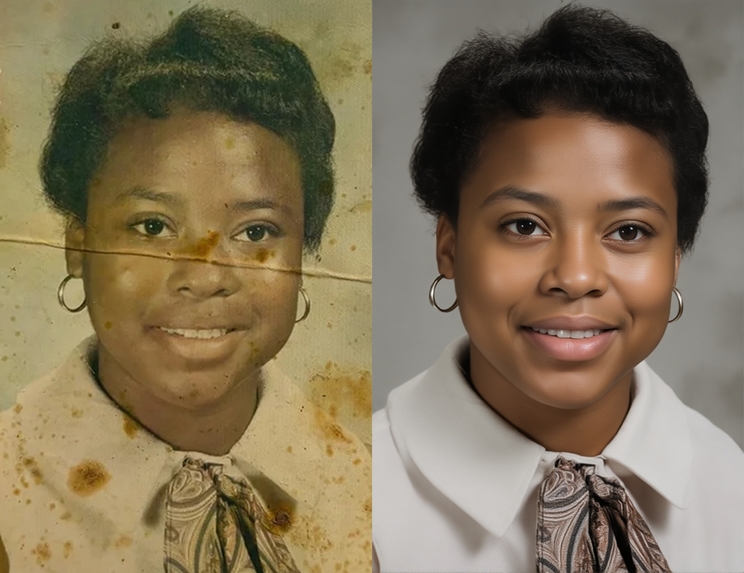
restore and colorize this photo, photorealistic
-
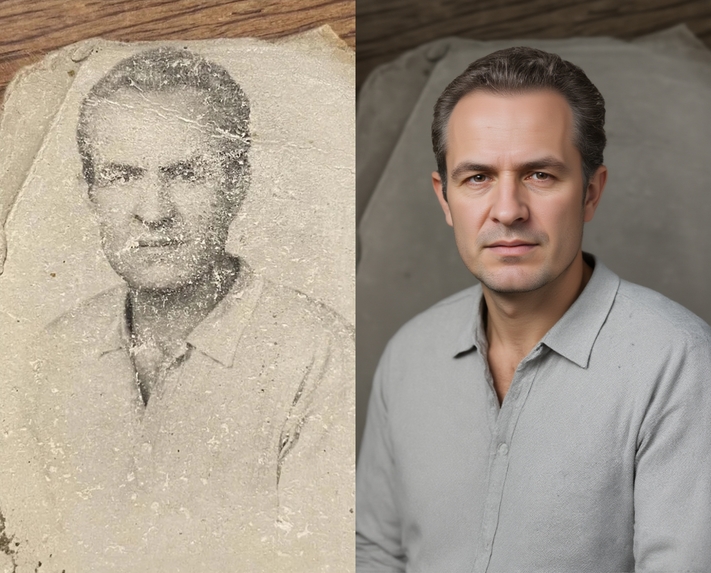
restore and colorize this photo, photorealistic
-
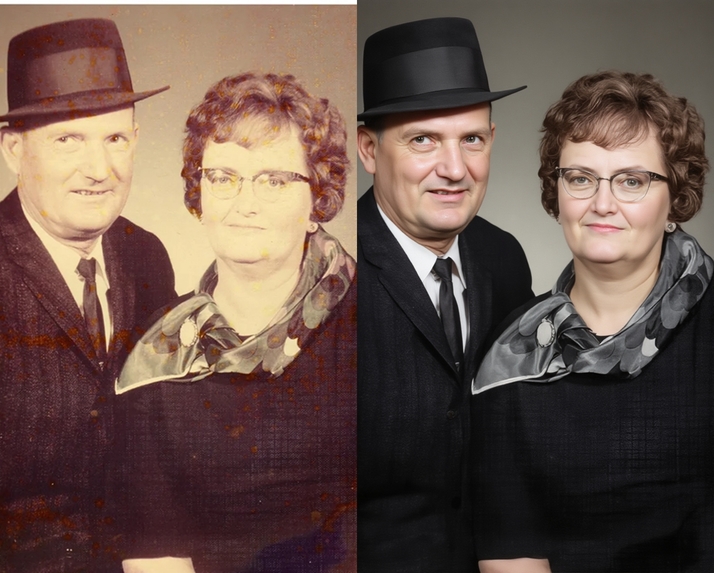
restore and colorize this photo, photorealistic
-
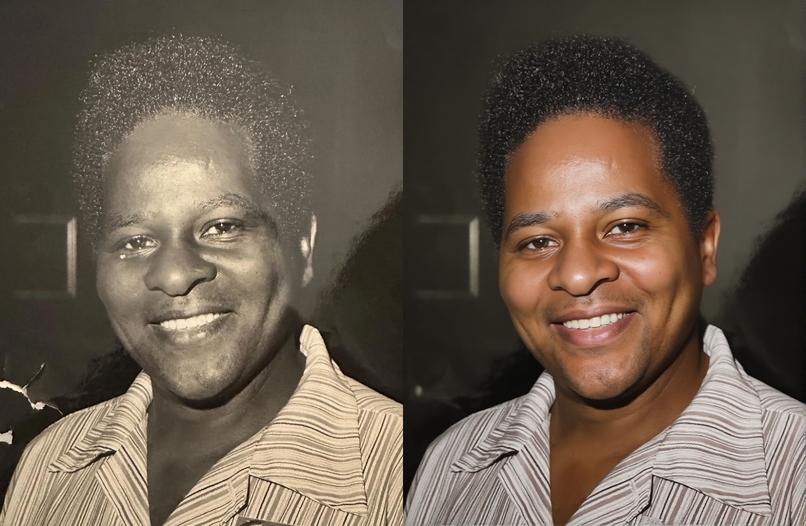
restore and colorize this photo, photorealistic
-
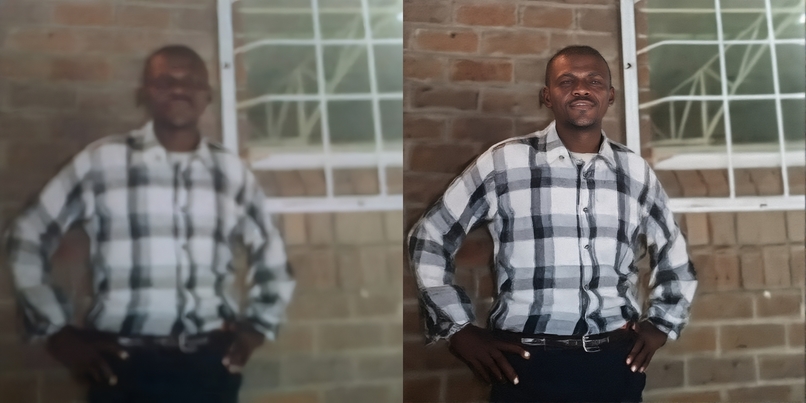
restore and colorize this photo, photorealistic
-
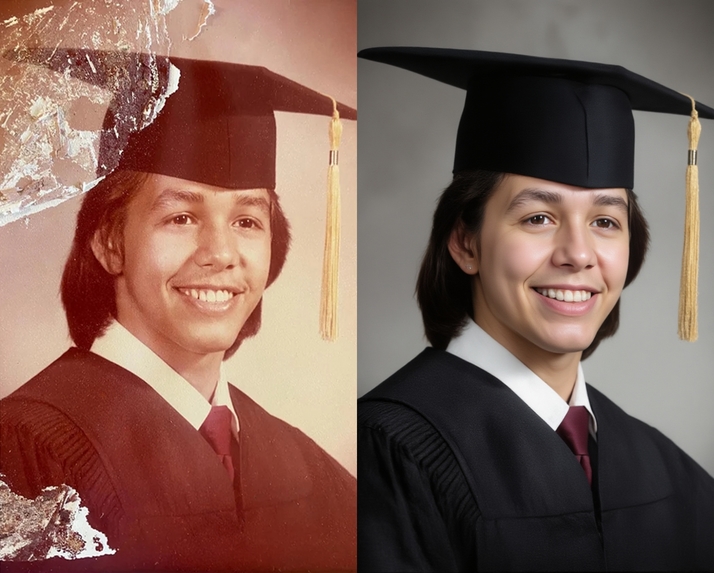
restore and colorize this photo, photorealistic
-
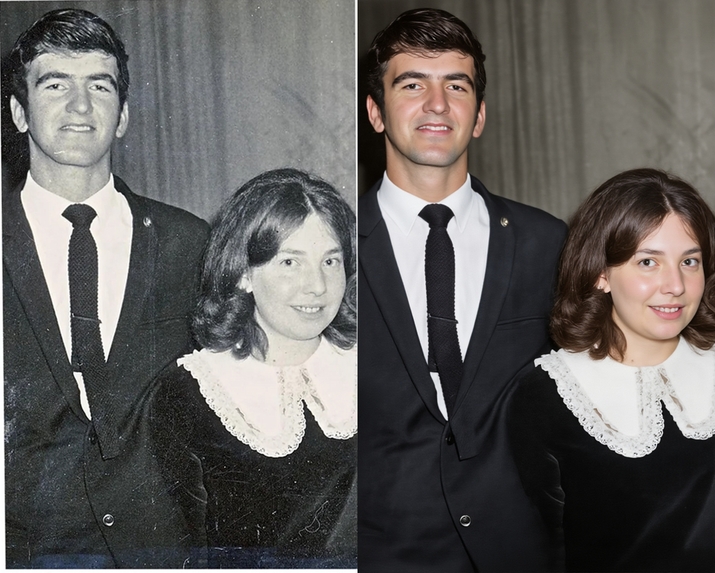
restore and colorize this photo, photorealistic
-
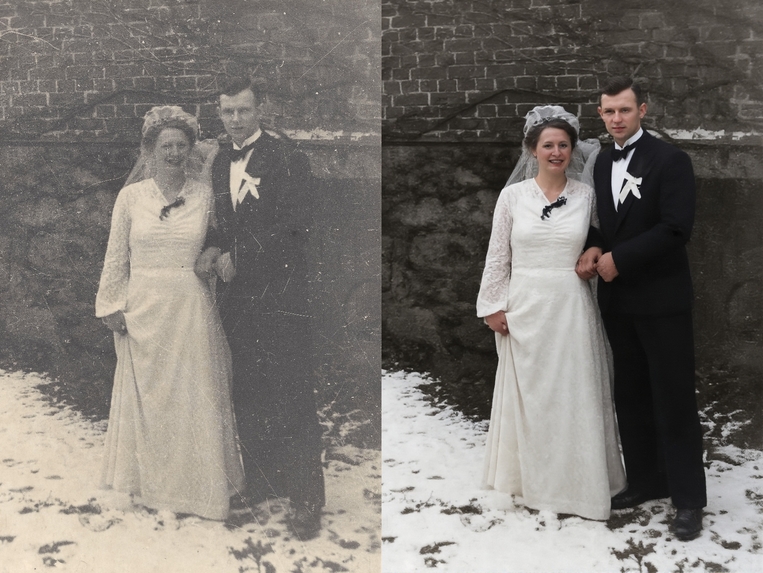
restore and colorize this photo, photorealistic
-
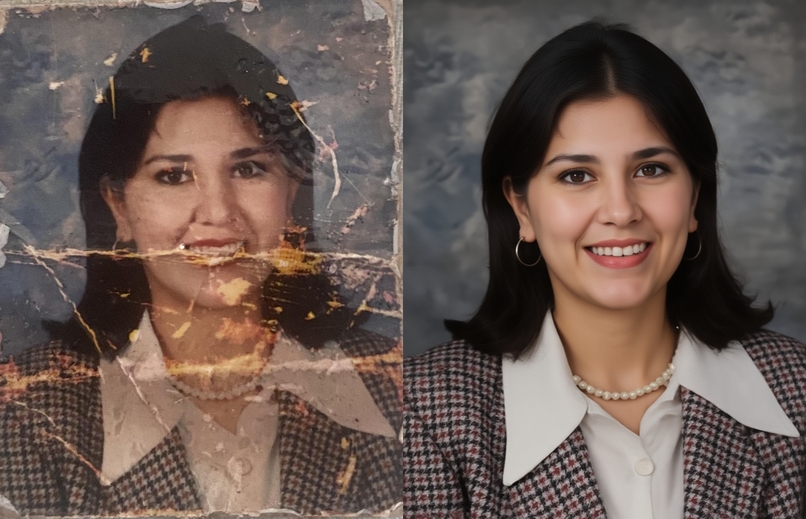
restore and colorize this photo, photorealistic
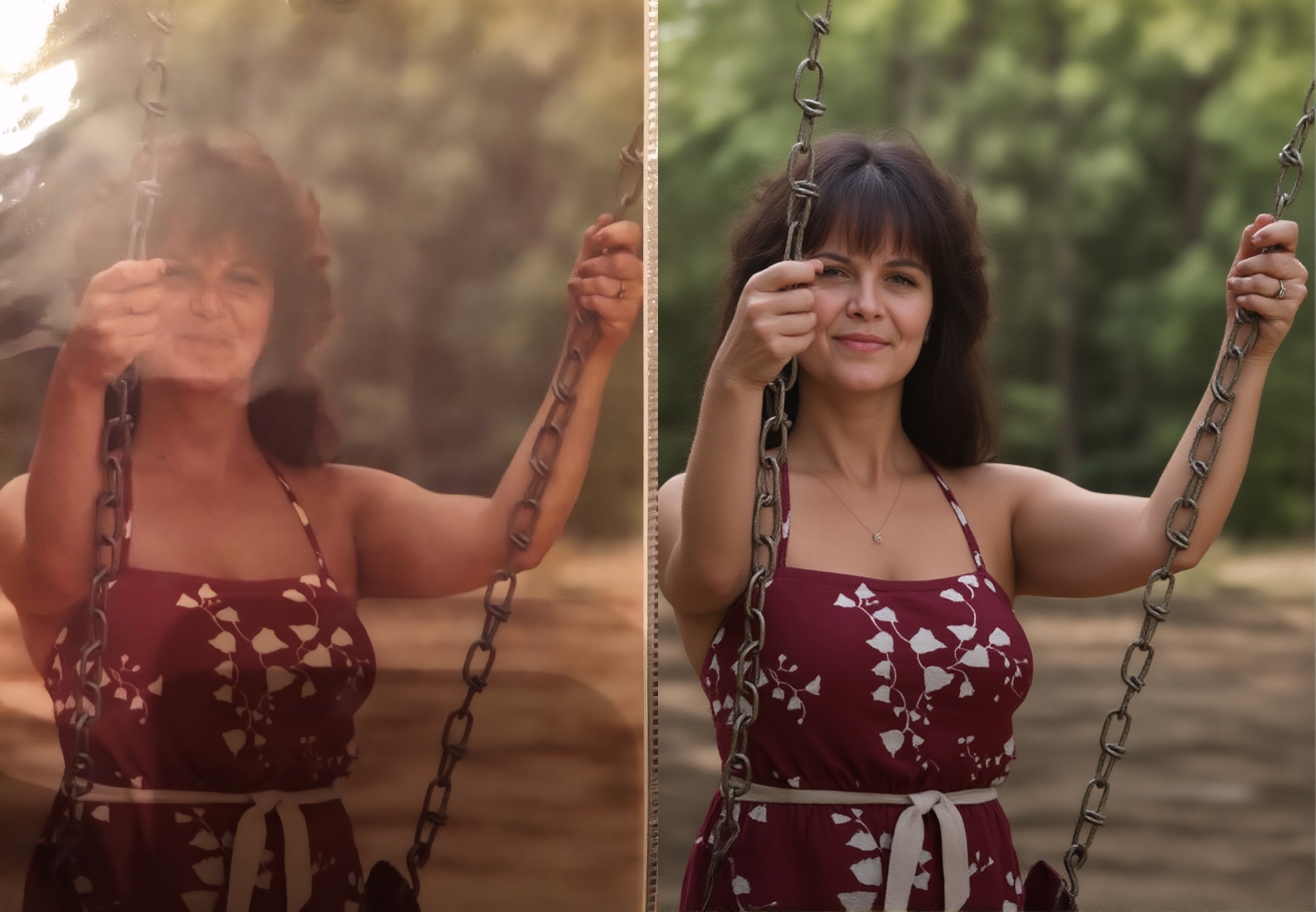
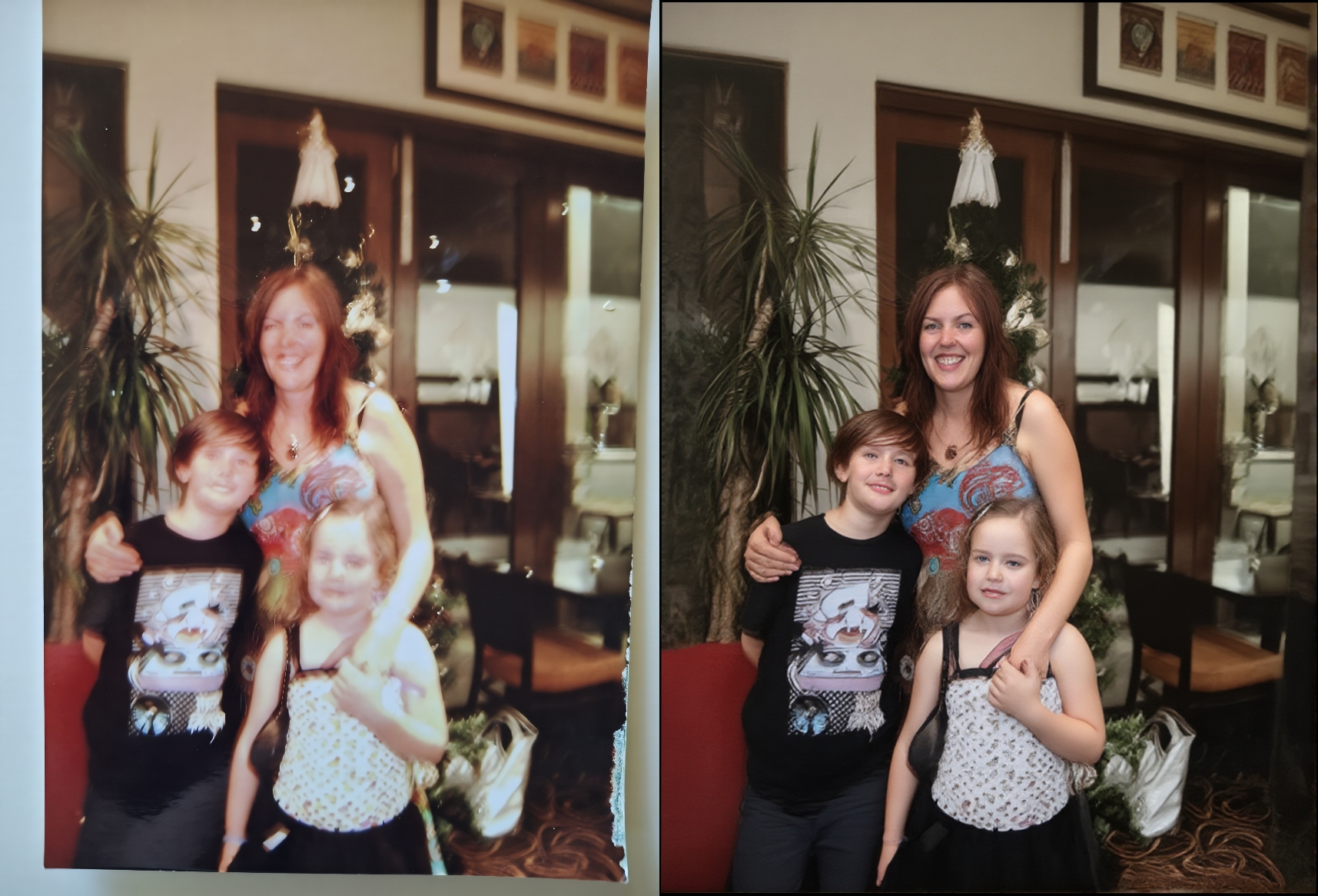
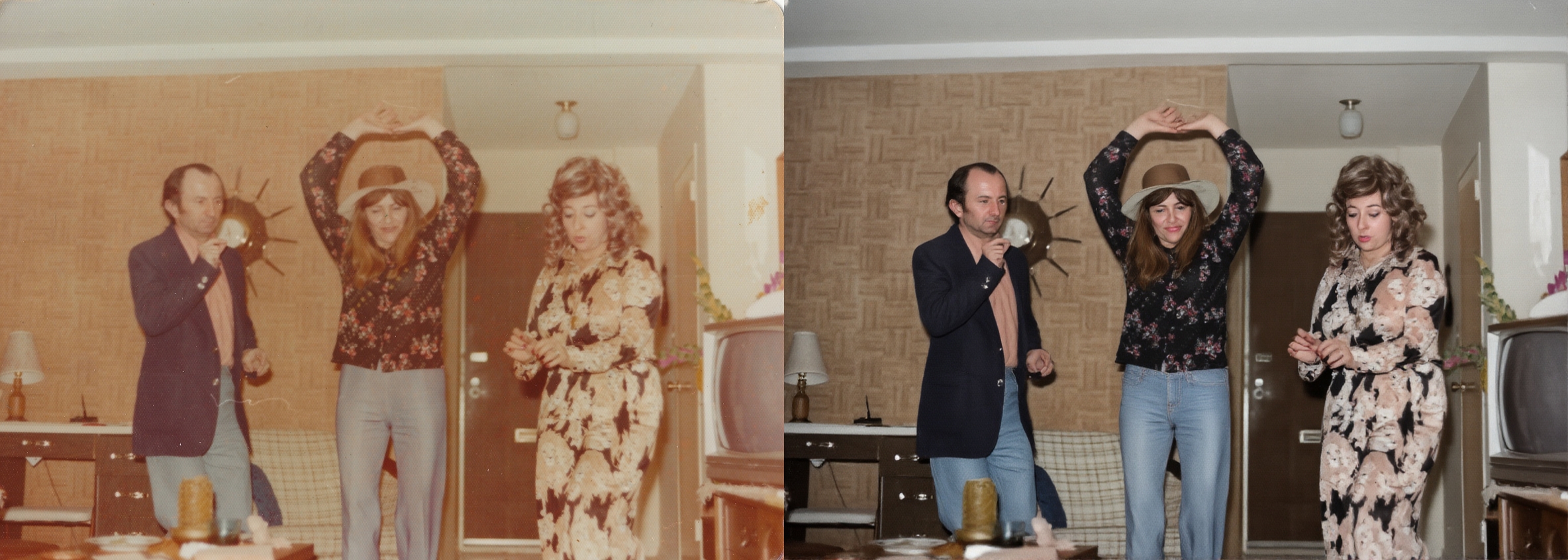
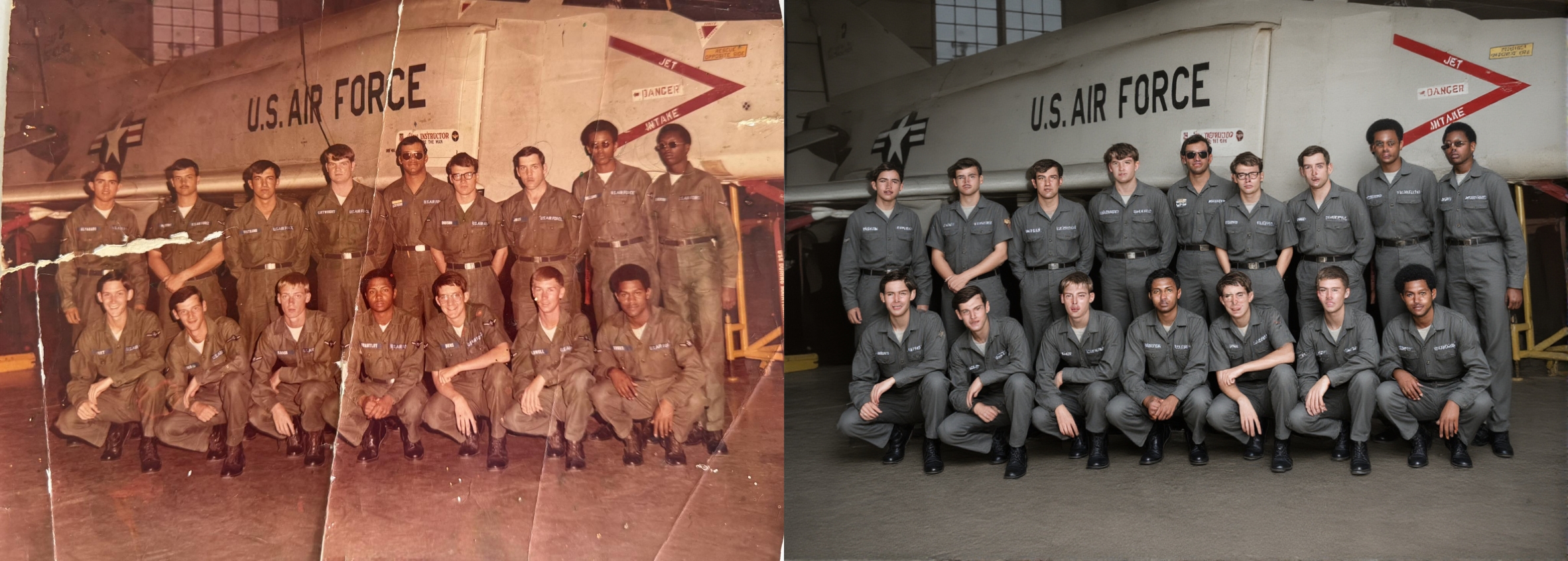
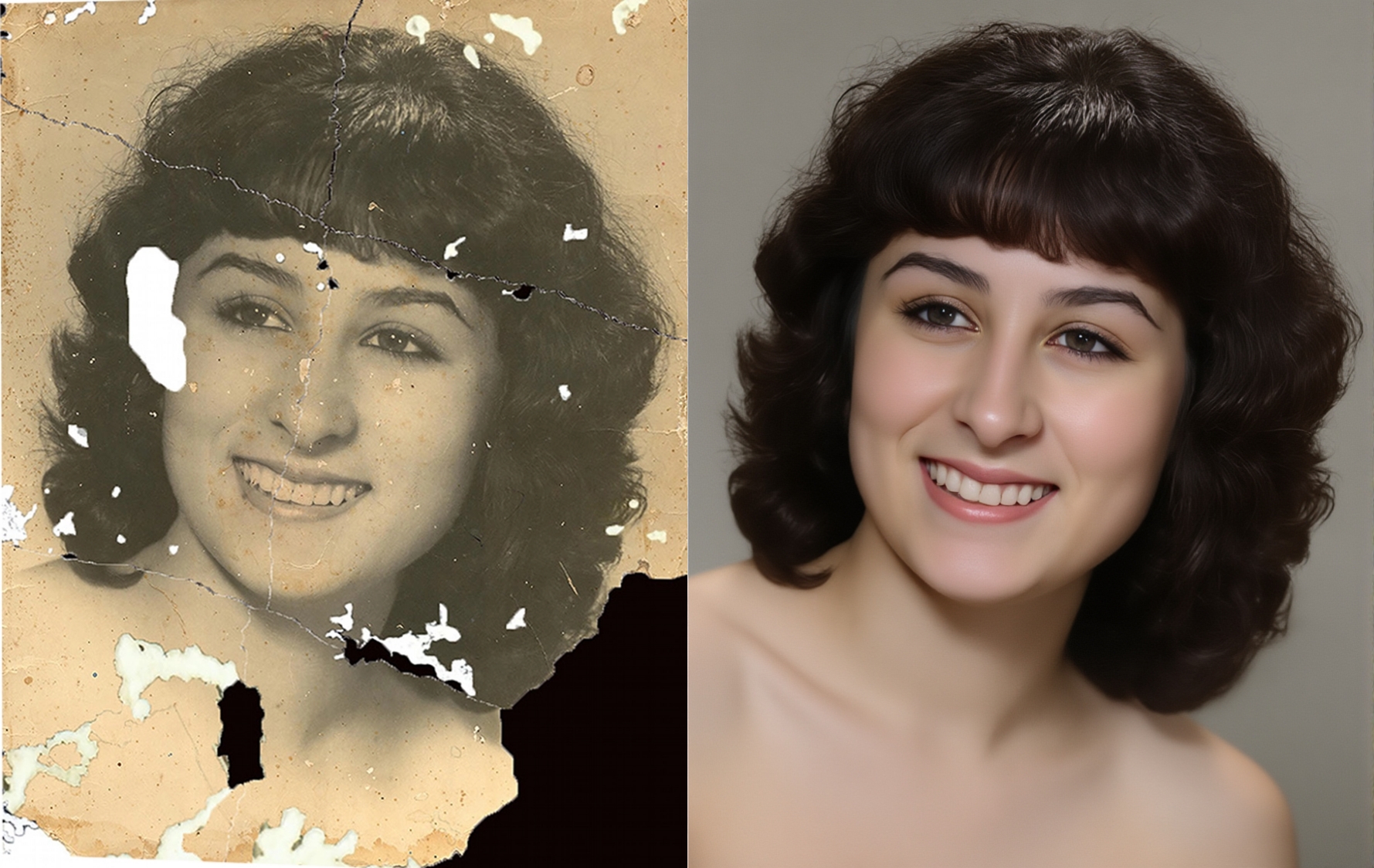
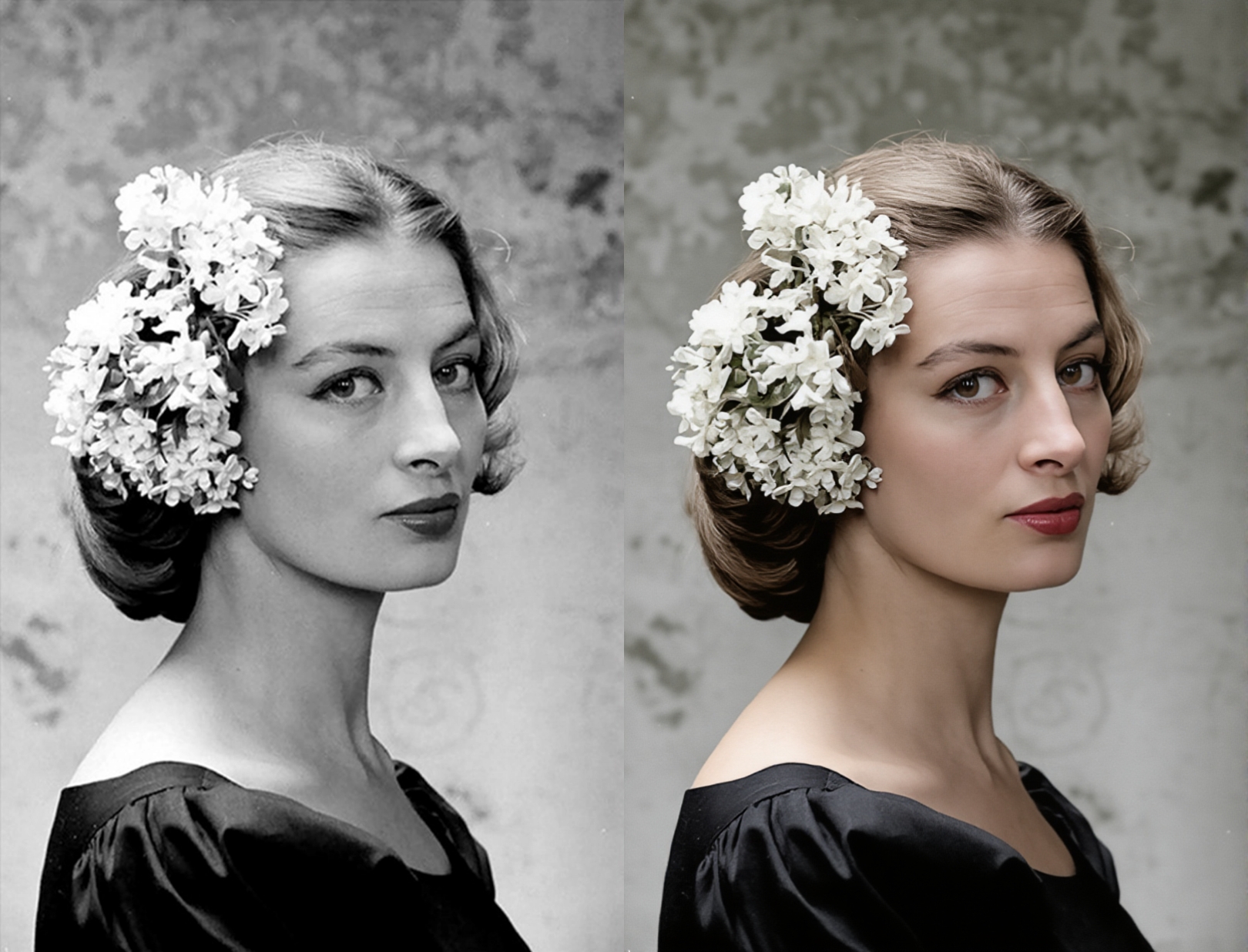
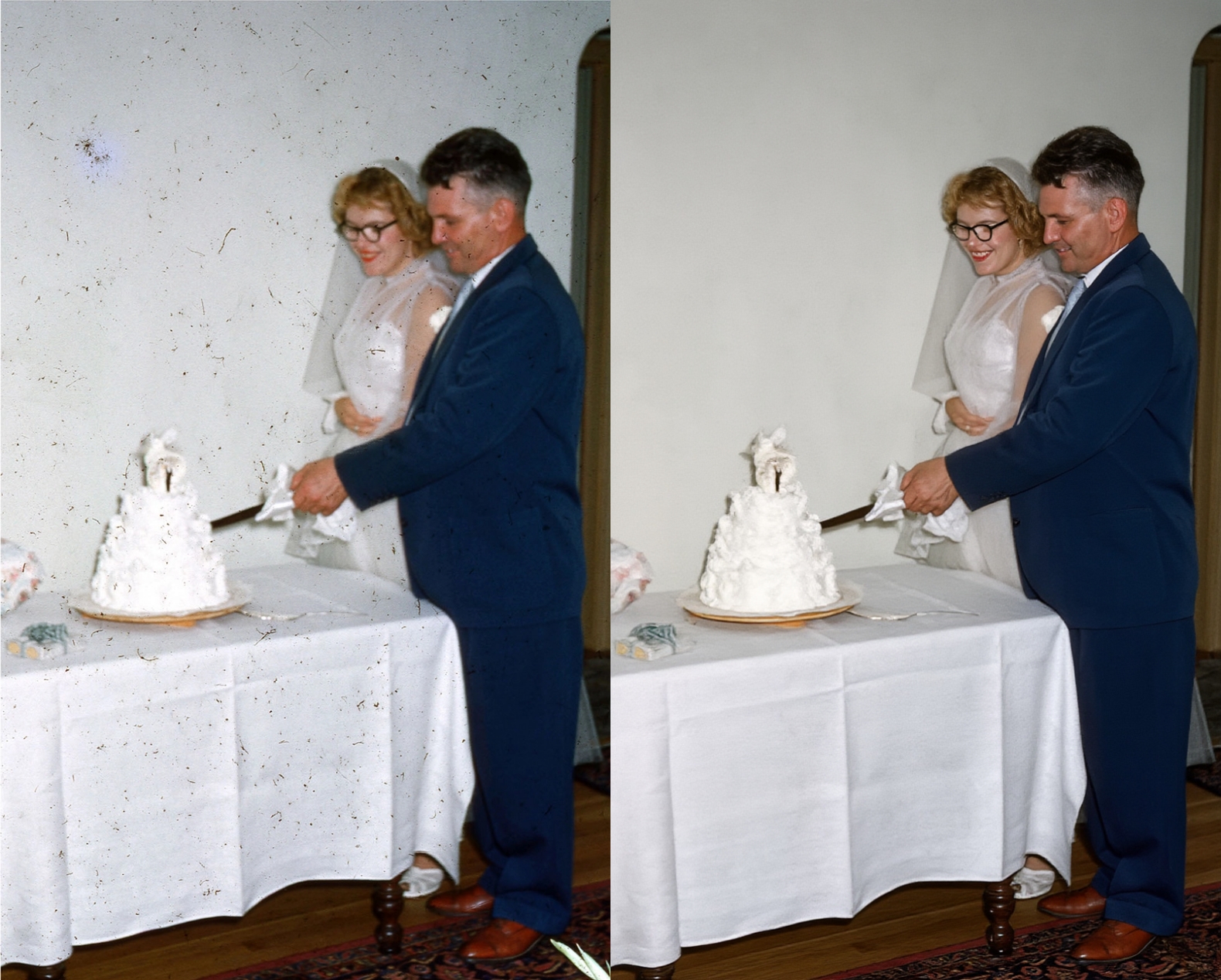
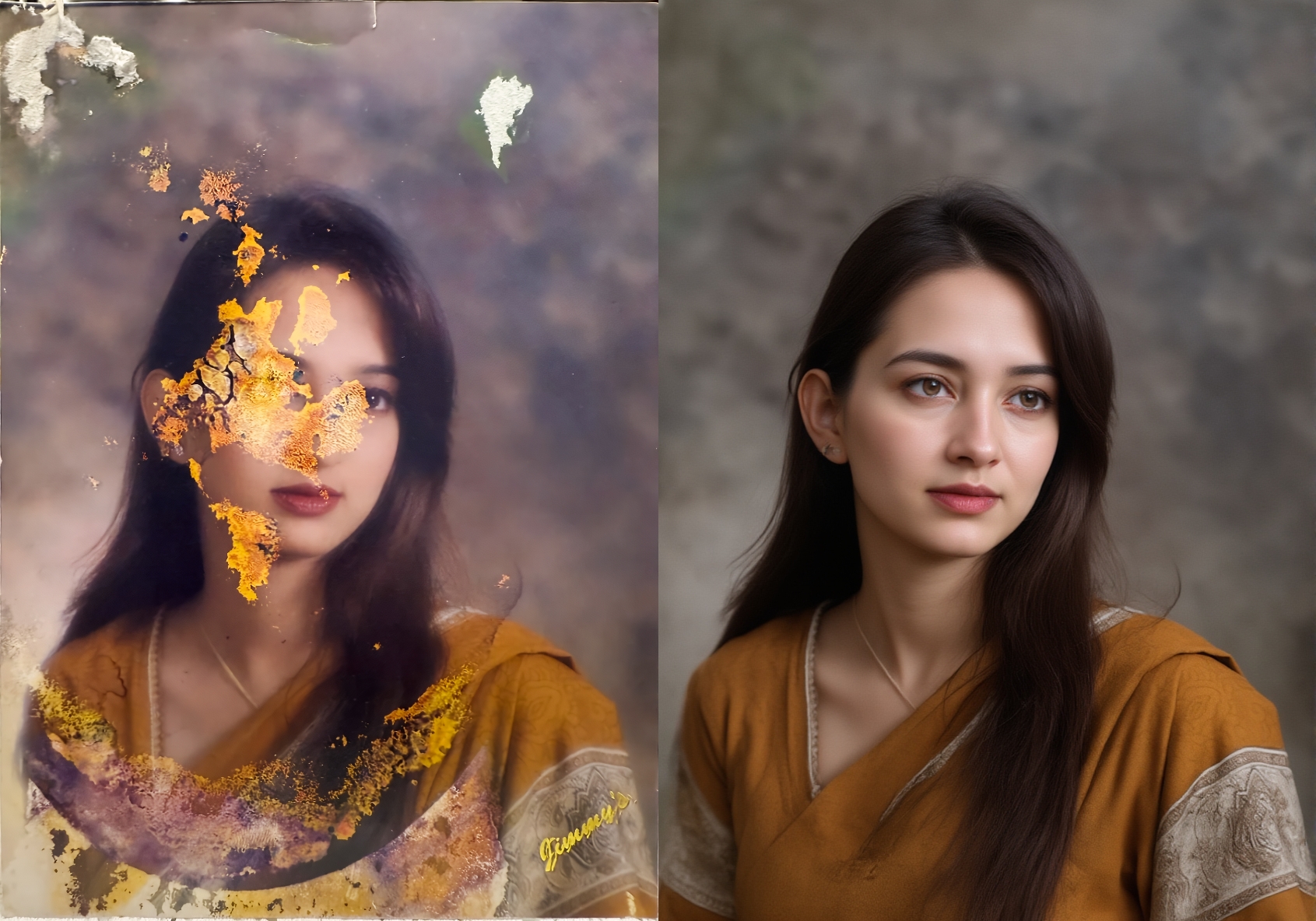
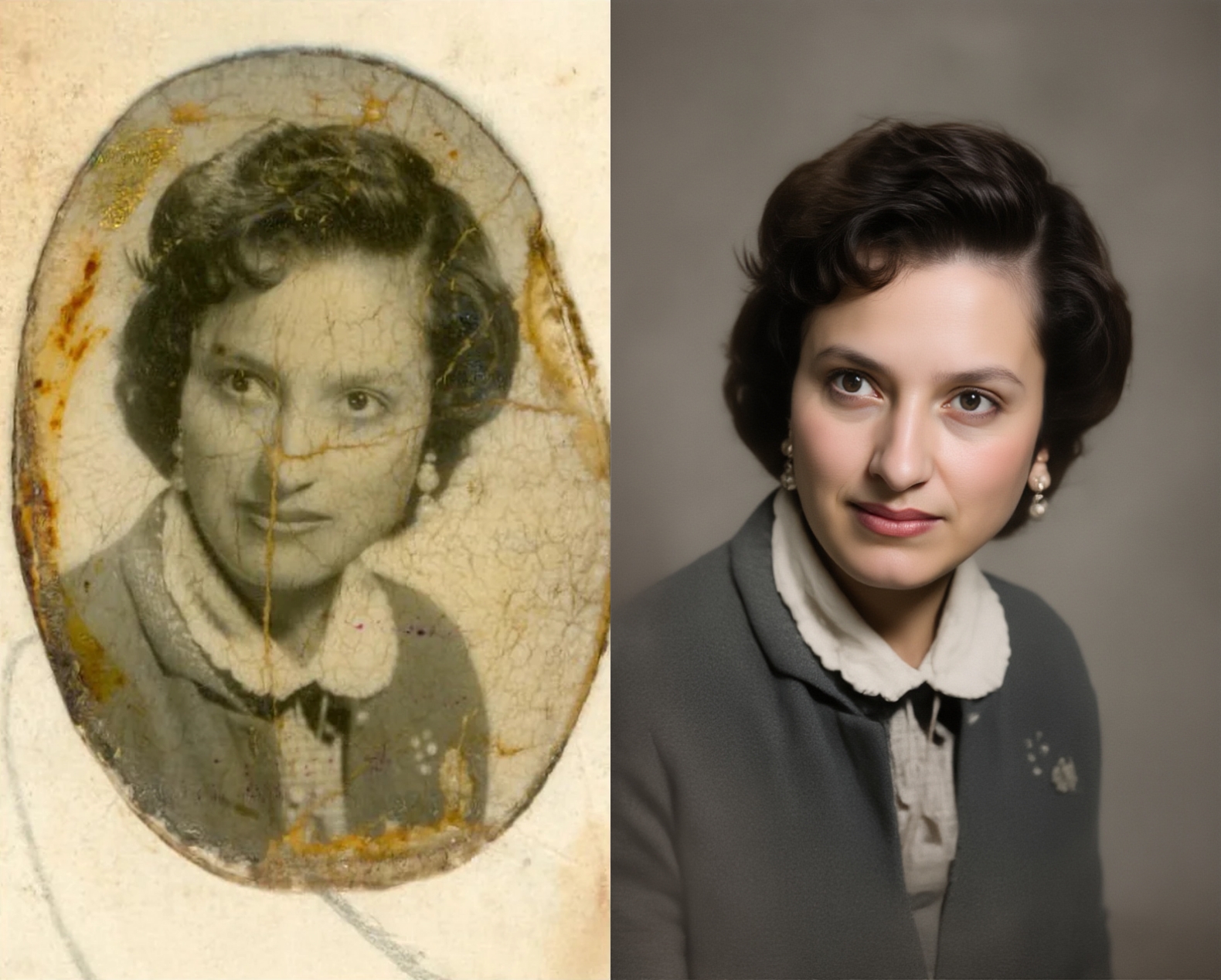
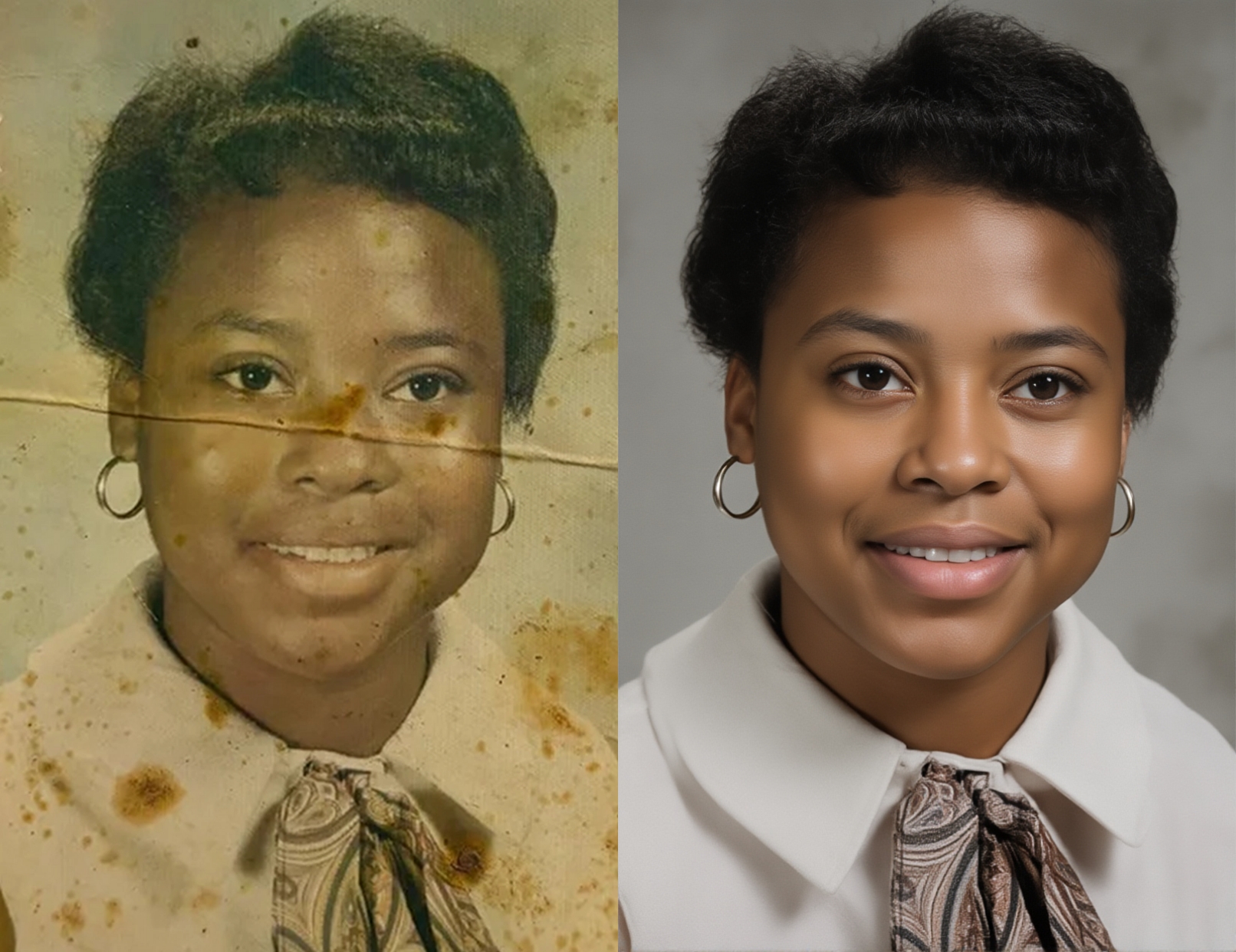
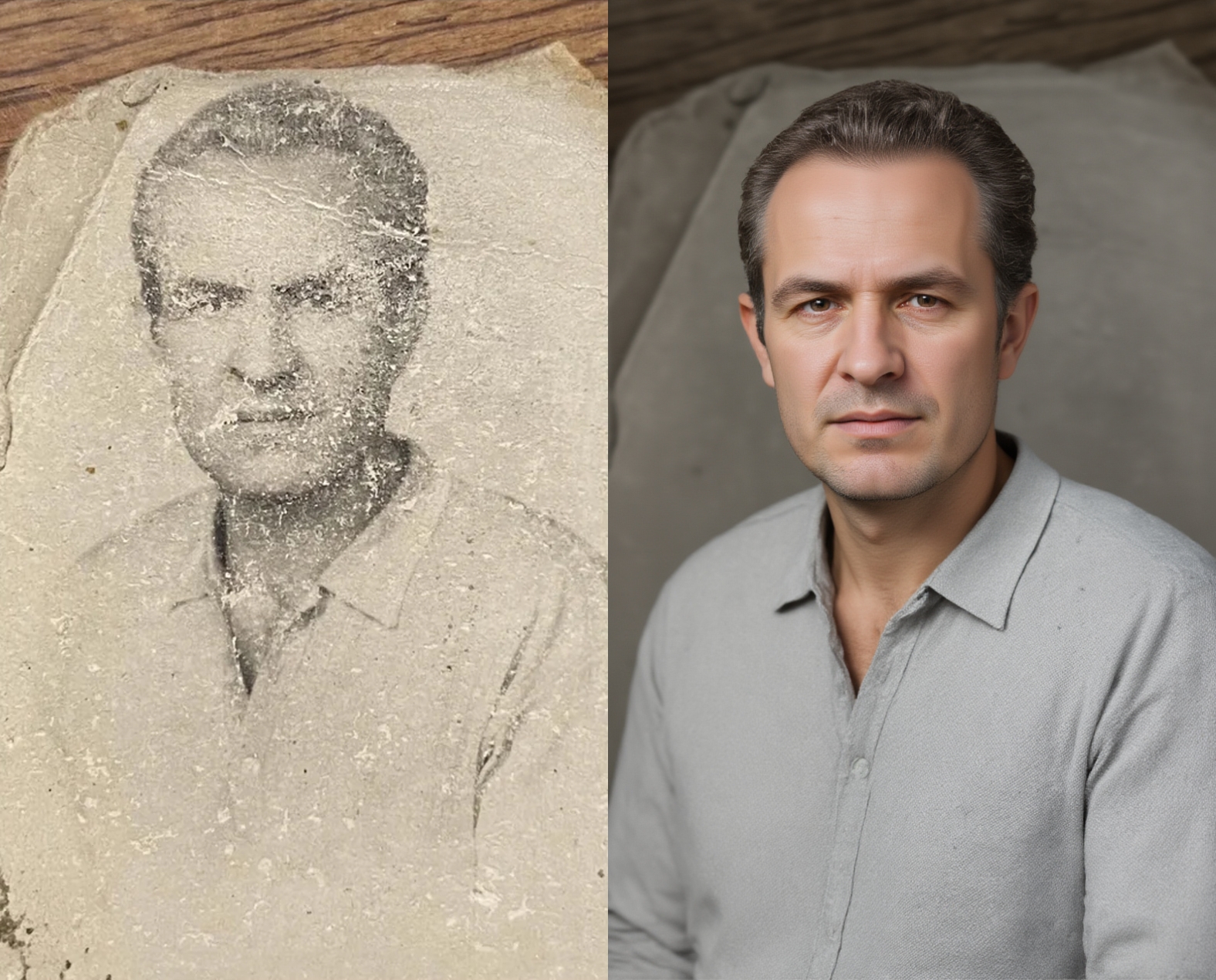
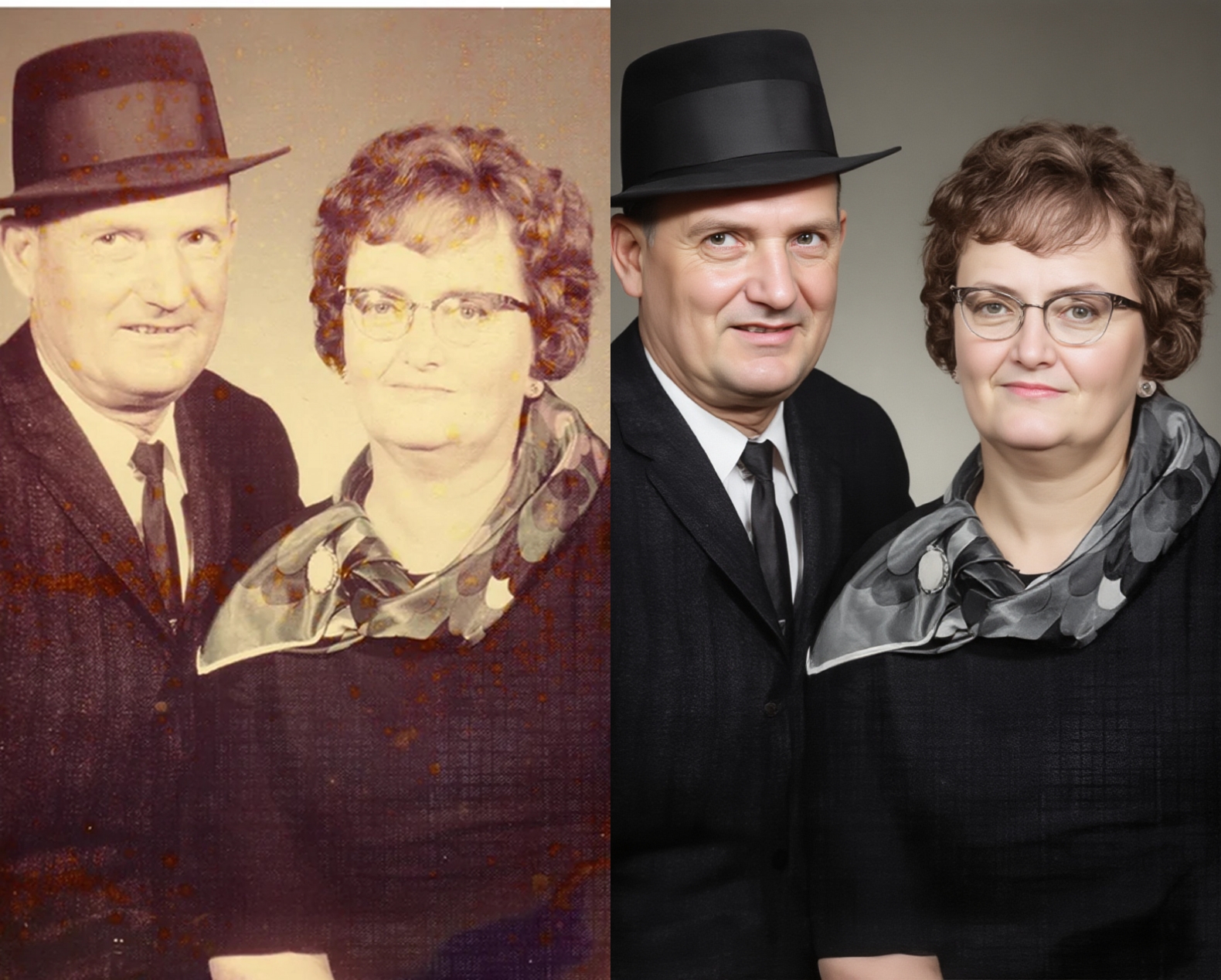
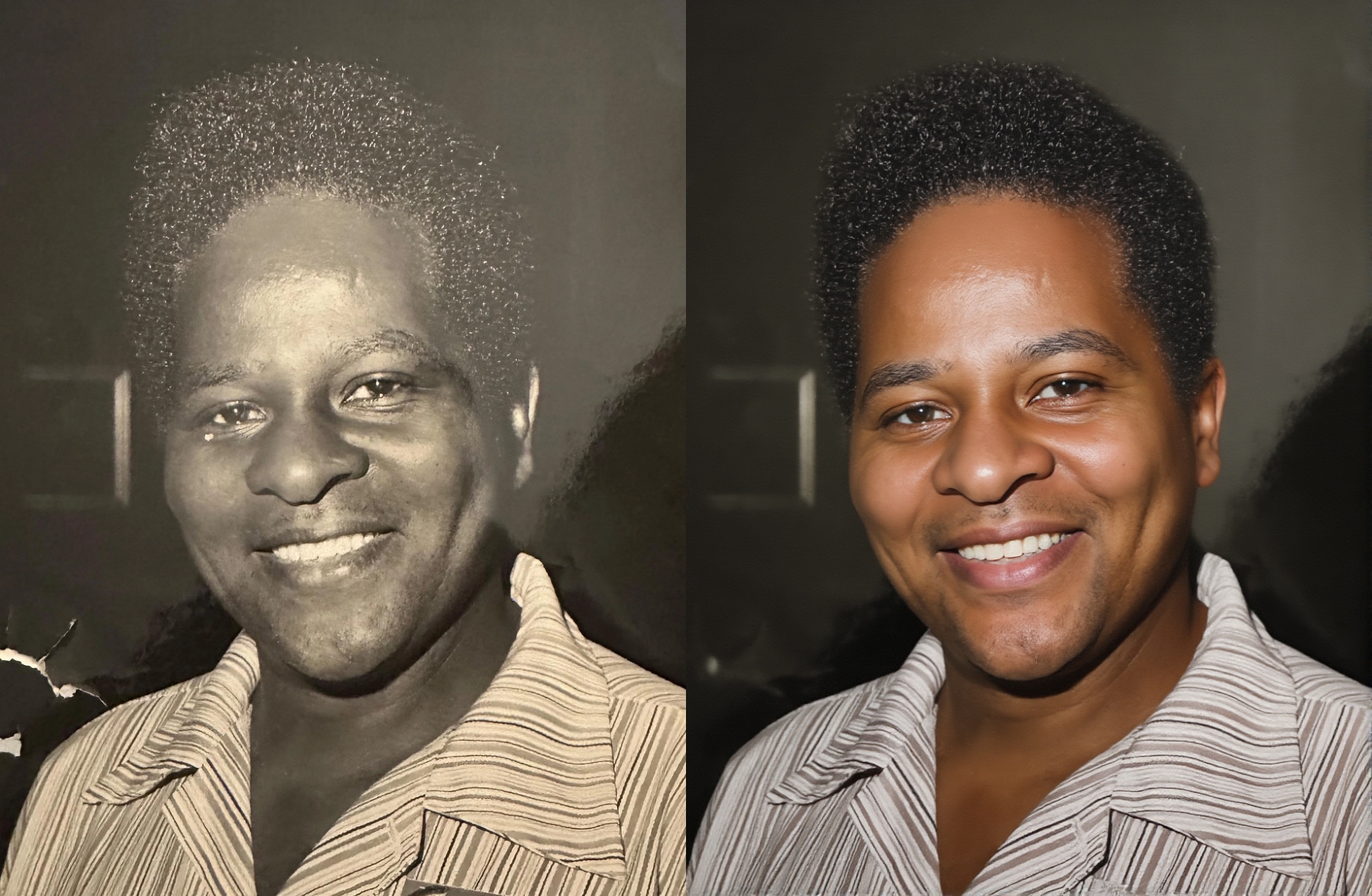
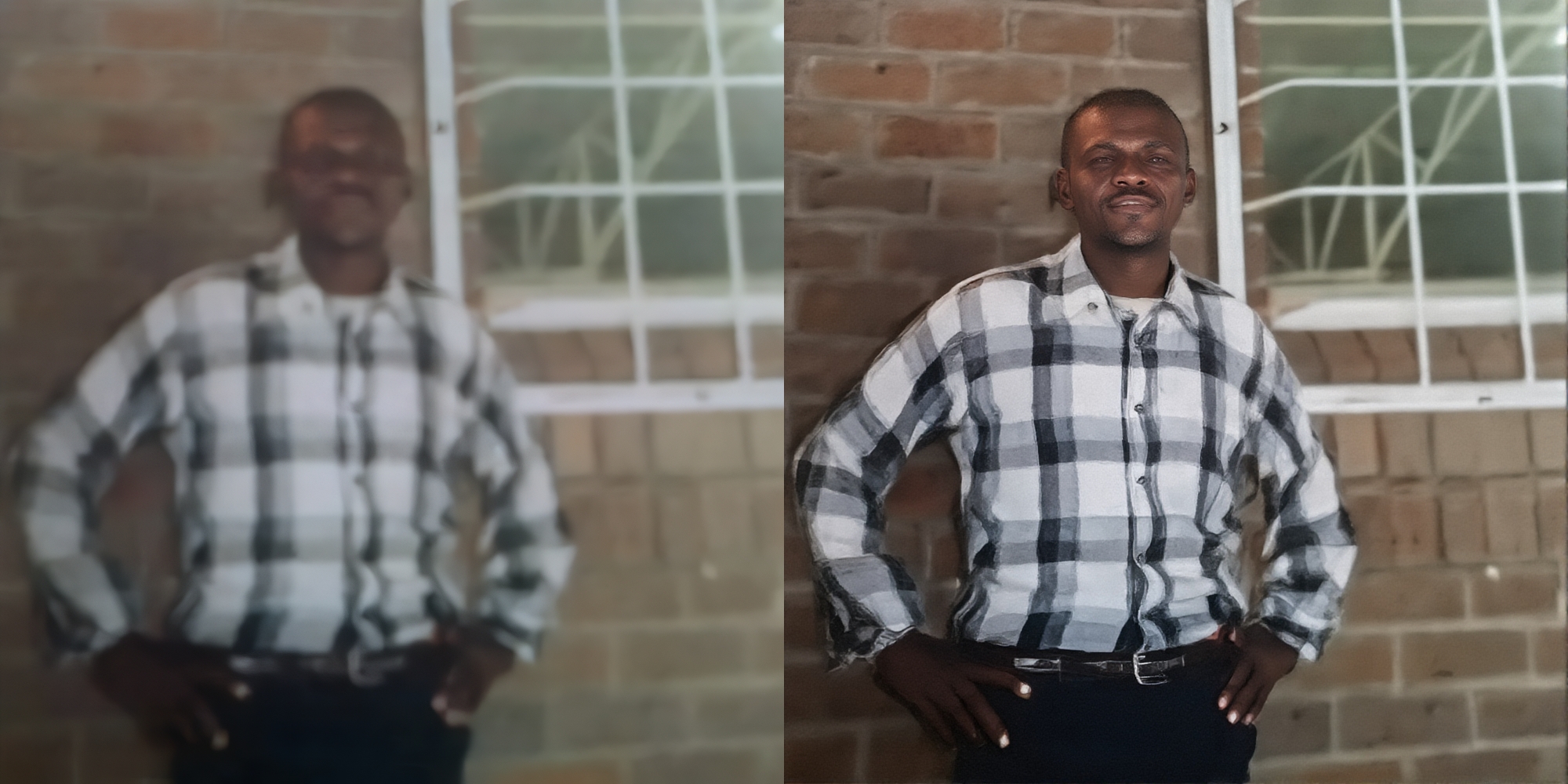
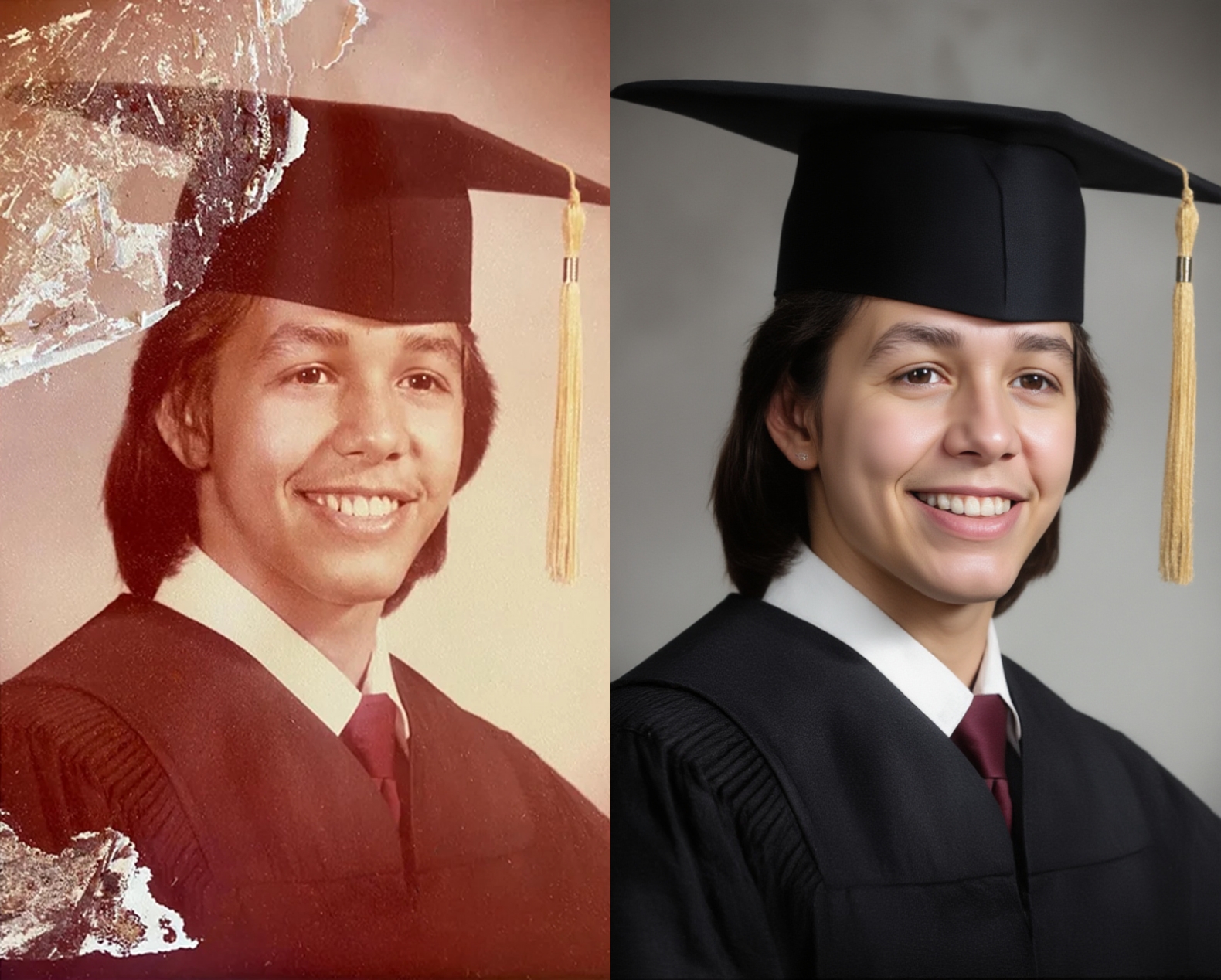
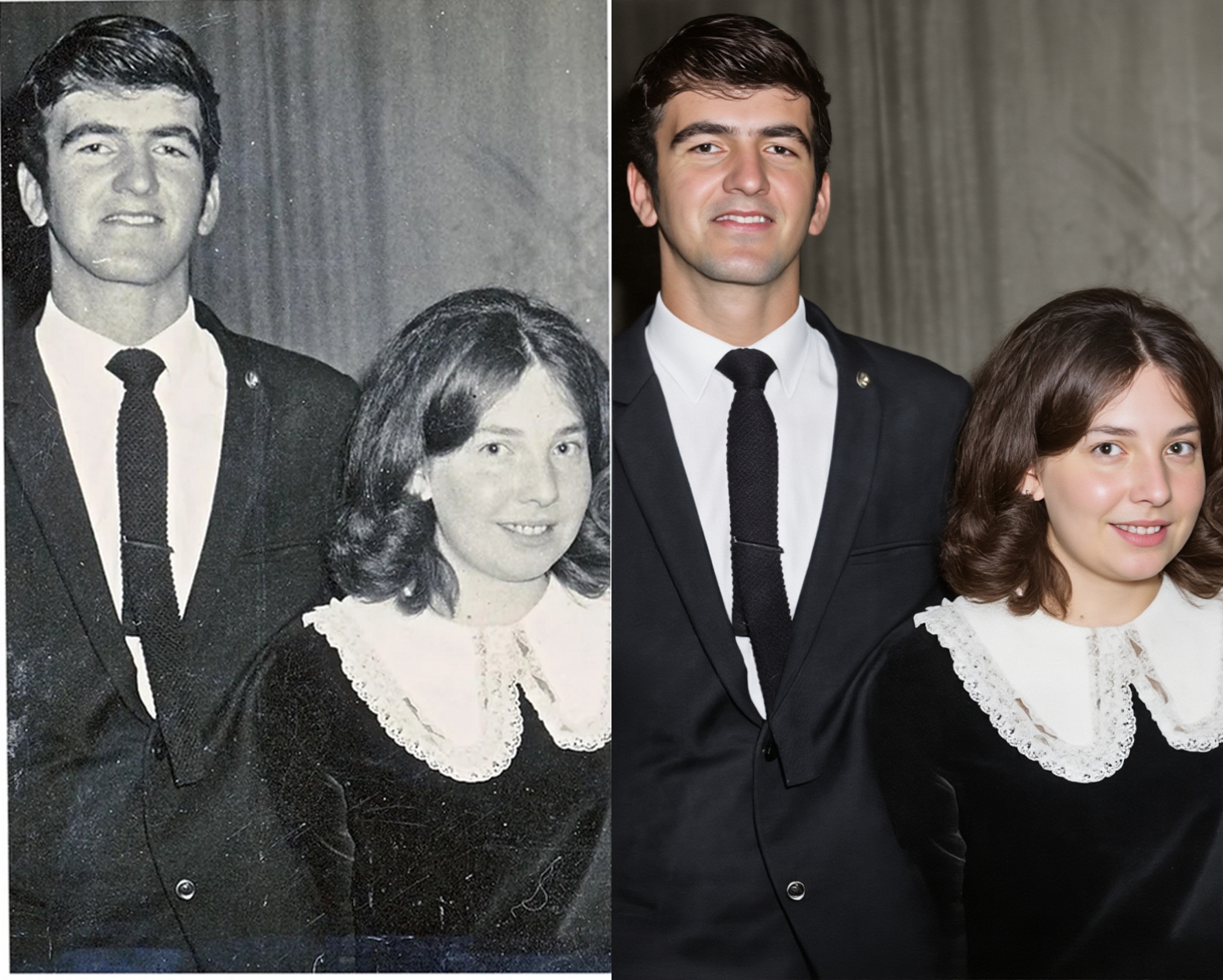
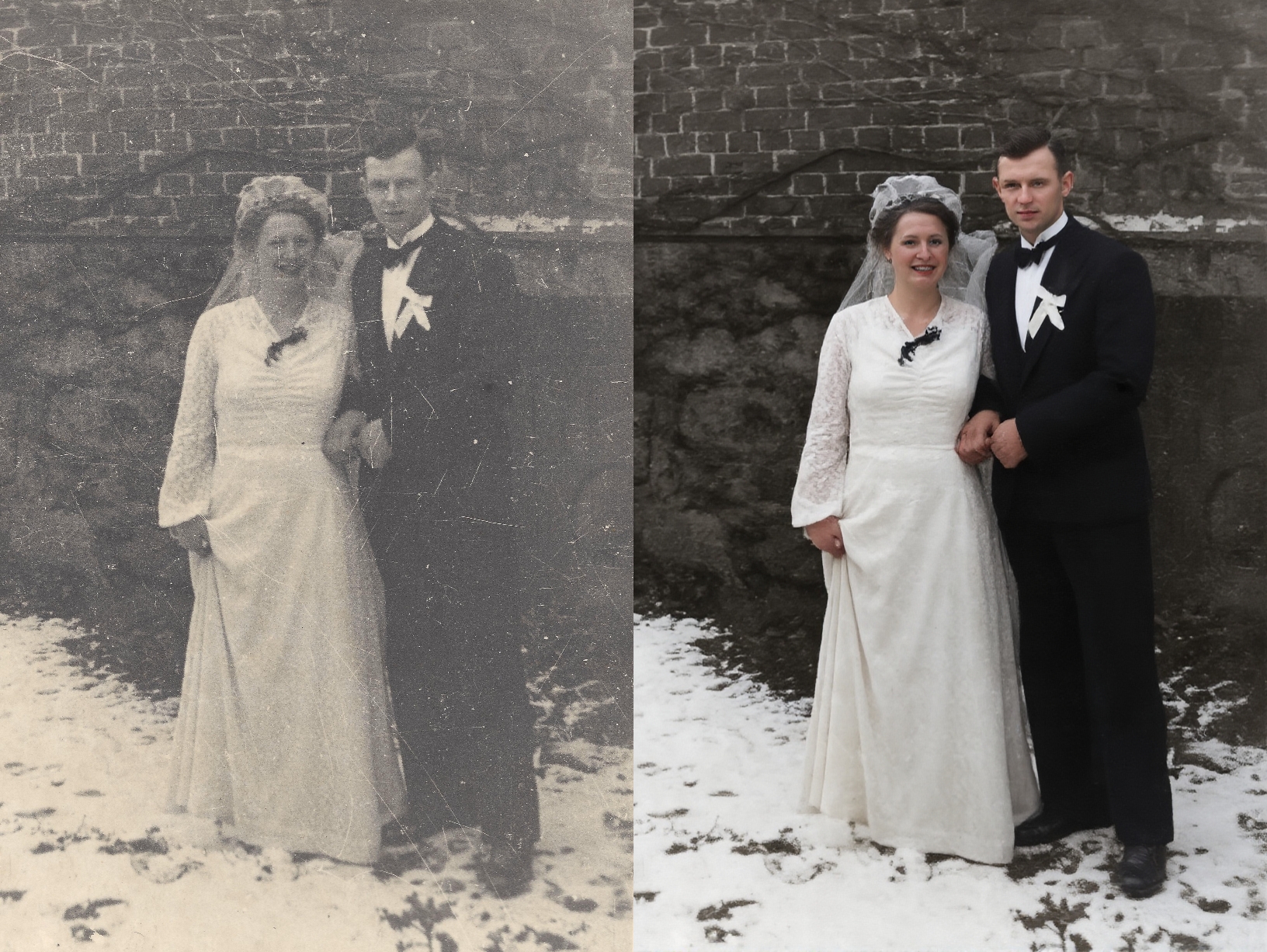
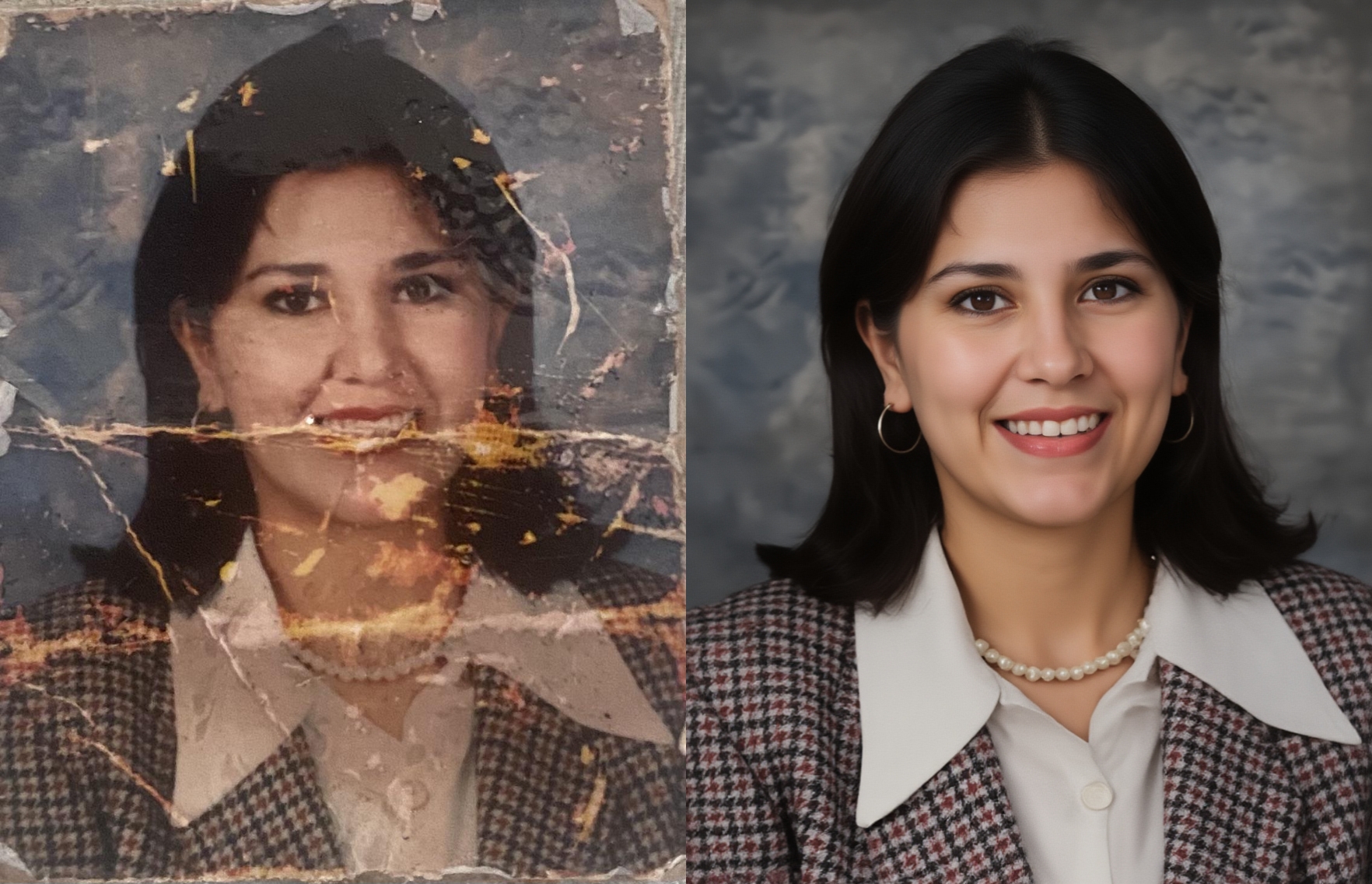
Inspiration
Restoring precious old photos can be challenging. You need to find a competent artist willing to invest the time and effort to restore your photo memories without transforming them into grotesque versions of their former selves through exaggerated AI treatments.
There has to be a way to create a generalized model that can take any damaged photo as input and output a perfectly restored version without complicated prompts or internal knowledge of how the model works.
What it does
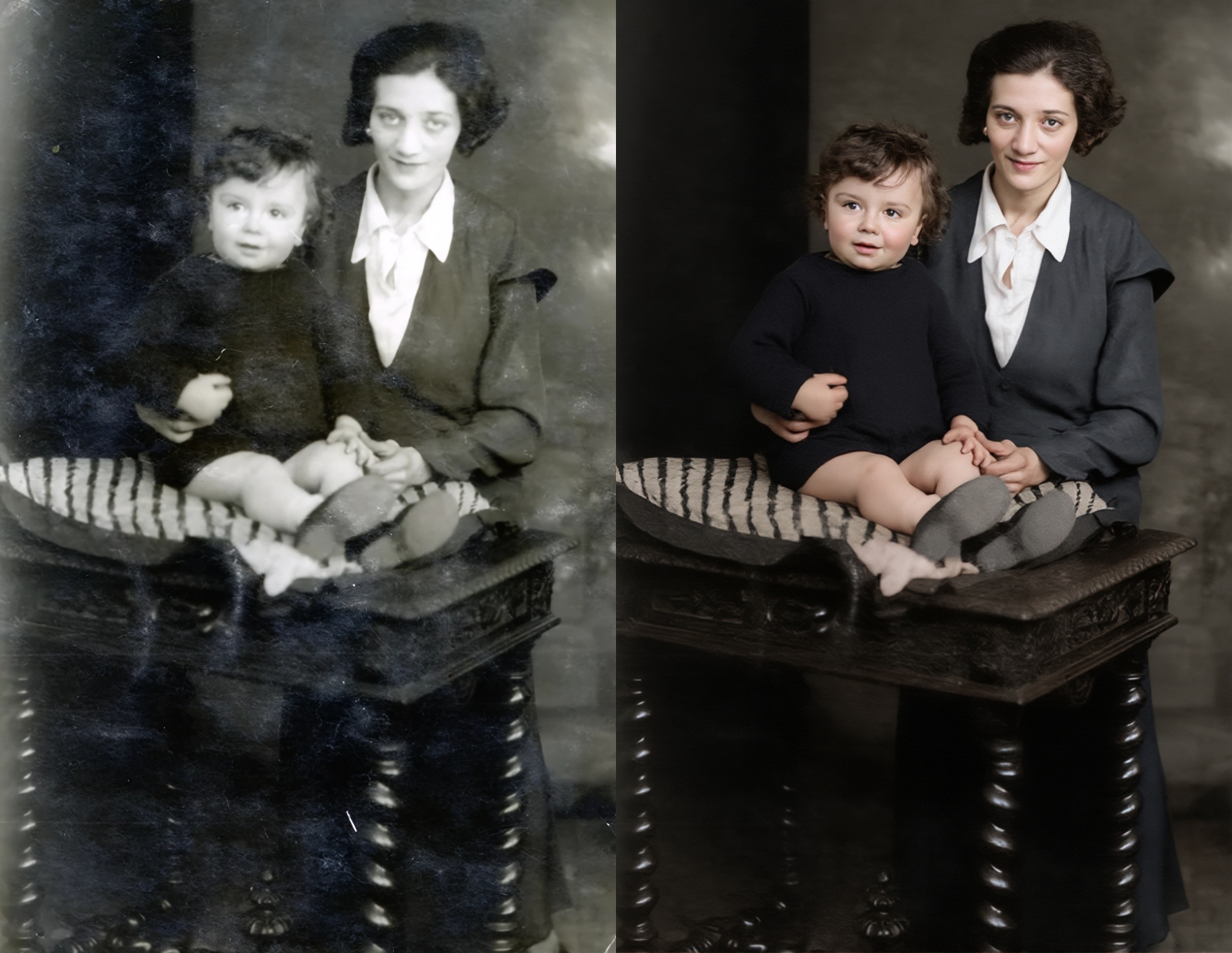
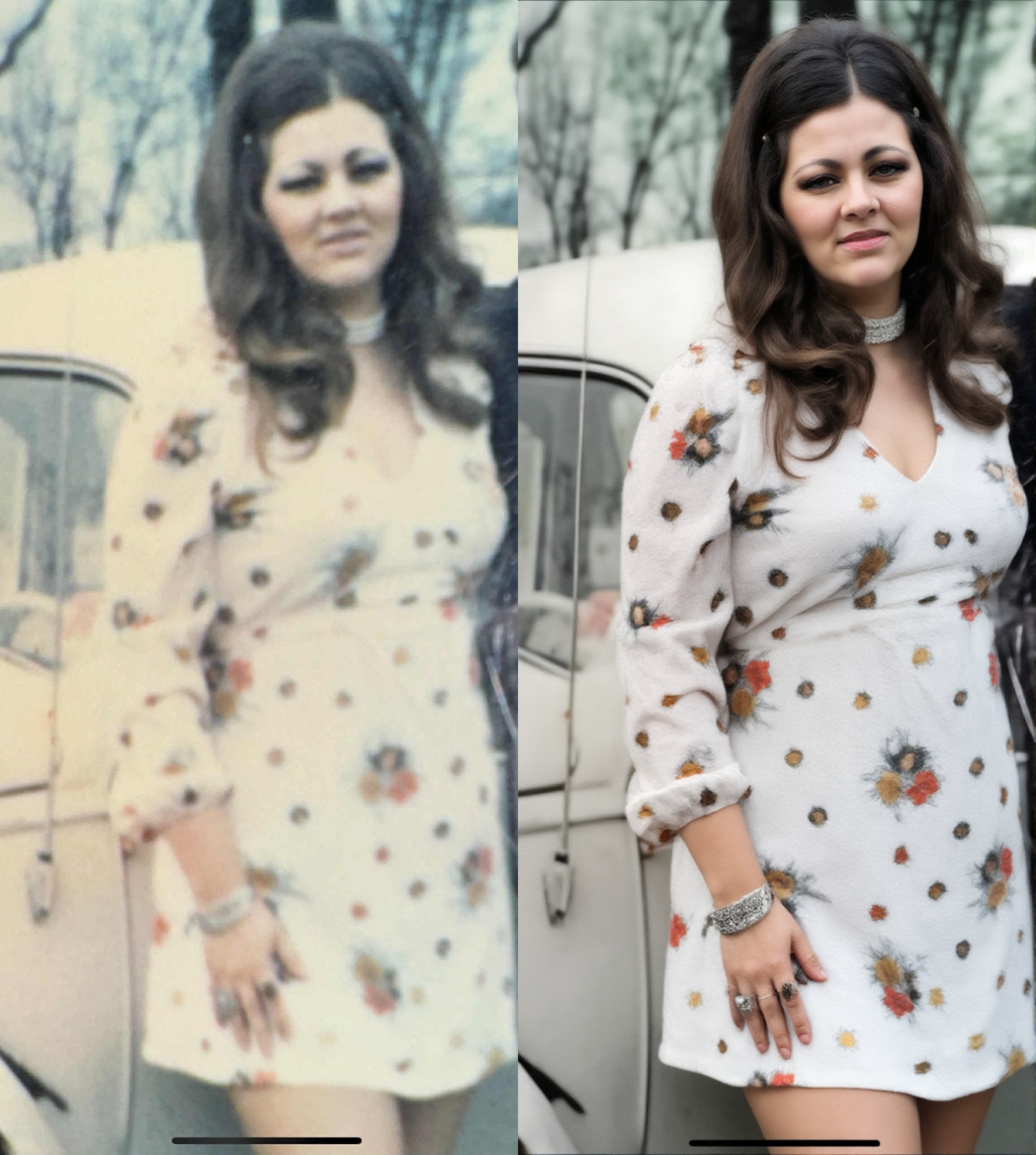
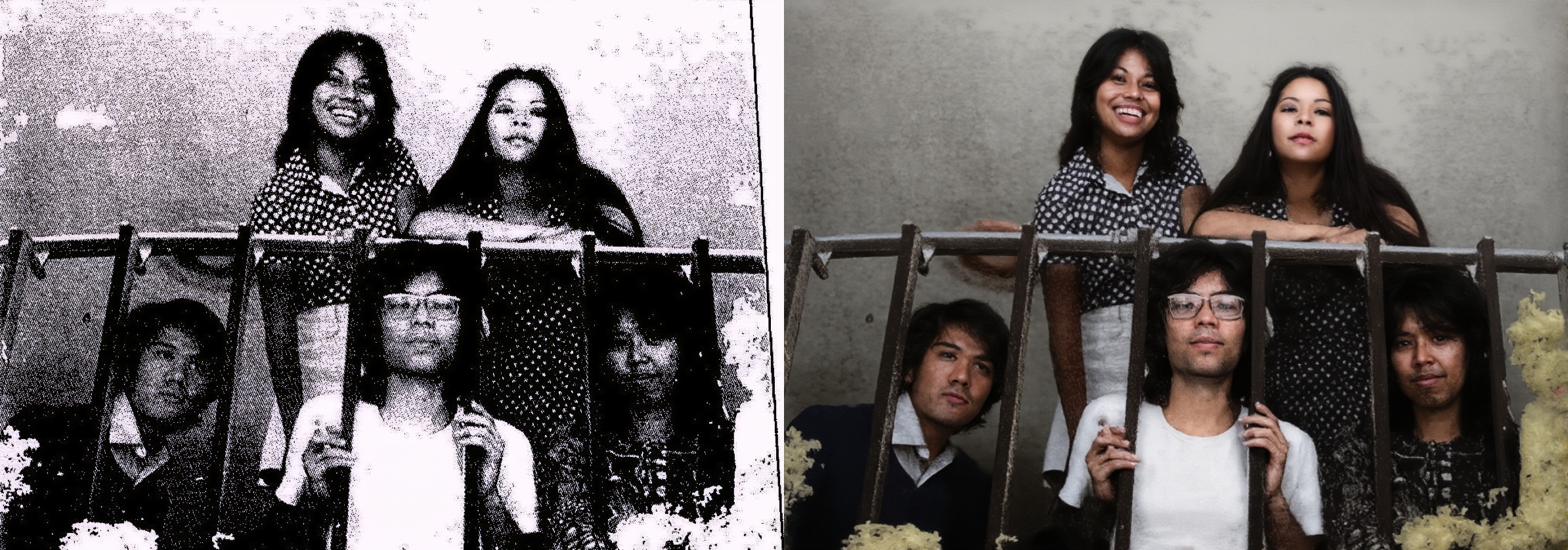
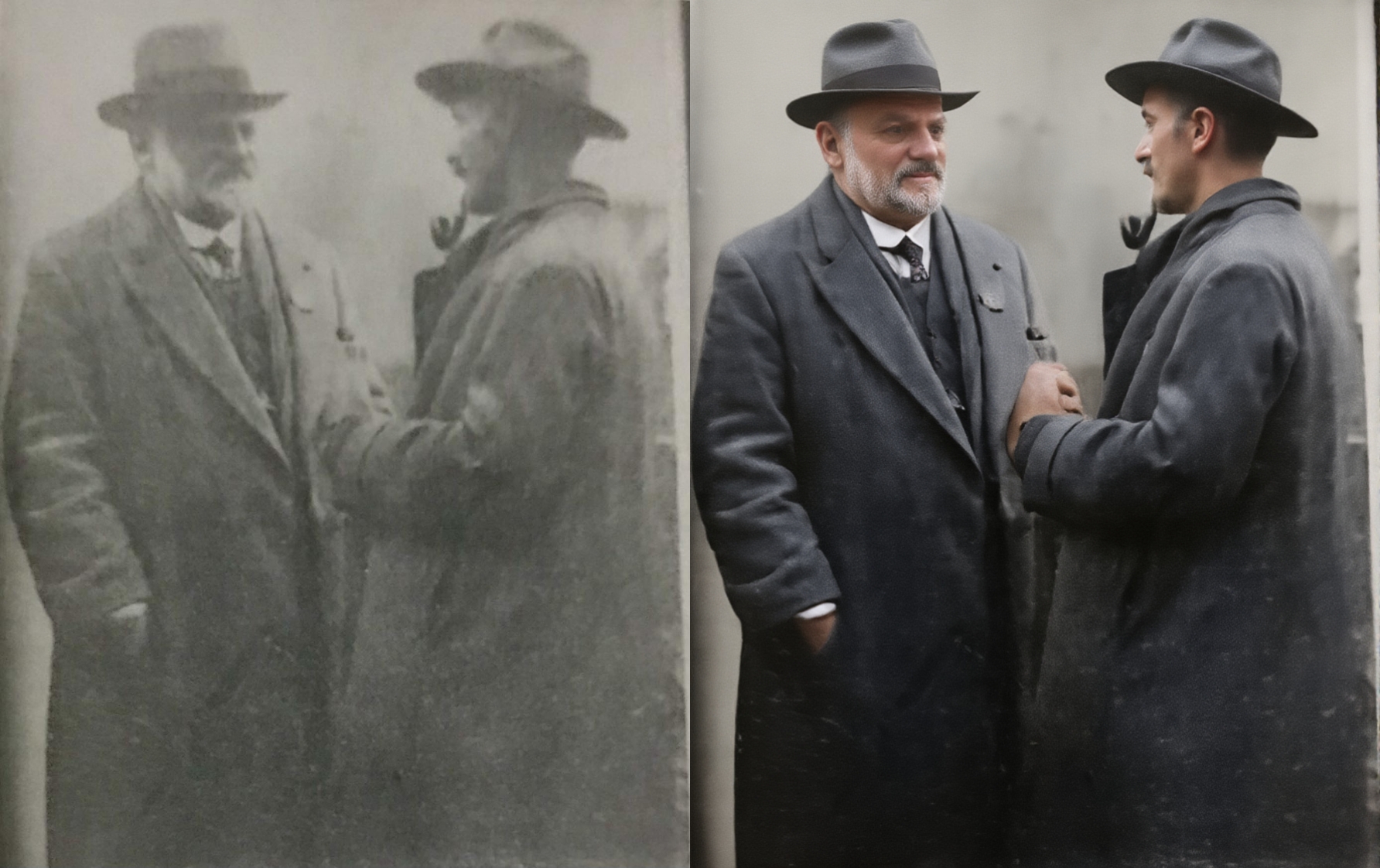
This model takes an old photo in need of restoration (repairing damage, colorizing, etc.) and outputs a high-fidelity restored version.
How we built it
The model was trained on handcrafted pairs of old damaged photos and their equivalent restored versions. Those pairs were used to train a LoRA model to achieve generalized restoration through the use of this single prompt: "restore and colorize this photo, photorealistic."
Recommended Prompts
For optimal results, use one of these prompts into your generation workflow:
- Primary prompt: restore and colorize this photo, photorealistic
- Alternatives:
- restore this photo
- restore and colorize this photo
Recommended Flux Guidance
For best result with the lora use a FluxGuidance of 4.
Full Demo Video
Watch a full-length demonstration of the LoRA in action:
Challenges we ran into
Some photos would not restore properly, and facial features would become distorted. More pairs of images had to be created and used to further enhance the model output through multiple iterations. The model could be further refined by adding more data to the dataset, but the current version is very effective as it stands for most cases.
Accomplishments that we're proud of
The generalization of the model to handle different types of restoration is impressive. We are really happy with how flexible the model is at learning to restore various types of defects.
What's next for Generalized "One-Click" Photo Restoration
More training pairs could be added to further refine the model's capabilities.
Built With
- ai
- ai-toolkit
- hugging
- ostris'
- toolkit


Log in or sign up for Devpost to join the conversation.