Formline: any form, any phone
What did you build and how does it address the prompt?
Formline is a helpline for paperwork. Anyone can call one phone number, from a smartphone, a flip phone, or a landline, and get help with the documents that decide whether they get food, health coverage, or housing: benefits applications, medical bills, lease agreements, government letters.
Who it's for. People who struggle with official paperwork:
- people without a smartphone or reliable internet;
- people with limited literacy;
- people more comfortable in a language other than English;
- older adults;
- anyone overwhelmed by long, confusing forms.
Their pain points.
- Forms assume you have a computer, read English fluently, and know the vocabulary ("gross income," "household member," "recertification").
- Letters bury the one thing that matters, the deadline, in dense text.
- Help usually means an in-person appointment with a caseworker who has a waiting list.
- Every new form makes you answer the same questions again.
What Formline does. It works two ways, depending on what the caller has:
- Phone only: fill out a form by talking. The caller says "I need help applying for SNAP," in English or Spanish.
- Formline asks the official form's questions one at a time, in the caller's language.
- It checks spellings and important numbers, and accepts corrections in natural words ("actually it's 315 a week").
- It explains confusing parts by quoting the form itself, and points out consequential clauses before the caller agrees to anything.
- Only after an explicit "yes" does it fill the real PDF. It then re-reads the filled PDF to verify every field and emails a receipt of exactly what it entered.
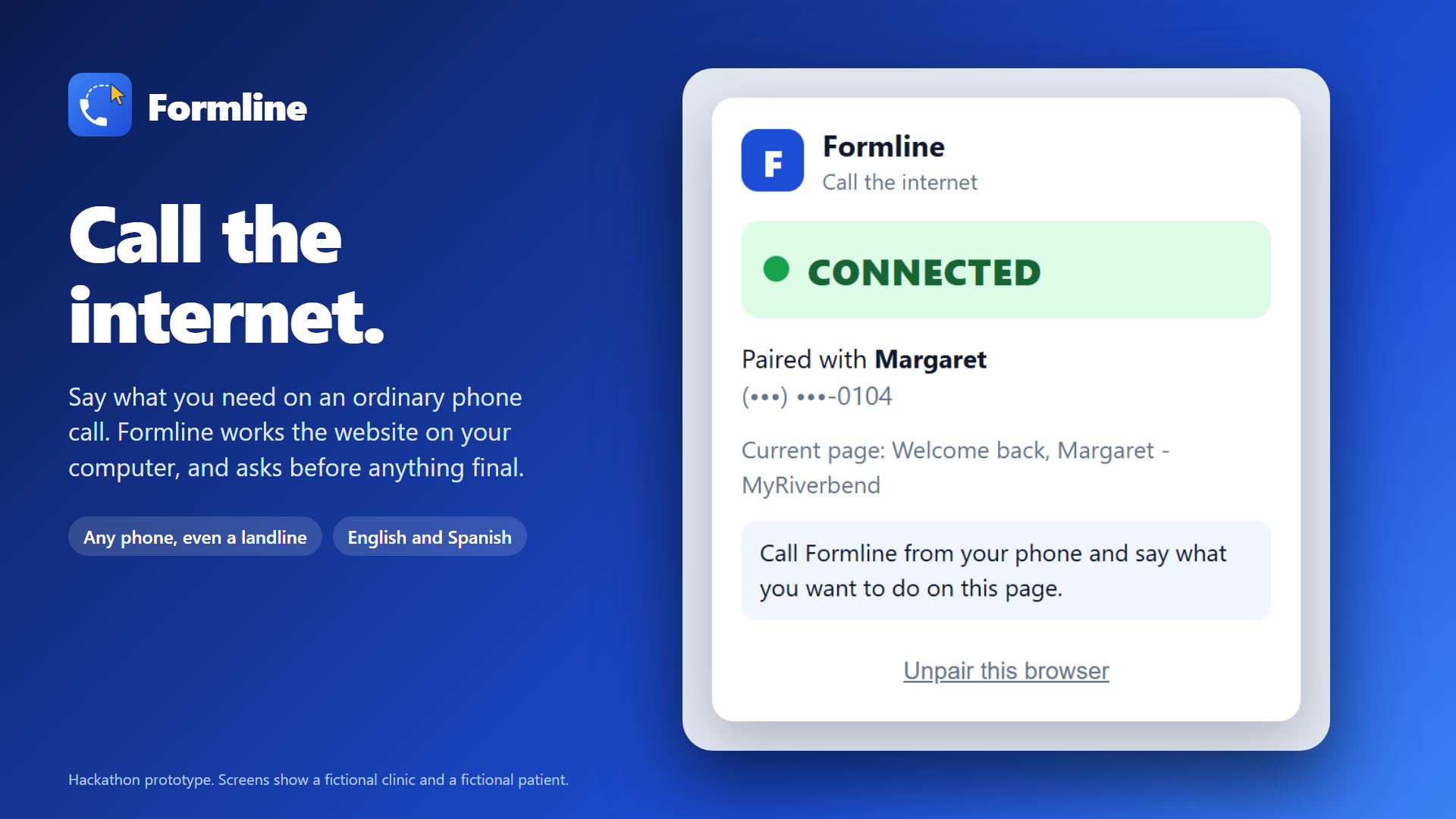
- Phone + computer: "call the internet." If the caller has a website open, such as a patient portal, a rent-payment site, or a PDF lease, our Chrome extension lets Formline operate the page while they watch.
- The caller says "I need an appointment with Dr. Smith," and Formline clicks through the site, asking on the phone for anything only the caller knows.
- It reads whole documents and answers questions ("Can I have a dog?") with quotes from the actual text.
- Nothing final (booking, paying, submitting) happens without a spoken yes.
It remembers people, safely. Behind a 4-digit PIN, Formline saves what callers tell it, such as name, address, household, and income, so the next form is confirmed instead of re-asked: "I still have your address as 412 Elm Street. Is that still right?" Details like income expire after 30 days and are re-checked. Saying "forget me" deletes everything.
Partner dashboard. Food banks, legal aid, and benefits navigators get a live view:
- forms filling in field by field, color-coded by whether each answer came from memory, was newly asked, or was corrected;
- letters next to their plain-language explanations;
- the browser agent's actions;
- metrics like how much faster a person's second form is than their first.
How did you build it? What tools did you use, what issues did you run into, and how did you overcome them?
Stack.
- Backend: Python + FastAPI, with SQLite (SQLModel).
- Phone: Twilio. Voice uses ConversationRelay, which turns speech to text and back so phone calls and texts share one "brain."
- AI: LLMs from OpenAI and Anthropic (Claude), switchable by configuration. Structured outputs for anything the code acts on.
- PDFs: PyMuPDF to read, fill, and re-verify official forms.
- Browser: a Manifest V3 Chrome extension for the browser agent.
- Dashboard: vanilla JS with live Server-Sent Events.
- Tooling: ngrok for tunneling; uv, pytest, Playwright, and GitHub Actions CI. We used Claude Code throughout development.
Core design rule: the AI proposes, code decides. The model interprets what the caller said and phrases replies. Deterministic code decides:
- what's asked next;
- when a form is complete;
- what gets saved;
- what counts as consent.
For example, weekly-to-monthly income conversion, date parsing, and the "is this really a yes?" check are code, not model output. Every explanation that says "the form says…" is only spoken if code finds that exact quote in the PDF. This kept the system reliable enough to demo live.
By the numbers: 28 merged pull requests, about 12,000 lines of application code, and 492 automated tests, all running offline with a scripted model so CI never depends on an API.
Issues we ran into, and how we got past them:
- Twilio didn't approve our SMS registration in time. US carriers require A2P 10DLC registration before you can text from a regular number, and approval takes days. Ours was still in review. Inbound calls work without it, so we made voice the primary channel, and pivoted to email for the written parts of the experience, like form receipts.
- Coordinating four people in parallel. To move fast, we split the code into four "lanes" (conversation brain; phone channels; forms and PDFs; memory and dashboard). Each lane owned its own files and talked to the others through fixed interfaces, with working placeholder code so nobody waited on anybody. Tooling told each person's coding assistant which files were theirs. This worked about 60% of the time. The rest of the time, shared files and fast-moving interfaces still caused conflicts and integration bugs, so we switched to working in shifts on the shared, tightly coupled parts, which cut down on errors.
- The translation feature kept breaking. The agent got confused mid-conversation and fell back to English, even after the caller had been speaking Spanish. We changed the approach so the language is detected from what the caller says, and once they've spoken in a language, Formline stays in that language instead of defaulting back to English. Answers to name, address, and number questions never trigger a switch, so "Martínez" doesn't flip the call into Spanish, and the model is never allowed to "translate" a proper name ("Juan" stays Juan).
- Real government PDFs are messy. Many are scanned images with no fillable fields, or use hidden form layers that make filled values invisible in some viewers. We picked fillable Illinois forms, regenerate field appearances so values show everywhere, and measure whether text actually fits each box before declaring a form done.
- Letting an AI click on someone's real website is risky. The agent can only use a small fixed set of actions (no running code, no typing web addresses). Passwords, card numbers, and SSNs never leave the browser. Final actions need a spoken yes tied to a fingerprint of the exact page. "Done" only counts when the confirmation text is really on the page.
How can you implement this further?
- Turn on texting. Finish the A2P 10DLC registration (or verify a toll-free number) so Formline can text. That covers receipts, deadline reminders, and photos of letters sent by MMS, which matter most for deaf and hard-of-hearing users and for people who can't talk freely.
- Pilot with a partner organization. Put Formline in front of real clients at a food bank, legal aid office, or benefits navigator, with fake data replaced by real consent flows. Partners would review and submit completed forms, and Formline would measure what matters: completion rates, time saved, and drop-off points.
- Production-grade privacy and security. Encryption at rest, data-retention limits, partner staff accounts with per-organization access and audit logs, a reviewed consent script, and data agreements with our phone and AI providers (including a BAA for health information).
- More forms, more states, more languages. Formline can already turn a new fillable PDF into a phone conversation in about a minute. Next steps:
- grow a reviewed library across states;
- support scanned paper forms by locating fields with vision;
- add languages beyond English and Spanish.
- Hand off to a human. Route a call, with its full context, to a caseworker when someone is stuck or a situation is high-stakes (eviction, court dates, immigration).
- A smarter browser agent. Handle embedded frames, multiple paired browsers, and harder sites. Let callers without a computer have a partner's browser act for them.
- Deploy it for real. Move from a laptop behind ngrok to a hosted service with monitoring, so the number answers 24/7.
Example uses
- Do the whole thing in Spanish. A caller starts in Spanish and Formline stays in Spanish: it asks the questions, explains the form, and confirms answers in the caller's language, while the form itself is still filled in correctly.
- Fix a mistake by just saying so. Halfway through, the caller says "actually it's 315 a week, not 350." Formline updates the answer, converts it to the monthly figure the form wants, and reads it back.
- Skip the questions you've already answered. On a second form, Formline confirms instead of re-asking: "I still have your address as 412 Elm Street. Is that still right?" Details that go stale, like income, are checked again.
- Book a doctor's appointment without touching the website. With the patient portal open, the caller says "I need an appointment with Dr. Smith." Formline clicks through the scheduling steps, asks for the reason and the preferred time, and books only after the caller says yes.
- Get a confusing form explained. The caller asks "What does 'household member' mean here?" or "Why are they asking about my rent?" Formline answers in plain words and quotes the form's own text, so the explanation comes from the document, not a guess.
- Spot the risky parts of a contract before agreeing. With a lease or agreement open, the caller asks "Is there anything in here I should worry about?" Formline points out the clauses with real consequences, such as late fees, penalties for leaving early, automatic renewals, or permissions broader than they need to be, quotes each one, and explains what it means. It flags and explains; it doesn't give legal advice.
- Ask questions about a document you can't make sense of. "Can I have a dog?" "How do I get out of my lease early?" "What's my total every month?" Formline reads the whole PDF, every page, and answers with the exact wording it found.
- Use a confusing website by asking for what you want. When a site's menus and buttons don't make sense, the caller skips them: "Renew my library book," "Find my last bill," "Go back to the page I was on." Formline finds the right place on the screen and does it while the caller watches, switching between open tabs when it needs to.
Built With
- anthropic
- apscheduler
- chrome
- claude
- claude-code
- css
- fastapi
- github
- github-actions
- html
- javascript
- ngrok
- openai
- playwright
- pydantic
- pymupdf
- pytest
- python
- server-sent-events
- sqlite
- sqlmodel
- twilio
- twilio-conversationrelay
- uvicorn
- websockets


Log in or sign up for Devpost to join the conversation.