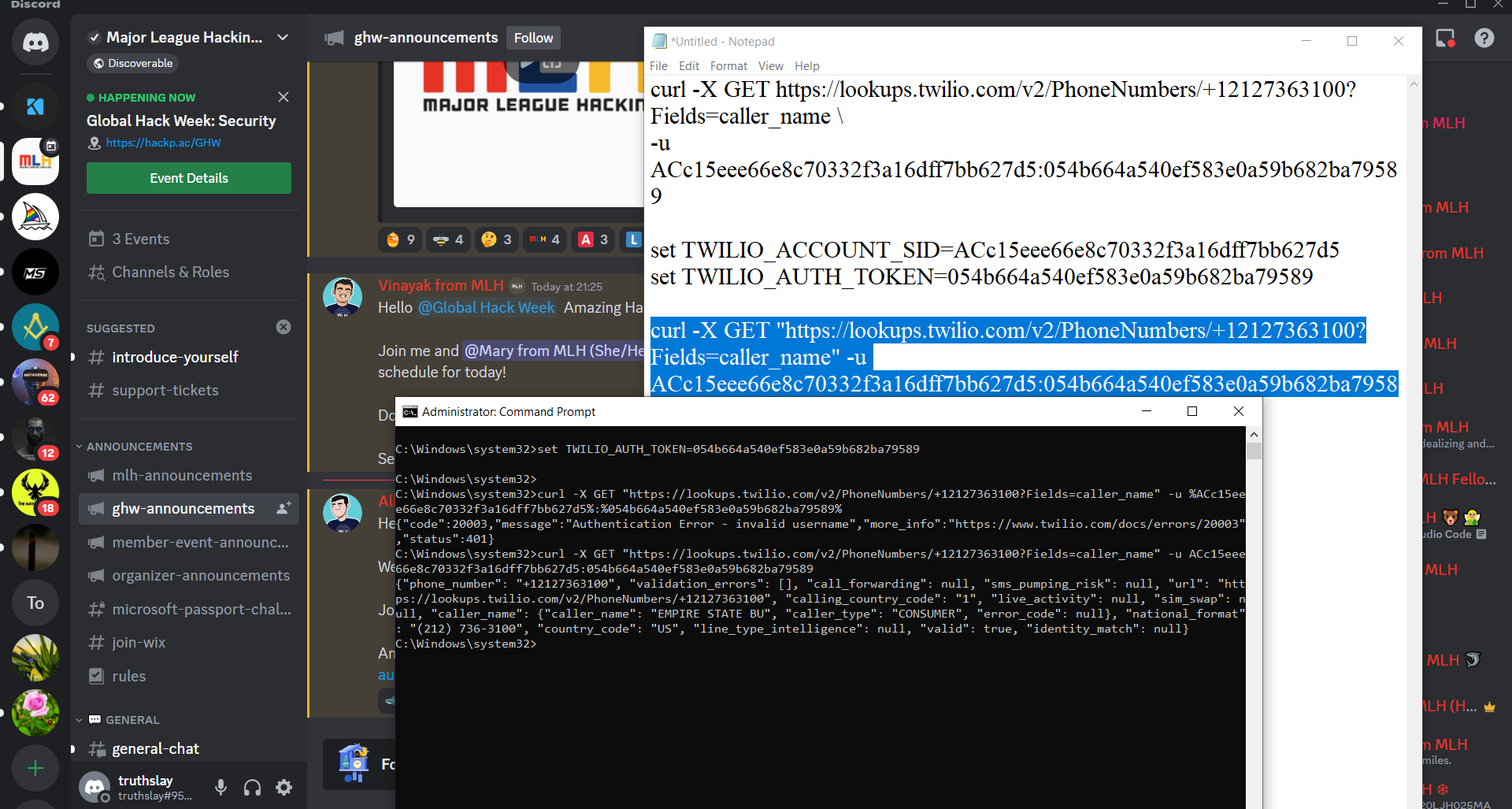
None other than inspired by the MLH Security Week Challenge
Step 1: Twilio Documentation The first step involves familiarizing oneself with the Twilio documentation on phone number lookup. The documentation provides examples in multiple languages, including curl, which enables us to test the API endpoints from the command line.
Step 2: Understanding the Curl Command This step focuses on dissecting the example curl command provided in the Twilio documentation. Each component of the command, such as the request method, API endpoint URL, request parameters, and authentication details, is explained to ensure a clear understanding of its functionality.
Step 3: Building the Curl Request In this step, the example curl command is customized to suit specific requirements. This involves setting the Twilio account SID and auth token as environment variables and updating the phone number in the URL to the desired one for the lookup.
Step 4: Making the Request Executing the modified curl command in a terminal allows us to make the actual API request. Upon successful execution, the response from the Twilio Lookup API will contain valuable information related to the provided phone number, such as the name of a famous building.
Conclusion: The phone number lookup project utilizing the Twilio Lookup API offers developers a powerful tool to retrieve relevant details about phone numbers. By following the step-by-step guide provided, developers can quickly integrate the Twilio API into their applications and enhance their functionality with phone number lookup capabilities. This project serves as a valuable resource for understanding and implementing phone number lookup functionality using Twilio.


Log in or sign up for Devpost to join the conversation.