Live demo: https://dagmawi1-lang.github.io/phishproof/
Inspiration
Phishing is the most common way people get hacked, and students are a big target: fake "unpaid fee" texts, gift-card requests from a "principal", and lookalike login pages. We're all told to "be careful", but almost nobody shows you what to look for. I wanted a tool that explains the warning signs and helps you build the skill to spot them yourself.
What it does
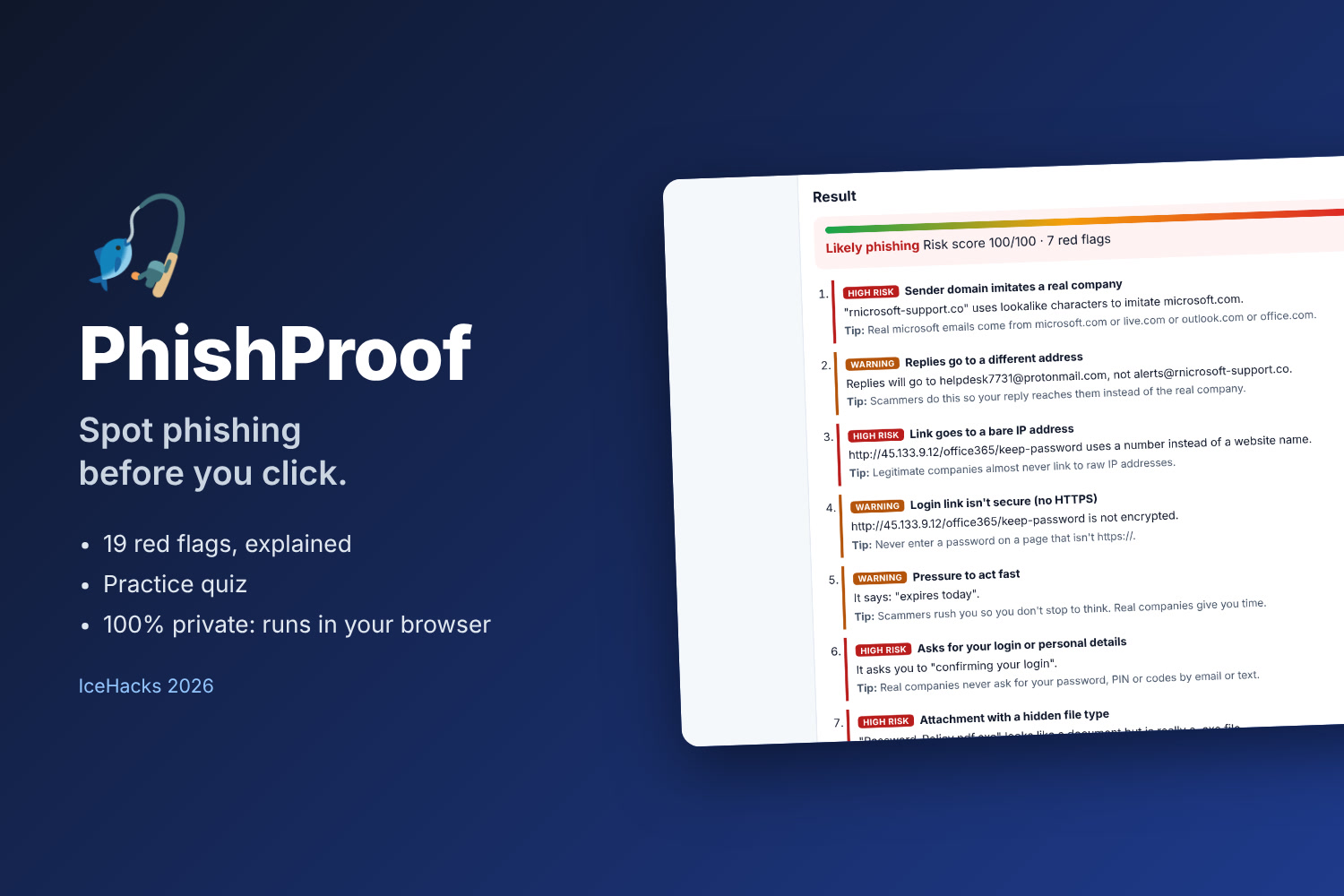
Check a message. Paste a suspicious email or text. PhishProof checks it for 19 warning signs and explains each one in plain language, with a tip on what to do:
- Sender: lookalike domains ("paypa1", "rnicrosoft", one-letter typos), brand names sent from Gmail/Outlook, a "principal" or "IT team" on a free email account, Reply-To going somewhere else
- Links: link text that hides a different destination, bare IP links, punycode, URL shorteners, risky domain endings, the "@" trick, login links without HTTPS, brand names buried in other domains (paypal.com.secure-login.net)
- Language: urgent pressure, requests for passwords/codes, gift cards, crypto, prizes, generic greetings, ALL-CAPS alarm
- Attachments: disguised files like invoice.pdf.exe
You get a risk score, a verdict (Likely phishing / Suspicious / No red flags), and clear next steps (don't click, go to the site yourself, report it).
Practice mode. Six realistic messages, some phishing and some legitimate. Decide which is which, then see why and which red flags PhishProof found.
Private and safe. Everything runs in your browser. Links are never opened, nothing is uploaded, and a Content-Security-Policy blocks all network requests.
How I built it
Plain HTML, CSS and JavaScript, with no framework or server. The detection engine normalises lookalike characters (rn→m, 1→l, 0→o) before comparing against real brand domains, uses edit distance to catch one-letter typo domains, compares link text with the real destination, and parses the From / Reply-To headers. 35 automated Playwright tests cover every rule, real domains that must not be flagged, all practice messages, keyboard navigation, the quiz, and checks that no network requests are made. It also scores 100/100 on my accessibility checker, AccessLens.
Challenges I ran into
Catching lookalikes without false alarms. mail.google.com and paypal.com must pass, while paypa1-security.com and rnicrosoft-support.co must not. Normalising characters and checking the registrable domain rather than the whole hostname fixed it. I also had to tune scoring so a fake-principal gift card request counts as "Likely phishing" while a normal message from a teacher shows zero flags.
What I learned
How attackers actually trick people (most phishing is psychology, not hacking), and how to write detection rules that are explainable instead of a black box.
What's next
A browser extension that checks emails right inside Gmail and Outlook, more practice messages (SMS and social-media DMs), and a teacher mode for phishing-awareness lessons.
AI tools used
Built with AI coding assistance (Claude), which helped write and test the code, docs and demo video.
Built With
- css
- cybersecurity
- html5
- javascript
- playwright
