-
-
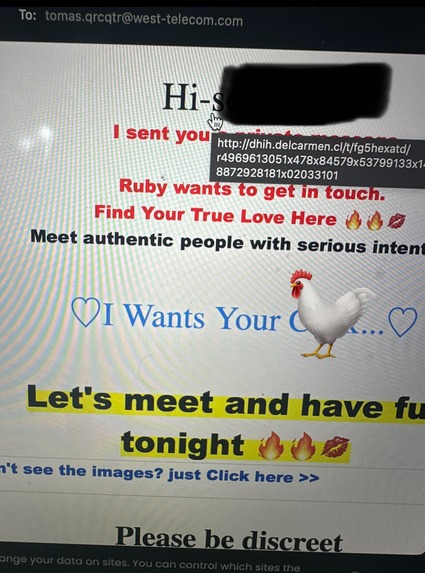
Malicious Email.
-
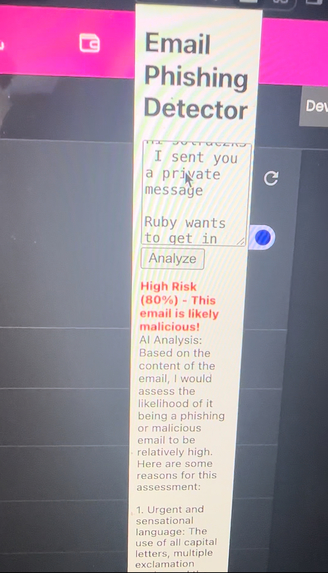
Malicious Email Part 2. (Assessment)
-
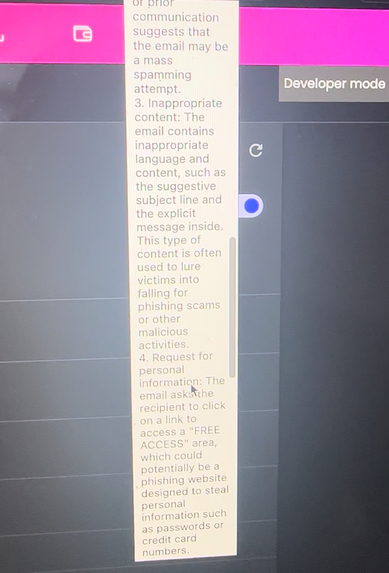
Malicious Email Pt. 3 (Results/Conclusion)
-
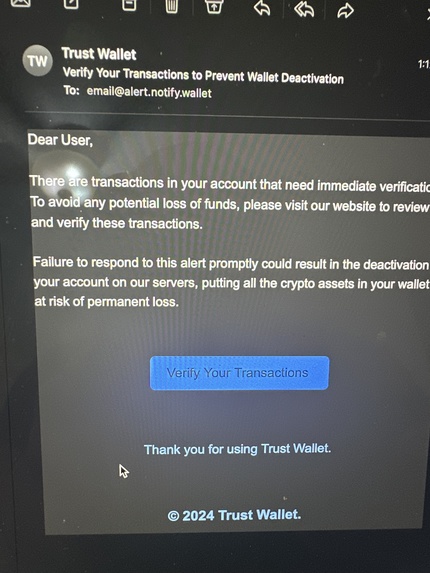
A Wolf in Sheep's Clothing
-
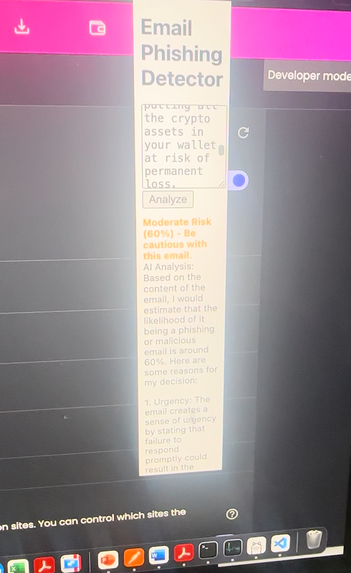
A Wolf in Sheep's Clothing pt. 2 (Assessment)
Inspiration
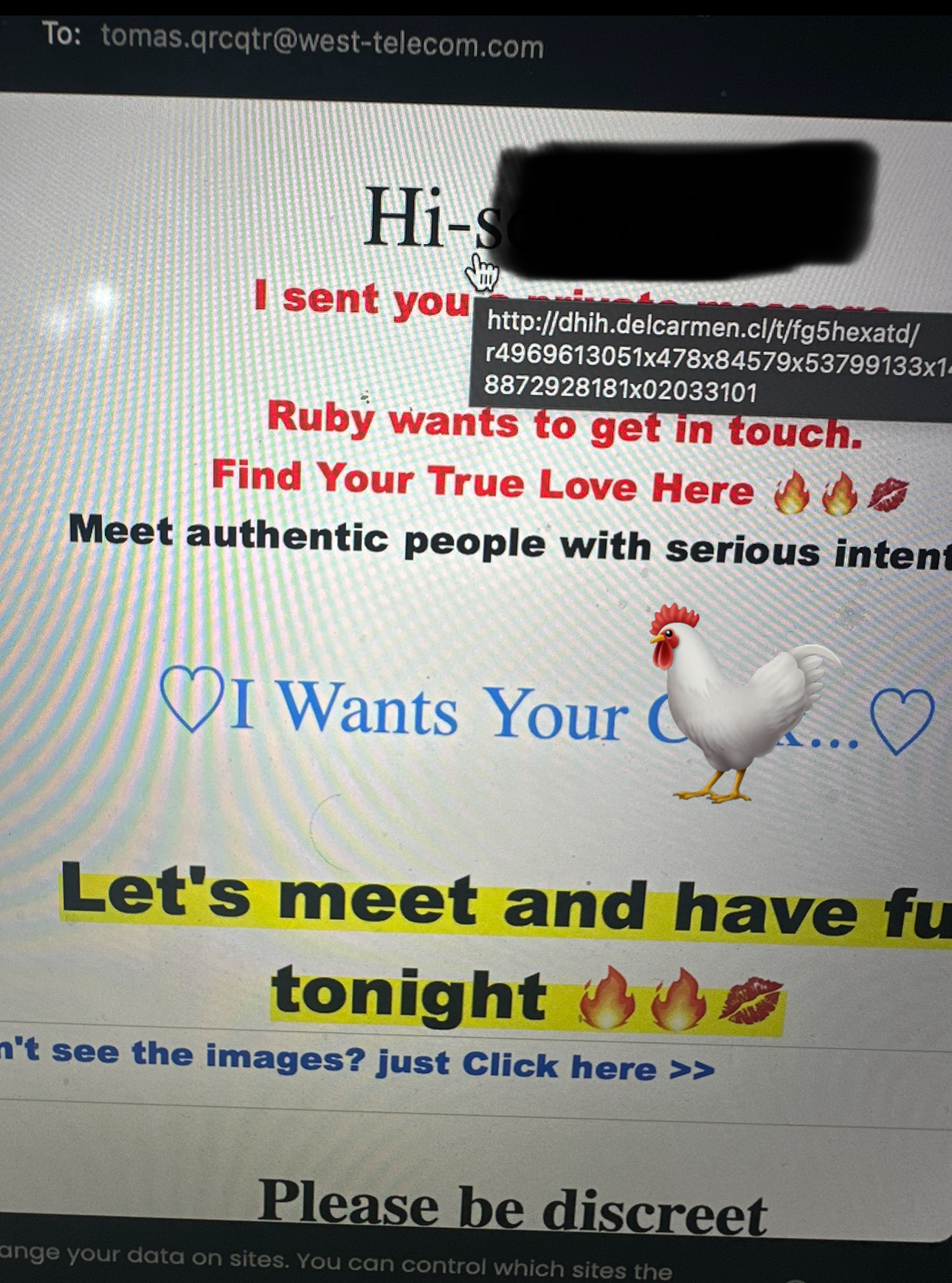
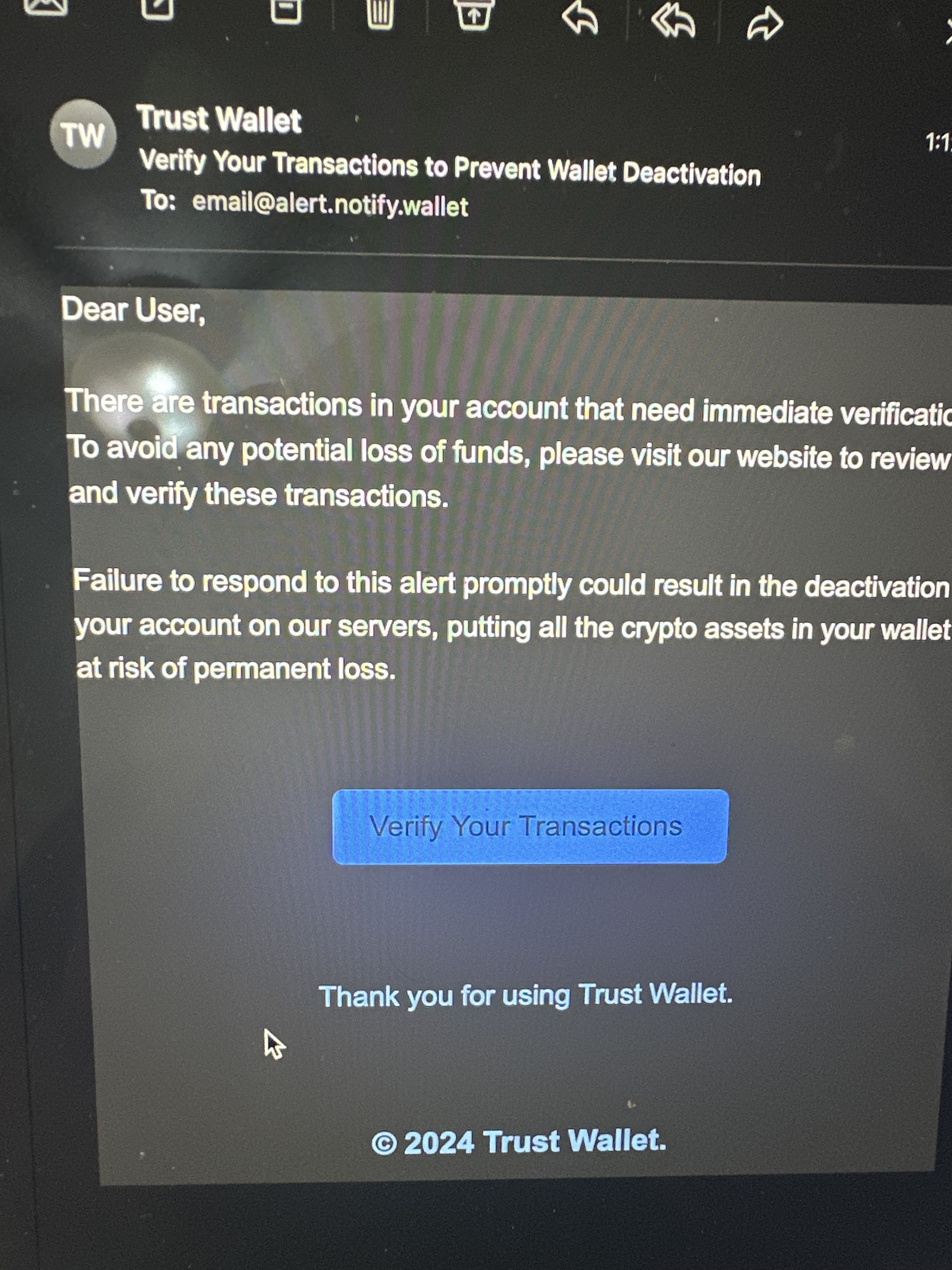
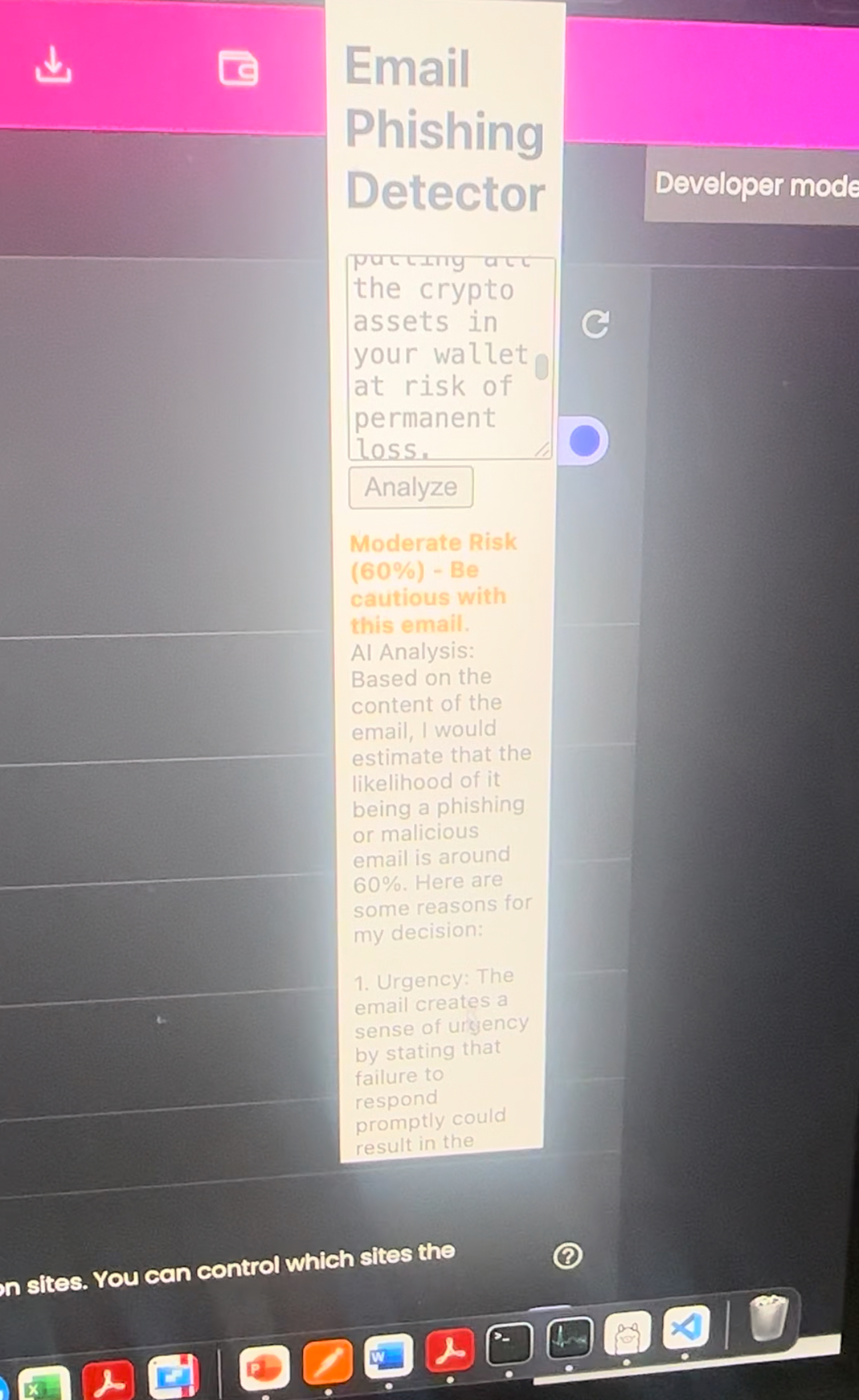
A recent event at my former community college, where spam and phishing emails caused significant issues, inspired me to create Phish Catcher. Many people were affected, and it became clear that not everyone is technologically trained to identify phishing emails. My goal was to build a solution that simplifies phishing detection using AI, helping users of all ages stay safe from email fraud and scams. The AI model provides a fluid analysis to guide users, and although it’s still a work in progress, I plan to implement a website-based version soon to make it even more accessible and user-friendly.
What it does
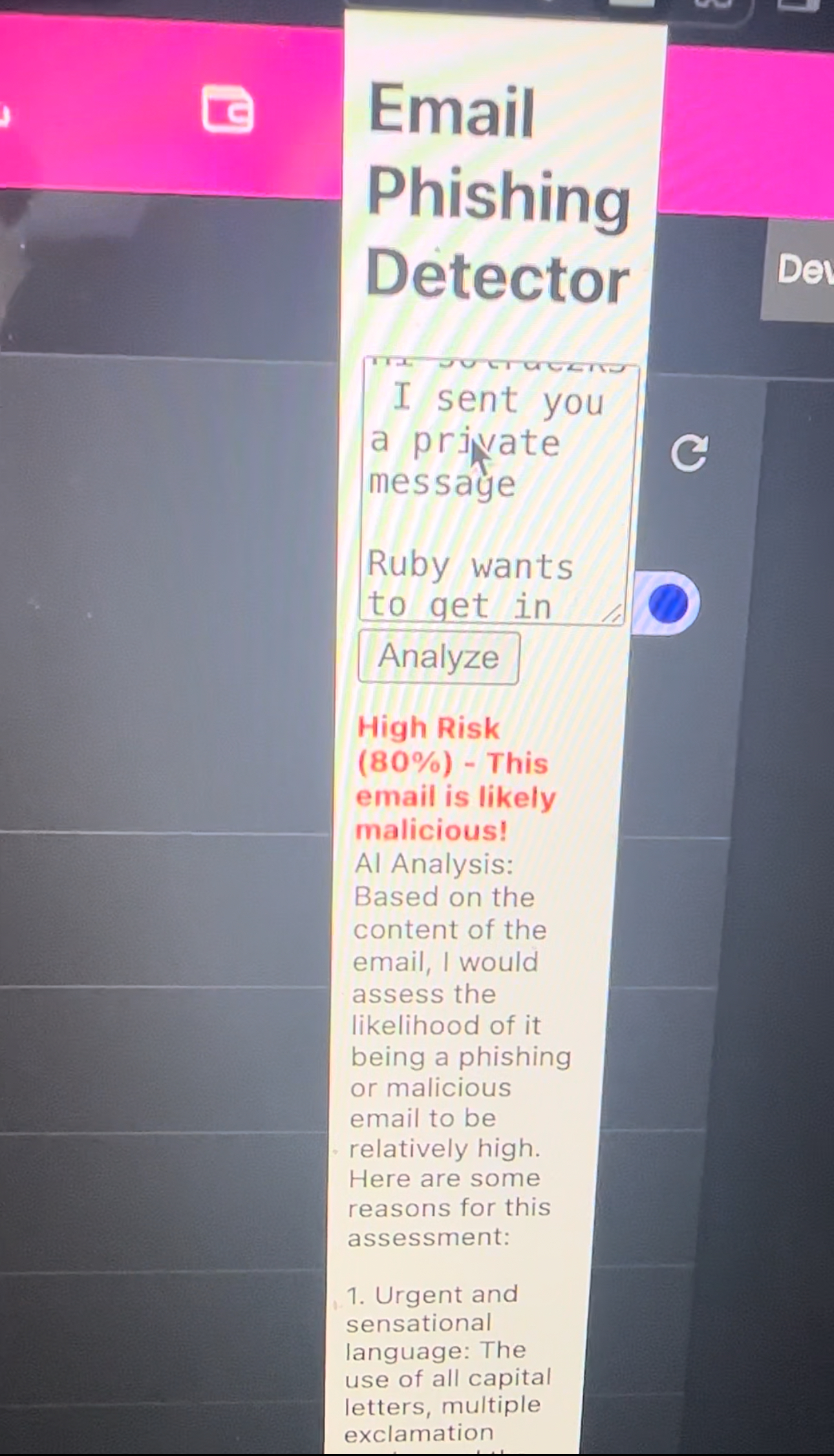
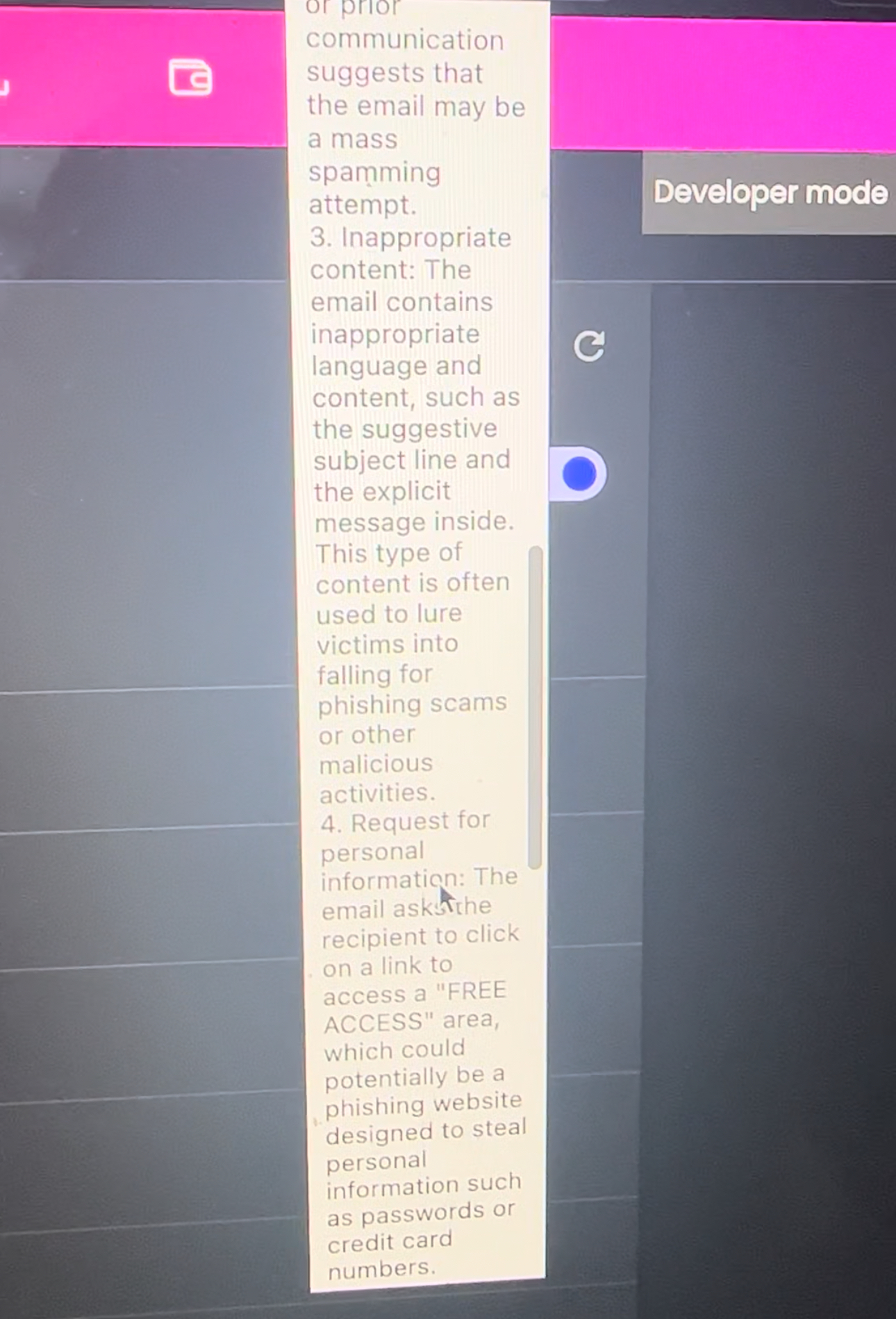
Phish Catcher scans incoming emails for suspicious activity, such as mismatched sender domains, unusual links, and urgent language, using AI-powered detection. It alerts users if a message is potentially a phishing attempt and provides detailed reasons behind the classification. This way, users can avoid interacting with fraudulent content and stay safe online.
How I built it
Phish Catcher was built using Python and integrated with Flask for the backend, while the frontend runs as a Chrome extension using HTML, CSS, and JavaScript. It leverages AI models for phishing detection, such as the LLM API for real-time scanning and analysis of emails. The AI model identifies phishing indicators, including suspicious links and sender spoofing, and alerts users through a clean, intuitive interface.
Challenges I ran into
One of the key challenges was balancing phishing detection accuracy with performance. Initially, the AI model produced false positives that could cause users to disregard legitimate emails. Tuning the model and implementing a more precise analysis of email metadata significantly improved the accuracy. Additionally, integrating the extension seamlessly with different email platforms and optimizing the user experience took time and effort.
Accomplishments that I'm proud of
I’m proud of creating a functional and user-friendly extension that empowers individuals to protect themselves from phishing attacks. Building Phish Catcher from scratch with AI integration, and seeing it work accurately, was a major achievement. Moreover, successfully navigating challenges with accuracy and performance was a big win for this project.
What I learned
This project taught me a lot about AI model tuning, phishing detection strategies, and user experience design in browser extensions. It also helped me improve my skills in Flask, Python, and front-end development with HTML, CSS, and JavaScript. Most importantly, I learned how essential user feedback and iteration are to creating a product that is both functional and easy to use.
What's next for PhishingBrowserExtension
Next, I plan to expand Phish Catcher beyond just a browser extension by implementing it on a website. This will increase accessibility and usability, allowing users to scan emails directly from any platform without needing to install an extension. Additionally, I aim to enhance the AI scanning feature by integrating larger and more diverse datasets, enabling the AI to learn and improve detection accuracy over time. This continuous learning will make Phish Catcher more effective at identifying new and evolving phishing tactics, ensuring users stay protected.

Log in or sign up for Devpost to join the conversation.