PhishGuard Secure The idea for PhishGuard Secure started with an experience. A family member got a convincing email that looked like it was from their bank. They sent it to me to check. My first thought was to use a scanner to see if it was safe. Then I stopped myself because the email had my family member's name, part of their account numbers, and their home address in it.
As someone who studies Electronics and Computer Science and cares a lot about privacy, I did not want to put that sensitive information into a scanner on the internet. I realized there was a need for a tool that could help people figure out if an email or message is a scam without sending their information over the internet.
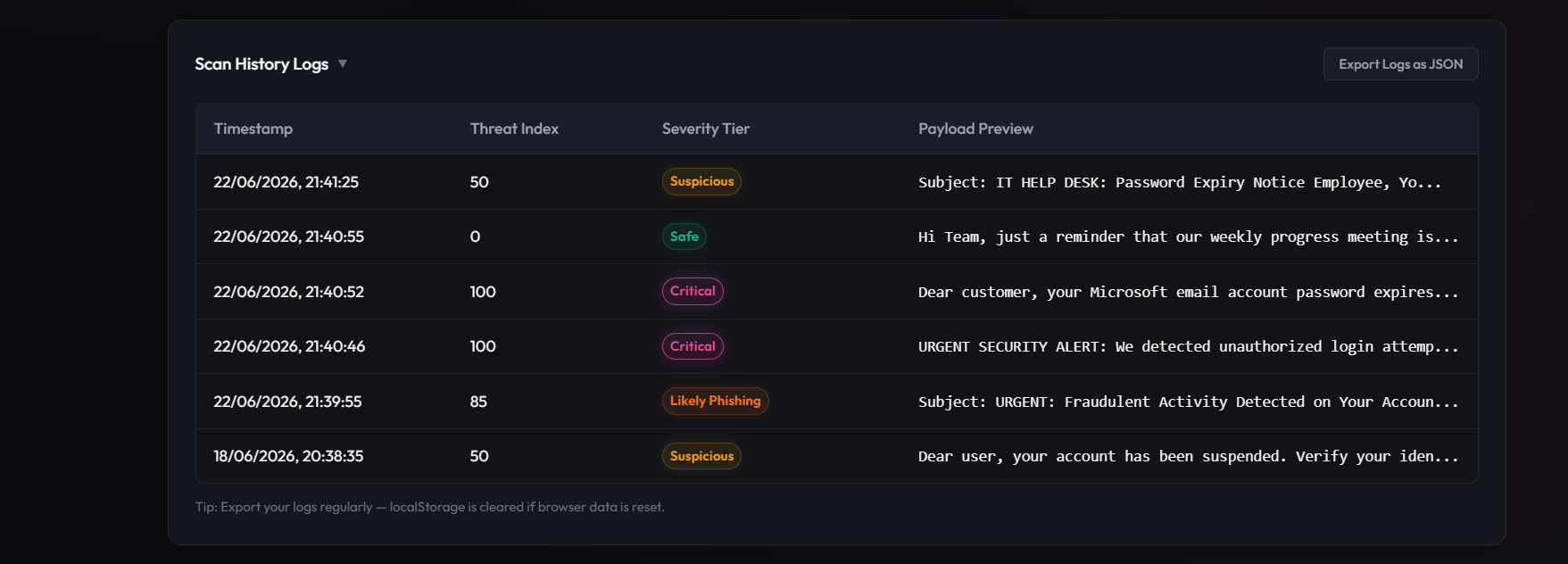
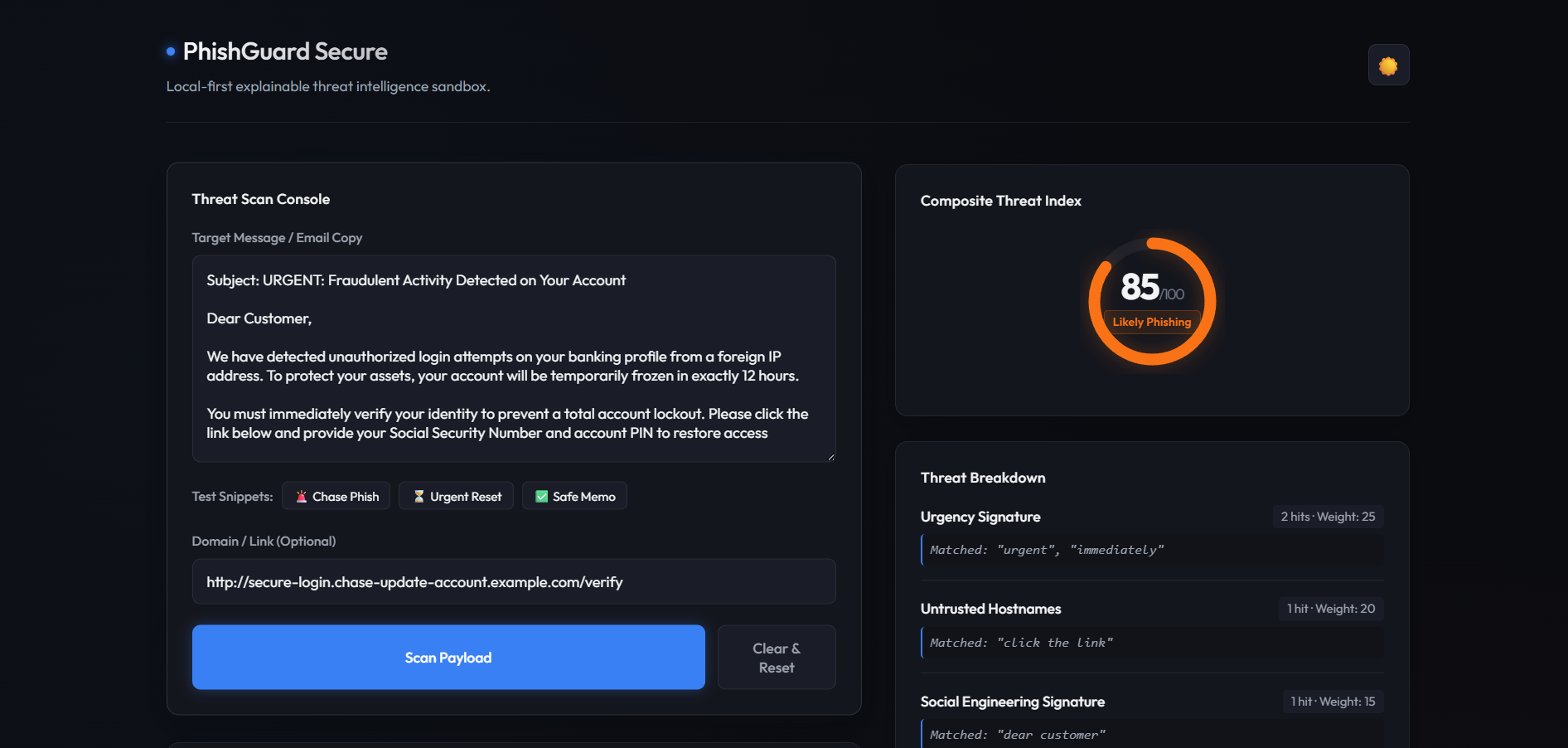
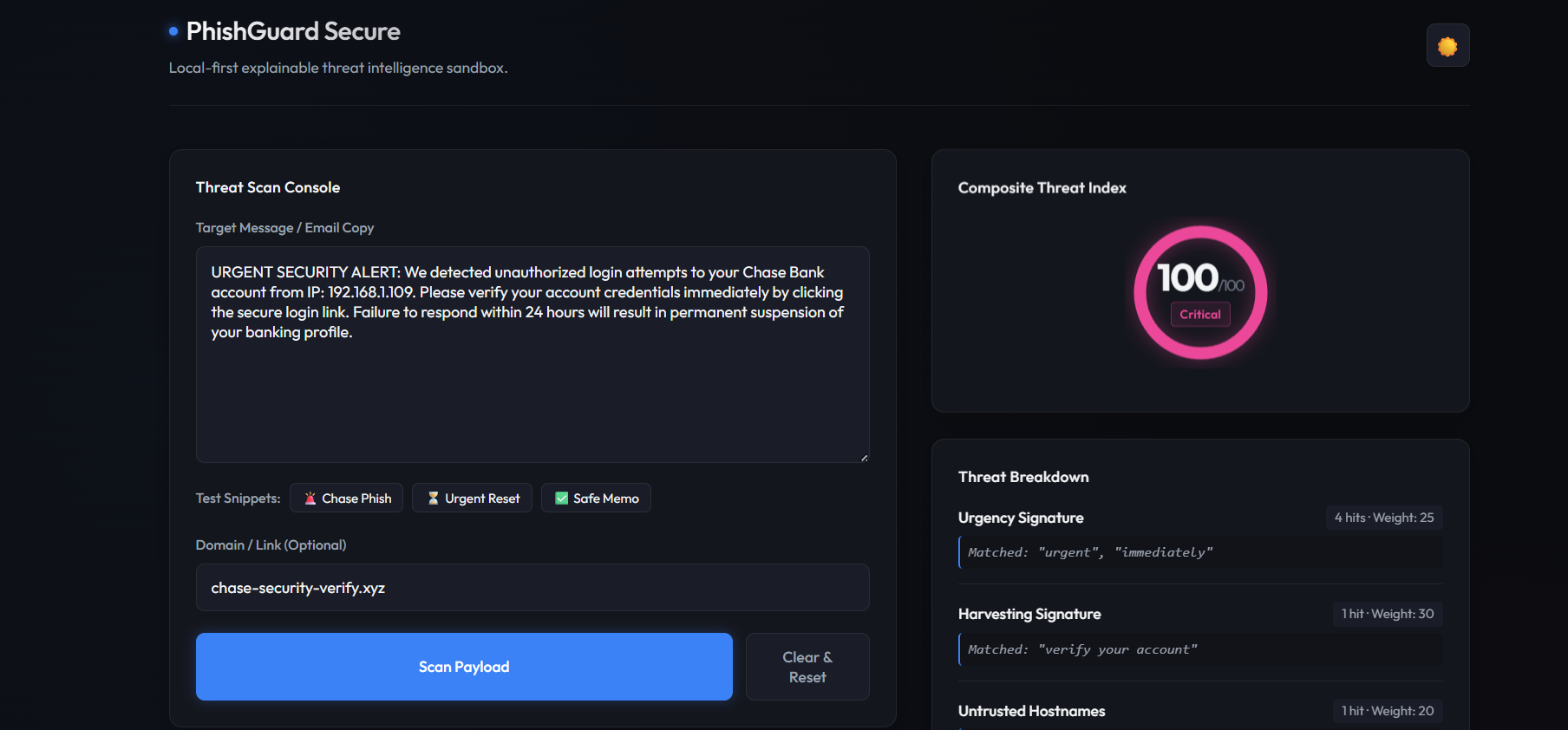
How It Works PhishGuard Secure is a tool that lets users check if an email or message is safe without sending any information over the internet. Instead of just saying if something is safe or not, it explains why it might be a scam.
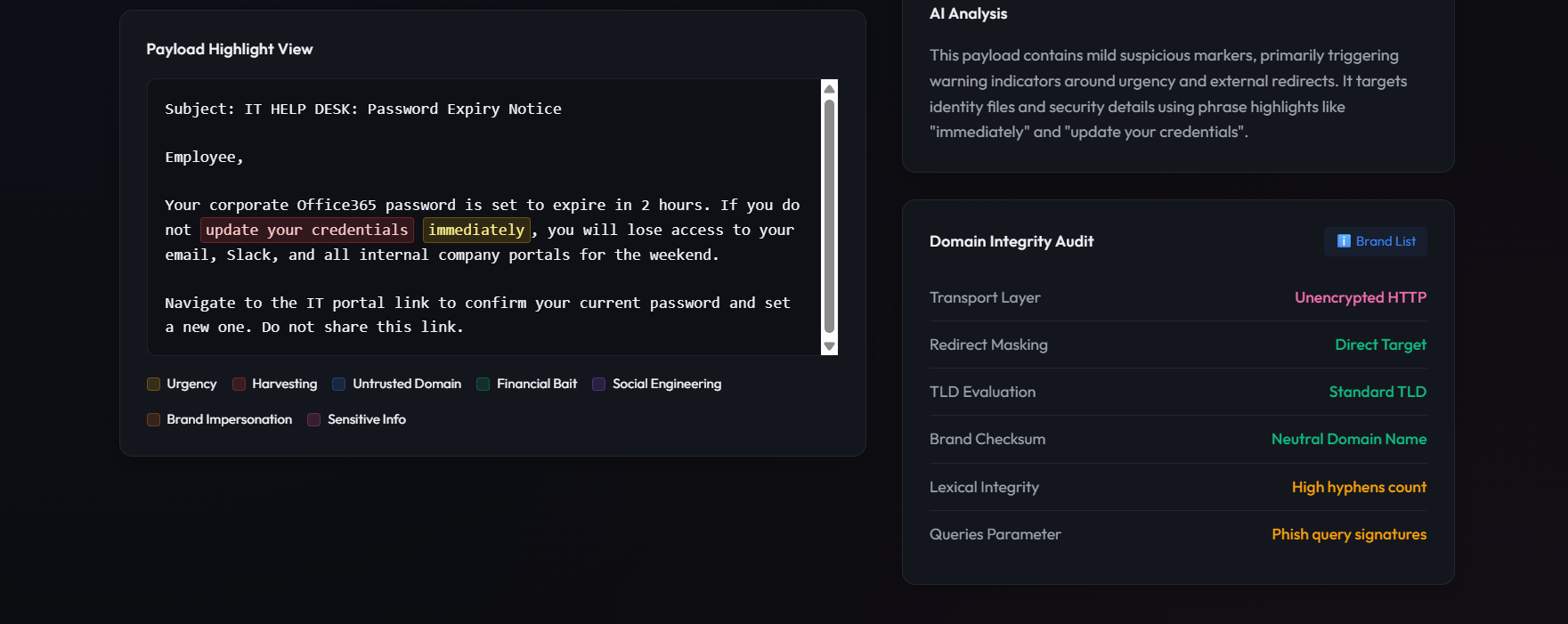
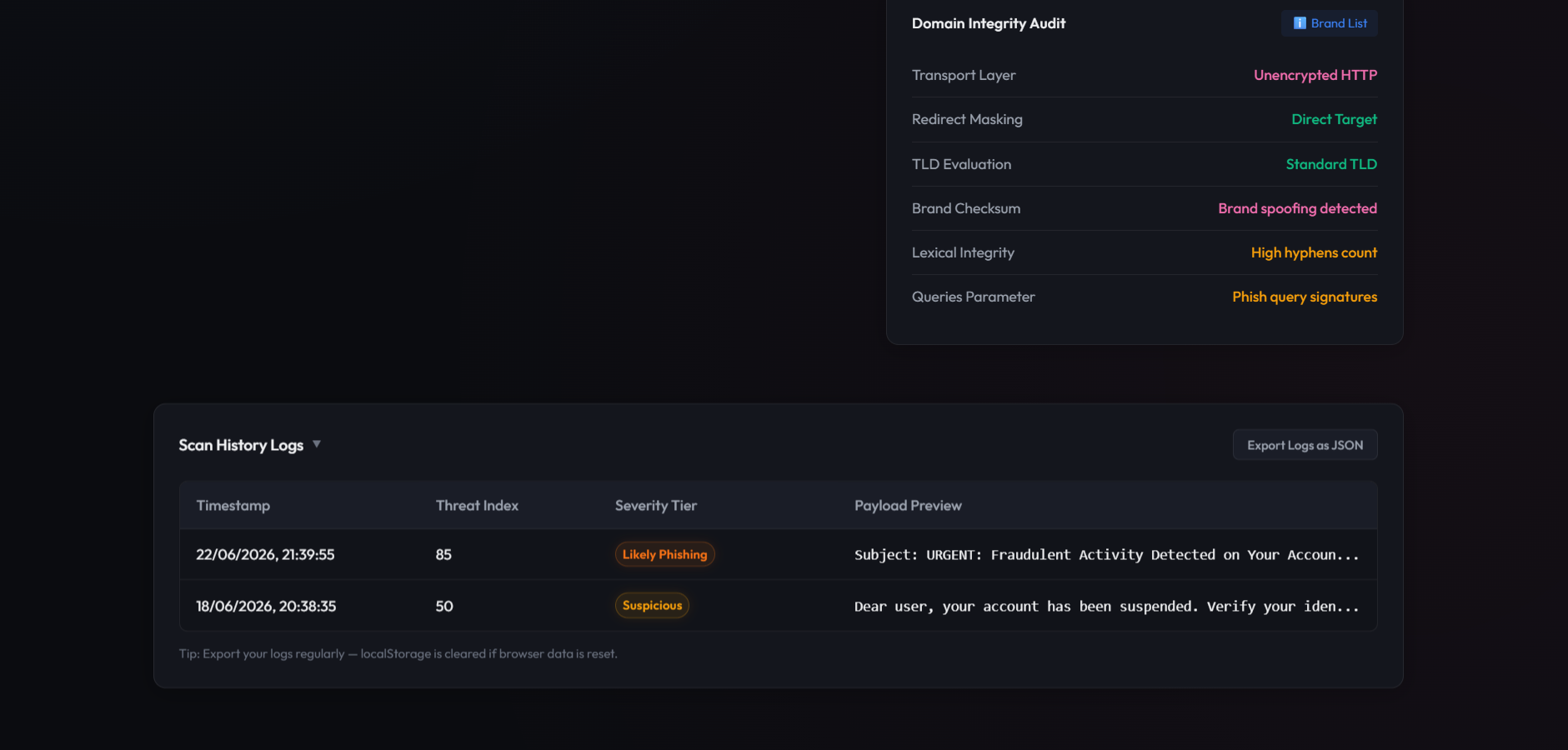
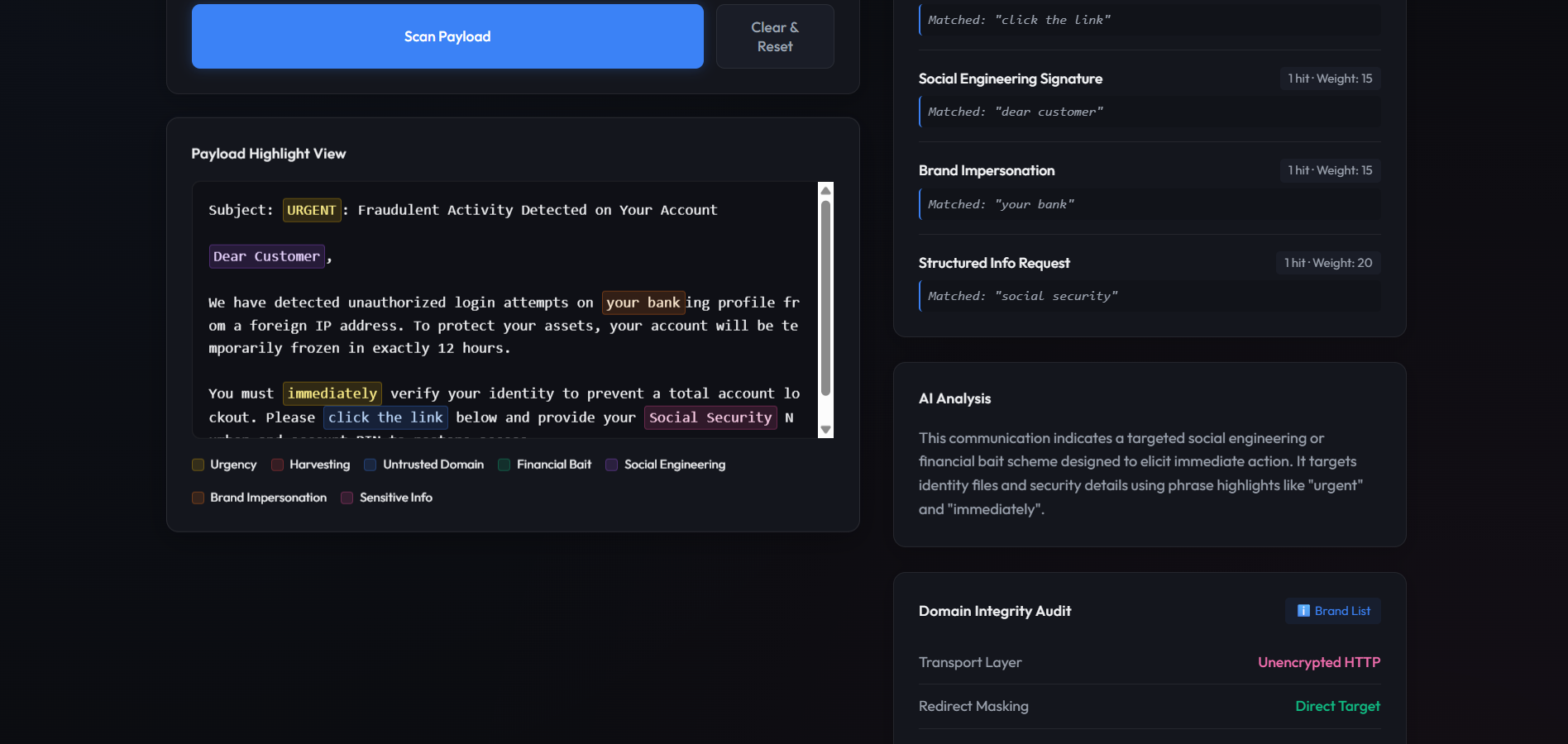
Users can paste the message into the tool, and it will highlight the parts that might be trying to trick them. It looks for things like:
Urgency
Trying to get passwords
Suspicious websites
Fake company names
I built PhishGuard Secure to work on the user's computer. I designed the interface to be simple and easy to use. I built the tool using basic web technologies like HTML, JavaScript, and CSS.
JavaScript console.log("Analyzing message locally..."); I had to be careful to keep the tool small and efficient so it would work fast and not use much memory.
One of the parts of building it was figuring out how to highlight the parts of a message that might be scams without messing up the formatting of the message. I had to create a system to parse the message and highlight the right parts.
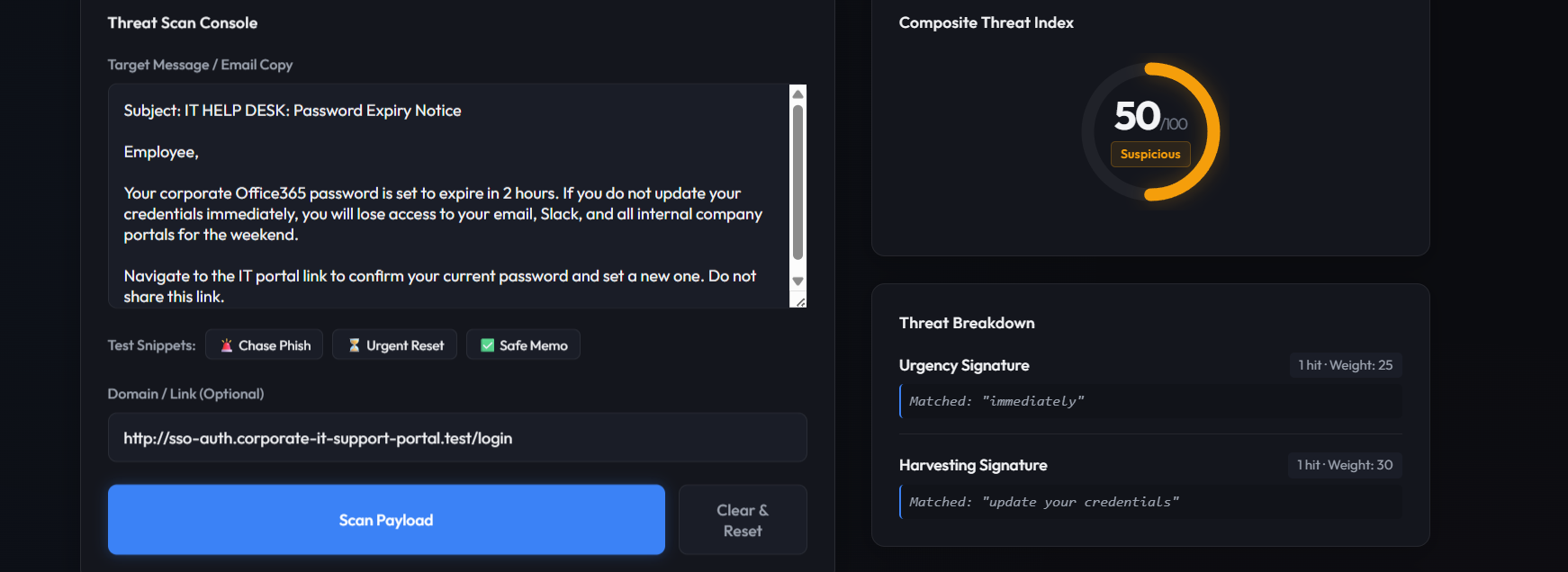
Threat Scoring To make sure the tool was accurate, I created a math formula to calculate a score for how safe or unsafe a message is. The formula looks at types of threats, represented as an in-line variable ( t ), and gives them different weights so that more serious threats count more than less serious ones. For example, calculating the total score might look like this:
$$ \text{Total Score} = \sum (t \times \text{weight}) $$
Looking Forward I am very proud of what I have accomplished with PhishGuard Secure. I have shown that it is possible to build a tool for checking scams without sending any information over the internet. I am also happy with how the tool looks and works. I think it is very user-friendly.
Building PhishGuard Secure taught me a lot about how to optimize web applications to work fast and efficiently. It also taught me the importance of explaining why something might be a scam rather than just saying it is. This helps users understand how to spot scams on their own.
My next steps are:
Turn PhishGuard Secure into a browser extension so that it can automatically check emails and messages for scams.
Add advanced features to the tool like using artificial intelligence to analyze messages while still keeping the tool private and secure.
PhishGuard Secure is a tool that I'm excited to continue working on, and I think it has the potential to help a lot of people stay safe from scams. I am looking forward to seeing how it can help people like my family member who got that fake email.

