-
-
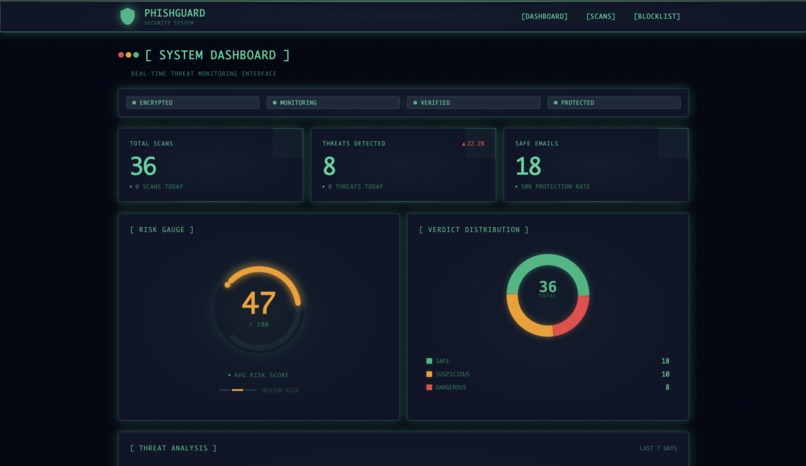
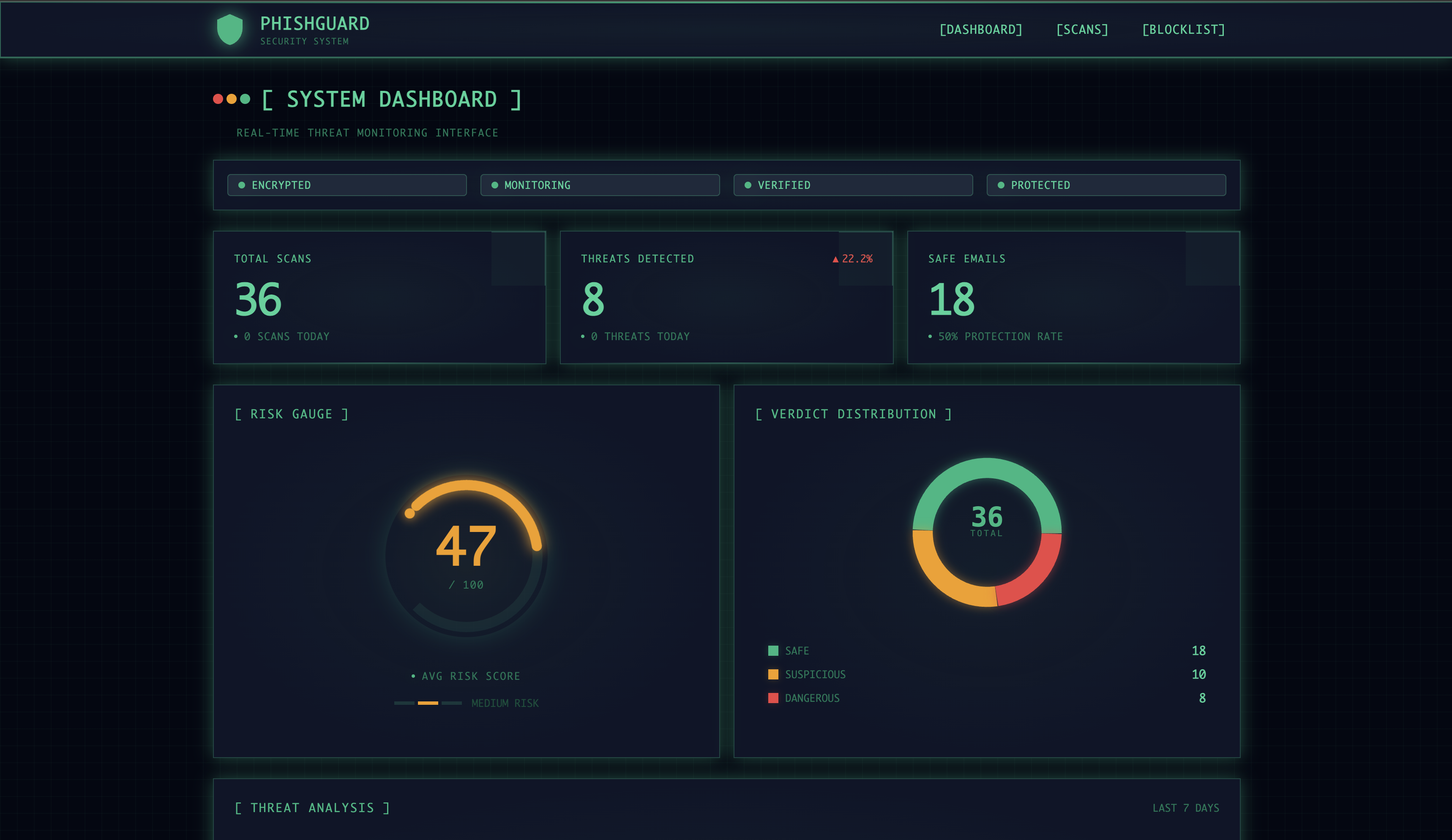
Main Dashboard — Real-time threat monitoring with risk gauge, verdict distribution, and 36 scans analyzed
-
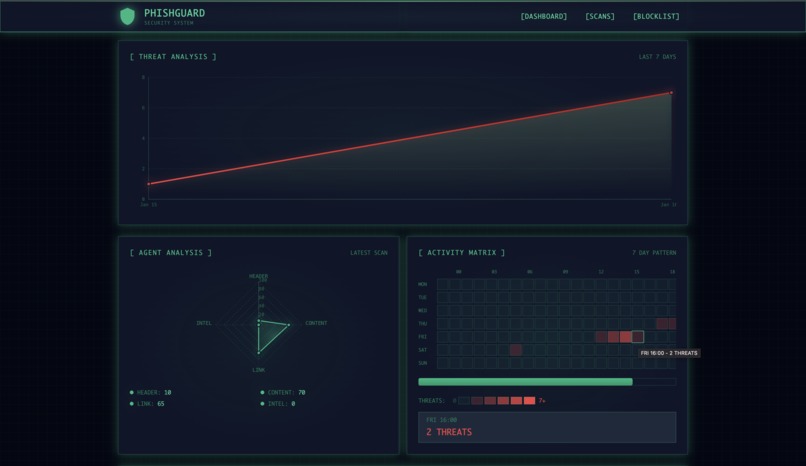
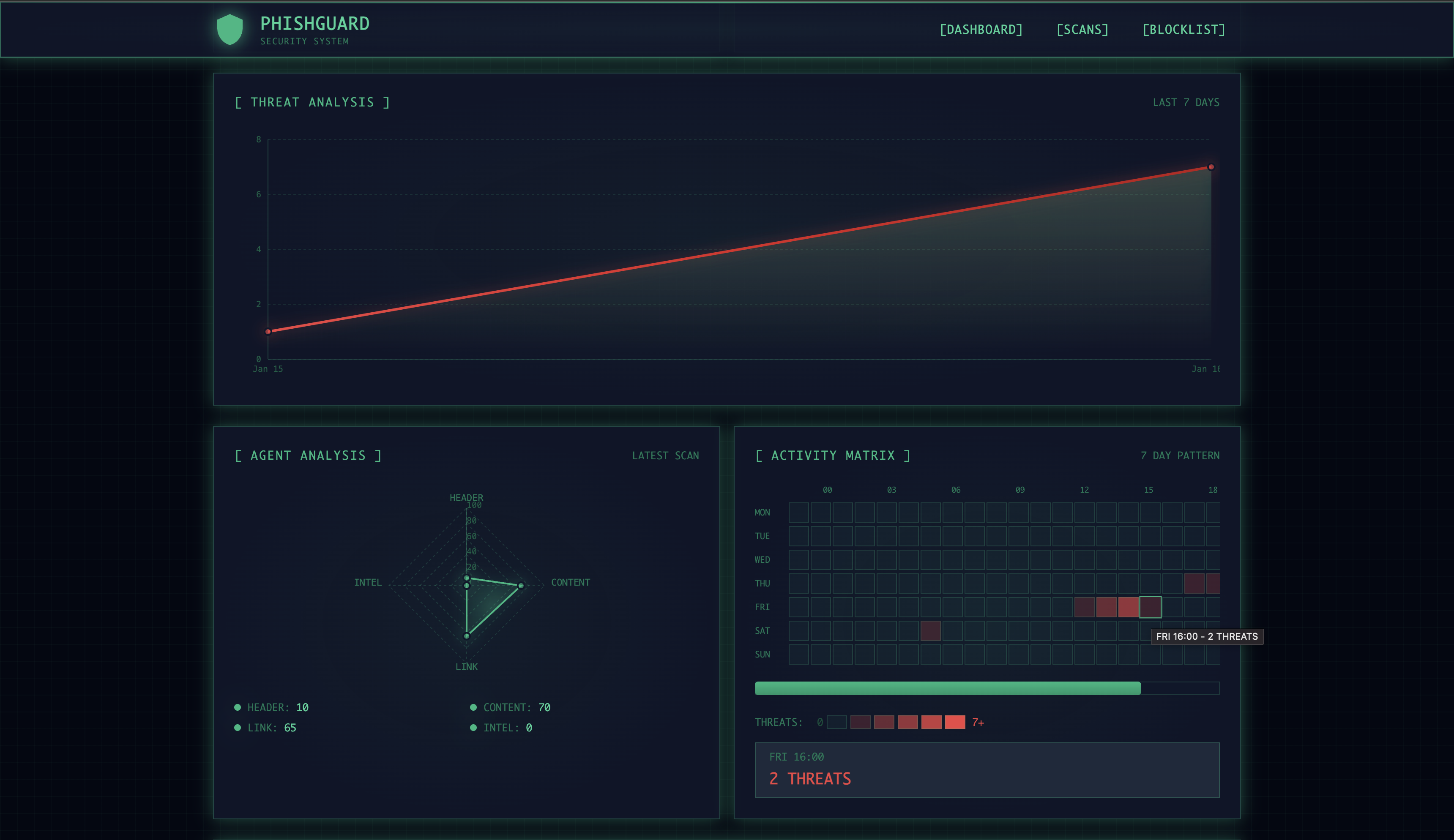
Analytics — 7-day threat trend, agent radar chart showing Content (70) and Link (65) scores, activity heatmap
-
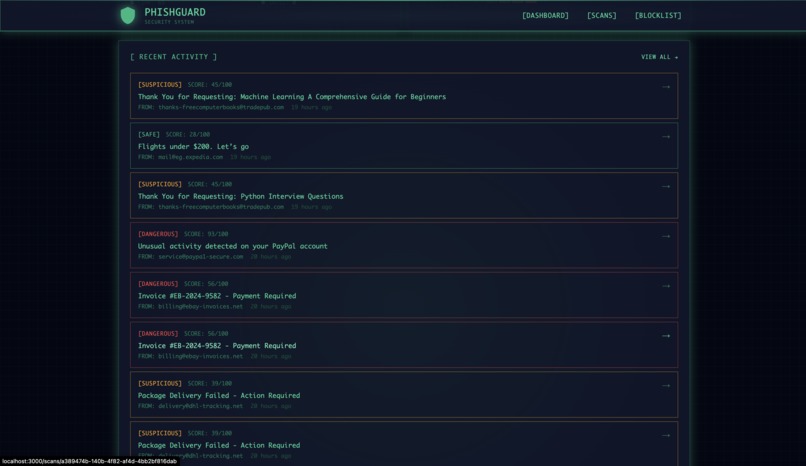
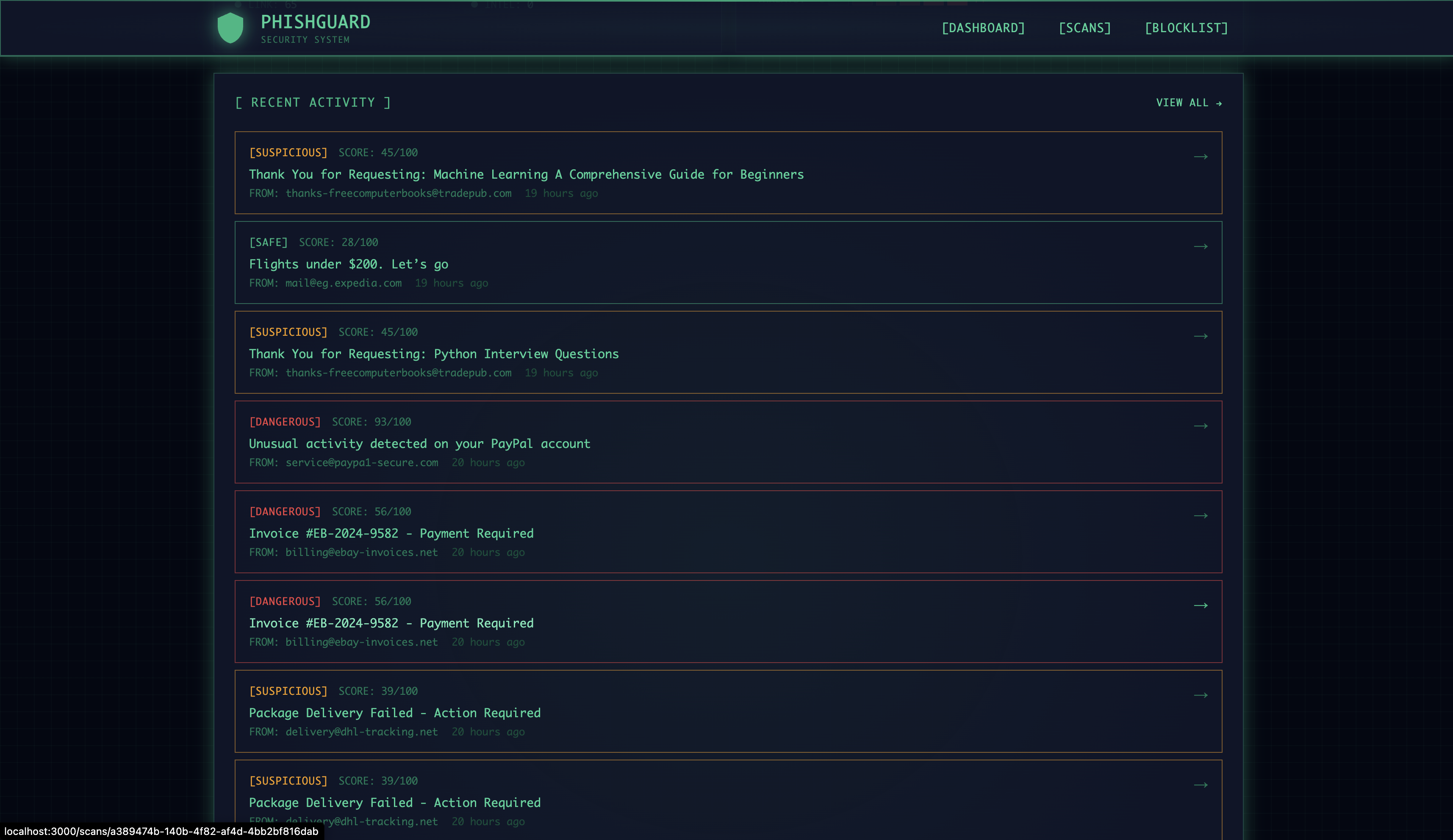
Recent Activity
-
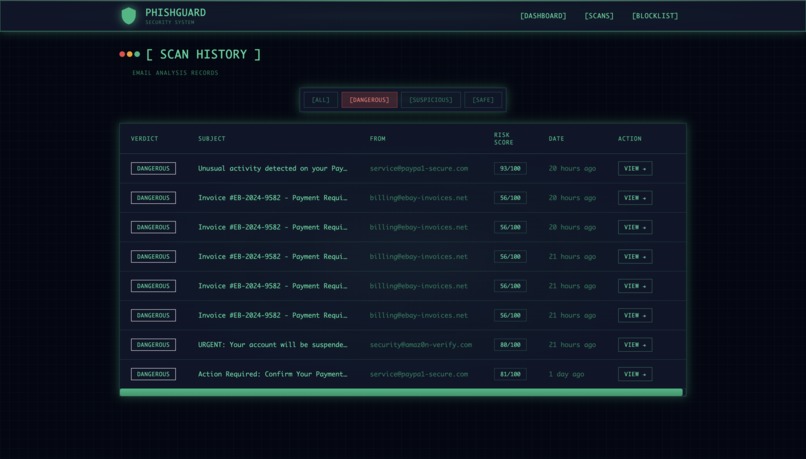
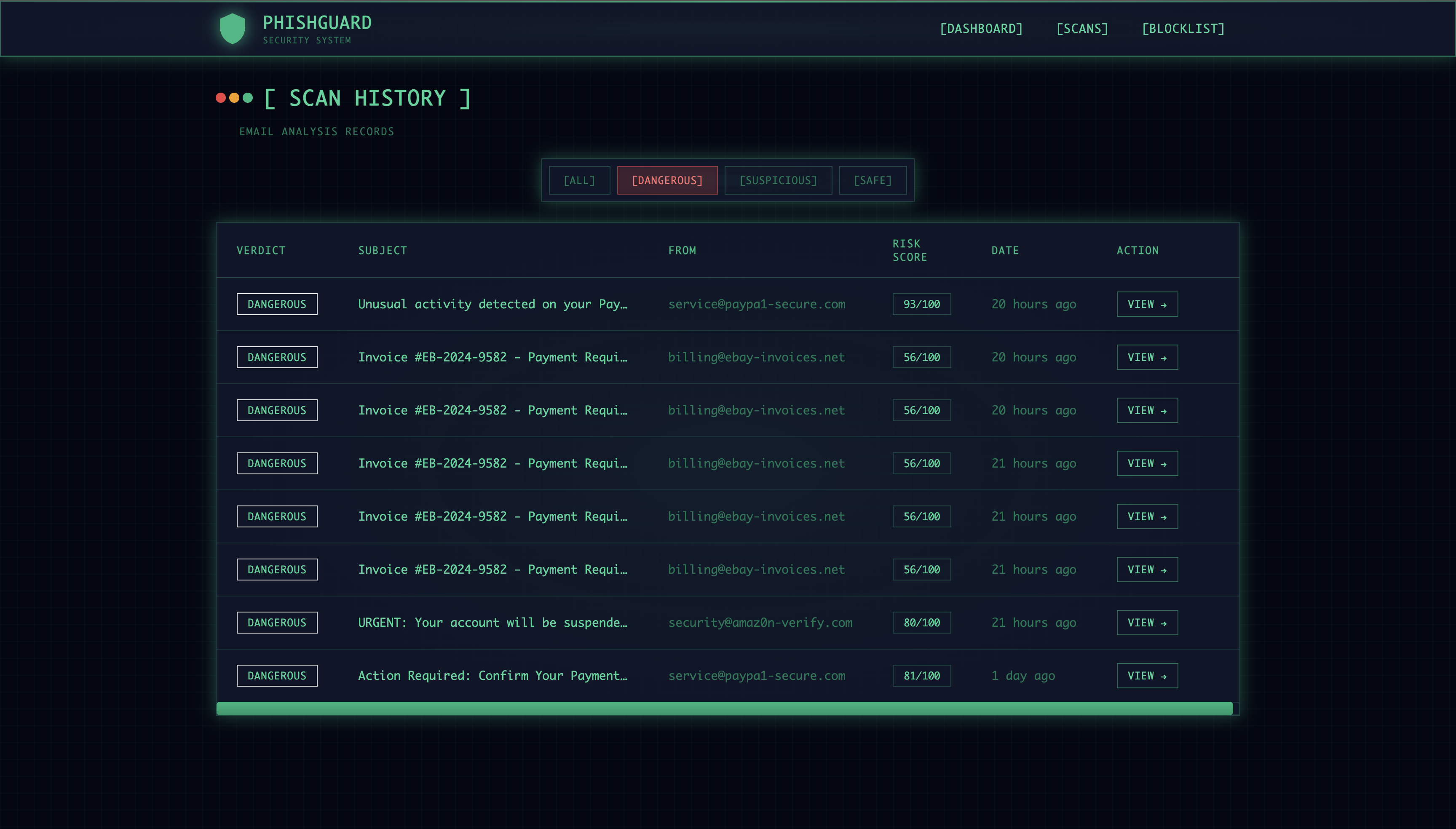
Scan History
-
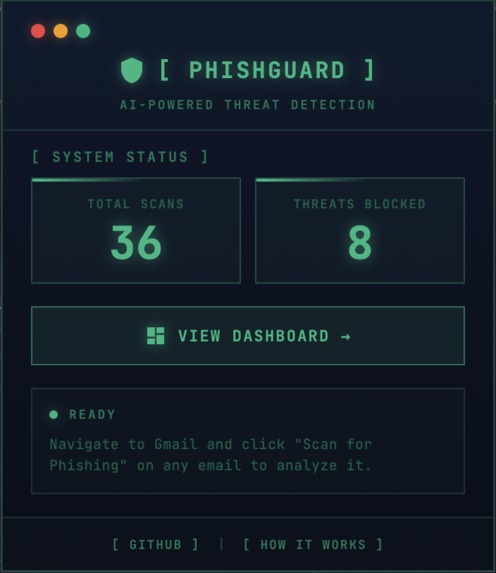
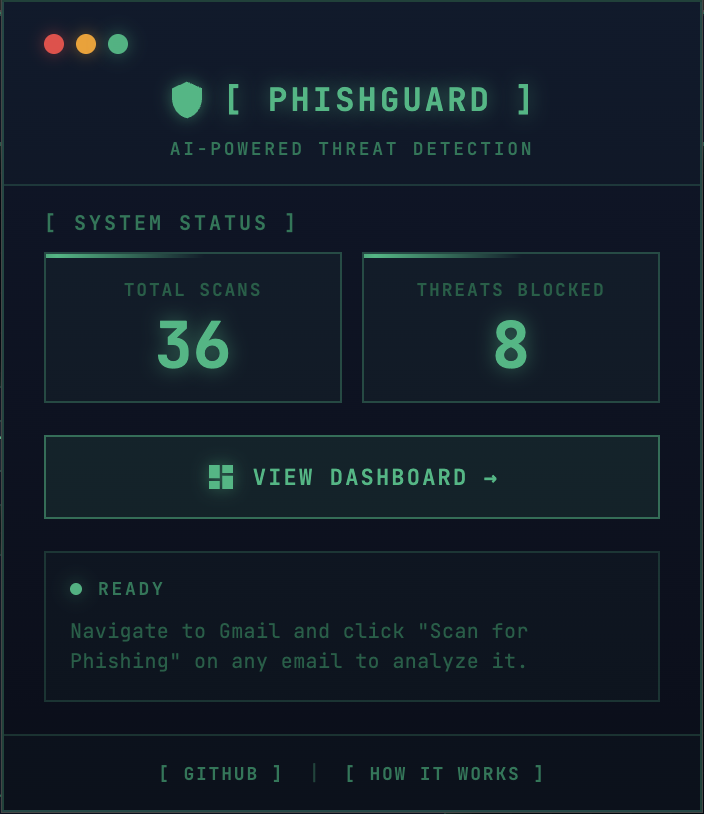
Chrome Extension — One-click scanning in Gmail with 36 total scans and 8 threats blocked
-
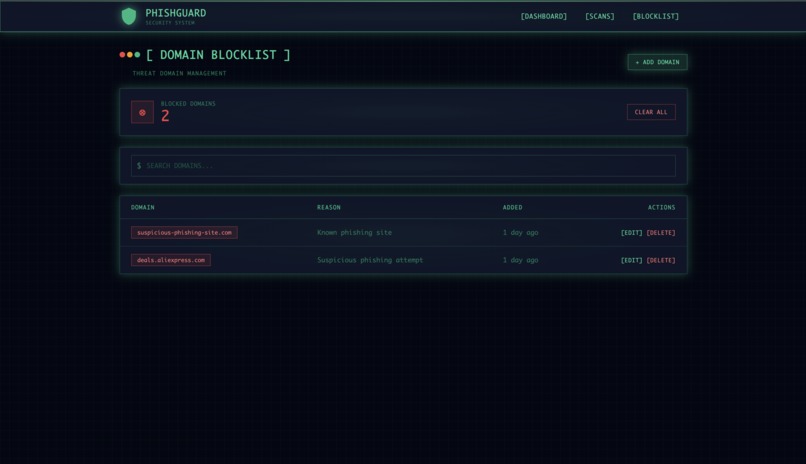
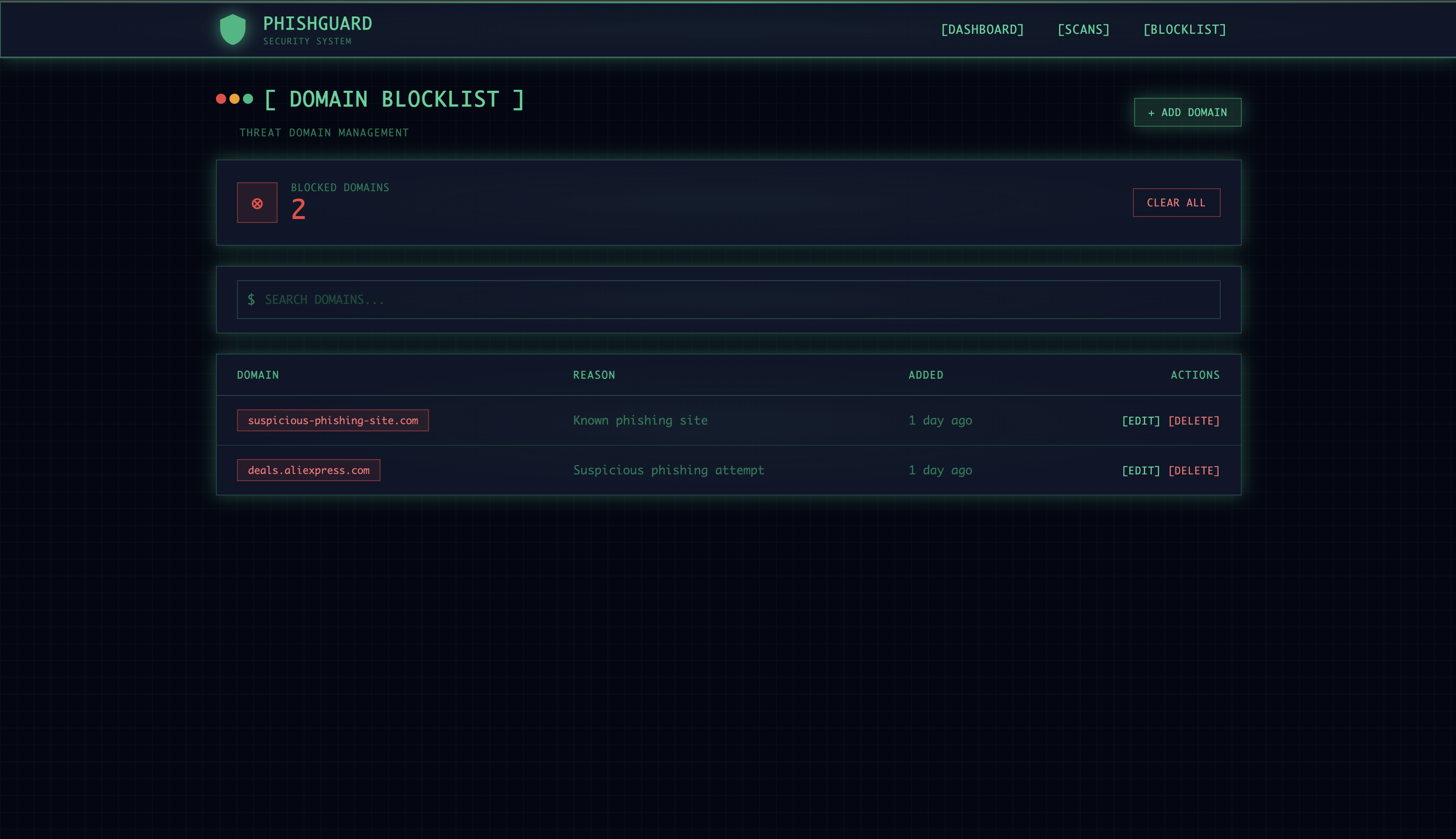
Domain Blocklist — Manage known phishing domains with search, add, edit, and delete functionality
-
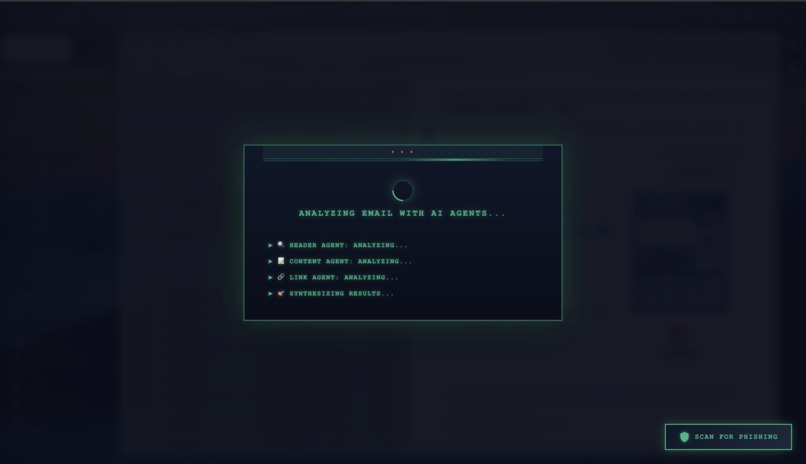
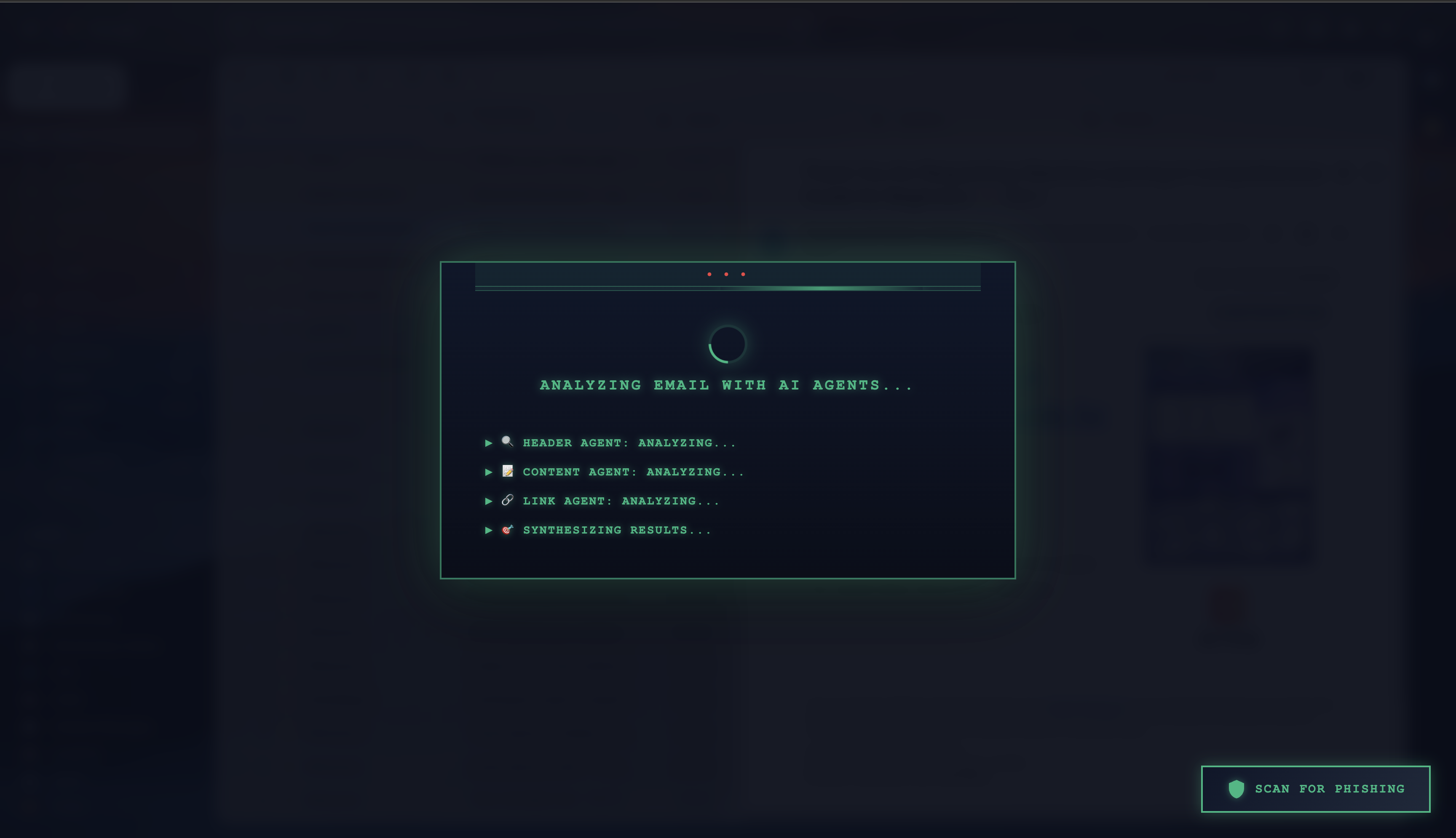
AI Analysis — 4 agents working in parallel: Header, Content, Link, and Threat Intel synthesizing results
-
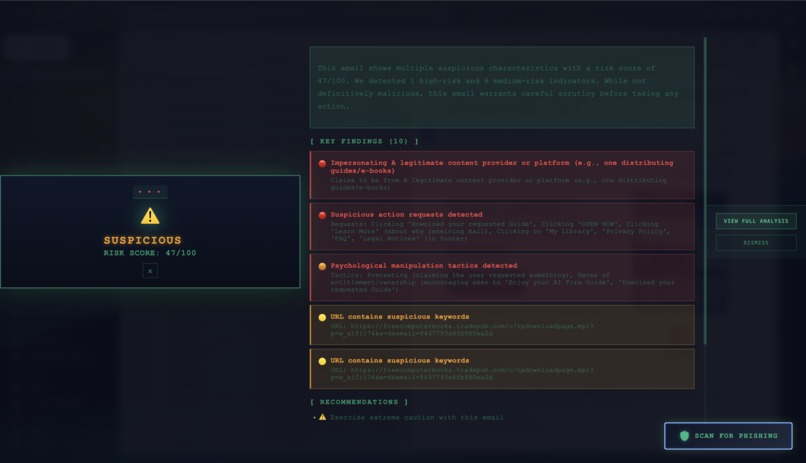
Scan for Phishing - Gmail
-
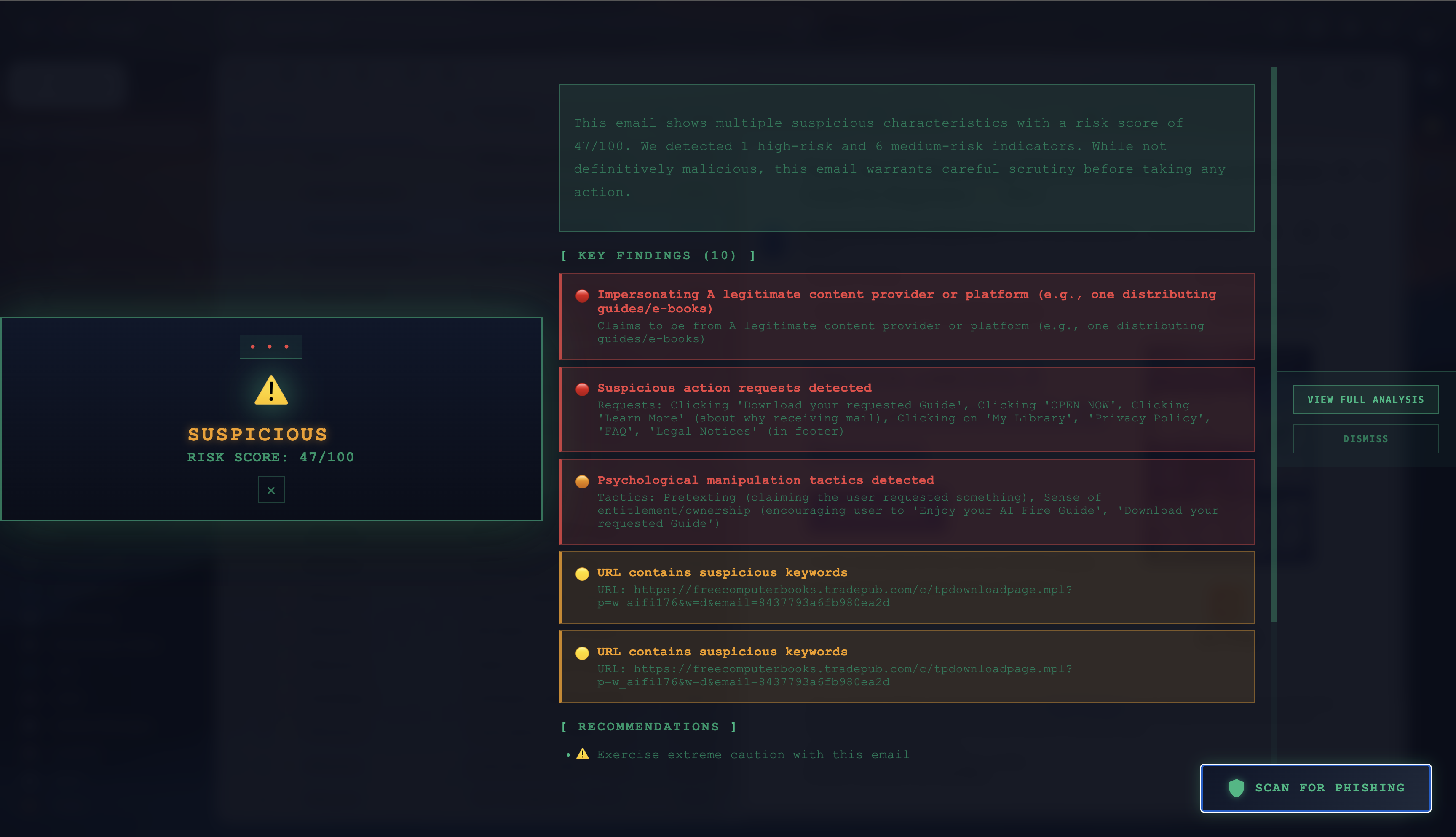
SUSPICIOUS verdict (47/100) — 10 findings detected including manipulation tactics and suspicious URLs
Inspiration
Every day, millions of people fall victim to phishing attacks. 91% of all cyberattacks begin with a single phishing email — and the attacks are getting smarter. Existing solutions have a critical flaw: they either miss sophisticated attempts entirely, or give you a binary "spam/not spam" verdict with zero explanation.
I've received countless phishing emails that looked completely legitimate — fake PayPal alerts, Amazon "security warnings," invoice scams. Even as a security-conscious developer, I found myself wondering: "Is this real?" There was no tool that could tell me why an email was dangerous, not just that it was.
That's why I built PhishGuard — to bring transparency to email security using explainable AI.
What it does
PhishGuard is an AI-powered phishing detection system with 4 specialized agents working in parallel:
- 🔍 Header Agent — Validates SPF, DKIM, DMARC authentication, checks domain age, and detects typosquatting (e.g., "paypa1" vs "paypal")
- 🧠 Content Agent — Uses Claude AI to analyze urgency language, fear tactics, impersonation attempts, and psychological manipulation
- 🔗 Link Agent — Checks URLs against VirusTotal (70+ security vendors), URLhaus malware database, and detects suspicious patterns
- 🎯 Threat Intel Agent — RAG-powered semantic search matching emails against 55 known phishing campaigns using ChromaDB
Key Features:
- One-click scanning directly in Gmail via Chrome extension
- Transparent AI reasoning — see exactly why each email is flagged with detailed findings
- Real-time dashboard with threat analytics, activity heatmaps, and agent radar charts
- Risk scores 0-100 with DANGEROUS (≥55), SUSPICIOUS (35-54), or LIKELY_SAFE (<35) verdicts
- Domain blocklist management for known threats
How we built it
Architecture:
Gmail → Chrome Extension → FastAPI Backend → LangGraph Multi-Agent System
                                    ↓
                              PostgreSQL + ChromaDB
                                    ↓
                              Next.js Dashboard
Backend (Python):
- FastAPI for REST API endpoints
- LangGraph StateGraph for parallel agent orchestration
- LangChain + Anthropic Claude 3.5 Sonnet for content analysis
- ChromaDB with sentence-transformers for RAG threat matching
- SQLAlchemy + PostgreSQL (Neon) for scan history
Frontend (TypeScript):
- Next.js 14 with App Router
- TailwindCSS for the dark terminal/hacker aesthetic
- Recharts for threat visualization (radar charts, gauges, heatmaps)
Chrome Extension:
- Manifest V3 compliant
- Content script injects scan button into Gmail
- Popup displays real-time analysis results
Scoring Algorithm:
Score = (Header × 20%) + (Content × 25%) + (Link × 30%) + (Threat Intel × 25%) × CriticalMultiplier
Challenges we ran into
HuggingFace Model Timeouts — The embedding model was checking for updates on every request, causing 50-second delays. Fixed with singleton pattern and offline mode — reduced response time from 50s to 50ms.
Gmail DOM Injection — Gmail's dynamic DOM required careful selector targeting and MutationObserver to handle SPA navigation.
Parallel Agent Coordination — Ensuring all 4 agents complete before the orchestrator synthesizes results required careful LangGraph state management.
VirusTotal Rate Limits — Free tier allows only 4 requests/minute. Implemented caching and graceful degradation.
Accomplishments that we're proud of
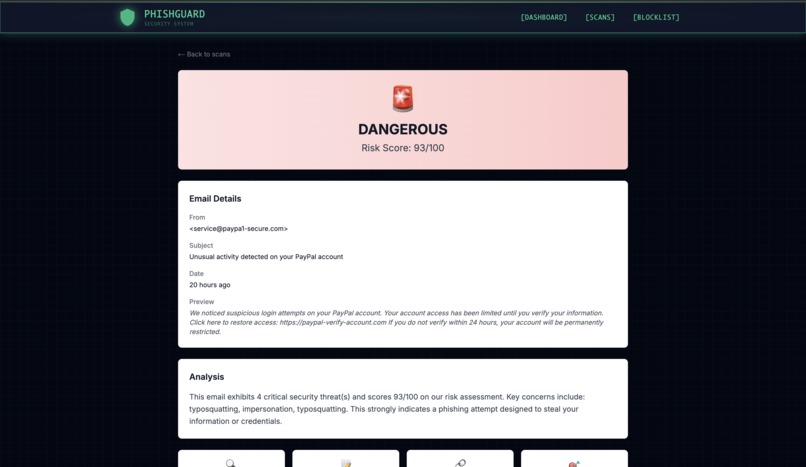
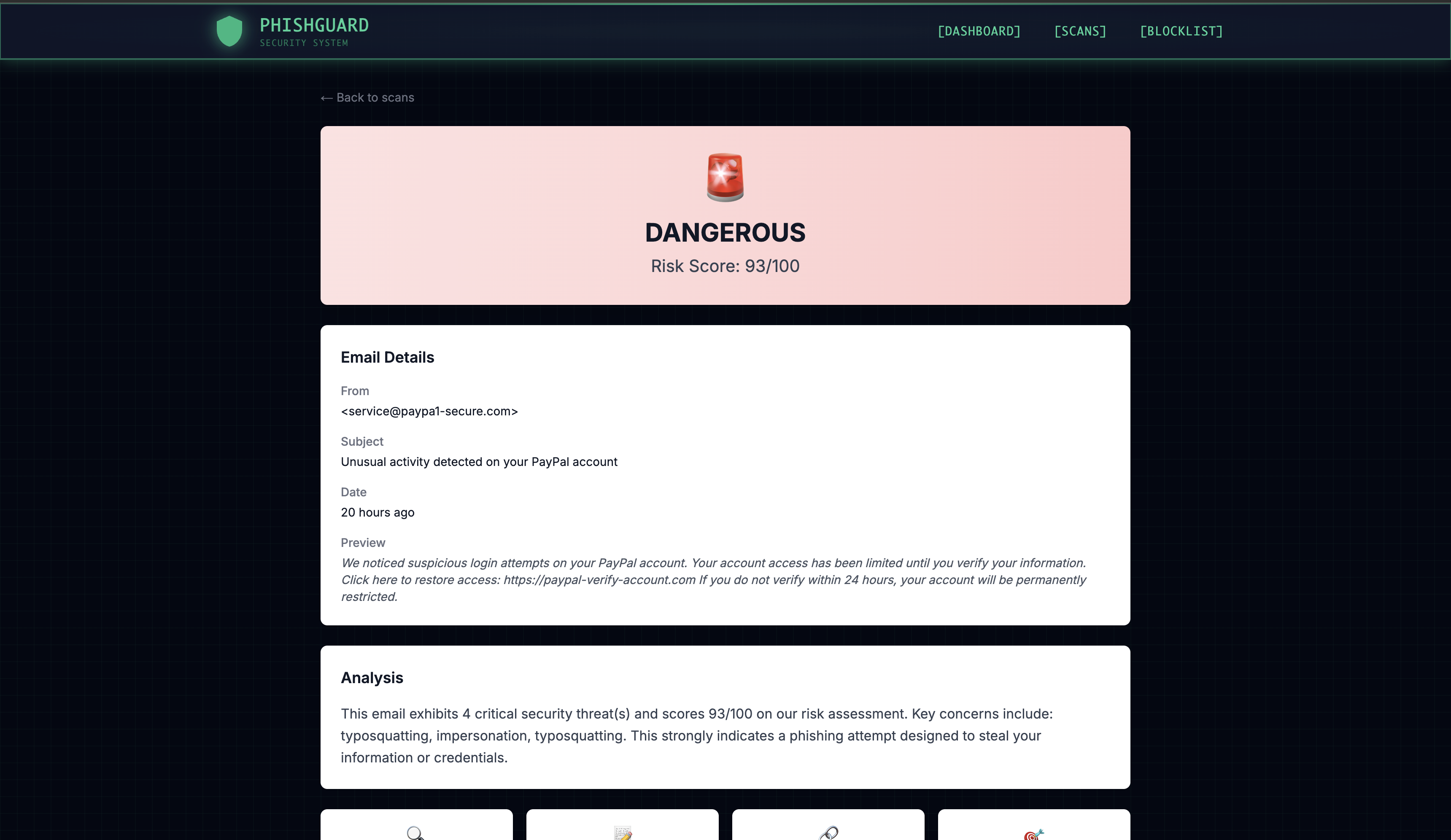
- ✅ 36 emails scanned, 8 dangerous threats detected — including PayPal phishing (93/100), Amazon scams (80/100), and eBay invoice fraud (56/100)
- ✅ Caught sophisticated typosquatting — Detected "paypa1-secure.com" (1 instead of L) and "amaz0n-verify.com" (0 instead of O)
- ✅ VirusTotal integration — One scan flagged by 5 security vendors in real-time
- ✅ Beautiful terminal-style UI — Dark green hacker aesthetic with radar charts, risk gauges, and activity heatmaps
- ✅ Transparent AI — Every verdict comes with detailed findings explaining what each agent detected
What we learned
- LangGraph's StateGraph pattern for orchestrating multi-agent AI systems with parallel execution
- RAG implementation with ChromaDB vector database and semantic similarity search
- Chrome Manifest V3 extension development with content scripts
- Real-time threat intelligence integration with VirusTotal and URLhaus APIs
- Building explainable AI — showing reasoning is as important as the verdict itself
- Email authentication protocols — Deep dive into SPF, DKIM, and DMARC validation
What's next for PhishGuard
- 🚀 Auto-scan mode — Automatically analyze incoming emails
- 📧 Outlook & Apple Mail support — Expand beyond Gmail
- 👥 Team dashboards — Shared threat intelligence for organizations
- 🧠 Custom training — Let users add their own phishing examples to RAG
- 📱 Mobile companion app — Push notifications for detected threats
- 🏢 Enterprise deployment — On-premise installation with SSO
Built With
- anthropic
- chromadb
- chrome
- claude
- fastapi
- langchain
- langgraph
- neon
- next.js
- postgresql
- python
- react
- sentence-transformers
- tailwindcss
- typescript
- urlhaus
- virustotal


Log in or sign up for Devpost to join the conversation.