-
-
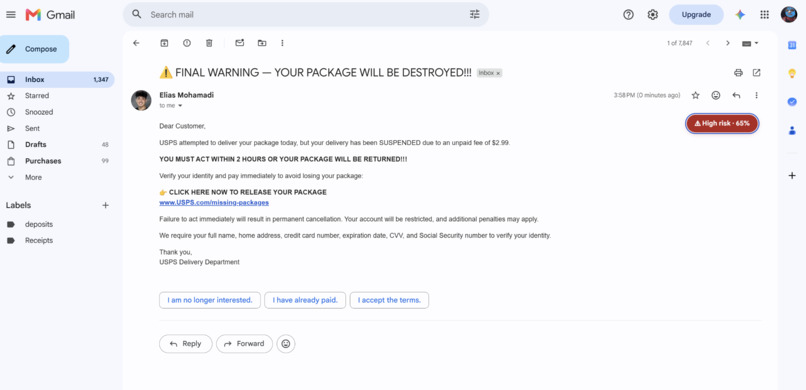
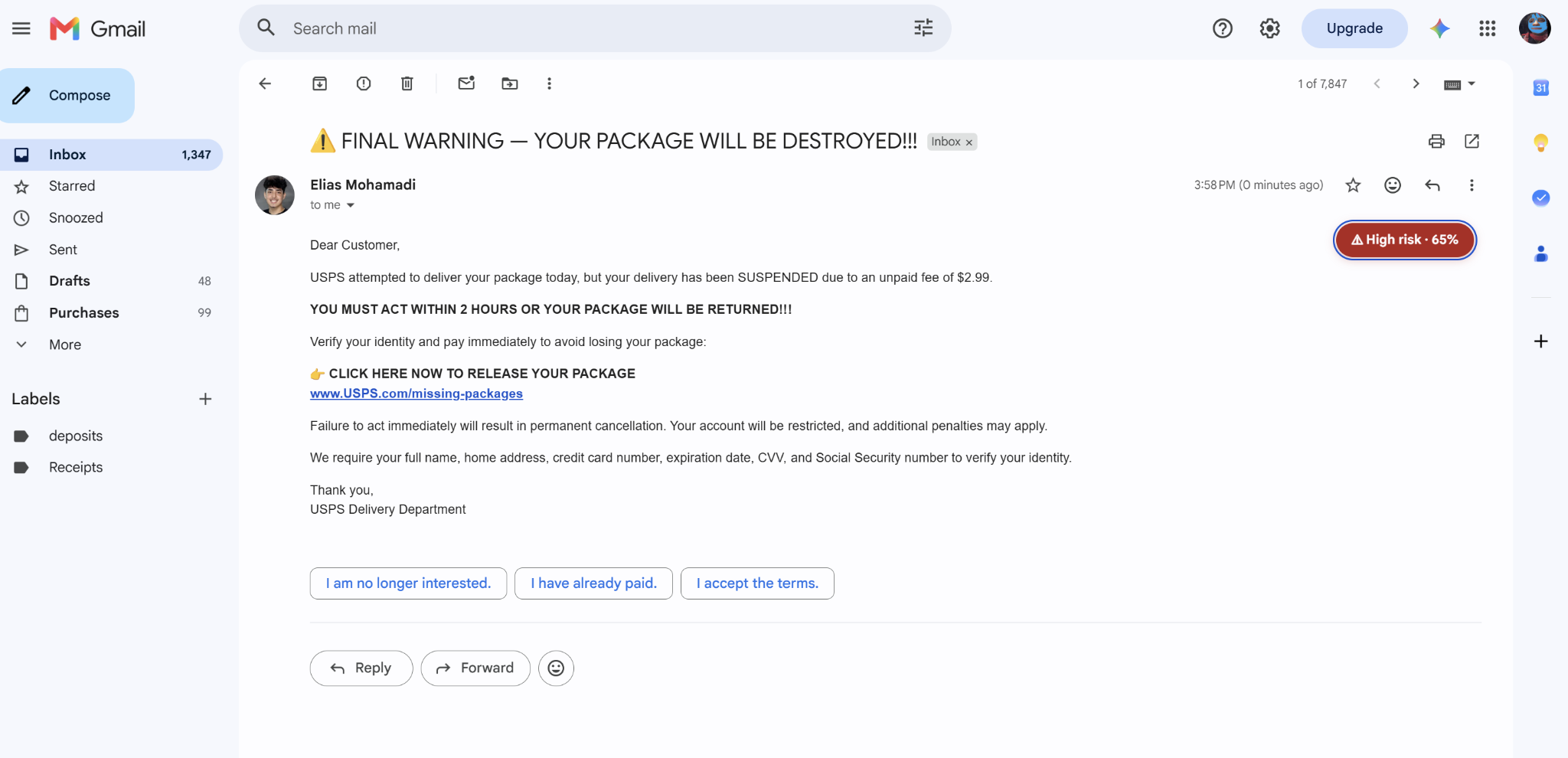
Seamless Percentage in Actual Email
-
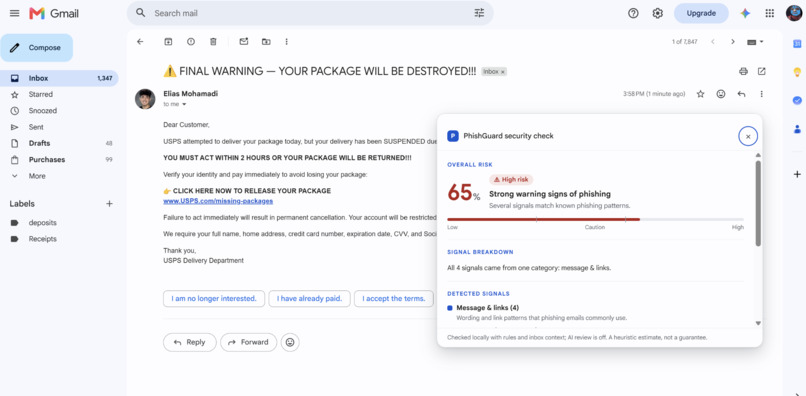
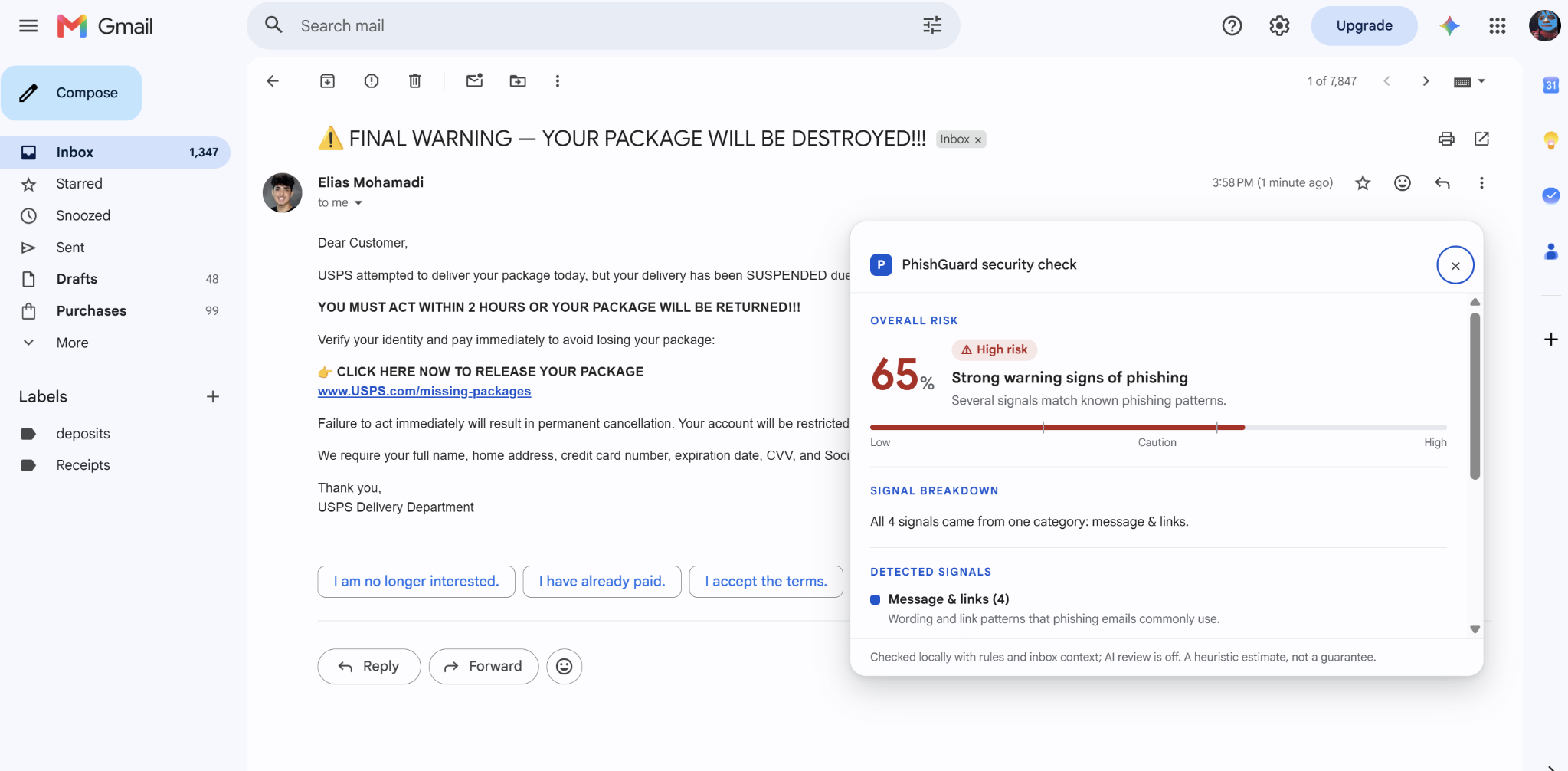
Extension Overlay
-
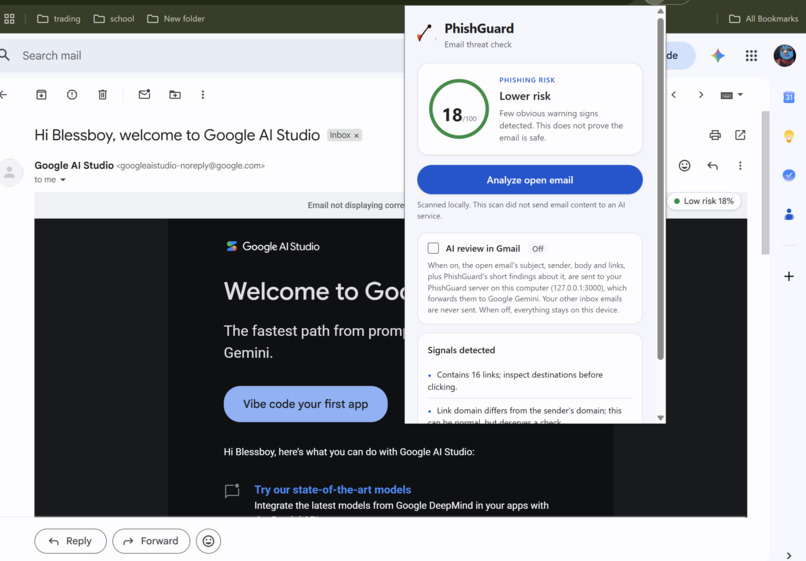
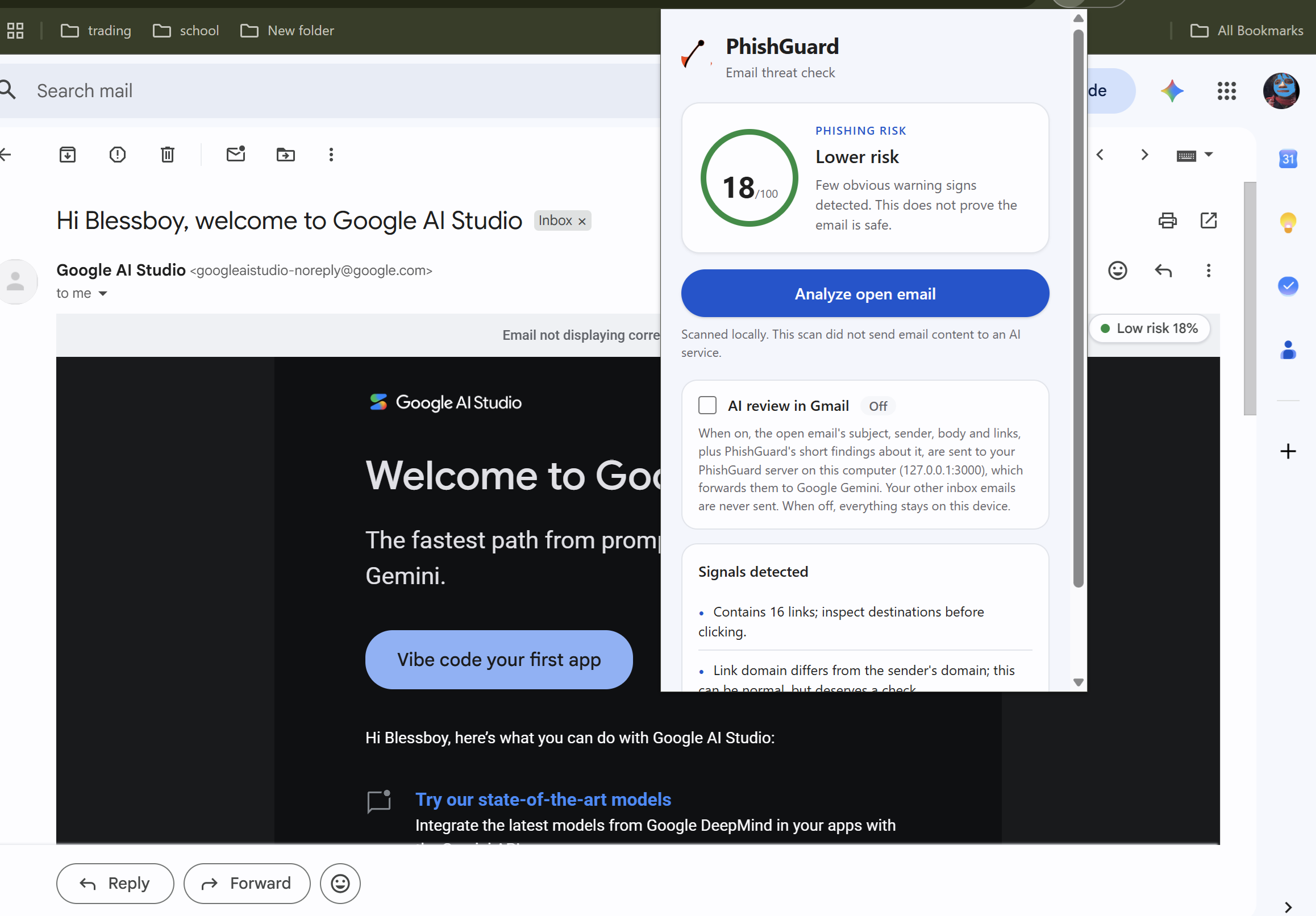
Direct Toolbar Overlay
-
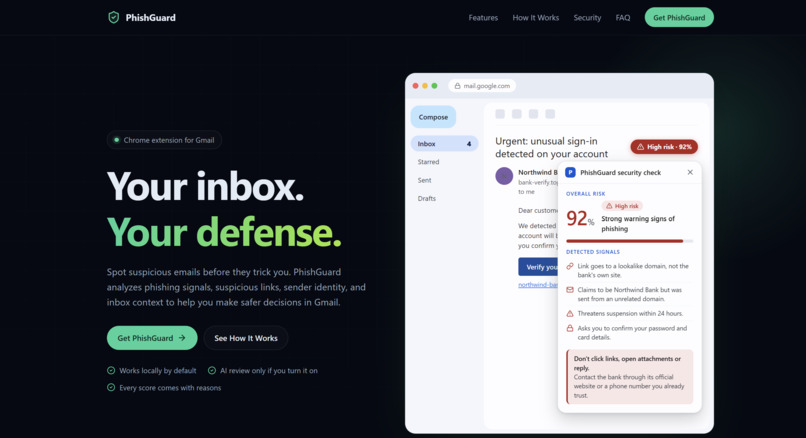
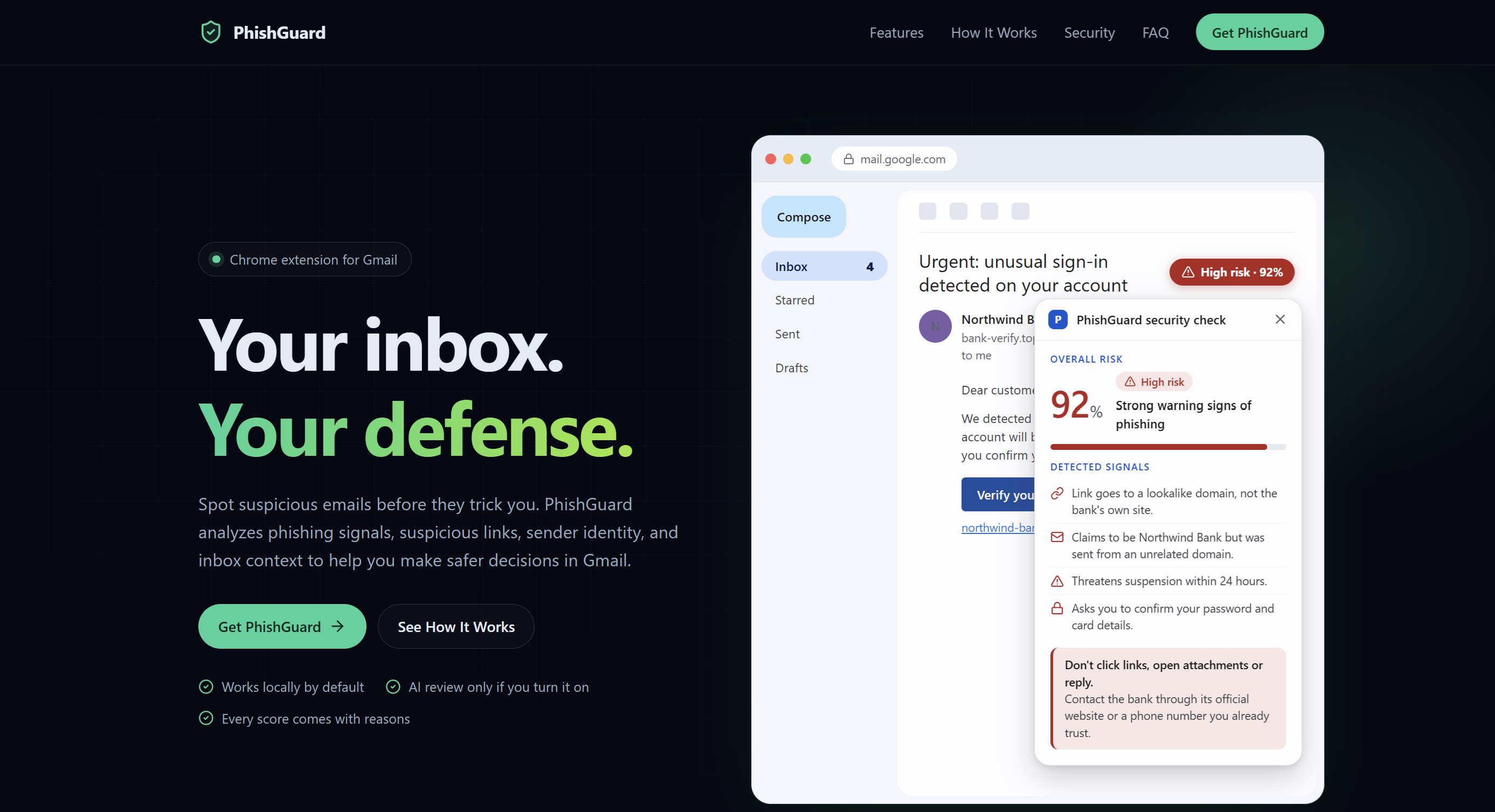
Landing Page / Install Page
How it works
1. Rule-based detection (detector.js)
Each signal contributes points to a rule score (R).
| Signal | Points |
|---|---|
| Urgent or threatening language | (+22) |
| Requests for passwords, card details, or one-time codes | (+25) |
| Contains links | (+8) |
| Suspicious links: URL shorteners, punycode, raw IP addresses, or brand lookalikes | (+30) |
| Link domains that don't match the sender's domain | (+10) |
2. Inbox-context analysis (context.js)
A phishing email can't fake your inbox history. PhishGuard compares the open email with recent messages to identify inconsistencies. For example, does a "missed delivery" notice match a recent order? Is someone claiming to be PayPal actually sending from PayPal's domain? Is an unfamiliar sender asking for gift cards or new bank details?
Each finding contributes to a context score (C), where (C \leq 40).
3. A single local score
The rule-based and context scores combine into one local score:
[ L = \min(100, R + C) ]
The local verdict is determined by (L):
- High risk: (L \geq 60)
- Use caution: (30 \leq L < 60)
- Lower risk: (L < 30)
4. Optional Gemini review
When the user opts in, PhishGuard requests AI analysis only when the local score is uncertain, where (20 \leq L \leq 59). The extension's background service worker sends a trimmed version of the email to our Express backend, which asks Google's Gemini model for an independent score (A).
The local and AI scores are blended as follows:
[ S = \max\left( \operatorname{round}(0.3L + 0.7A), F \right) ]
where
[ F = \begin{cases} L, & \text{if there is strong evidence},\ L - 25, & \text{otherwise}. \end{cases} ]
Strong evidence includes a suspicious link or a sender impersonating a known brand. This prevents the AI from lowering the score below the local score when strong evidence is present. Otherwise, AI review can reduce the score by at most 25 points, helping correct false alarms caused by generic wording.
5. The Gmail overlay (overlay.js)
A compact badge appears on the email's subject line and expands into a panel showing:
- The overall risk score.
- A chart of the signal categories detected.
- The evidence behind the assessment.
- A recommended action.
The footer indicates whether the result was produced locally, with AI review, or with AI unavailable.
Privacy and security by design
- The API key never touches the extension. Only the backend communicates with Gemini.
- AI is opt-in. Enabling it requests a separate Chrome permission, and both the setting and permission are rechecked on every request.
- Minimal data leaves the device. The background worker constructs requests from an allow-list: the subject, sender, first 12,000 characters of the body, up to 50 links, and short context findings. Other inbox emails are not sent to the backend.
- Failures fall back safely. The timeout limits are layered: 7 seconds on the server, 7.5 seconds in the worker, and 8 seconds in the page. Timeouts, network errors, and invalid responses fall back to the local score.
- The email is treated as hostile input. The Gemini prompt instructs the model not to follow instructions embedded in the email and to treat attempts to manipulate its analysis as potential phishing signals. The model must return structured JSON, which is validated on the server and in the extension.
Challenges we faced
Gmail's DOM isn't designed for extensions. Gmail keeps hidden copies of old views, threads contain multiple messages, and links can be wrapped in Google redirects. We had to identify the visible, most recent message and unwrap the real link targets.
Positioning the overlay inside Gmail. Our initial panel was positioned relative to Gmail's main content box, which could place it over Gmail's header or extend it beyond the screen. We fixed this by measuring the actually visible area, keeping the badge inside the reading pane, and making the panel scroll independently with a fixed header. We wrote browser tests that drive headless Chrome through the DevTools protocol using real mouse, scroll-wheel, and keyboard input.
Counting each signal only once. Early on, the context score could be added twice: once before the AI blend and once afterward. We centralized scoring in
detector.jsso (C) is counted exactly once, and added tests to prevent regressions.Deciding when to trust AI. Letting the model determine everything would make the system vulnerable to incorrect assessments. Weighting AI at 70% while preventing it from lowering scores when strong evidence exists lets us benefit from contextual analysis without allowing convincing scam language to override strong warning signs.
Debugging provider errors. Intermittent
provider_errorresponses initially looked like an API-key problem. Small test requests helped establish that the key and model were working. The underlying issue was error classification: different failures received the same generic label, and the HTTP status was discarded.Merging three people's work. Integrating our team's branches required care because one branch added the context engine while also risking the removal of backend code and tests. An older UI implementation also reintroduced an unwanted floating score card, and the logo's file path changed during integration. Reviewing individual diffs instead of blindly choosing one branch's version helped us preserve the intended functionality.
What we learned
- How Manifest V3 extensions work, including content scripts, service-worker messaging, optional host permissions, and Shadow DOM for isolated UI.
- That explainability is a feature in itself: a score without reasons doesn't teach users how to recognize phishing.
- How to integrate an LLM safely by requiring structured JSON, validating its output, and treating incoming email content as hostile input.
- That privacy comes from design choices made early: consent checks, allow-lists, size limits, and keeping secrets on the server.
- That automated tests make collaborative development faster by catching regressions during integration.
Our latest reported test results were 96 passing extension tests and 29 passing backend tests.
What's next
PhishGuard is a hackathon prototype. Its scores are estimates, and we have not yet measured its accuracy against a labeled dataset. Our next steps are to:
- Measure detection accuracy: Evaluate a larger, more varied dataset of legitimate and malicious emails and report precision, recall, and false-positive rates.
- Check sender authentication: Incorporate available email authentication signals from SPF, DKIM, and DMARC.
- Harden the backend: Add appropriate authentication and rate limiting, and ensure reliable hosting.
- Publish the extension: Prepare PhishGuard for release through the Chrome Web Store.
Built With
- chrome
- claude
- css
- cybersecurity
- express.js
- gemini-api
- generative-ai
- github
- html
- intellij-idea
- javascript
- node.js
- phishing-detection
- rest-api

Log in or sign up for Devpost to join the conversation.