-
-
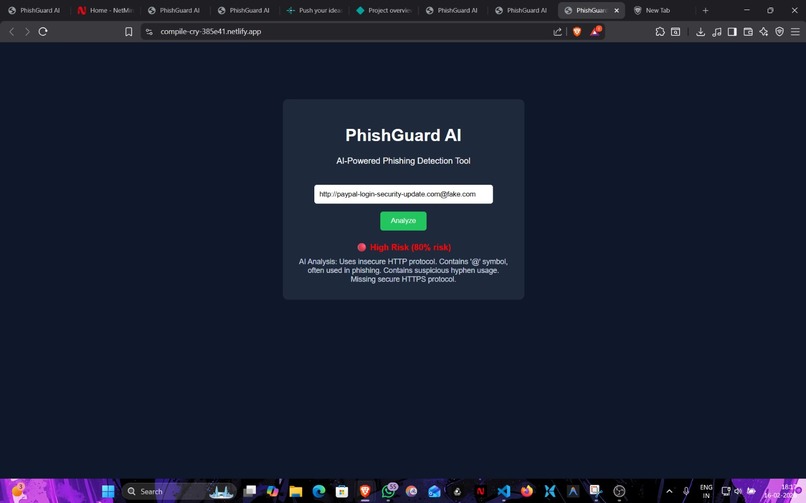
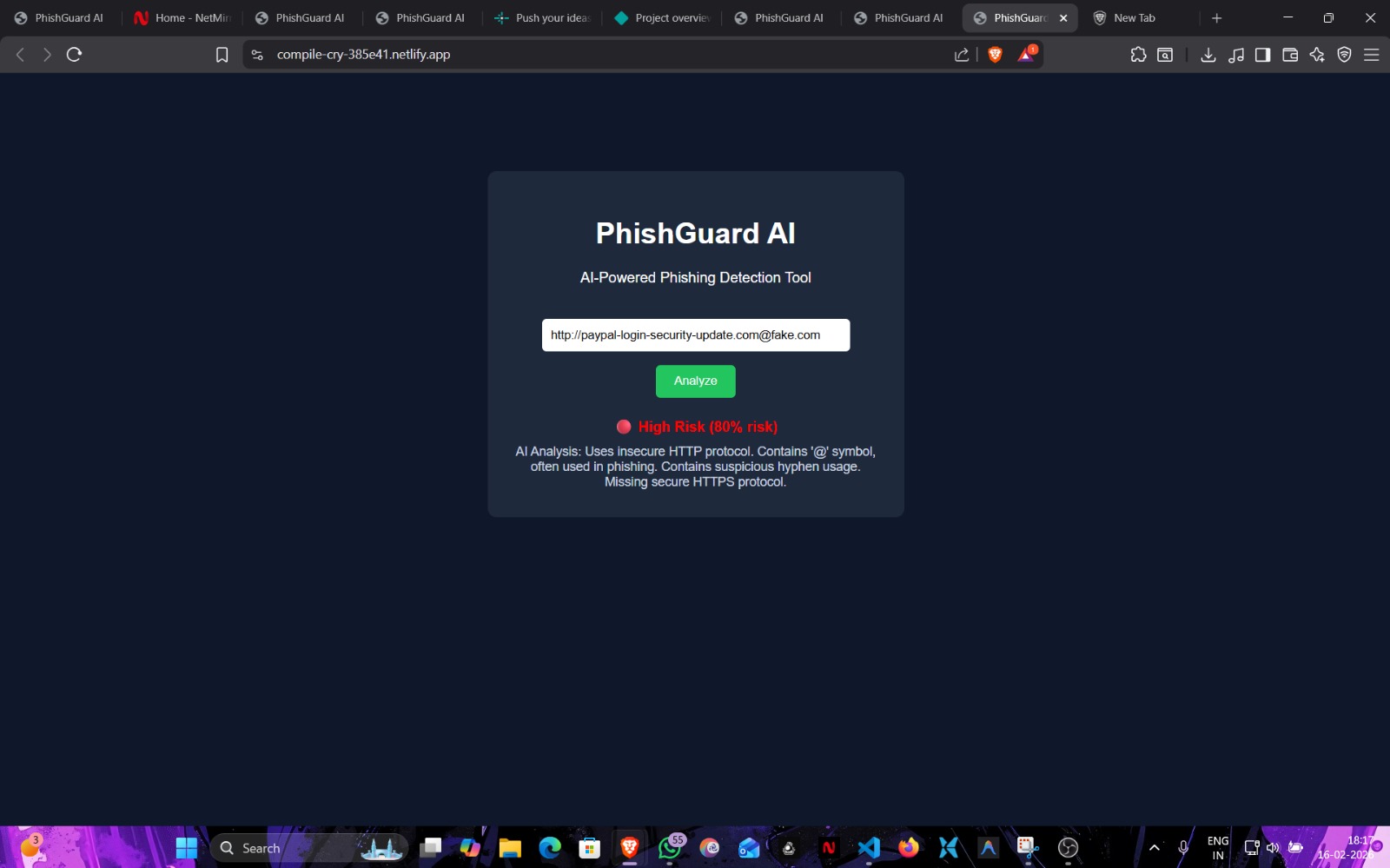
URL analysed by phishguard-AI and it came out to be unsafe
-
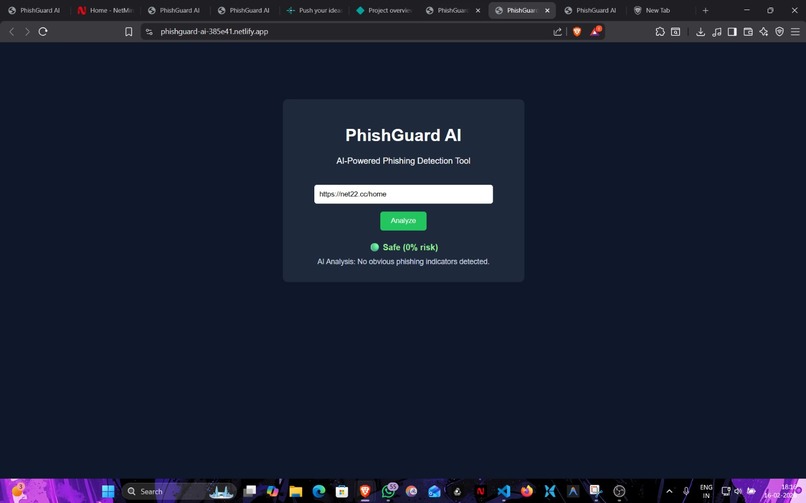
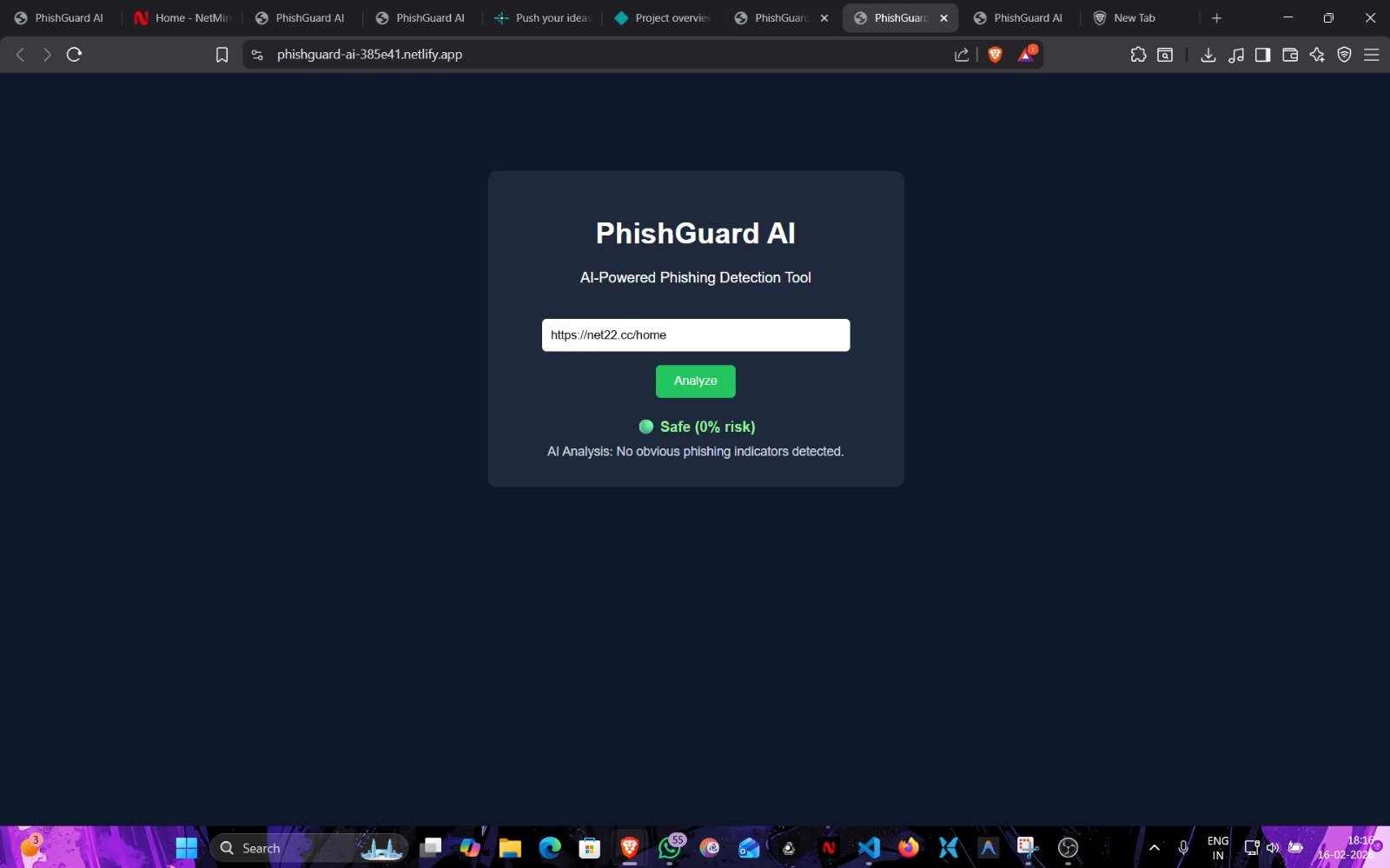
URL analysed by phishguard-AI and it came out to be safe
Inspiration
Let’s be honest—we’ve all had that split-second moment of panic. You click a link in an email that looks mostly legitimate, only to realize a second later that the URL seems a bit off.
As cybersecurity students, we’ve watched phishing attacks evolve from obvious scams to incredibly sophisticated traps. The scary part? Even tech-savvy people (including us!) can get fooled if they're tired or in a rush.
We realized that most people don't need another complex enterprise firewall; they need a simple, instant second opinion. That was the spark for PhishGuard AI. We wanted to build a tool that acts like a digital tap on the shoulder—giving users clarity before they make a mistake.
What it does
Think of PhishGuard AI as a "sanity check" for the web.
The goal wasn't just detection; it was demystification. When a user pastes a URL, we didn't want to bombard them with JSON data or technical jargon. We wanted to give them an answer they could understand immediately.
PhishGuard AI delivers:
A "Traffic Light" Verdict: A simple recommendation: Safe, Suspicious, or High Risk.
The "Why": It highlights exactly what looks wrong (e.g., "This domain is mimicking a payment site" or "Suspicious character substitution detected").
A Trust Score: A calculated confidence rating.
How we built it
We designed this as a lightweight web application because speed is everything here. If the tool takes 10 seconds to load, the user has already clicked the malicious link.
The system works in layers:
The Input: The user feeds the system a URL.
The Rule Engine: First, our code runs a heuristic gauntlet. It checks for HTTP vs. HTTPS, weird typos (like g0ogle.com), and odd domain structures.
The AI Layer: For the trickier stuff, we integrated an AI analysis step to look at context—the "vibe check" that rigid code sometimes misses.
The Visualization: We aggregate these findings into a clean, visual score.
Challenges we ran into
ilding an MVP in a limited timeframe forced us to make tough choices as a team.
Accuracy vs. Simplicity: Real-world phishing detection relies on massive threat intelligence feeds. We didn't have that. We had to figure out how to build a "smart" heuristic system that could catch threats without needing enterprise-level resources.
The Scoring Logic: We spent a lot of time debating how to mathematically define "suspicious." If a site has HTTPS but a weird domain name, is it 50% risky or 90% risky? Tuning that algorithm to feel "realistic" took a lot of trial and error.
Accomplishments that we're proud of
Making Security Approachable: We managed to create a UI that doesn't look like a scary command line. It’s friendly and inviting.
The Hybrid Approach: We successfully combined standard rule-based checks with AI analysis. Getting those two components to "talk" to each other and generate a single score was a huge win for us.
Speed: We kept the latency low enough that it feels like a real-time tool.
What we learned
Security is a UX Problem: We learned that the best security code doesn't matter if the user doesn't understand the warning. The way you present the risk is just as important as detecting it.
Patterns are Everywhere: digging into phishing URLs taught us just how creative attackers are becoming with domain spoofing—and how predictable their patterns can be once you know what to look for.
What's next for PhishGuard AI
This hackathon MVP is just the start.
Browser Extension: We want to move this from a web app (where you copy-paste links) to a browser extension that auto-scans links when you hover over them.
Community Feedback: We want to add a "Report False Positive" feature to help the model learn and get smarter over time.
Built With
- css3
- html5
- javascript
- netlify

Log in or sign up for Devpost to join the conversation.