-
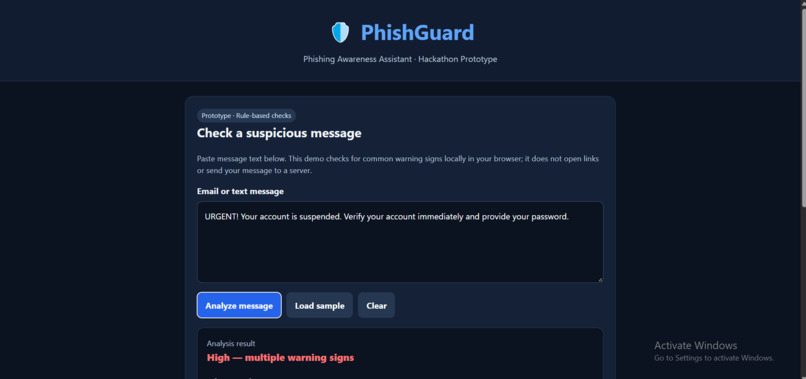
PhishGuard AI analyzes the entered message for phishing warning signs and displays potential risks with safety recommendations.
-
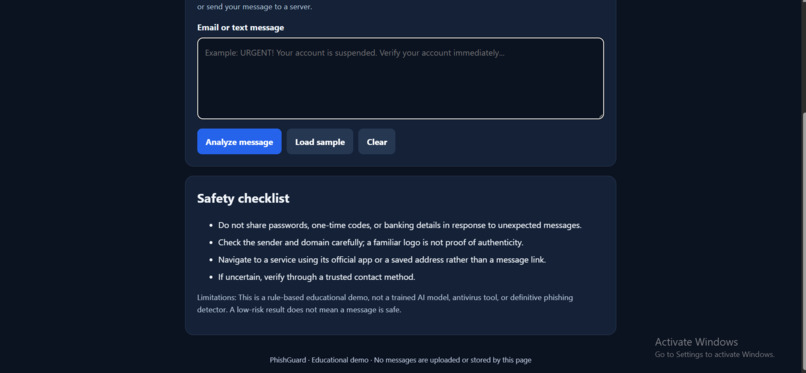
PhishGuard AI's user-friendly interface for entering suspicious messages and checking potential phishing risks.
Inspiration
Phishing messages can trick people through urgent language, suspicious links, and requests for sensitive information. We wanted to create a simple tool that helps users recognize these warning signs and make safer online decisions.
What it does
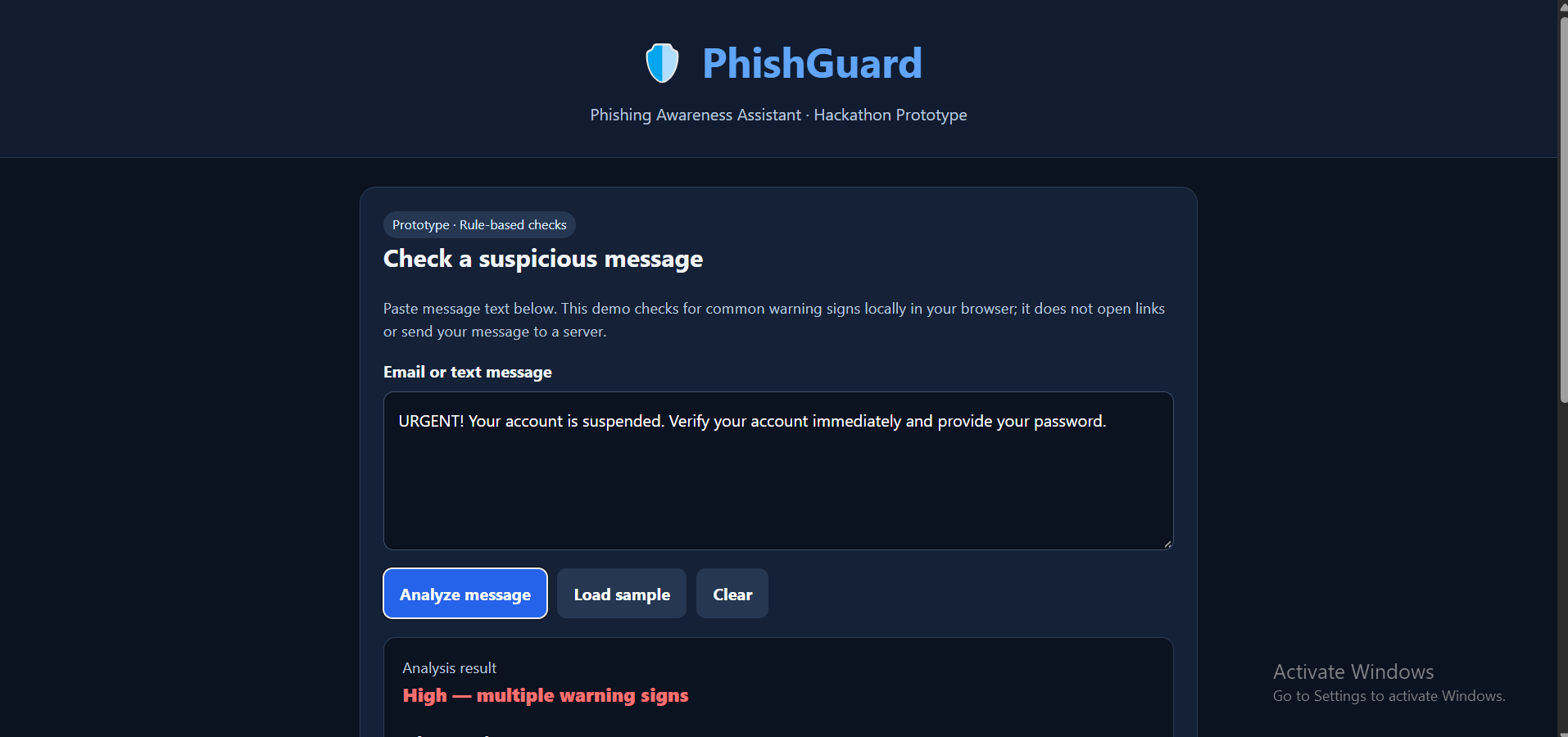
PhishGuard is a browser-based phishing awareness assistant. Users paste a suspicious message, and the application checks for selected urgency phrases, sensitive-information requests, and suspicious URL patterns. It highlights potential warning signs and provides safety recommendations.
How we built it
We built the prototype using HTML, CSS, and JavaScript. The interface allows users to enter a message, analyze it, and view the detected warning signs and recommendations. The current detection system uses rule-based checks in the browser.
Challenges we faced
One challenge was identifying useful warning signs while keeping the interface simple for beginners. Another was presenting understandable results without claiming that every suspicious message is phishing or that every unflagged message is safe.
What we learned
We learned how to build an interactive browser-based application, apply basic text-pattern checks, and communicate cybersecurity risks clearly. We also identified the need to test detection accuracy and integrate a genuine AI model in future versions.
Future improvements
We plan to integrate and evaluate an AI model using labeled phishing and legitimate messages, improve detection accuracy, and provide more detailed explanations.
Limitations
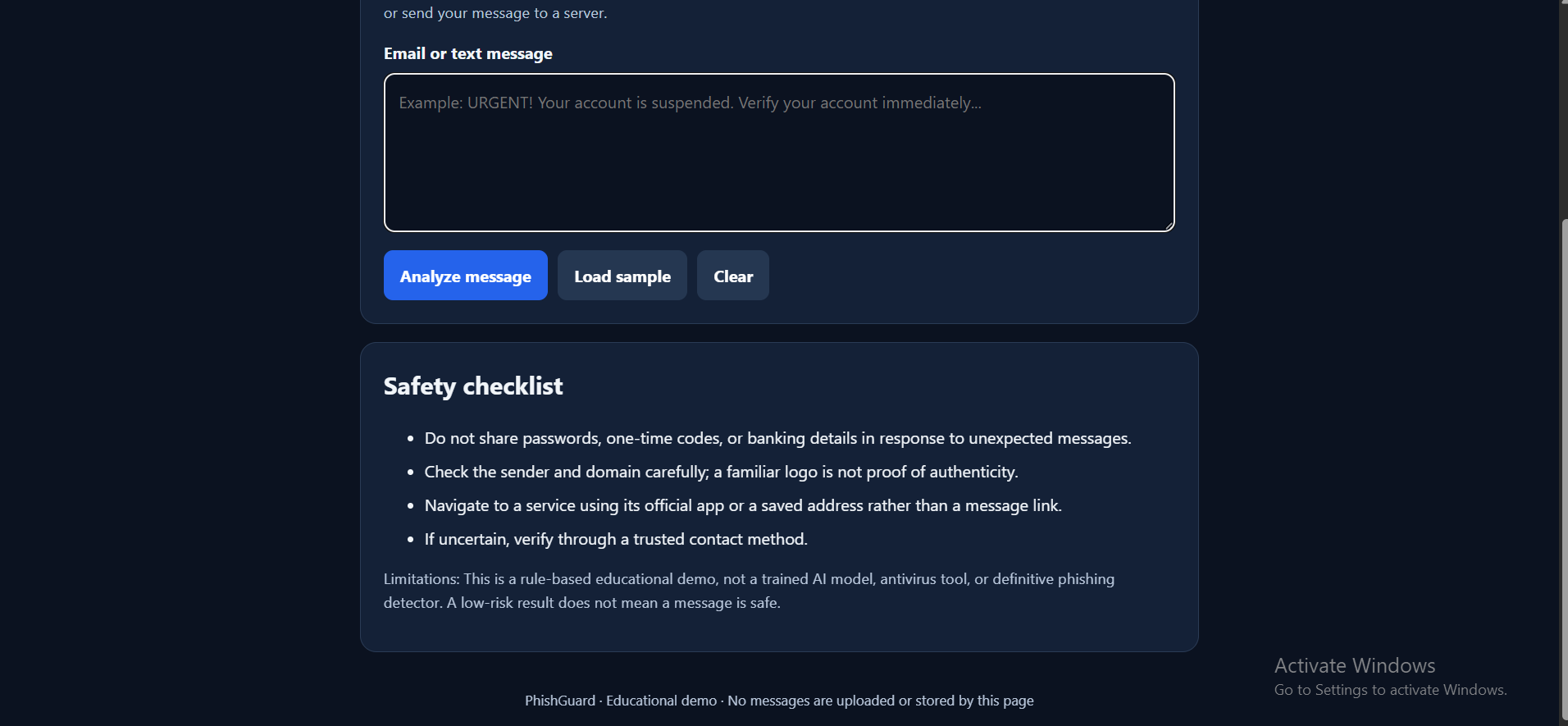
This is an educational prototype that uses rule-based detection, not a trained AI model. It cannot verify sender identity or guarantee that a message is safe.
Built With
- ai
- cybersecurity


Log in or sign up for Devpost to join the conversation.