-
-
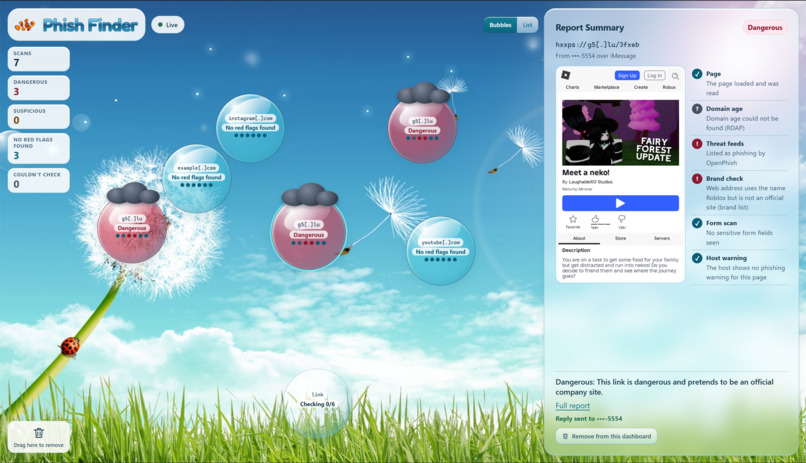
Live/Link Page
-
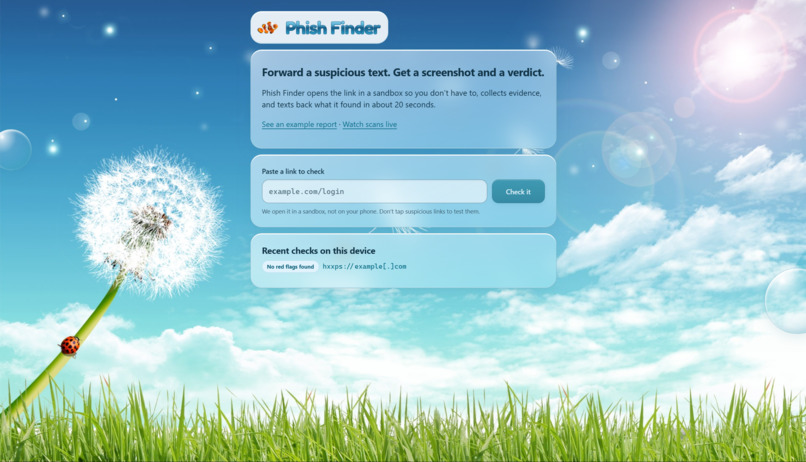
Home/Landing Page
-
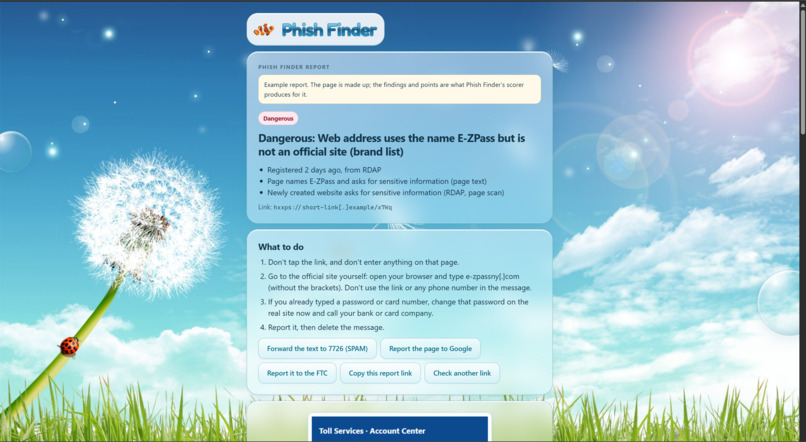
In Depth Report Page
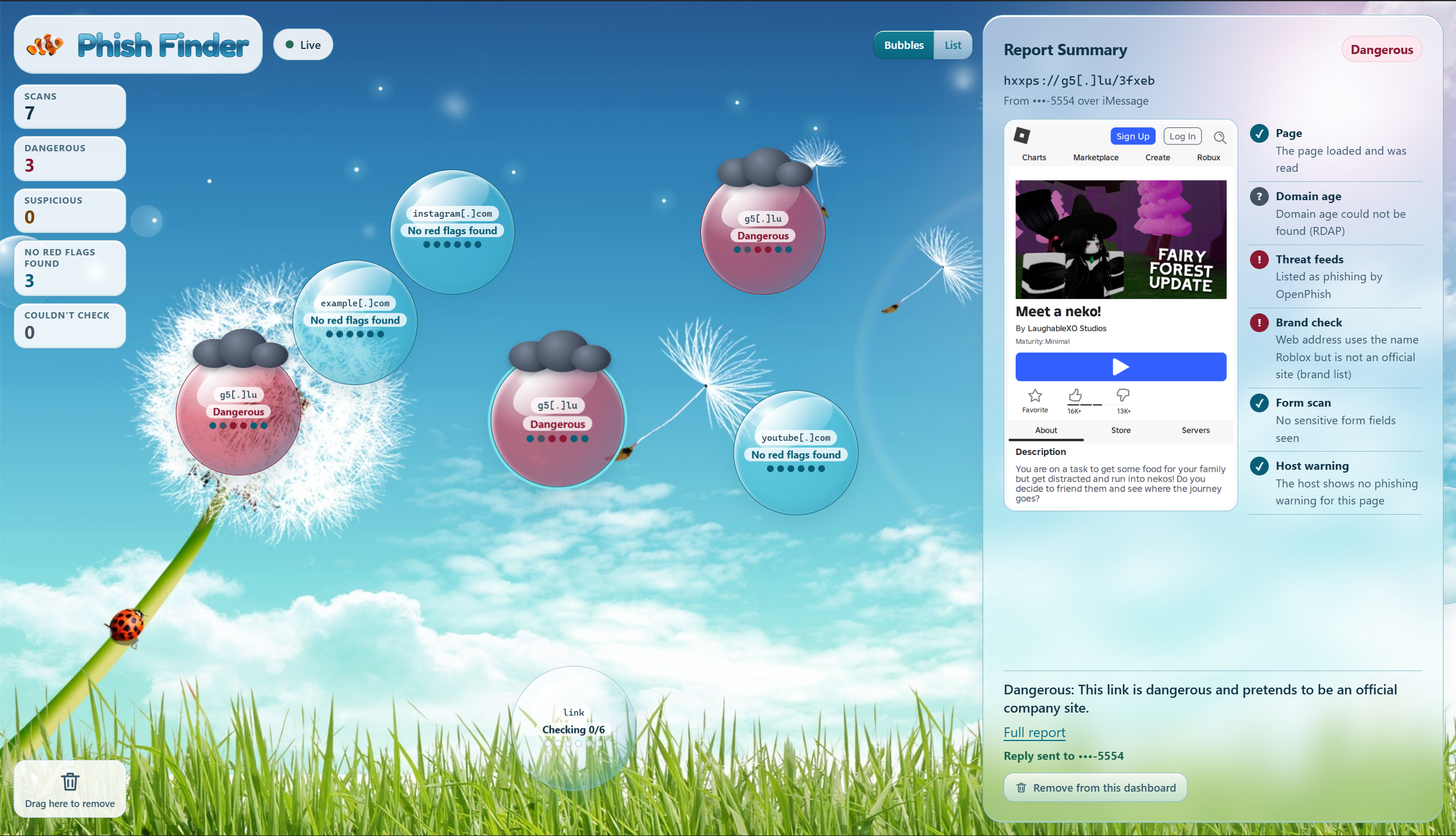
Inspiration
Have you ever gotten a text with a link and thought, “This looks kind of sketchy, but I’m not sure?”
That happens all the time. A phishing link might look like a delivery update, a bank alert, or a warning that your account is about to be locked. And when the message feels urgent, it is easy to click before really thinking about it.
That’s why we built Phish Finder. We wanted to make checking a suspicious link as easy as texting it to someone you trust.
Instead of just giving a yes or no, we wanted Phish Finder to show people why.
What it does
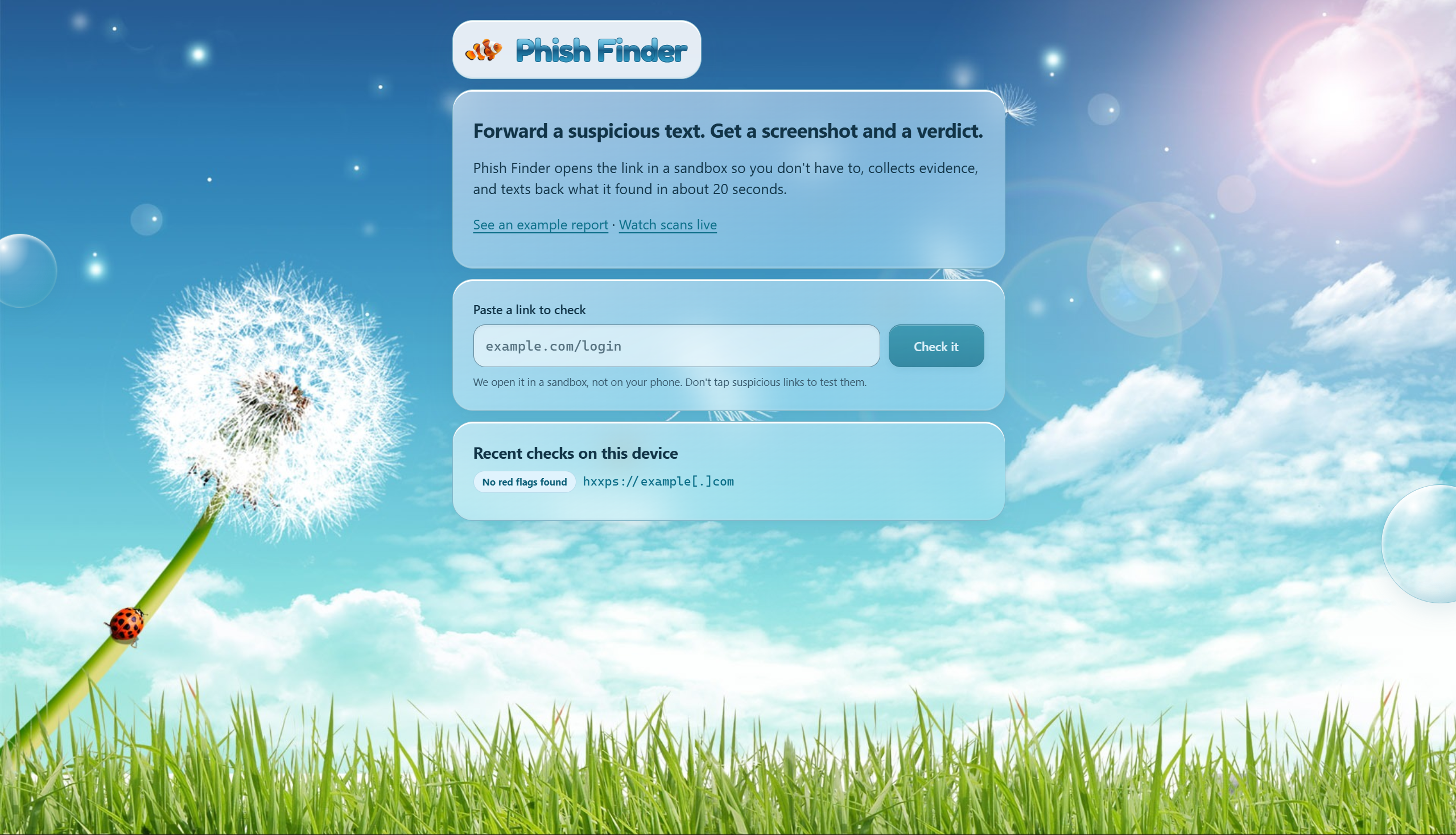
Phish Finder lets you investigate a suspicious link without opening it yourself.
Here’s how it works:
- You forward a suspicious link to Phish Finder through iMessage.
- Phish Finder immediately lets you know that it is checking the page.
- The link is opened inside an isolated sandbox instead of on your phone.
- We inspect the page, domain, redirects, threat-intelligence sources, brand impersonation signals, forms, and other warning signs.
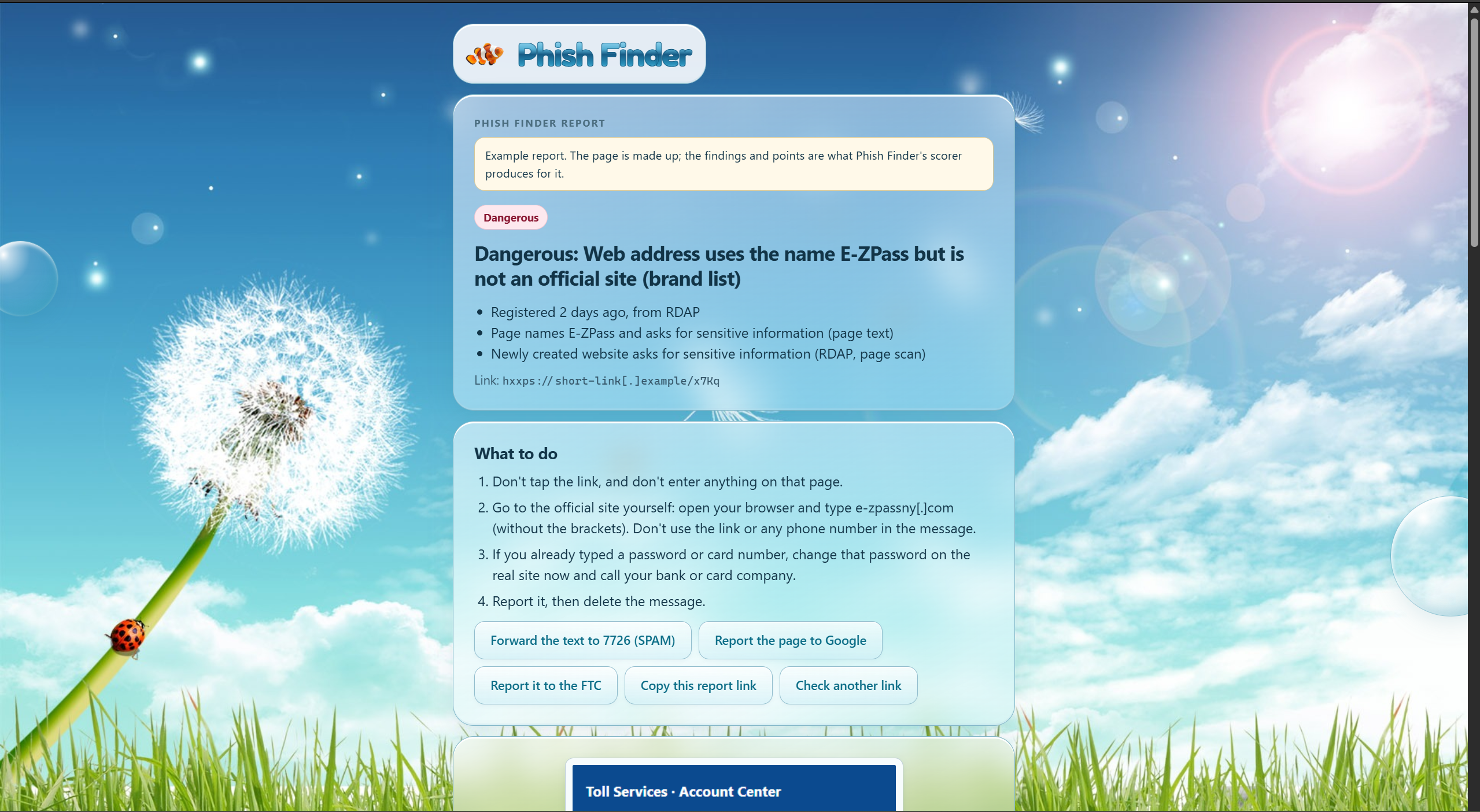
- Phish Finder sends a screenshot of the page back to you, followed by a verdict like Dangerous, Suspicious, No red flags found, or Couldn’t check.
- You can open the web dashboard to see the full report, including the evidence behind the verdict and previous scans.
- If something looks malicious, we also make it easier to prepare the information needed to report it to the FTC.
We were especially careful about uncertainty. If one of our checks fails or we cannot confirm something, we show that instead of pretending the link is safe.
You can also send Phish Finder a screenshot or photo of a QR code, and it can extract the suspicious link and analyze it the same way.
How we built it
We built Phish Finder as a pipeline connecting iMessage, a cloud-hosted sandbox, our security analyzer, Gemini, and a React dashboard.
When a link comes in, our gateway sends it to a Python FastAPI analyzer running on a cloud VM. The analyzer opens the page in an isolated browser environment, captures a screenshot, follows redirects, and checks multiple security signals. We also query threat-intelligence sources and look for things like suspicious domains, brand impersonation, and credential forms.
Those findings are combined into our scoring system to produce a final verdict. We use Gemini to help turn the technical evidence into an explanation that is easier for a normal user to understand.
The result is then sent back through iMessage and stored so it can also be explored through the dashboard.
For the frontend, we used:
- React for the dashboard
- TypeScript for safer development
- Vite for our development and build setup
- TanStack Query for API requests and scan updates
- React Router for moving between reports
- Zod to validate the data coming from our backend
We designed the dashboard with a Frutiger Aero-inspired style using blue skies, glassy panels, bubbles, and our clownfish logo.
Challenges we ran into
One of our biggest challenges was safely opening suspicious websites.
We wanted Phish Finder to learn as much as possible from a page without clicking buttons, entering information, downloading files, or exposing our own machine. That meant thinking carefully about redirects, network access, browser behavior, and what our sandbox should and should not be allowed to reach.
Another challenge was connecting the input, frontend, and backend altogether. A single scan moves through iMessage, the gateway, the analyzer, external security services, Gemini, and finally the dashboard.
And we had to be careful about our wording. “No red flags found” is not the same thing as saying a website is definitely safe.
Accomplishments that we're proud of
We’re proud that Phish Finder does more than just throw out a warning. It actually shows users the evidence behind the verdict.
We’re also proud of:
- Building an end-to-end flow where someone can text a link and receive a screenshot and verdict back
- Safely inspecting suspicious pages in an isolated environment
- Combining multiple signals instead of relying on a single phishing indicator
- Building a dashboard where users can explore the evidence behind each scan
- Getting 10/10 correct results in our evaluation
- Deploying the system to the cloud so the full texting flow still works with our development laptops closed
- Giving the project its own Frutiger Aero-inspired visual identity and interface (very fun)
What we learned
One thing we learned is that it is important to communicate uncertainty rather than presenting results as pure fact. If a tool gives someone a score or a verdict, they are probably going to trust it, so we had to think carefully about what that verdict actually means.
We also learned how important it is to define the communication between different parts of a system early. Even small differences between what the gateway, backend, and frontend expect can cause a lot of problems later.
Finally, we learned that because link previews don’t run JavaScript, every report needs its own server-rendered preview image.
What's next for Phish Finder
There is still a lot we would like to build.
Next, we want to:
- Test our scoring system against a much larger collection of phishing and legitimate websites
- Improve visual impersonation detection so we can compare suspicious pages against real brand websites
- Add more threat-intelligence sources
- Improve scam reporting and sharing
- Make the experience even easier for families and people who are less comfortable with technology
Our goal is for Phish Finder to become something people can use the moment a message makes them hesitate:
Forward the link. Let Phish Finder check it first.
Built With
- claudecode
- codex
- css
- git
- github
- html
- javascript
- node.js
- photon
- playwright
- python
- query
- react
- tanstack
- typescript
- vite
- vscode
- zod

Log in or sign up for Devpost to join the conversation.