Inspiration
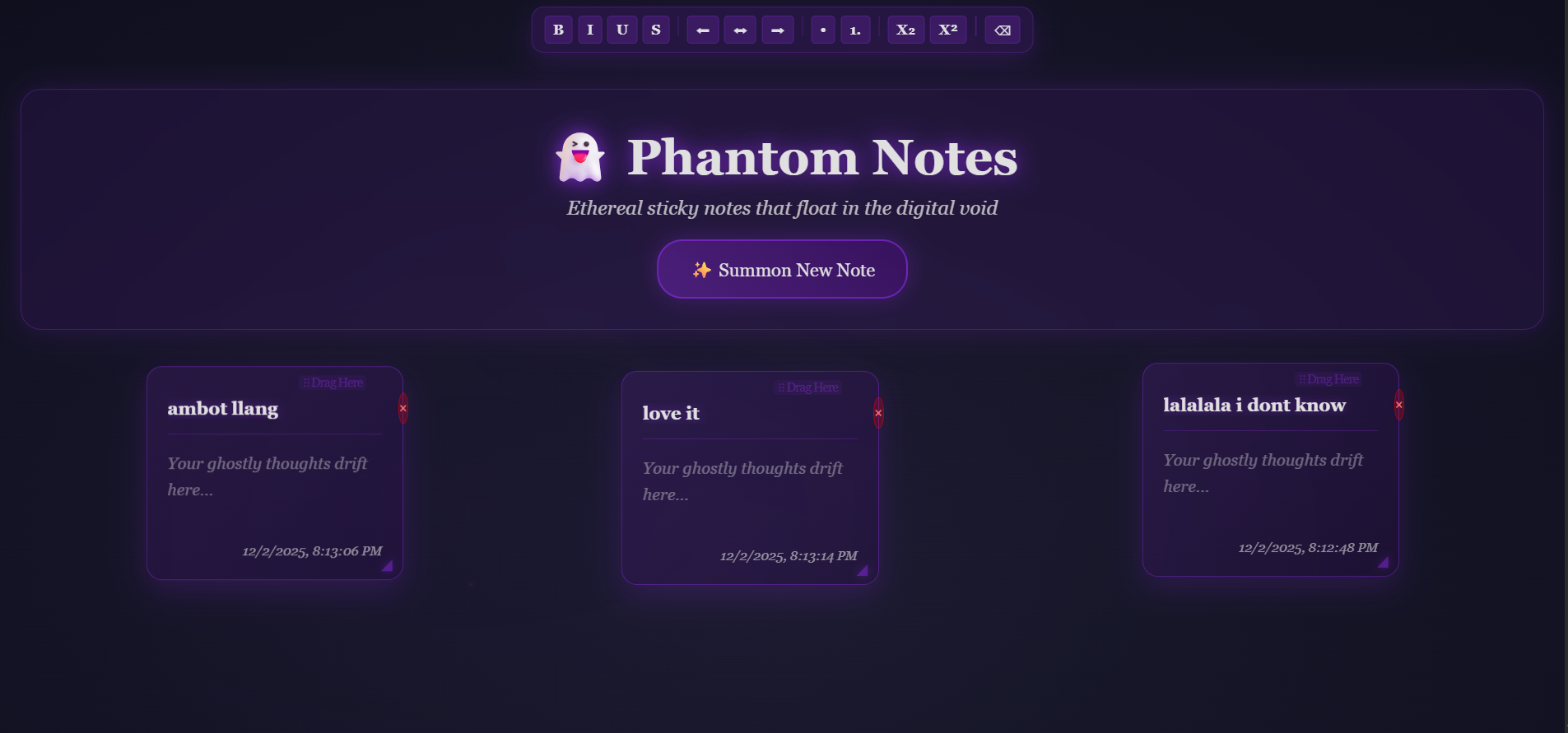
We wanted to reimagine the classic sticky notes app by giving it a fun, atmospheric twist. Instead of plain squares on a screen, we imagined notes that feel alive — softly floating, glowing, and drifting through a foggy space. The goal was to keep the tool simple and useful while adding a playful “phantom” aesthetic that makes note-taking feel magical instead of boring.
What it does
Phantom Notes is a lightweight sticky-notes app where users can create, move, and edit notes in a hauntingly beautiful interface. Notes gently float across the screen, a faint fog drifts behind them, and the cursor glows as you interact with your workspace. Despite the stylized visuals, the core functions remain straightforward: write quick reminders, jot ideas, and organize thoughts with ease.
How we built it
We built the app using basic web technologies to keep it accessible and fast. HTML and CSS handle the layout and all visual effects, including floating animations, opacity layering, and fog overlays. JavaScript manages note creation, editing, local storage saving, and smooth interactions. We added custom animation curves and glowing cursor effects to reinforce the ghostly theme without compromising usability.
Challenges we ran into
The main challenge was achieving the spooky visual atmosphere without making the interface feel slow or distracting. Balancing animations so they feel alive but not overwhelming took several iterations. Creating fog and glow effects that performed smoothly on different devices was also tricky. Another difficulty was ensuring the notes remained readable despite the moving background and lighting effects.
Accomplishments that we're proud of
We successfully turned a very simple concept — sticky notes — into a unique and memorable experience. The floating notes and fog effects look smooth, the cursor glow adds personality, and the interface still works cleanly on multiple screen sizes. We're also proud that the app stays lightweight despite its animations.
What we learned
We learned how much atmosphere and creativity can be added using only simple front-end tools. Subtle animations, layering, and lighting effects can dramatically change the mood of an app without requiring heavy libraries. We also learned how to optimize visual elements so the interface remains responsive while maintaining its ghostly aesthetic.
What's next for Phantom Notes
We plan to continue expanding Phantom Notes with features that enhance its usefulness while keeping the ghostly, minimalist aesthetic. One major addition we’re exploring is Image-to-Text, allowing users to snap a photo of handwritten notes or screenshots and instantly convert them into editable phantom notes. We also want to introduce customizable themes, from different ghost moods to ambient color palettes, along with optional sound effects like faint whispers or drifting winds. Future updates may include cloud sync for cross-device access, note grouping for better organization, and keyboard shortcuts for faster note creation. We’re also developing a playful “Haunt Mode” where notes subtly fade, glow, or drift more intensely as deadlines get closer, turning reminders into supernatural cues instead of traditional alerts.


Log in or sign up for Devpost to join the conversation.