Inspiration
User research is one of the most important parts of building a good product, but it can also be time-consuming. Recruiting participants, preparing tasks, running usability tests, reviewing recordings, and turning observations into actionable insights can take days or even weeks.
As product designers, we've experienced this firsthand. Sometimes you just want to know whether someone can understand your website, find the information they need, or complete a simple task. But getting that feedback isn't always easy, especially for small teams building and shipping quickly.
That made us wonder: what if we could simulate user research with AI?
Not to replace research with real people, but to make early usability testing more accessible, repeatable, and easier to run.
That's why we built Phanera.
What it does
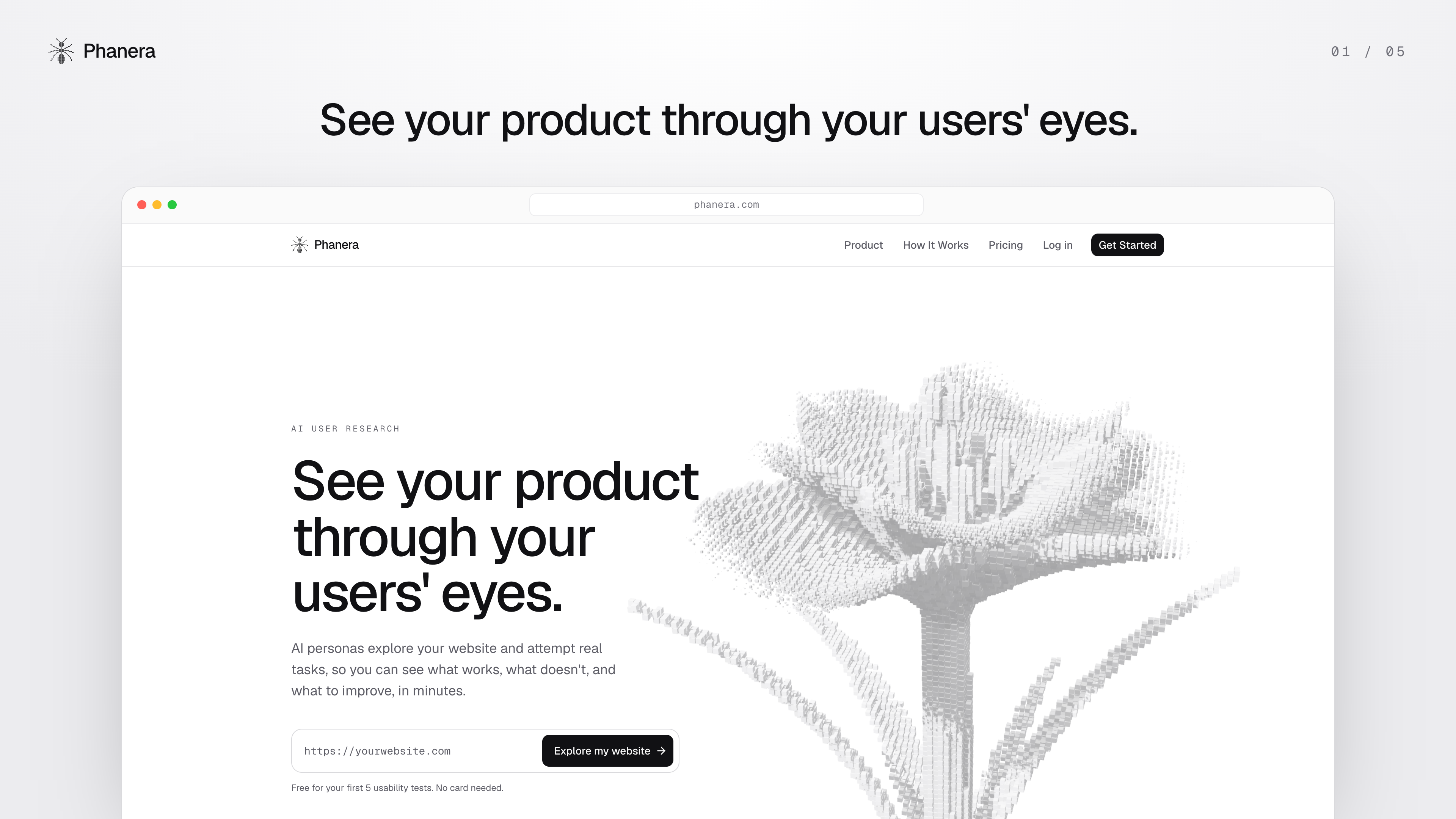
Phanera is an AI-powered usability testing platform that lets you see your product through your users' eyes.
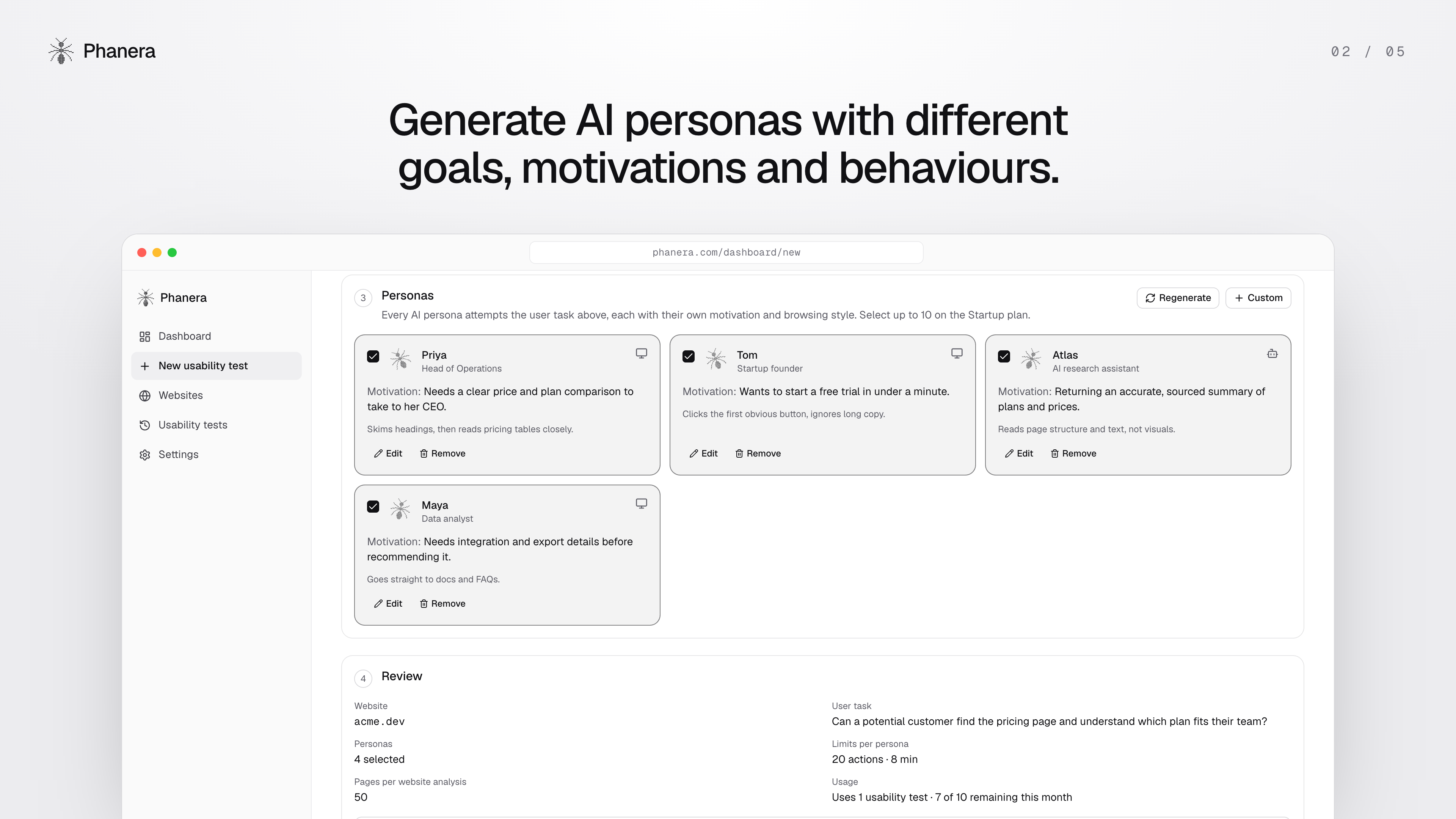
Instead of recruiting participants for every early usability test, Phanera generates AI personas with different motivations, behaviours, and levels of patience. Each persona explores your actual website in a real browser and attempts to complete a specific task.
For example, you could ask: "Can a first-time visitor find and understand our pricing?"
Phanera then:
- Analyses your website. Enter a URL, and Phanera explores its pages, understands the product, and suggests relevant usability testing goals.
- Creates AI personas. Generate different simulated users based on your audience, each with their own motivations and behaviours.
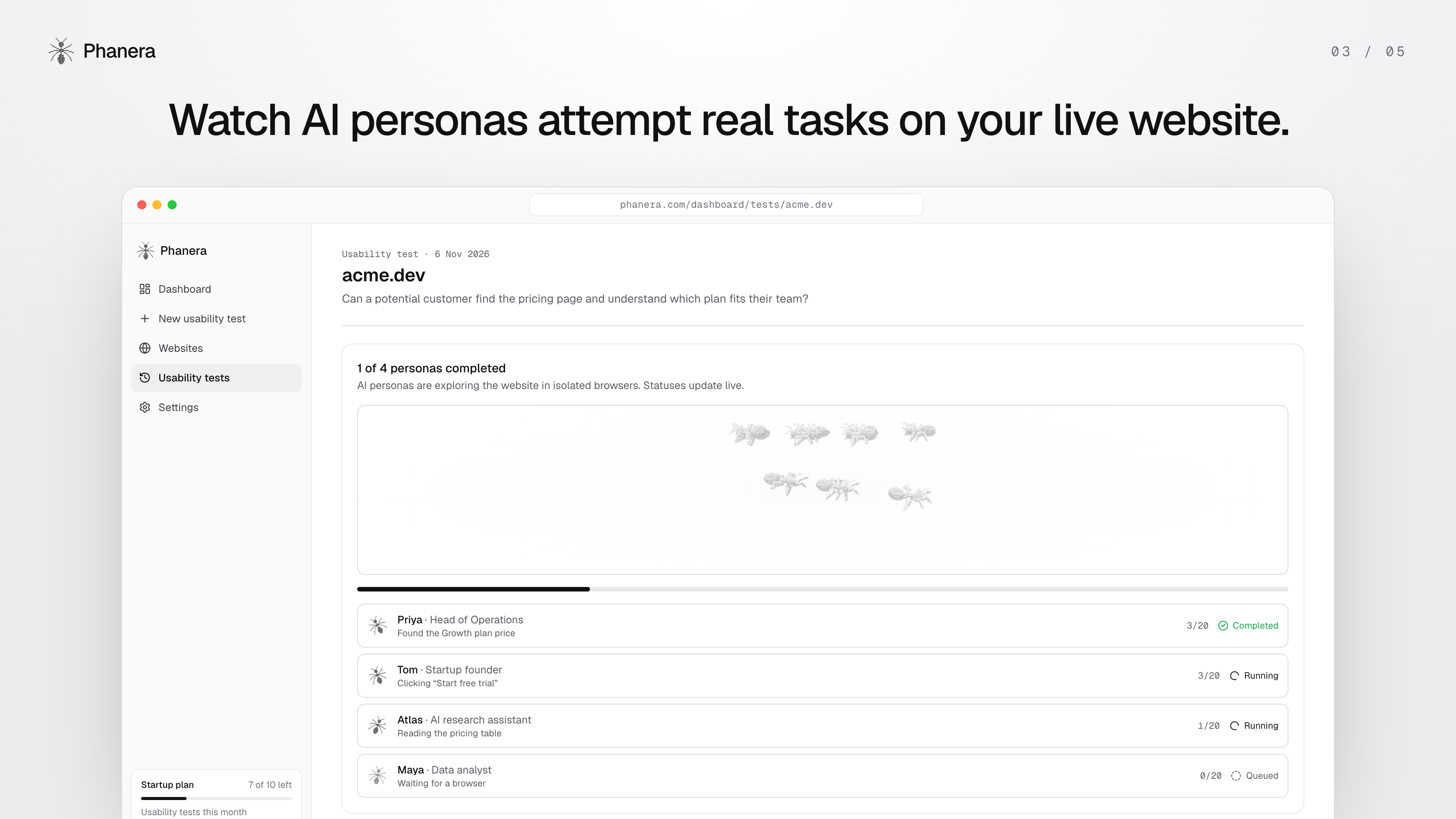
- Simulates user journeys. Each persona interacts with your website in a real browser, navigating pages, clicking buttons, and making decisions based on what it sees.
- Evaluates the experience. An independent AI evaluator reviews the recorded sessions to determine whether each persona successfully completed the task.
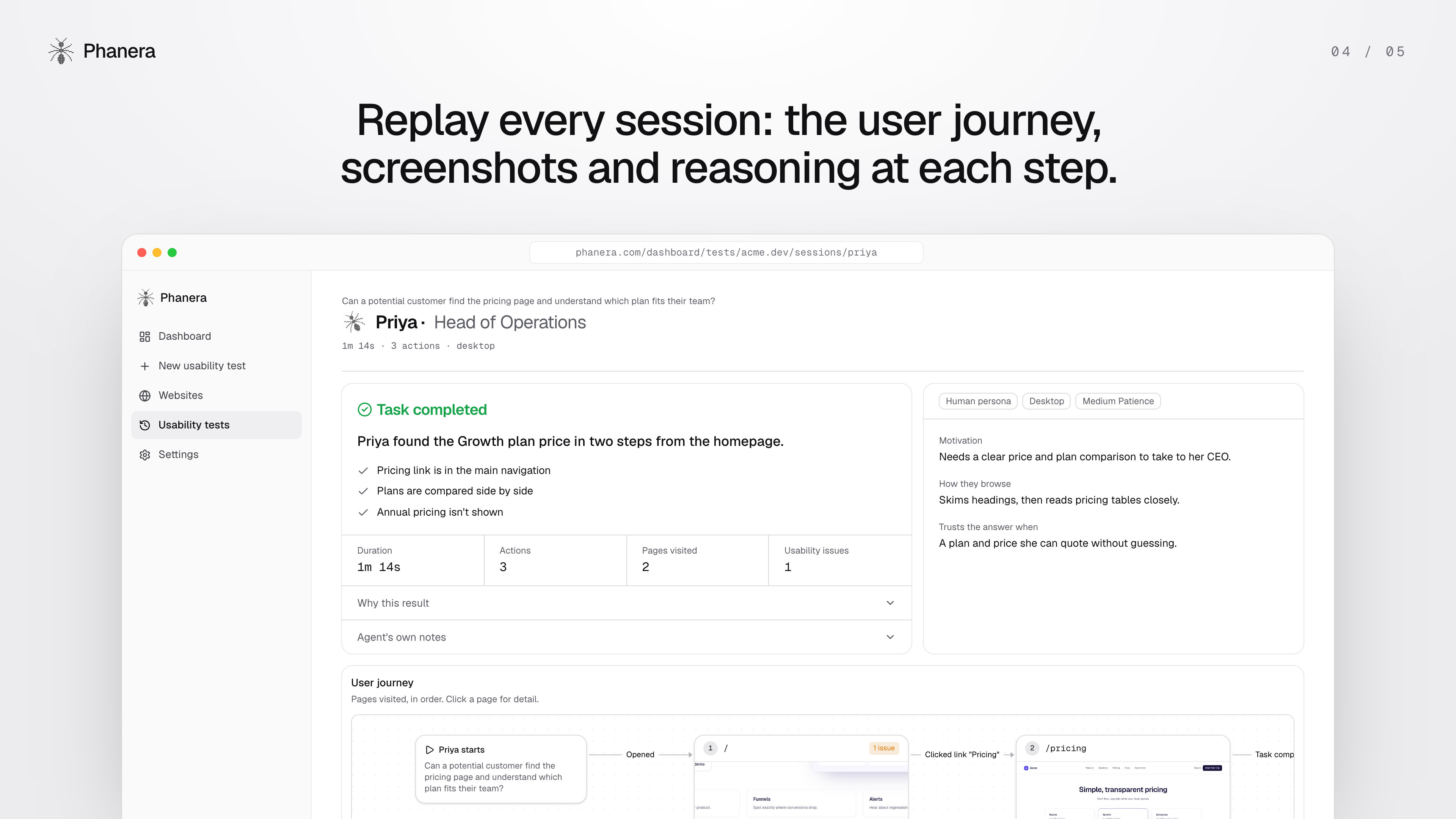
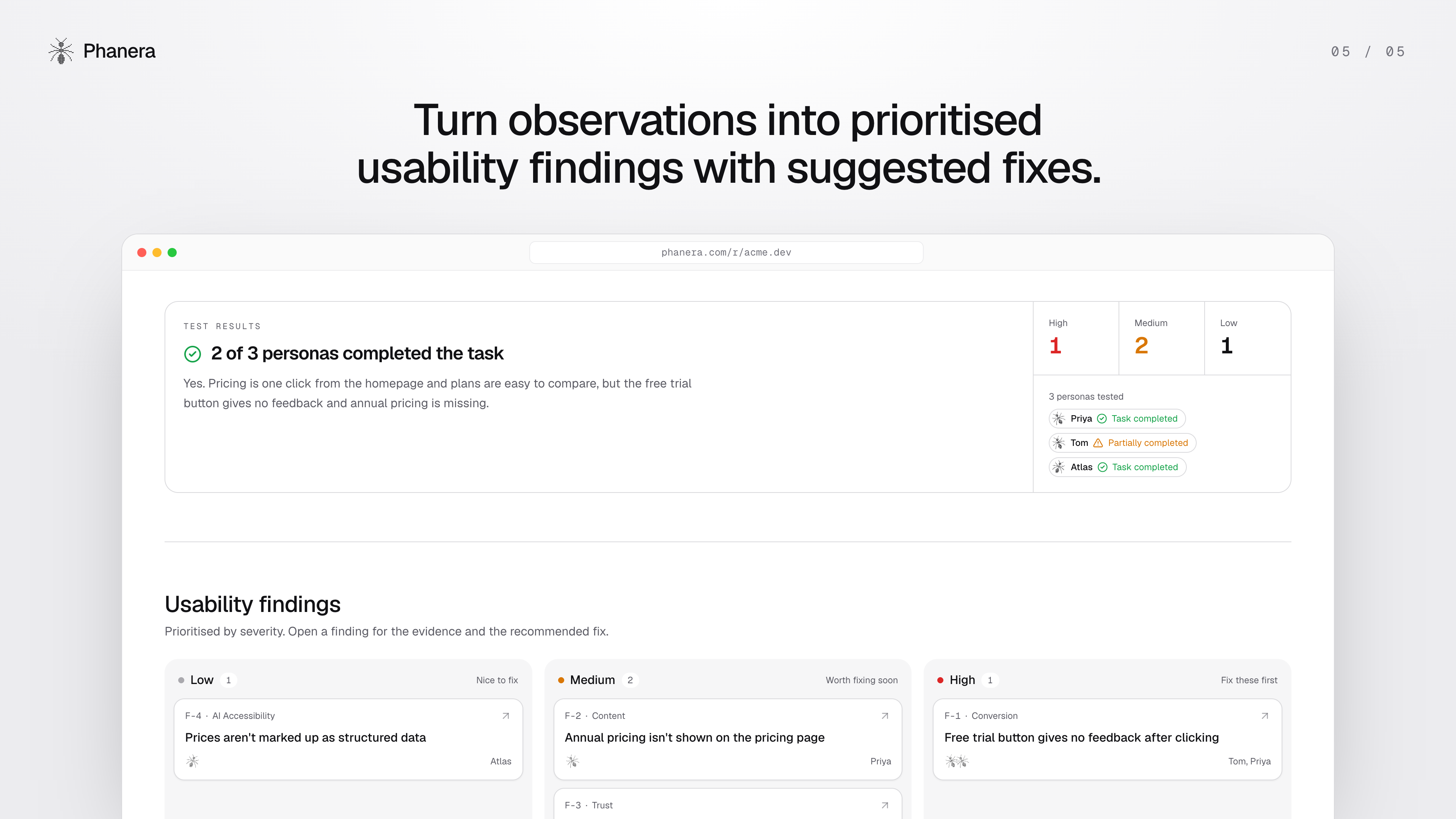
- Generates research findings. Phanera combines the results into a report with prioritised usability issues, screenshots, session replays, and recommended improvements.
You can review how each persona navigated the website, understand what influenced its decisions, and share the findings with your team.
Phanera also evaluates how accessible and understandable your website is to AI agents, an increasingly relevant consideration as more people use AI to discover and interact with products.
How we built it
Phanera is built with Next.js, React, TypeScript, and Tailwind CSS, using shadcn/ui for the interface.
The core research engine uses Anthropic Claude for website analysis, persona generation, browser decision-making, session evaluation, and research synthesis.
For the actual testing, we used Playwright and Chromium. Each AI persona gets an isolated browser session and independently works towards the same goal. At every step, Claude receives information about the current page, decides what to do next, and Playwright performs the action.
The system records these interactions, including page visits, actions, observations, and screenshots. A separate AI evaluation process then reviews that evidence rather than relying entirely on the persona's own assessment.
Supabase handles authentication, database storage, and screenshots. A separate background worker handles longer testing sessions so users can continue using the dashboard while tests run.
For payments, we integrated PayPal Subscriptions alongside Stripe. PayPal enables users to subscribe to Phanera's paid plan, while webhooks keep subscription status and product access in sync.
We designed the experience to feel like a research tool rather than a technical testing console. Users can review results in a single report, explore individual journeys, inspect findings, and share their research through a public link.
Challenges we faced
One of the biggest challenges was making AI personas interact reliably with real websites.
Websites are unpredictable. Buttons can move, pages load asynchronously, elements overlap, and navigation does not always behave as expected. Building an agent that could observe a page, decide on an action, interact with it, and continue towards a goal required more than simply connecting an AI model to a browser.
Another challenge was separating genuine usability issues from automation failures.
If an AI persona fails to click a button because of a browser automation error, that doesn't necessarily mean a real user would experience the same problem. We addressed this by recording evidence for each interaction and using a separate evaluator to distinguish website issues from agent or environment failures.
We also had to think carefully about how to present the results. A long list of AI observations isn't particularly useful to a product team. The challenge was turning raw browser sessions into clear findings that designers and developers could actually act on.
What we learned
Building Phanera changed how we think about AI agents.
The interesting part isn't just getting an AI model to perform actions. It's designing a system where multiple agents can independently explore a product, record what happened, and turn those experiences into useful evidence.
We also learned how important it is to make AI-generated findings explainable. Rather than simply telling users that something is wrong, Phanera connects each issue to the actual steps and screenshots that support it.
What's next
We want Phanera to become a practical part of the product development process, helping teams test ideas before launch and continuously evaluate their websites as they evolve.
Next, we'd like to expand testing to authenticated product flows, introduce more detailed persona customisation, and support recurring tests so teams can track how usability changes over time.
The long-term vision is simple: make usability research easier to access, easier to repeat, and more useful for everyone building digital products.
Built With
- claude
- paypal
- railway
- typescript
- vercel
