-
-
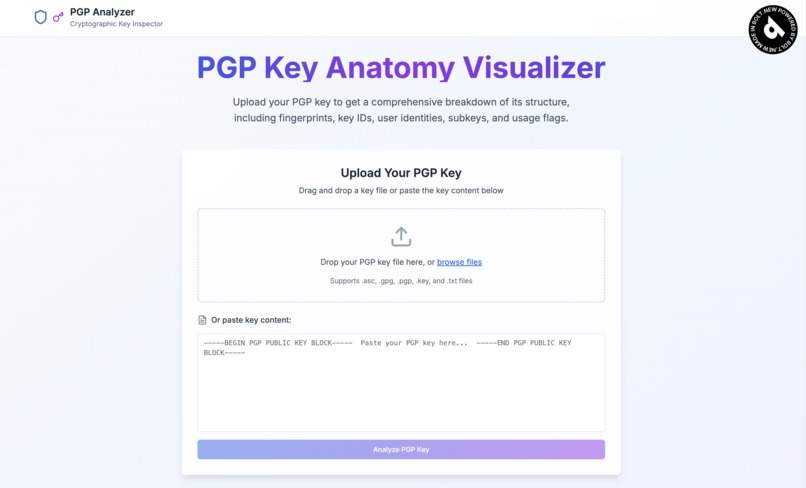
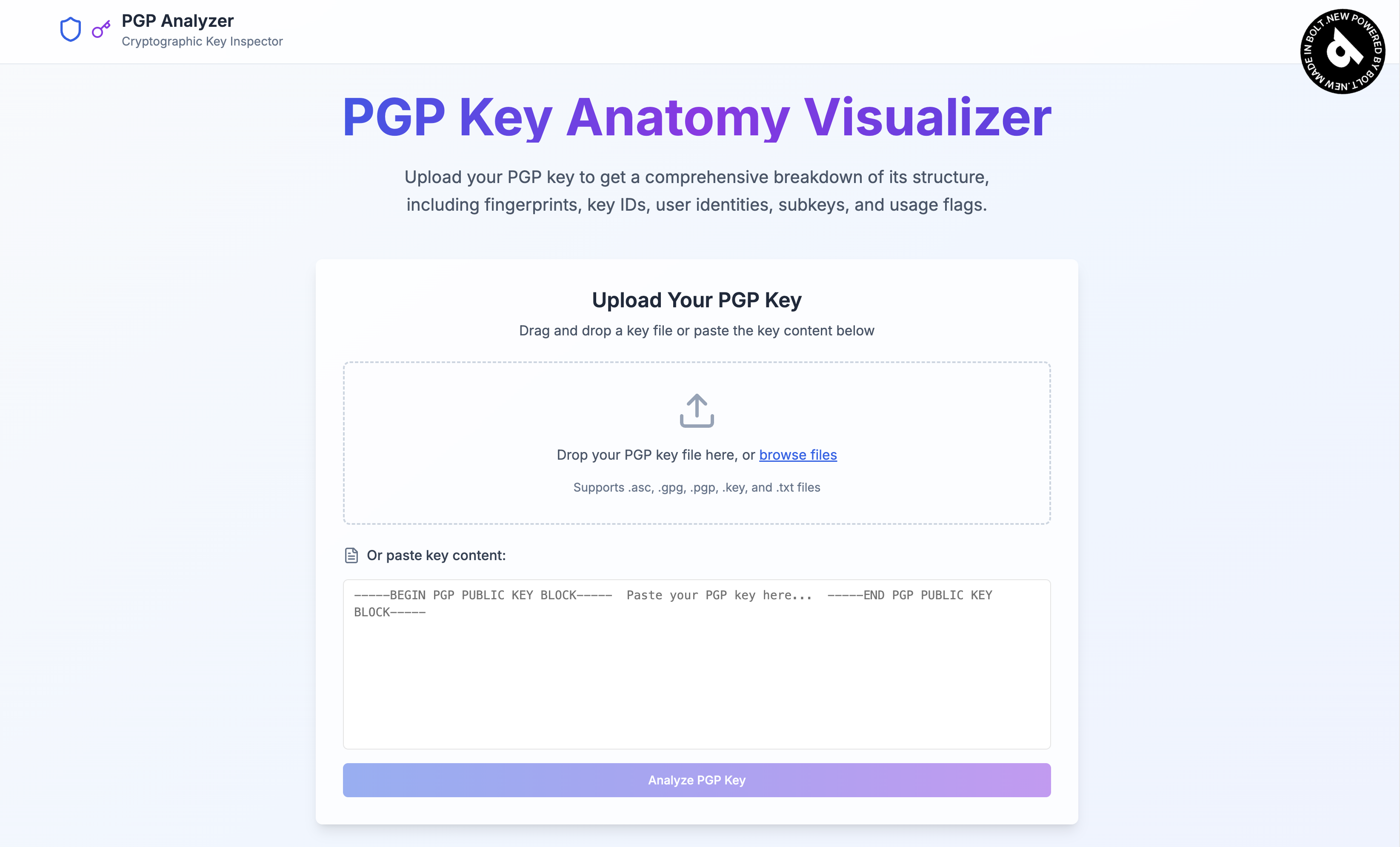
A simple and straightforward UI for user to use
-
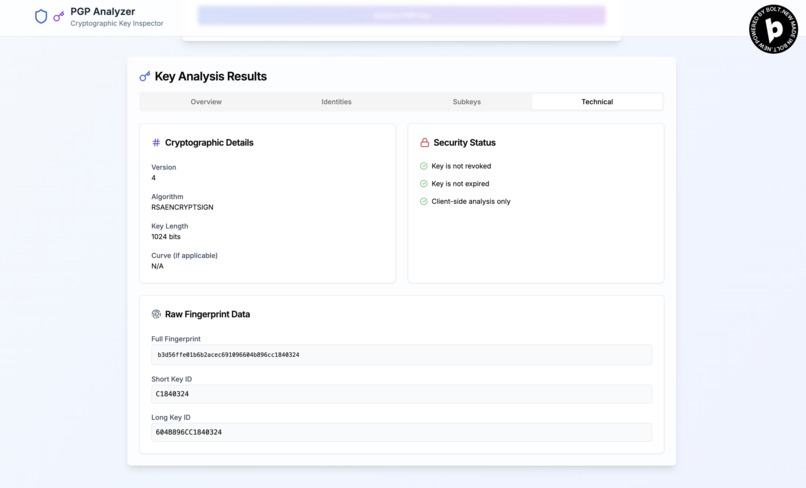
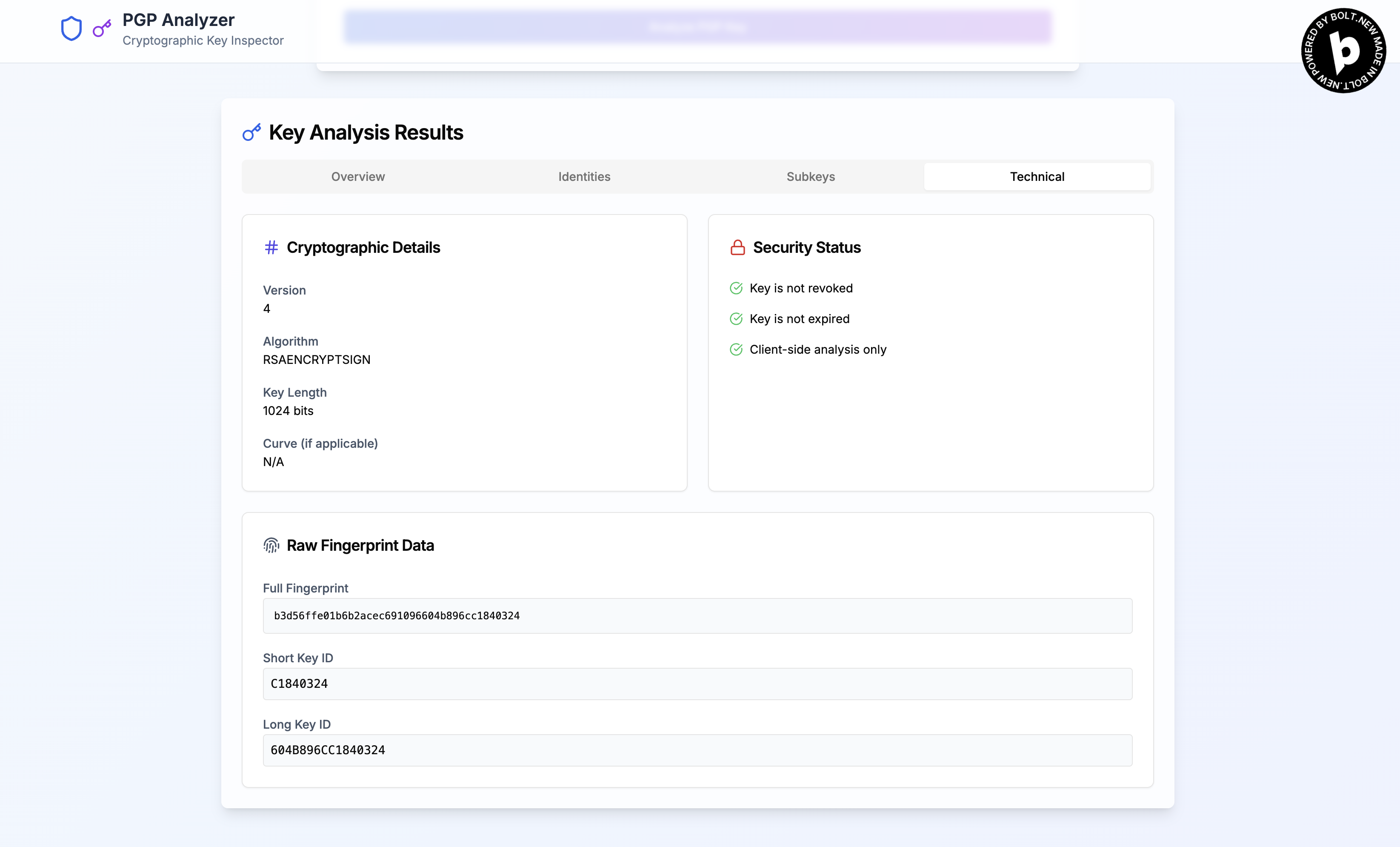
Display the technical information about the PGP key
-
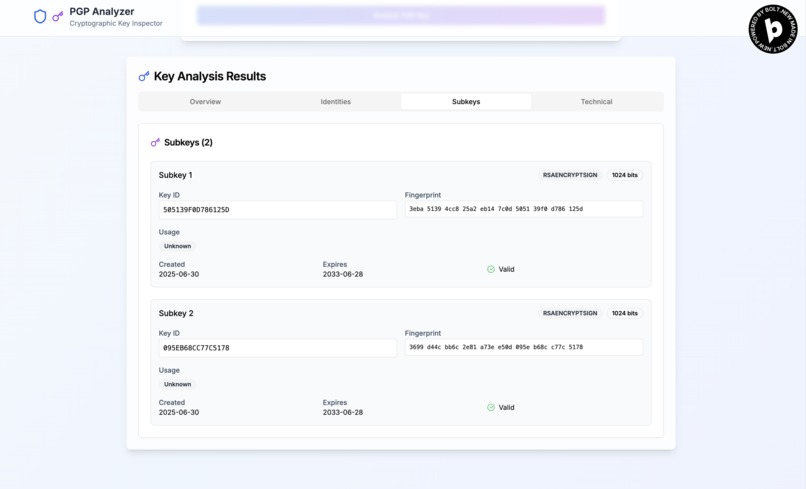
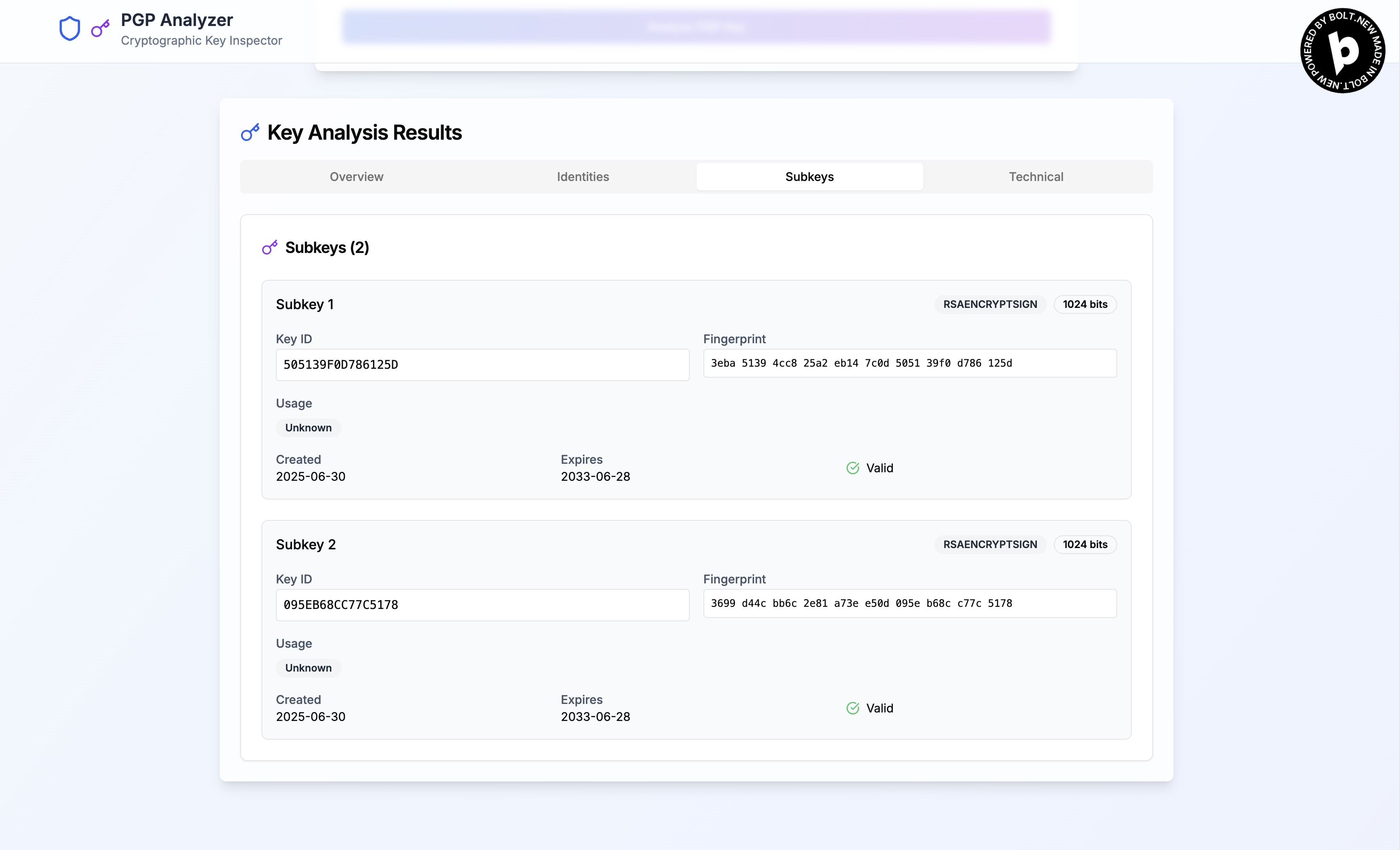
Display the subkeys information about the PGP key
-
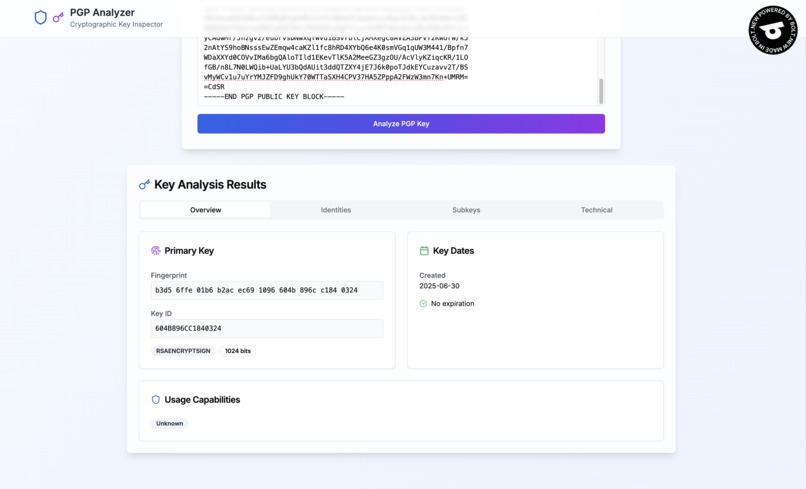
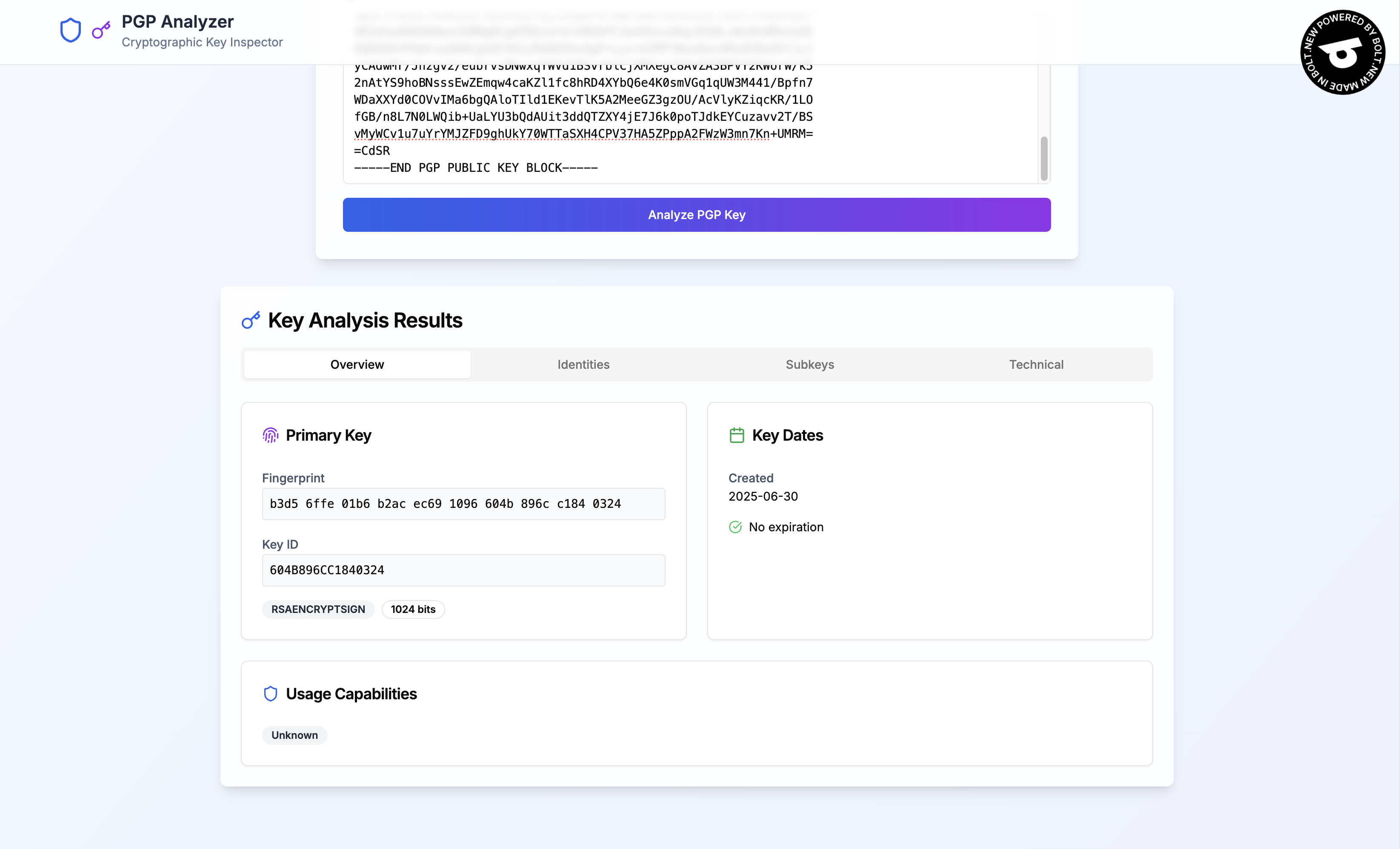
Display an overview about the PGP key
PGP Key Anatomy Visualizer: Unlocking Your Key's Secrets
Inspiration
The world of cryptography often feels like a black box to many users. While millions of people rely on PGP encryption for secure communication, few truly understand the intricate structure of their own keys. This gap between usage and understanding inspired us to create the PGP Key Anatomy Visualizer.
I was motivated by countless forum posts and support tickets where users struggled to identify key components, verify fingerprints, or understand why certain operations failed. The existing tools were either command-line heavy, required technical expertise, or worse—required uploading sensitive key material to external servers. I envisioned a tool that would make PGP keys as readable as a well-organized document, all while keeping the analysis completely private and secure.
What it does
The PGP Key Anatomy Visualizer transforms the cryptic world of PGP keys into an intuitive, visual experience. Users can upload their PGP public or private keys and instantly see:
Visual Key Structure: A hierarchical breakdown showing master keys, subkeys, and their relationships
Fingerprint Analysis: Clear display of key fingerprints with explanations of their cryptographic significance
Identity Mapping: All user IDs, email addresses, and associated metadata in an organized format
Usage Flag Decoder: Visual indicators showing what each key can do (signing, encryption, authentication, certification)
Algorithm Details: Information about encryption algorithms, key lengths, and security parameters
Expiration Timeline: Clear visualization of key validity periods and expiration dates
Signature Verification: Analysis of self-signatures and third-party signatures on the key
All processing happens entirely in the browser using APIs and JavaScript, ensuring that sensitive key material never leaves the user's device.
How I built it
Well, this is of course built completely using Bolt.new and nothing else. I've tried to architect the prompt for the application to ensure that this will be a pure client-side web application using modern web technologies. Then Botl do it's thing and made a custom PGP packet parser that can handle the OpenPGP RFC 4880 specification. Since this is also going to be a submission for single prompt challenge, I tried to make sure this can be done using just a single prompt.
Challenges I ran into
Using just a single prompt definitely limit what needed to be there and what needed to be done. Bolt definitely did a good job at creating the application, but then a there are still a lot of issues that needed to be prompted for fixing before it can be deployed to Netlify. Other than the need to keep on clicking on fixing and deploying buttons almost endlessly, that's about the challenges I faced for this project.
What I learned
Cryptography is Beautifully Complex: Working with PGP specifications gave us deep appreciation for the elegant mathematical structures underlying modern cryptography, while also highlighting the challenges of implementing these concepts securely.
Security Through Transparency: Building a tool that processes sensitive data taught us that true security comes from transparent, auditable code rather than security through obscurity.
User-Centered Cryptography: I learned that making cryptographic tools accessible doesn't mean sacrificing security—it often means enhancing it by helping users make informed decisions.
Browser Capabilities: Modern browsers are incredibly powerful platforms for cryptographic applications, offering robust APIs while maintaining sandbox security.
Community Feedback Value: Engaging with the PGP community early in development provided invaluable insights that shaped the tool's features and usability.
And the most important lesson of all: AI definitely can never be able to replace a real developer yet since there are still a lot of flaws in the system.
What's next for PGP Key Anatomy Visualizer Advanced Analysis Features: I'll be developing capabilities to analyze key strength, detect weak algorithms, and provide security recommendations based on current best practices.
Educational Modules: Planning interactive tutorials that use the visualizer to teach PGP concepts, making it a comprehensive learning platform for cryptography students.
Key Generation Workflow: Adding tools to help users generate new keys with optimal security settings, guided by visual feedback about their choices.
Integration APIs: Developing browser extensions and APIs that allow other security tools to leverage our parsing engine while maintaining our zero-trust principles.
Multi-Format Support: Expanding beyond PGP to support other key formats like SSH keys, X.509 certificates, and emerging post-quantum cryptographic standards.
Collaborative Features: Building secure ways for users to share key analyses and educational content without compromising the privacy-first architecture.
The PGP Key Anatomy Visualizer represents my vision of cryptography tools that empower users through understanding rather than obscuring complexity behind black boxes. By making the invisible visible, I'm hope that I managed to help create a more security-conscious world where users can truly own and understand their digital identities.
Built With
- bolt.new
- css3
- html5
- javascript
- netlify
- next
- react
- typescript


Log in or sign up for Devpost to join the conversation.