-
-

appicon
-
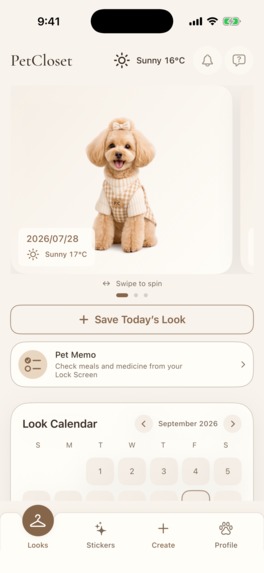
Looks
-
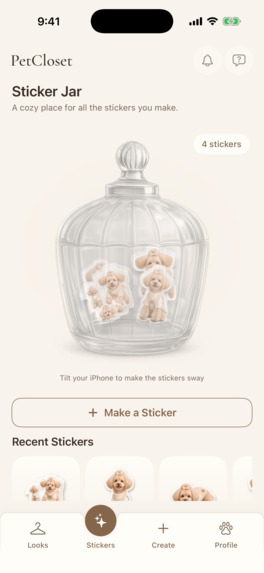
Sticker
-
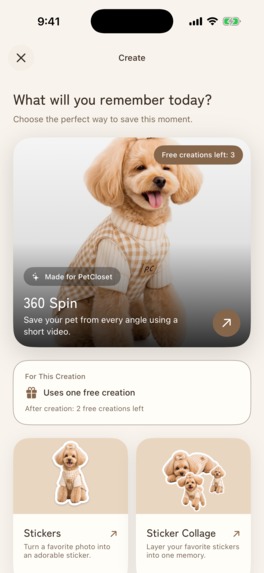
Create
-
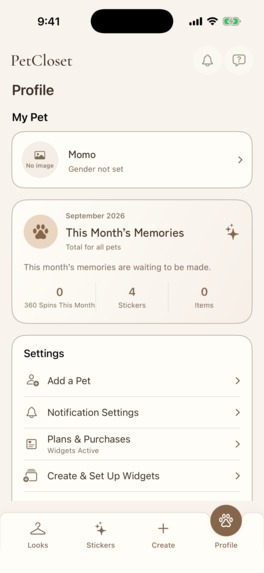
Profile

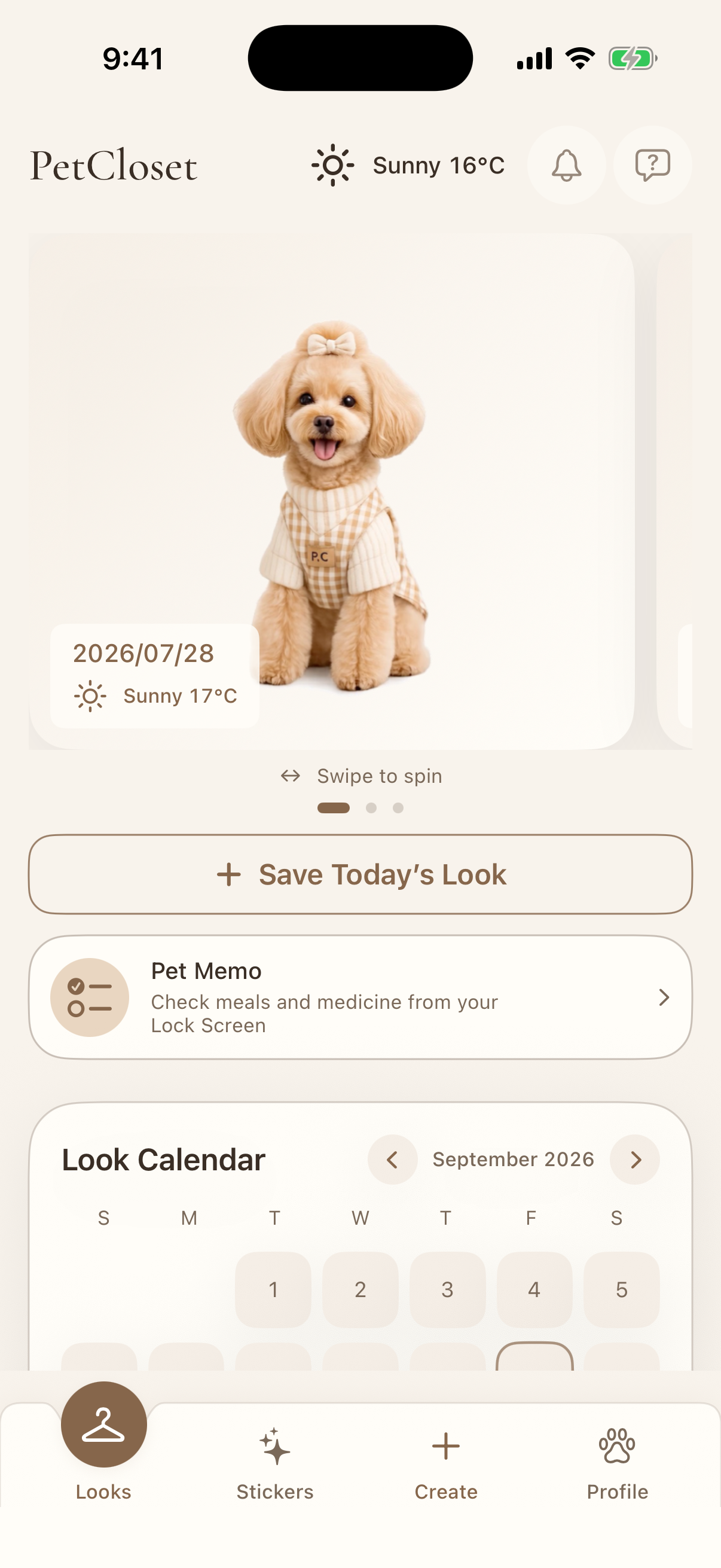
PetCloset — Turn Everyday Pet Moments into Memories You Can Spin
Inspiration
Pet owners take countless photos and videos, but most of those memories eventually disappear into a camera roll. A single photo also struggles to capture the details that make a moment special: the side of an outfit, the shape of a harness, a fluffy tail, or the way a pet looked from behind.
I wanted to create something closer to holding a favorite figurine in your hand—an experience where you can gently spin your pet around and revisit the whole moment.
That idea became PetCloset, a private digital closet and memory diary made exclusively for pets. Instead of building another social feed, I focused on helping people preserve their pet’s outfits, expressions, growth, and everyday memories in a playful and personal way.
What It Does
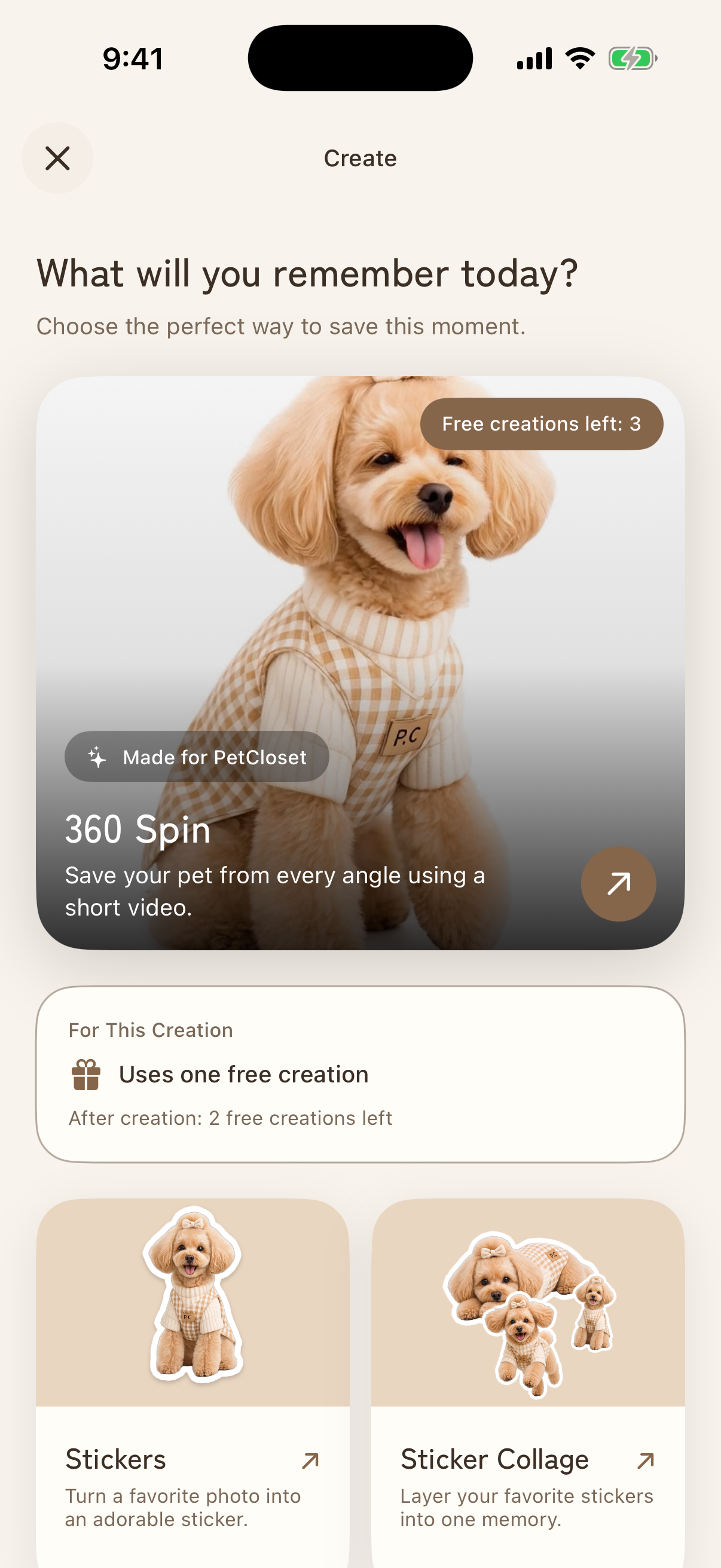
PetCloset turns a short pet video into an interactive rotating memory called a Kurutto.
The basic flow is simple:
- Record or choose a short video of your pet.
- PetCloset extracts 36 frames.
- The background is removed and every frame is normalized.
- The finished result can be rotated with a swipe.
- The owner can add a date, weather, outfit information, and a note.
- The memory can be revisited or exported as a shareable vertical video.
With 36 frames, each step conceptually represents approximately:
$$ \frac{360^\circ}{36} = 10^\circ $$
This creates the feeling of a 360-degree model without requiring an expensive or fragile 3D reconstruction pipeline.
PetCloset also extends those memories beyond the main app:
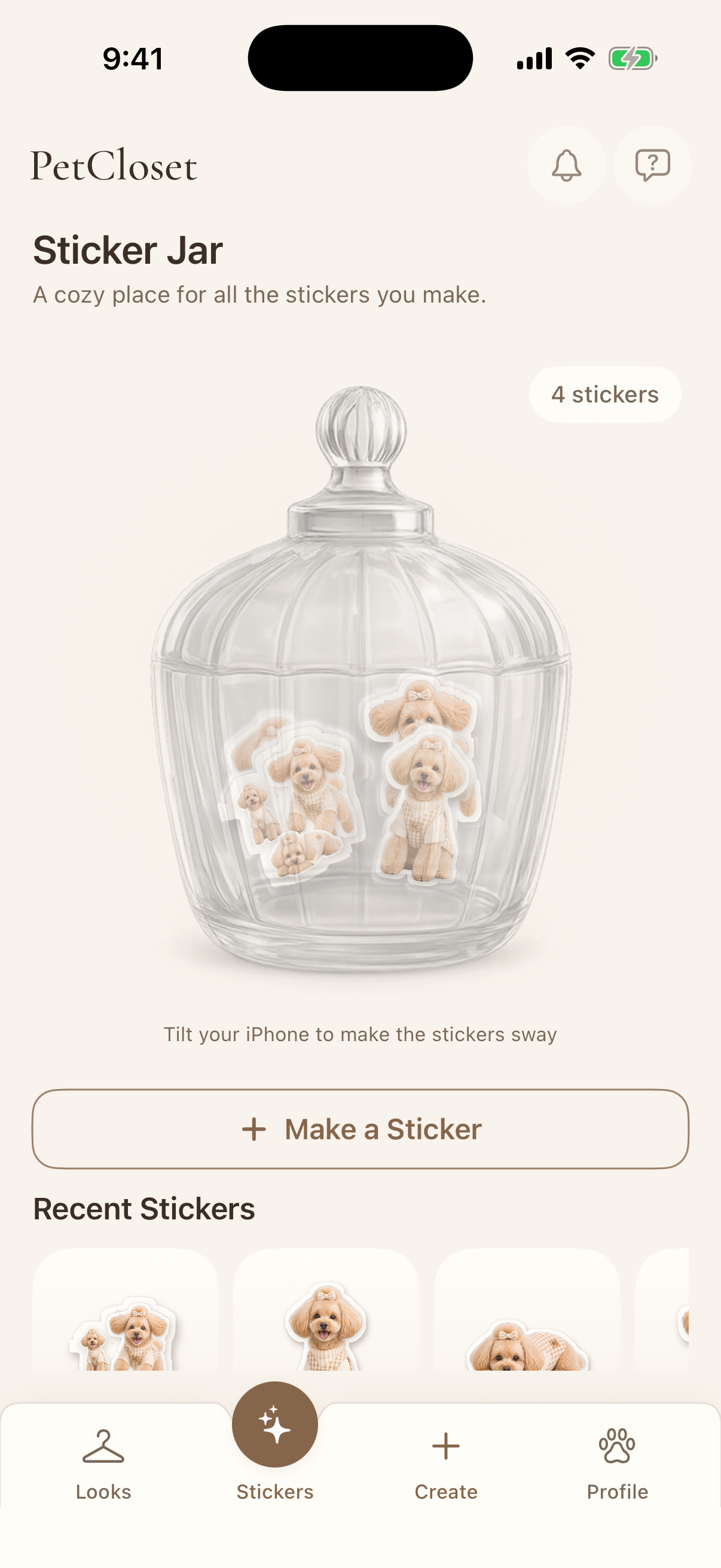
- Pet photos can become transparent, puffy-style digital stickers.
- Stickers can be arranged in collages and collected inside a playful glass jar.
- A Pet Memo Live Activity keeps care reminders visible on the Lock Screen and Dynamic Island.
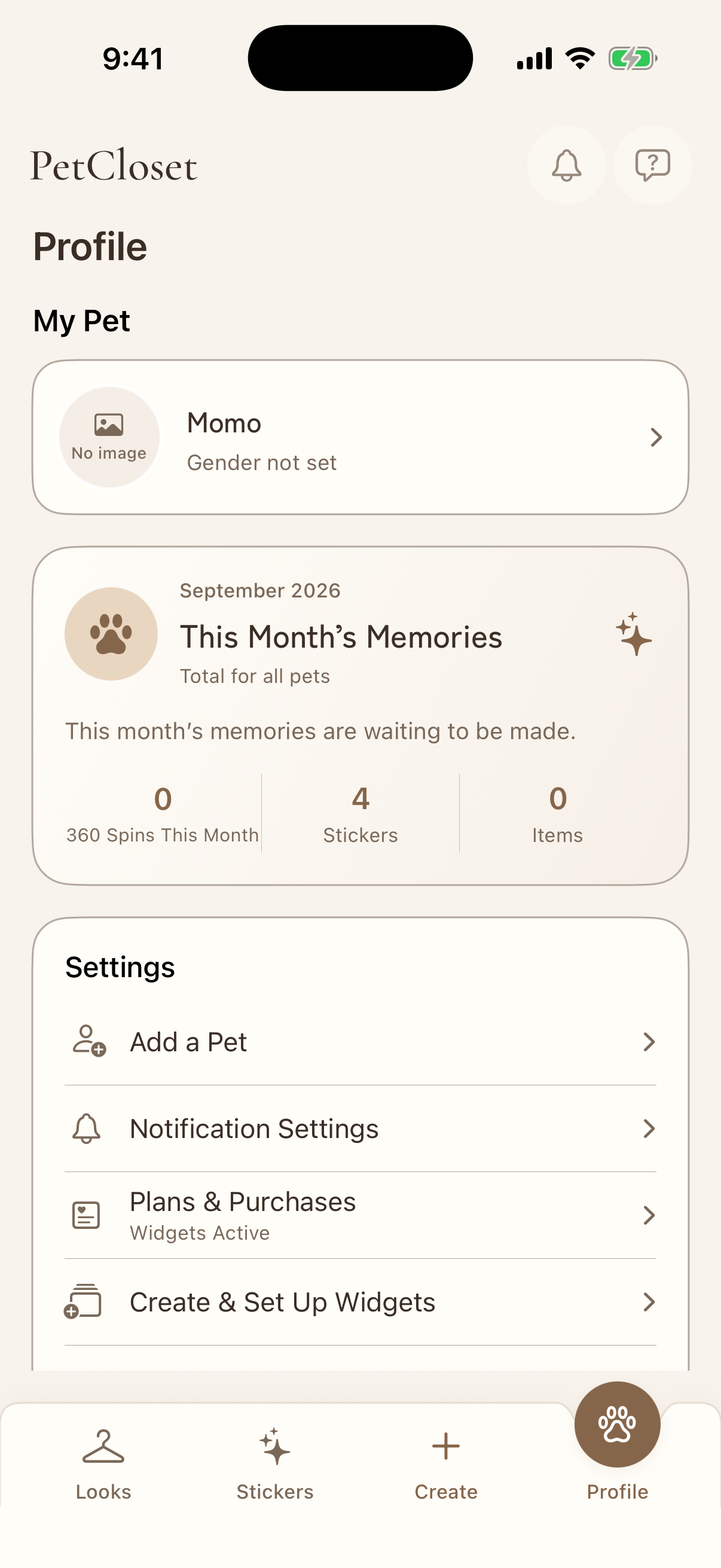
- Home Screen widget experiences can display saved pets as rotating, flip-style, or battery-style photo widgets.
- Users can start immediately as a guest and later carry their data into an account with Sign in with Apple.
Pet media is private by default. It is never published to a public feed, and sharing only happens when the user explicitly opens the iOS share sheet.
How I Built It
PetCloset is a native SwiftUI application backed by a Laravel 13 JSON API and MySQL.
The iOS app uses Apple frameworks including SwiftUI, URLSession, Photos, ActivityKit, WidgetKit, App Intents, and Sign in with Apple. The interface is built around reusable Material Design 3-inspired tokens, custom typography, gentle motion, and Rive animations so that the pet—not the interface—remains the visual focus.
For Kurutto creation, the iPhone extracts exactly 36 frames from the selected video and uploads them to a private backend. Laravel stores the creation state and dispatches the heavy work to an asynchronous media queue. A Python worker using rembg, BiRefNet, and Pillow removes backgrounds, preserves soft edges such as fur, and places each subject on a shared transparent canvas.
Once processing is complete, the SwiftUI viewer displays the frames as an interactive rotation. The same processed assets can be rendered on the device into a branded vertical H.264 video for saving and sharing.
The backend also handles authentication, private media authorization, generation limits, purchase credits, retries, and recovery. Generation requests are idempotent, and a free allowance or paid credit is only finalized after the media job succeeds. If processing fails or times out, the reservation is released automatically.
I also used Codex as an engineering collaborator throughout the project. I created repository-level instructions and two defined perspectives:
- Ellen, the product director, protects the emotional experience, brand, copy, and accessibility.
- Falcon, the engineer, turns that direction into secure, testable SwiftUI and Laravel implementations.
Work is organized through tickets, implementation plans, automated quality gates, and explanation-rich diff reviews. This taught me that building effectively with an AI coding agent is less about writing one perfect prompt and more about giving it durable context, clear responsibilities, and verifiable completion criteria.
Challenges I Faced
Creating a 3D feeling without building full 3D
The original concept explored full 3D reconstruction. However, that approach increased processing cost, waiting time, and failure risk before proving whether people even wanted the experience.
The breakthrough was realizing that the emotional value did not depend on a polygon mesh. A carefully ordered sequence of transparent frames delivered the feeling of “turning my pet around” with far less complexity.
Removing backgrounds consistently
Background removal was one of the hardest technical problems. White fur against a bright wall, pale clothing, shadows, compression artifacts, and multiple subjects can all confuse a segmentation model. Even small differences between frames become visible as flicker during rotation.
I built a hybrid pipeline rather than trusting one model for every image. Existing transparency is preserved, uniform backgrounds can be removed from edge-connected regions, and BiRefNet is used when a stronger segmentation pass is necessary. Every result is then normalized onto a common canvas to keep the pet centered and stable.
Making asynchronous processing trustworthy
Media processing can take time and can fail halfway through. Network retries can also send the same request more than once. This becomes especially serious when free allowances or purchases are involved.
I modeled creation as a state machine with reserved, consumed, released, and compensated states. Database transactions, user-level locks, idempotency keys, queue recovery, and timeout handling ensure that users do not lose a creation credit unless they actually receive a completed result.
Shipping across app, extension, and backend boundaries
The main app, widgets, Live Activities, App Groups, local development API, production API, media worker, and TestFlight build all behave differently. Some features can only be tested on a physical device, while others need the Simulator or a running production queue.
Keeping those environments aligned required explicit configuration scripts, shared data contracts, automated Laravel and Swift tests, release builds, and careful privacy and permission handling.
What I Learned
The biggest lesson was that technical ambition and user value are not the same thing. Replacing full 3D reconstruction with a 36-frame illusion made the product faster, more affordable, and easier to understand without losing its magic.
I also learned that perceived media quality depends as much on consistency as model accuracy. Stable framing, soft edges, predictable waiting states, and friendly recovery messages often matter more than the most advanced segmentation model.
On the engineering side, I learned to treat asynchronous work and billing as one domain problem. A queue job is not finished simply because code ran—it is finished when the user has safely received the promised result.
Finally, I learned that AI-assisted development works best when the AI is given a real operating system: product principles, architectural boundaries, review roles, tests, and a shared definition of quality.
What I’m Proud Of
I am proud that PetCloset grew from a visual idea into a production-oriented native application without losing its emotional center.
Behind a simple gesture—swiping to spin a beloved pet—is a complete system involving video processing, background segmentation, private storage, asynchronous recovery, native iOS experiences, billing safety, and deployment automation.
But the result does not feel like infrastructure. It feels like opening a tiny closet full of memories.
What’s Next
The next steps are to improve frame-to-frame consistency, move heavy media processing to more scalable infrastructure, complete real-device validation for every widget experience, and learn from pet owners using TestFlight.
Longer term, I want PetCloset to become a visual history of a pet’s life: not just what they wore, but how they changed, what made them happy, and the ordinary days their family never wants to forget.## What we learned

Log in or sign up for Devpost to join the conversation.