-
-
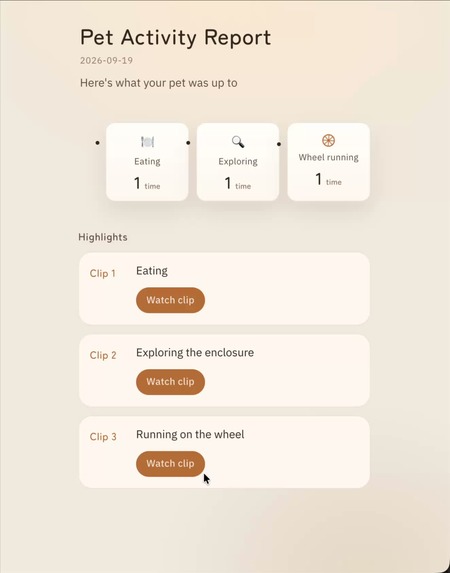
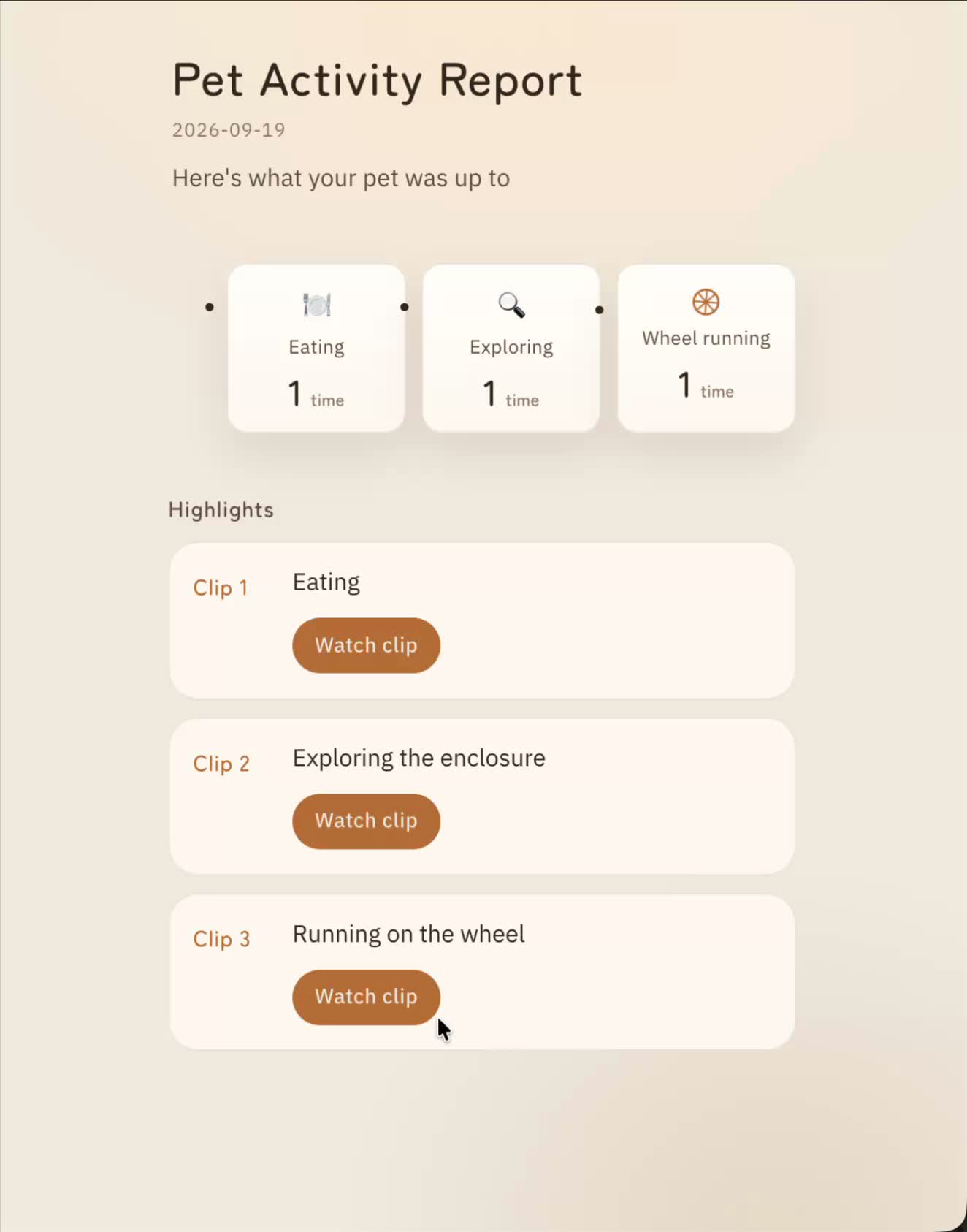
Pet Activity Report — See what your pet was up to while you weren't watching.
-
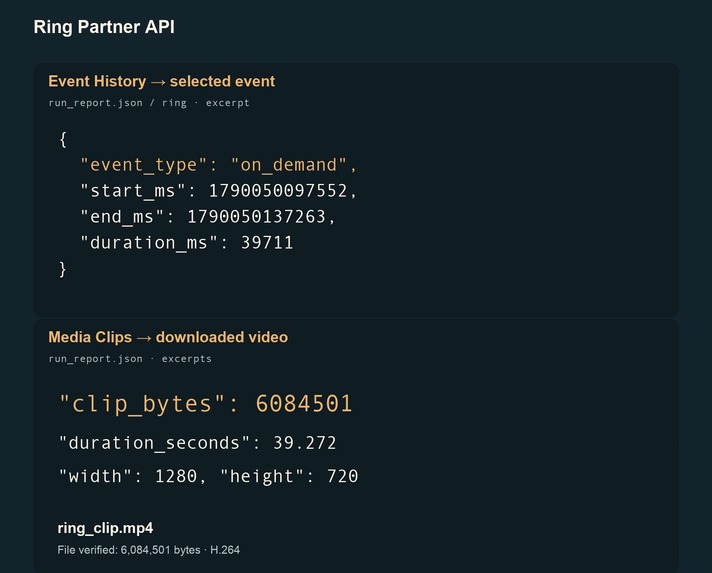
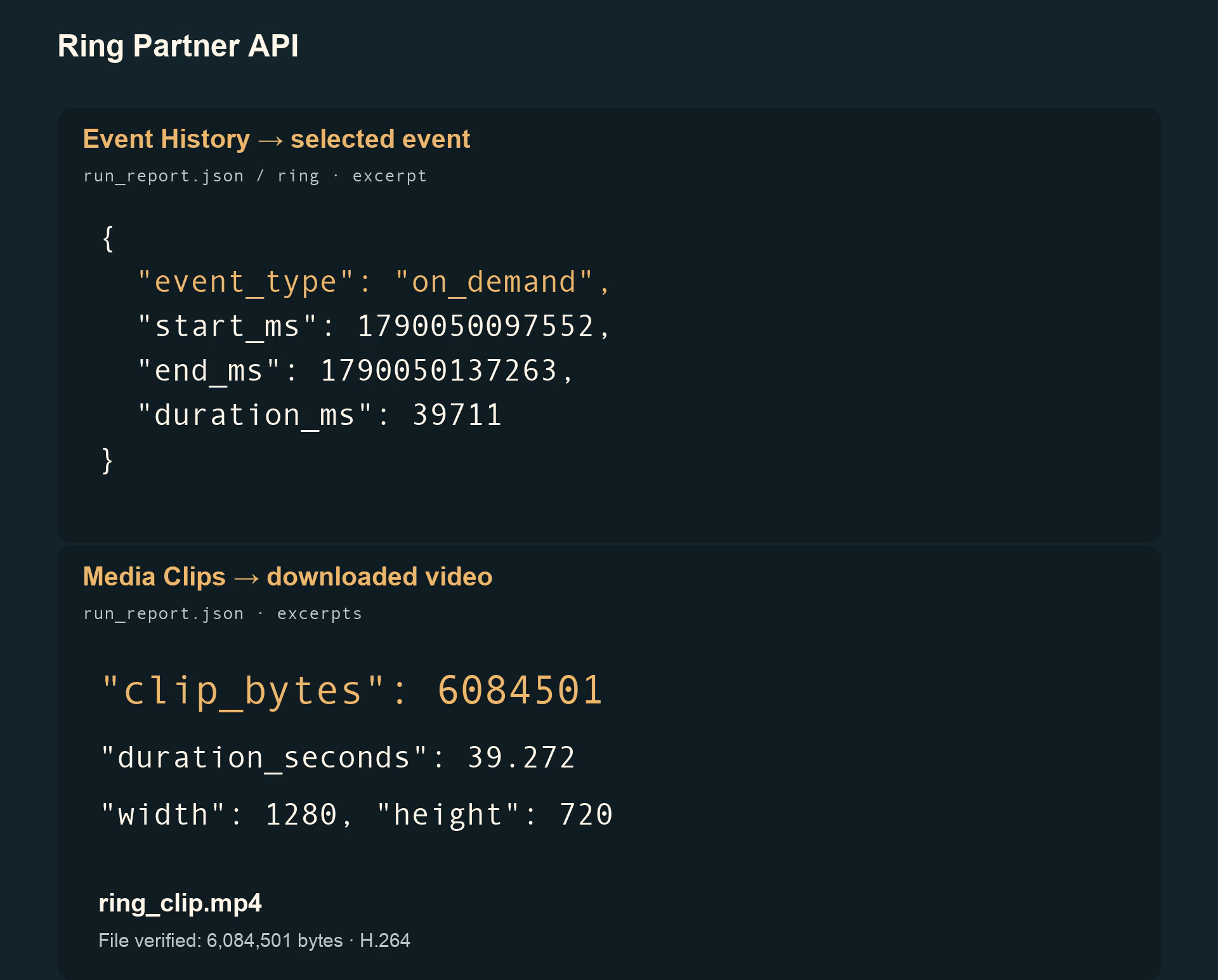
Ring Partner API — Event History is mapped to Media Clips to retrieve recorded video.
-
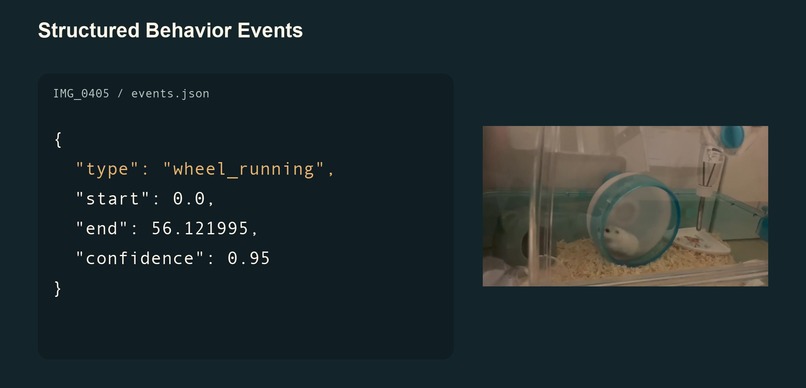
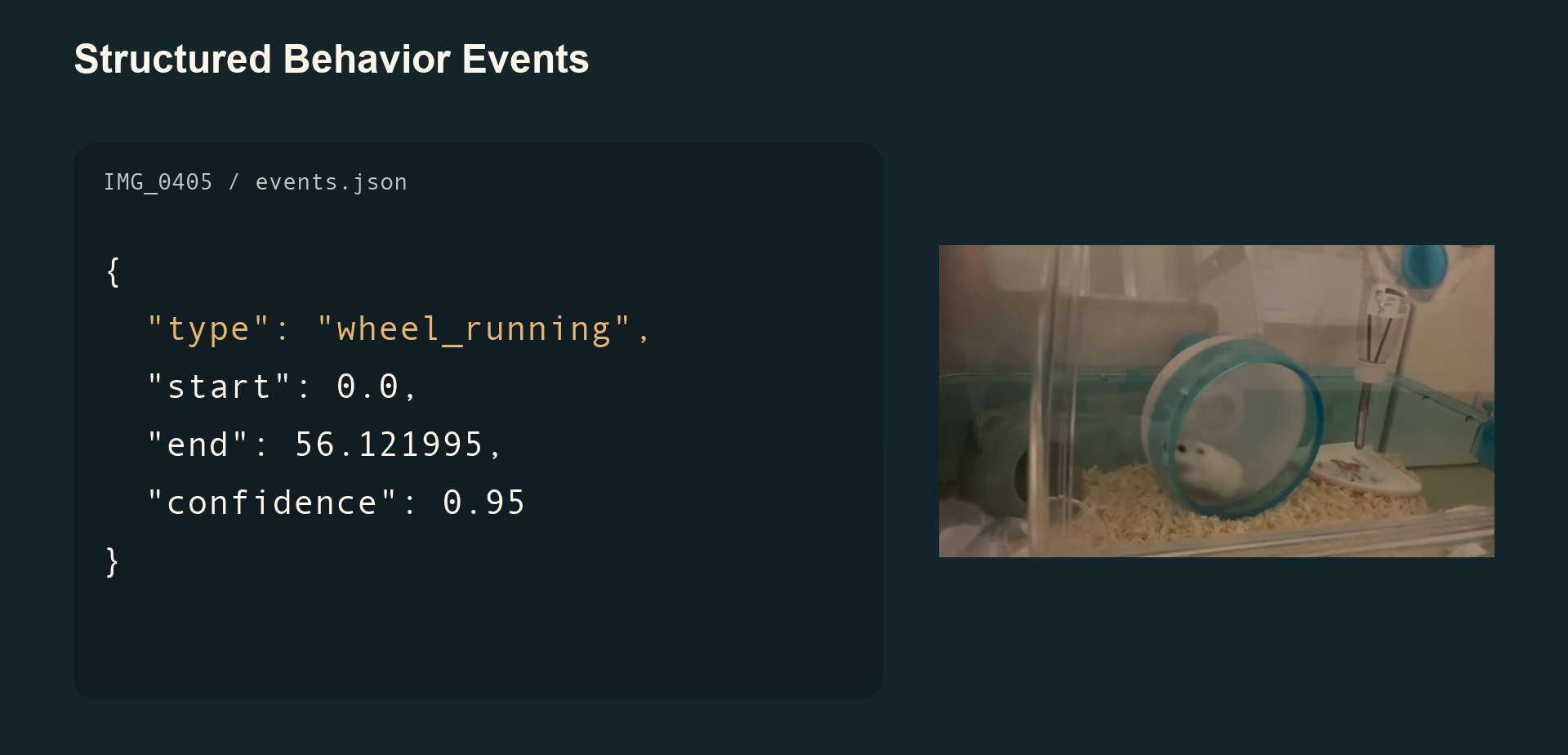
Amazon Nova 2 Lite turns real hamster footage into structured behavior events.
Inspiration
Pet owners miss a surprising amount of their pets' lives. While we sleep, work, or leave the house, small pets such as hamsters may be eating, exploring, running on their wheel, or doing something completely unexpected. I wanted to answer a very simple question: "What was my pet doing while I wasn't watching?" Ring already captures moments that happen when nobody is watching. I wanted to explore how those recordings could become more than isolated video clips — turning them into a meaningful summary of a pet's everyday activities. The idea was to use Ring footage and AI to help pet owners discover those missed moments without having to review every recording. I also found old videos of my own hamster, which gave me real footage to test the idea instead of relying on synthetic or stock videos.
What it does
Pet Activity Report turns pet video clips into a simple activity summary. Amazon Nova 2 Lite analyzes video clips and identifies behaviors such as:
- eating
- exploring
- wheel running The prototype combines analysis results from multiple clips into one report, showing behavior counts, highlights, and links to the original videos. Instead of reviewing every video individually, an owner can quickly see what their pet was doing while they were sleeping, working, or away. The current prototype requires some manual steps to collect and process clips. Fully automated Ring clip collection and report generation are future goals. The goal is not medical monitoring or diagnosis. It is a friendly way to discover the everyday moments that are easy to miss.
How I built it
The prototype supports two video input paths. Ring API integration Since I don't own a Ring camera, I used Ring Developers Playground to test the API integration and real footage of my own hamster to validate the AI behavior analysis. For the Ring path, I built a pipeline using the Ring Partner API: Ring Event History → Media Clips MP4 → Amazon Bedrock / Nova 2 Lite → behavior events Ring Developers Playground provides the OAuth token used by the Python application to access the Ring APIs. Event History retrieves recorded event metadata, and Media Clips provides access to the corresponding video clips. This allowed me to explore the Ring integration without requiring a physical Ring camera. AI behavior analysis For behavior verification, I used real videos of my own hamster and passed them through Amazon Nova 2 Lite using Amazon Bedrock. The analyzer identifies activities such as eating, exploring, and wheel running. Each analyzed clip produces structured behavior events, including:
- eating
- exploring
- wheel_running These structured results allow the application to build reports without relying on free-form AI-generated descriptions. Report generation A deterministic report builder combines results from multiple analyzed clips into a single report.json. Multiple clips → Nova 2 Lite → behavior events → Report Generator → report.json The report includes behavior counts, highlights, and references to the original clips. The report generator uses structured analysis results rather than asking AI to invent a narrative. Frontend Finally, a React + Vite frontend turns the generated JSON into the Pet Activity Report. The interface presents:
- behavior counts
- activity highlights
- links to the original video clips The goal is to make the results easy to understand without requiring users to inspect raw AI output or watch every recording. Technologies
- Ring Partner API / Ring Developers Playground
- Amazon Bedrock
- Amazon Nova 2 Lite
- Python
- FFmpeg / ffprobe
- Pydantic
- React + Vite
Challenges
One of the biggest challenges was understanding how Ring events map to recorded video. Event History provides event metadata, while Media Clips retrieves existing video using a timestamp and duration rather than an event ID. I therefore had to connect the event's start/end information to the Media Clips request before sending the resulting MP4 to Nova. I also found that the Developers Playground's "Simulate live view event → Motion" appeared in Event History as on_demand rather than motion in my tests. This led me to separate Playground and production-oriented Ring profiles and to validate event types on the client side. Another challenge was connecting AI analysis to a report without adding information that the model never detected. For example, my local hamster clips do not contain reliable wall-clock timestamps. Instead of inventing times such as "12:42", the generated report honestly labels them Clip 1, Clip 2, and Clip 3. The report captions are also deterministic. If Nova detects wheel_running, the report can say "Running on the wheel," but it does not invent additional details that were not present in the structured analysis. I documented the Ring-specific issues, observations, and suggested improvements in a separate Friction Log.
What I learned
This project taught me that recognizing something in a video is only one part of building a useful AI product. The next question is just as important: What can the product safely and honestly say based on that analysis? Building the Report Generator made that especially clear. Model output, clip metadata, timestamps, and UI copy all have different levels of certainty. I designed the report to preserve those boundaries rather than fill in missing information. I also learned how Ring Event History, Media Clips, Playground simulations, and production-oriented motion events fit together, and how recorded Ring media can be passed into a multimodal model such as Nova 2 Lite. Working without a physical Ring camera also taught me how to separate API integration testing from real-world behavior analysis. Using Developers Playground for Ring integration and actual hamster footage for AI verification allowed me to test both parts of the concept independently.
What's next
The core stages now exist: Ring / local video → Nova 2 Lite → behavior events → Report Generator → Pet Activity Report The current prototype still requires some manual orchestration. For example, multiple Ring clips are not yet automatically collected and processed into a report as one unattended workflow. Next steps could include:
- automatically collecting multiple Ring activity clips
- generating daily or overnight reports without manual commands
- supporting more small-pet behaviors
- improving recognition for low-light and wide-angle footage
- supporting other types of small pets
- testing the complete workflow with a physical Ring camera Imagine waking up in the morning and opening a simple report showing what your hamster did overnight — without reviewing a single video. The long-term idea remains very simple: While you were sleeping, working, or away — what was your pet up to?

Log in or sign up for Devpost to join the conversation.