-
-
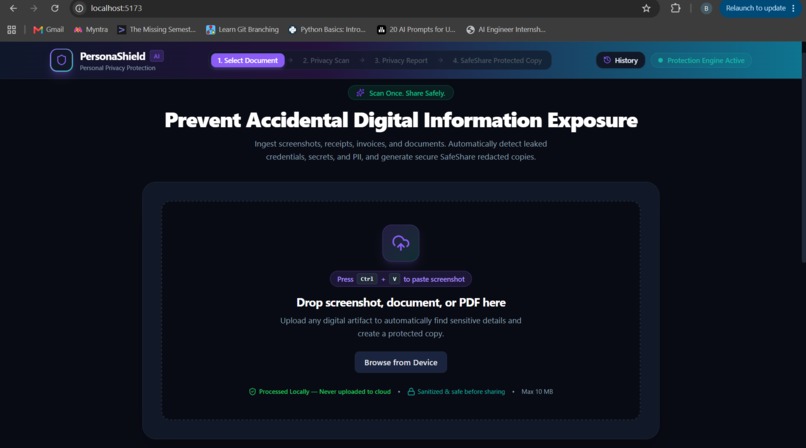
landing page
-
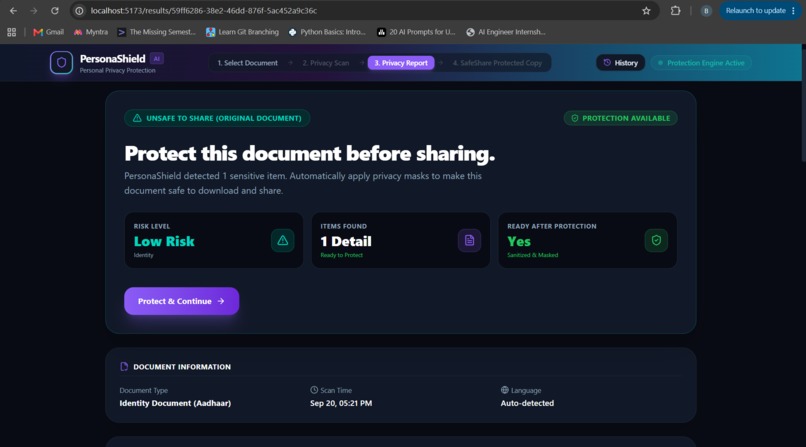
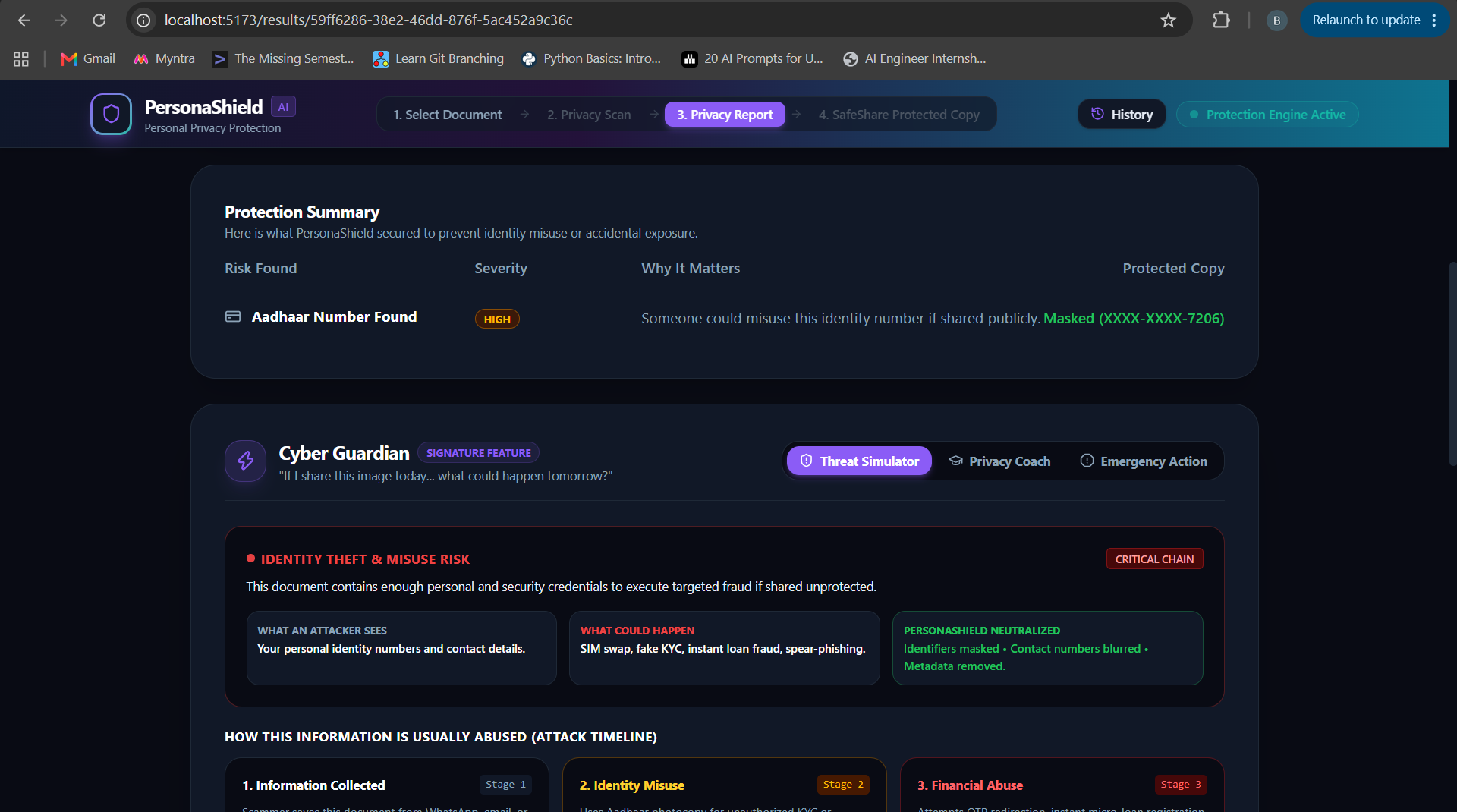
result page 1.1
-
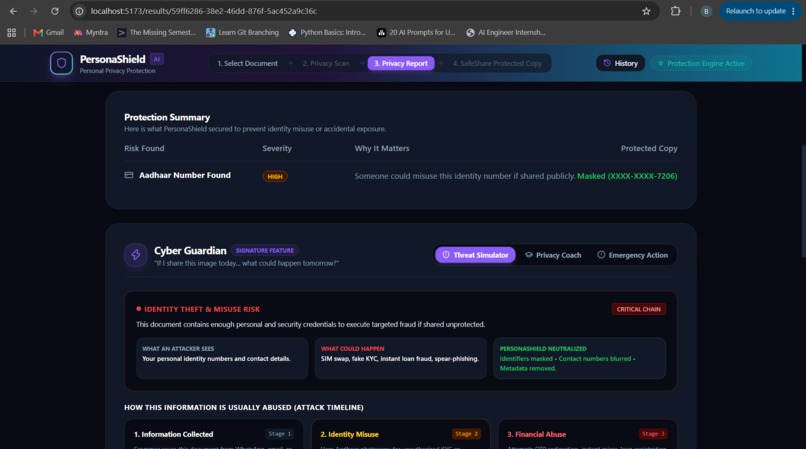
result page 1.2
-
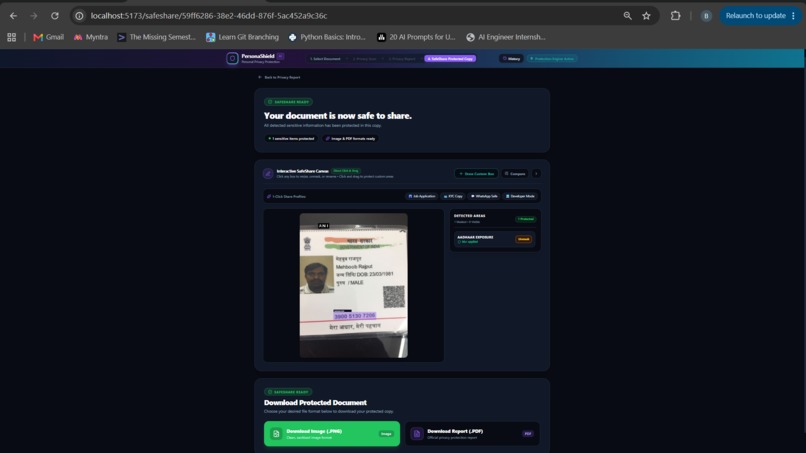
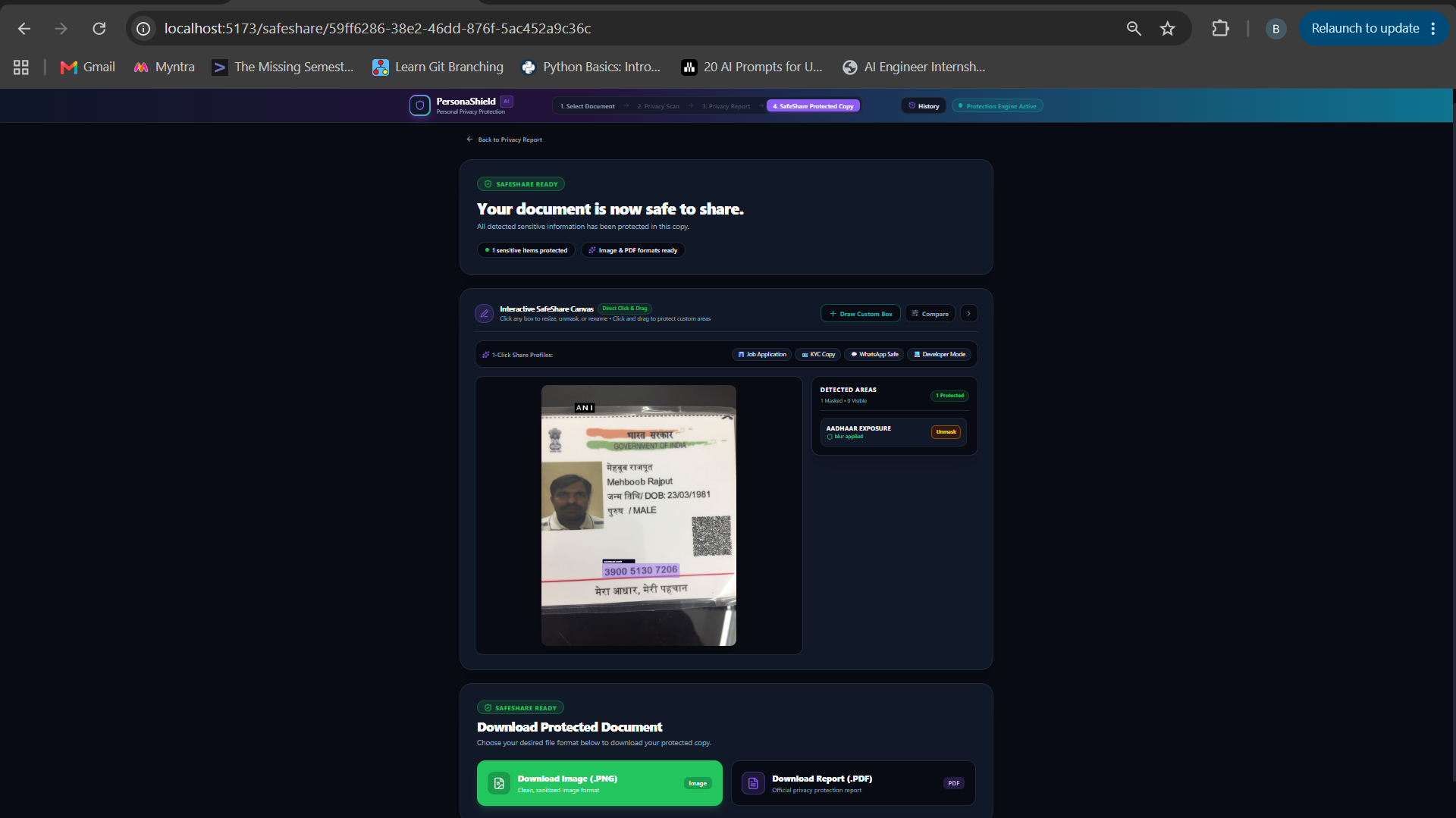
safe-share page 1
-
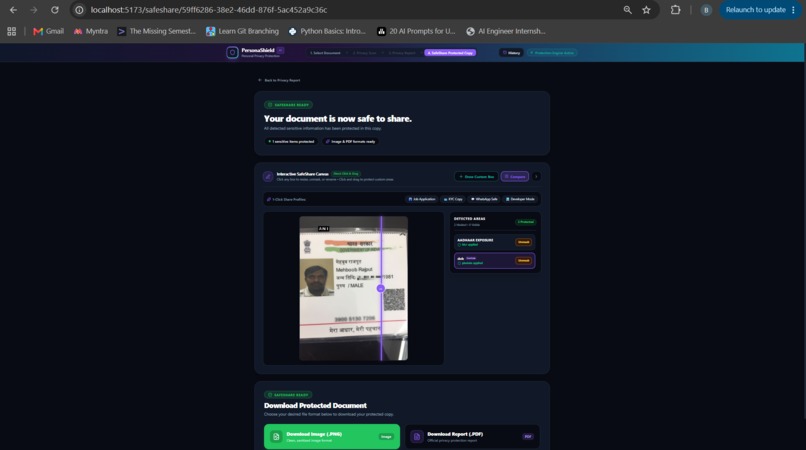
safe-share page (custom mask field)
-
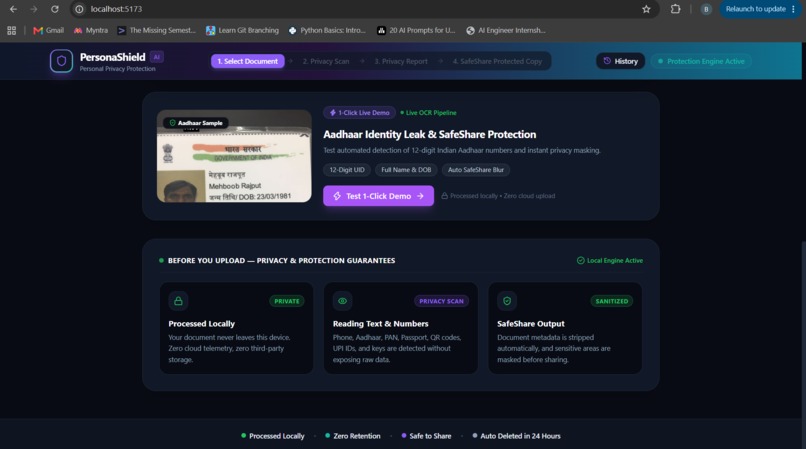
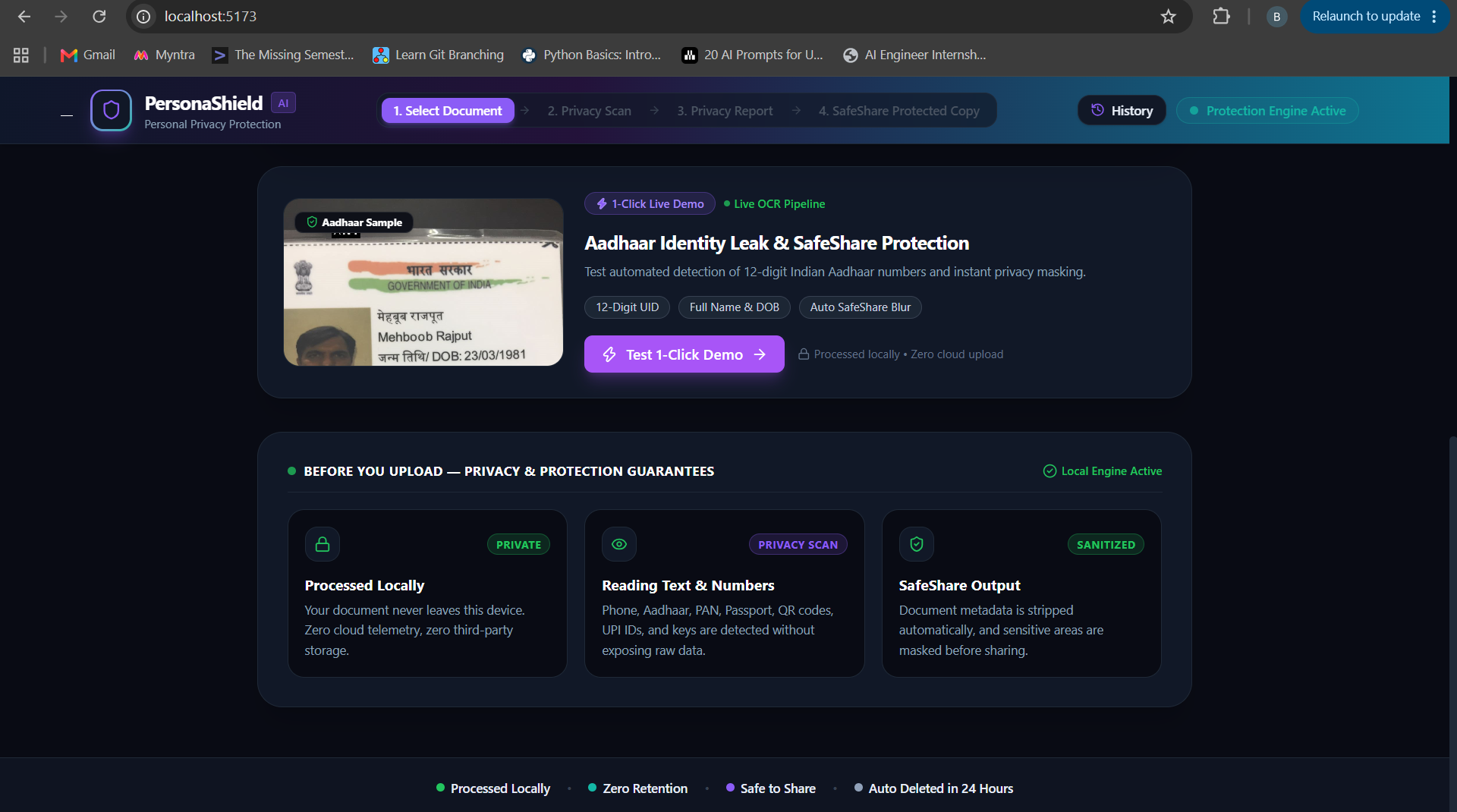
landing page ( sample demo)
-
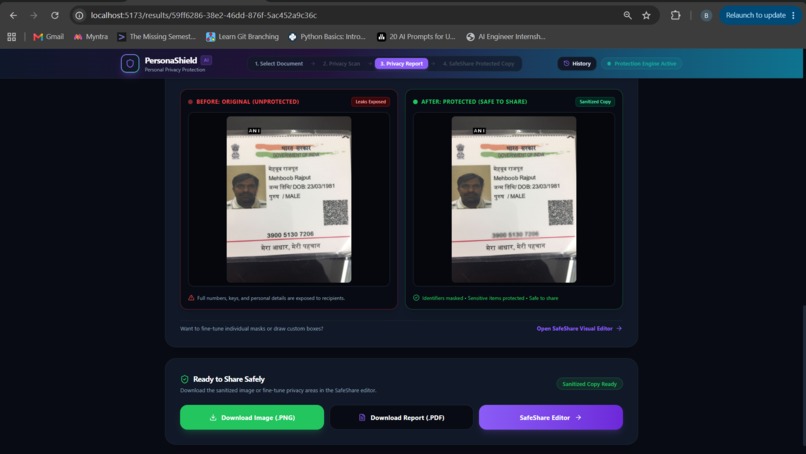
result page 1.4
-
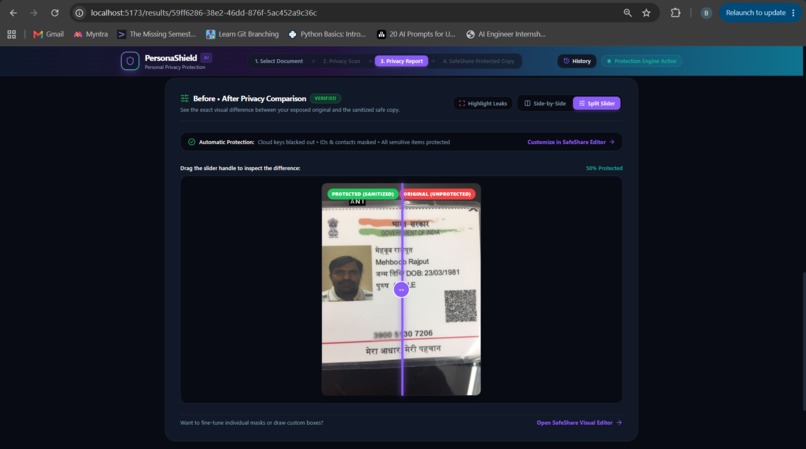
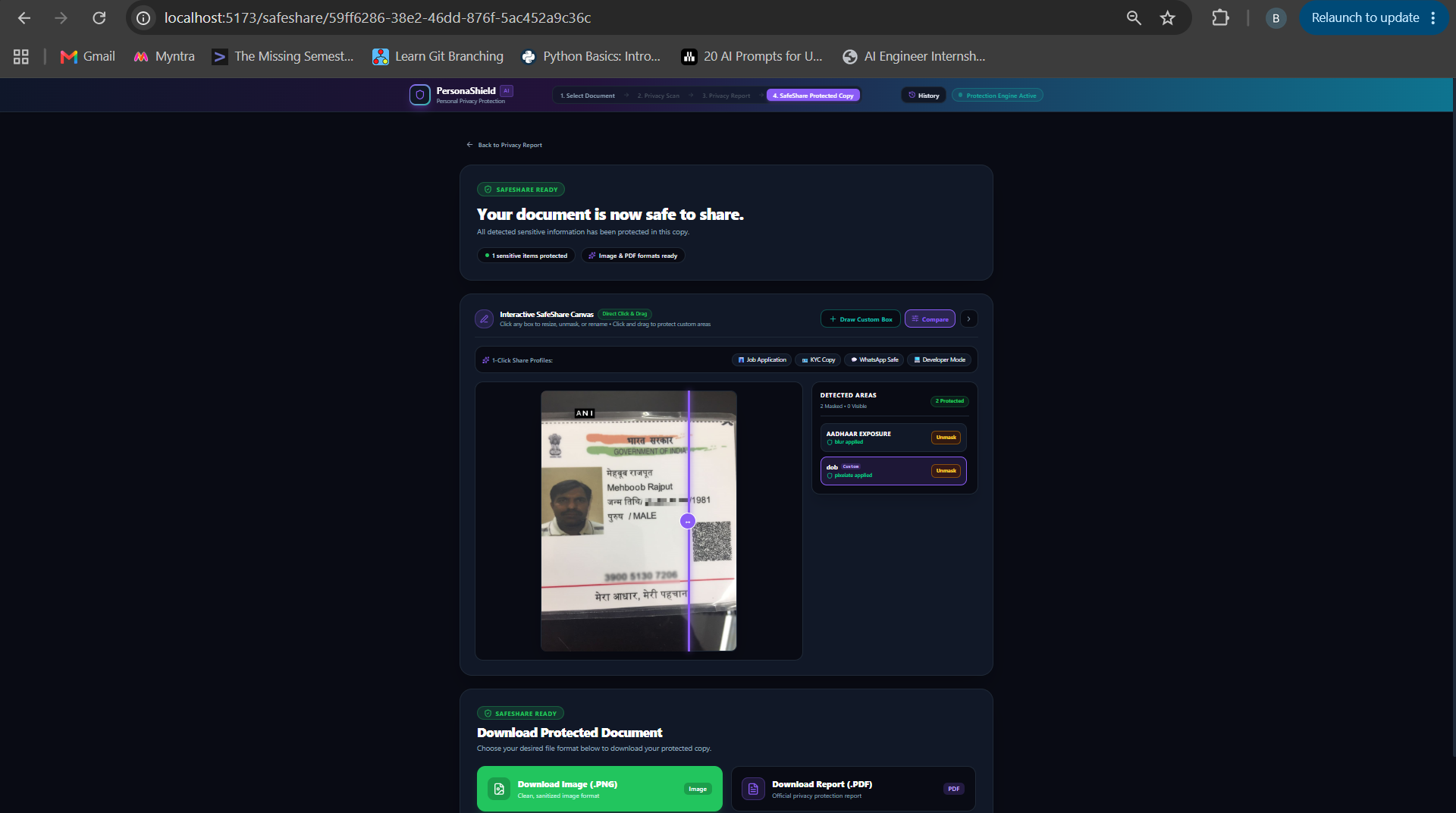
result page 1.5 (comparing document)
-
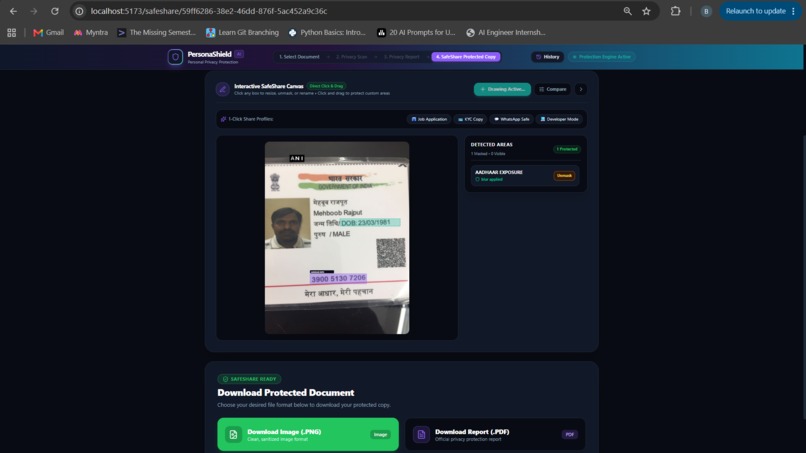
safe-share page 1.2
-
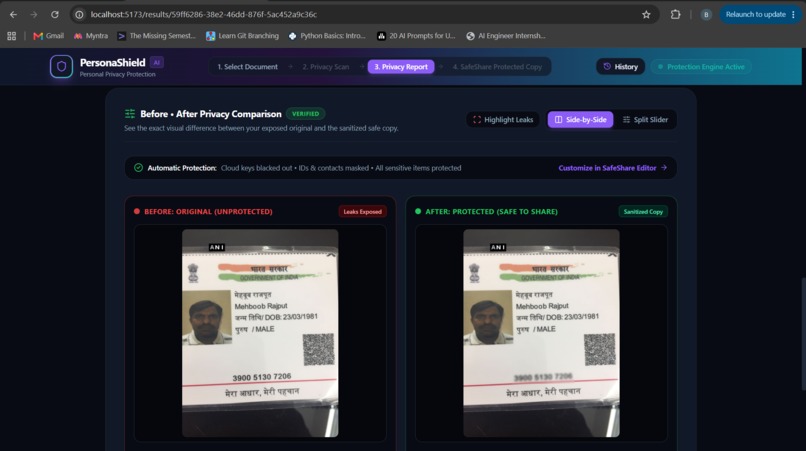
result page 1.3
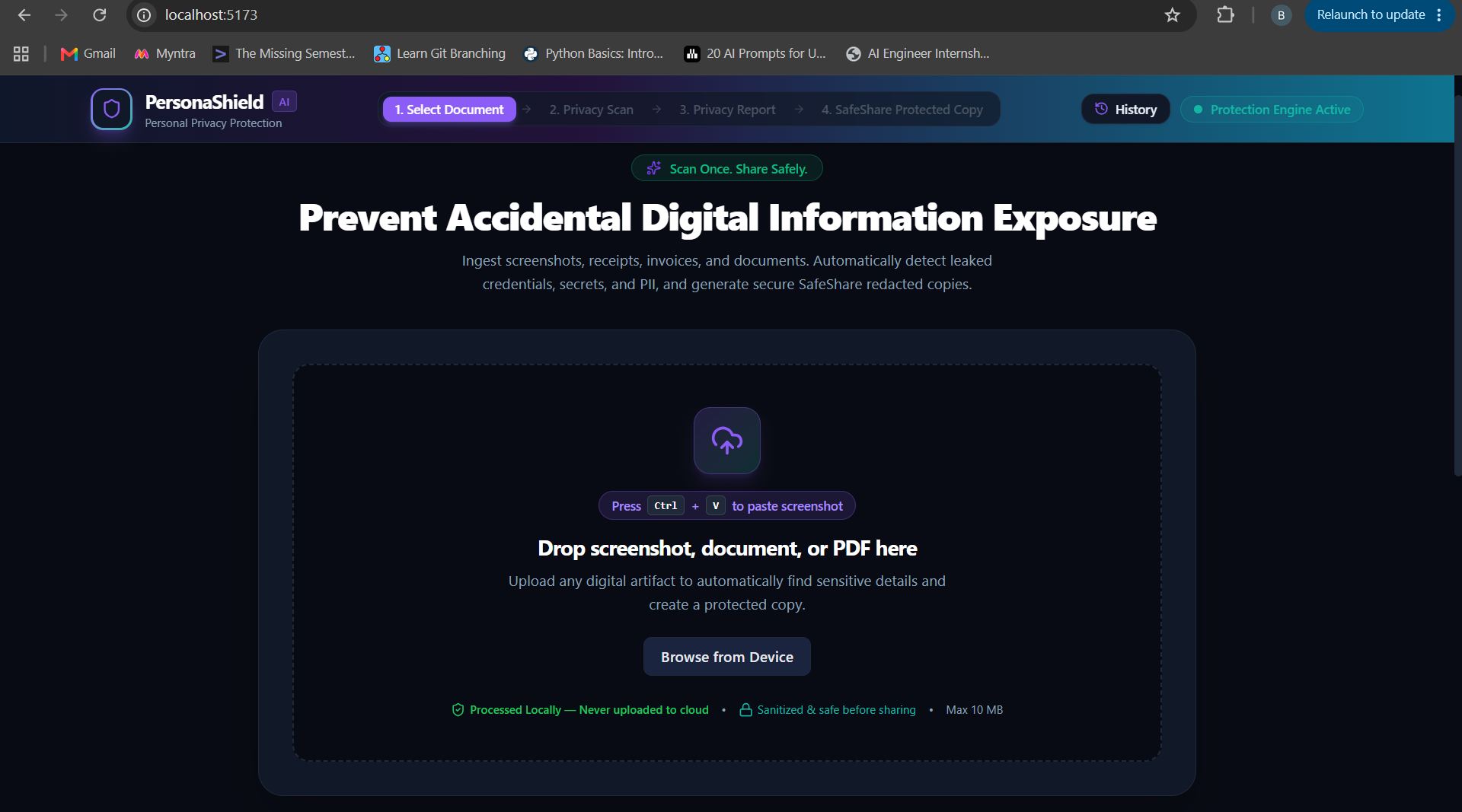
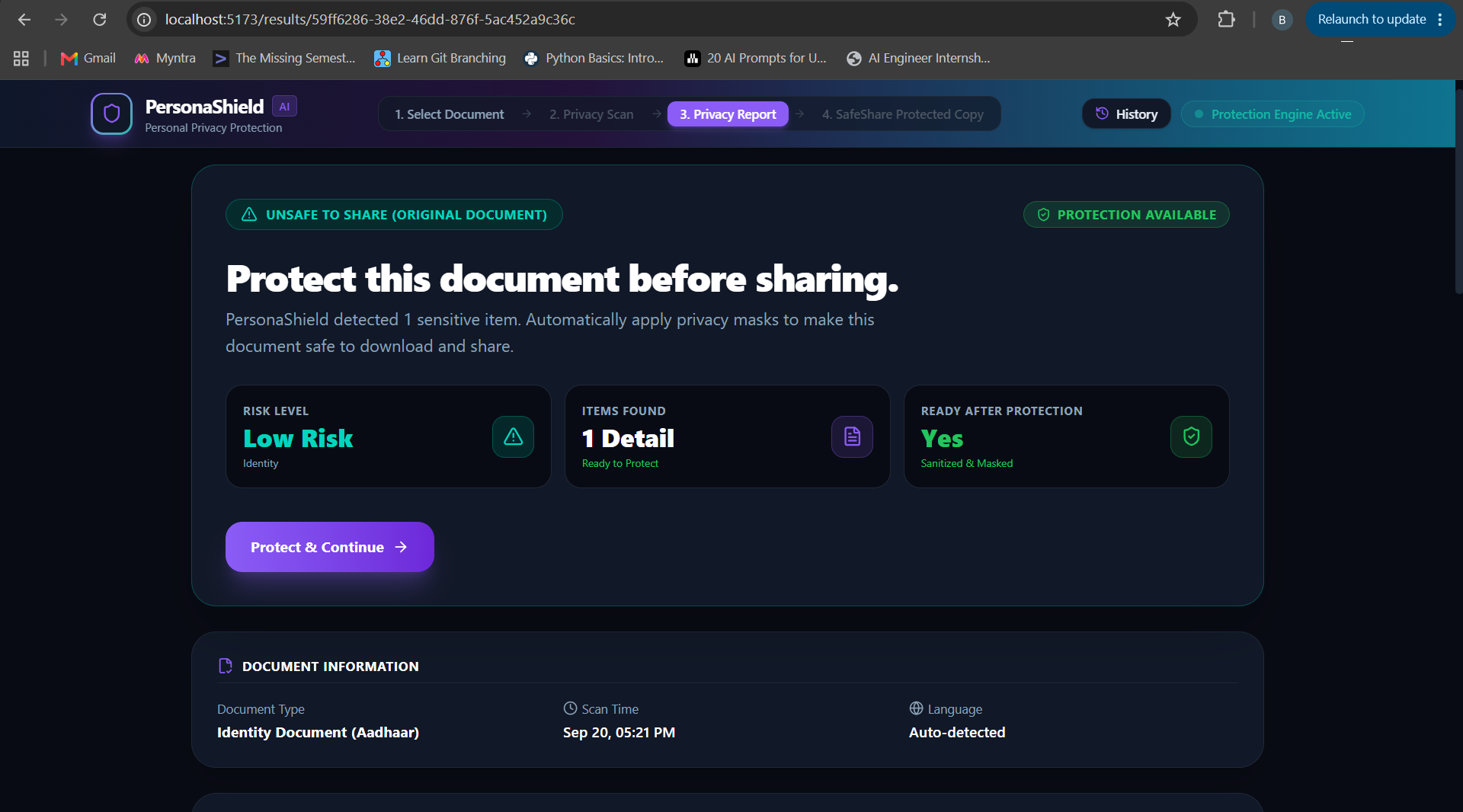
PersonaShield AI — Scan Once. Share Safely.
A preventive cybersecurity assistant that protects your personal information before you share it.
Inspiration
The idea for PersonaShield AI came from a simple observation: millions of people accidentally share sensitive information every day. Aadhaar cards are sent over WhatsApp for KYC, salary slips are emailed during job applications, invoices expose bank details, and developers unknowingly post API keys in screenshots.
I realized that most cybersecurity tools focus on detecting threats after information has already been leaked. I wanted to build something that works before the damage happens.
I was inspired by GitGuardian's secret detection approach, but I wanted to extend that idea beyond developers and make it useful for everyone—students, professionals, freelancers, families, and businesses sharing everyday documents.
The goal became simple:
Scan first. Understand the risk. Share safely.
What it does
PersonaShield AI scans documents, screenshots, and PDFs to identify sensitive information before they are shared online.
What PersonaShield protects
- Identity Documents — Aadhaar, PAN, Passport, Voter ID, and other personal identifiers.
- Financial Information — Bank account numbers, IFSC codes, UPI IDs, payment QR codes, invoices, and salary details.
- Personal Privacy — Phone numbers, email addresses, home addresses, signatures, and dates of birth.
- Developer Secrets — AWS access keys, API tokens, JWTs, database URLs, and cloud credentials.
- Hidden Metadata — Camera information and GPS location embedded inside photos.
Key Features
🛡️ AI Privacy Scan
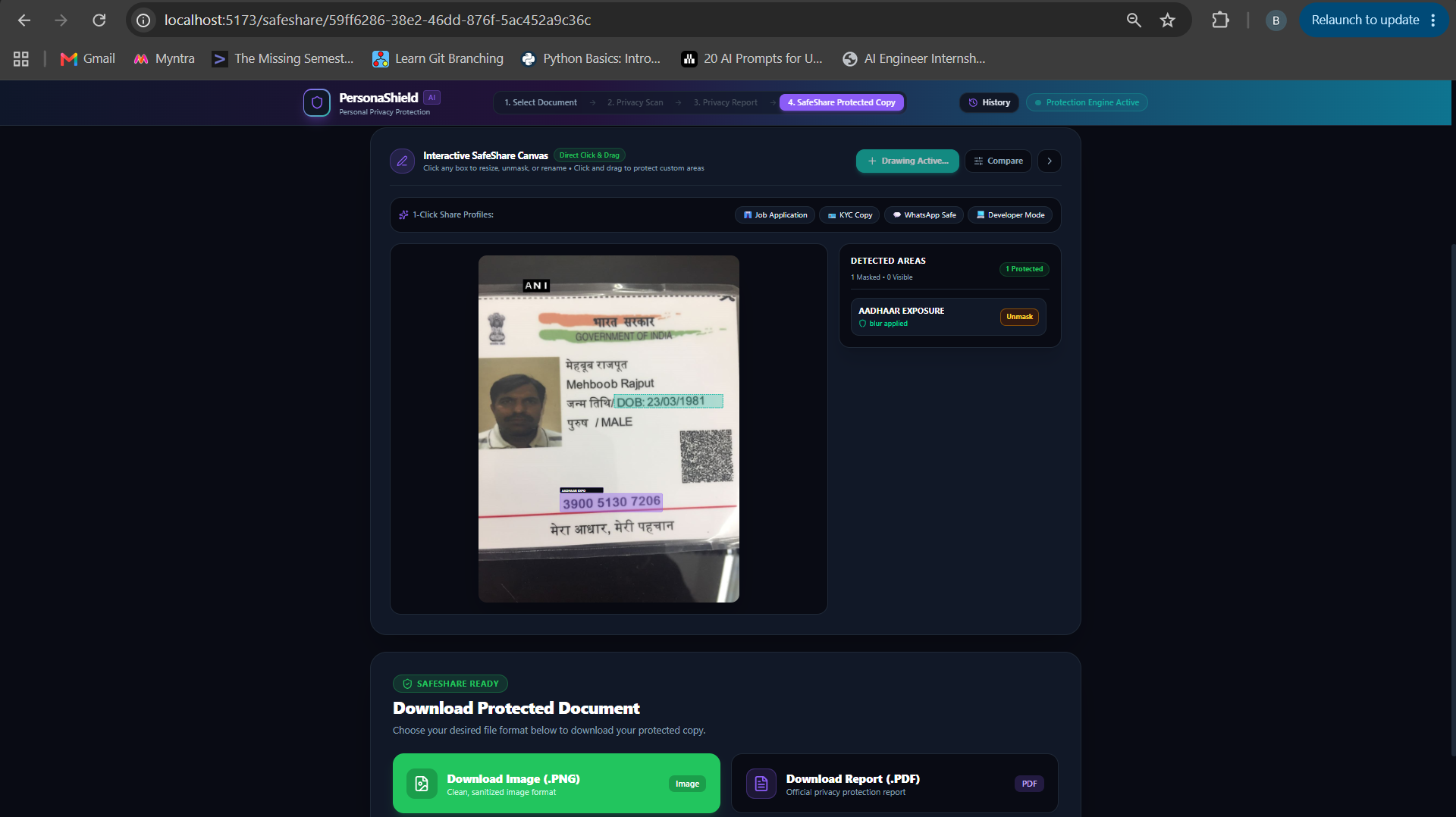
Automatically detects sensitive information and highlights it directly on the uploaded document using an interactive visual canvas.
📄 Cyber Safety Receipt
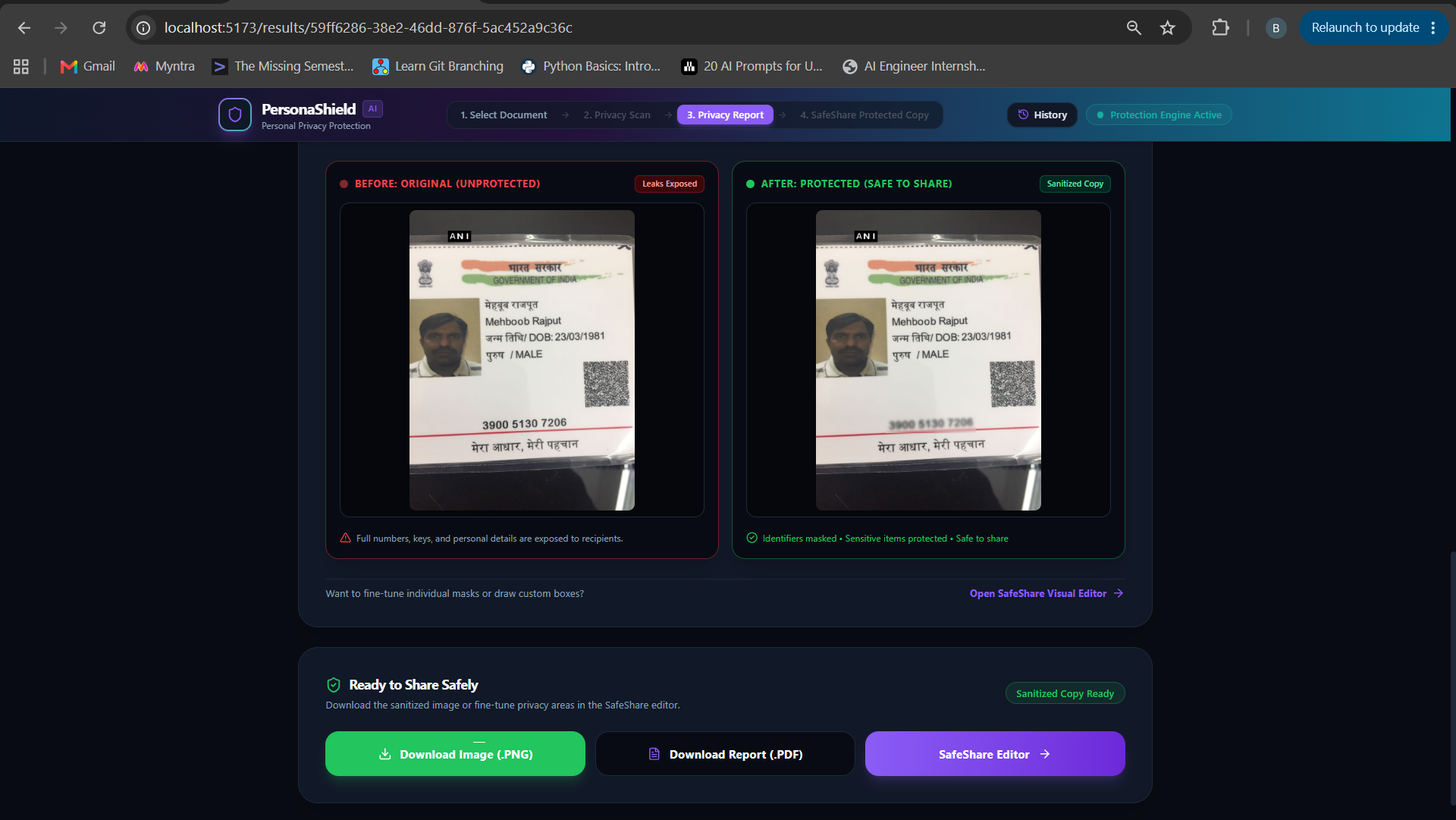
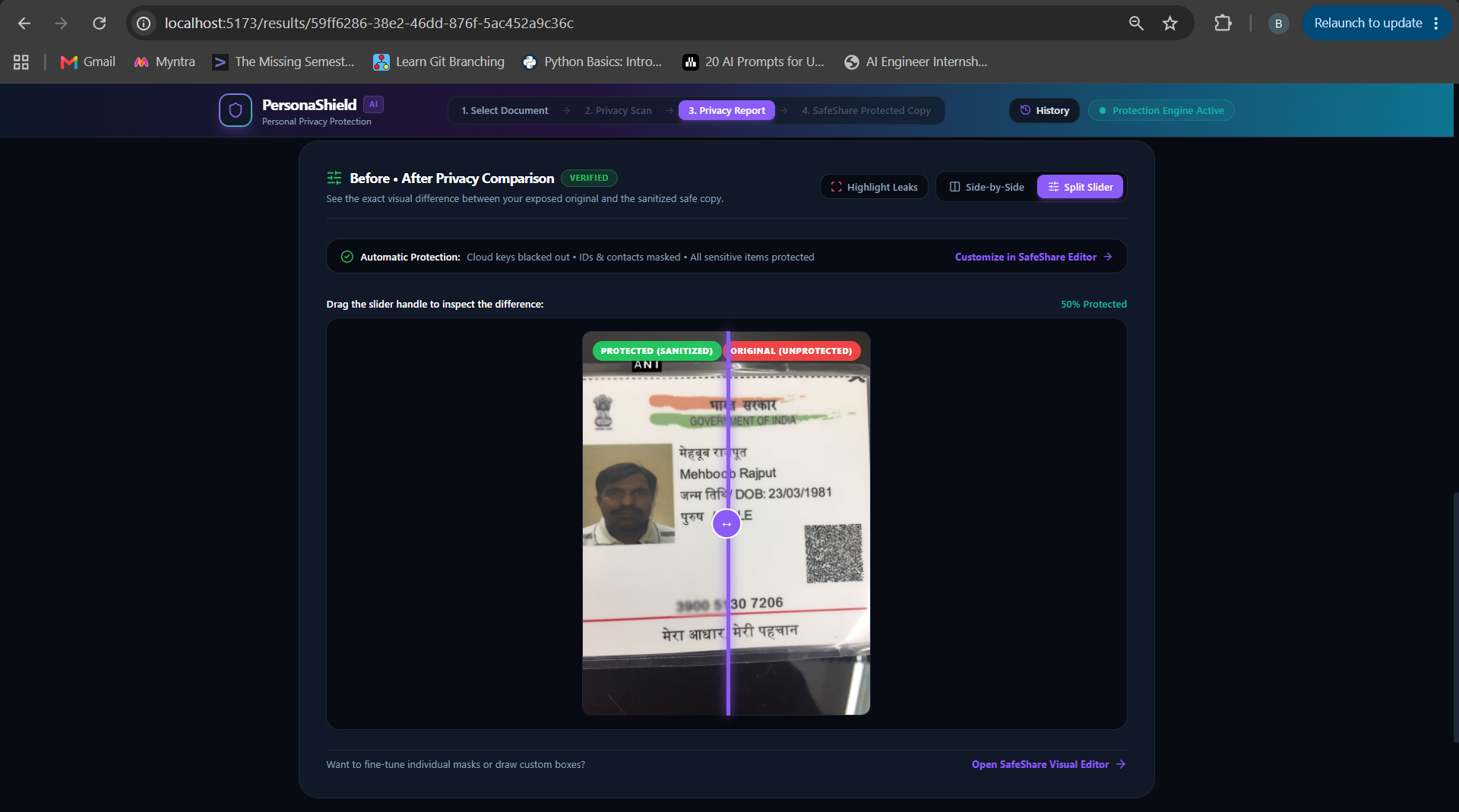
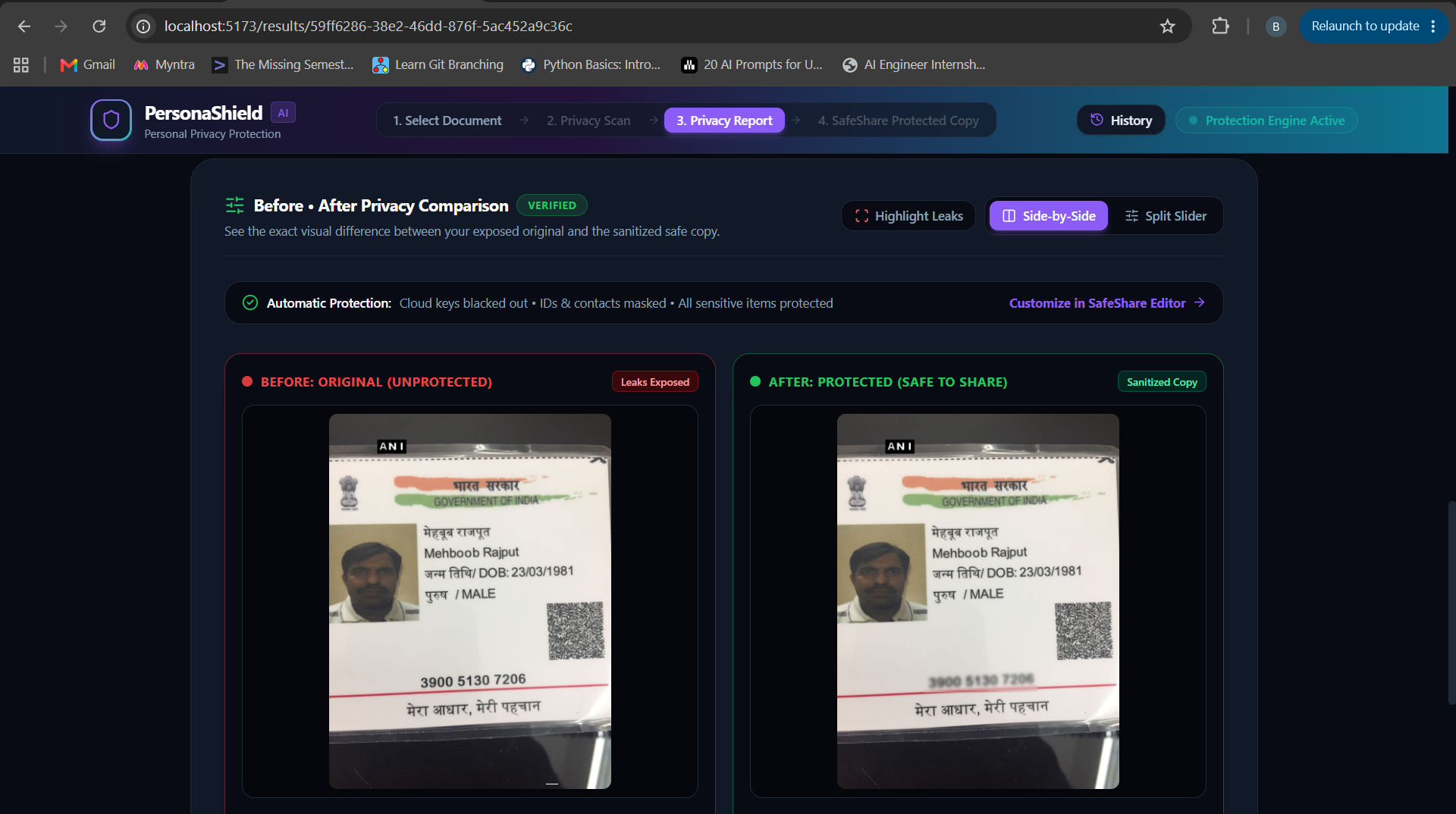
Generates a simple privacy report showing what was found, how risky it is, and whether the document is safe to share.
✏️ SafeShare Protection Editor
Users can resize detection boxes, draw custom protection areas, and choose Blur, Pixelate, or Blackout before downloading.
🎯 Purpose Protection Stamp
Adds a visible watermark such as "ONLY FOR HDFC BANK KYC • 20 SEP 2026" to reduce document reuse and identity fraud.
🧠 Cyber Guardian
Explains real-world cyber attacks in plain English and gives immediate safety steps if the document has already been shared.
📥 SafeShare Export
Downloads a permanently protected PNG or PDF that is ready for WhatsApp, Email, Slack, LinkedIn, or document submission.
How I built it
I built PersonaShield AI as a full-stack AI application with a privacy-first architecture.
Frontend
- React 18
- TypeScript
- Vite
- Tailwind CSS
Backend
- FastAPI
- Python 3.11
- PostgreSQL
- SQLAlchemy
- Alembic
AI & Computer Vision
- EasyOCR for multilingual text extraction.
- Microsoft Presidio with custom validation rules for sensitive entity detection.
- OpenCV and Pillow for permanent pixel-level redaction.
- Ollama for contextual privacy explanations in simple language.
The application follows a layered pipeline:
Upload → Detect → Explain → Protect → SafeShare Export
Everything is designed so users interact with simple privacy actions instead of technical cybersecurity tools.
Challenges I ran into
Building PersonaShield AI involved much more than detecting text inside documents.
- Designing an interface that non-technical users could understand instead of a developer-style security dashboard.
- Creating permanent redaction instead of visual overlays so exported files cannot reveal hidden information.
- Handling multiple document formats, screenshots, QR codes, and multilingual identity documents.
- Balancing AI predictions with deterministic validation to reduce false positives.
- Building an interactive protection canvas where users can edit, resize, compare, and customize protected regions.
The biggest challenge was turning complex cybersecurity concepts into a consumer-friendly experience.
Accomplishments that I'm proud of
As a solo developer, I'm proud that PersonaShield AI became much more than an OCR scanner.
- Built a complete end-to-end preventive cybersecurity workflow.
- Created the Cyber Safety Receipt, which explains privacy risks in plain English.
- Developed an interactive SafeShare Editor with editable protection regions.
- Designed Cyber Guardian, which teaches users how attackers misuse exposed information and how to defend themselves.
- Added Purpose Protection Stamps to reduce KYC document misuse.
- Generated consumer-friendly protected PNG and PDF exports that are safe for sharing.
The project combines AI, cybersecurity awareness, and user experience into one practical product.
What I learned
This project taught me that cybersecurity is not only about finding vulnerabilities—it is about helping people understand and prevent them.
I learned:
- AI-powered OCR and entity detection for real-world documents.
- Privacy-first UX design for non-technical users.
- Computer vision techniques for irreversible document sanitization.
- How to combine deterministic validation with AI reasoning for trustworthy results.
- How to build and iterate an end-to-end AI product as a solo developer.
The biggest lesson was that good security is invisible, understandable, and actionable.
Development Tools
- Antigravity — Primary AI development environment and coding workflow.
- ChatGPT — Used for brainstorming product ideas, UX refinement, cybersecurity awareness content, and technical documentation.
Built With
- alembic
- artificial-intelligence
- computer-vision
- cybersecurity
- data-protection
- document-security
- easyocr
- fastapi
- image-processing
- microsoft-presidio
- natural-language-processing
- ocr
- ollama
- opencv
- pdf-processing
- pillow
- postgresql
- privacy
- python
- react
- spacy
- sqlalchemy
- tailwind-css
- typescript
- vite


Log in or sign up for Devpost to join the conversation.