Inspiration
As an engineering student who frequently uses a scientific calculator, I wanted to create a more tailored and feature-rich tool for my personal use. I aimed to combine the functionalities of traditional scientific calculators with modern web technologies to enhance my productivity and efficiency. What it does
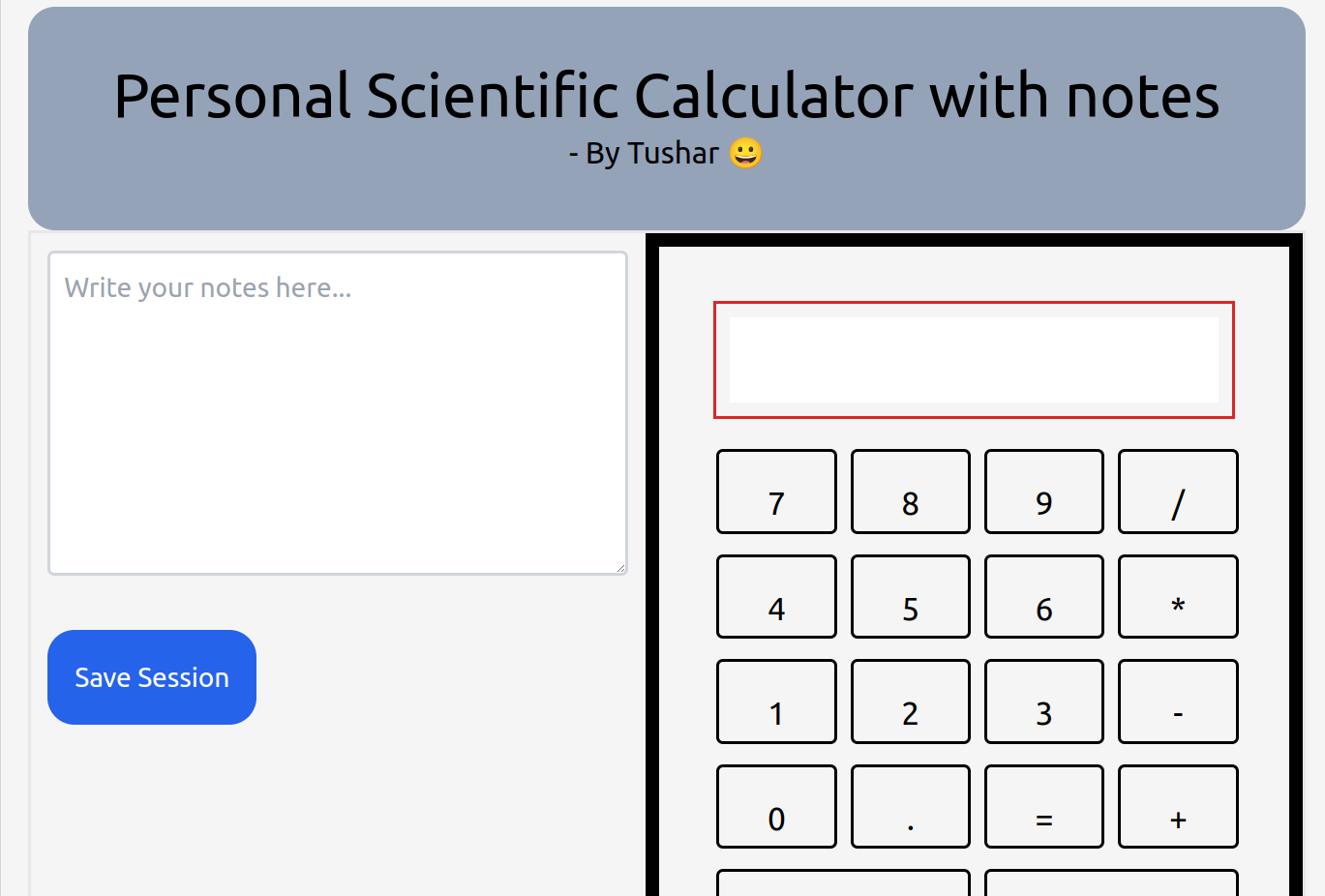
The personal_scientific_calc application is a scientific calculator that provides robust calculation capabilities alongside a note-taking feature. Users can perform complex mathematical operations, including trigonometric and logarithmic functions, with support for different angle units (degrees and radians). The application also offers a session-based storage system, allowing users to save and retrieve previous calculations and notes. The interface is split into a calculator component on the right side and a note-taking area on the left side, with a navbar for easy access to session history. How we built it
The application was developed using React and Next.js, leveraging the app directory for efficient routing and component organization. For calculations, I utilized JavaScript’s eval function in combination with math.js to handle complex mathematical expressions. The application features session management and data retrieval using Convex, where useQuery is employed to fetch session data without handling loading and error states manually. The UI components were designed with a focus on user experience, providing a clear separation between the calculator and notes. Challenges we ran into
Handling angle units: Ensuring that trigonometric functions correctly interpret angles as degrees by default and can switch to radians when needed required careful attention to detail.
Session management: Implementing a reliable system for saving and retrieving session data while maintaining a seamless user experience was complex.
Error handling: Minimizing the need for manual error and loading state handling in useQuery while maintaining application stability was challenging.
Accomplishments that we're proud of
Successfully integrating a note-taking feature with a scientific calculator, offering a dual-purpose tool for users.
Creating a user-friendly interface with clear separation between calculator functions and session history.
Implementing angle unit handling in trigonometric functions to ensure accurate calculations based on user settings.
What we learned
Developing a scientific calculator with modern web technologies enhances productivity by providing a customized tool that fits specific needs.
Managing state and data retrieval efficiently can improve user experience and application performance.
Combining mathematical functionality with a user-friendly interface requires thoughtful design and testing to ensure accuracy and usability.
What's next for personal_scientific_calc
Enhanced functionality: Adding more advanced mathematical functions and features based on user feedback and needs.
Mobile optimization: Improving the application’s responsiveness and usability on mobile devices.
User customization: Implementing additional settings and preferences to tailor the calculator experience further.
Integration with other tools: Exploring integration with other productivity tools or educational resources to expand the application’s capabilities.
Built With
- convex
- nextjs

Log in or sign up for Devpost to join the conversation.