-
-
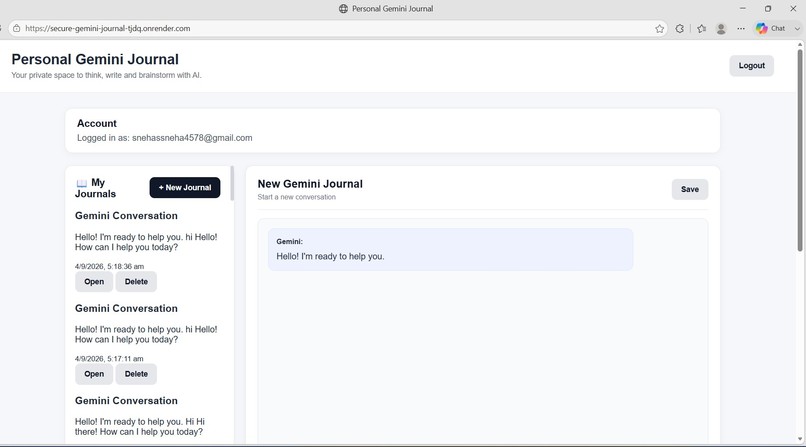
Secure Node.js/Express Backend deployed on Render, handling authenticated API requests and Gemini AI integration
Inspiration
Personal journaling is useful for reflection, planning, and organizing thoughts, but traditional journaling does not provide intelligent assistance. At the same time, people increasingly use AI assistants for brainstorming, studying, planning, and personal reflection.
I wanted to combine these two ideas into one practical application: a personal journal where users can interact with an AI assistant while keeping their conversations persistent and associated with their own authenticated account.
This inspired me to build Personal Gemini Journal — Secure AI Productivity Assistant, a web application powered by Google Gemini that combines AI-assisted journaling, productivity support, authentication, and persistent journal storage.
What it does
What it does
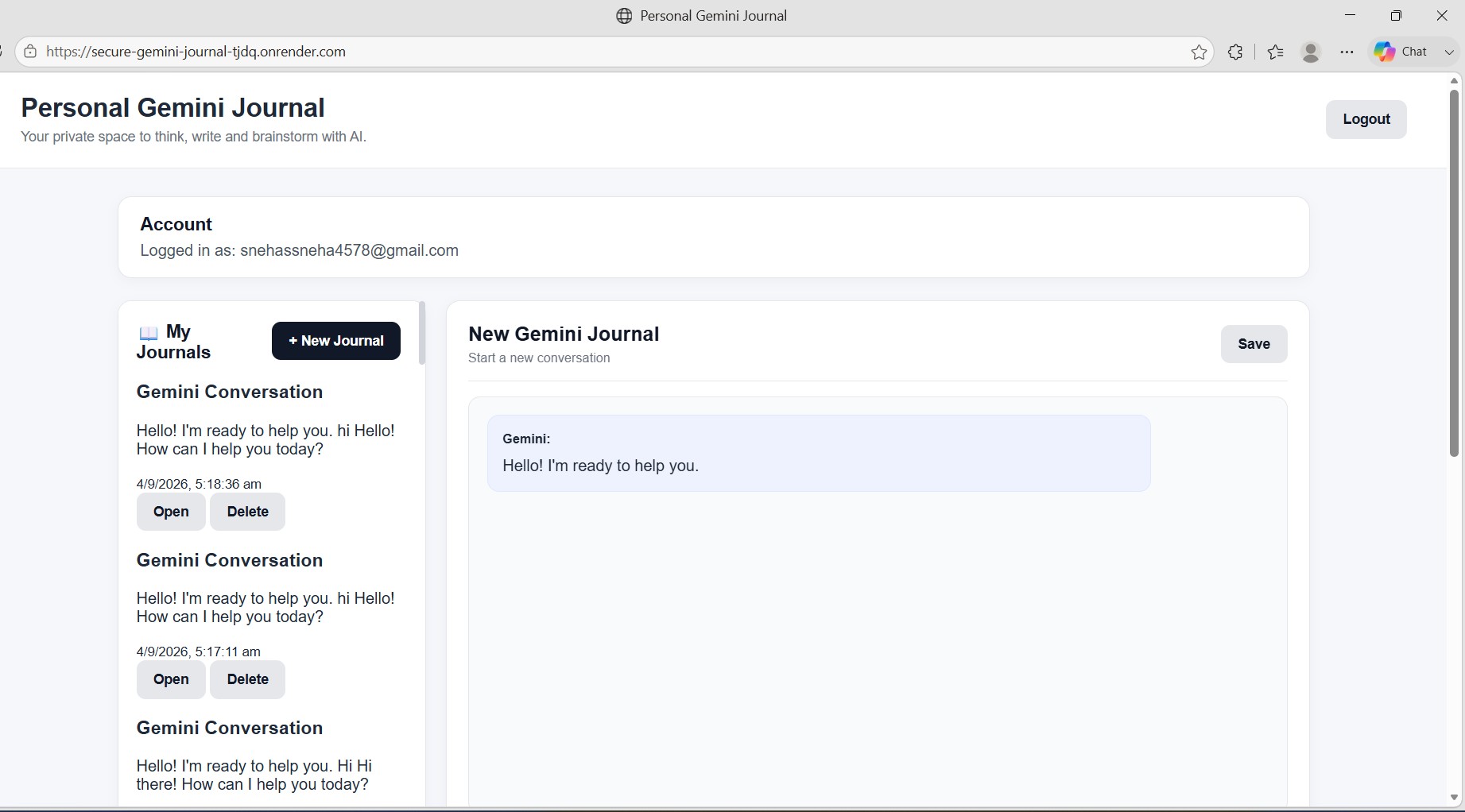
Personal Gemini Journal allows users to:
Create personal journal conversations with Google Gemini. Have multi-turn conversations while maintaining conversation history. Use Gemini for personal reflection and brainstorming. Get help with study planning and productivity planning. Create quick journal entries. Save journal conversations for future use. Open and continue previously saved journals. Delete journals when they are no longer needed. Create an account and securely log in using Firebase Authentication. Keep each user's journal data separated using their authenticated Firebase UID.
The application is designed to be more than a basic chatbot by combining generative AI, personal journaling, persistent storage, authentication, and a secure backend.
How we built it
I built the project using Google Gemini, Firebase, Node.js, Express.js, and JavaScript.
The application follows this architecture:
Browser → Firebase Authentication → Render (Node.js/Express Backend) → Gemini API + Cloud Firestore
The frontend uses HTML, CSS, JavaScript, and the Firebase Web SDK.
Firebase Authentication handles user registration, login, logout, and identity management.
When an authenticated user interacts with the AI, the Firebase ID token is sent to the protected backend. The Node.js/Express server deployed on Render verifies the token using the Firebase Admin SDK before processing the request.
The backend communicates with the Gemini API using the Google GenAI SDK. The Gemini API key is kept on the server as an environment variable instead of being exposed in the frontend.
Journal data is stored in Cloud Firestore using a user-specific structure:
users/{userId}/journals/{journalId}
This allows conversations to persist between sessions while keeping journal data associated with the correct authenticated user.
The frontend is deployed using Firebase Hosting, while the backend is deployed using Render. The source code is maintained in GitHub.
Challenges we ran into
One of the biggest challenges was integrating generative AI with authentication and persistent user data while keeping sensitive credentials away from the client side.
Another challenge was securely connecting the frontend and backend. Instead of trusting a user ID supplied by the browser, the backend verifies the Firebase ID token and obtains the user's UID from the verified authentication token.
Maintaining multi-turn conversations was also an important challenge. The application needed to preserve conversation history so that users could return to an existing journal and continue their interaction with Gemini.
Deployment introduced additional challenges involving environment variables, backend configuration, Firebase services, CORS, and communication between the Firebase-hosted frontend and the Render-hosted backend.
Accomplishments that we're proud of
I am proud that this project became a complete working AI application rather than just an AI API demonstration.
The project successfully combines:
Google Gemini generative AI Multi-turn AI conversations Firebase Authentication Cloud Firestore persistence Protected Node.js/Express API endpoints Server-side Gemini API integration Environment-based secret management User-specific journal storage Firebase Hosting Render backend deployment
I am especially proud of implementing authentication-aware backend requests where the server verifies the user's Firebase ID token before accessing protected functionality.
What we learned
Building this project gave me practical experience developing and deploying a complete generative AI application.
I learned how to:
Integrate Google Gemini into a web application. Work with the Google GenAI SDK. Build APIs using Node.js and Express.js. Implement Firebase Authentication. Use Firebase Admin SDK for backend authentication verification. Store structured application data in Cloud Firestore. Handle multi-turn AI conversations. Protect API keys using server-side environment variables. Connect a Firebase-hosted frontend with a Render-hosted backend. Deploy and maintain a full-stack application. Use Git and GitHub for version control.
The project also taught me that building a useful AI product requires more than connecting an AI model. Authentication, data persistence, security, deployment, and user experience are equally important.
What's next for Personal Gemini Journal — Secure AI Productivity Assistant
The current version provides the core AI journaling and productivity experience. Future improvements could include:
AI-generated journal summaries and weekly reflections. Mood and sentiment trends over time. Personalized productivity insights. Search across previous journal conversations. Smarter journal categorization and tagging. Voice-based journaling. More advanced privacy controls. Exporting journals in multiple formats. Personalized AI productivity recommendations. Additional analytics and visualization features.
The long-term goal is to evolve Personal Gemini Journal into a secure, intelligent personal productivity companion that helps users reflect, plan, learn, and organize their thoughts while maintaining strong control over their personal data.
Built With
- api
- authentication
- cloud
- css
- express.js
- firebase
- firestore
- gemini
- genai
- hosting
- html
- javascript
- node.js
- render
- sdk


Log in or sign up for Devpost to join the conversation.