Inspiration
For every developer and sci-fi fan, Iron Man's JARVIS has always been the ultimate dream. However, current AI tools like ChatGPT are limited—they are trapped inside a browser tab. They can't "see" what I am working on, they can't "control" my Spotify, and they certainly can't write code directly into my IDE.
I wanted to break this barrier. I wanted an assistant that lives on my desktop, not in a browser. With the release of Google's Gemini 3 Flash Preview, I realized that the latency is finally low enough to build a real-time, multimodal agent that can actually See, Hear, and Act.
What it does
JARVIS is a fully functional desktop agent that bridges the gap between Generative AI and Operating System control.
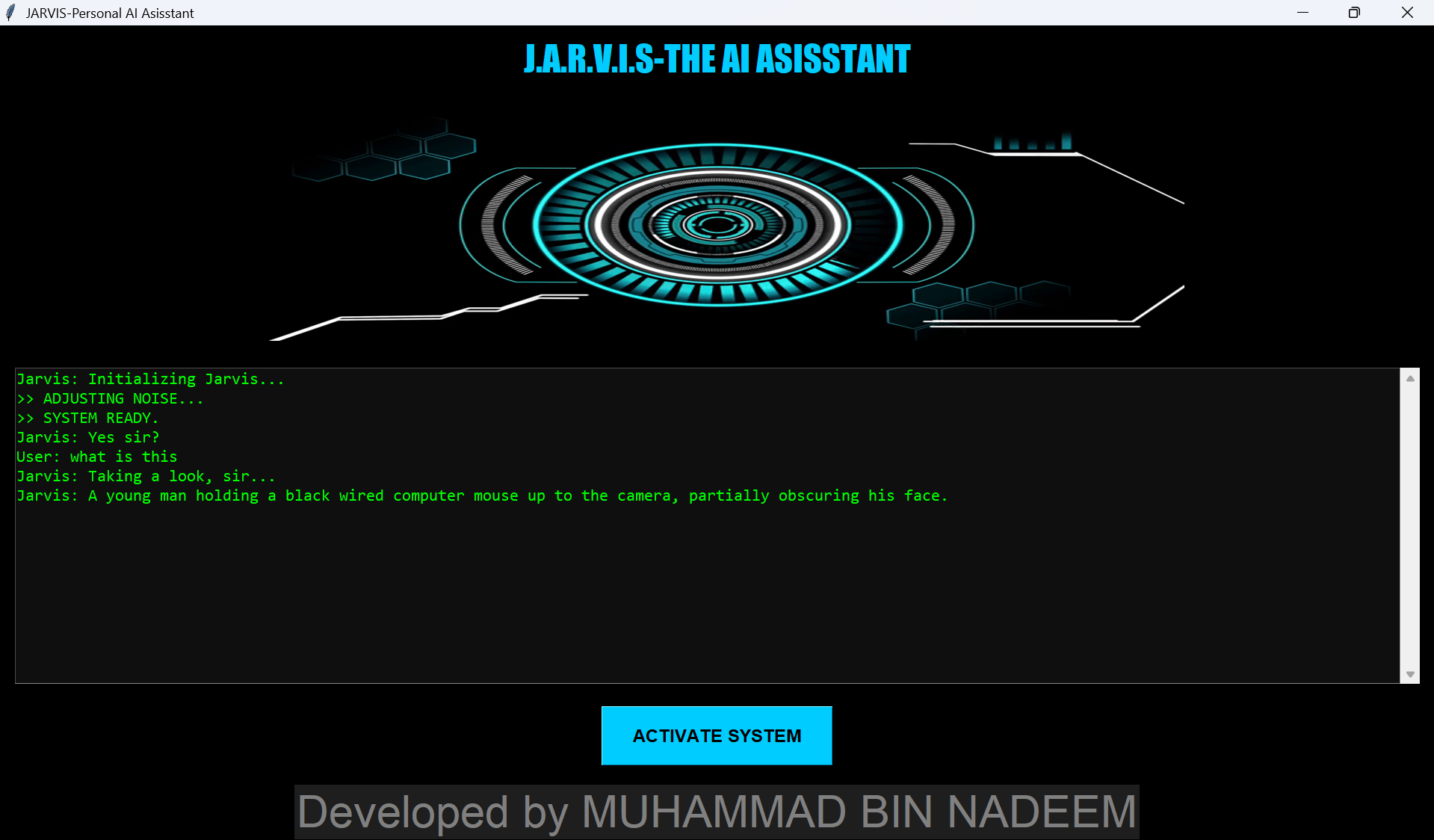
- Multimodal Vision: I can show it a circuit board, a handwritten note, or a code error on my screen, and it analyzes it instantly using Gemini Vision.
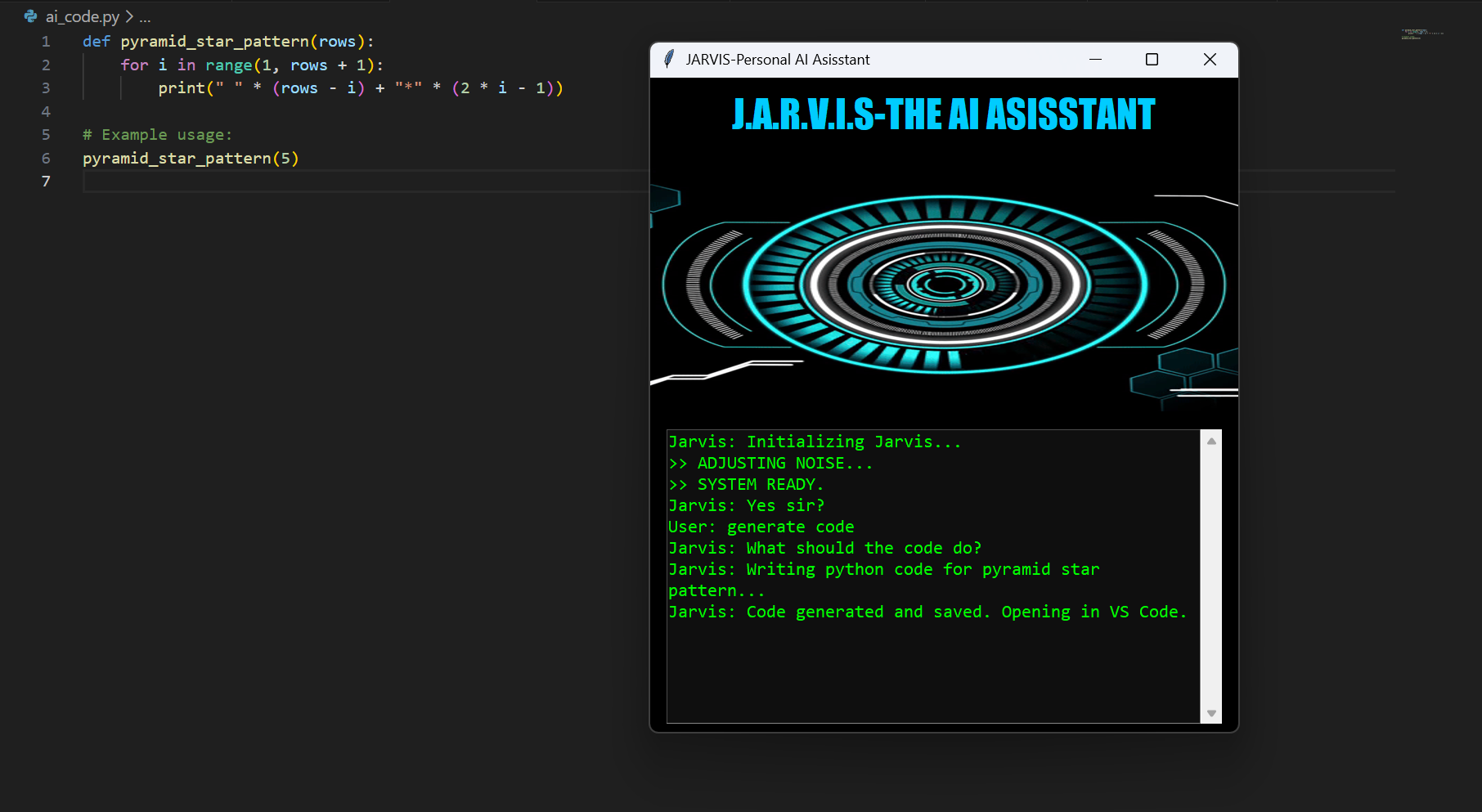
- AI Code Automation: I dictate logic (e.g., "Write a calculator"), and Jarvis generates the Python code, saves the file, and opens it in VS Code automatically.
- Smart Screen Analysis: The "Explain my screen" feature takes a screenshot and debugs errors or summarizes articles visible on the desktop.
- Gesture Control: Using computer vision, I can control media (Volume/Play/Pause) with hand gestures, Minority Report style.
- Proactive Reasoning: Unlike passive bots, Jarvis checks my CPU usage and battery health to offer proactive advice.
How we built it
The core of JARVIS is written in Python.
- The Brain: We utilized the
google-genaiSDK to tap into Gemini 3 Flash Preview and Gemini 1.5 Flash. We chose these models for their incredible speed and multimodal capabilities. - The Eyes: We integrated OpenCV and PyAutoGUI to capture webcam feeds and screenshots, which are then processed by Gemini's Vision capabilities.
- The Ears & Voice: We used
SpeechRecognitionfor input andpyttsx3for offline text-to-speech to ensure low latency. - The Hands: We used
OSandSubprocesslibraries to allow Gemini to execute shell commands, open applications, and manage files.
Challenges we ran into
- Quota Limits (Error 429): Since Gemini 3 Flash is in preview, the rate limits are strict. We faced "Resource Exhausted" errors frequently during testing. We solved this by implementing a fallback mechanism to Gemini 1.5 Flash for stability while keeping Gemini 3 for complex reasoning tasks.
- Hallucinations in Automation: Initially, the model would output conversational text along with code (e.g., "Here is your code..."). This broke the file-saving feature. We had to refine our system prompts to enforce strict output formats so the code could be executed directly.
- Real-time Vision Latency: processing video frames in real-time was heavy. We optimized this by taking "snapshots" on command rather than a continuous stream, ensuring the PC doesn't lag.
Accomplishments that we're proud of
- Seamless "Text-to-Action": Seeing Jarvis actually write a Python script and open it in VS Code just by listening to my voice was a magical moment.
- Integration of Gemini 3: Successfully implementing the latest Preview model to make the assistant feel significantly faster than traditional chatbots.
- Complex Gesture Control: Building a reliable hand-tracking system that works alongside the AI without crashing the application.
What we learned
- Multimodal is the Future: Text is not enough. Giving AI "eyes" (Vision) changes the way we interact with computers entirely.
- Prompt Engineering for Function Calling: We learned how to structure prompts so that the LLM behaves like a tool (producing structured data) rather than just a chatbot.
- Error Handling: Building robust error handling for API timeouts and network issues is crucial for a desktop app.
What's next for JARVIS: Next-Gen Multimodal Assistant (Powered by Gemini 3)
- Gemini Live API: We plan to upgrade from snapshot-based vision to real-time video streaming analysis using the new Live API.
- IoT Integration: Connecting Jarvis to smart home devices (Lights, Fans) via Raspberry Pi.
- Long-Term Memory: Implementing a vector database so Jarvis remembers conversations and project details from weeks ago.

Log in or sign up for Devpost to join the conversation.