-
-
-
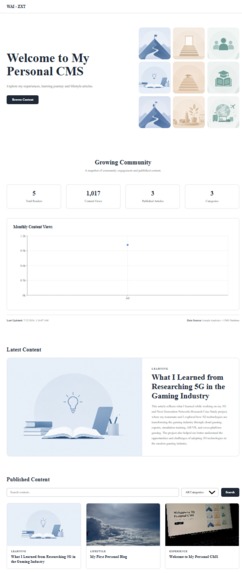
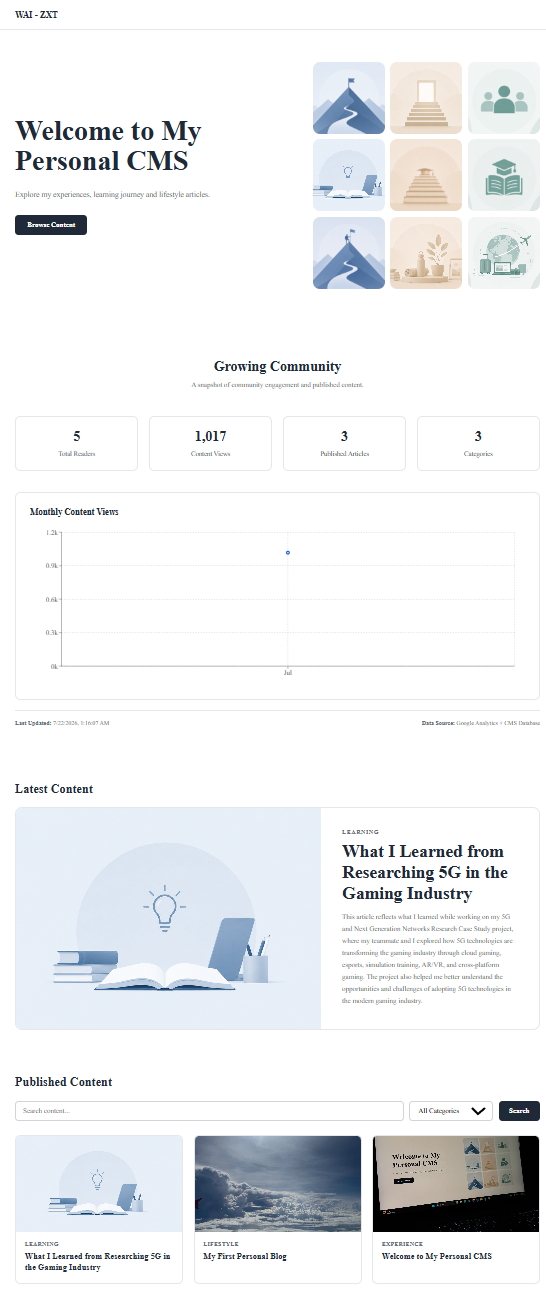
CMS Public Home Page
-
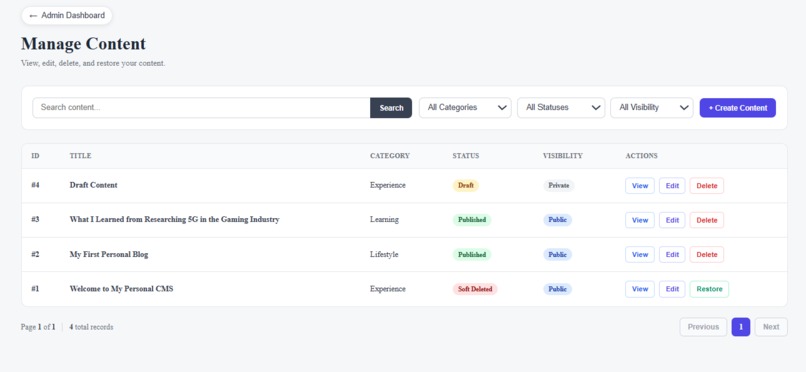
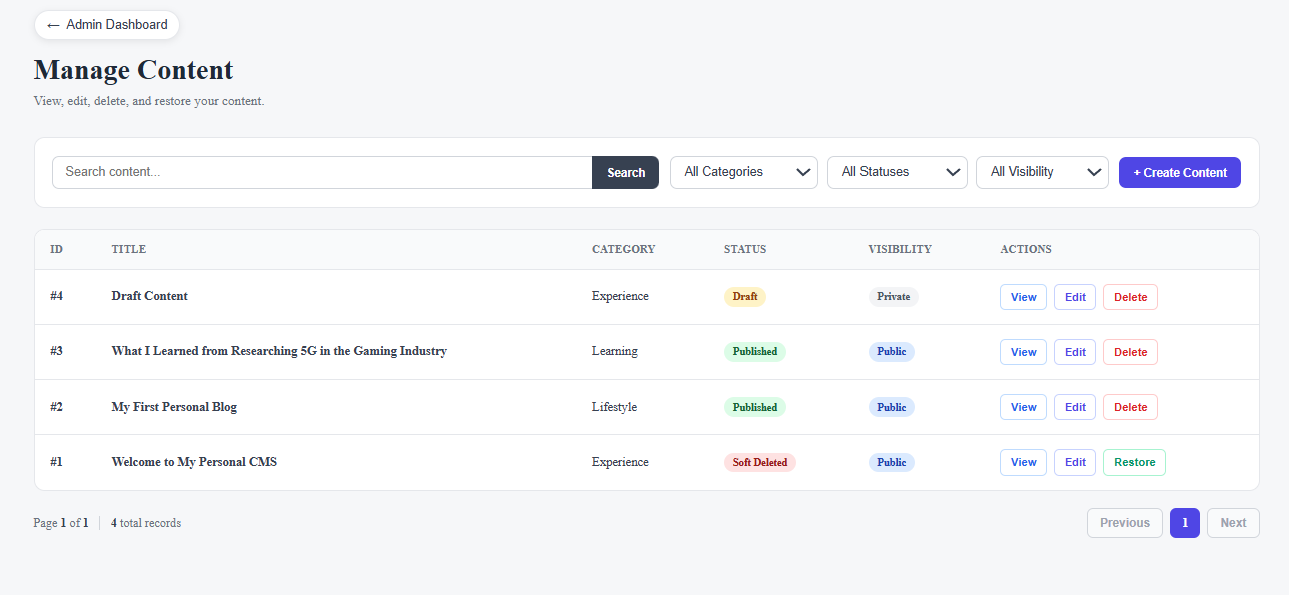
CMS Admin Manage Content Page
-
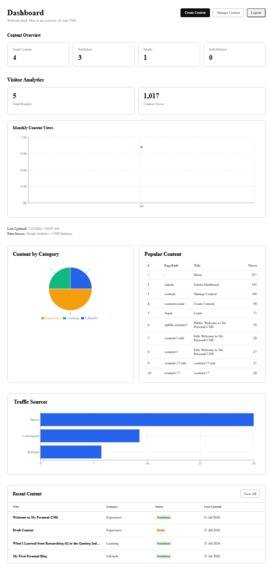
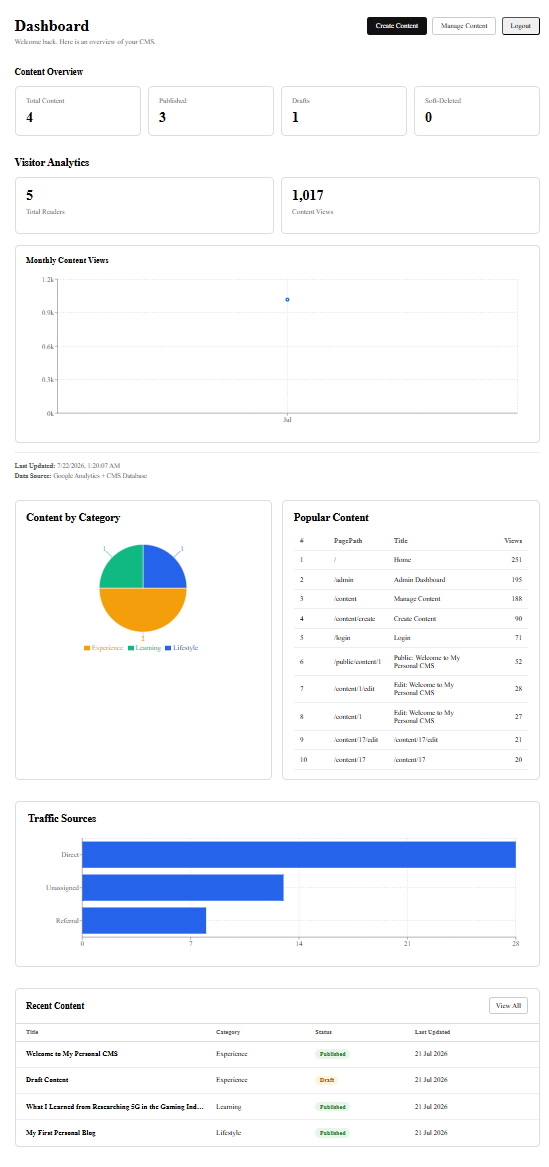
CMS Admin Home Page
-
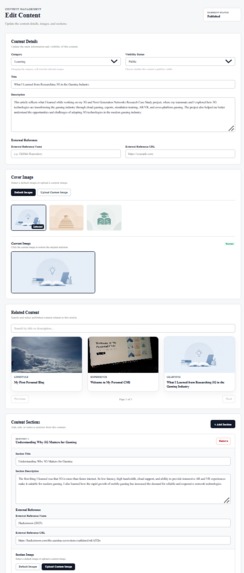
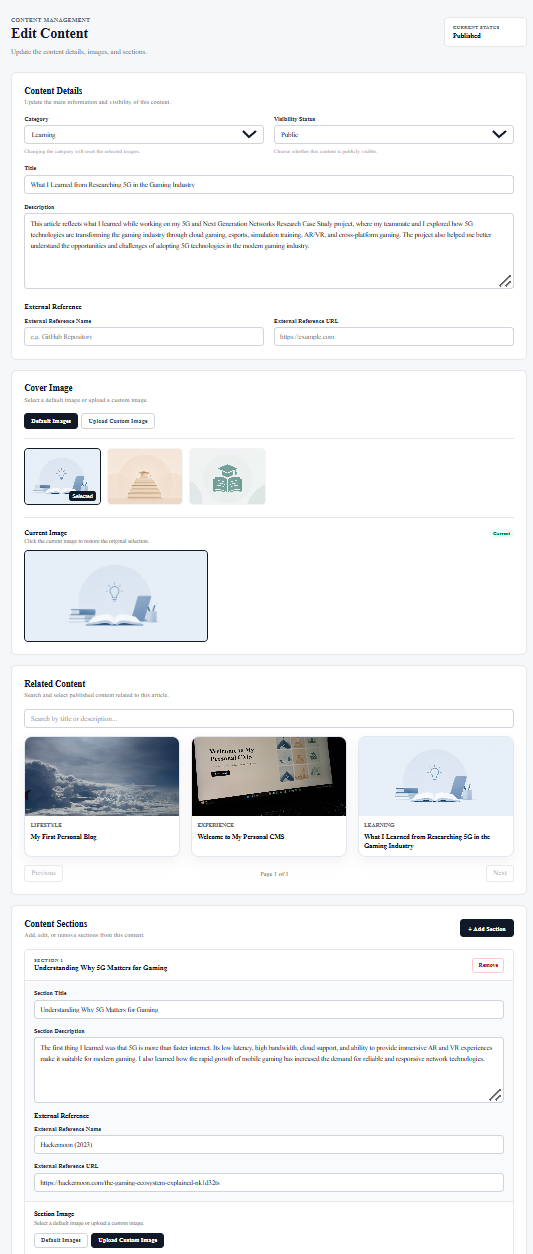
CMS Edit Content Page
-
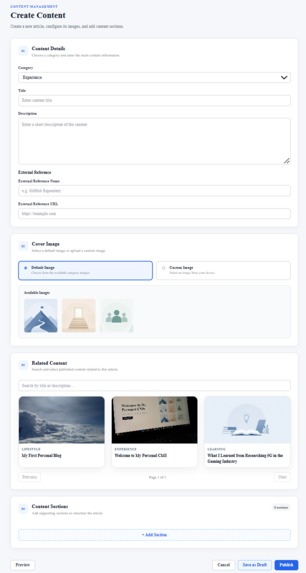
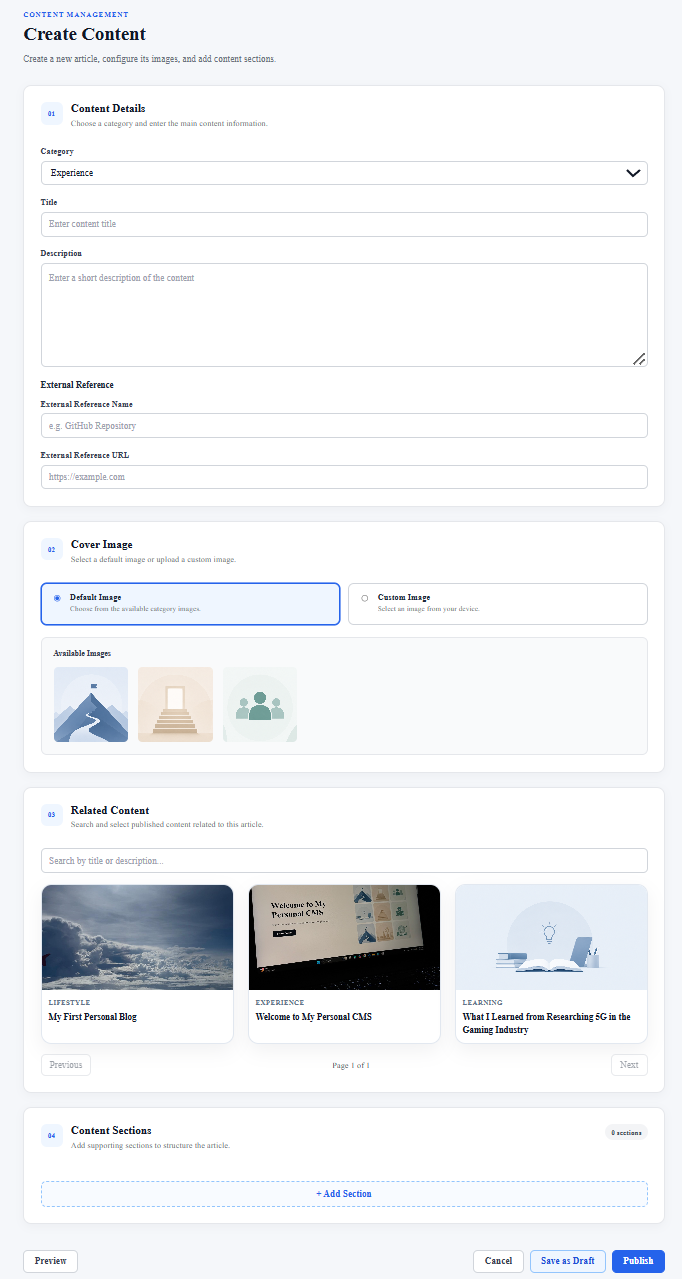
CMS Create Content Page
-
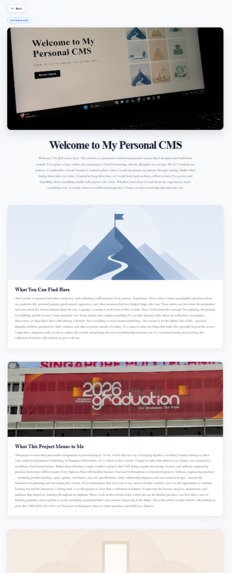
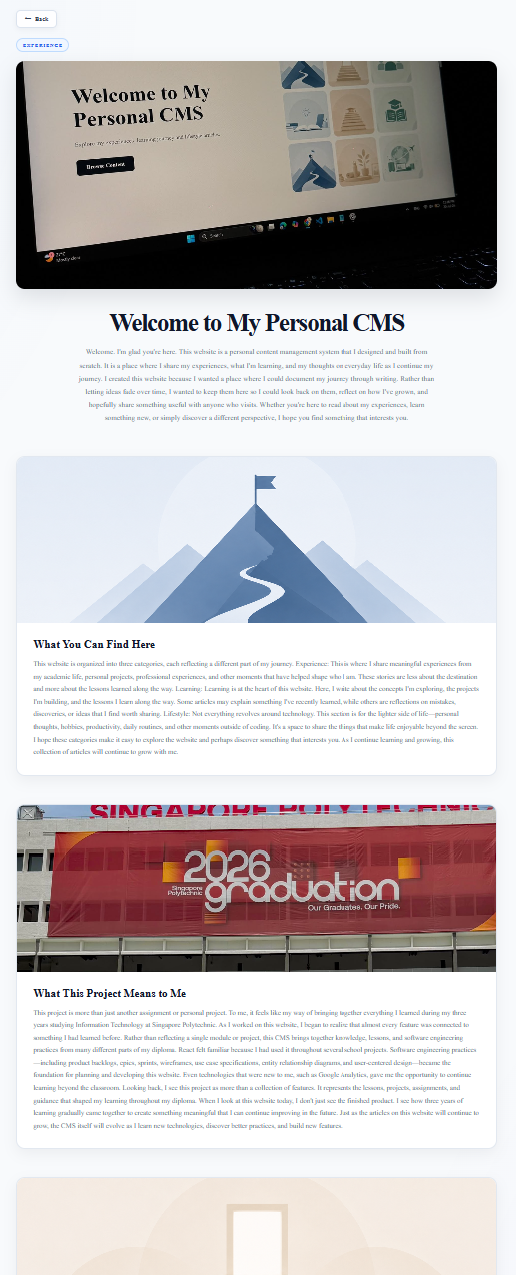
CMS Experience Content Detail Page
-
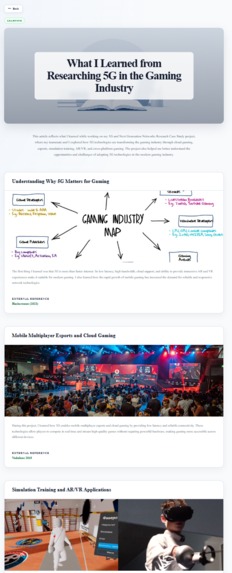
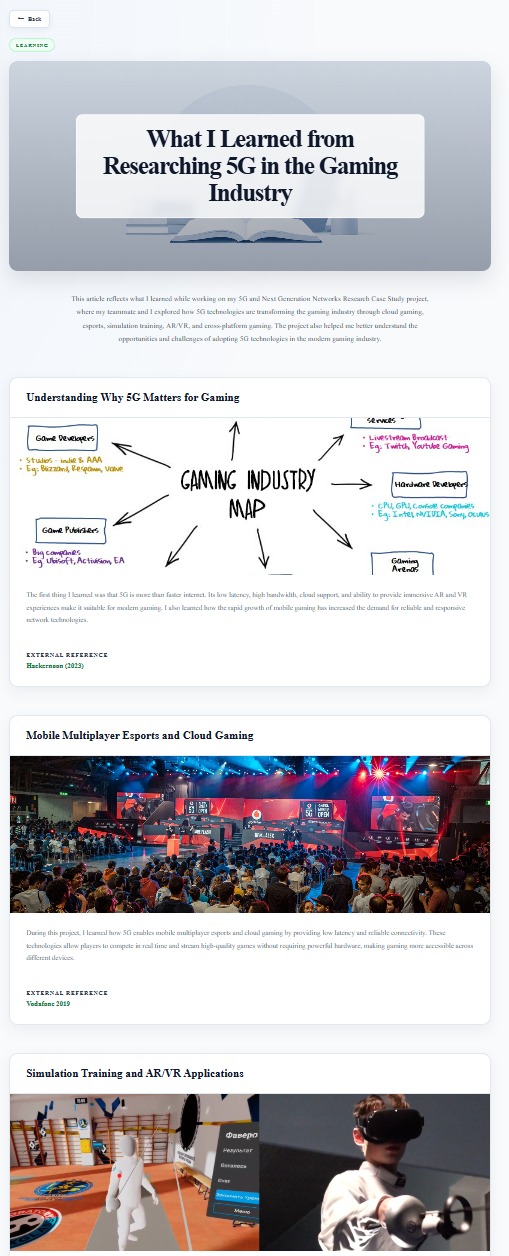
CMS Learning Content Detail Page
-
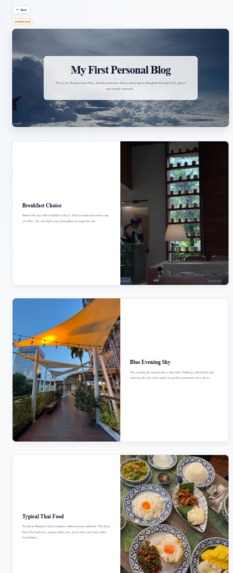
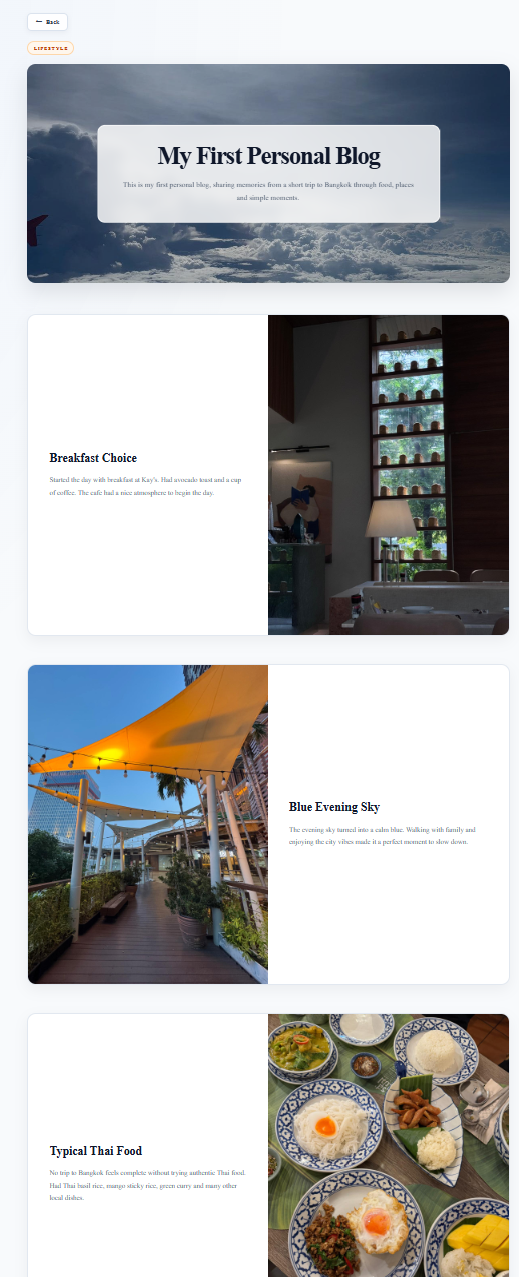
CMS Lifestyle Content Detail Page
-
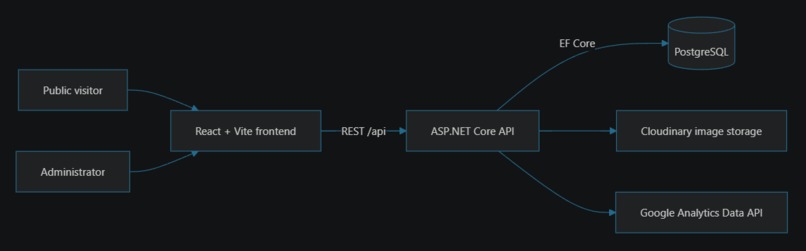
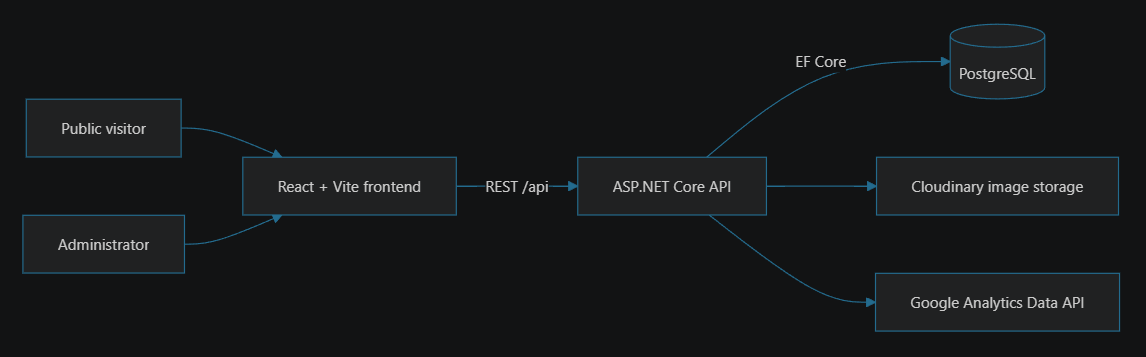
CMS System Architecture
-
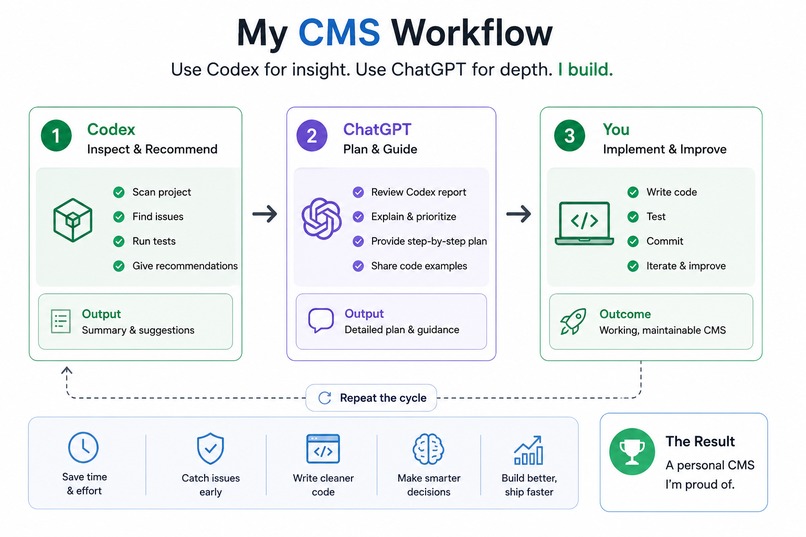
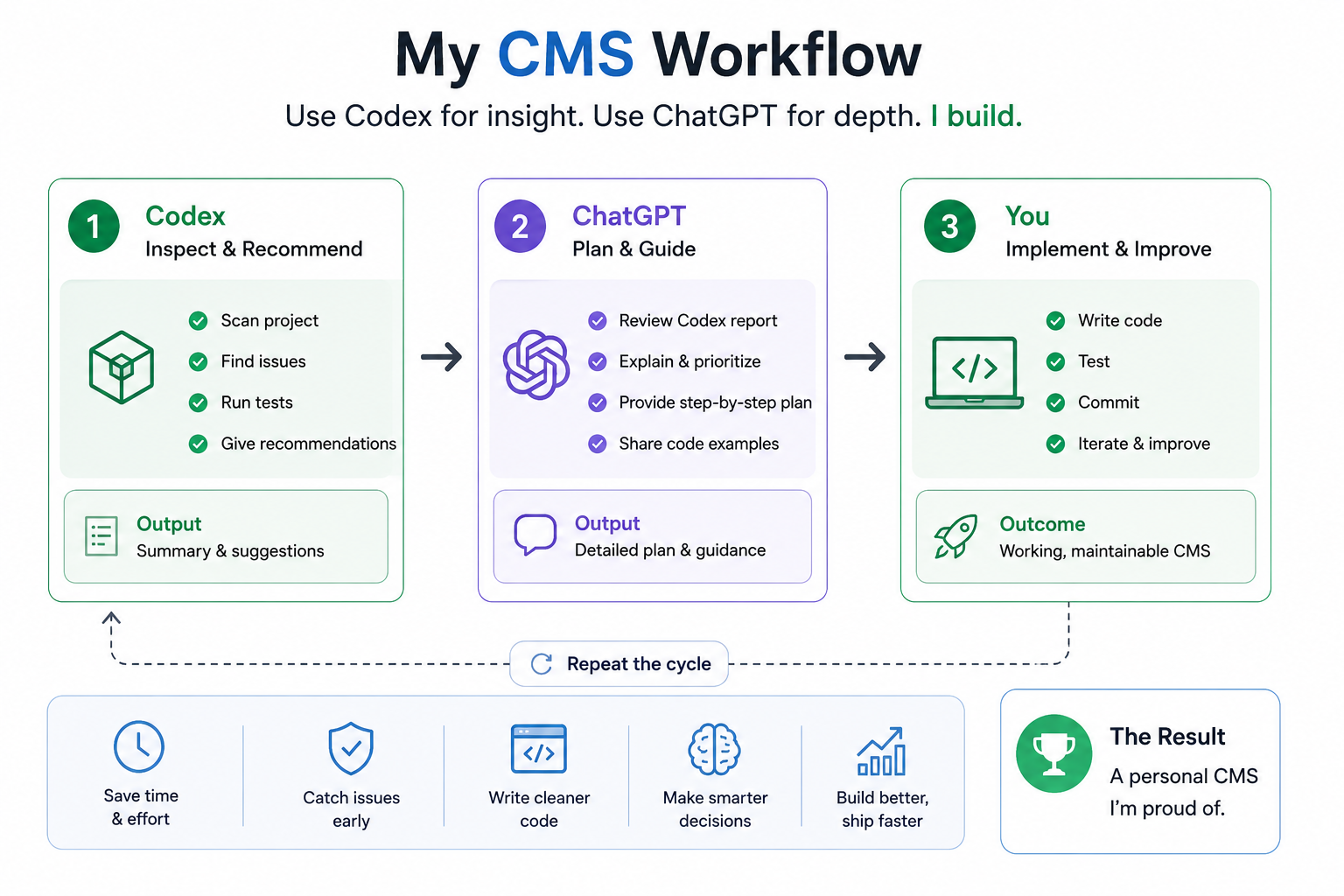
CMS AI Assisted Development
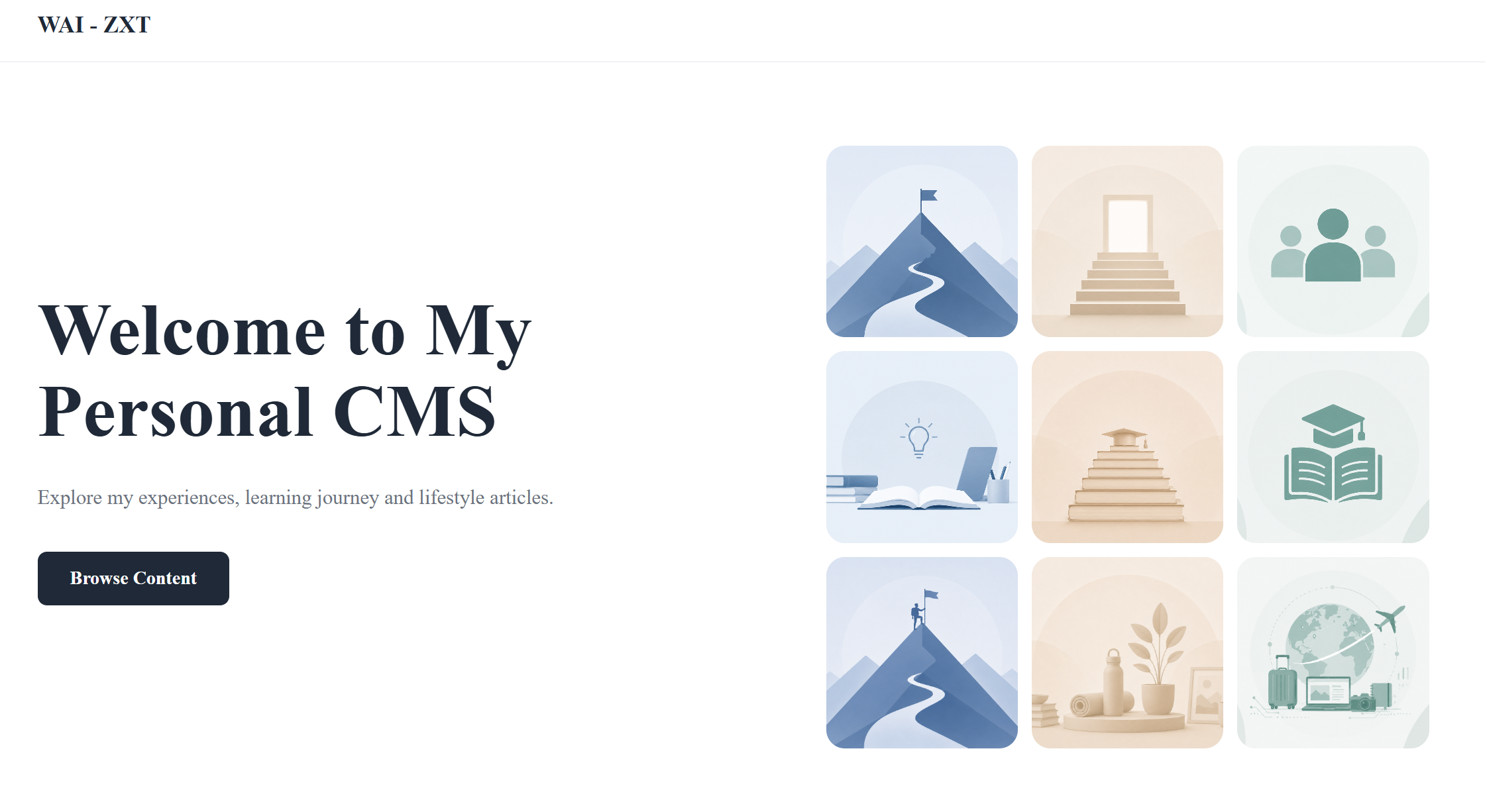
Inspiration
Personal CMS is more than just another project to me. It represents the culmination of everything I learned during my three years pursuing an Information Technology diploma at Singapore Polytechnic. As I built this CMS, I realized that almost every feature connected back to something I had learned before. React felt familiar because I had used it throughout several school projects. Software engineering practices—including product backlogs, epics, sprints, wireframes, use case specifications, entity relationship diagrams, and user-centered design—became the foundation for planning and developing this website. At the same time, I wanted to build something that would continue to grow after graduation. Instead of creating another project that would eventually be archived, I wanted a platform where I could document my experiences, learning journey, and lifestyle while continuing to improve it as I learn new technologies and gain new experiences. That vision became Personal CMS—a platform designed not only to manage content, but also to grow alongside my learning journey.
What it does
Personal CMS is a full-stack web application that allows me to create, manage, and publish content through a secure admin dashboard while providing a public website where visitors can explore my experiences, learning journey, and lifestyle articles. The admin dashboard provides a complete content management workflow. I can create and edit content using category-specific templates, save work as drafts, publish, unpublish, soft delete and restore content, upload and manage custom images through Cloudinary, and organize related content and external references. The dashboard also includes analytics powered by Google Analytics, allowing me to monitor website traffic, popular content, category distribution, and visitor activity. For public visitors, Personal CMS offers a clean browsing experience with featured content, search and filtering, related content recommendations, external reference links, and responsive content pages. A public dashboard displays community statistics and website activity, giving visitors insights into the platform while keeping content management securely separated behind authentication.
How we built it
Personal CMS is built with React, TypeScript, ASP.NET Core, PostgreSQL, Entity Framework Core, Docker, Cloudinary, and Google Analytics. I didn't start by writing code immediately. I first used ChatGPT as a planning and design partner to shape the project before implementation. Together, we discussed the overall architecture, broke the project into manageable milestones, refined the database design, thought through user workflows, and prepared the supporting software engineering documents needed before development began. This planning phase gave me a clear roadmap for building the CMS. Once the project plan was established, I used Codex with GPT-5.6 to help bootstrap the project structure and accelerate implementation. As development progressed, I continued building new features through an iterative workflow with ChatGPT and Codex. Whenever I completed a major feature or encountered an issue that I couldn't confidently diagnose, I asked Codex to inspect the entire project without modifying any files. It reviewed the codebase, identified potential issues, and generated recommendations. I then brought those recommendations into ChatGPT to discuss the reasoning behind them, evaluate different approaches, and generate implementation code. After understanding how each change fit into the project, I integrated the code, tested the functionality, and refined it through further iterations when needed. This iterative workflow—planning with ChatGPT, inspecting the project with Codex, discussing recommendations with ChatGPT, integrating the generated code into the project, and testing the results—helped me catch issues earlier, improve code quality, and build a more maintainable application while ensuring I understood every change before keeping it. Personal CMS was already an ongoing personal project before the OpenAI Build Week Challenge. During the hackathon period (13–22 July), with the help of ChatGPT and Codex, I focused on bringing the project to a production-ready state. During Build Week, I completed the following work:
- Strengthened backend security by hardening JWT authentication, content validation, rate limiting, image upload validation, and global exception handling.
- Added comprehensive unit and integration tests, improved CI workflows, and introduced automated frontend validation and testing.
- Refactored the image upload workflow so custom images are uploaded only when saving content, improving both the user experience and backend consistency.
- Built the public dashboard with Google Analytics integration, including live visitor metrics, monthly views, and community statistics.
- Implemented related content recommendations and external reference (hyperlink) support across content creation, editing, and public content pages.
- Added an admin analytics dashboard with content statistics, category distribution, popular content, and traffic source insights.
- Improved application reliability through backend refactoring, Cloudinary cleanup, health checks, deployment improvements, and bug fixes.
- Deployed the application to production using Render and Supabase, completed end-to-end testing, and prepared the project for public release and the hackathon submission.
Challenges we ran into
Personal CMS wasn't my first attempt at building a content management platform. Before this project, I had already started two similar projects—a Personal Blog Website and later My CMS. Both were abandoned halfway through because I underestimated the scope and struggled to maintain momentum. This project became my third attempt, and I was determined to see it through to completion. While I was building Personal CMS as a personal project, I received an email about the OpenAI Build Week Challenge on 18 July. Registration had already opened on 13 July, the free Codex credits had been released on 17 July, and the submission deadline was 22 July. At that moment, I asked myself a simple question:
Can I turn my unfinished personal project into a production-ready application in just four days? Instead of seeing the short timeline as a reason to give up, I treated it as motivation. The challenge gave me a clear goal and pushed me to focus on the features that mattered most, continuously test and refine the application, and polish both the codebase and documentation before the deadline. Beyond the time pressure, another challenge was maintaining a clean architecture as the project grew. Features such as draft management, publishing workflows, soft delete and restore functionality, image management, and analytics all needed to work together without making the codebase difficult to maintain. Throughout the process, I also spent significant time refactoring the backend to reduce duplicated logic, improve validation, strengthen security, and make the application easier to maintain. Integrating services such as Cloudinary and Google Analytics required learning new technologies while continuing to deliver features within the limited timeframe.
Accomplishments that we're proud of
I'm proud that I finally completed a project that I had attempted twice before but never finished. What began as my third attempt at building a personal content management platform became the first one that I successfully brought to production. I'm also proud that Personal CMS evolved from an unfinished personal project into a deployed full-stack application during the OpenAI Build Week Challenge. Along the way, I strengthened the application's architecture, improved its security, integrated cloud services such as Cloudinary and Google Analytics, added analytics dashboards and content management features, and deployed the frontend and backend to production while hosting the PostgreSQL database on Supabase. Most importantly, I'm proud that I learned how to collaborate effectively with ChatGPT and Codex—not simply to generate code, but to plan the project, inspect the codebase, understand implementation decisions, and confidently integrate AI-generated solutions into a maintainable application.
What we learned
Personal CMS taught me much more than how to build a full-stack web application. It taught me how to take an idea from planning all the way to a production-ready deployment. Throughout my diploma, almost every software project I built only ran on localhost. This was my first time deploying a complete production application, and at first the process felt intimidating. I had to learn how to configure cloud services, deploy both the frontend and backend, host a PostgreSQL database in production, and integrate external services that I had never used before. With guidance from ChatGPT, I worked through each step of the deployment process—from configuring Cloudinary for image storage, integrating Google Analytics, deploying the application to Render, hosting the PostgreSQL database on Supabase, and connecting all of these services into a working production system. Having step-by-step explanations gave me the confidence to tackle unfamiliar technologies instead of avoiding them. Working with ChatGPT and Codex changed how I approach software development. ChatGPT helped me plan the project, think through the system design, and understand implementation strategies before I started coding. As development progressed, Codex inspected the codebase, identified issues, and suggested improvements, while ChatGPT helped me evaluate those recommendations, generate implementation code, and explain how each change fit into the project before I integrated and tested it. This collaborative workflow taught me not only how to use AI effectively, but also how to understand the reasoning behind each engineering decision rather than simply applying changes blindly. Looking back, I don't just see a finished CMS. I see a project that reflects my growth throughout my diploma and gives me the confidence to keep learning new technologies independently. More importantly, I learned that with the right mindset and the right tools, building and deploying a production-ready application is something I can do—not just something I read about in class.
What's next for Personal CMS
The OpenAI Build Week Challenge gave me the motivation to bring Personal CMS to a production-ready state, but this is only the beginning. Personal CMS won't end with this hackathon. It will continue to be the platform where I document my experiences, learning journey, and future projects as I continue learning and growing. Going forward, I plan to expand the CMS with new features, improve the user experience, strengthen performance and security, and continue refining the architecture as I learn better software engineering practices. I also want to explore new technologies and integrate them into the project where they provide real value. Most importantly, I hope to look back on this CMS years from now and see not only a collection of articles, but also a record of my learning journey and personal growth. Just as the content on the website will continue to grow, the CMS itself will continue evolving alongside my learning journey.
Built With
- asp.net
- c#
- chatgpt
- ci/cd
- cloudinary
- cms
- codex
- docker
- entity-framework
- github
- googleanalytics
- gpt-5.6
- jwt
- postgresql
- react
- render
- restapi
- supabase
- swagger
- typescript
- vite

Log in or sign up for Devpost to join the conversation.