-
-
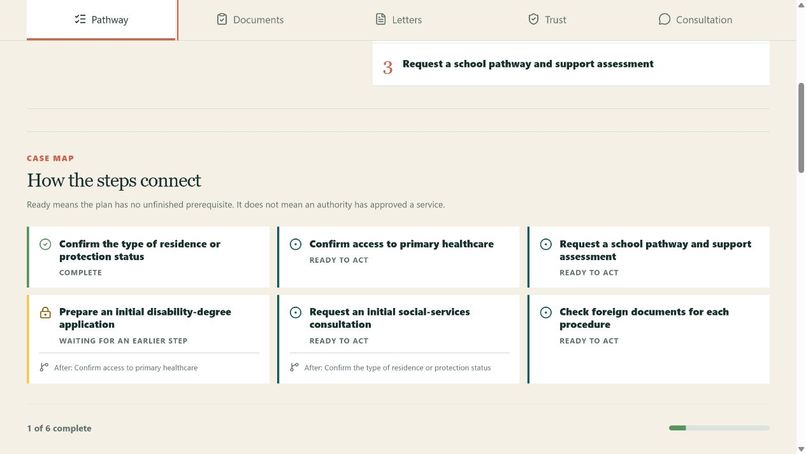
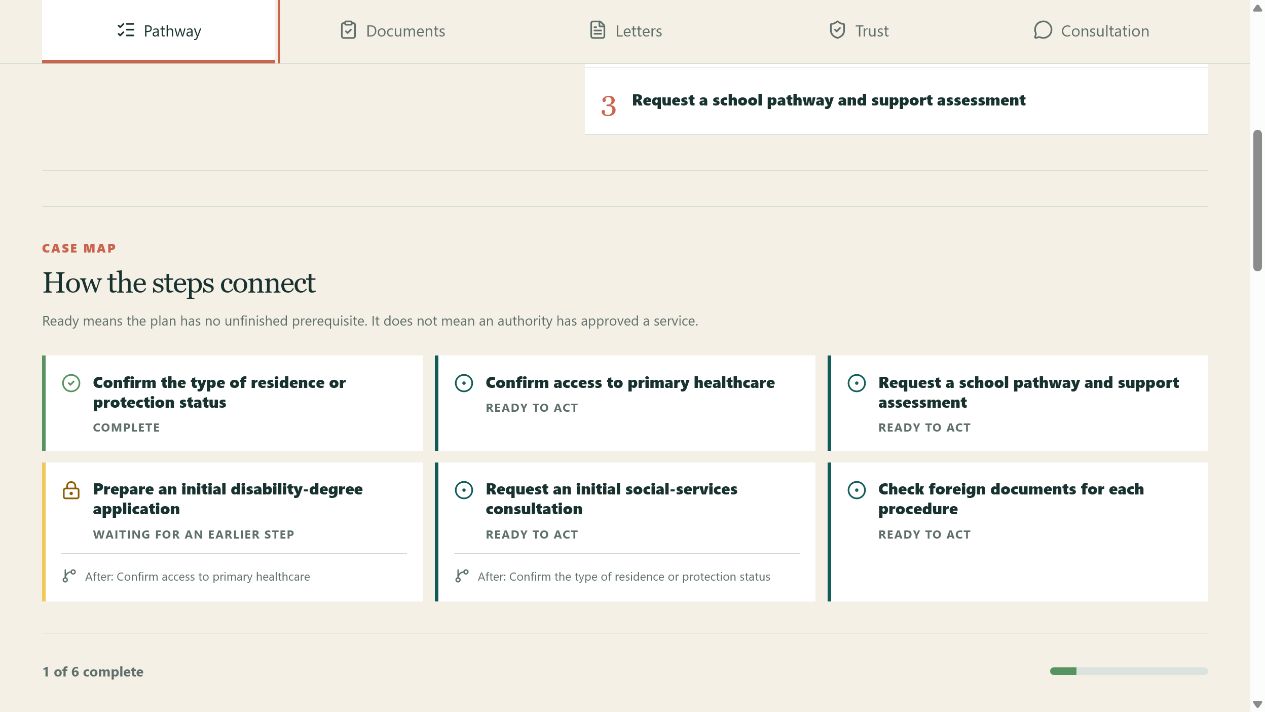
Prioritised pathway with immediate actions and a dependency-aware Case Map.
-
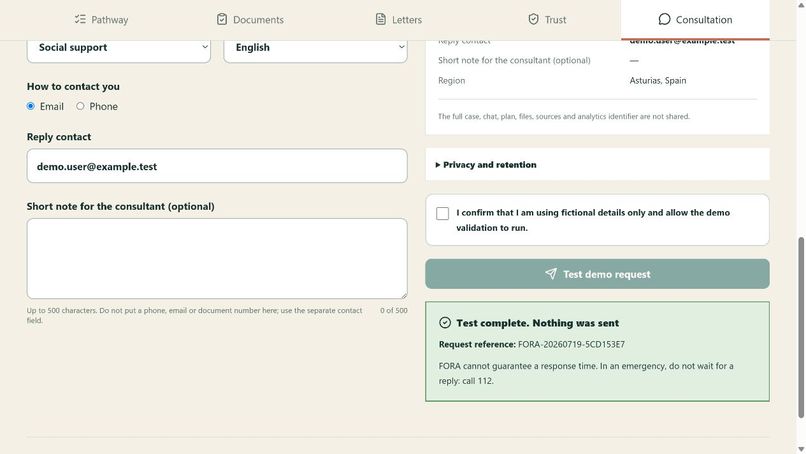
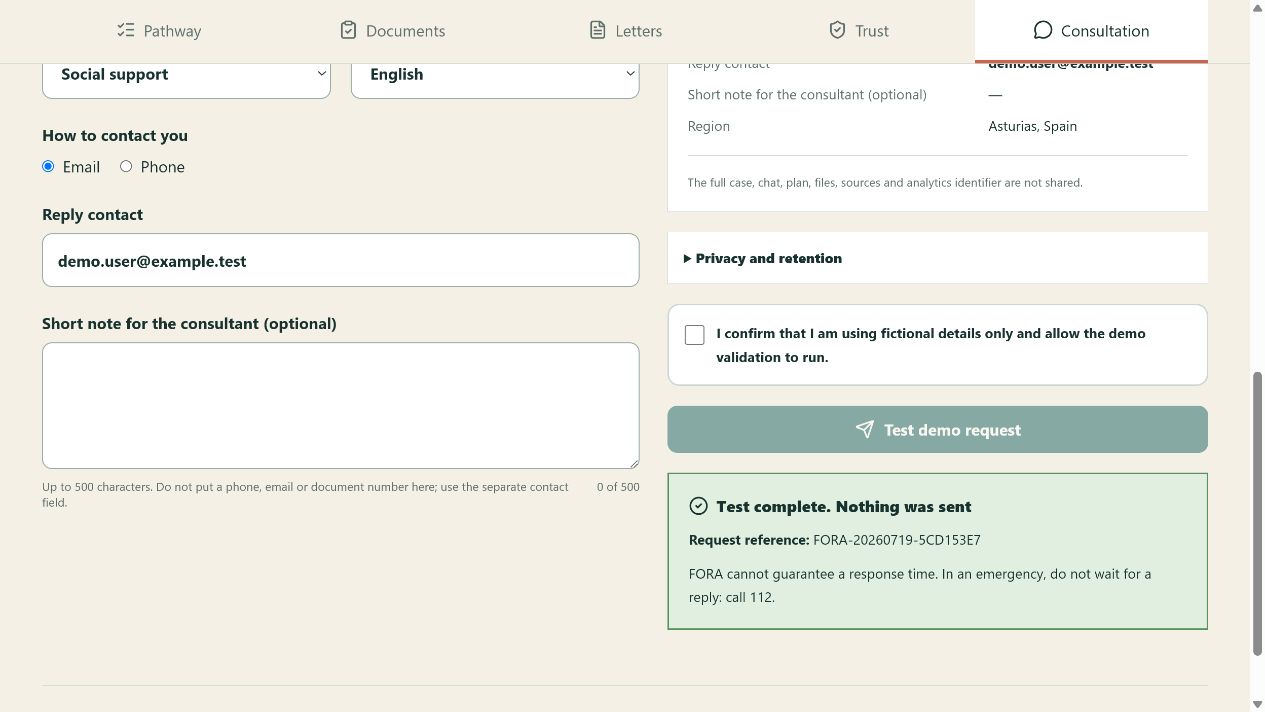
Competition-mode receipt confirming that no request was sent.
-
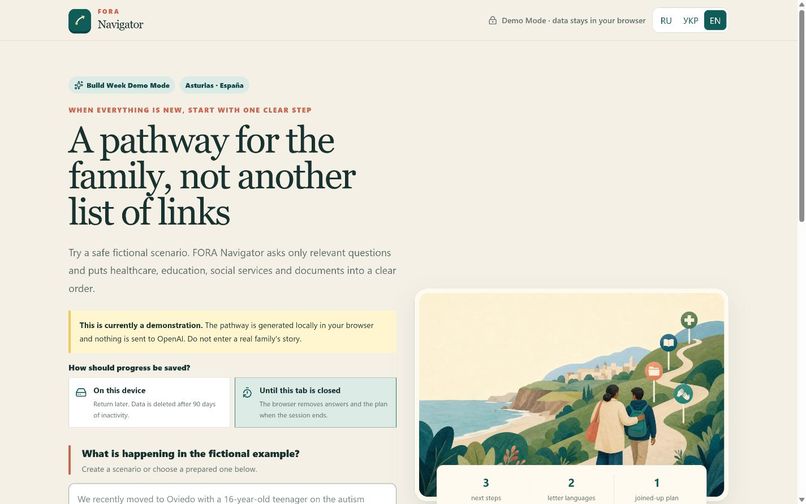
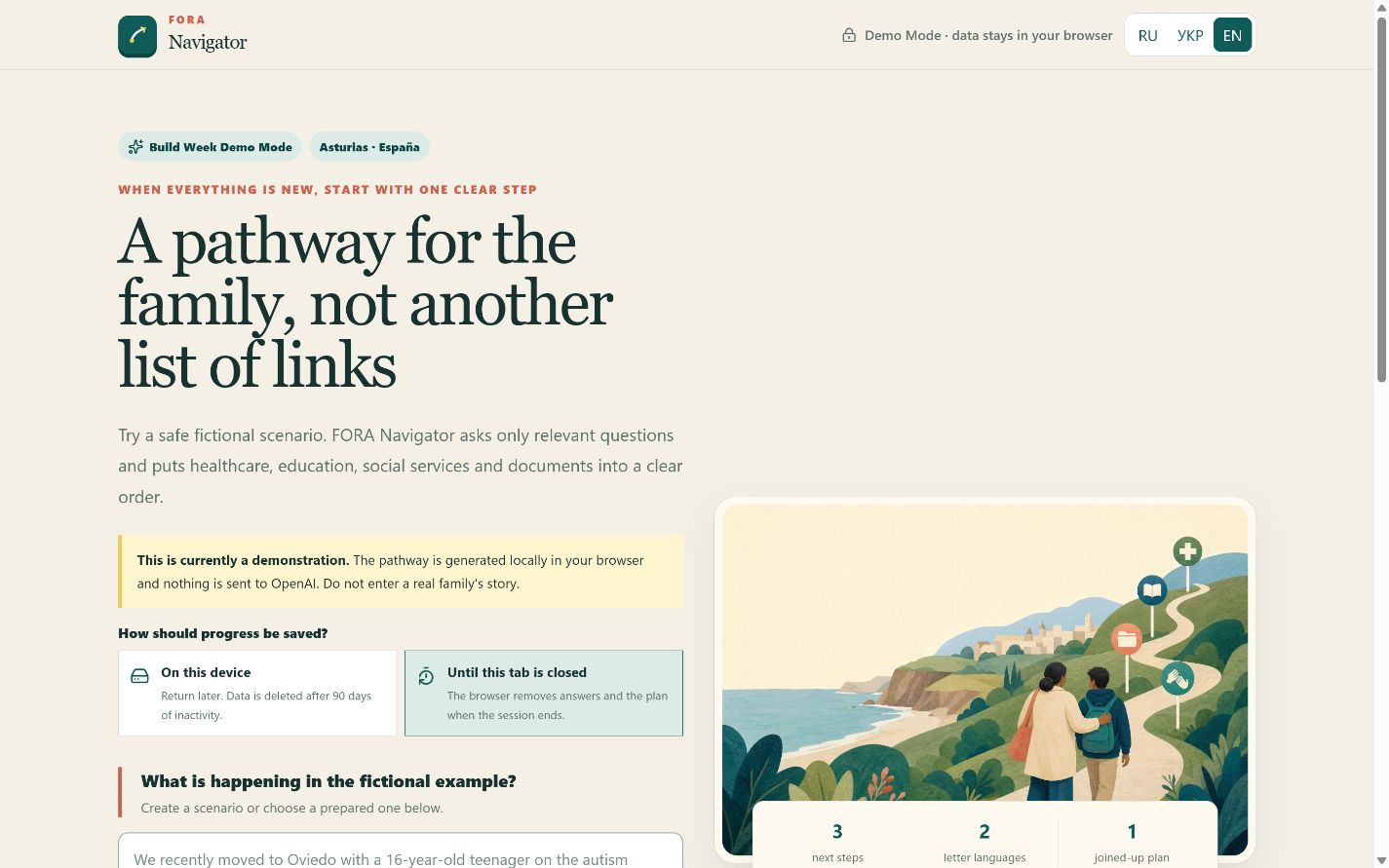
English landing page with fictional demo cases and language selector.
-
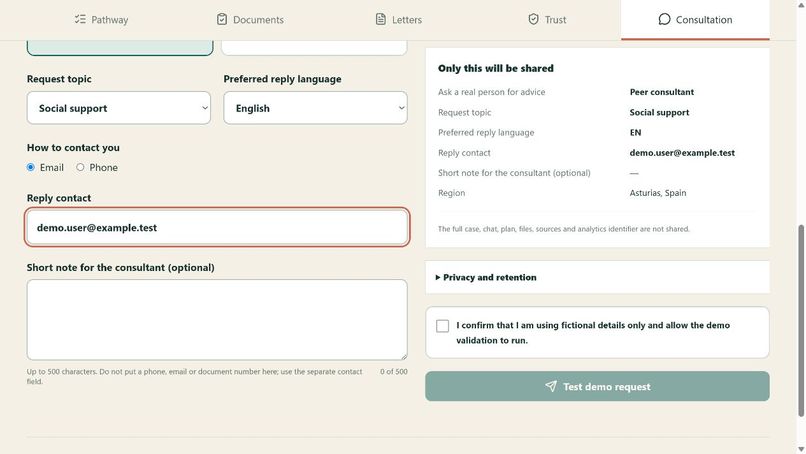
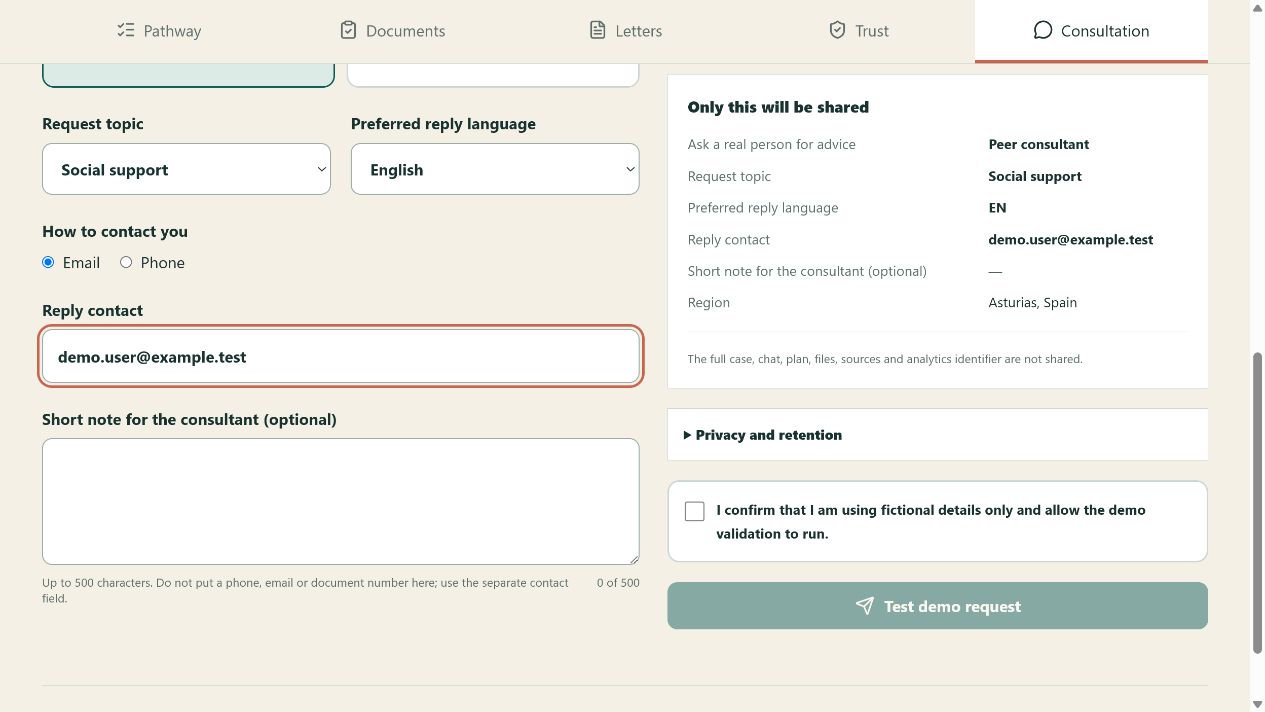
Minimal consultation preview with separate consent for human support.
Inspiration
After moving to a new country, a family supporting a person with a disability does not face one form or one agency. Healthcare access can depend on residence documents; school support can begin before a disability decision; the same translated report may be requested by several institutions. Information exists, but it is scattered across different levels of government, written in an unfamiliar language and rarely explains what to do first.
The product goal is simple: before FORA Navigator, a person thinks, “I do not understand what to do.” Afterwards, they can say, “I understand the situation, I know the next step, and I can see the pathway.”
What it does
FORA Navigator starts with a plain-language situation or a fully fictional demo case. It asks only questions that change the route, including the document-based residence or protection status, healthcare access, municipal registration, available records, language and urgency.
It then creates:
- an editable Case Summary;
- three immediate priorities and a dependency-aware Case Map;
- actions grouped into now, seven days, one month and later;
- one deduplicated document checklist;
- draft messages in Russian, Ukrainian, English and Spanish;
- evidence cards with source type, jurisdiction, confidence, last verification date and next human-review date;
- an optional request to either a peer consultant or a specialist, using a separate exact preview and independent consent.
The interface and navigation work in Russian, Ukrainian and English. The current knowledge pack is intentionally narrow: Asturias, Spain, with an initial focus on Oviedo.
How we built it
The application uses Next.js 16, React 19, TypeScript, Tailwind CSS 4, Zod, the OpenAI Responses API, Vitest and Playwright. There is no account system or server database of family cases. A person can keep the fictional Case in versioned browser storage for up to 90 days of inactivity or choose session-only storage.
The safe default is a deterministic local provider backed by a curated Asturias source registry. The optional GPT-5.6 Terra route uses Responses API Structured Outputs, store:false, one repair attempt and a deterministic postflight. That postflight verifies canonical source metadata, document references, acyclic action dependencies, server-determined urgency, PII and prohibited guarantees before any plan reaches the UI.
The consultation service is physically separate from browser Case storage. Its endpoint accepts only a closed DTO: peer/specialist route, category, region, preferred language, selected contact and a user-edited note of at most 500 characters. It cannot receive the full Case, chat, plan, files or analytics identifier.
How we used Codex
Codex was the product and engineering partner for the Build Week implementation. We used it to turn the initial social-work concept into a bounded product specification, challenge assumptions about privacy and operational ownership, implement the multilingual interface and typed contracts, repair an obsolete official source, build safety gates, run visual QA, diagnose a production-only bundling failure, expand the negative-test matrix and prepare the Vercel deployment.
Codex accelerated the implementation, but product decisions remained human-owned. Elena Bagaradnikova explicitly decided the target users, languages, controller identity, storage choices, consultation routes, public mailbox, retention proposal and which live capabilities must remain disabled in the public preview.
One example of the collaboration: a consultation handoff could easily have forwarded the whole Case. Through the Codex design and review loop, it became an independent allowlisted preview with its own consent, rate limit, honeypot and non-sending competition mode.
How we used GPT-5.6
GPT-5.6 Terra powers the application’s optional structured planning route. Instead of one giant prompt, the route follows a narrow staged contract for intake understanding, missing information, prioritisation, documents, drafts and safety review. Its output is constrained by Zod Structured Outputs and then checked by deterministic code.
The public competition deployment keeps live model calls feature-gated and accepts no real family data. Judges can inspect the complete GPT-5.6 integration and consent flow in the code and UI while using the stable local pathway for the demo. This is a deliberate safety boundary, not an attempt to present deterministic content as a live model response.
Safety and privacy by design
- deterministic emergency screening happens before normal navigation;
- the app does not diagnose, prescribe treatment, promise a benefit or make a final legal conclusion;
- it does not ask for names, exact addresses or document numbers;
- likely email, phone and NIE/DNI-like identifiers are detected before external AI processing;
- model output may reference only canonical reviewed source IDs;
- AI consent and human-consultation consent are independent, versioned and short-lived;
- the public consultation flow accepts fictional contact details, sends no email and stores no request;
- real OpenAI and email delivery require explicit server-side feature flags and further privacy/legal gates.
Challenges we ran into
The hardest design problem was not generating more information. It was deciding what must be deterministic. Urgency, consent, source metadata, dependency integrity and the data boundary for human handoff cannot be left to a model’s wording.
A second challenge was keeping the demo honest while making it complete. The product therefore has a fully usable no-key pathway, clearly labels its mode, and exposes the GPT-5.6 integration without pretending a local fallback was a live result.
A production build also uncovered a Turbopack/Zod module-initialisation issue that unit tests did not reproduce. We isolated the consultation server contract from the large client schema bundle, preserved strict allowlist validation and confirmed the clean Vercel build.
Accomplishments we are proud of
- a complete public demo that needs no account or API key;
- a pathway UI rather than a long chatbot answer;
- exact source provenance and human review dates;
- a single document checklist shared across actions;
- RU/UK/EN navigation and RU/UK/EN/ES drafts;
- independent local, AI and human-handoff consent boundaries;
- 59 passing unit/integration tests and 16 passing local desktop/mobile Playwright checks;
- a published end-to-end smoke test from fictional intake to consultation demo receipt.
What we learned
Trust is not one badge. A useful social-navigation product must show which claim comes from an official authority, which part is a cautious inference, when it was checked and what action should be verified by a human. The best interface also reduces cognitive load: three next priorities are more useful than thirty links.
What’s next
Before a real-data pilot, FORA Navigator needs final legal and privacy notices, a DPIA and processor review, owner-approved emergency contacts, a verified sender domain, operational mailbox deletion procedures, distributed rate limiting and supervised evaluation with fictional and explicitly consented cases.
After funding, the product can add an expert review panel, protected FORA organisation knowledge, more Spanish regions, easy-language variants and an optional accessible case-history service.
What was new during Build Week
The FORA domain experience and broad product idea existed before the event. The FORA Navigator application, its interaction design, typed contracts, local demo engine, GPT-5.6 integration, source registry, safety gates, consultation preview, tests, documentation and Vercel deployment were created during the Build Week submission period with Codex.
Built With
- codex
- gpt-5.6
- next.js
- openai
- playwright
- typescript
- vercel

Log in or sign up for Devpost to join the conversation.