Inspiration
Ever felt the frustration of losing your work mid-design when experimenting? I did. Adobe Express offers limited undo and no version history, which sparked this prototype—to bring reliable, intuitive snapshot control directly into your designs.
What it Does
This is a UI prototype of:
- Name & save snapshots — Enter a custom label and click “Capture Snapshot” to store the current canvas state.
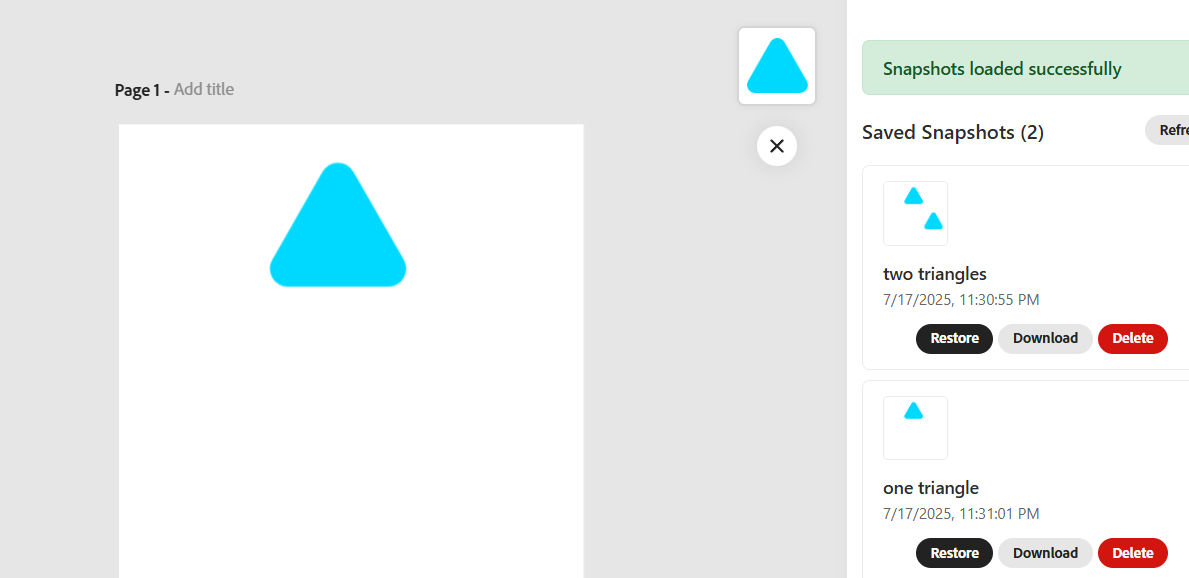
- View snapshot history — See a list of labeled saves, complete with timestamps and thumbnails.
- Restore any version — Revert the canvas to a previous state with a single click.
- Download functionality — Export snapshots as PNG + JSON files to your device.
How We Built It
We scaffolded the project using Adobe’s CLI and the React + document‑sandbox template. Snapshot logic is handled in the Document Sandbox using editor.getRendition() and JSON state, while the React UI communicates via addOnUISdk → runtime.apiProxy() to trigger snapshot actions.
Challenges We Ran Into
- Coordinating React bundle loading to run only after the UI SDK initialized.
- Accurately capturing and restoring full canvas state without data loss.
- Keeping the React UI list synchronized when snapshots were deleted, restored, or newly created.
Accomplishments We're Proud Of
- A fully functional prototype of React-based snapshot panel embedded within Adobe Express.
- Seamless save, restore, delete, and download flows integrated with the sandbox.
- Demonstrated a mock cloud setup to support future data persistence.
What We Learned
- Learned the use case of Adobe Add on CLI.
- The importance of sandbox/UI handshakes.
- Challenges of capturing canvas state via renditions and JSON, and restoring them reliably.
What’s Next for Version Control
- Integrate real cloud persistence to store snapshots across sessions.
- Add auto-save triggers based on time or user actions.
- Enhance the UI with renaming capabilities.
- Support importing and exporting version snapshots for broader workflows.

Log in or sign up for Devpost to join the conversation.