Inspiration
Ahia has hundreds of permissions across departments such as Finance, Procurement, Manufacturing, Logistics, Catalog, Sales, and Human Resources.
Creating a role traditionally requires an administrator to navigate a long interface, understand technical permission keys, and manually select the correct options. This becomes difficult when a simple role such as cashier may require several related permissions while excluding sensitive actions such as approving payments or issuing refunds.
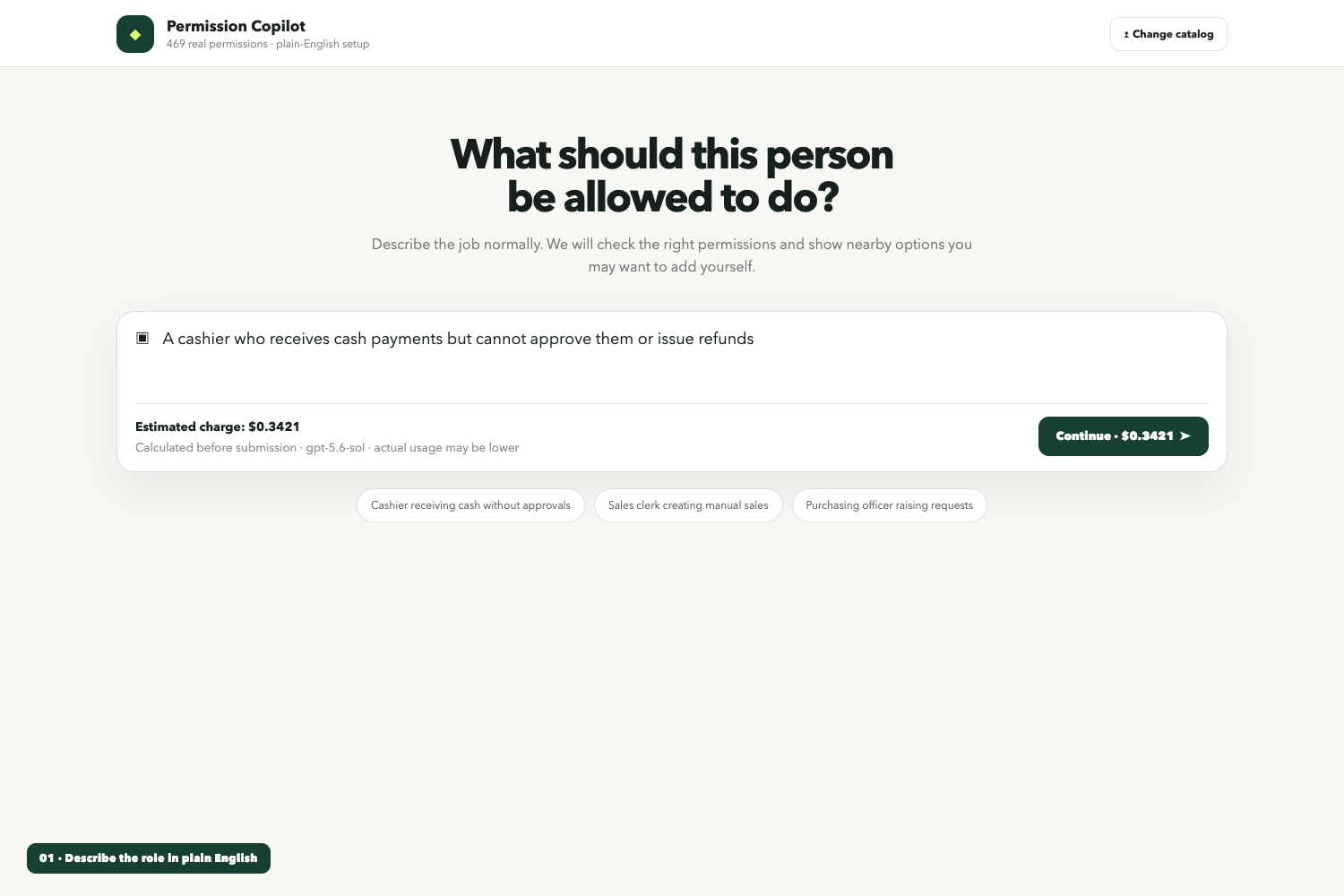
We built Permission Copilot to make this process easier. An administrator describes a job in plain English, and the system recommends the appropriate permissions from Ahia's real permission configuration.
What it does
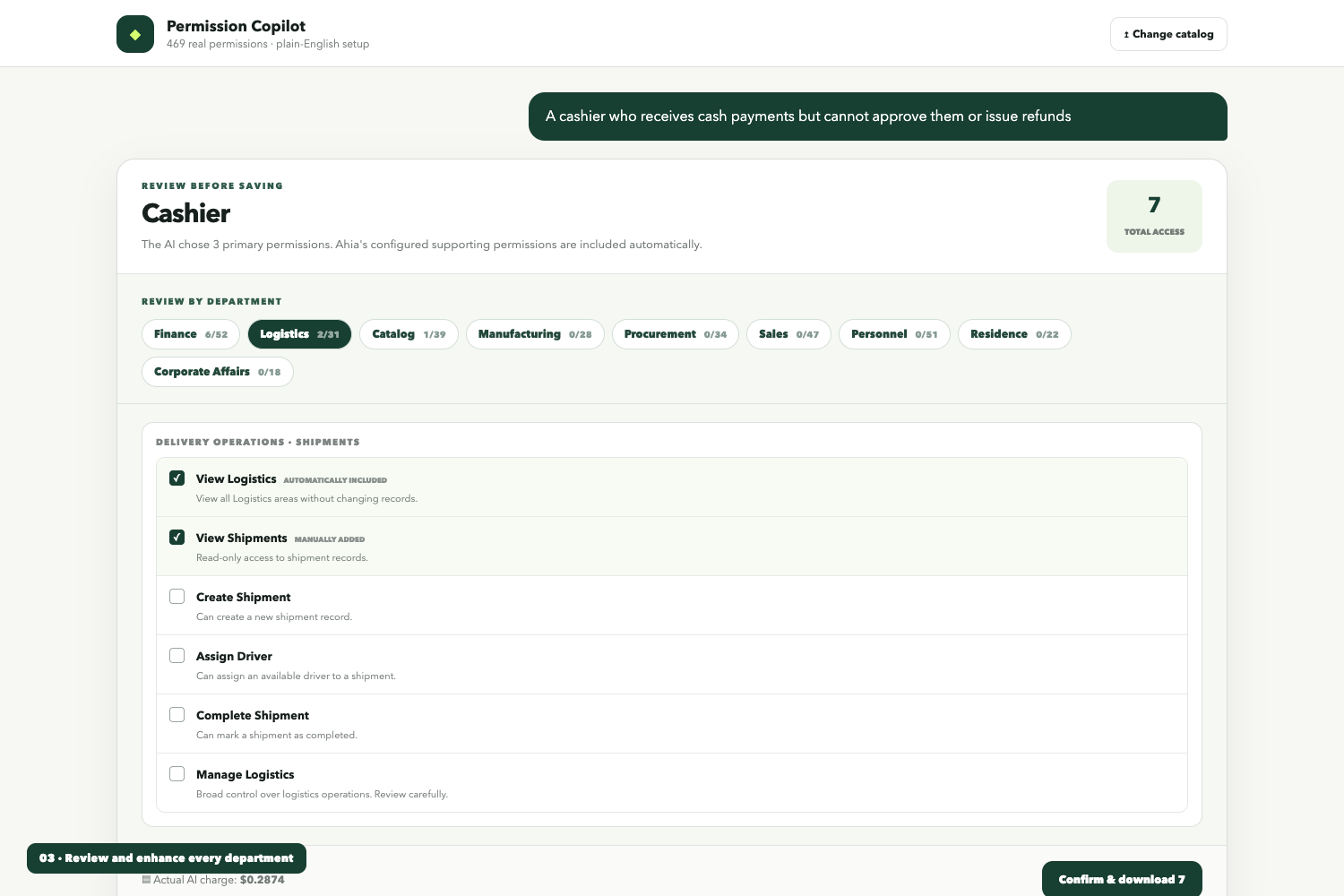
Permission Copilot converts a simple job description into a safe and reviewable permission set.
For example, an administrator can enter:
A cashier who can receive cash payments but cannot approve payments or issue refunds.
The system then:
- Interprets the role using GPT-5.6.
- Selects permissions only from Ahia's real permission catalog.
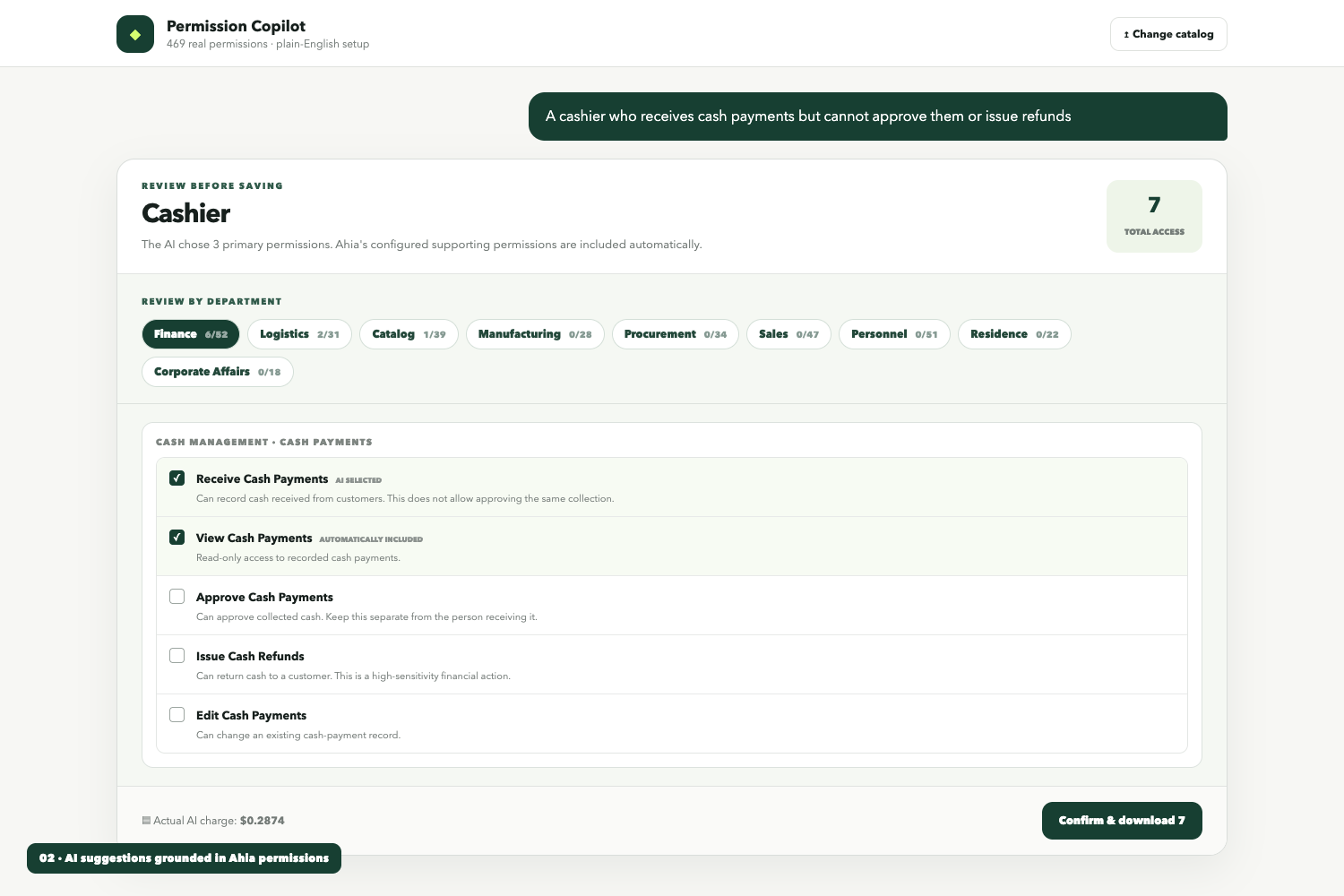
- Displays human-friendly labels and descriptions instead of backend permission keys.
- Organizes permissions by department and interface section.
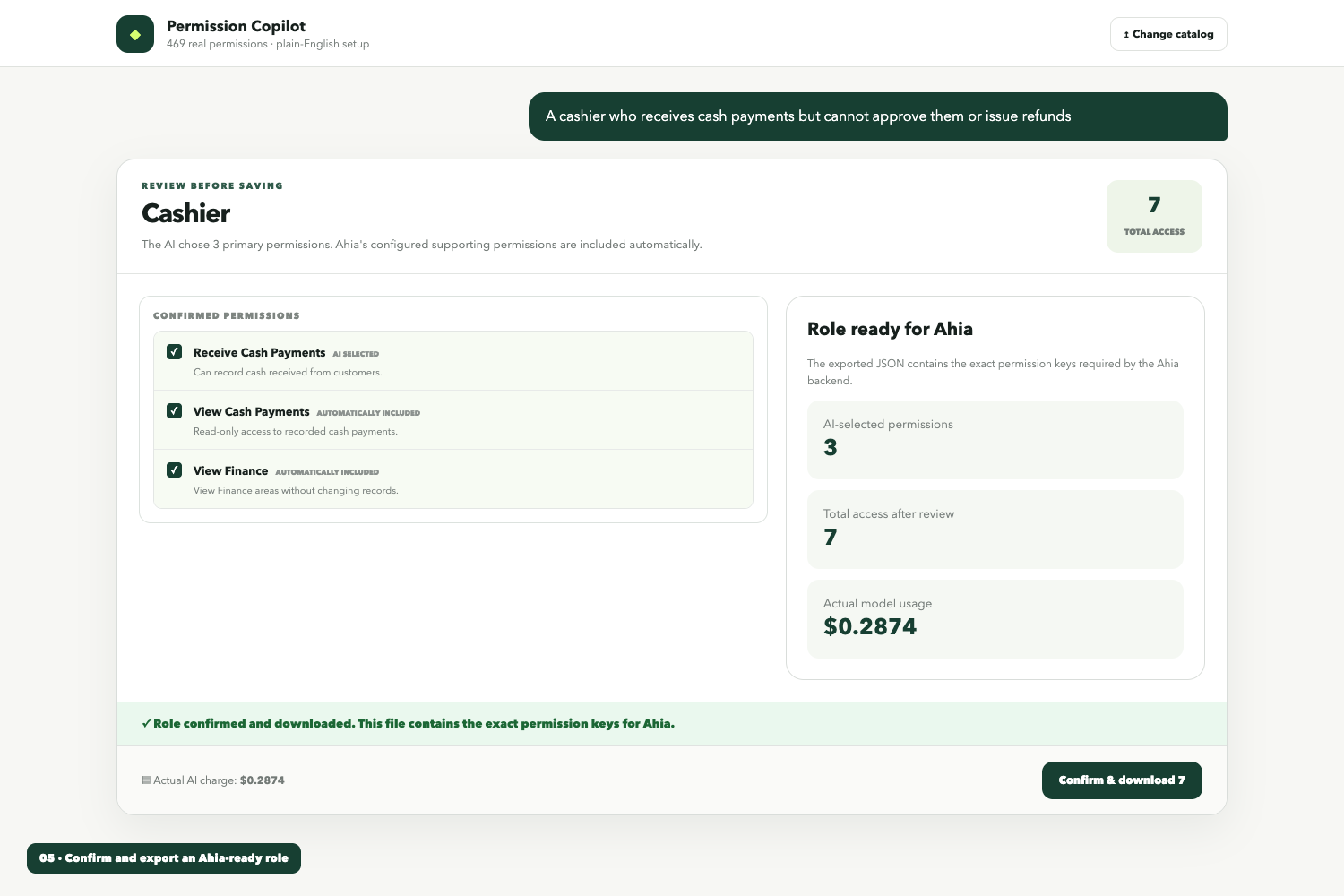
- Automatically includes directly implied permissions from Ahia's configuration.
- Shows every other available permission so the administrator can manually improve the role.
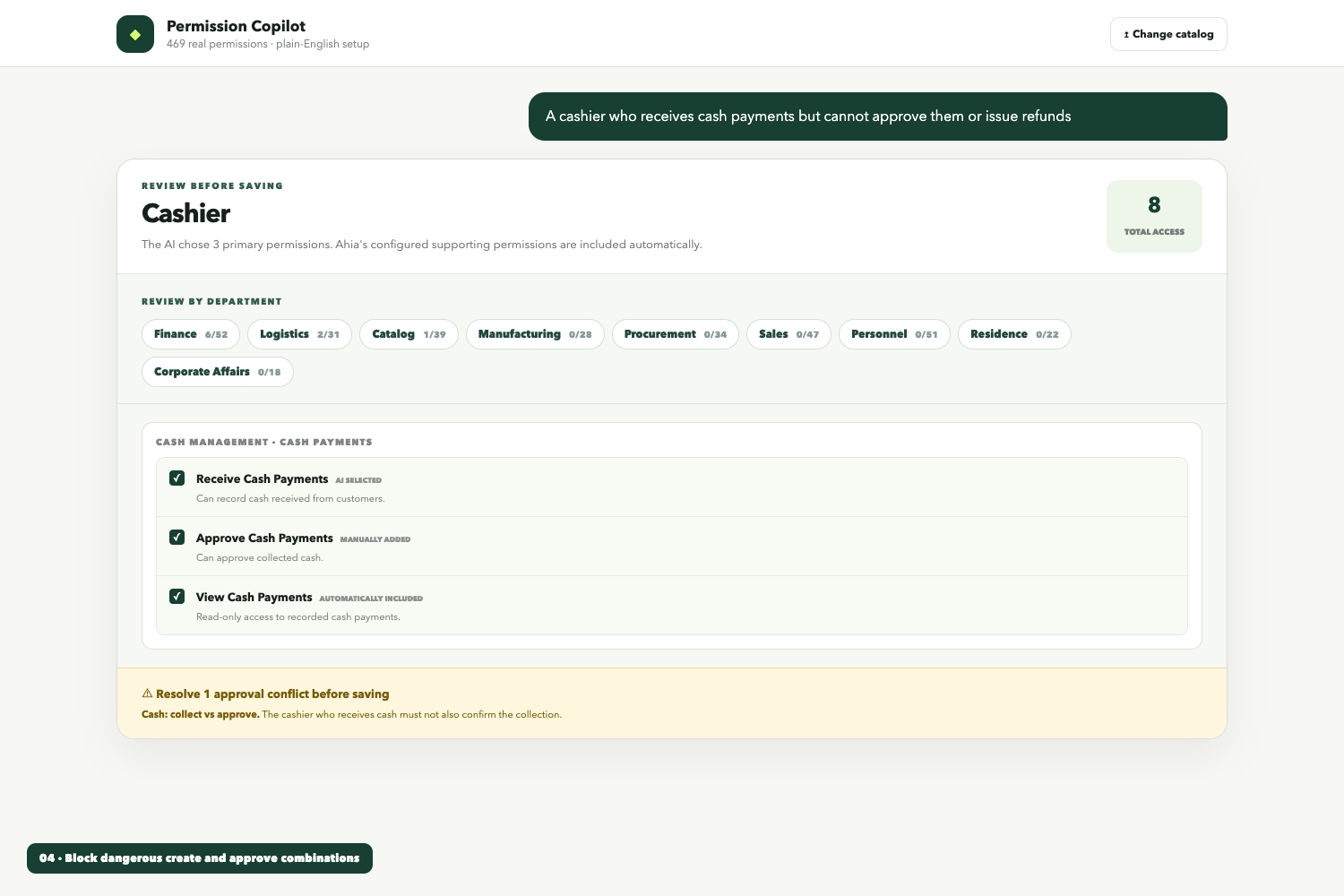
- Prevents known conflicts, such as allowing the same person to create and approve a sensitive transaction.
- Exports the confirmed role as a structured JSON file containing the exact permission keys required by the backend.
The interface also calculates the estimated AI cost before the request is submitted and displays the actual model usage afterward.
This is an implementation demo for Ahia. Payment collection was intentionally excluded. The production version would connect usage calculations to Ahia's existing accounts, billing system, and role-management APIs.
How we built it
The project was built with Codex using Next.js, TypeScript, React, Tailwind CSS, the OpenAI Responses API, GPT-5.6 Sol, structured outputs, and Vercel.
Instead of creating a separate permission model, we studied the actual Ahia project and extracted its active permission configuration. This produced a global configuration containing:
- 469 permission keys
- 12 departments
- Human-friendly labels
- Permission descriptions
- Department, pane, and tab locations
- Direct implied-permission relationships
- Known separation-of-duty conflicts
GPT-5.6 receives a compact version of this catalog and returns a structured role assignment. Every returned permission key is checked against the catalog before it reaches the interface.
Codex helped us inspect the Ahia codebase, extract and normalize permission configuration, design the chat workflow, improve the interface through several iterations, write regression tests, configure deployment, and verify the production build.
Challenges we faced
The largest challenge was understanding how Ahia's permissions relate to one another.
Some permissions provide read-only access, while others allow creation, editing, deletion, approval, or authorization. Displaying backend keys such as manageStock would not be useful to a normal administrator, so we had to map every permission to a clear label and description.
Another challenge involved implied permissions. Selecting one permission could require several supporting permissions, but recursively applying every implication caused unrelated permissions to become selected. We corrected this by matching Ahia's actual behavior and applying only the direct implications of the explicitly selected permission.
We also needed to separate AI recommendations from manual review. The first interface displayed only selected permissions and nearby suggestions. This made reviewing a complete role difficult. The final interface always displays every Ahia department and its full permission list. AI selections are checked automatically, while administrators can open any department and adjust individual permissions.
Finally, we needed to make the usage-based pricing idea understandable without building a complete payment platform. The demo therefore calculates an estimated charge before submission and records actual model usage afterward, while clearly stating that no payment is collected.
What we learned
We learned that AI should not replace the permission system. It should provide a simpler interface for using the existing system correctly.
Grounding GPT-5.6 in Ahia's real configuration was more reliable than asking it to invent or infer permissions. Structured outputs and server-side allow-list validation also ensured that the model could never grant a permission key outside the catalog.
We also learned that AI recommendations should remain reviewable. Administrators need to understand what was selected, why supporting permissions were included, and what other options remain available.
Most importantly, the project showed that a complicated administrative workflow can be converted into a simple conversation without removing human control.
What is next
The next stage is to integrate Permission Copilot directly into Ahia.
The production implementation will:
- Use the authenticated Ahia user and organization.
- Save generated roles directly through Ahia's role-management API.
- Connect usage charges to Ahia's existing billing or prepaid balance.
- Save role history and approval records.
- Respect organization and group scope automatically.
- Allow administrators to test whether a role can perform specific actions.
- Expand the same chat-based approach to inventory, sales, procurement, shopping, and other Ahia workflows.
Permission Copilot is the first step toward a broader Ahia Copilot that helps users complete complex business operations through natural conversation.
Built With
- access
- api
- codex
- control
- copilot
- enterprise
- generative
- gpt-5.6
- json
- management
- next.js
- node.js
- permission
- react
- responses
- role-based
- saas
- schema
- security
- software
- tailwind
- typescript
- vercel
- workflow

Log in or sign up for Devpost to join the conversation.