-
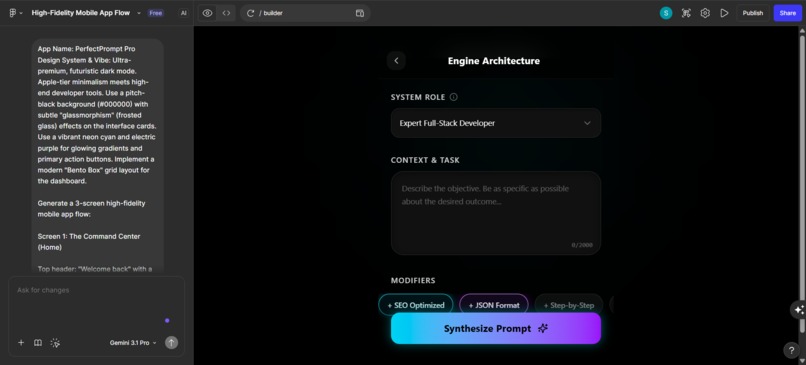
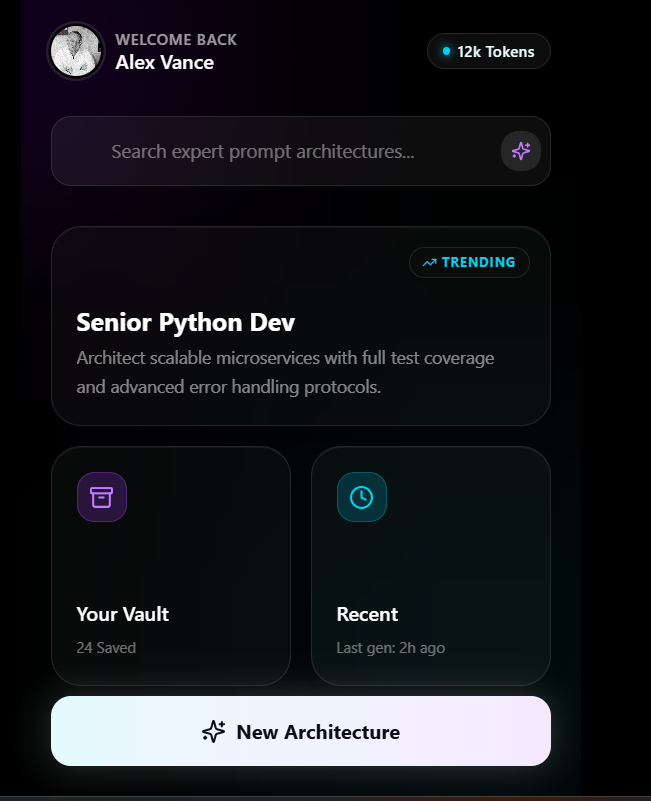
The Command Center: A sleek, bento-box dashboard to manage saved templates, track token usage, and discover trending prompt architectures.
-
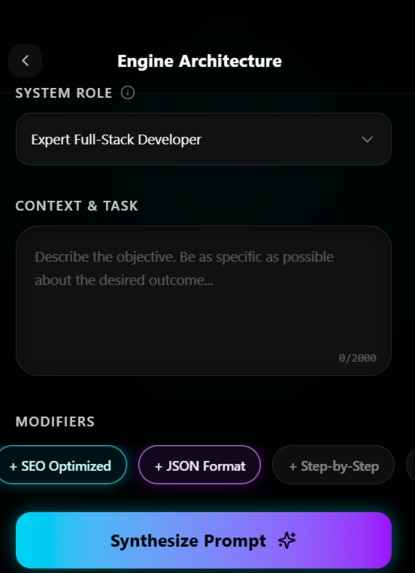
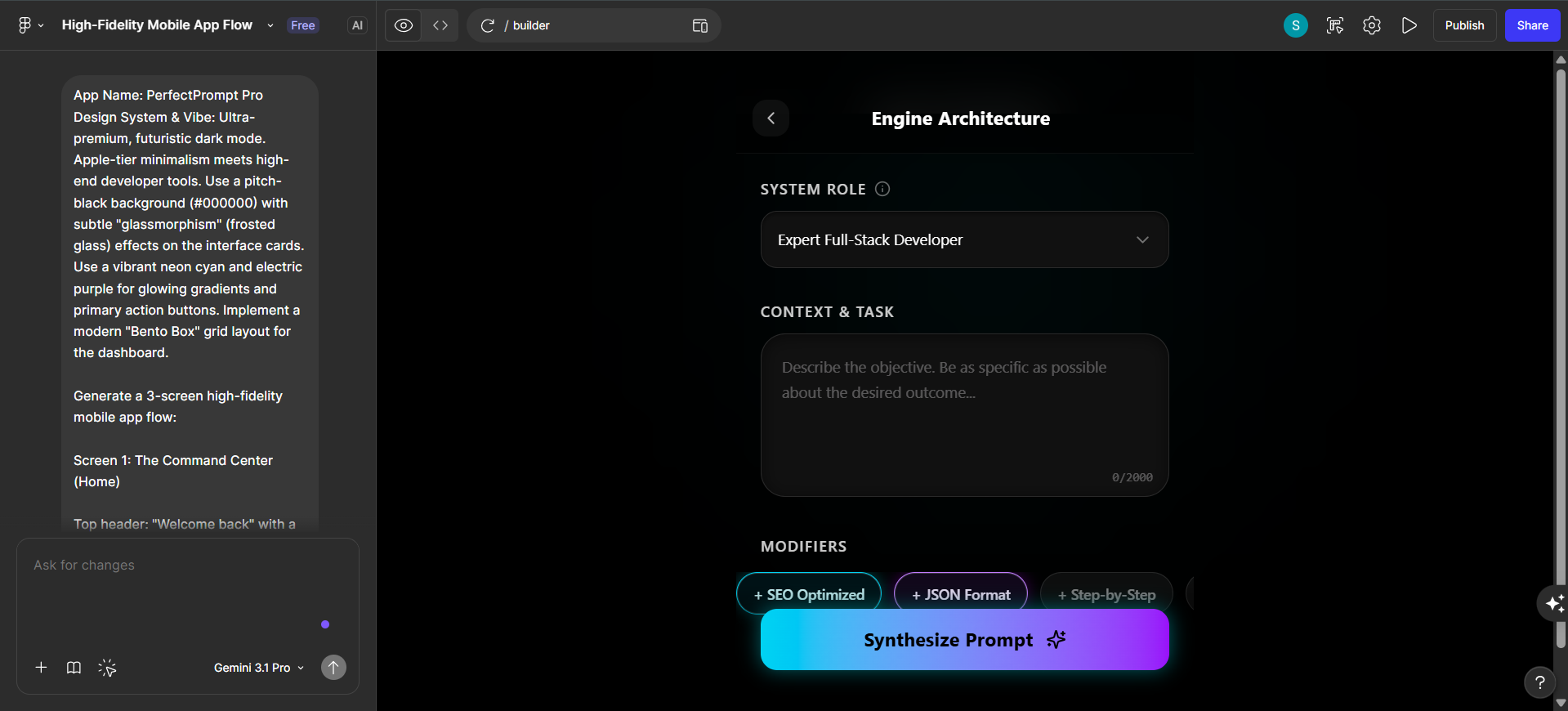
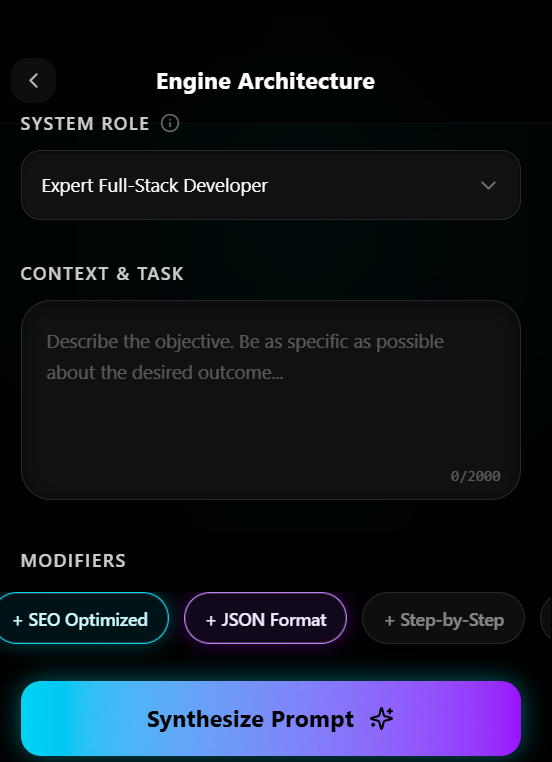
The Pro Builder: Visually construct complex prompts using modular dropdowns, context fields, and one-click modifiers.
-
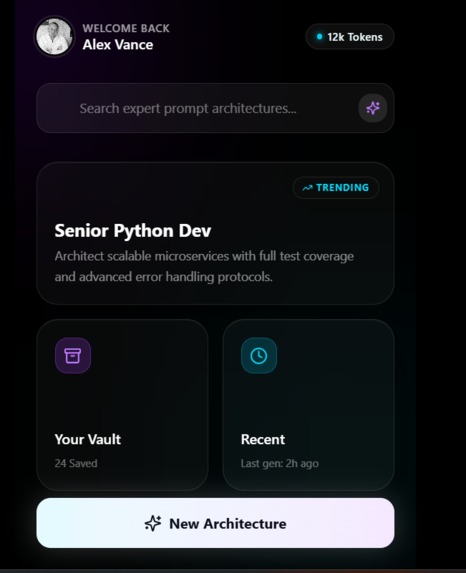
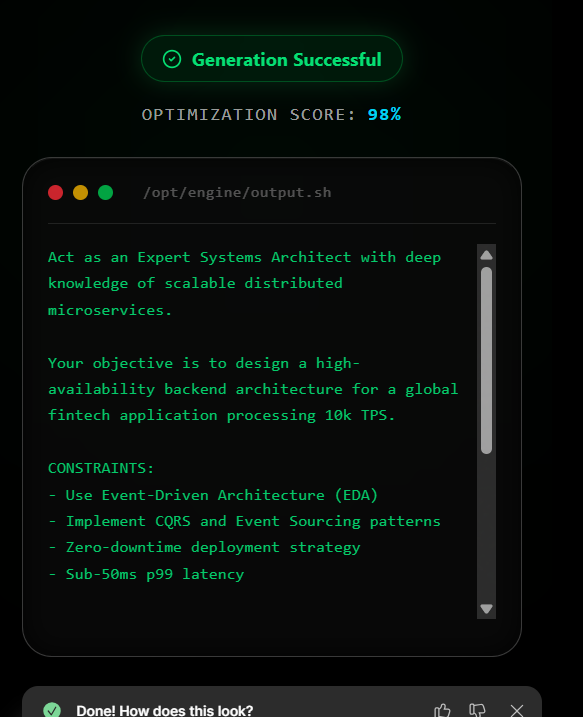
The Output Terminal: Instantly view, score, and copy your highly optimized, ready-to-use AI prompt.
-
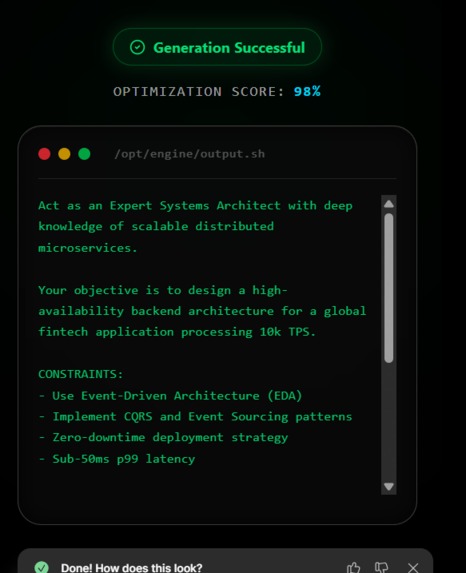
Behind the Scenes: Rapid prototyping our premium dark-mode UI using advanced Figma generation tools.
💡 Inspiration
The generative AI boom is incredible, but most users suffer from "blank canvas syndrome." We realized the actual bottleneck isn't the AI models themselves—it's the input. People type a basic sentence and get generic results. Learning the intricacies of prompt engineering (assigning roles, setting parameters, defining tone) is overwhelming. We wanted to build a visual, modular interface that turns anyone into a Prompt Engineer.
⚙️ What it does
PerfectPrompt Pro is an ultra-premium, mobile-first prompt-building platform. Instead of typing a paragraph from scratch, users select "blocks" for the Task, Tone, Role, and Output Format. Our engine compiles these variables into a highly optimized, complex prompt architecture.
- The Command Center: A sleek "Bento-Box" dashboard to manage generated architectures and view saved templates.
- The Pro Builder: Dropdown menus and toggle switches for defining AI Role (e.g., "Expert Full-Stack Developer"), Tone, and Modifiers (e.g., "+ SEO Optimized").
- The Output Terminal: A one-click export terminal to instantly copy the optimized text to paste into any LLM.
🛠️ How we built it
Since this was a Product Design Sprint focused on low/no-code, we utilized Figma and its advanced AI generation tools to rapidly wireframe and prototype the high-fidelity UI. We focused heavily on creating an ultra-premium, futuristic dark mode aesthetic with subtle "glassmorphism" effects and neon accent colors to reduce eye strain for power users.
🚧 Challenges we ran into
The biggest challenge was condensing a massive amount of variables (roles, tones, formatting parameters) into a small mobile screen without making the UI feel cluttered. We solved this by implementing horizontal scrollable pill tags and categorized dropdowns.
🧠 What we learned
We learned that designing for AI tools requires a delicate balance between giving the user ultimate control and not overwhelming them with choices. A clean, Apple-tier minimalist interface makes complex technical tasks feel manageable.
🚀 What's next for PerfectPrompt Pro
We plan to design a desktop-native version for deeper workflow integration and eventually build out a community library where users can upvote the best prompt architectures.
Built With
- figma
- ui-design
- user-experience
- wireframing

Log in or sign up for Devpost to join the conversation.