
Inspiration
I was watching a progress number crawl toward 100% in a window I couldn't look away from, because the moment I switched tabs I'd lose track of it. The app had no notification. It had no API. It had no intention of ever telling me it was finished.
That's a strangely large category once you start noticing it. A job running over a remote desktop session - the remote machine physically cannot notify your Mac. A seat count on a booking page. A queue position. A trading terminal or a scientific instrument written long before an app could tell you anything. A single pane in a tmux session.
Every one of those things is already on your screen. It's just that nothing is watching it except you.
So the question became: what's the one API that works across every app on macOS, including apps that have no API at all?
What it does
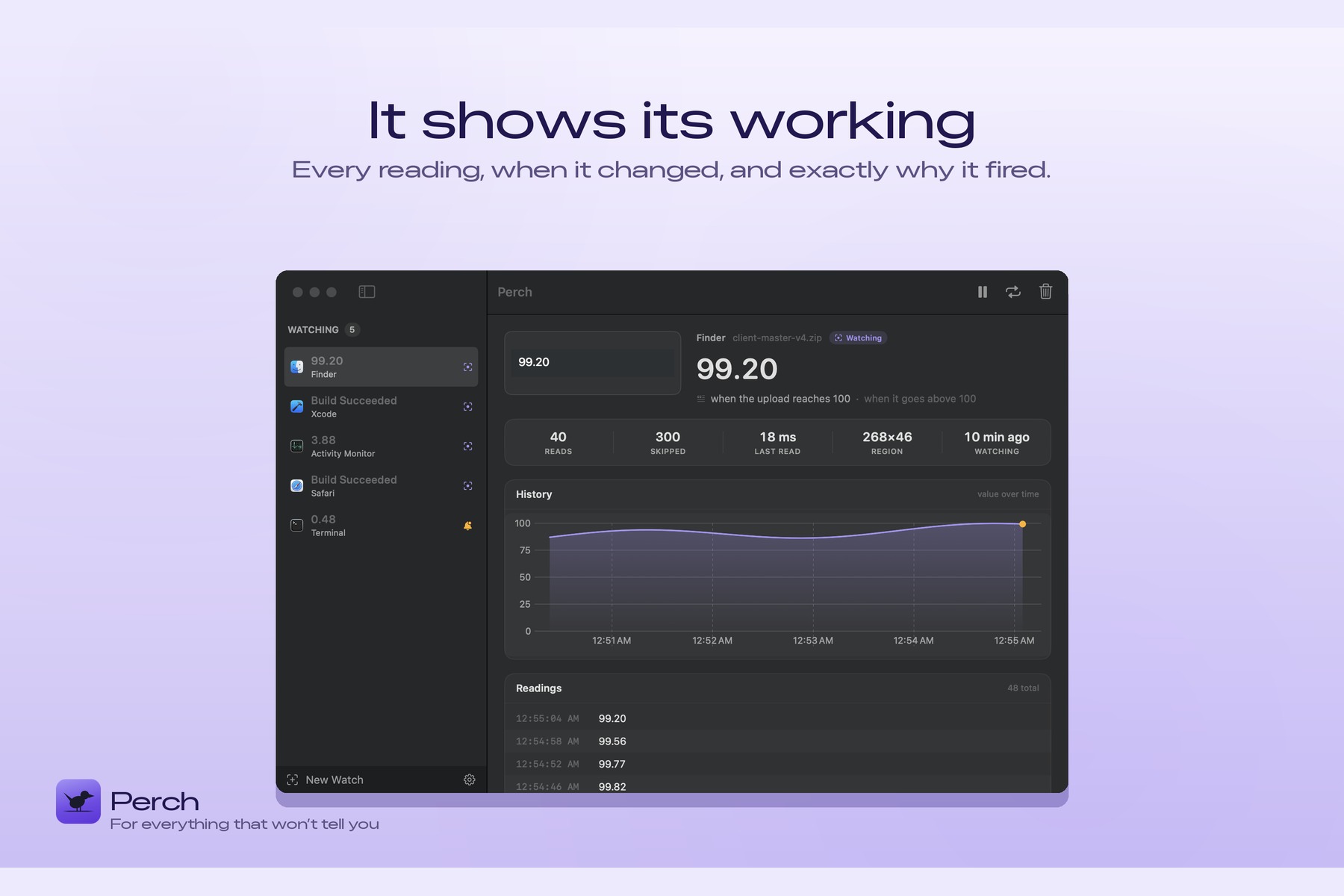
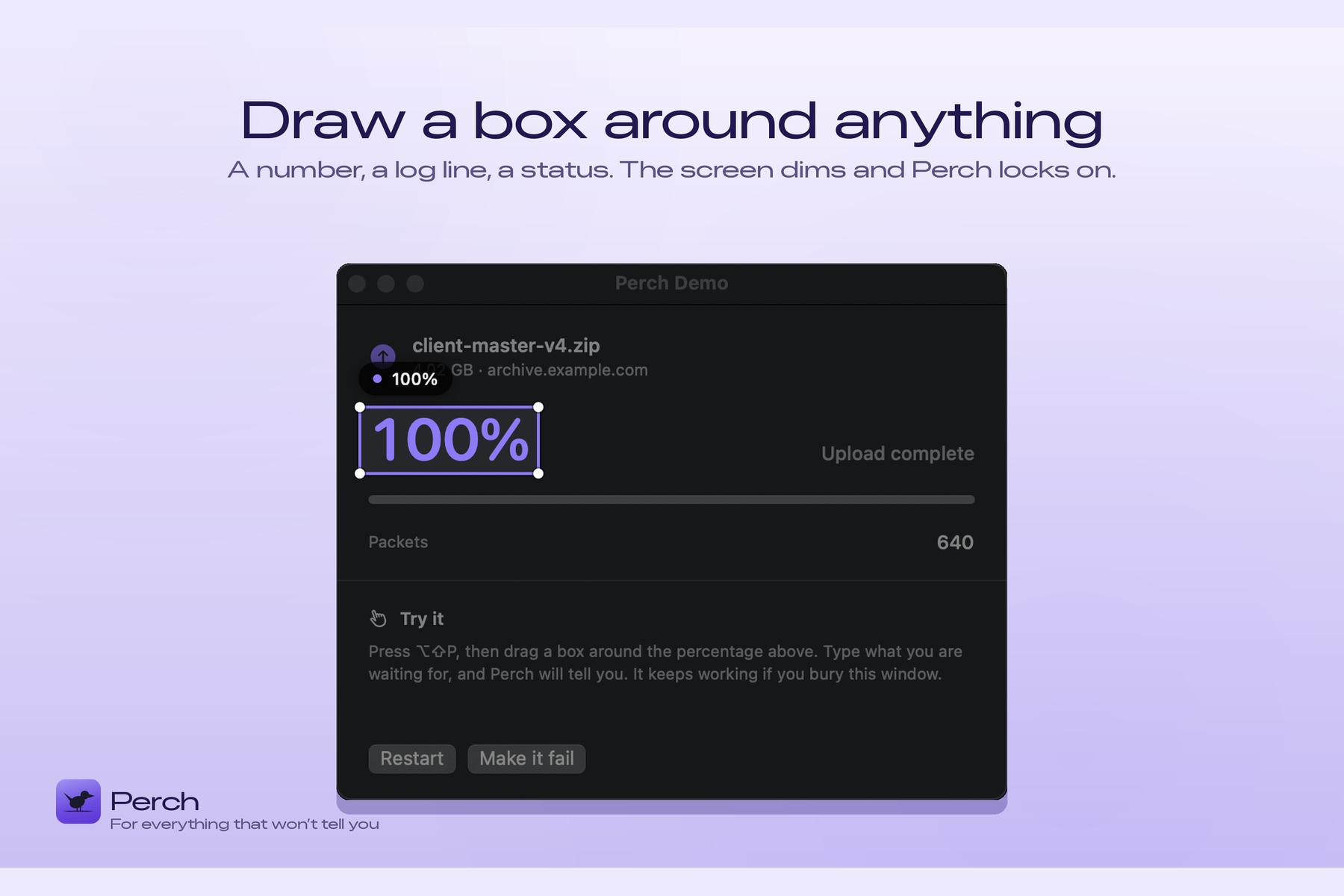
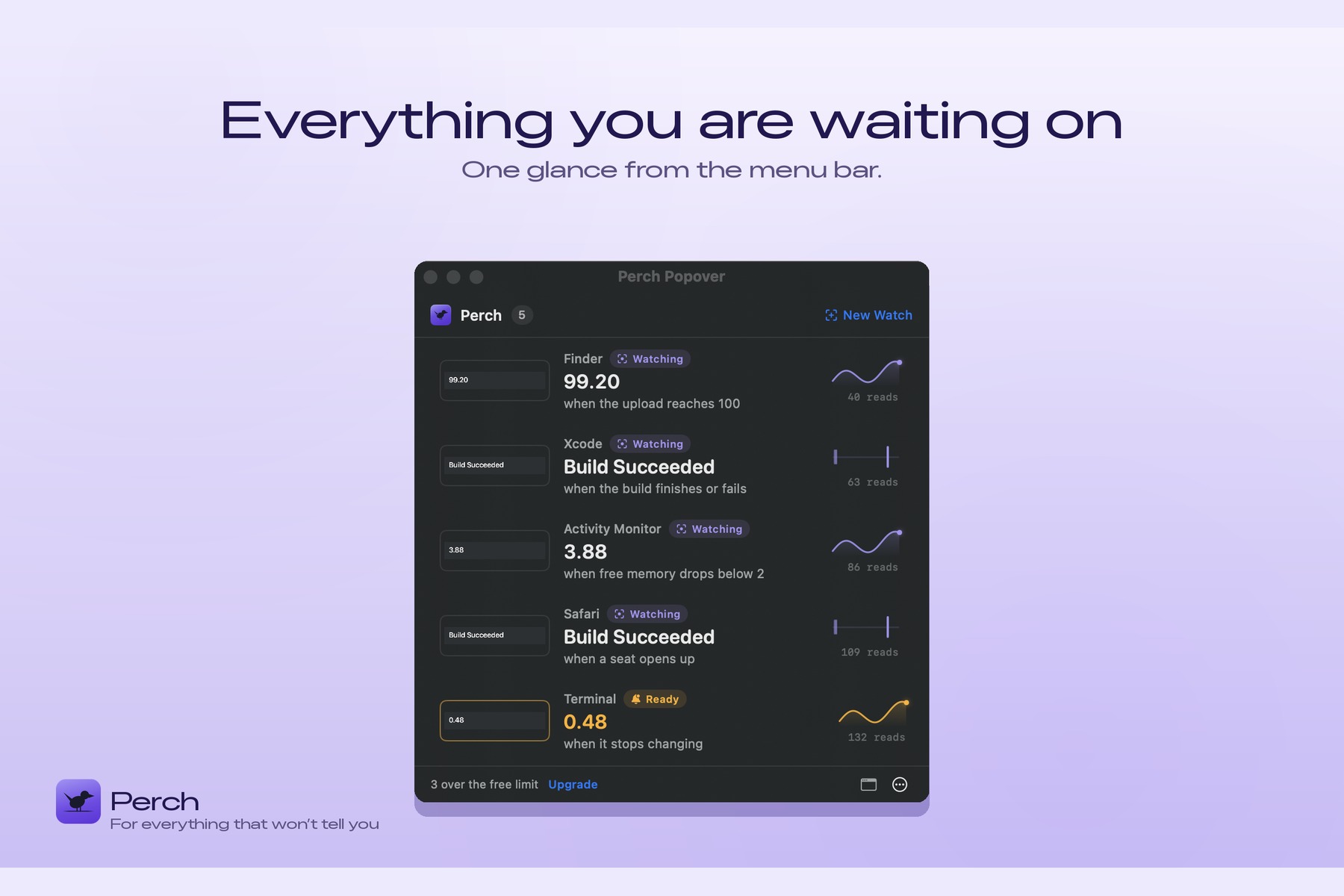
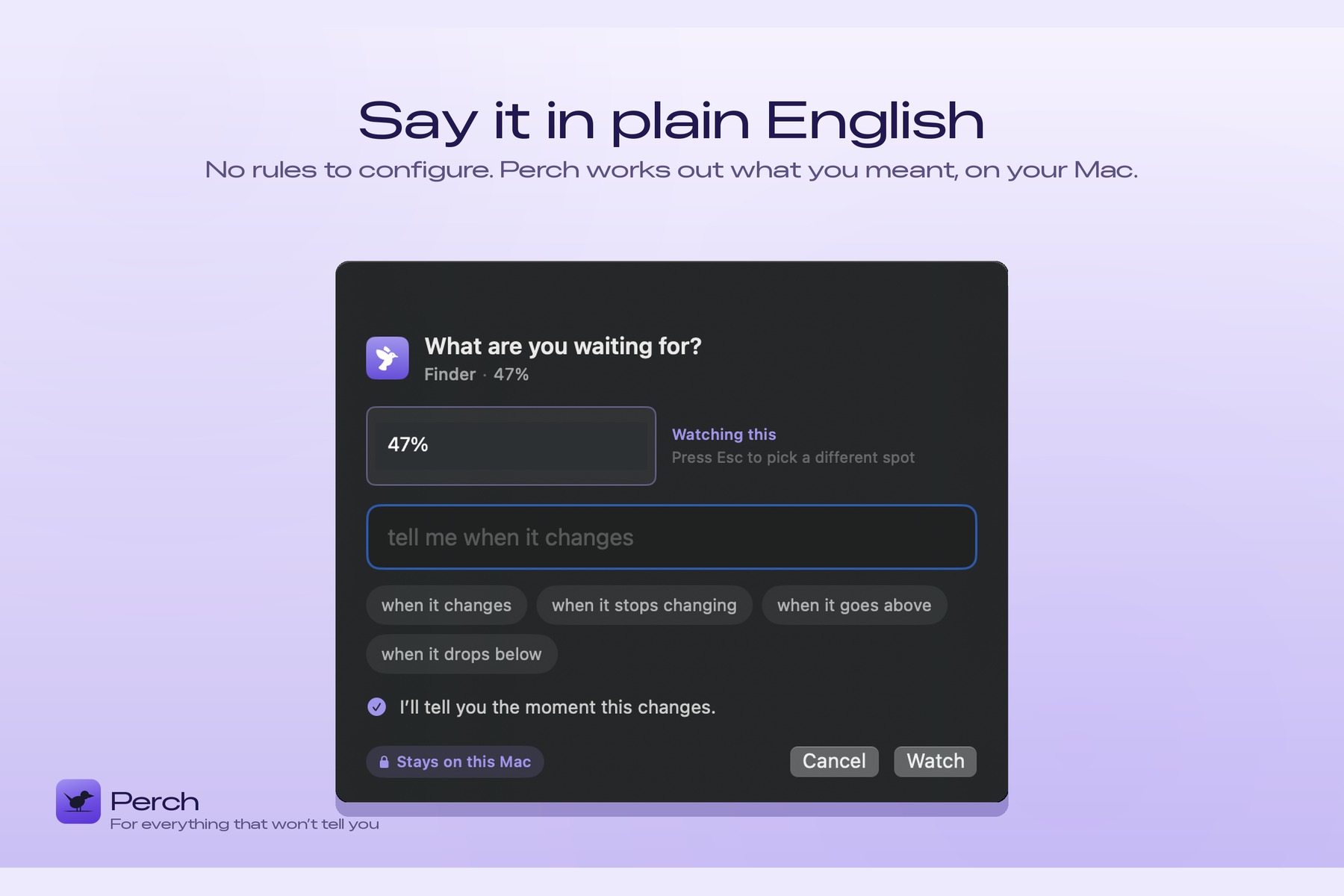
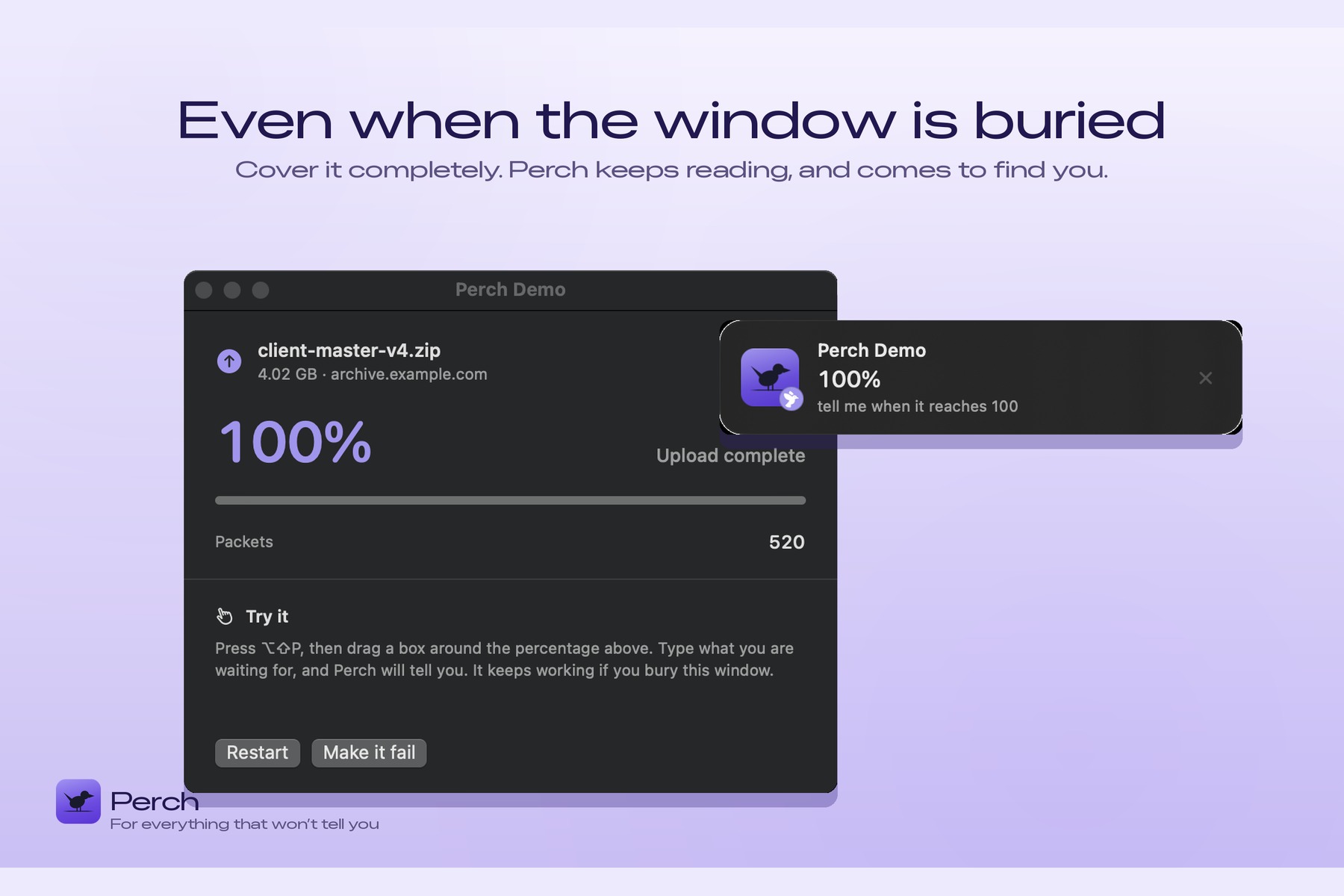
You press ⌥⇧P, draw a box around anything on screen, and type what you're waiting for in plain English - tell me when it changes, when the upload reaches 100, when it stops changing. Perch reads that region and tells you the moment it happens.
The part that makes it worth building: it keeps reading when the window is completely buried. Cover it with other windows, switch spaces, go do something else. Perch is still watching.
How I built it
The core trick is SCContentFilter(desktopIndependentWindow:). ScreenCaptureKit can capture a specific window independently of z-order — you get its pixels whether or not it's visible. Most screen-capture code grabs the display and crops; that only works if the window is on top. Filtering to the window itself is what makes the buried case work at all, and it's a single initialiser that changes what the product is.
The sandbox forced the design. Perch targets the Mac App Store, and the Accessibility API isn't available to sandboxed apps. So there is no way to ask another app "what does your progress bar say?" The screen is the only universal interface every app shares. That constraint is the whole reason the product exists in this shape.
Text comes from Vision's VNRecognizeTextRequest running on-device, with usesLanguageCorrection off - correcting 100% into a dictionary word is exactly wrong here.
Naive polling was unusable. Running OCR every second at 30% CPU is not a background utility, it's a space heater. So every frame first goes through a perceptual fingerprint — a 32×32 grayscale grid — and OCR only runs when the region actually moved. That took it to 1.4% CPU.
The interesting part was getting the comparison right. I started with the mean cell delta, which was wrong in a way that looked fine: when a single digit changed, the mean scored 0 because one changed cell across 1,024 dilutes to nothing. The peak cell delta scored 163 on the same frame. Averaging is the instinct, and here it silently destroyed the signal.
Conditions are parsed by a small precedence-ordered rule engine with whole-word matching and inflection handling - no LLM, no network, nothing leaves the machine.
Around that: SwiftUI + AppKit (MenuBarExtra, LSUIElement, custom NSPanels), Swift Charts for history, App Intents for Shortcuts, Carbon RegisterEventHotKey — genuinely the only global-hotkey API that works sandboxed with zero permissions — and RevenueCat for the Pro unlock.
~6,800 lines of Swift across 49 files, 97 tests in 18 suites, 285 localized strings in four languages.
Challenges I ran into
Almost every real bug was invisible until something was measured.
A gate ordering bug that silently ate alerts. The change gate committed its new baseline before checking whether OCR was already busy. So a change arriving mid-read was permanently gated away — the watch just never fired, with nothing in the log and nothing on screen. Moving one line fixed it. Nothing would ever have surfaced it.
A 1000× parsing bug. My rule "one separator with three trailing digits means grouping" read 0.500 as 500. Thresholds silently never fired. It now disambiguates using the reader's locale plus a plausible-leading-group check.
A clipped read that parsed as a real number. If a region crops through a number, OCR returns .418 and Double(".418") is 0.418 — a perfectly plausible value that no threshold should ever be compared against. Interfaces write a leading zero, so a separator in first position is a cropped read, not a value. It's refused now, and the watch says why.
An unreadable frame counted as a change. Vision returns nothing while a list scrolls. Comparing raw consecutive reads meant one dropout fired twice - once when the text "vanished", once when it "came back". It compares against the last readable frame now.
The alert was a zero-height window. NSHostingView.fittingSize returns 0 before layout, so every alert panel was sized 342×0 — completely invisible. It's the only channel left when macOS declines to deliver a notification, which is exactly when you need it.
And the palette was lying. Measuring it, "fired" (#FFB347) and "problem" (#FFA54A) were 15/255 apart - 11 under a deuteranopia simulation. The best thing the app ever says looked identical to the worst. Four tests now reject any palette where those two come within 60/255, with the shipped pair pinned as the counter-example.
What I learned
Look at the pixels, not the code. A collapsing sidebar, invisible text, cropped thumbnails, an invisible alert - I found every one by capturing windows and measuring them with numpy. Reading the source found none of them.
Averaging is usually the wrong instinct for detecting localized change. Peak, not mean.
A test that only asserts today's values tells you nothing. The palette suite keeps the broken pair that actually shipped, so the test is anchored to the bug that got through rather than to an abstraction of it.
And when the tool can't be trusted, it's worse than nothing. For a "stop watching this and go do something else" product, one false alert sends the user back to ⌘-Tab forever. Trust is the feature.
What's next for Perch
Mac App Store submission, then presets so nobody has to invent a use case on first run. The capture loop itself - the most important code in the app - still has the least test coverage, and that's next.
Built With
- app-intents
- appkit
- carbon
- core-graphics
- macos
- ocr
- on-device-ml
- revenuecat
- screencapturekit
- storekit
- swift
- swift-charts
- swift-testing
- swiftui
- usernotifications
- vision
- xcodegen


Log in or sign up for Devpost to join the conversation.