-
-
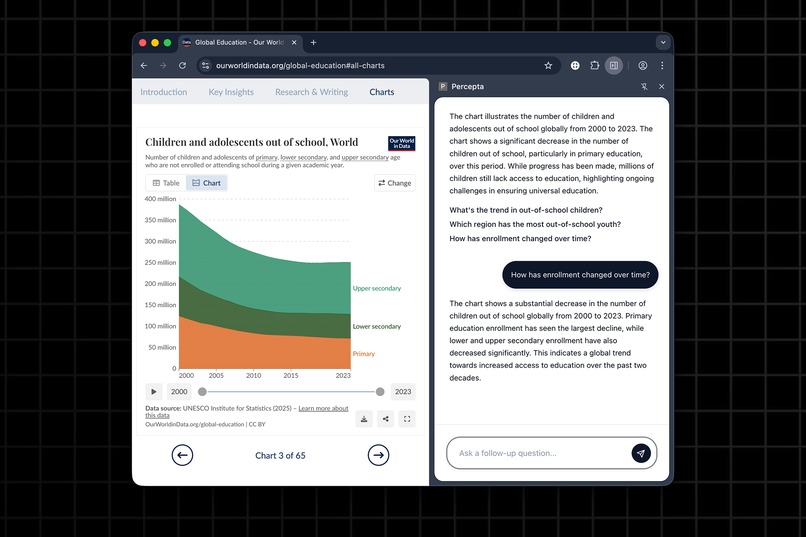
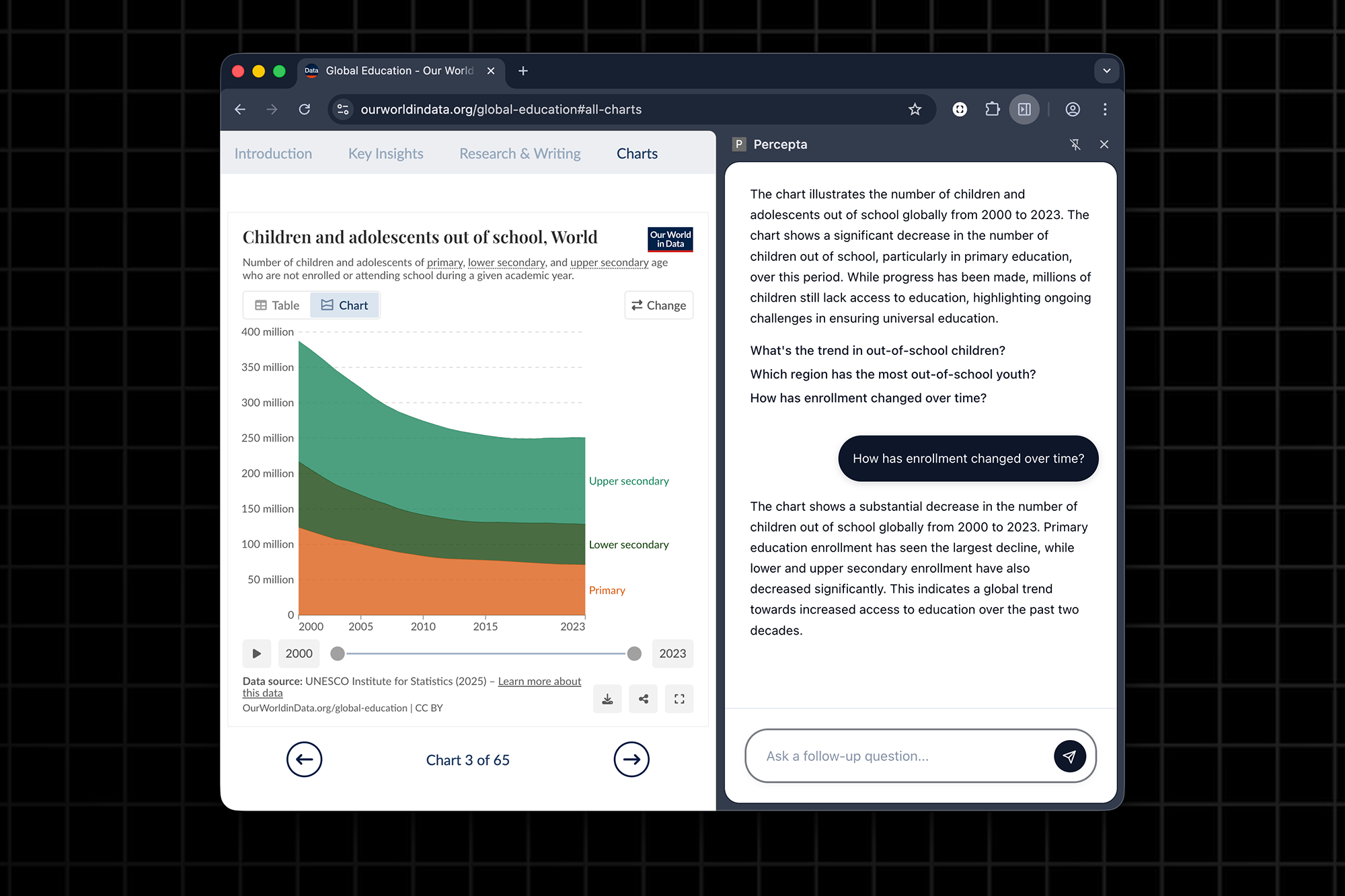
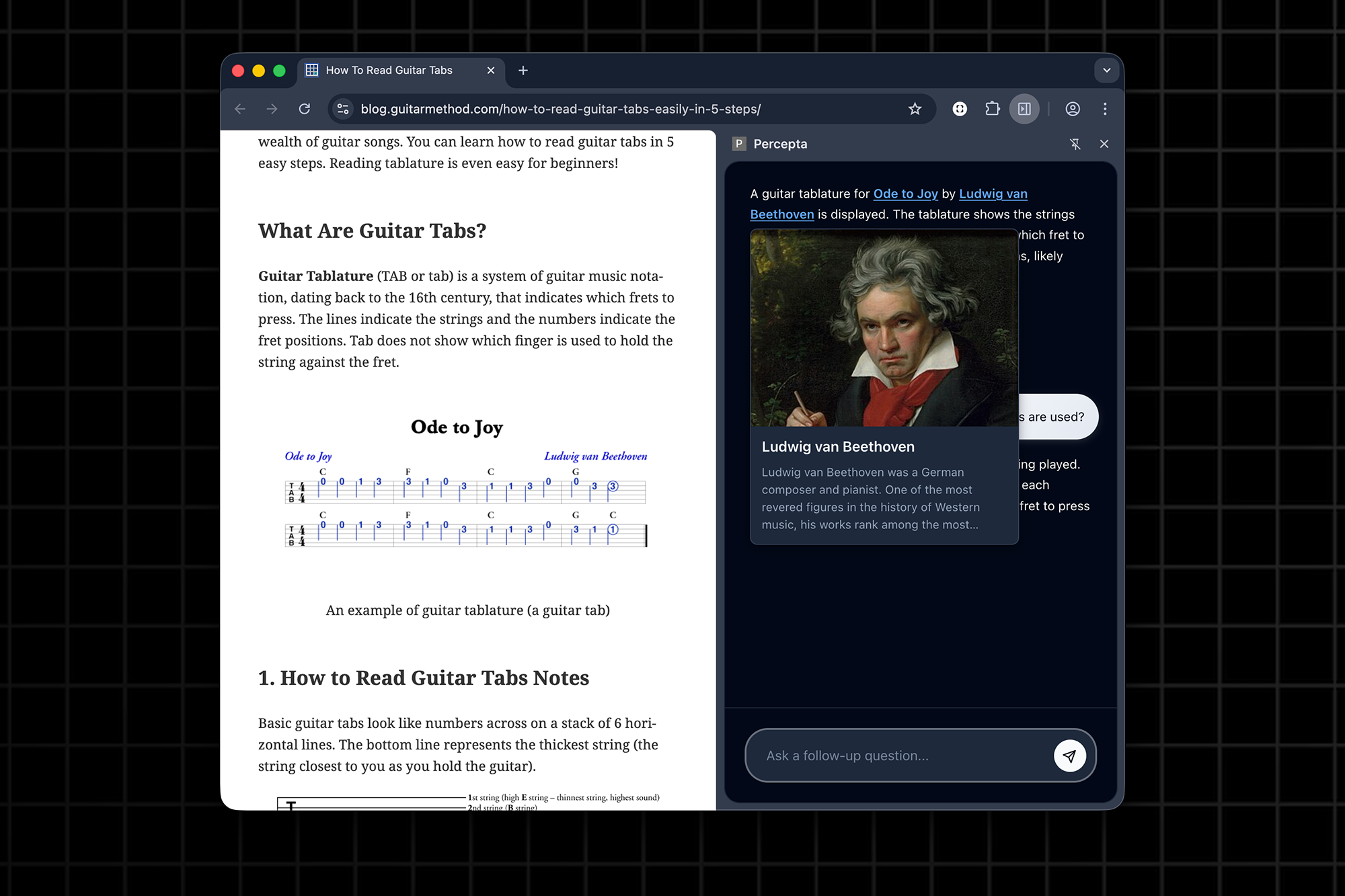
Ask questions and explore visuals directly in the side panel
-
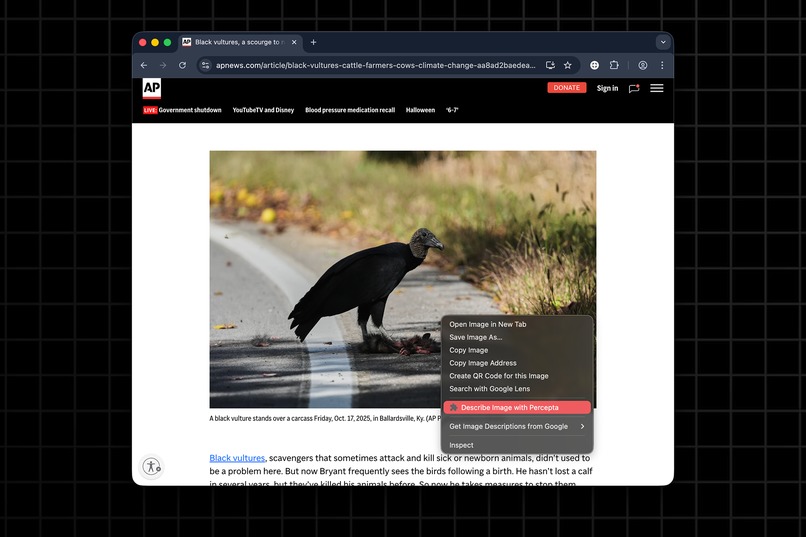
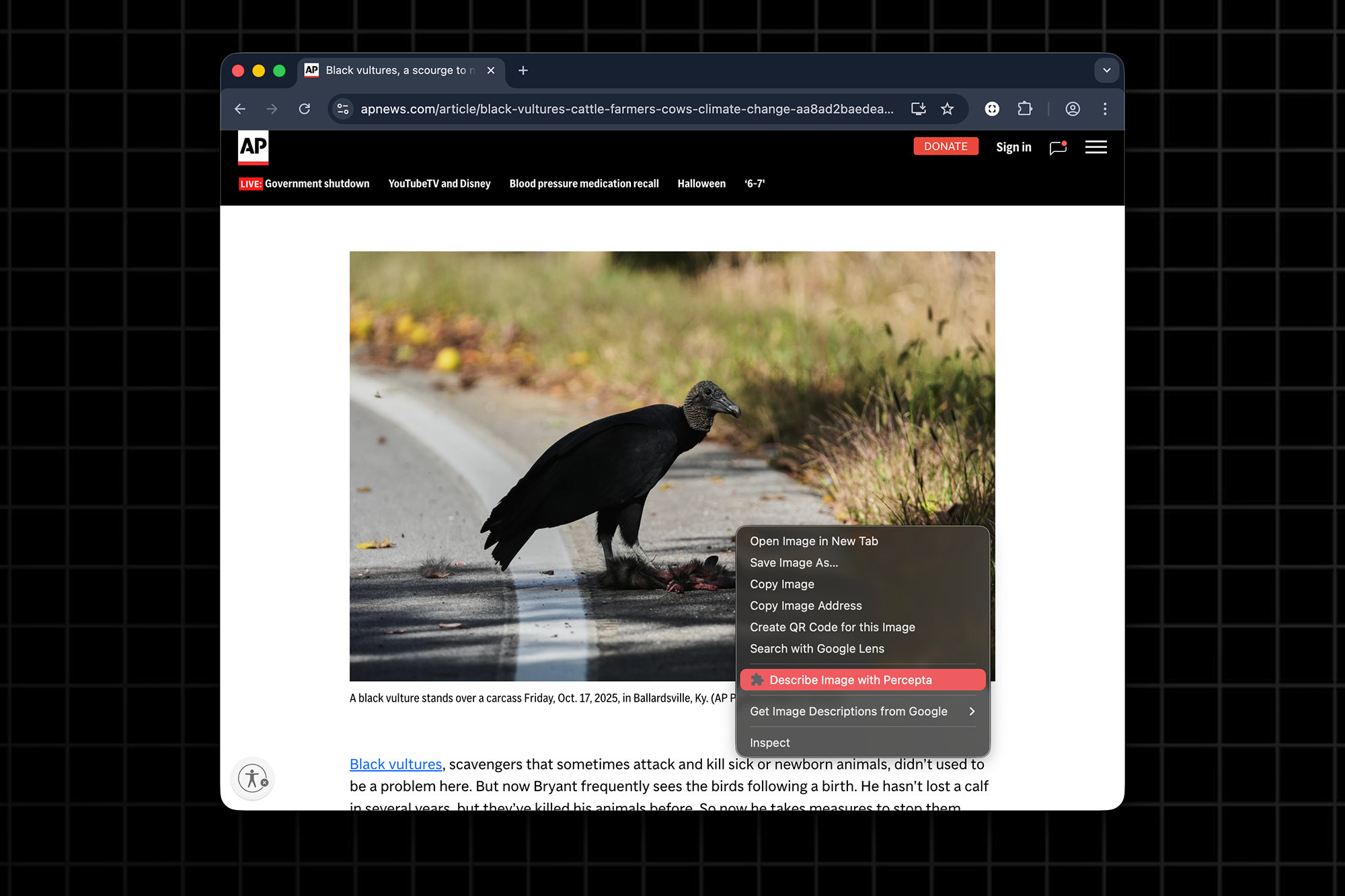
Right-click any image to get an instant visual description
-
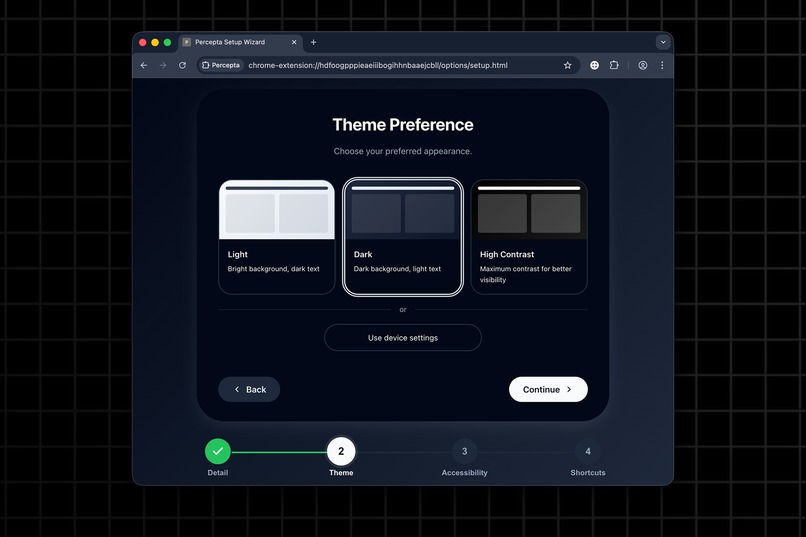
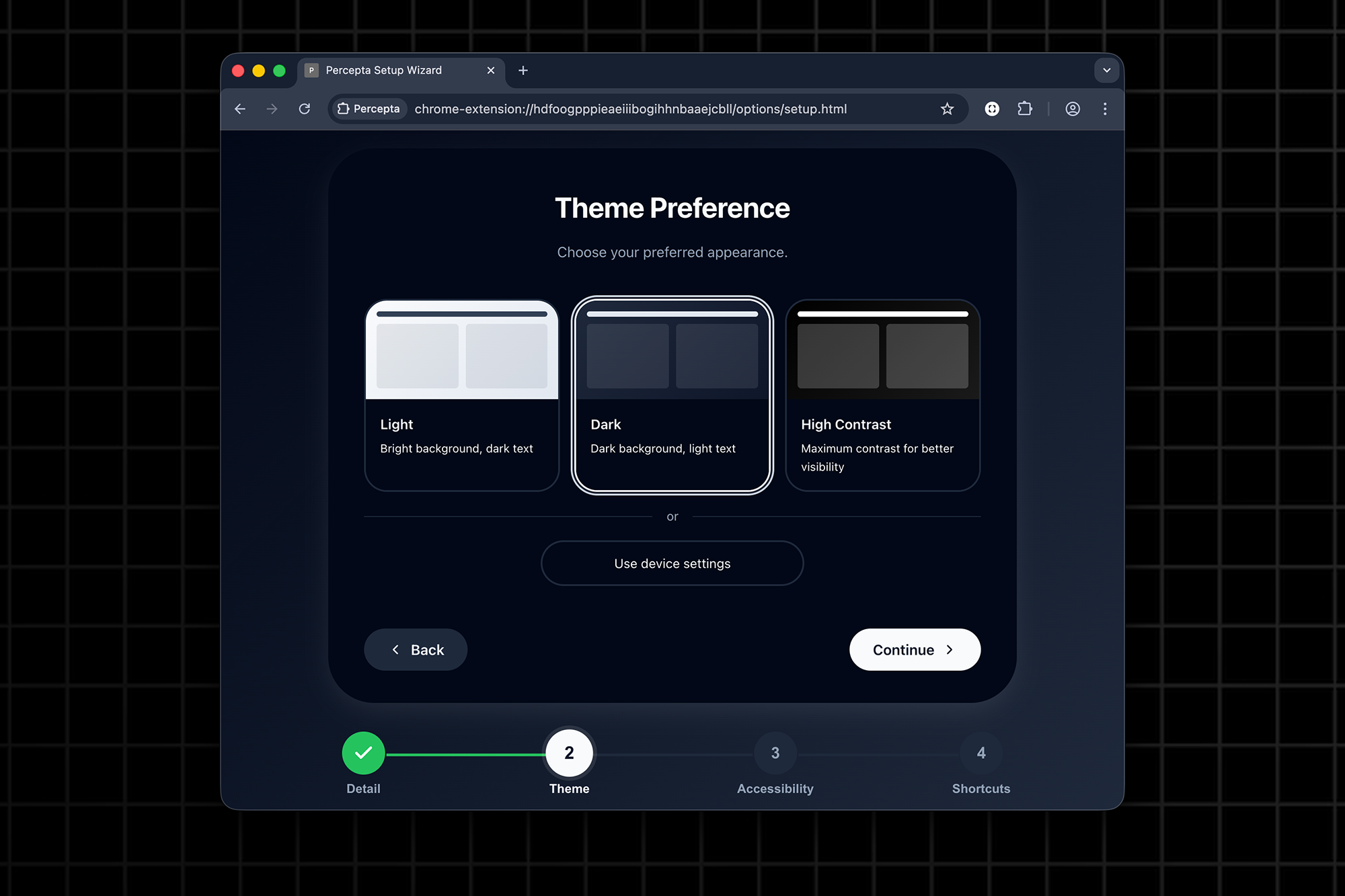
Percepta's install wizard is designed for ease of use
-
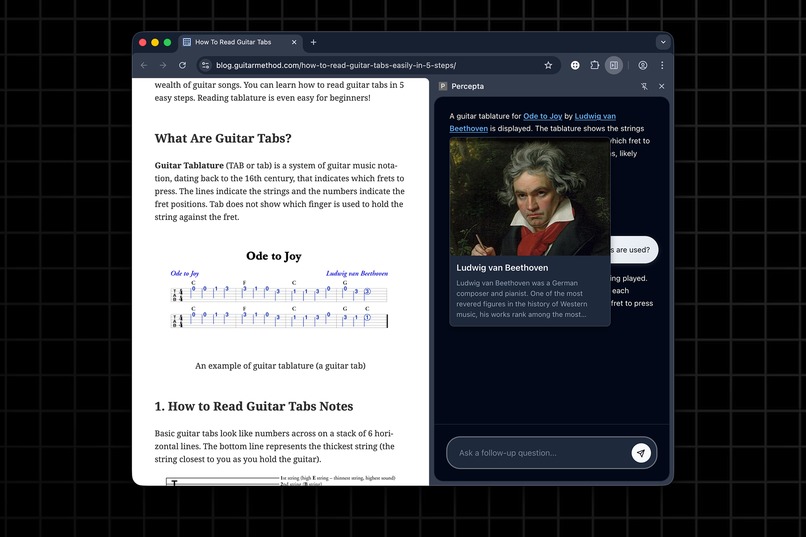
Wikipedia previews in the chat conversation for more details about entities
-
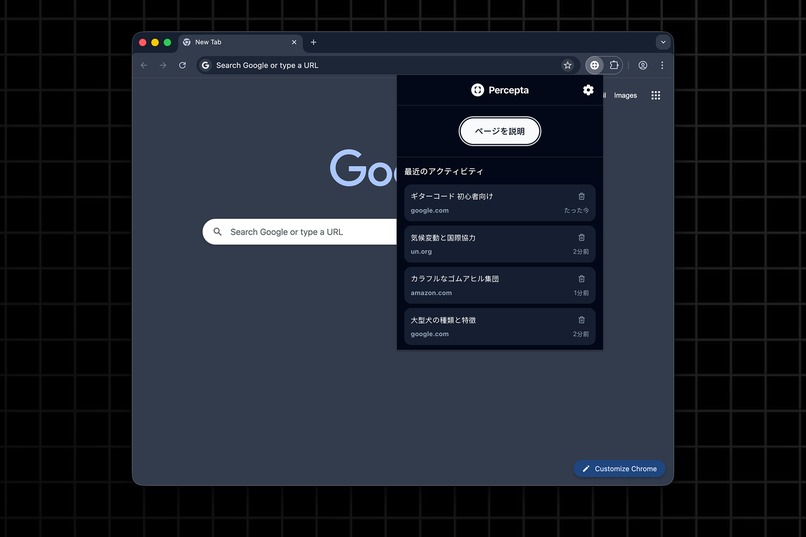
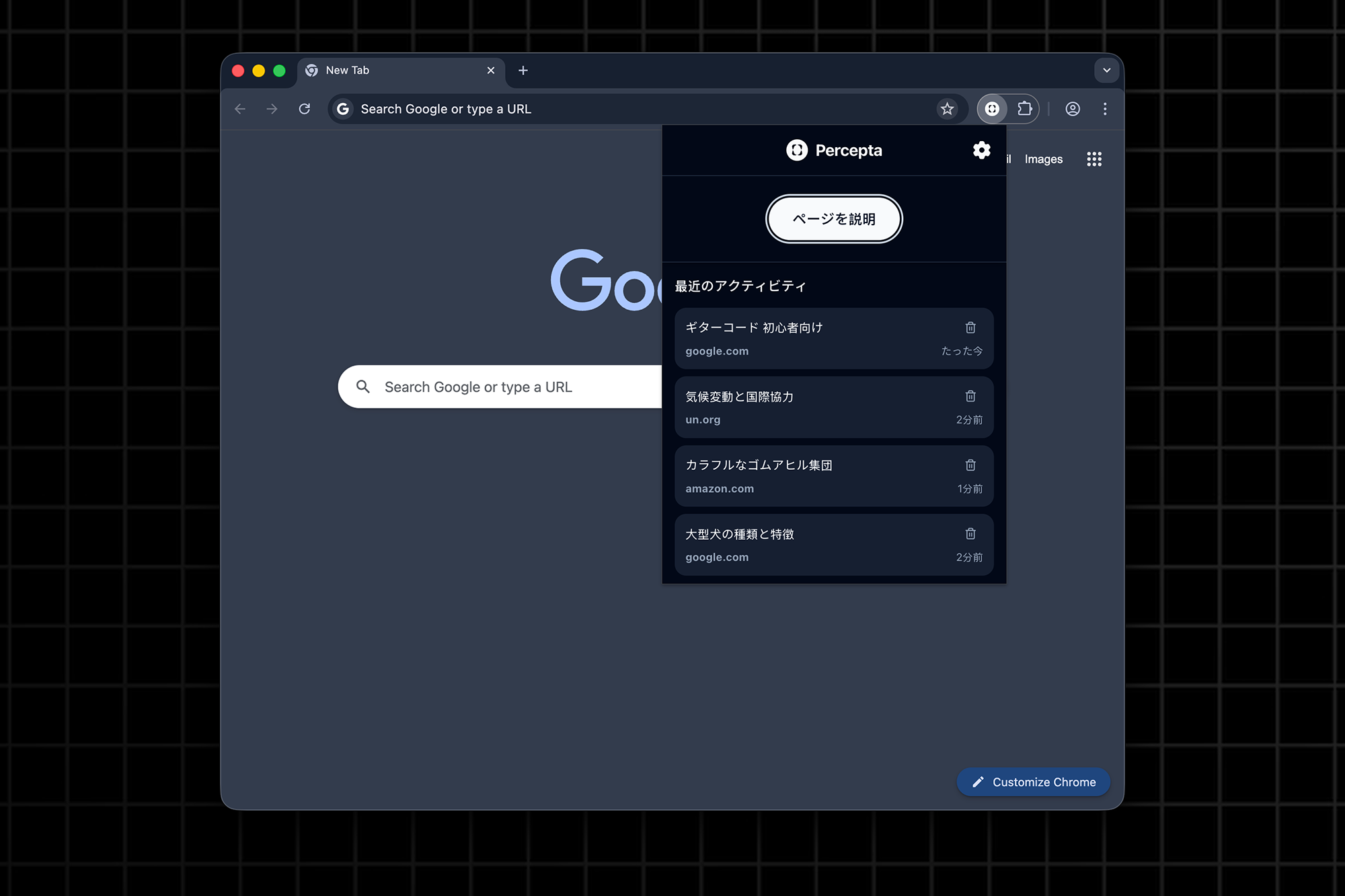
The popup gives you quick access to recent activity and settings (comes in English flavor too!)
Inspiration
The web is full of rich content. However, not everyone experiences it equally.
Many people, especially those with visual or motor impairments, struggle to understand images or complex page layouts.
Screen readers can read text, but not meaning, so I wanted to build something that could bridge that gap directly in Chrome: an assistant that turns visuals into language, enhances understanding for all users, and protects privacy by keeping everything local.
Percepta was born from a simple belief: accessibility shouldn't require trade-offs. It should be powerful, seamless, and built right into the tools we already use every day.
What it does
Percepta is a multilingual AI companion that lives in Chrome's Side Panel, helping users explore and understand content effortlessly.
Here's what it can do:
- Describe images, charts, and other visual media in natural language
- Chat contextually about the current webpage, summarize articles, and provide related information
- Show Wikipedia tooltips and related context links directly inside responses for quick info
- Adapt to user preferences with theme selection, adjustable font sizes and description detail
- Support multiple languages: English, Spanish, and Japanese
- Run fully locally with zero external services or dependencies, ensuring complete privacy
Percepta transforms Chrome into a more inclusive and conversational browser, allowing everyone to experience the web as it is.
How I built it
Percepta was built entirely with Chrome APIs and standard Web APIs, with no third-party libraries or frameworks. Every feature runs natively in the browser for maximum performance and privacy.
- Prompt API powers all AI text generation and image understanding
- Side Panel & Context Menus host the assistant and enable quick "Explain image" actions
- Popup UI provides quick access to recent history and settings
- Storage API stores recent conversations, preferences, and context per domain
- Accessibility APIs ensure full screen reader and keyboard navigation support
- The entire UI and logic are written in vanilla JS, CSS, and HTML
By combining these APIs, I created a fully local AI assistant that demonstrates what's possible when accessibility meets Chrome's built-in intelligence.
Challenges I ran into
Working directly with the new Prompt API presented several hurdles. Managing input limits, optimizing prompt structure, and handling language constraints required careful experimentation.
Testing across different screen readers and accessibility settings was another challenge: every pixel and ARIA label mattered. But refining those details ultimately made the experience smoother and more robust for everyone!
Accomplishments that I'm proud of
- Built a fully functional, multilingual AI assistant, entirely with Chrome APIs.
- Delivered real-time image descriptions that complement screen readers and improve comprehension.
- Designed an accessible, customizable interface supporting light, dark, and high-contrast themes.
- Achieved zero dependencies, ensuring full privacy and local execution.
- Created an assistant that feels personal and approachable, designed for clarity, inclusivity, and trust.
Percepta proves that real accessibility comes from design choices, not heavy infrastructure. Just a browser, an idea, and intent to make the web fairer.
I started the project as an accessibility tool, only later did I realize that it's much more than that: it's a privacy-first AI companion that helps everyone make sense of the web - with or without a disability.
What I learned
Chrome's built-in AI shows how creativity and thoughtful design can turn accessibility challenges into opportunities for better experiences. Accessibility isn't an add-on. It's the foundation that makes every product stronger for everyone.
What's next for Percepta
Percepta is just the beginning of what's possible with on-device AI accessibility.
Next, I plan to:
- Expand language support as Chrome's Prompt API evolves
- Add smarter page summarization and context-aware shortcuts
- Keep improving accessibility and performance
- Prepare Percepta for wider release and community testing
I want Percepta to show that accessibility can be seamless; not an afterthought, but part of how we browse.

Log in or sign up for Devpost to join the conversation.