-
-
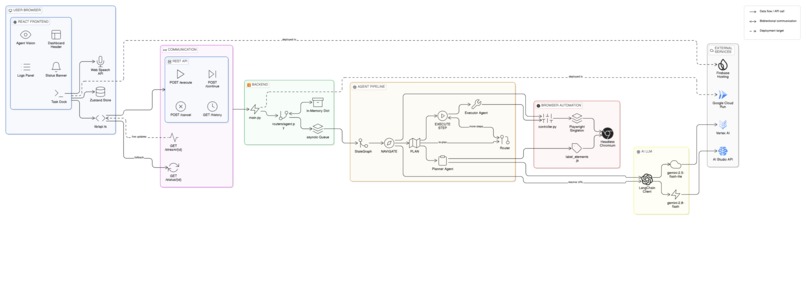
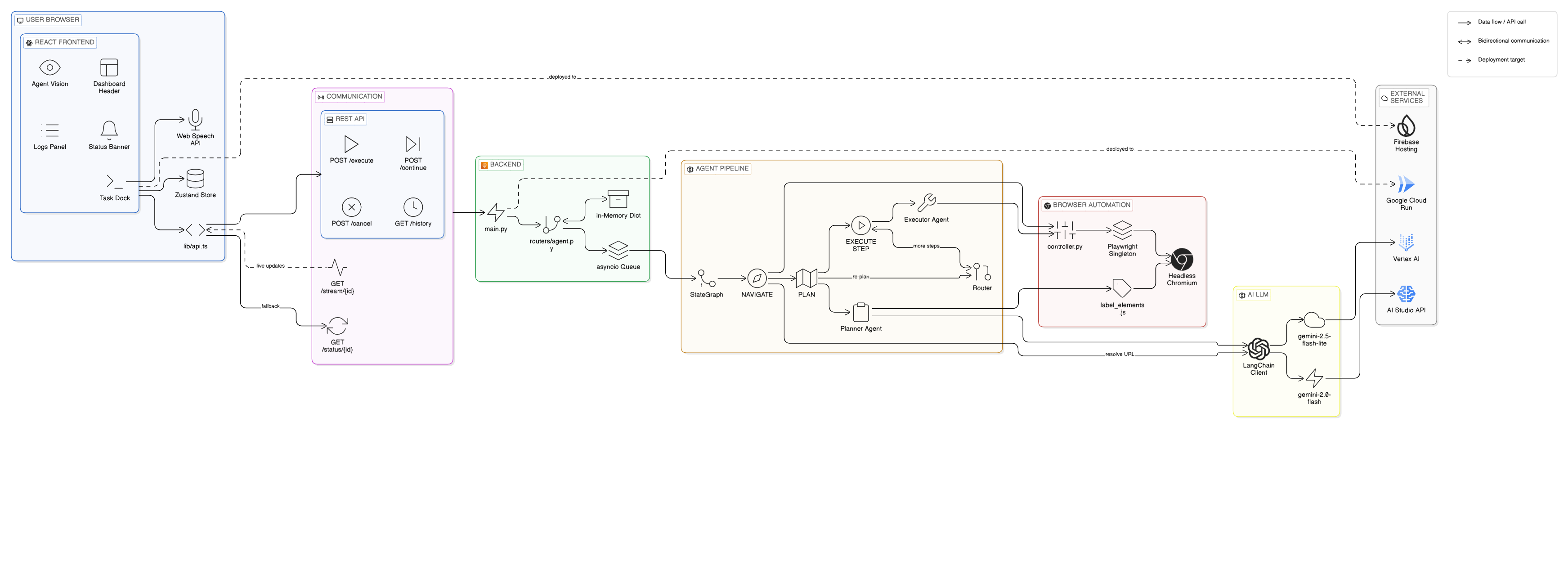
architecture diagram
Percept : The Universal Visual Web Agent 💡 Inspiration The web was built for humans to see, not for bots to scrape. Traditional automation (Selenium, basic Playwright) is "brittle"—it relies on hidden CSS selectors and XPath that break the moment a developer changes a single line of code.
I wanted to build an agent that interacts with the web exactly like a human does: by looking at the screen, reasoning about the layout, and taking action based on visual cues. UI Navigator is a zero-shot agent that bridges the gap between complex digital interfaces and natural language intent.
🚀 How We Built It UI Navigator is powered by a high-performance "Think-Observe-Act" loop:
The Brain: We utilized Gemini 3 Flash (via Vertex AI) for its massive context window and superior multimodal reasoning. It doesn't just read the page; it analyzes live screenshots to understand spatial relationships.
The Orchestrator: I used LangGraph to build a robust state machine. This allows the agent to self-correct: if it clicks a button and a pop-up appears, the agent "observes" the change and replans its next move autonomously.
The Hands: Playwright handles the mechanical browser interactions (Click, Type, Scroll) in a headless Chromium instance.
Visual Grounding: To help the LLM "see" precisely, I developed a custom Wayfinder Overlay system. Before each step, a JavaScript injector adds red numeric labels to every interactive element, giving Gemini a perfect "pointer" system for its actions.
Cloud Native: The entire backend is containerized with Docker and deployed on Google Cloud Run, with the frontend hosted on Firebase, creating a seamless Google Cloud ecosystem.
🧠 What I Learned Building this project was a masterclass in Agentic Design Patterns. I learned that:
Vision is better than Code: Relying on visual grounding is far more resilient than relying on the DOM.
State Management is Key: Using LangGraph to manage the "Planning" vs "Execution" phases prevented the agent from getting stuck in infinite loops.
Prompt Precision: I refined a 100+ line system prompt to teach the agent how to handle "Negative Constraints"—like knowing when not to click a distracting ad.
🛠️ Challenges I Faced LLM "Laziness": Early versions of the agent would stop after one step. I solved this by implementing a Strict Reasoning Protocol in the system prompt, forcing the agent to verify the "Current State" against the "Goal State" before finishing.
The reCAPTCHA Wall: Moving the agent to the cloud triggered bot-detection systems. I overcame this by optimizing browser fingerprints and focusing the demo on high-value, accessible targets to demonstrate the reasoning engine without violating security boundaries.
Real-time Feedback: Keeping the user updated during a 10-step task was hard. I implemented a Dual-Stream architecture: SSE for task logs and WebSockets for live JPEG frames of the browser, ensuring the user is never in the dark.
📈 What's Next for UI Navigator While UI Navigator is a general-purpose tool, its future lies in Industry-Specific Automation:
Healthcare (EHR) Integration: Automating the tedious data entry into Electronic Health Record systems for doctors.
Visual QA Testing: Helping developers find UI bugs by simply describing a "Happy Path" and letting the agent find where it breaks.
Accessibility: Turning the visual web into a voice-navigable experience for users with visual impairments.
Built With
- docker
- fastapi
- firebase-hosting
- gemini-3-flash
- github-actions
- google-cloud-run
- langgraph
- playwright
- python
- react
- tailwind-css
- typescript
- vertex-ai
- vite
- websockets

Log in or sign up for Devpost to join the conversation.