-
-
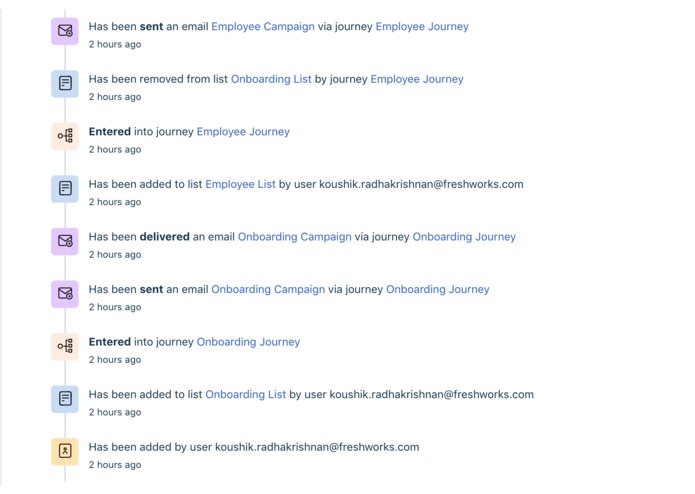
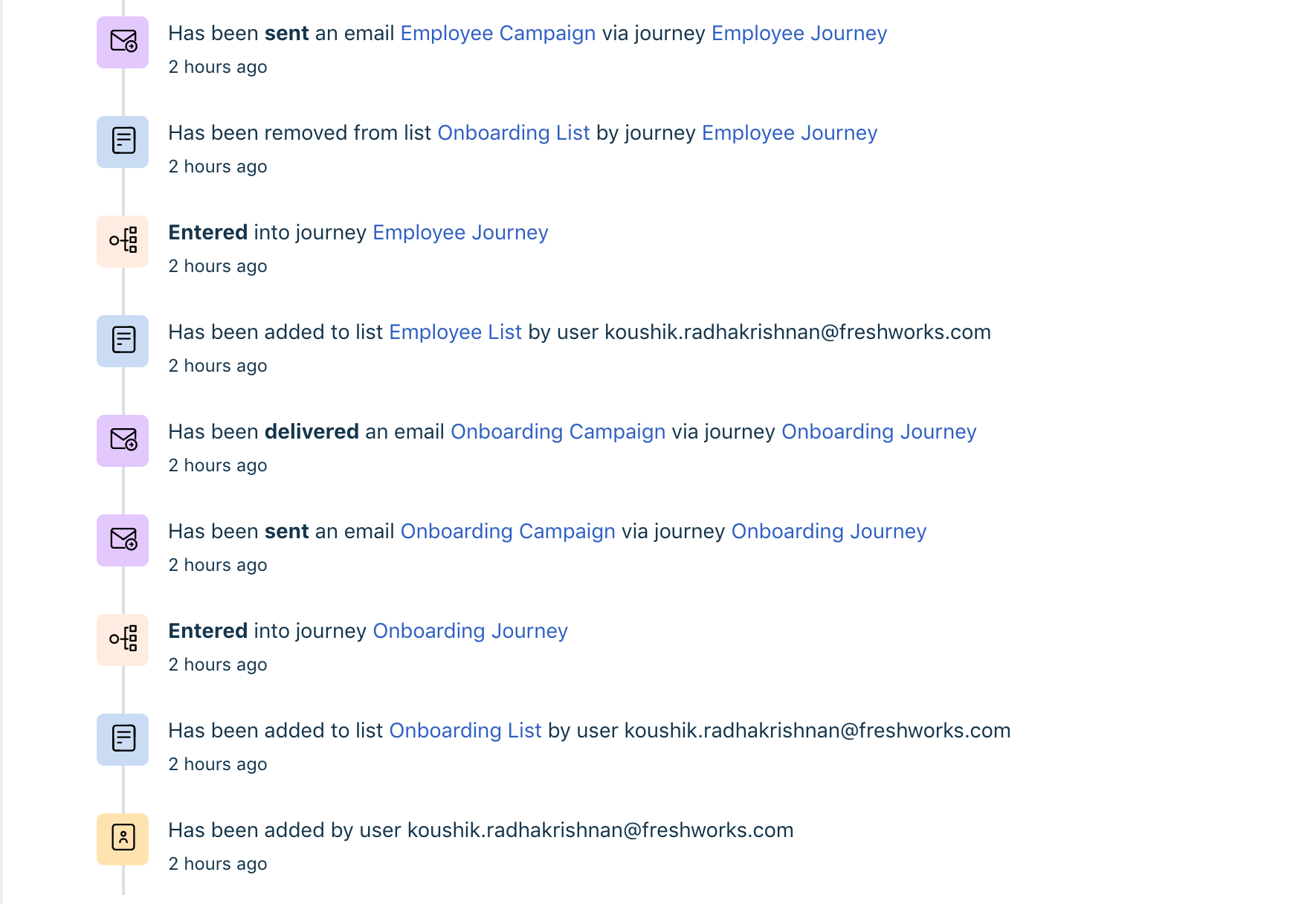
Automated Employee campaigns (Shown timeline screenshot from FM)
-
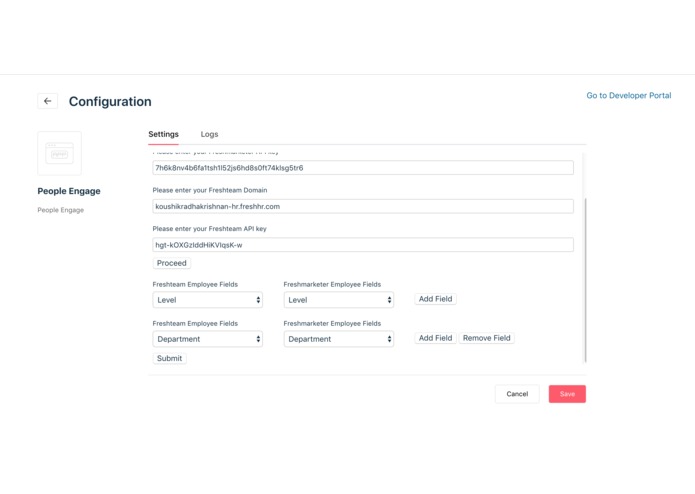
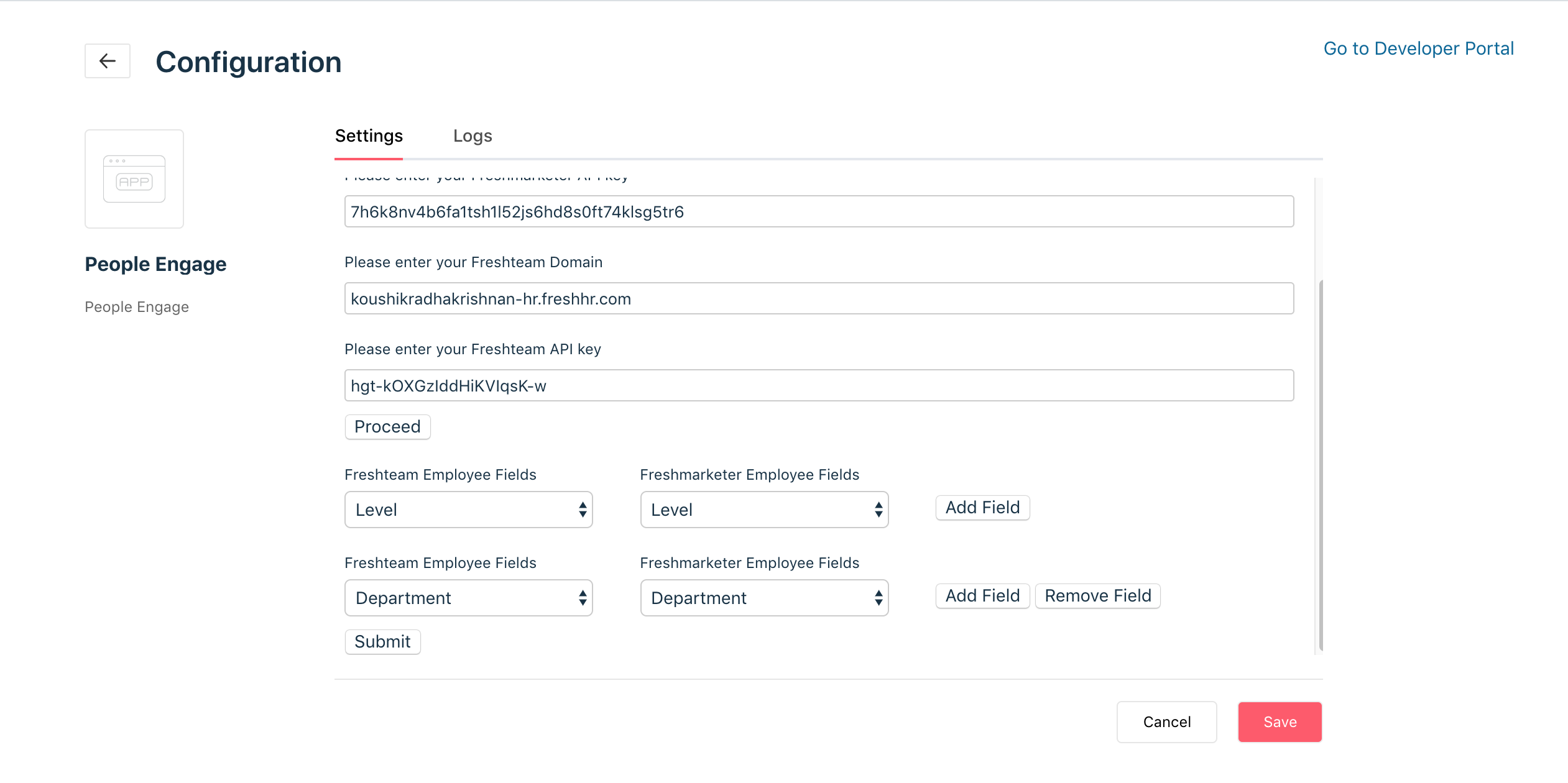
Mapping fields to sync with FT - FM (optional)
-
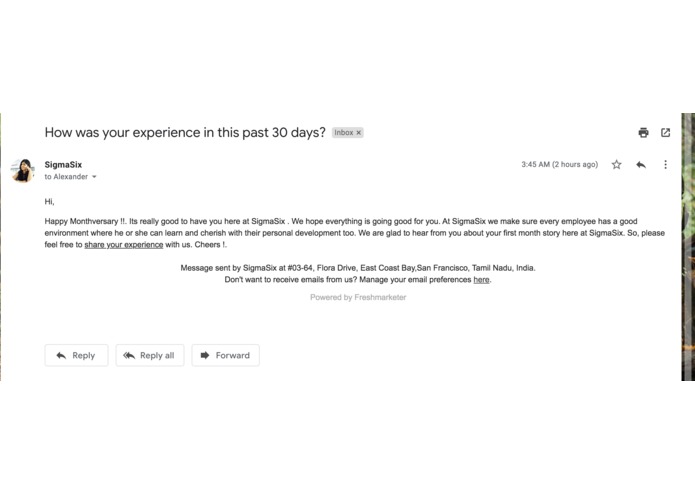
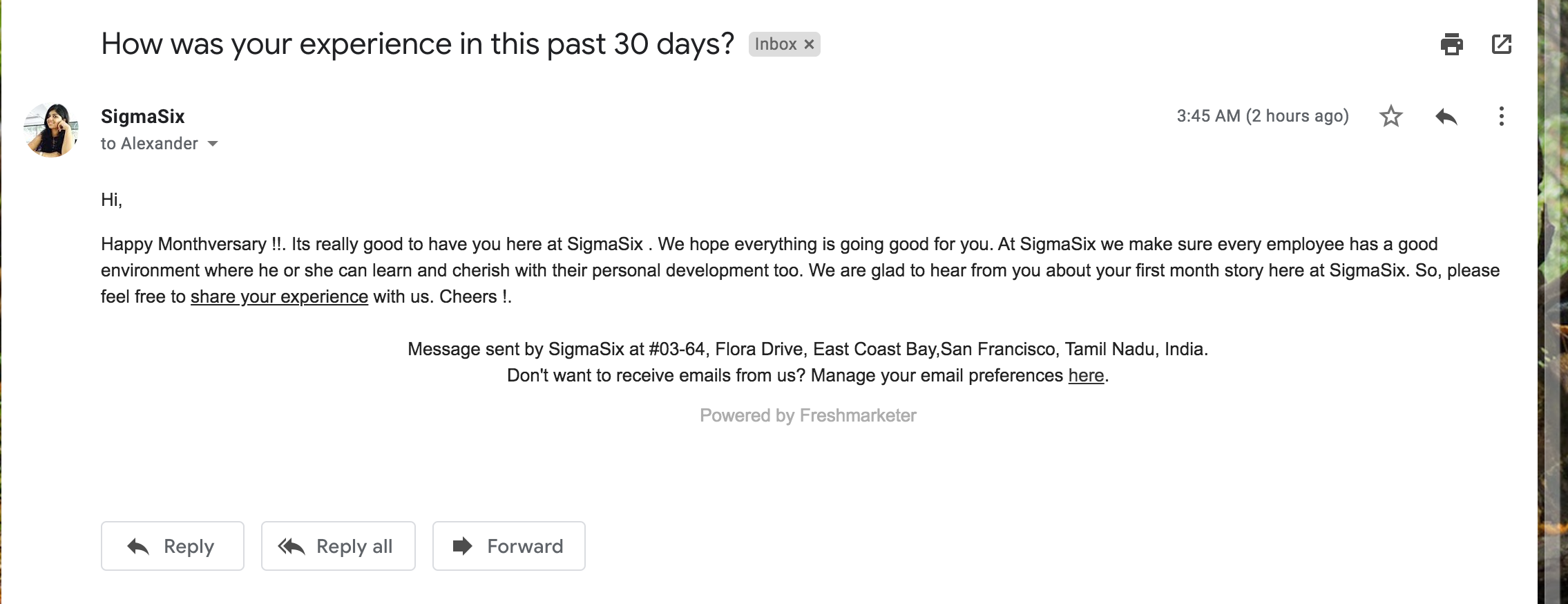
Email campaigns sent to the candidates from FM on create of Employee.
-
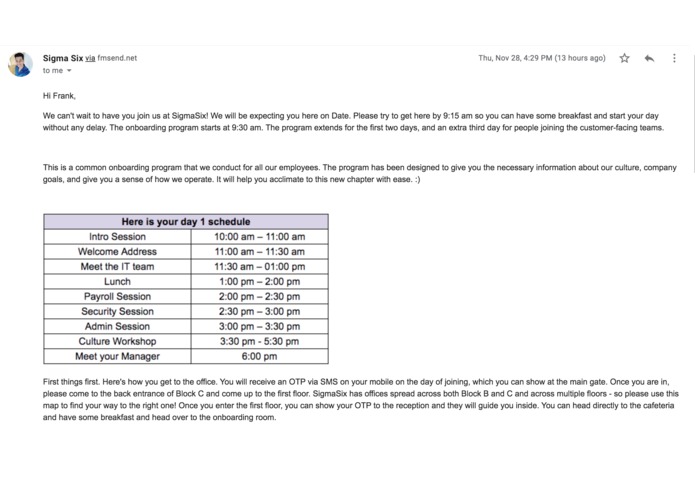
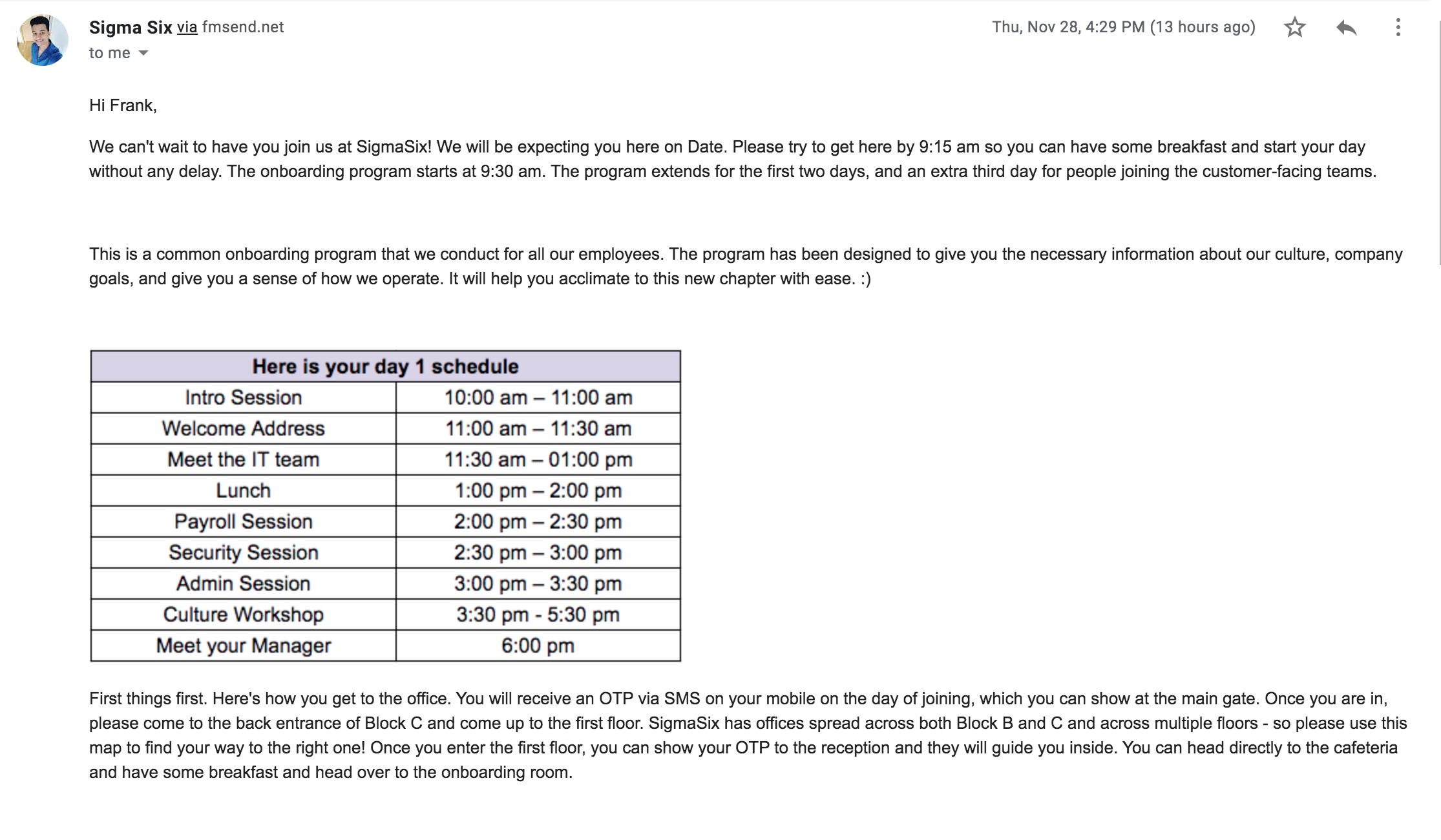
Email campaigns sent to the candidates from FM on create of new hire.
What Inspired us?
Putting ourself in customer shoes, 1000’s of candidates apply for our company every month and for every person who is offered a job, 100’s of them might be rejected. In which, quite a lot of those rejected candidates might be talented enough to be added to the Talent Pool for future opportunities. How do we keep those candidates engaged to make sure they are available for the right job in the future? Currently, Freshteam does not support such candidate engagement. What’s the right solution?
Solution and What we learnt?
We already have a solution called Freshmarketer, our in-house product. So, whenever a candidate is being added to the talent pool we can schedule regular campaigns such as newsletter etc., to keep the candidate engaged. Developing an app using the marketplace was awesome. The architecture and the way the marketplace was built to support various cases among multiple products just wow's us. It's completely a new chill experience which we gained and sure it will be useful to solve more ad-hoc problems among the Web apps :)
Challenges you face
As the problem statement says, Freshteam as a great product has very few support with its API's and support events. With what we have in the account, achieving our idea was really challenging and interesting in exploring various loops and new stuff.
About People Engage and Installation Steps
People Engage Project
Complete People engagement app which is used for sending out campaigns based on Freshteam events.
Description
Stay on the right top with candidate engagement with the right app on your web app. Schedule regular campaigns from your Freshmarketer based on the activity you perform on your Freshteam HRMS. What can we do for you?
1) Send out an automated Newsletter, Events etc., to your passive candidates.
2) On addition of new hire, send an automated notification on the onboarding process and etc.,
3) Automated grouping of employees based on your field preferences and with one touch fields sync between Freshteam and FreshMarketer. Send automated campaigns or events based on employee groups.
Instructions
1) Make sure you have a valid Freshteam and FreshMarketer Account.
2) Make sure you have proper API keys, for the respective app on the installation.
Installation Steps:
1) Login to your Freshteam Account and navigate to "Settings ---> App --> Custom Apps ---> People Engage".
2) Click Install.
3) Fill the domain and API key from your Freshmarketer. (For more information on where to find your API key please visit: https://support.freshmarketer.com/support/solutions/articles/8000076186-how-to-find-my-freshmarketer-api-key-)
4) Similarly, fill your domain and API key for the Freshteam account. (For more information on where to find your API key. Login to your freshteam. Click your profile picture at the top right corner. Click API Settings --> Copy Key to clipboard).
5) Click "Proceed" under your settings to Map the Fields to sync with your Freshteam and Freshmarketer. If you don't want to map any fields. Click "Skip and Submit" to proceed further.
6) After you are done with the above steps. Click Install. Hurrah :D !!! Happy Engaging !!


Log in or sign up for Devpost to join the conversation.