Inspiration
We built Pentests for developers who are building an app and handling its security themselves.
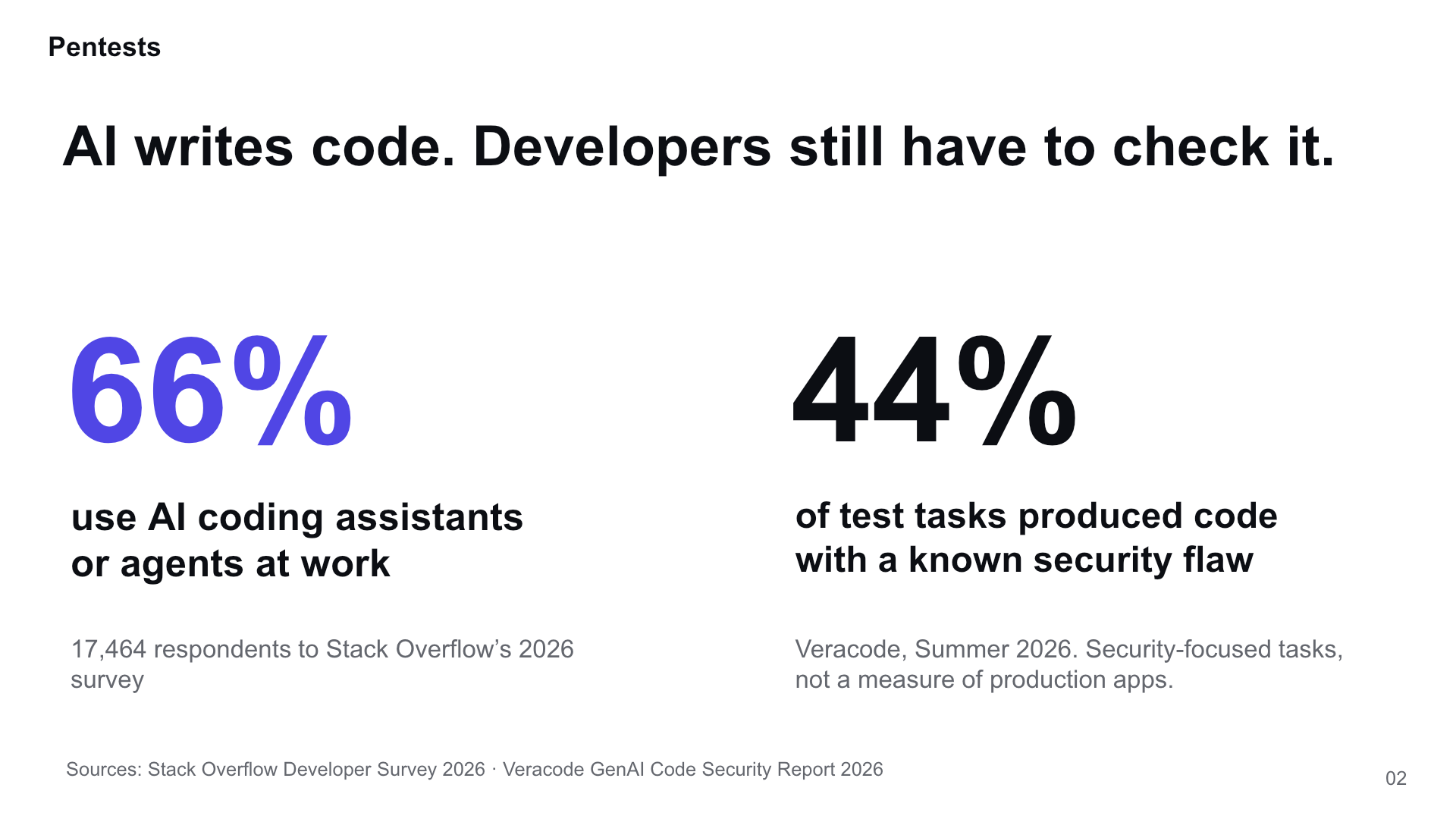
AI makes it easier to write software. Checking whether that software is secure still takes work. In Stack Overflow’s 2026 Developer Survey, 66% of respondents used AI coding assistants or agents at work. In Veracode’s 2026 benchmark, 44% of security-focused coding tasks produced code with a known vulnerability. That benchmark measures selected tasks, not the percentage of production apps that are vulnerable.
Three recent reports helped shape the idea:
- A decades-old Linux vulnerability: Claude-assisted research uncovered a bug that had existed for 23 years.
- OpenAI’s Hugging Face incident: OpenAI described research agents gaining unauthorized access to third-party infrastructure while operating with reduced safeguards.
- Attacks against South Korean financial organizations: CrowdStrike reported a campaign using AI-assisted tooling.
These cases involve different circumstances. Together, they made us want to put practical security testing within reach of the people building smaller apps.
What it does
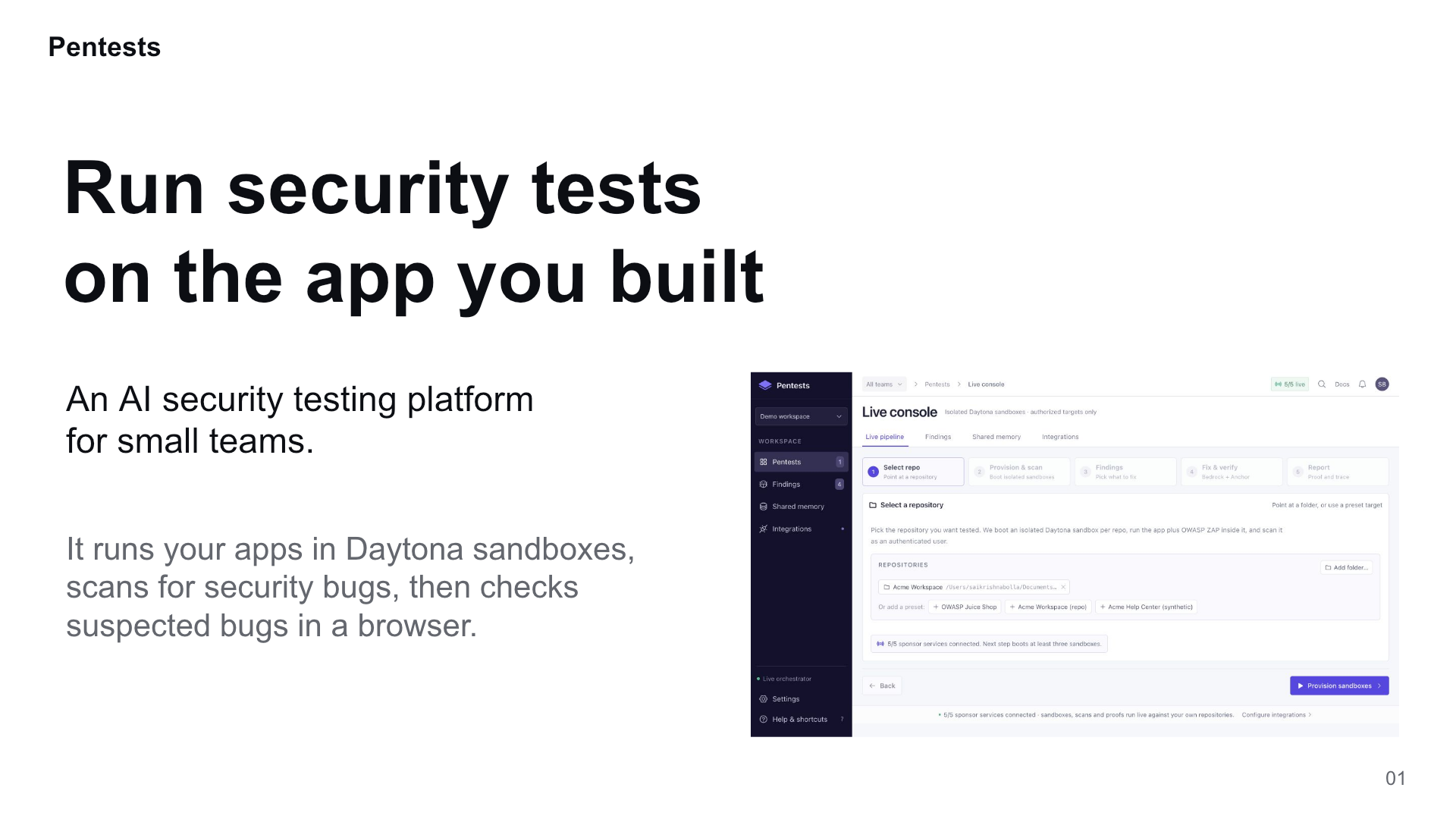
Pentests is an AI security testing platform for small development teams.
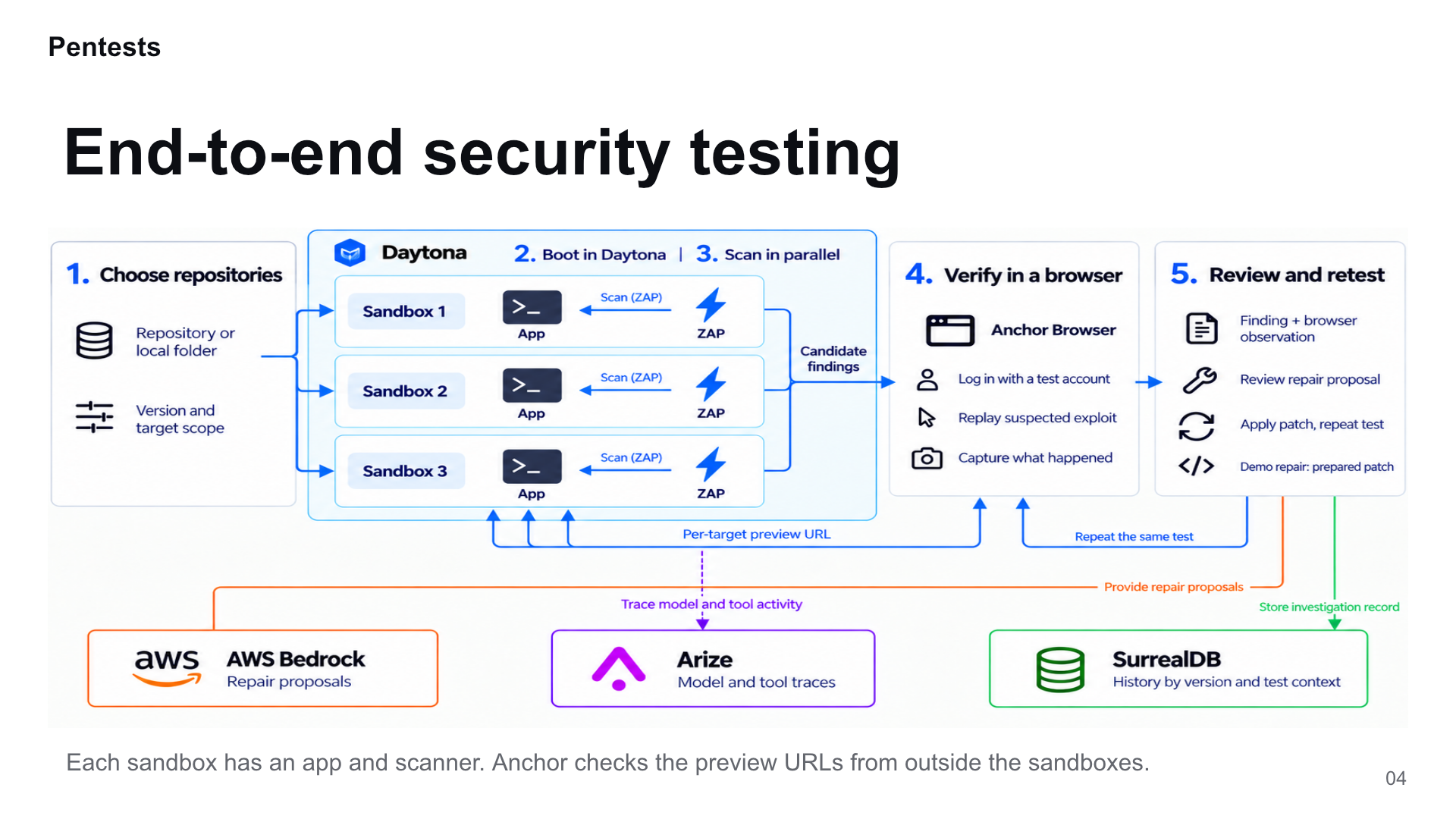
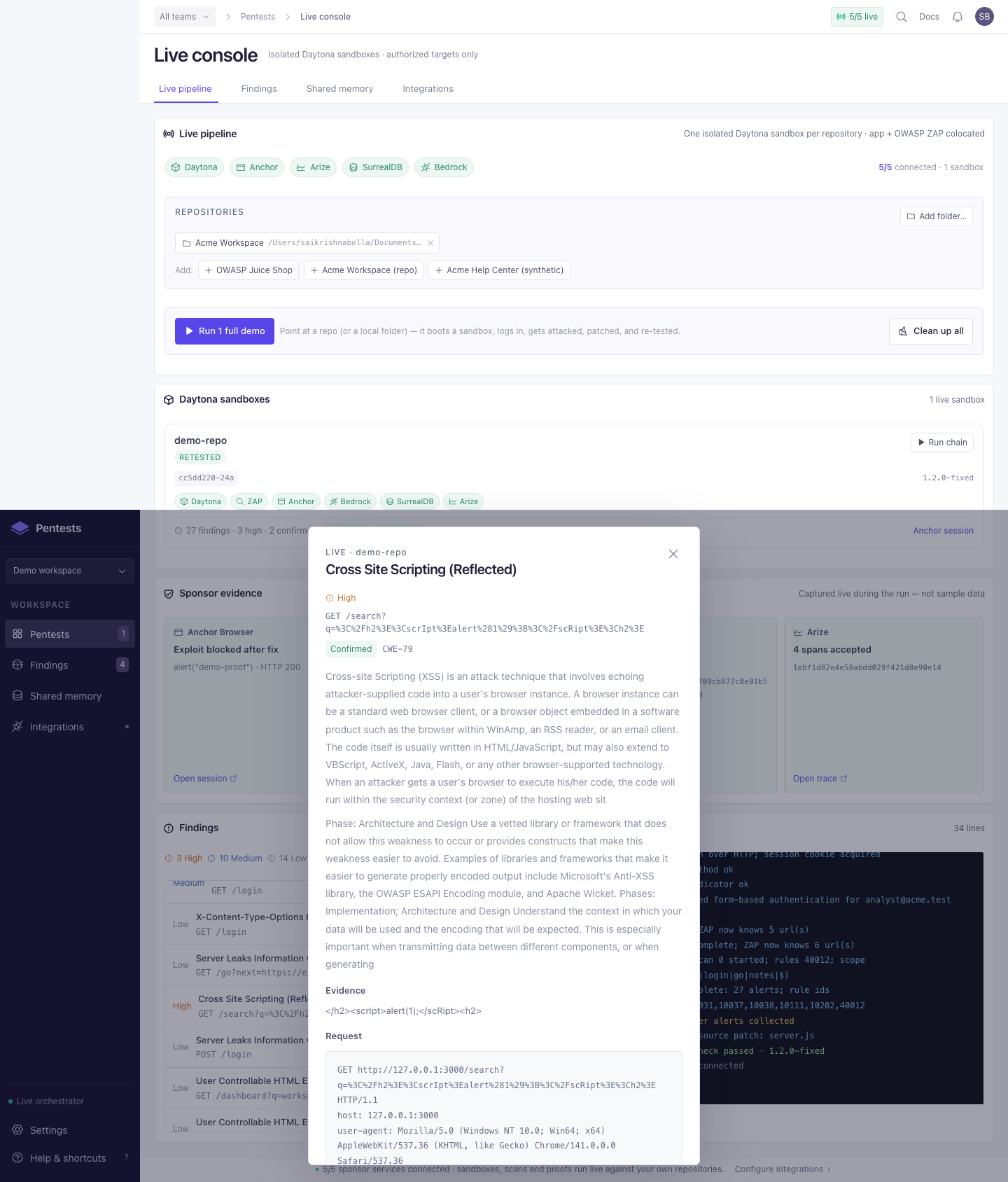
A developer selects their code and starts a run. Pentests launches multiple isolated Daytona sandboxes, each containing a running app and an OWASP ZAP scanner. The scans run in parallel.
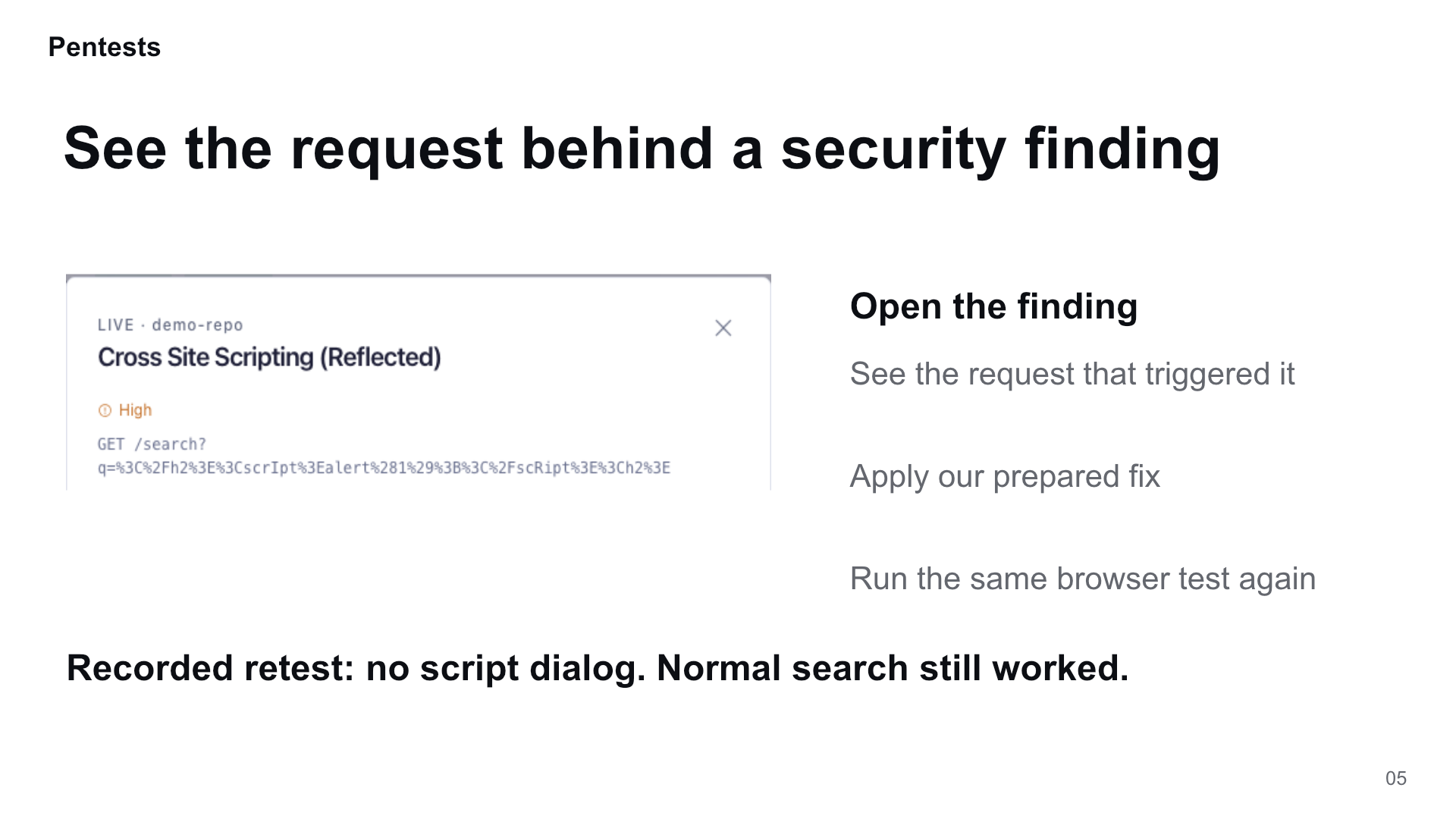
Anchor Browser then checks configured test cases against the running apps. The developer can inspect the finding, request and browser result, review a suggested fix, and repeat the test after a change.
Our demo focuses on reflected cross-site scripting: an app puts unescaped input into a page, allowing a supplied script to execute in the user’s browser.
How we built it
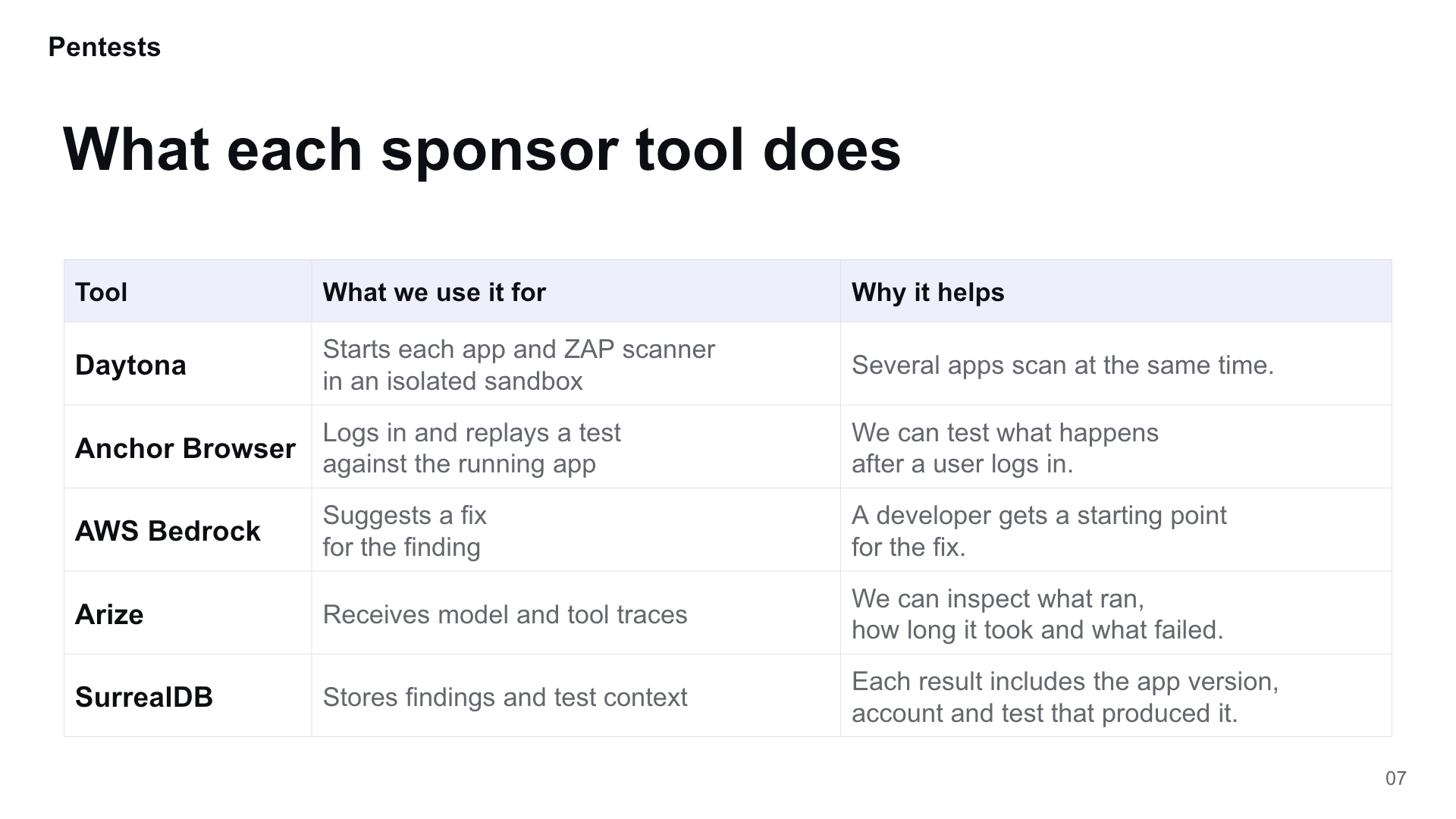
| Tool | What we use it for |
|---|---|
| Daytona | Run each app and scanner in an isolated sandbox, with scans running in parallel. |
| Anchor Browser | Log in with a test account, replay a test and capture browser behavior. |
| AWS Bedrock | Generate repair suggestions from finding details. |
| Arize | Trace model and tool activity, including timing, outputs and errors. |
| SurrealDB | Store findings with the app version, account and test context that produced them. |
The browser checks the target against an origin allowlist and blocks web requests to other origins. Scans use configured rules and a time limit.
What we learned
A scanner alert does not establish that a browser can reproduce the bug. We needed to keep those results separate and show what each test actually observed.
Checking a fix also takes more than watching an attack stop. The app must still work. Our browser retest checks for the expected script dialog and whether normal search continues to function.
We also learned that saved findings need context. A result from one app version or account should not become evidence for a different test.
Challenges we faced
Coordinating sandbox startup, app readiness, scanning and browser sessions was harder than connecting the individual APIs. A failure at any stage could prevent the rest of the run from completing.
Repair suggestions introduced another challenge: a plausible suggestion can address the wrong finding. Our prototype keeps the model’s suggestion separate from patch application. The demo uses a prepared patch so we can exercise the retest flow.
Built With
- amazon-bedrock
- amazon-web-services
- anchor-browser
- arize-ai
- daytona
- express.js
- javascript
- node.js
- owasp-zap
- playwright
- react
- surrealdb
- typescript

Log in or sign up for Devpost to join the conversation.