-
-
PennyWise!
Inspiration
One of the first things you realize as a college student is just how much you have to spend all the time. It is daunting to have the sudden pressure of independence while also having to manage the pressure of ever-growing financial burdens, so we saw the burning need for this product. By developing something to offload the stress of financial planning and dynamic management, we can help people save significant sums of money.
What it does
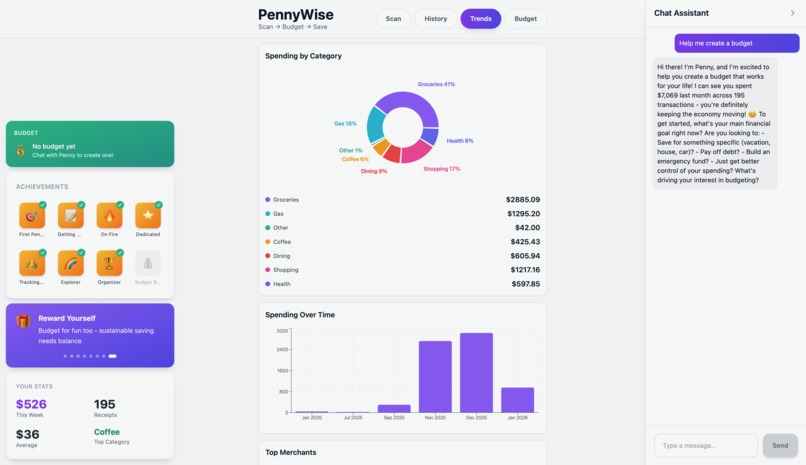
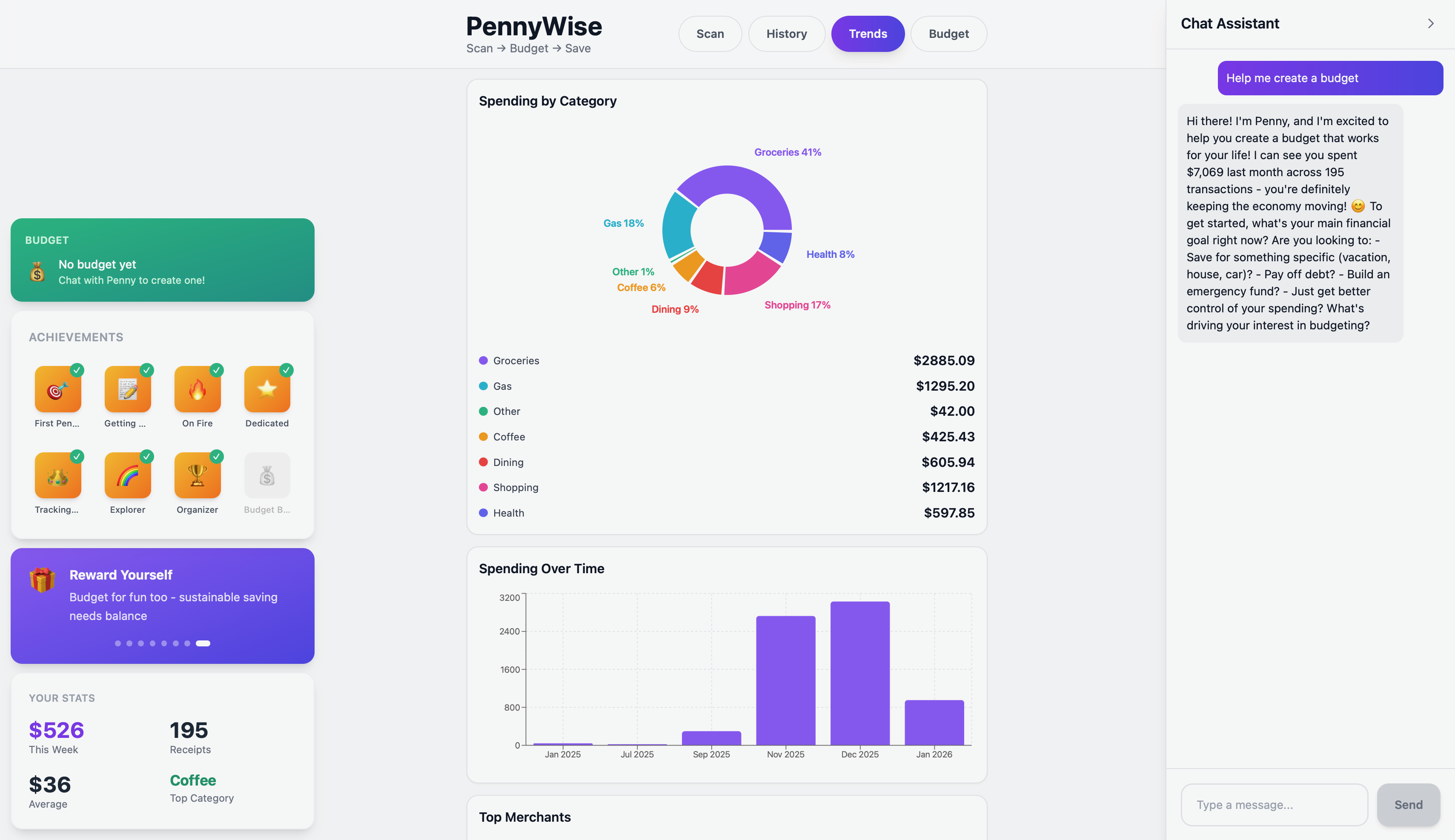
PennyWise is a lightweight personal finance tracker that lets you: 📷 Scan / upload receipts 🔍 Extract totals, merchant, date, tax, category (OCR-first) 🧠 Optionally use a Vision fallback (OpenAI / Anthropic) when OCR is weak 💾 Store receipts in SQLite 📈 View history + trends + simple forecasting in a clean React dashboard Includes financial agent, Penny, to advise user on budgeting based on personal preference.
How we built it
Upload a receipt image → extract: merchant, date, currency, subtotal/tax/total, category (and more) Hybrid extraction pipeline:
- OCR-first (fast, local)
- Optional Vision LLM fallback for difficult receipts
- Save receipts to SQLite
Backend:
- Python + FastAPI
- EasyOCR + OpenCV preprocessing
- SQLite (local dev)
Frontend:
- React + Vite
- LLMs
Anthropic API key → chatbot OpenAI API key → vision fallback extraction
Challenges we ran into
- LLM Fallback: OCR wasn't able to extract all text so needed fallback to parse text
- chatbot: connecting to sqlite database & navigating api endpoint requests
- UI/UX design!
Accomplishments that we're proud of
- turned receipts into actionable budgeting insights in seconds by combining OCR + LLM reasoning + analytics in a single workflow.
- Prioritized reliability: when OCR struggles, we detect it and recover with a smarter fallback rather than returning bad totals.
- Shipped a full-stack demo with real data persistence + visualization—something people can actually use, not just a prototype screen.
What we learned
We learned that turning a receipt photo into clean budgeting data is a full pipeline problem, not just “run OCR.” Real receipts vary a lot (fonts, lighting, skew, missing labels, different currencies), so we had to add preprocessing, confidence scoring, and smarter heuristics to avoid common mistakes like mixing up subtotal vs total. We also learned that the best approach is hybrid: run OCR first for speed and cost, then trigger an LLM vision fallback only when the OCR output is low-confidence or fails sanity checks. Finally, we learned practical engineering lessons—how to structure a full-stack project, manage environment variables (Anthropic for the chatbot, OpenAI for vision fallback), and optimize performance so the app feels responsive on real devices.
What's next for PennyWise
- use one API key (claude)
- connecting to various spending platforms, specifically digital wallets for automatic database syncing
- incorporating agentic workflows to maximize budget personalization & and quick turnover time during financial crises
Built With
- anthropic
- llm
- ocr
- openai
- python
- react
- sqlalchemy
- sqlite
- vite

Log in or sign up for Devpost to join the conversation.