Inspiration
Since the dawn of civilization, people are whimsical and cannot resist from over spending. Sometimes, this over spending nature is harmful for any emergency budget allocation. According to investopedia, more than 54% Americans think more than 4 hours for their finances sometimes without any proper solution finding. Of them only 25% people can only accommodate their budget. These lead to uncertainty to a major percentage of people because of not foreseeing emergency event not only in USA but also around the whole world. One of our team members was maintaining a google excel sheet as his daily expense and income which requires manual data entry and time. As a result storing data using our App, PennyWise will help to track the expenses, income and compare the price of the product, suggest buying that specific products from specific store with proper price comparison. PennyWise is a end-to-end system for a user which will prevent user data from exposing maintaining security. Moreover, it will also maintain security by authorizing the from Google OAuthorization. Last but not the least, our LLM integration helps user to plan near future event based on the savings, and the duration between the future event based on this personal interest.
What it does
- Secure Login
- Scan receipt
- Text extract
- Database populate
- AI Agent query
How we built it
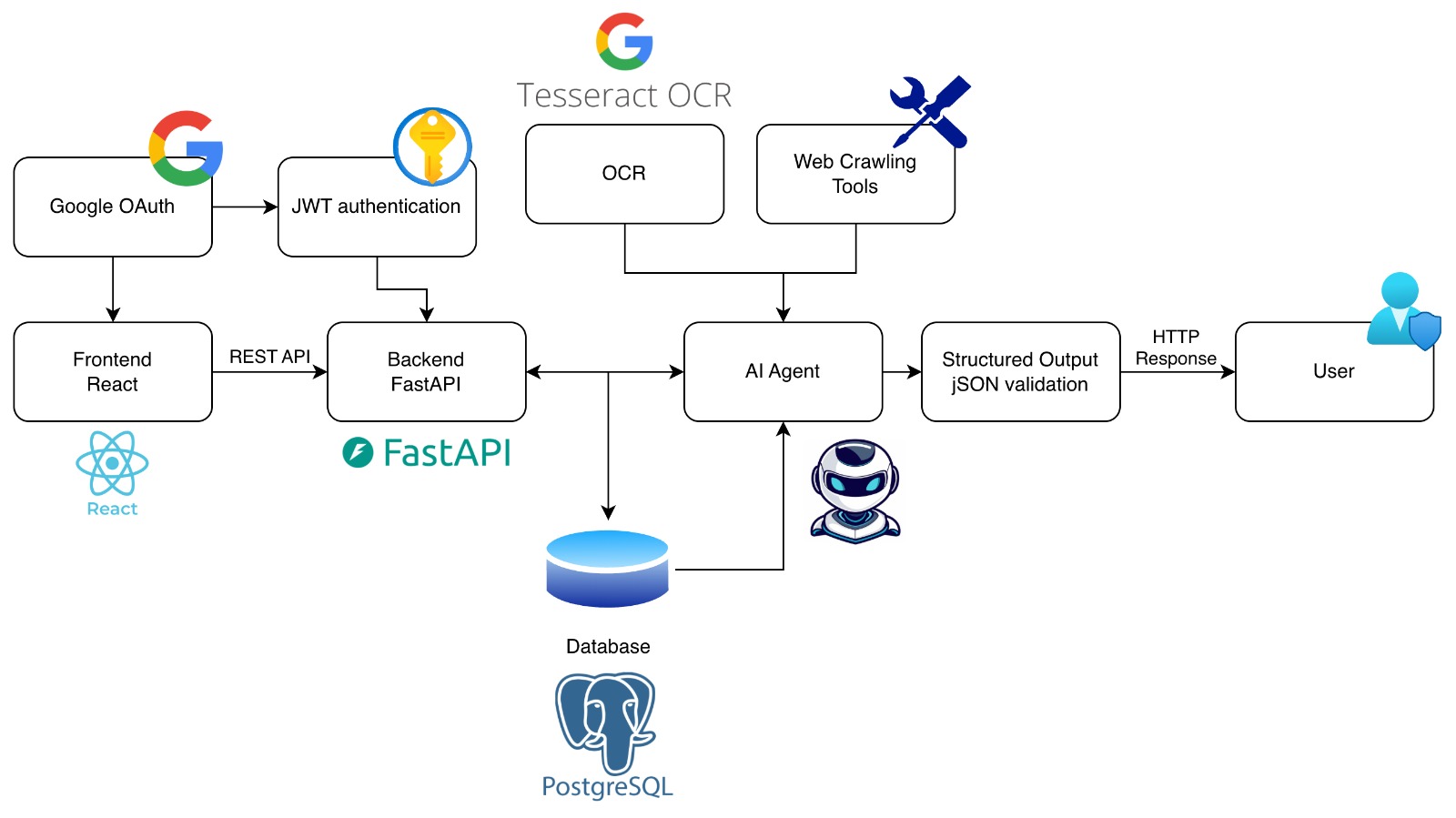
We built a full-stack AI receipt processing system with a React frontend, FastAPI backend, AI agent layer, and PostgreSQL database.
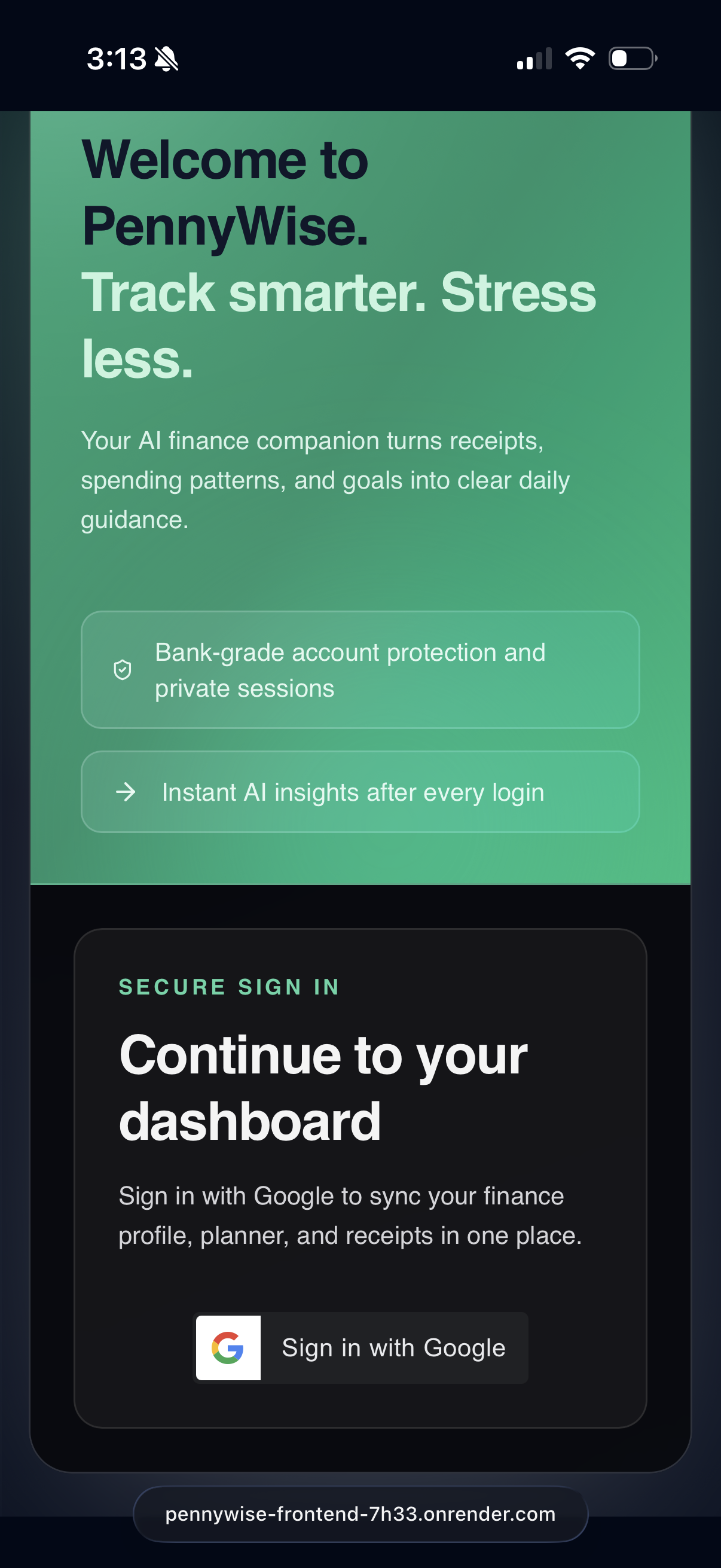
Frontend (React) Users log in using Google OAuth and upload receipt images through the React interface. The frontend communicates with the backend using REST APIs.
Authentication After Google login, the backend verifies the Google ID token and issues a JWT token. This JWT is used for authenticated API requests.
Backend (FastAPI) FastAPI handles API requests, validates JWT tokens, manages business logic, and orchestrates communication between the OCR system, AI agent, and database.
OCR Processing Uploaded receipts are processed using Tesseract OCR to extract raw text from the images.
AI Agent Processing The OCR text is sent to an AI agent that interprets the receipt, extracts structured information (merchant, items, prices, totals), and optionally uses web crawling tools to enrich or verify data.
Structured Output Validation The extracted data is converted into structured JSON and validated to ensure consistency.
Database (PostgreSQL) Processed receipts and user data are stored in PostgreSQL.
Response to User The validated structured data is returned to the frontend as an HTTP response and displayed to the user.
Challenges we ran into
- OAuth setup
- Prompt Engineering and LLM structured output
- Communicate with API through Agent
- Data processing
Accomplishments that we're proud of
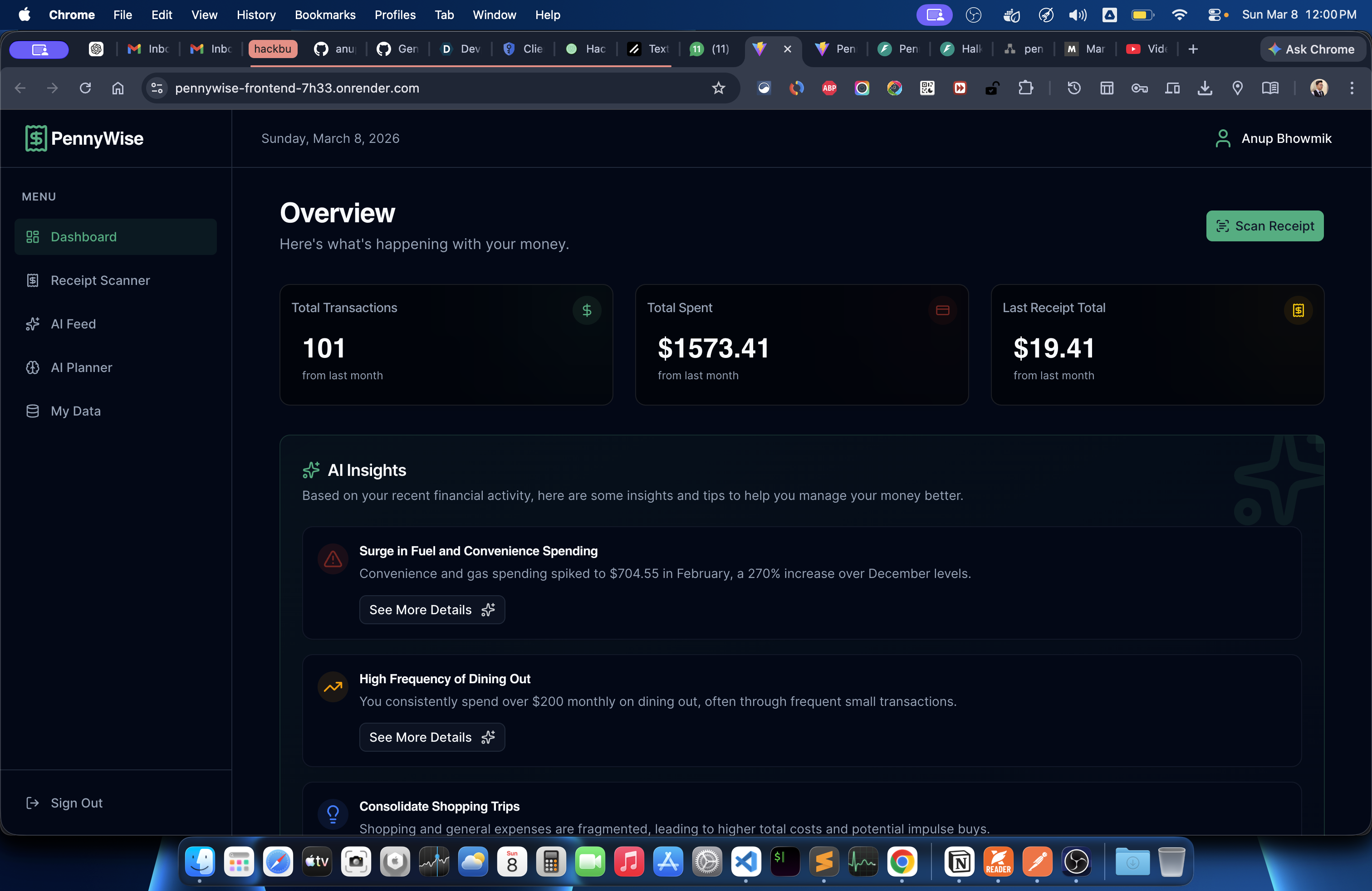
PennyWise authorizes the user from Gmail account authorization. JWT validates the authorization and check the backend if the user information is present or not in the database. After authentication, our frontend built using ReactJS which will call Backend FastAPI and directs to Dashboard where
What we learned
- How to authenticate user using Google OAuth
- How to use Tesseract OCR and extract data from receipt images
- How to fetch data from database using AI Agent without publishing the data
- How to prompt Agent properly by avoiding hallucination
- How to give insight about personal expense and intent for frequent purchasing ## What's next for PennyWise | Spend Money Wisely
- Behavior Analysis based on weekend overspending, high food delivery usage, frequent small purchase
- Financial Health score based on savings rate, expense ratio, debt ratio etc.


Log in or sign up for Devpost to join the conversation.