Inspiration
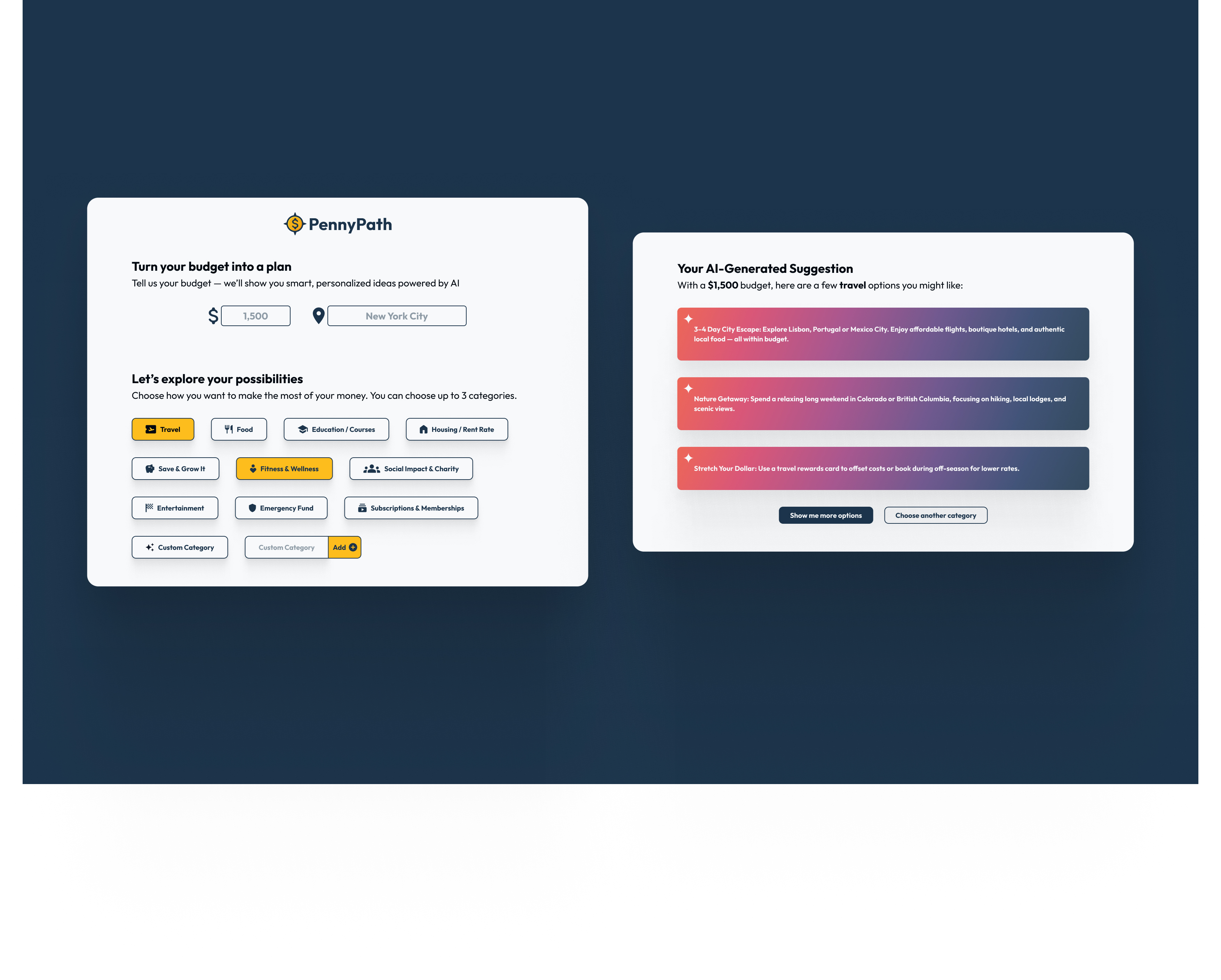
We wanted to create a budgeting tool that will be great for working with all people. People will not have to rely on spreadsheets in Excel, go to financial advisors or complete long onboarding forms. We envisioned the project as a simple, AI-powered budgeting assistant that gives people smart, personalized suggestions quickly and conveniently. We called the program PennyPath because it will give the person the best path to good finances.
What it does
PennyPath helps users: Enter their estimated budget and customize spending categories. Get AI-generated recommendations powered by Gemini. Receive smart guidance on how to allocate funds. Visualize and validate the plan through a clean, responsive UI. It is excellent for students, freelancers, and anyone looking for a friendlier way to take control of their financial situation on the spot.
How we built it
Frontend: React + Tailwind CSS, hosted on Firebase Backend: Flask with Python, hosted on Render AI/ML: Gemini API integration for suggestions Data Flow: The frontend sends the user estimated budget, location and spending category to the backend via Fetch API; the backend returns tailored suggestions based on the user input and the Frontend displays them to the user. Design: Prototyped in Figma
Challenges we ran into
We want to get Al-generated suggestions to feel relevant and human. We need to balance clean design with flexibility for custom spending categories. We need to ensure data validation doesn't block user creativity. We need to deploy both Frontend and Backend to provide a working demo. We need a precise instruction for the AI prompt, so the user can get useful suggestions.
Accomplishments that we're proud of
A fully functional live product: https://pennypath-bd3cd.web.app/ Seamless integration with Gemini API for real-time insights Smooth user experience Custom category creation Built and deployed end-to-end during the hackathon!
What we learned
How to communicate between React and Flask with Fetch API Prompt tuning to get relevant suggestions from a generative AI model UI/UX tricks to make budgeting feel less intimidating How powerful a small, focused stack can be when used thoughtfully How to deploy a Restful API
What's next for PennyPath
We plan to expand PennyPath with: Bank connection (Plaid or similar) for real transaction tracking Progress tracking toward savings goals Visual budget breakdowns and charts Smart nudges (“You’re overspending on food this month”) Dark mode and accessibility improvements Future features: Medicaid support, medical expense tracking, insurance planning, and disability-related budgeting tools


Log in or sign up for Devpost to join the conversation.