-
-
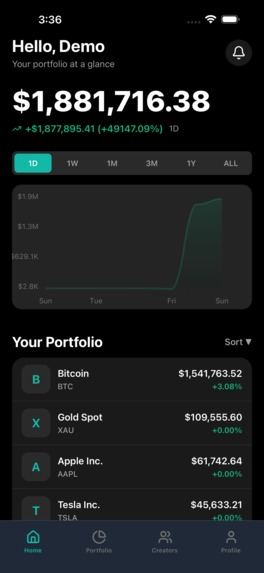
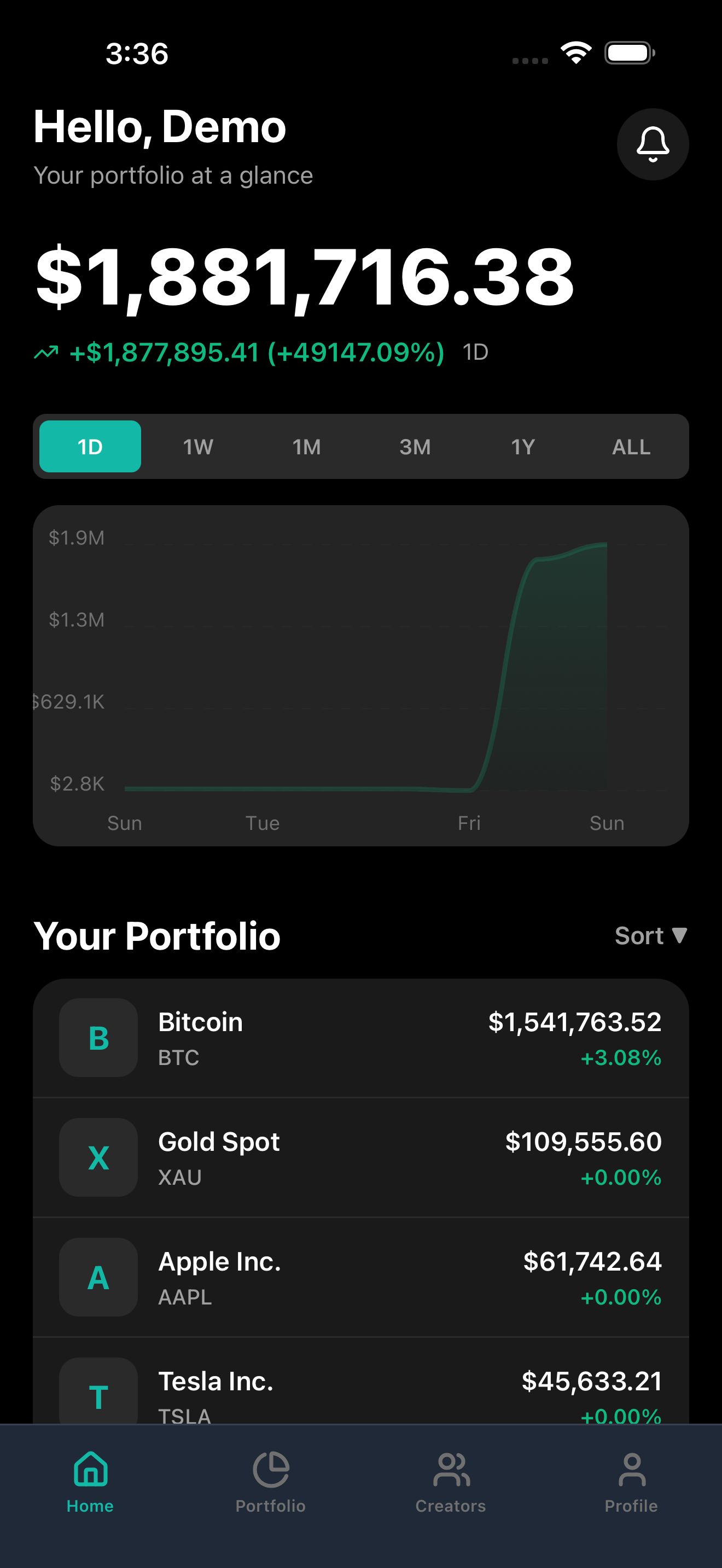
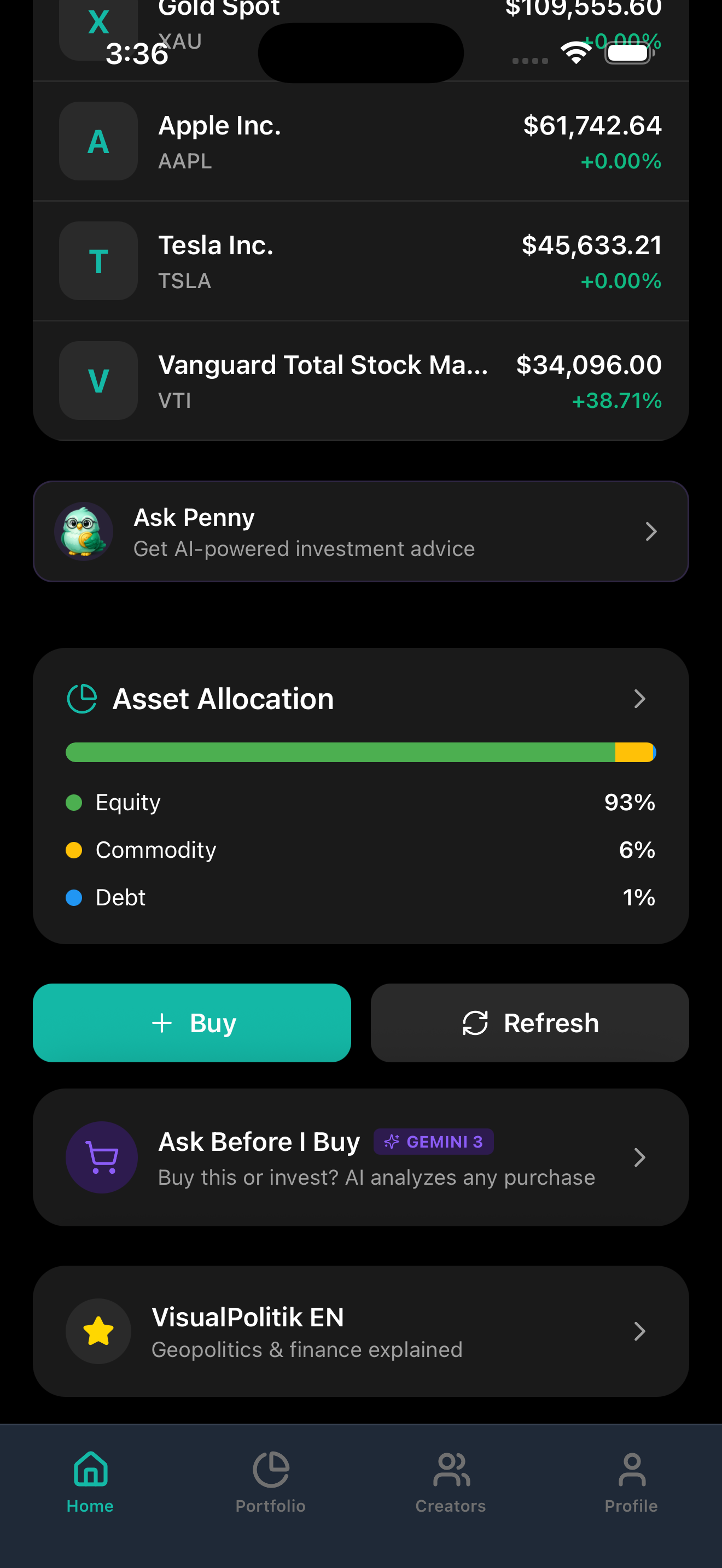
PENNY home screen with portfolio value, performance chart, and top holdings
-
-
-
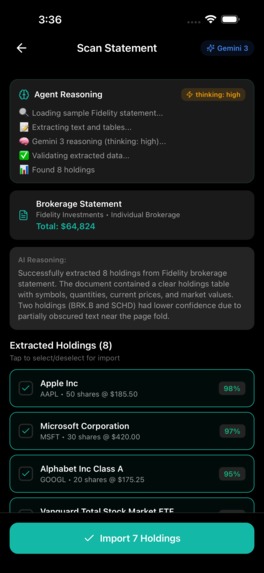
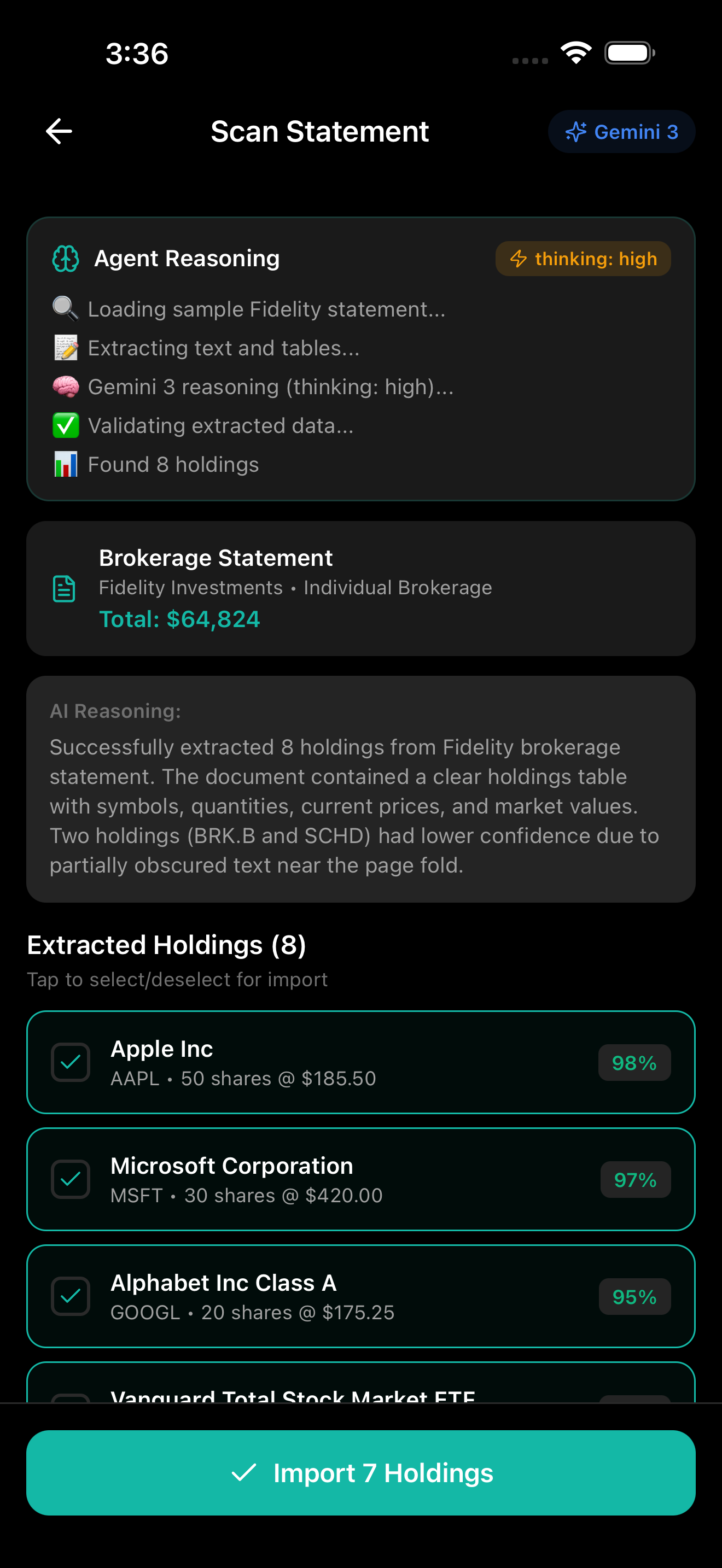
Camera scanning a brokerage statement
-
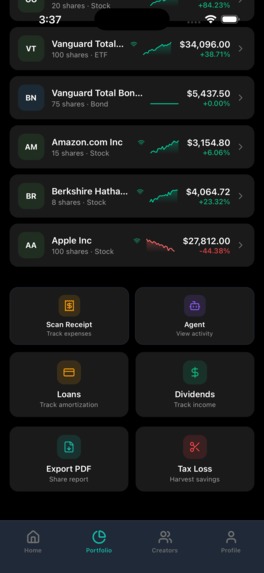
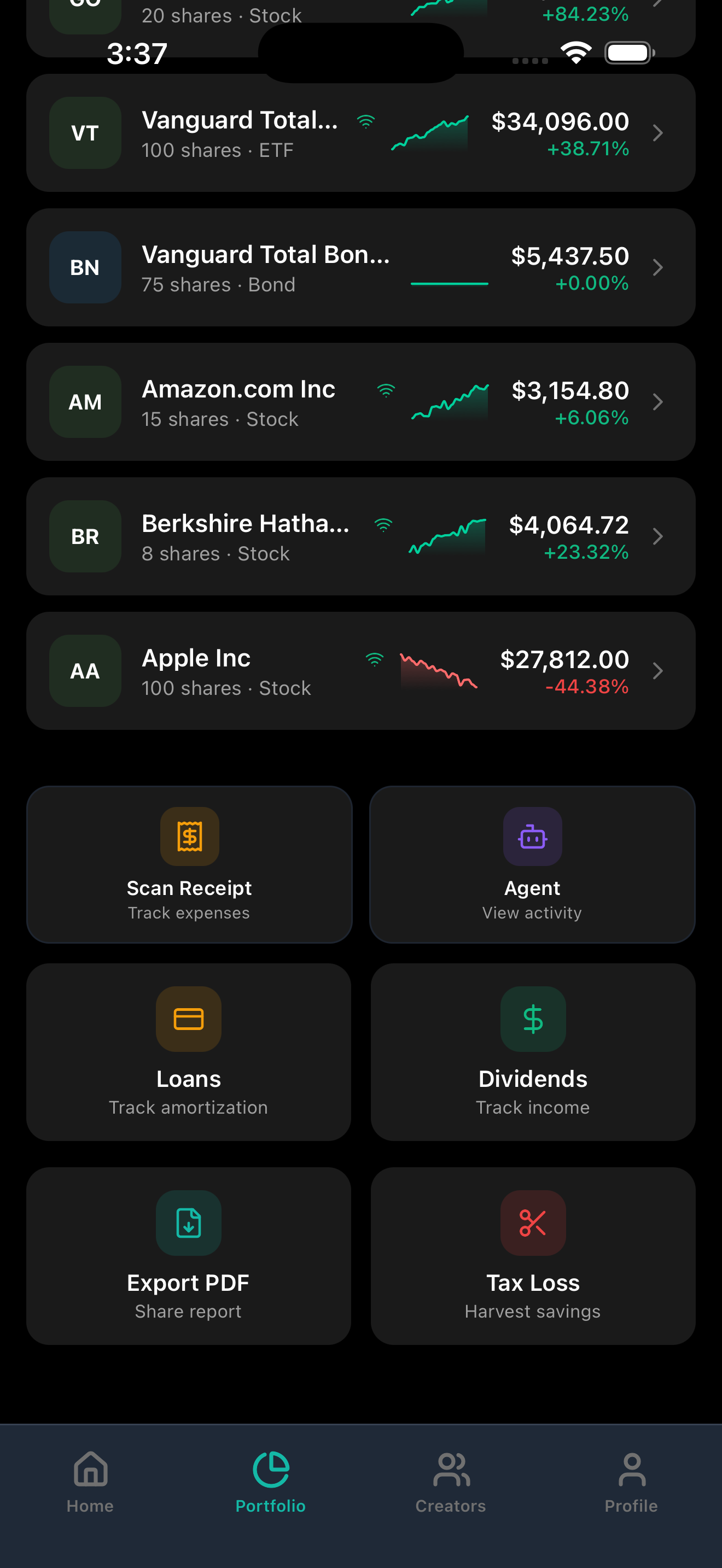
More features
-
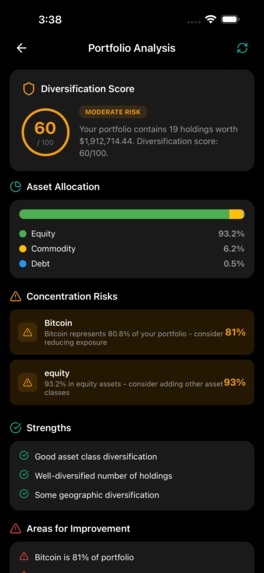
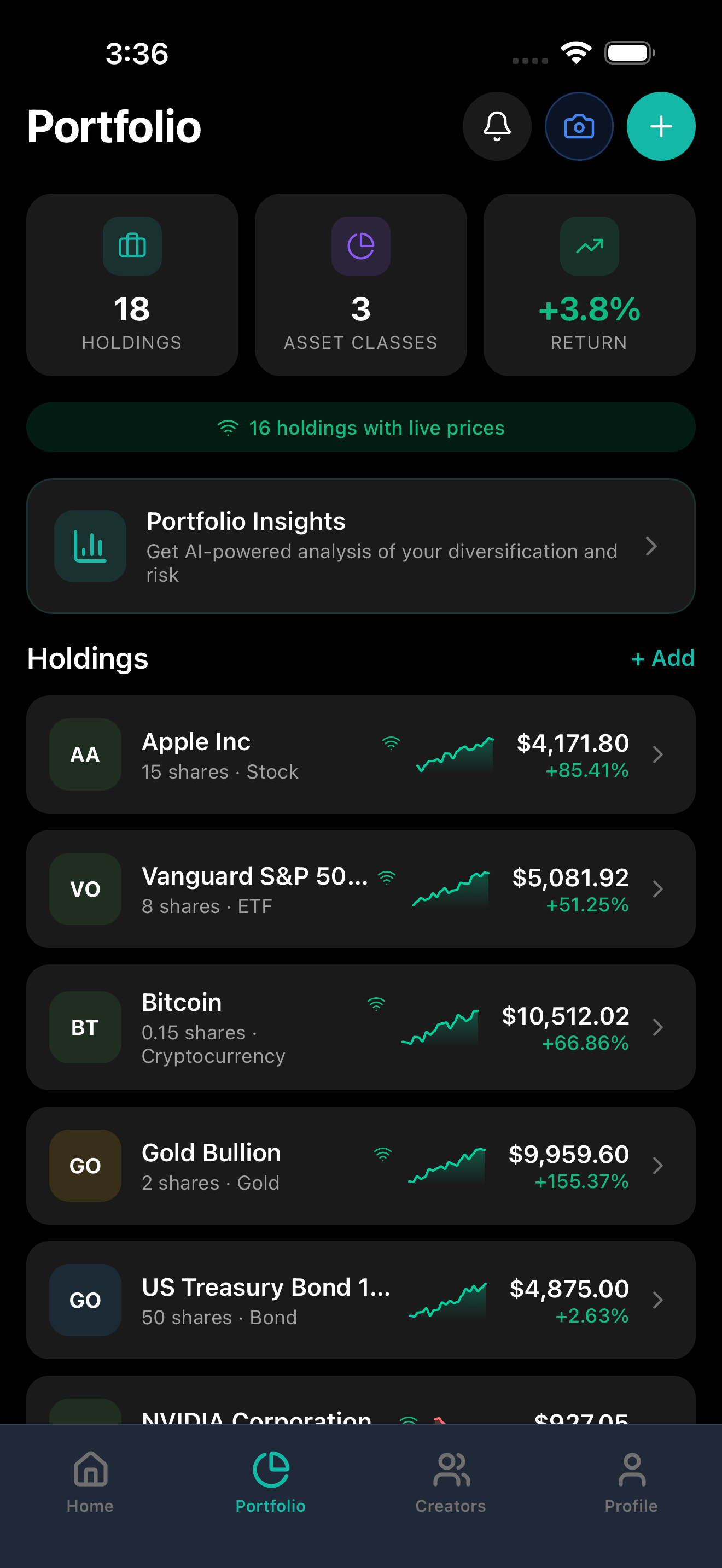
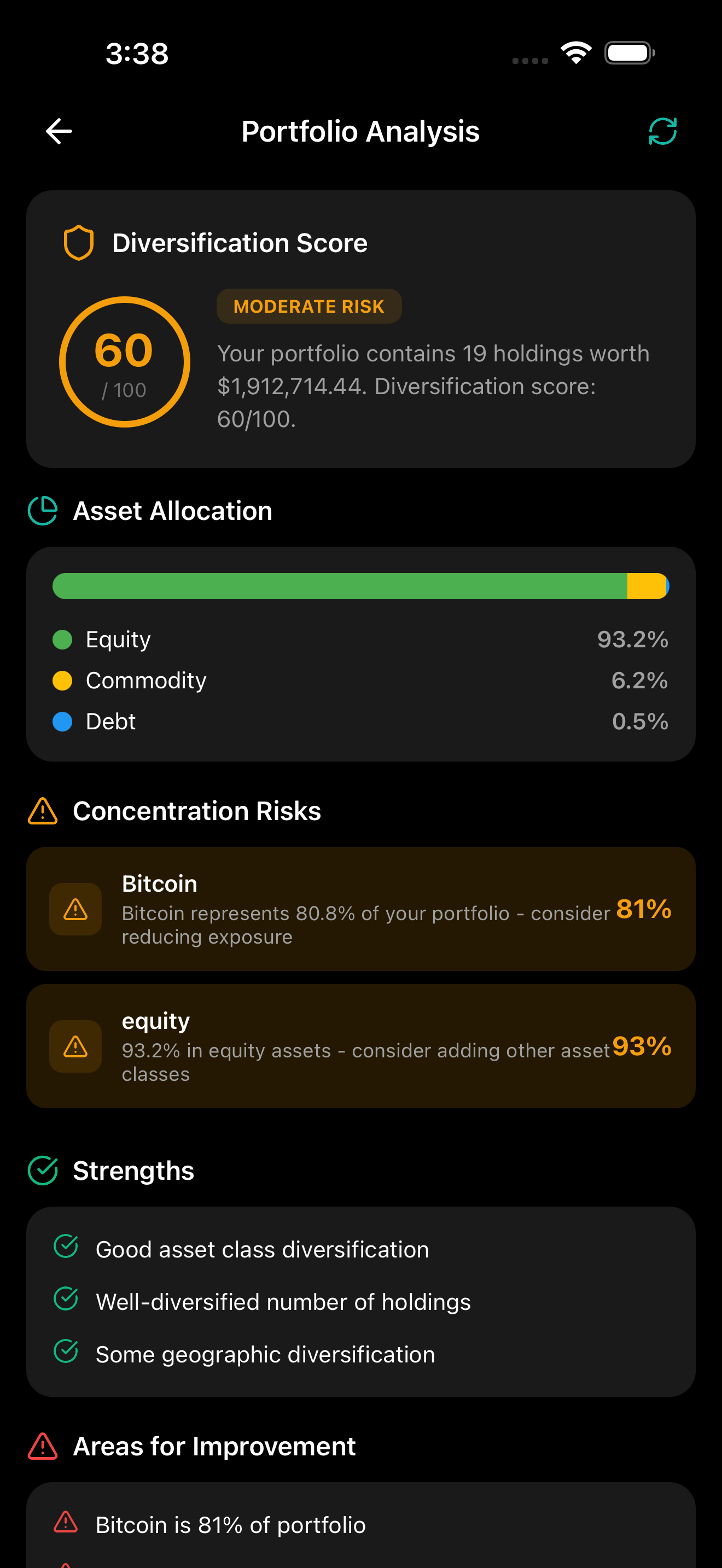
AI portfolio analysis
-
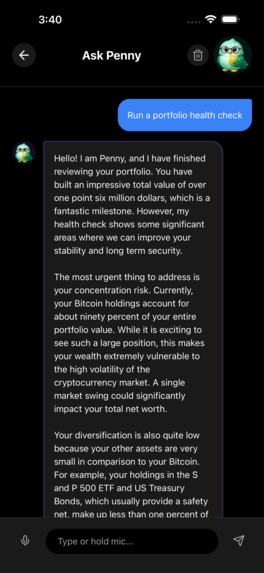
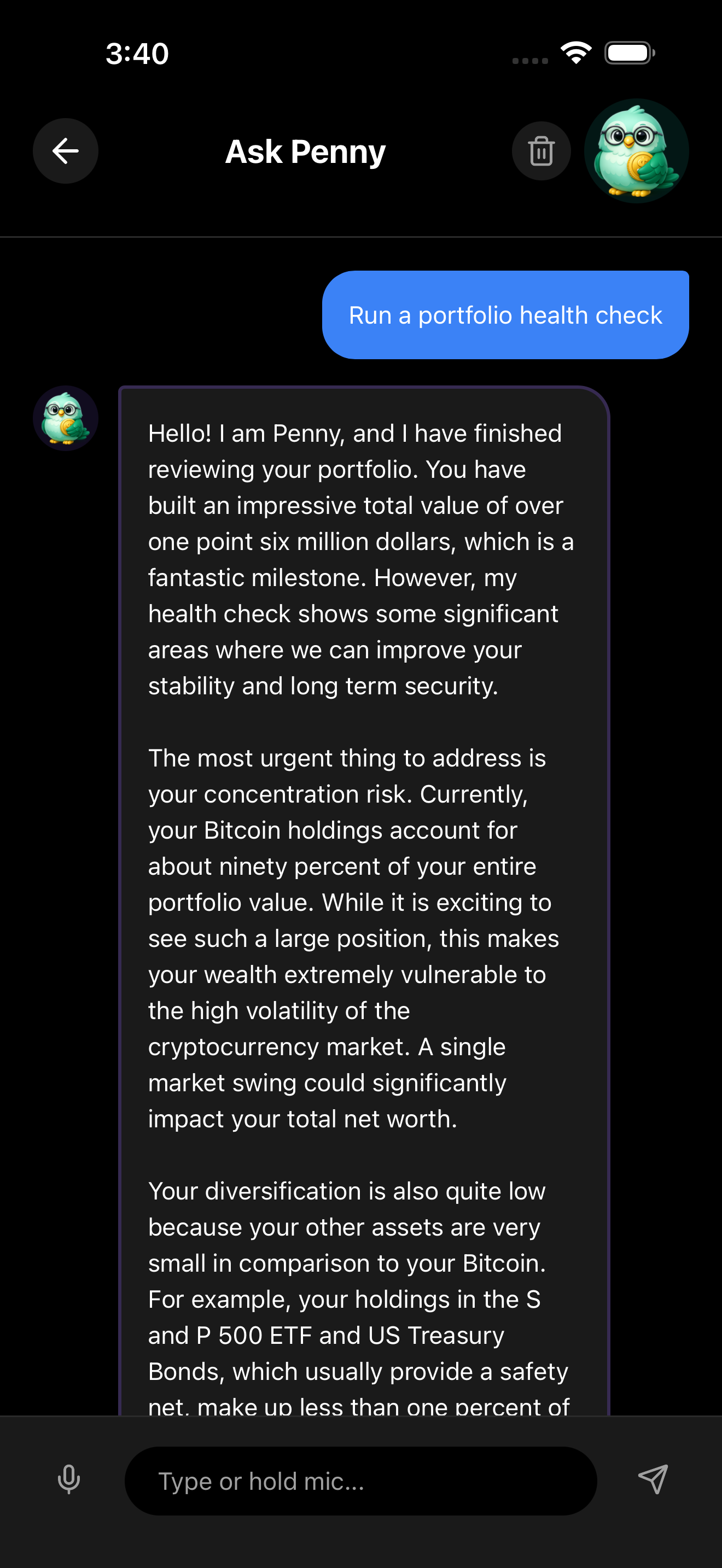
Penny chatbot voice coaching
-
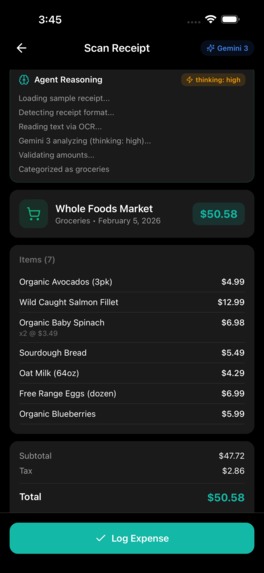
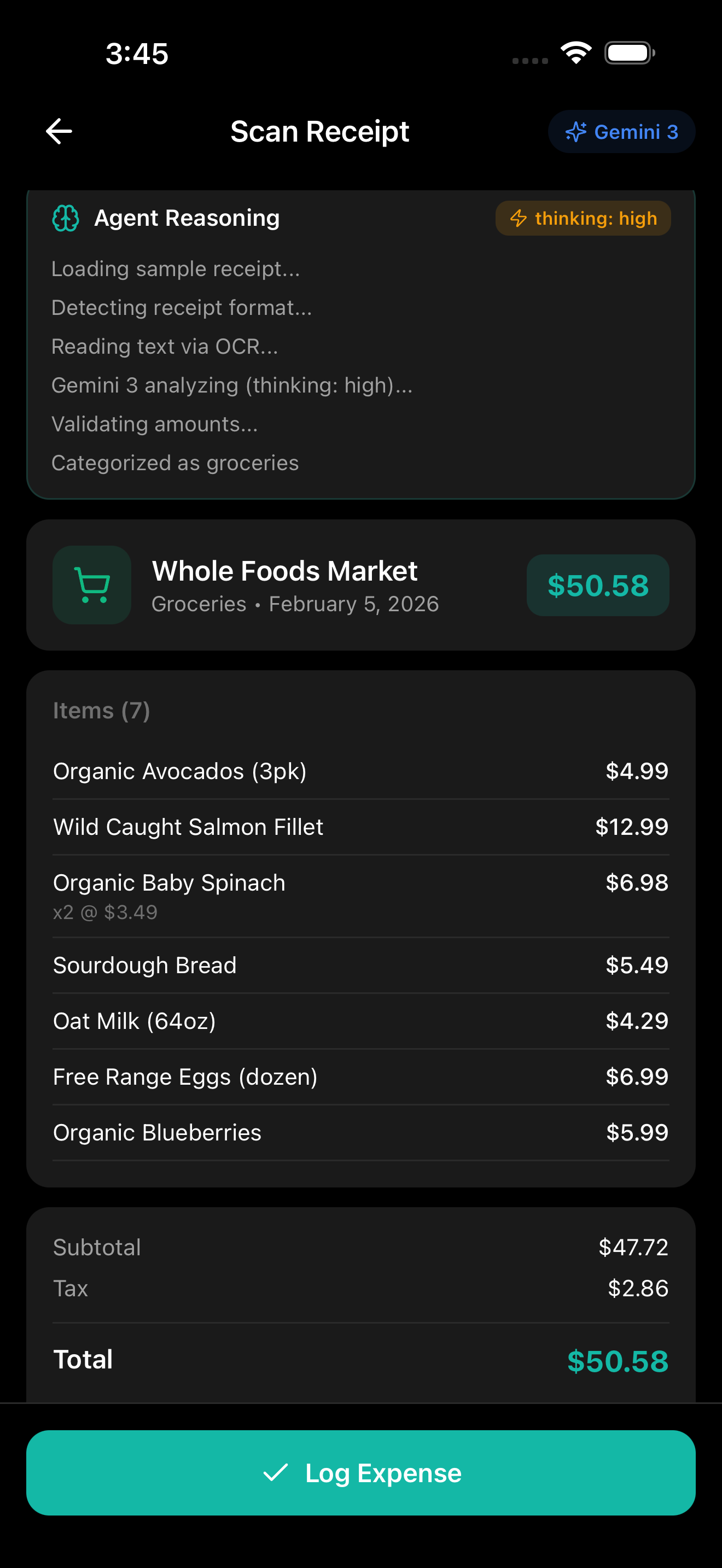
Scan receipt with Gemini reasoning
-
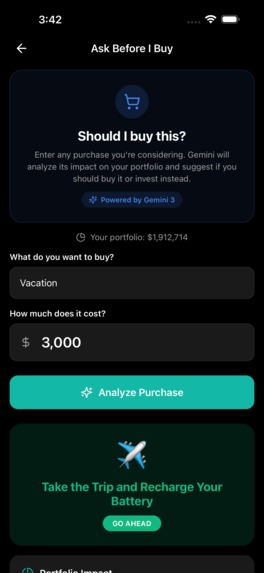
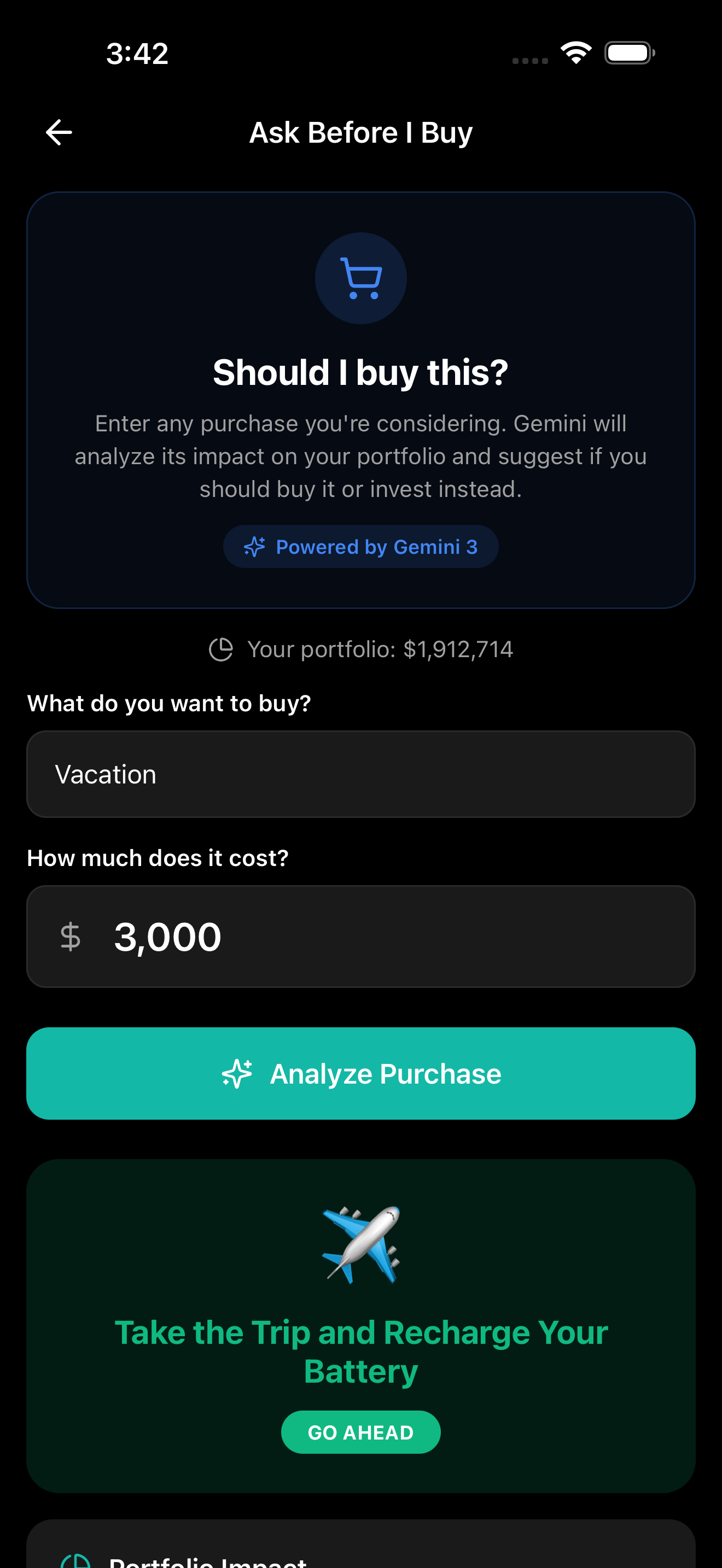
"Ask Before I Buy" analysis showing a Think Twice verdict for a $3,000 vacation, with portfolio impact, opportunity cost, considerations
-
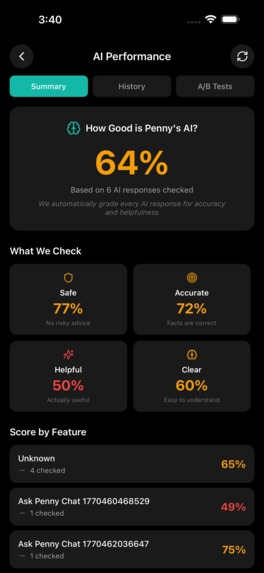
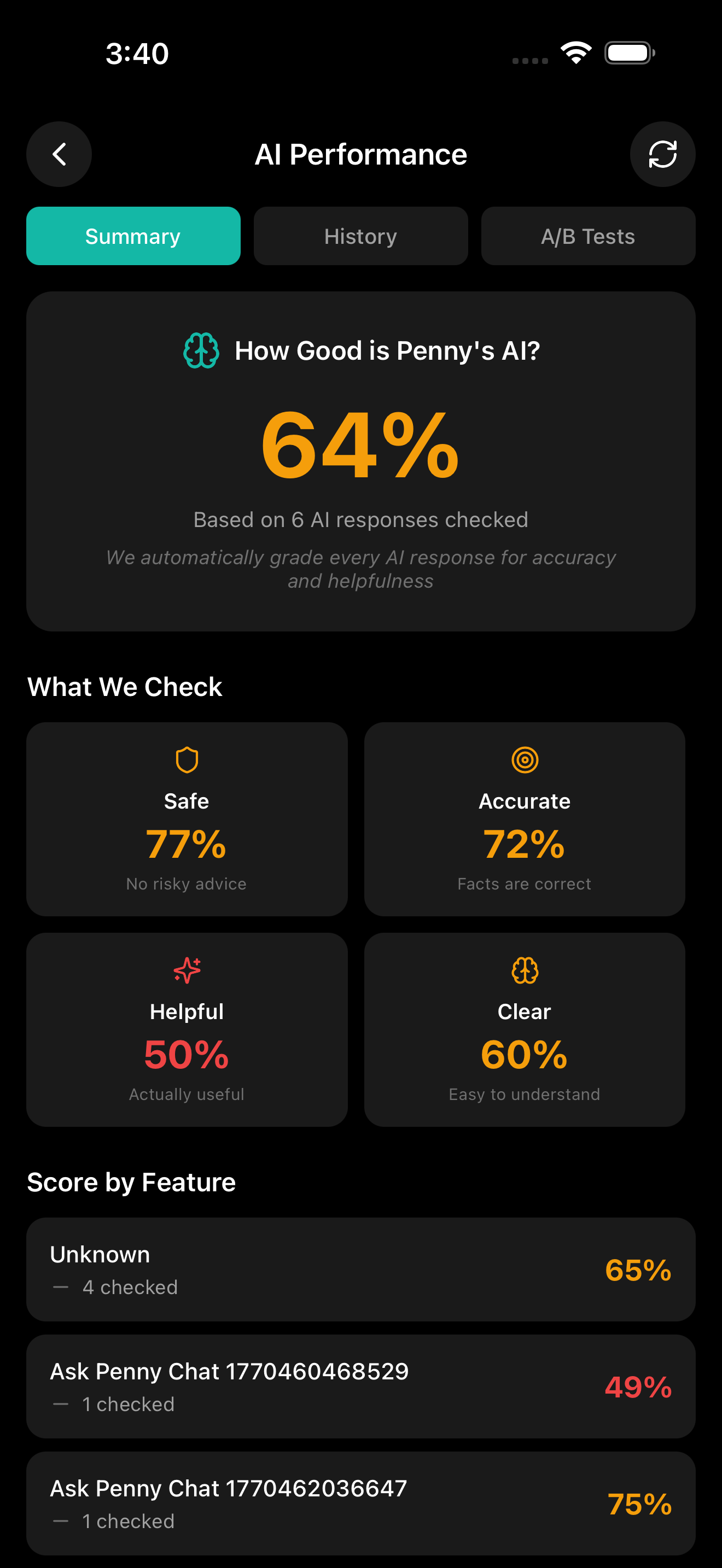
AI PERFORMANCE DASHBOARD
-
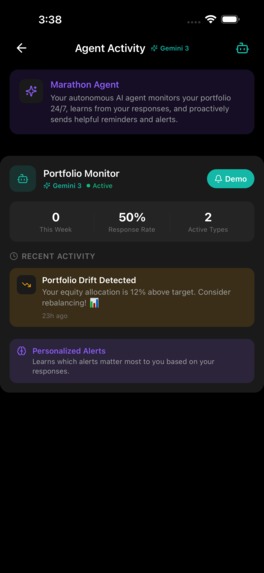
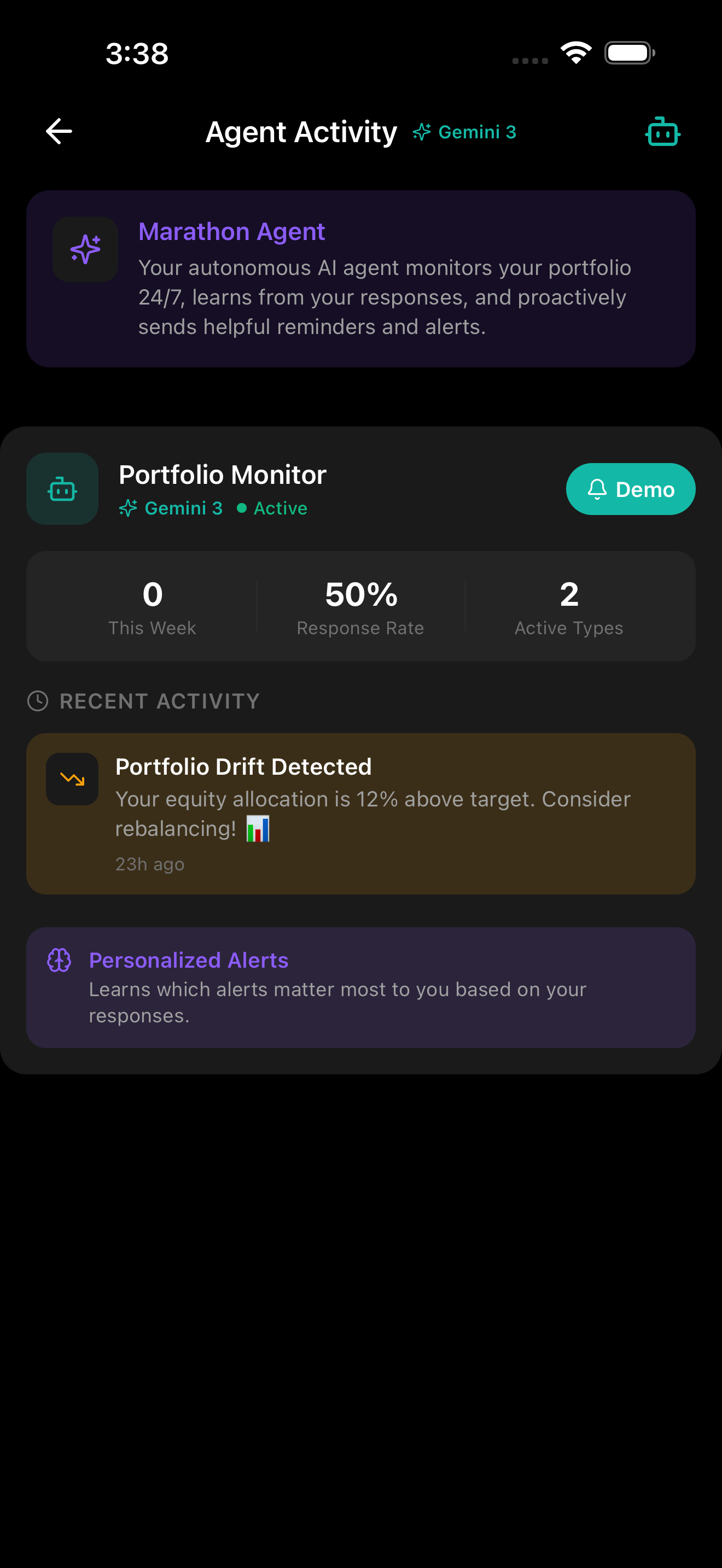
PENNY runs a background agent that monitors your portfolio autonomously
Gemini Integration Description
Penny uses five Gemini 3 capabilities together in a single financial app:
- Vision API — Photograph brokerage statements and receipts; Gemini parses document structure (tables, charts, text) and extracts holdings with confidence scores.
- Configurable Thinking Levels —
highfor document analysis,mediumfor voice coaching,low/minimalfor tips and alerts. The UI shows which level is active. - Structured Output — Every response is type-safe JSON validated against Zod schemas. No string parsing.
- Streaming — Voice coaching streams Gemini text generation directly to text-to-speech.
- Autonomous Agent — A background agent monitors portfolios 24/7, detects allocation drift, sends Gemini-generated push notifications, and learns from user response patterns.
Penny follows Google's "Action Era" concept: AI that sees (camera), reasons at variable depth (thinking levels), and acts without prompting (imports holdings, sends alerts). Not a chatbot wrapper — a background copilot.
Inspiration
Most AI apps are chat wrappers. Text in, text out. I wanted to build an app where Gemini 3 watches documents, reasons at different depths, and takes actions without being asked.
I picked personal finance because it demands all three modes of AI interaction:
- Multimodal input — statements, receipts, and charts require vision
- Variable reasoning — risk analysis needs depth; market updates need speed
- Autonomous action — the AI should monitor and act, not wait to be asked
Penny is a financial copilot that uses Gemini 3 for more than conversation.
What it does
1. Multimodal Vision + Document Understanding
Users photograph brokerage statements. Gemini 3 Vision extracts holdings from tables, text, and charts by parsing document structure — not running OCR.
Input: Photo of Fidelity statement
Output: Structured JSON with holdings, quantities, prices, confidence scores
High-confidence holdings import directly. Lower confidence gets flagged for user review.
2. Configurable Thinking Levels
I adjust thinkingLevel by task:
| Task | Thinking Level | Reason |
|---|---|---|
| Document analysis | high |
Table extraction needs deep reasoning |
| Voice coaching | medium |
Conversational depth without latency |
| Portfolio insights | low |
Contextual suggestions without heavy compute |
| Daily tips | minimal |
Fast, lightweight generation |
| Drift alerts | minimal |
Speed matters more than depth |
The UI displays which level is active so users see how much reasoning is happening.
3. Structured Output with Schema Validation
Gemini returns type-safe JSON validated against Zod schemas:
const DocumentAnalysisSchema = z.object({
  holdings: z.array(z.object({
    name: z.string(),
    symbol: z.string().optional(),
    quantity: z.number(),
    price: z.number(),
    confidence: z.number().min(0).max(1),
  })),
  reasoning: z.string(),
});
Verdict enums, percentages, and consideration arrays are all schema-guaranteed — no regex parsing.
The same pattern powers "Ask Before I Buy" — users enter a purchase and Gemini returns a structured verdict, portfolio impact percentage, opportunity cost, and pros/cons in one call.
4. Autonomous Marathon Agent
The AI runs without user prompts:
- Monitors portfolios via
expo-background-fetch - Detects allocation drift from user goals
- Sends proactive push notifications with Gemini-generated messages
- Learns from user response patterns to adjust intervention timing
- Logs every decision in a transparent Activity Feed
5. Real-Time Voice Coaching
Streaming Gemini responses feed directly into text-to-speech. Users speak to the app and hear portfolio coaching as it generates — no waiting for the full response.
How I built it
Architecture
┌─────────────────────────────────────────────────────────────┐
│                         PENNY APP                           │
├─────────────────────────────────────────────────────────────┤
│  ┌─────────────┐  ┌─────────────┐  ┌─────────────────────┐  │
│  │   Camera    │  │ Voice Input │  │  Background Agent   │  │
│  │  (Vision)   │  │  (Audio)    │  │   (Autonomous)      │  │
│  └──────┬──────┘  └──────┬──────┘  └──────────┬──────────┘  │
│         │                │                     │             │
│         ▼                ▼                     ▼             │
│  ┌────────────────────────────────────────────────────────┐ │
│  │              GEMINI 3 INTEGRATION LAYER                │ │
│  │  ┌──────────────────────────────────────────────────┐  │ │
│  │  │  thinkingLevel: 'minimal'|'low'|'medium'|'high'  │  │ │
│  │  └──────────────────────────────────────────────────┘  │ │
│  │  • Vision API (document/receipt analysis)              │ │
│  │  • Structured Output (Zod schema validation)           │ │
│  │  • Streaming (voice coaching)                          │ │
│  │  • Retry with exponential backoff                      │ │
│  └────────────────────────────────────────────────────────┘ │
│         │                │                     │             │
│         ▼                ▼                     ▼             │
│  ┌─────────────┐  ┌─────────────┐  ┌─────────────────────┐  │
│  │  Portfolio  │  │   Alerts    │  │   Agent Activity    │  │
│  │   Import    │  │   & Tips    │  │       Log           │  │
│  └─────────────┘  └─────────────┘  └─────────────────────┘  │
└─────────────────────────────────────────────────────────────┘
Tech Stack
- Frontend: React Native + Expo (iOS/Android)
- AI: Gemini 3 Flash Preview (
gemini-3-flash-preview) - Observability: Opik for LLM tracing
- Auth: Firebase Authentication
- Storage: AsyncStorage + Firebase
- Background Tasks: expo-background-fetch + expo-task-manager
Gemini 3 API Integration
// Vision + structured output + thinking levels in one call
const result = await generateStructuredWithGemini({
  prompt: documentAnalysisPrompt,
  schema: DocumentAnalysisSchema,
  image: base64Image,
  thinkingLevel: 'high',
  temperature: 0.2,
});

// Streaming for voice responses
await streamWithGemini({
  prompt: coachingPrompt,
  thinkingLevel: 'medium',
  onChunk: (text) => appendToUI(text),
  onComplete: (full) => speakAloud(full),
});
Autonomous Agent Loop
async function runAgentLoop() {
  const holdings = await loadPortfolio();
  const goals = await getUserGoals();

  const drift = calculateDrift(holdings, goals.targetAllocation);
  if (drift > THRESHOLD && shouldIntervene(state)) {
    const message = await generateWithGemini({
      prompt: `Portfolio drifted: ${drift}. Write encouraging notification.`,
      thinkingLevel: 'minimal',
    });
    await sendPushNotification('Portfolio Drift', message);
    await logIntervention({ type: 'drift_alert', message });
  }

  // Agent learns: if user ignores alerts, back off
  state.userResponseRate = calculateResponseRate(recentInterventions);
}
Challenges I ran into
Thinking level trade-offs —
highimproves document extraction but adds latency. I benchmarked each task and picked levels that balance quality and speed.Structured output reliability — Gemini sometimes returns malformed JSON. I added auto-correction (case normalization, array parsing) before Zod validation.
Autonomous trust — Users distrust AI acting without permission. The Activity Log shows every agent decision with reasoning, which became the main trust mechanism.
Multimodal prompt tuning — Document extraction needed iteration. Adding "extract EVERY holding, even if partially visible" improved recall significantly.
Accomplishments
| Typical AI App | Penny |
|---|---|
| Text in → Text out | Camera → Structured Data → Portfolio Import |
| Single reasoning mode | 4 thinking levels matched to task |
| Reactive (waits for input) | Proactive (autonomous monitoring) |
| Generic responses | Type-safe JSON with confidence scores |
| Opaque | Transparent agent activity log |
Production Details
- Exponential backoff retry logic
- Response caching (5 min TTL)
- LLM observability via Opik
- Parallel API calls
- Demo mode for judge access
What I learned
Thinking levels change architecture — Variable reasoning depth lets you match compute to task complexity instead of using one mode for everything.
Multimodal is underused — Most projects treat Gemini as text-only. Vision + structured output enables scan-to-import flows that feel magical.
Autonomous AI needs transparency — The Activity Log started as a debug tool. It became the feature that makes users trust the agent.
Structured output beats text parsing — For action-oriented AI, typed JSON is more reliable than parsing prose.
What's next for Penny
- Gemini Live API — Full duplex voice for conversational coaching
- Multi-agent architecture — Separate agents for spending, investing, and risk
- Video analysis — Process portfolio review recordings and earnings calls
Built With
- elevenlabs
- expo.io
- firebase
- gemini-3
- opik
- react-native
- tailwind-css
- typescript

Log in or sign up for Devpost to join the conversation.