-
-
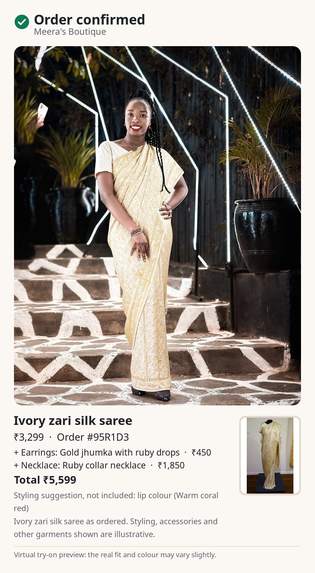
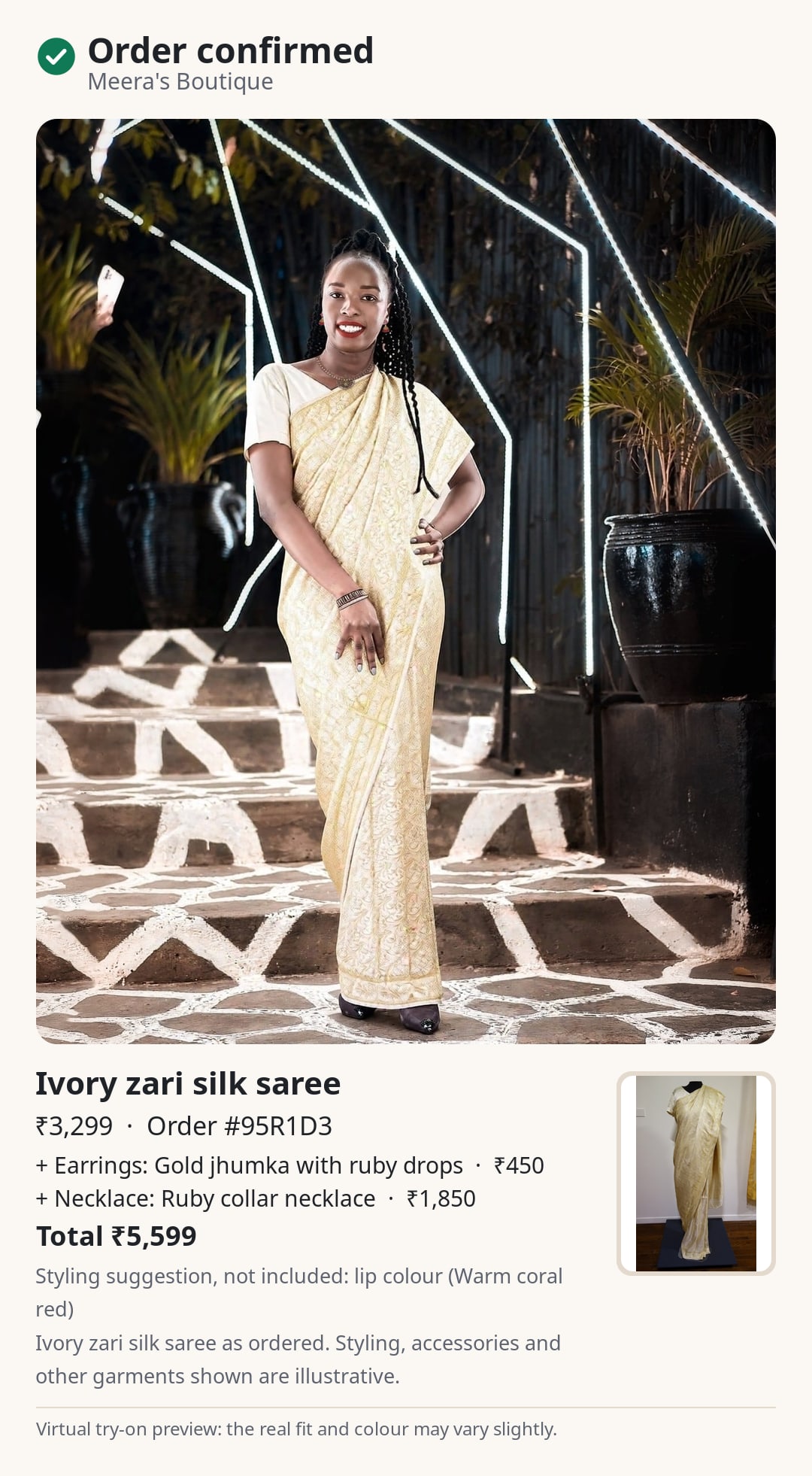
The try-on becomes the order confirmation, with each item, its price and the total.
-
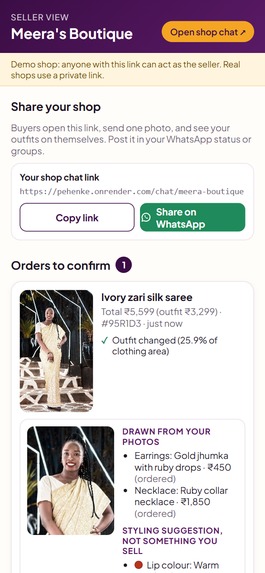
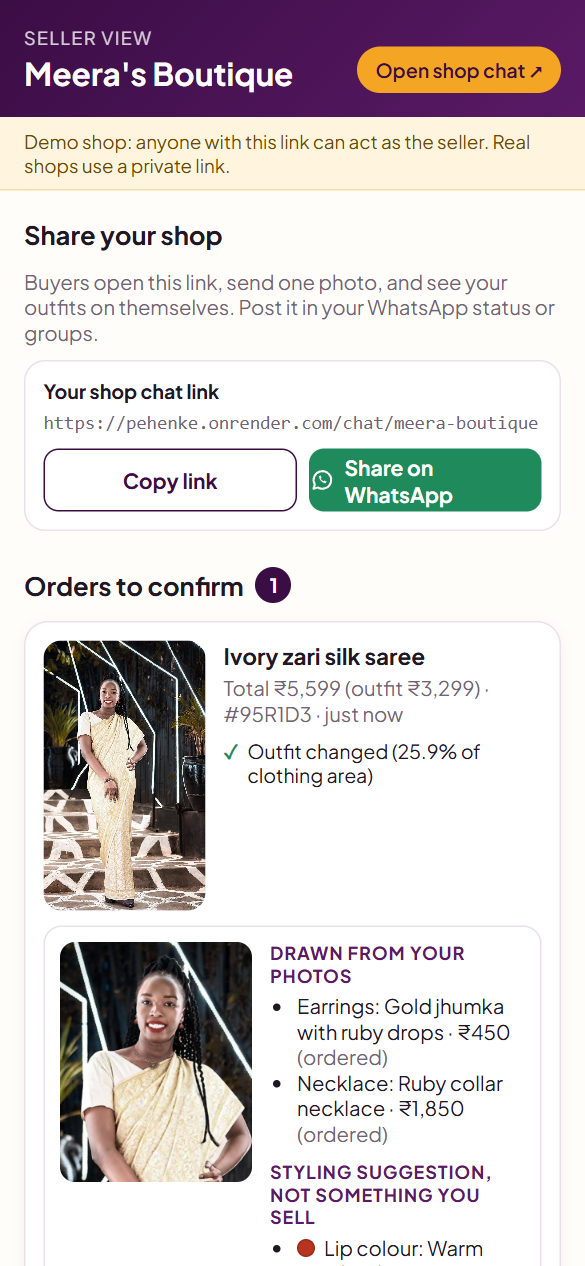
The seller sees exactly what the card will say and approves it. Nothing is sent automatically.
-
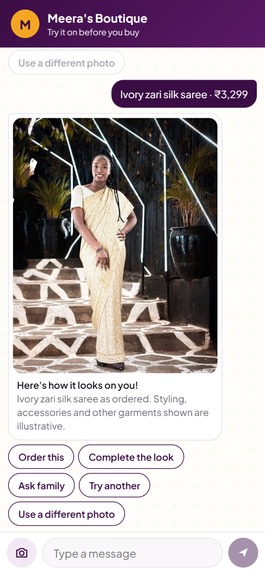
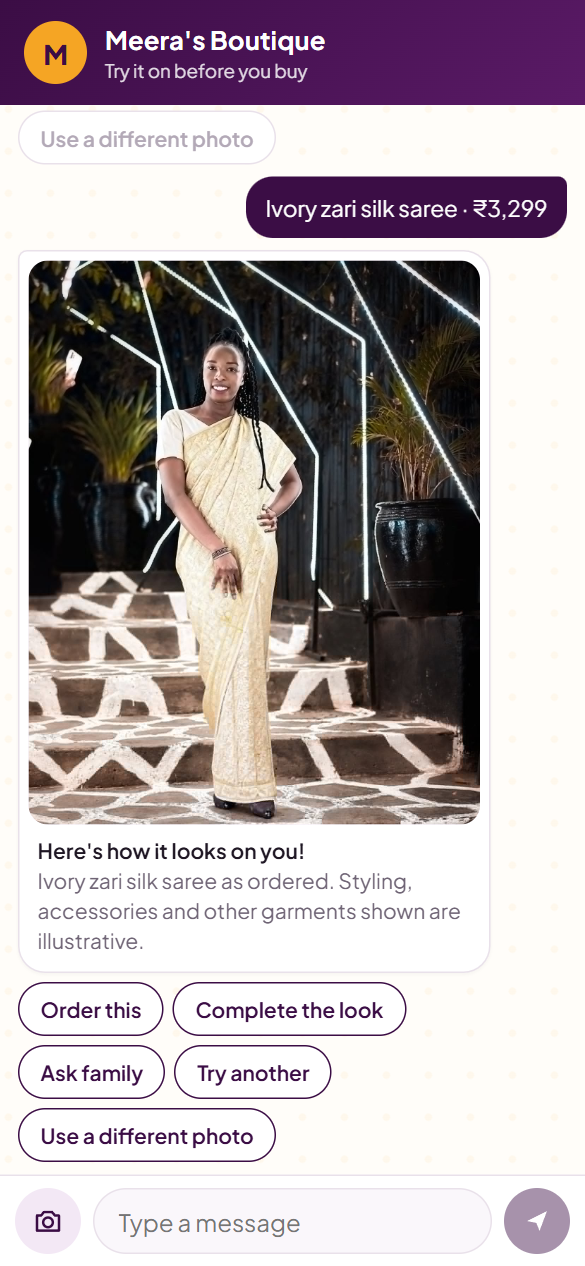
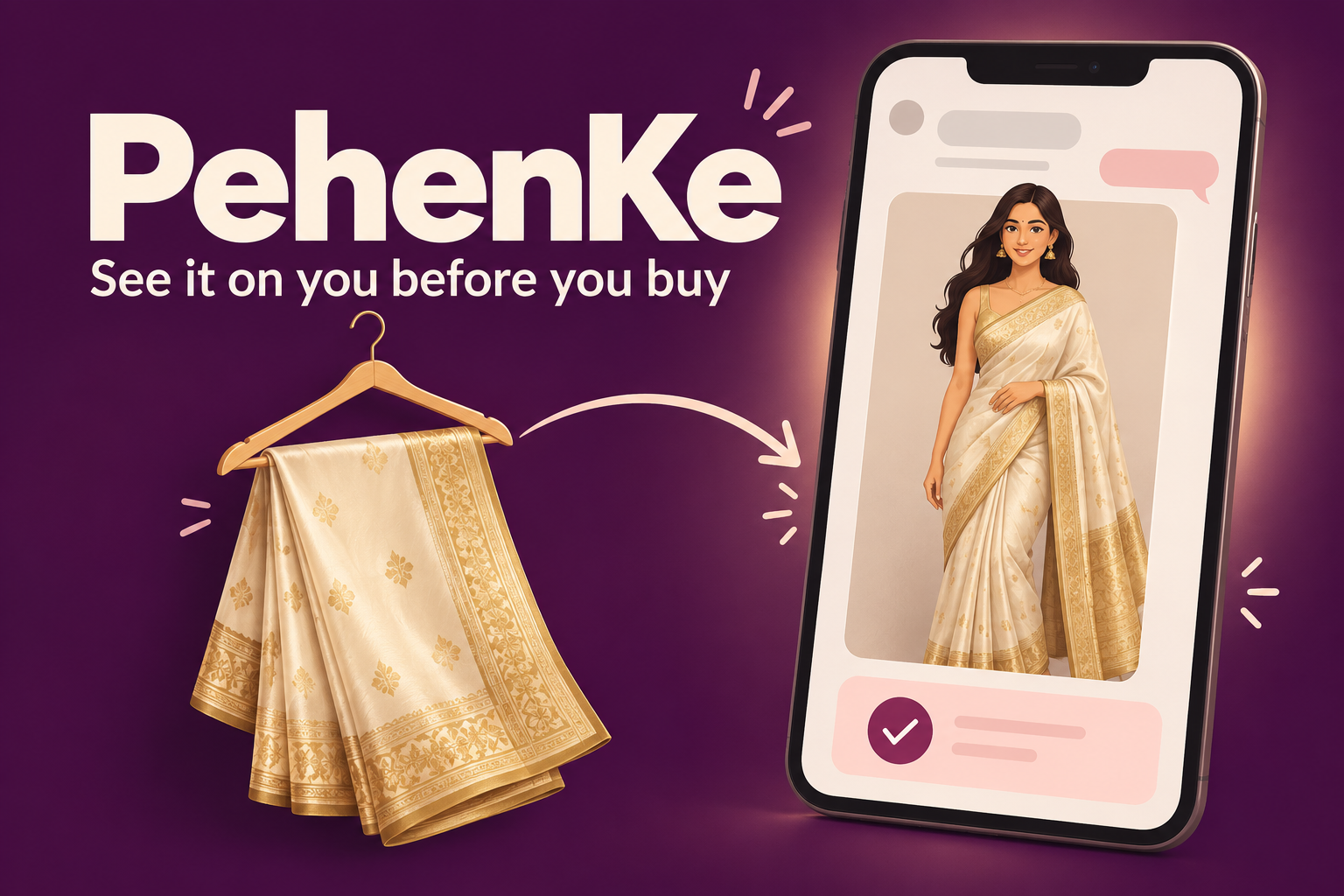
The seller's saree on the buyer's own photo, in about 20 seconds. The blouse is marked as illustrative because the AI invented it.
-
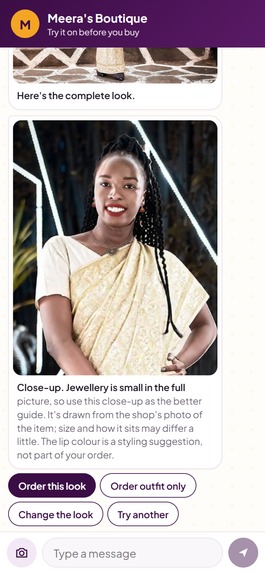
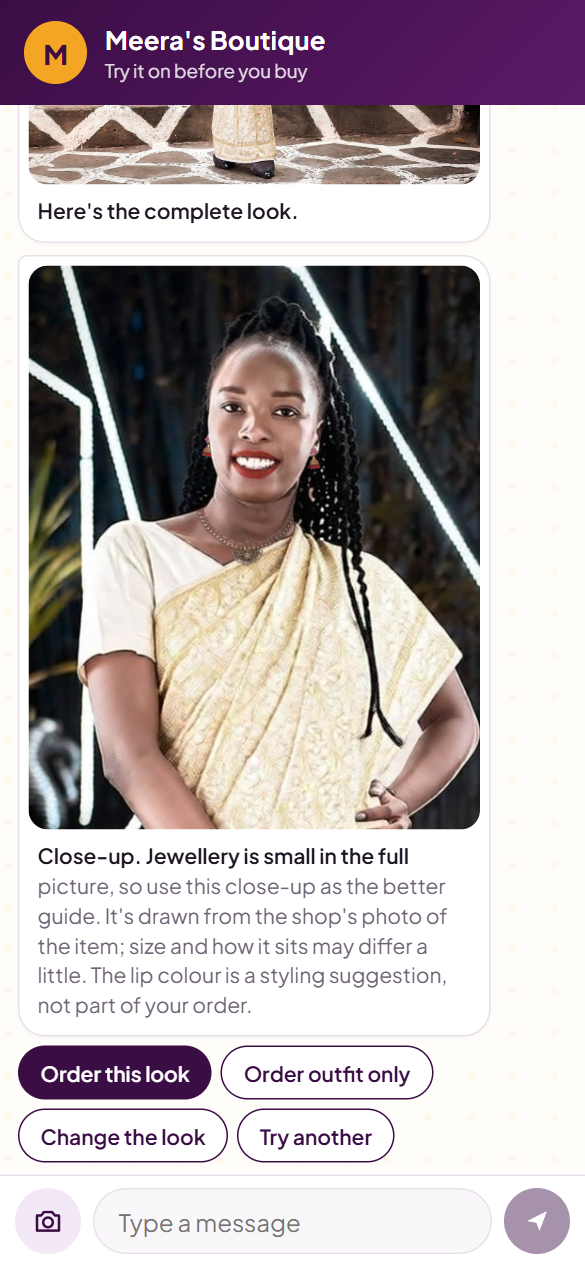
Complete the look: the seller's own necklace and earrings plus a lip shade, chained from four YouCam features into one image.
-
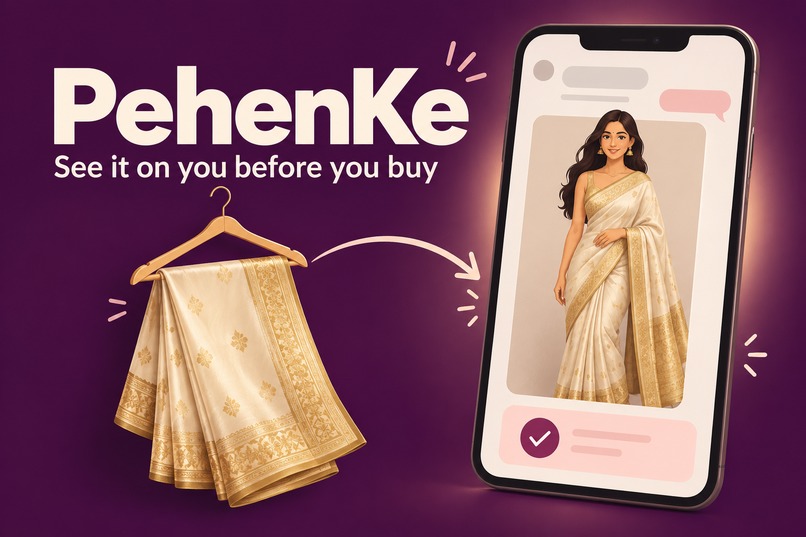
Project illustration
Inspiration
A large share of India's small clothing sellers have no website. They post a photo of a saree or kurti in a WhatsApp group or on Instagram, a buyer says "I'll take it", and the parcel goes out cash on delivery.
The buyer never saw the outfit on herself, and many of those parcels are refused at the door. Industry reports put cash on delivery at 58-65% of Indian e-commerce orders, with roughly 26% of those returned to the seller against under 2% for prepaid, at a loss of about Rs 200-250 on a Rs 1,000 order (source). A seller with thin margins cannot absorb that.
Most virtual try-on tools answer "does this suit me?". We asked a different question: can the try-on be the moment the buyer commits?
What it does
PehenKe gives a seller one link to paste into WhatsApp. No app, no website, no catalogue software. Try it at https://pehenke.onrender.com
For the buyer
- Opens the link, agrees to a plain consent message, and sends one full-body photo.
- Picks an outfit and sees it on herself in about 20 seconds.
- Taps "Ask family" to get a private voting link for the people who help her decide.
- Taps "Complete the look" to add the seller's own earrings and necklace, plus a lip shade picked from the outfit's colours.
- Orders. The try-on image becomes her order card.
For the seller
- Adds an outfit by uploading one photo. A photo gate checks it once and, if it will render badly, says exactly what to send instead.
- Approves every order card before it goes out, then sends it to the buyer on WhatsApp in one tap, and again at dispatch.
- Records whether each order was delivered or refused, and sees a simple funnel from try-on to delivery.
The order card is the idea. "This is what you ordered, on you" is sent at order time and at dispatch, so the buyer who opens the door has already seen and confirmed what is in the parcel.
An honest try-on. A confirmation card that shows something the buyer did not order would cause the refusals we want to prevent, so the product is built around what the model gets wrong:
- A saree is always rendered with a blouse the model invented, so the card says "Saree as ordered. Blouse is illustrative."
- Every render is marked send, send with disclosure, or block. Blocked renders never reach the buyer.
- No free check can detect an invented necklace, so the chat shows the close-up and asks "Is your neck bare in this picture?"
- If earrings cannot be placed because hair covers the ears, the buyer is told why and still gets the rest of the look.
- Jewellery the buyer orders is listed with prices. The lip shade is marked "Styling suggestion, not included."
- Photos are used only after consent, deleted on request from our database and from YouCam, and purged after 30 days.
How we built it
Four YouCam features work as one pipeline, all called server-side:
| YouCam feature | What PehenKe uses it for | Units per call |
|---|---|---|
| AI Clothes Virtual Try-On V3 | The seller's garment on the buyer's photo | 2 |
| AI Necklace Virtual Try-On | The seller's own necklace, from their product photo | 1 |
| AI Earring Virtual Try-On | The seller's own earrings, from their product photo | 1 |
| AI Makeup Virtual Try-On | A lip shade derived from the garment's colours | 1 |
The jewellery and makeup features need a close face, and a full-body try-on has a small one. So PehenKe locates the head on the try-on output, crops and upscales it, chains necklace, earrings and lipstick on the crop, then pastes back only the pixels YouCam changed. The result is one full-body image plus a close-up, with the buyer's face otherwise untouched. Skin smoothing is sent as 0 so nobody is retouched.
The rest of the stack:
- Next.js and TypeScript, Postgres with Prisma, deployed on Render with a Neon database.
- A channel-agnostic conversation engine: one state machine takes a message in and returns messages out, so the web chat and a future WhatsApp bot share the same logic.
- Try-on jobs that survive crashes: the task id is saved before polling, and interrupted renders resume without a second charge.
- A unit ledger that logs every YouCam call, with a daily cap and a per-buyer cap.
- Every render cached by content hash, so the same inputs are never paid for twice.
- Over 200 automated tests, run against an in-process database and a fake YouCam client so tests spend no units.
Challenges we ran into
- Renders are deterministic. The same inputs always return the same image, so a bad render cannot be fixed by retrying. That changed the design from "check each render" to "check each seller photo once, up front".
- Small faces. The makeup and jewellery calls refused the full-body image outright. The crop, chain and paste-back pipeline was the fix.
- Size drift. The API returned a 959x1199 crop as 960x1198, which would have misaligned the paste-back. The pipeline now only sends sizes that are multiples of 16.
- Seller photos leak. Photos of a model holding a bag or wearing a jacket carried those objects into the buyer's image, so the photo gate rejects them with advice.
- Jewellery is less reliable than clothing. Of 8 planned demo looks, 2 rendered with jewellery, 5 fell back to lip shade only after the API declined the jewellery at no charge, and 1 was rejected for placing an earring on one ear. The product now skips a refused item, explains why, and continues.
- Honest automation. Pixel checks alone passed three bad renders in our review, so the seller's approval stays in the loop.
Accomplishments that we're proud of
- A live, working product that a seller could start using today with one link.
- Four YouCam features chained into a single look, with fashion and beauty in one image and the buyer's face left untouched.
- 26 of 26 clothing try-ons succeeded in our first test round, with a median of 16 seconds.
- A try-on that tells the truth about itself: disclosure lines, refused items explained, and a seller who approves every card.
- Sarees, the hardest garment we tried, drape convincingly from a single flat photo.
- Privacy built in from the start: consent, real deletion, and a 30-day purge.
What we learned
- Testing early changes the product. A two-day test on real API calls, before building anything, reshaped the whole design.
- Reviewing 22 distinct renders by eye, 7 could be sent as is, 12 needed a disclosure line, and 3 had to be blocked. A try-on product needs a plan for the 12 and the 3, not only the 7.
- Mannequin photos gave the best results, which is practical advice a small seller can act on.
- When the system cannot tell, asking the buyer is cheaper and more honest than guessing.
- Reading the API documentation closely was not enough. Several behaviours, including earrings working on a front-facing photo, only showed up in live calls.
What's next for pehenke
So far every test has used openly licensed stock, museum and Wikimedia Commons photos, credited on the site's credits page. No real seller has used PehenKe yet, and its effect on refused deliveries is unmeasured. That is the first thing to fix:
- A pilot with real sellers, measuring refused deliveries with and without the order card. The seller page already records delivery outcomes.
- A native WhatsApp bot on the same conversation engine.
- Hindi and regional languages.
- Building a seller's catalogue automatically from the product posts they already forward.
Built With
- api
- github
- neon
- next.js
- node.js
- postgresql
- prisma
- react
- render
- sharp
- typescript
- youcam

Log in or sign up for Devpost to join the conversation.