Inspiration
The inspiration behind PeerBridge came from a common problem faced by students: when they get stuck on a coding error, technical concept, or academic doubt, they often spend hours searching online for solutions.
Sometimes, another student nearby already knows the answer but there is no simple platform to connect them.
We wanted to create a platform that makes learning collaborative, accessible, and student-driven.
What it does
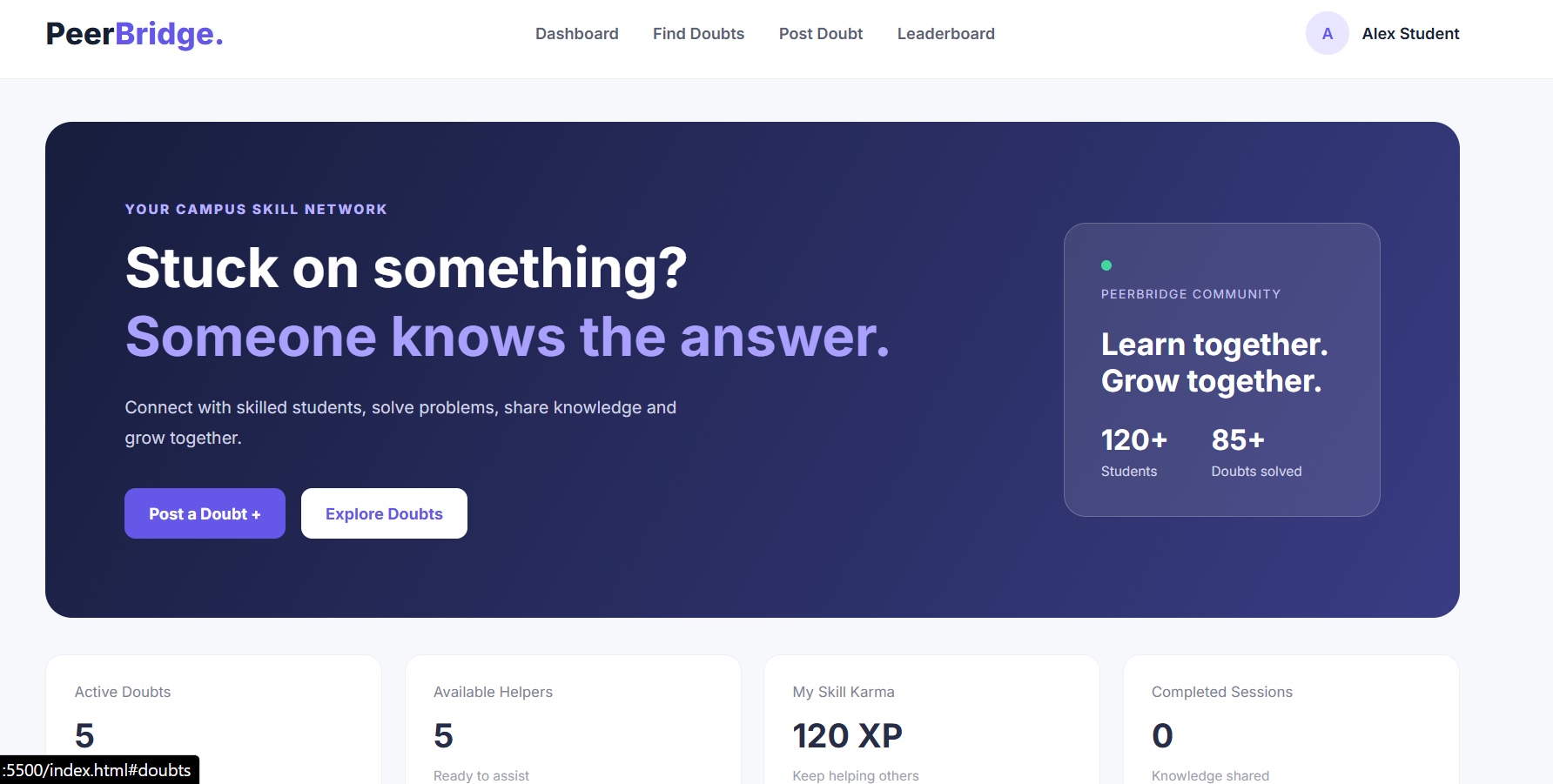
PeerBridge is a peer-to-peer student help platform that connects students who need help with students who have the knowledge to provide it.
Its current MVP allows students to:
- Post academic and technical doubts.
- Add a title, description, and category to their doubts.
- Explore doubts posted on the platform.
- Discover opportunities to share knowledge and help fellow students.
- Use a simple and accessible interface for peer learning.
Our vision is to make it easier for students to learn from each other through quick, focused problem-solving sessions.
How we built it
We developed the initial version of PeerBridge using basic web technologies:
- HTML: Created the structure and layout of the website.
- CSS: Designed a responsive, user-friendly interface.
- JavaScript: Implemented interactive elements, doubt posting, and dynamic website functionality.
We focused on building a functional front-end MVP within the limited hackathon development time.
Challenges we ran into
- Building a functional platform within a limited hackathon timeframe.
- Implementing dynamic doubt-posting functionality.
- Managing website interactions using JavaScript.
- Designing a simple interface that is easy for students to navigate.
- Planning backend integration and real-time peer connections.
Due to time constraints, some advanced functionalities could not be fully implemented in the current version.
Accomplishments that we're proud of
- Successfully developed a working front-end MVP.
- Created a platform focused on a real problem faced by students.
- Implemented a doubt-posting interface with categories.
- Built the project using HTML, CSS, and JavaScript.
- Turned an idea into a functional website within the hackathon timeline.
What we learned
- How to convert a real-world problem into a web-based solution.
- Practical implementation of HTML, CSS, and JavaScript.
- Managing project development under time constraints.
- Understanding the importance of user experience and functionality.
- Planning scalable features and future backend integration.
- The importance of teamwork, collaboration, and rapid prototyping.
What's next for PeerBridge?
We aim to transform PeerBridge into a complete peer-learning ecosystem by introducing:
- Firebase Integration: Secure authentication and real-time database storage.
- Student Profiles: Skill-based student profiles and expertise listings.
- Smart Matching: Connect students with peers who have relevant skills.
- Live Mentoring: Enable focused 15-minute doubt-solving sessions.
- Doubt Bounty System: Allow students to reward helpful solutions with points.
- Notifications: Notify students about responses and mentoring requests.
- Progress Tracking: Track contributions, solved doubts, and learning progress.
Our long-term vision is to build a campus-wide collaborative learning community where every student can both teach and learn.
