-
-

Mooch.ai
-
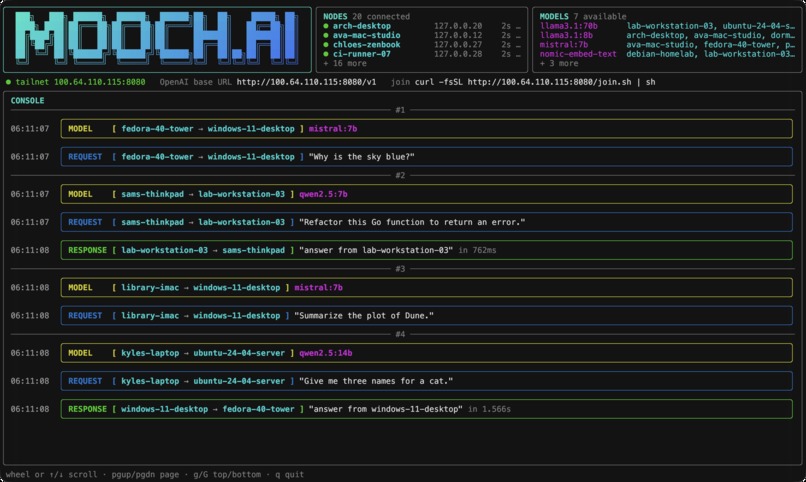
Custom Console for Viewing AI Traffic
-
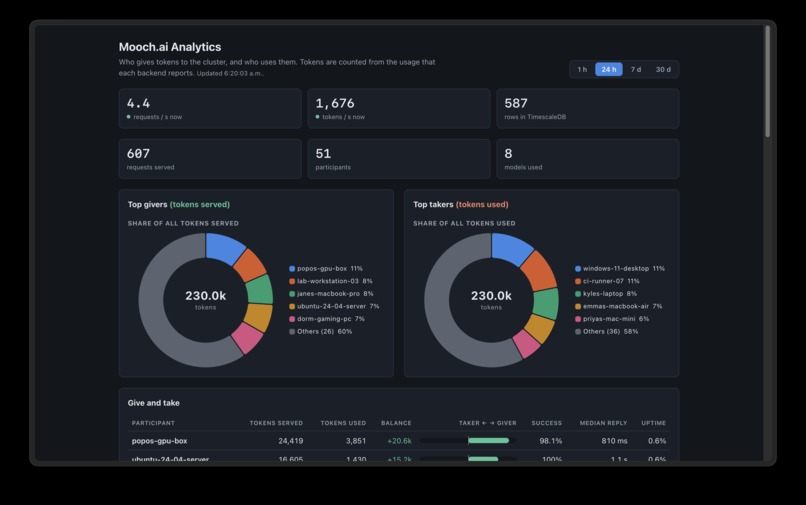
Dashboard for Model Analytics
-

Inspiration
Everyone in our group owns a laptop that can run a decent local model, but none of us can run all of them. One of us had Qwen on llama.cpp, another had several models in Ollama, and most of the time those machines sat idle. We wanted to pool them so that we could borrow, or "mooch", compute from each other without exposing anyone's laptop to the internet.
What it does
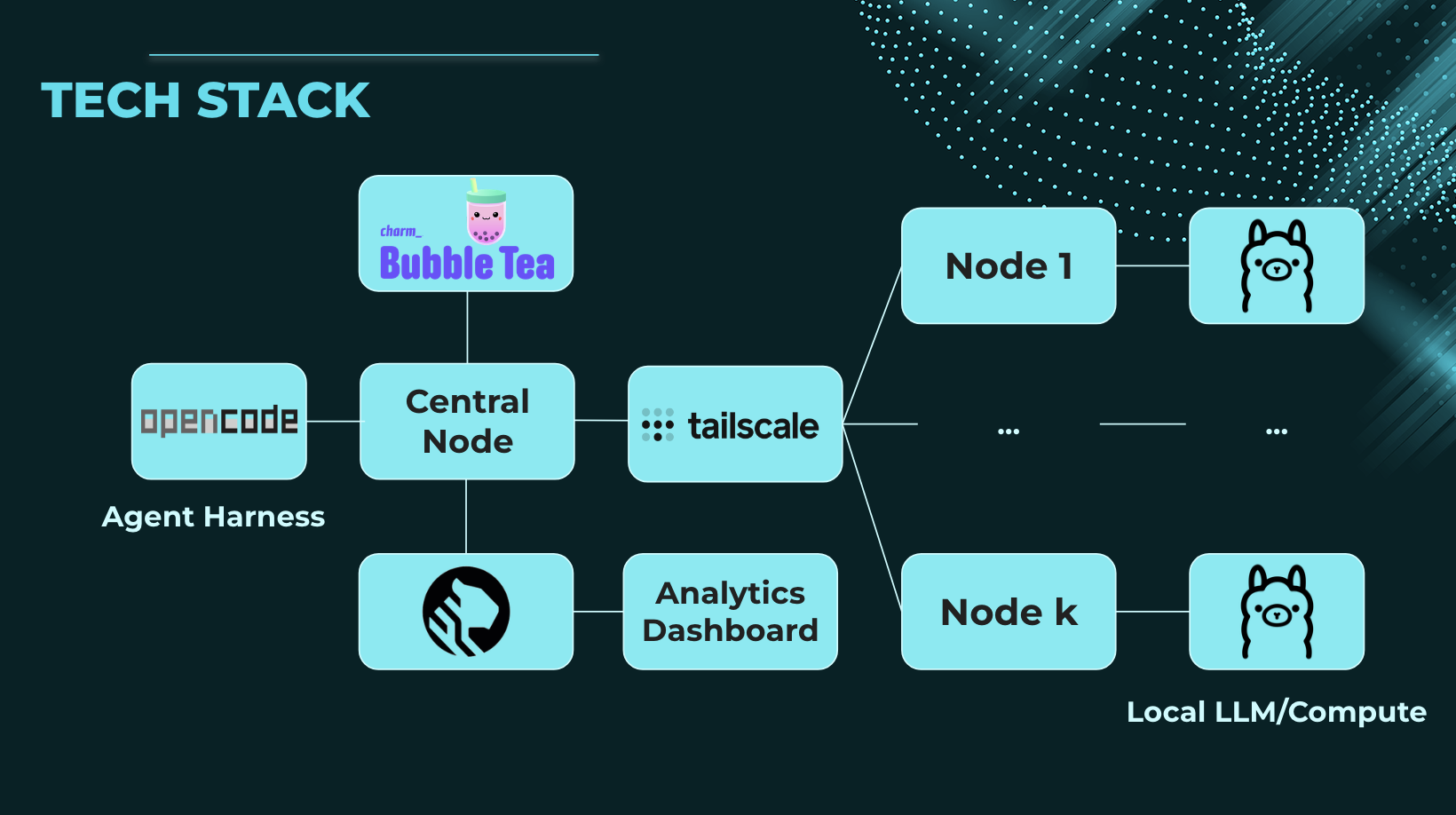
Mooch.ai turns the computers on a Tailscale network into a single shared AI cluster. Each machine runs a small node program alongside its existing backend (Ollama, vLLM, llama.cpp, and others) and reports the models it can serve to a central server. Any OpenAI-compatible tool, such as curl, the OpenAI SDK, opencode, or Zed, can point at central, which routes the request to a machine that has the requested model. Streaming is supported.
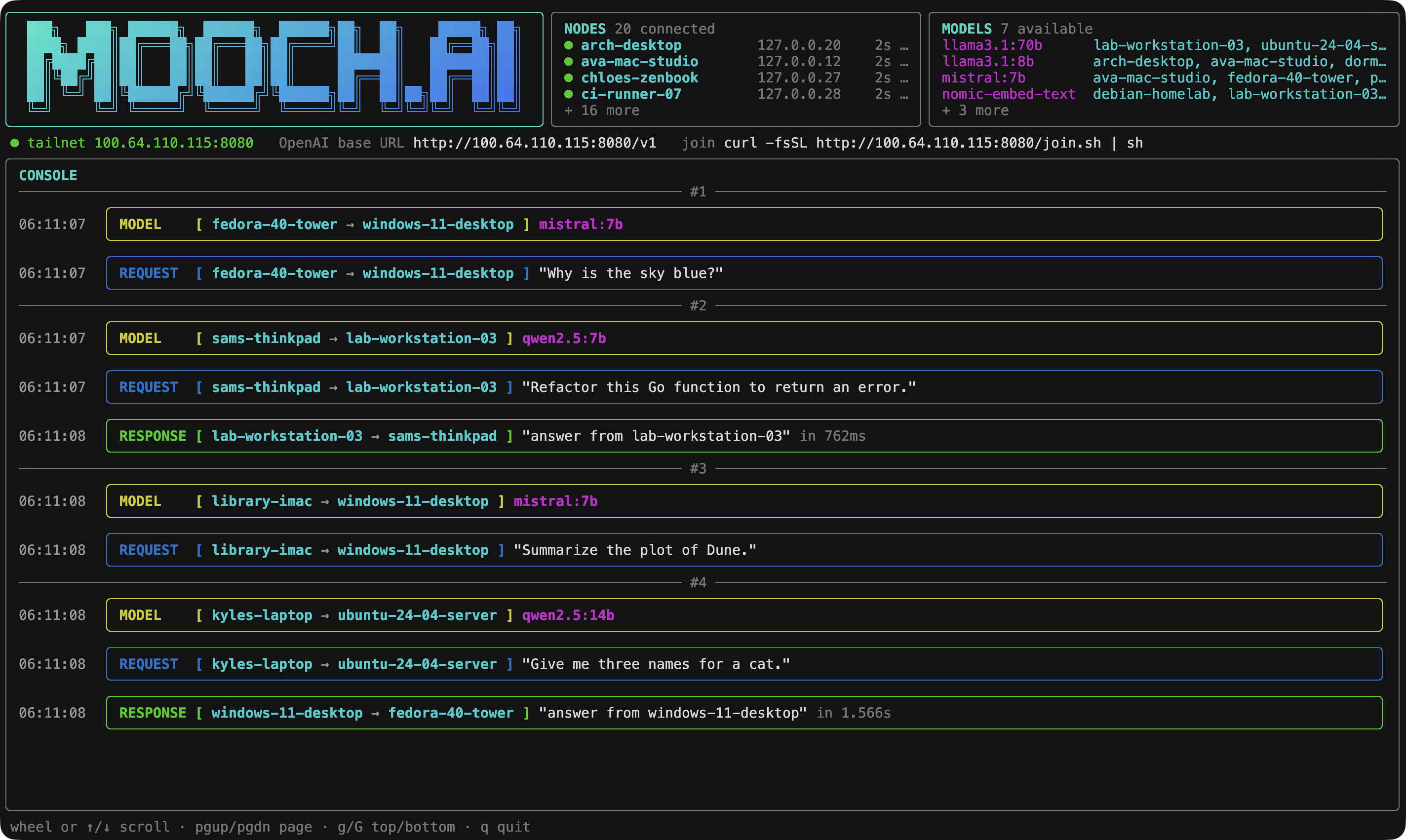
Joining takes one command: curl .../join.sh | sh. It downloads the node binary, writes a config, and connects. Central displays a live terminal dashboard showing connected nodes, available models and their hosts, and each request as it happens, for example [ laptop -> gpu-box ] with the prompt and response.
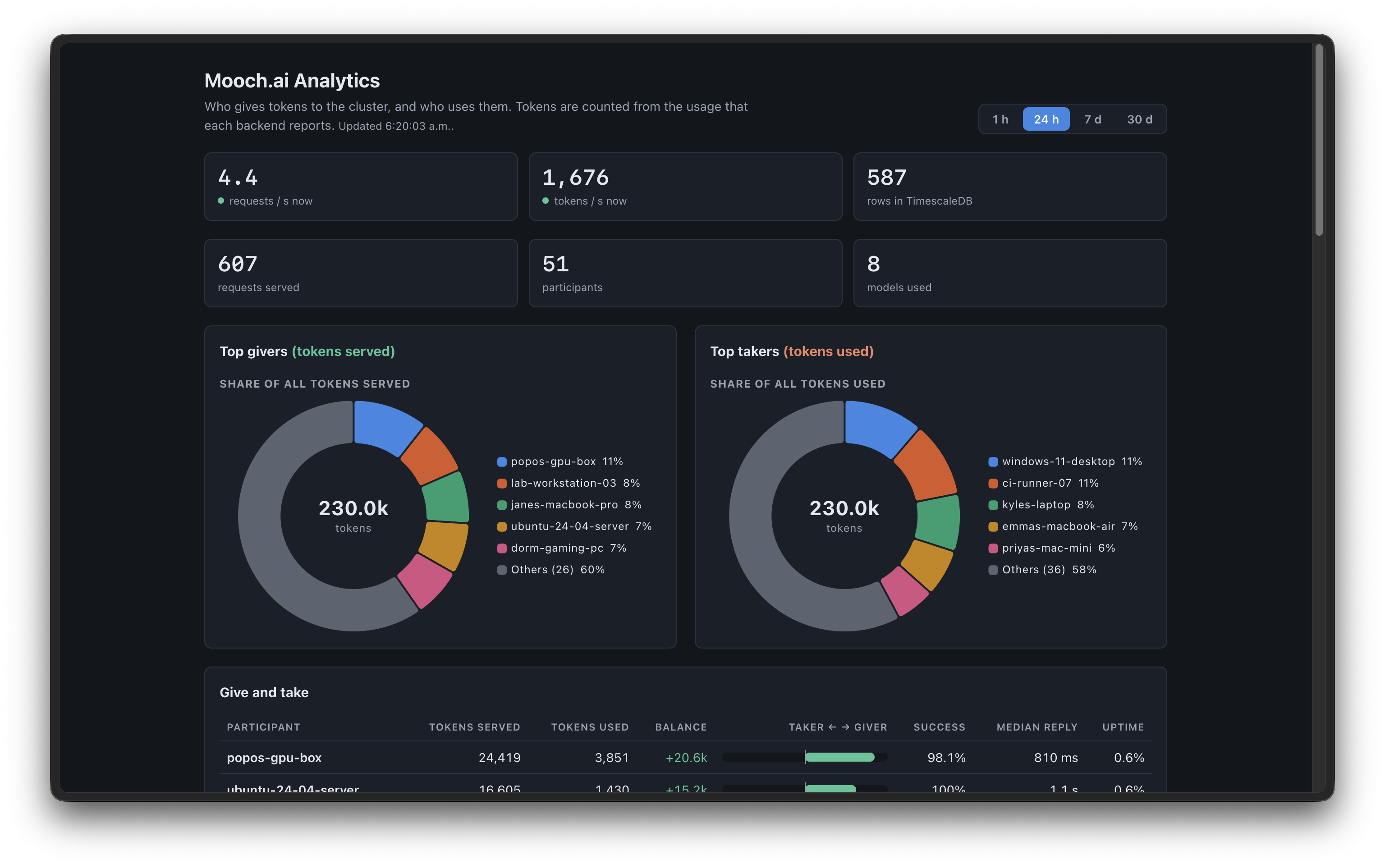
An analytics page runs on the head node only. Backed by TimescaleDB (Tiger Data), it tracks top contributors, top moochers, token balances, live request rate, and model usage. Central also uses this data for routing: when several machines have the same model, the request goes to the one that has done the least work in the past hour.
How we built it
The project is written in Go, mostly with the standard library. There are two binaries: mooch-central (the server) and mooch-node (the client). One of us owned the control plane (config, identity, registration, heartbeat) and the other owned the data plane (listening and proxying requests to the right backend). We each worked in a separate git worktree and opened an issue and a PR for every change.
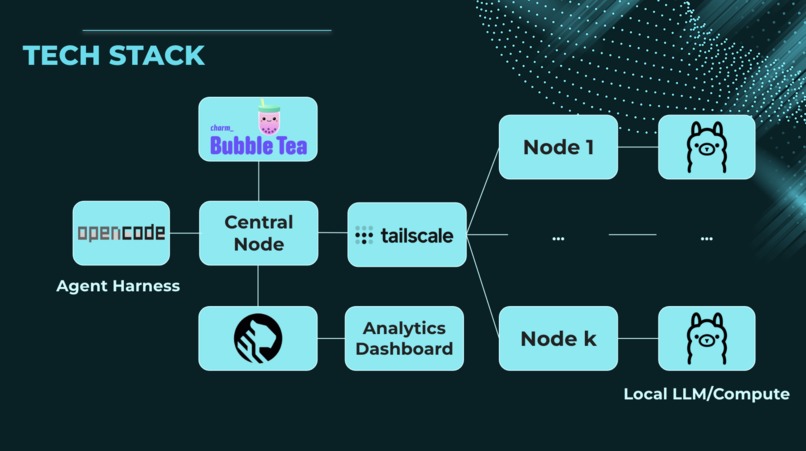
Networking: Tailscale. Nodes register and heartbeat every 15 seconds, and central drops a node after 45 seconds of missed heartbeats. Forwarding: Go's ReverseProxy, routing on the model field in the request body. Dashboard: Bubble Tea, with colored bordered frames for MODEL, REQUEST, and RESPONSE. Analytics: TimescaleDB in Docker with hypertables, continuous aggregates, and compression. The page uses Chart.js pie charts and refreshes every half second. Demo: Python scripts that simulate 20 to 100 users with varying speeds and error rates, so we could show the dashboard without a room full of laptops. Challenges we ran into
The largest problem was that nodes could register and list models, but every chat completion timed out. We spent a long time assuming the forwarding code was at fault. The actual cause was Tailscale permissions. We had shared the central machine with our friends, and sharing works in one direction only: their laptops could reach central, but central could not connect back.
Allowing everyone to reach everyone would have defeated the purpose, so we added them to the tailnet as members and wrote access rules. Nodes can reach only central, and central can reach each node only on its one port. We also considered a reverse tunnel, where nodes dial out and central sends requests back over that connection, but shelved it as too much code to get right during a hackathon.
Smaller issues:
We accidentally committed about 55MB of built binaries and had to scrub them from the history. Simulator data appeared on the analytics page but not in the console, which took a while to track down. Our first fair-routing version treated a crashed node that rejected requests instantly as the least busy, so it received almost all the traffic. We accumulated too many Makefiles and consolidated them into a single make start that runs the cluster, the database, and the demo scripts. Accomplishments that we're proud of It works across real machines. One of us ran Qwen through llama.cpp on a MacBook, another ran Ollama on a different laptop, and requests were routed between them through central. Joining the cluster takes a single command. The security model holds up. Nodes cannot see each other, the analytics database and page are reachable only from the central machine, and we store metadata only, never prompt or response text. The terminal dashboard looks good, and watching requests move between machines is fun. The demo handles around 100 requests per second across 50 simulated users, and the dashboard keeps up. It works with tools people already use. opencode and Zed treat it like any other provider. What we learned Tailscale ACLs are directional, and a successful ping does not mean a connection will work. We became very comfortable with tailscale ping and nc. Keeping the node list in memory was the right decision. Nodes re-register on their next heartbeat, so restarting central costs nothing. A database made sense only for history and analytics. Splitting the work into control plane and data plane, with a clear JSON contract between them, let us build in parallel without conflicts. Less code is usually better. Each pass of deleting code and trimming comments made the project easier to work on. TimescaleDB's continuous aggregates make a real-time dashboard straightforward, since you query pre-rolled hourly data and avoid scanning every request.
What's next for Mooch.ai
Build the reverse tunnel, so nodes need no open ports and friends can join without being full tailnet members. Add real authentication with per-node tokens and API keys, so access is not simply "anyone on the tailnet." Improve routing by penalizing nodes that return errors and factoring in GPU speed and queue length. Turn the token balance into a working credit system, where serving requests earns credits and mooching spends them. Publish a public leaderboard on mooch.tech using the anonymized export we already have.


Log in or sign up for Devpost to join the conversation.