-
-

Thumbnail
-
Home
-
Campfire/Group
-
Invite Members
-
Members Joined
-
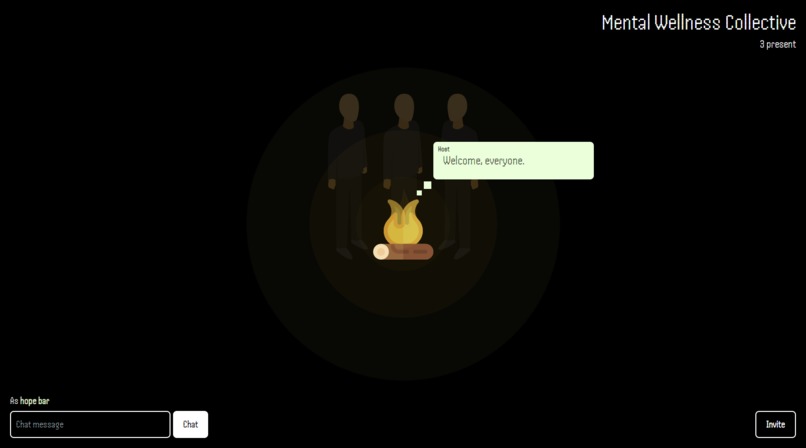
Host Chat
-
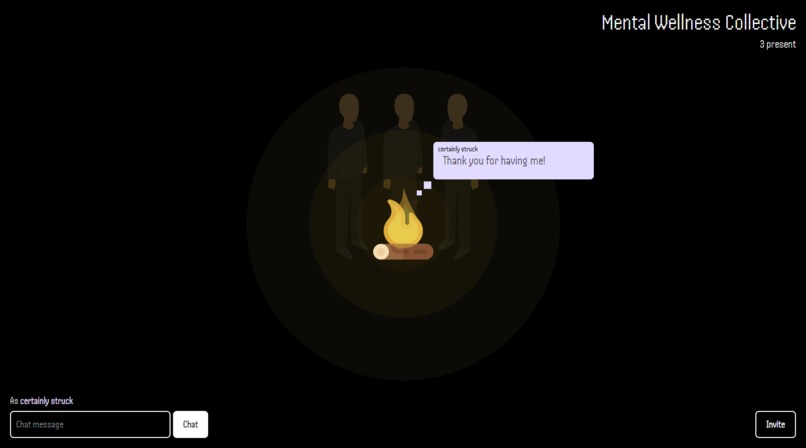
Members Chat

Inspiration & Problem
In searching for a problem to tackle, I wanted to focus of societal issues that I personally have dealt with/witnessed. This way I can more effectively come up with solutions based on experience.
To this end, I decided I would theme my project around peer support groups, its benefits, and how it can be improved. Personally, I've found that a lot of people have a hard time opening up and expressing themselves, which often times is essential in moving forward, progressing, or healing from the past.
Peer support groups can help in this regard, as usually their members are comprised of people with similar backgrounds. This can alleviate some fears regarding judgement. However, despite this, people can still be hesitant to participate in discussion.
I believe one way to completely remove any fear of judgement and stigmatization is to allow for complete anonymity and privacy.
Tackling the Problem
Peer support groups exist everywhere and many times can help people with many backgrounds deal with their unique problems. These groups usually operate in physical locations, but, many people have used existing platforms to be used as online peer support groups. However, these online platforms were not designed around facilitating peer support groups.
For this reason, I decided to create an application specifically designed to provide a platform for people to participate in peer support groups in an online space. I will be using the web as a medium.
Using the web will also let me solve the main problem I wanted to tackle: Anonymity and Privacy. As opposed to real-life meetings, an online space can provide complete anonymity members. You don't have to show your face, name, or anything.
What it does
Support group creation
Peer for You lets you create peer support groups that facilitate total anonymity among its members.
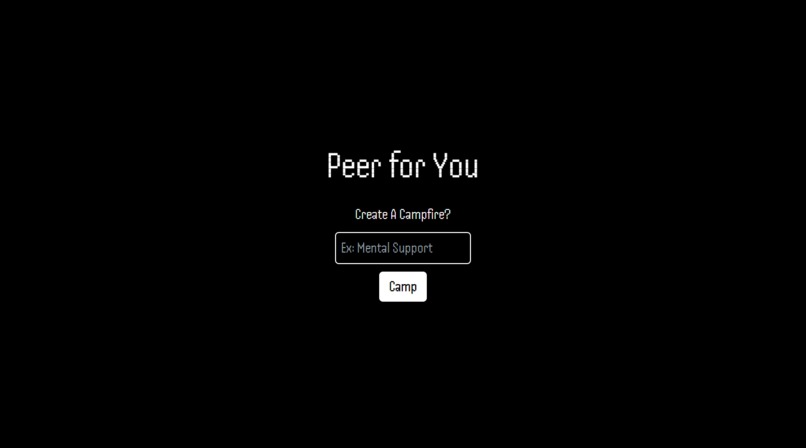
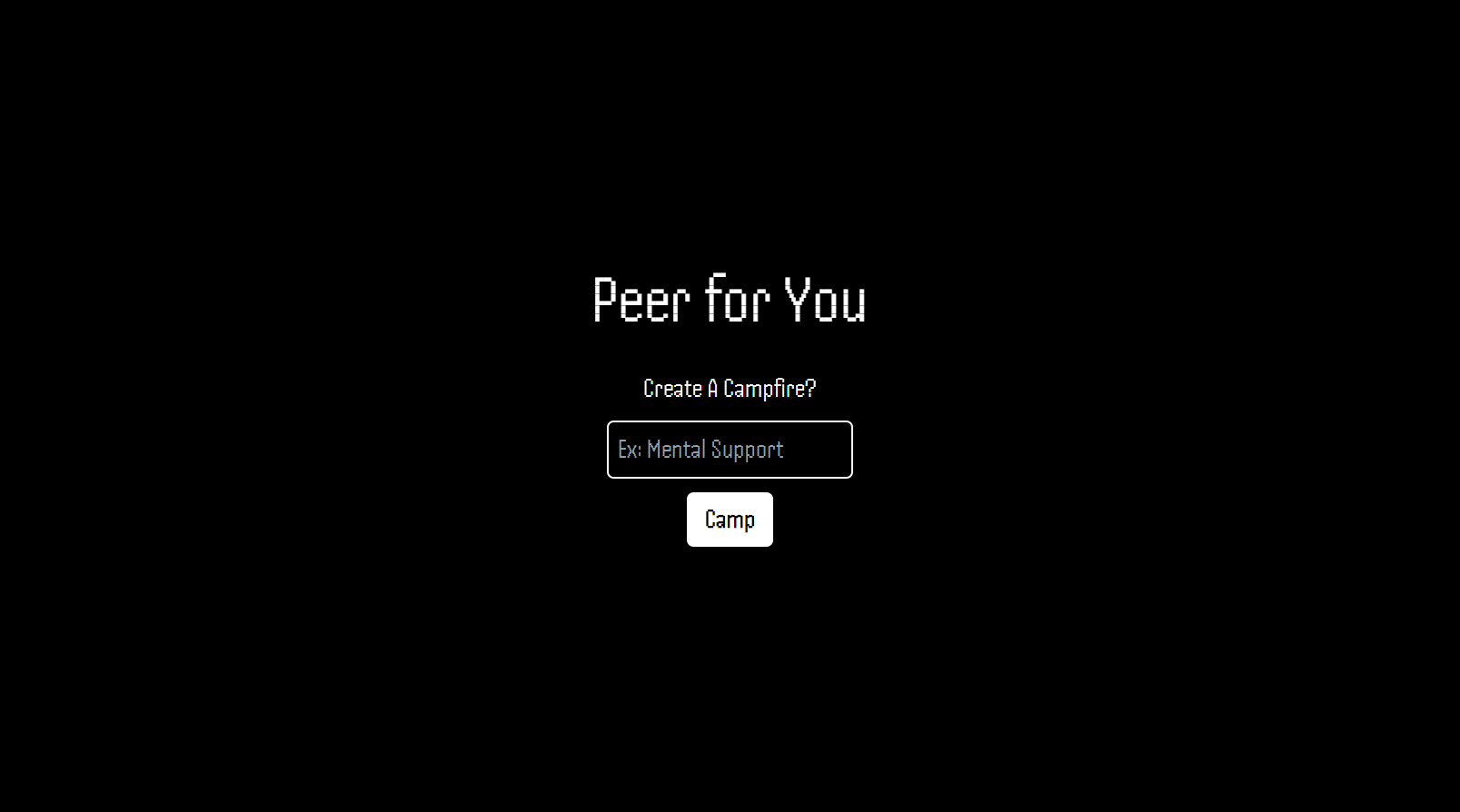
Here is the home page where you will be able to create and name your support groups:
Upon entering a valid peer support group (campfire) name, the app will automatically assign UUID to your group. It will also assign you as its host. This UUID ensures that only members you willingly invite can join. It also allows for multiple connections at the same time without conflict. This way multiple groups can exists at the same time.
Group dashboard/page
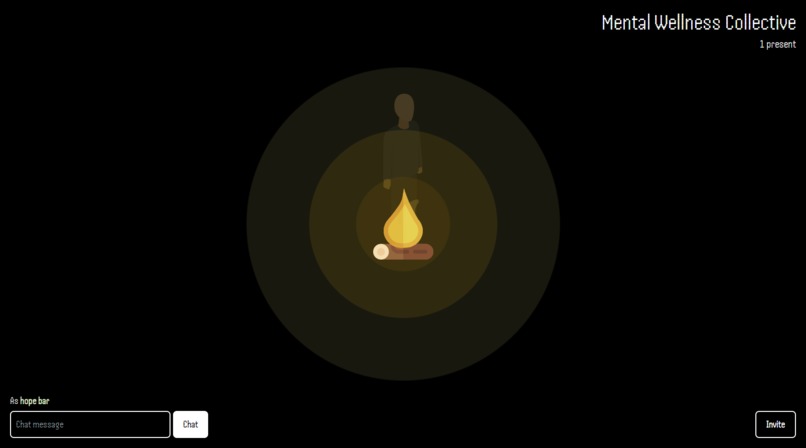
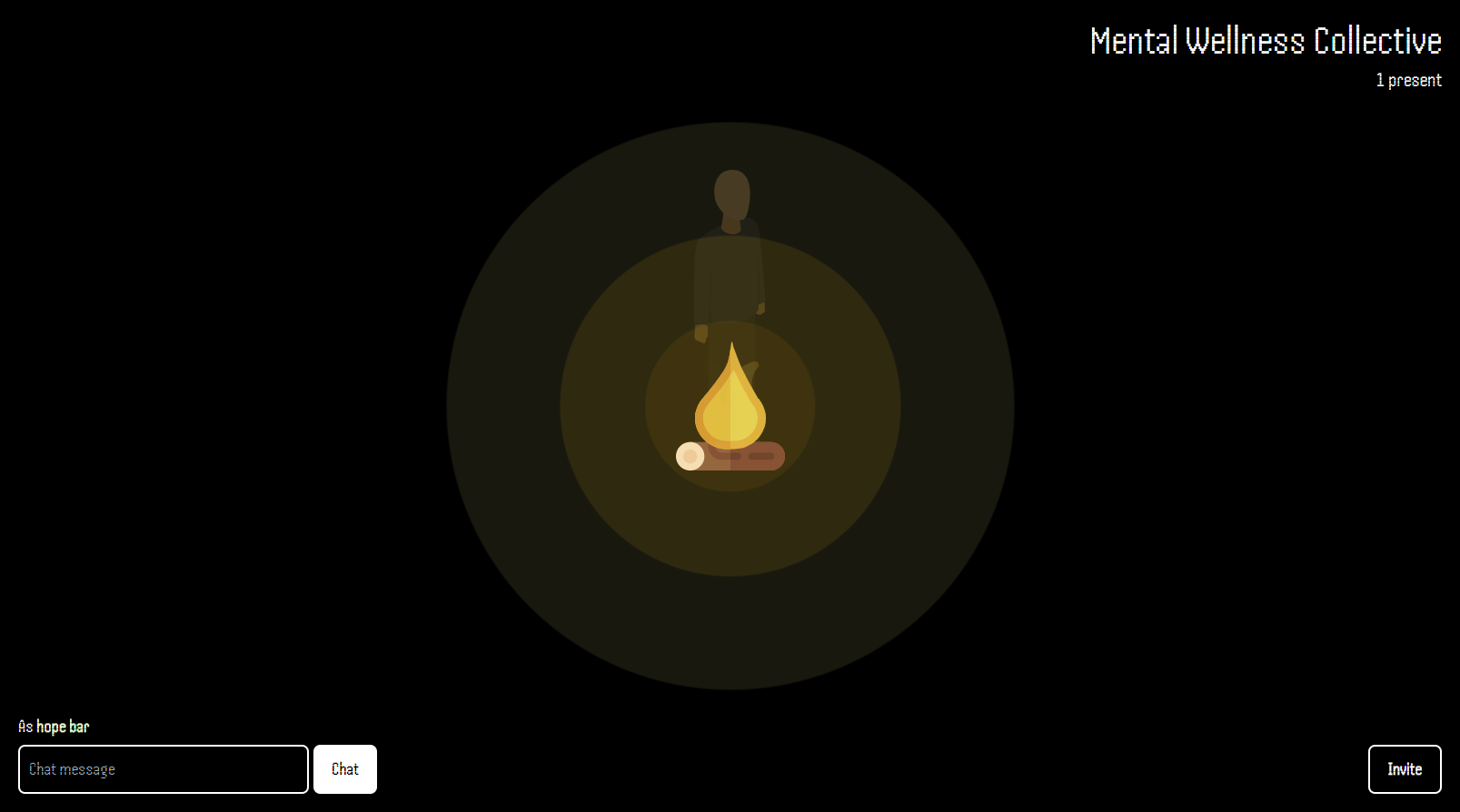
Here is the page you will be redirected to upon creation of groups: the campfire:
On the top right you can see your group name and how many members are currently participating (you haven't invited anybody, so it's just you). You can also see the number of members reflected in the avatars near the campfire.
Assigned colors and nicknames
On the bottom left is you chat box. This will be where you type and send your messages. As you can see you have been assigned a color and a unique nickname. This ensures that, while still anonymous, members and host can still refer to each other.
Member invitation
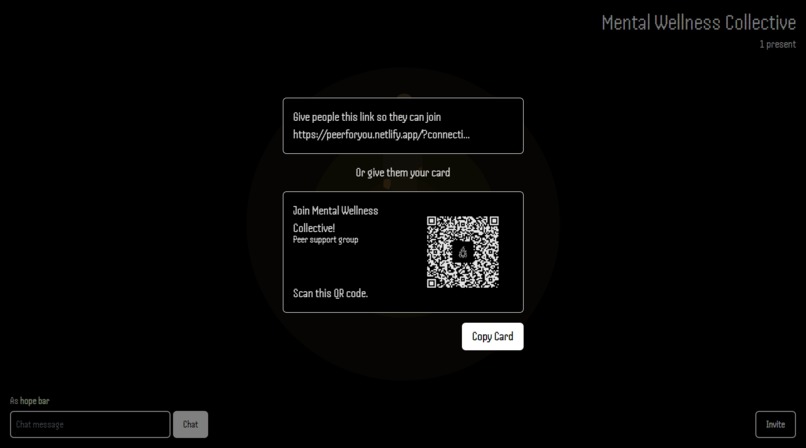
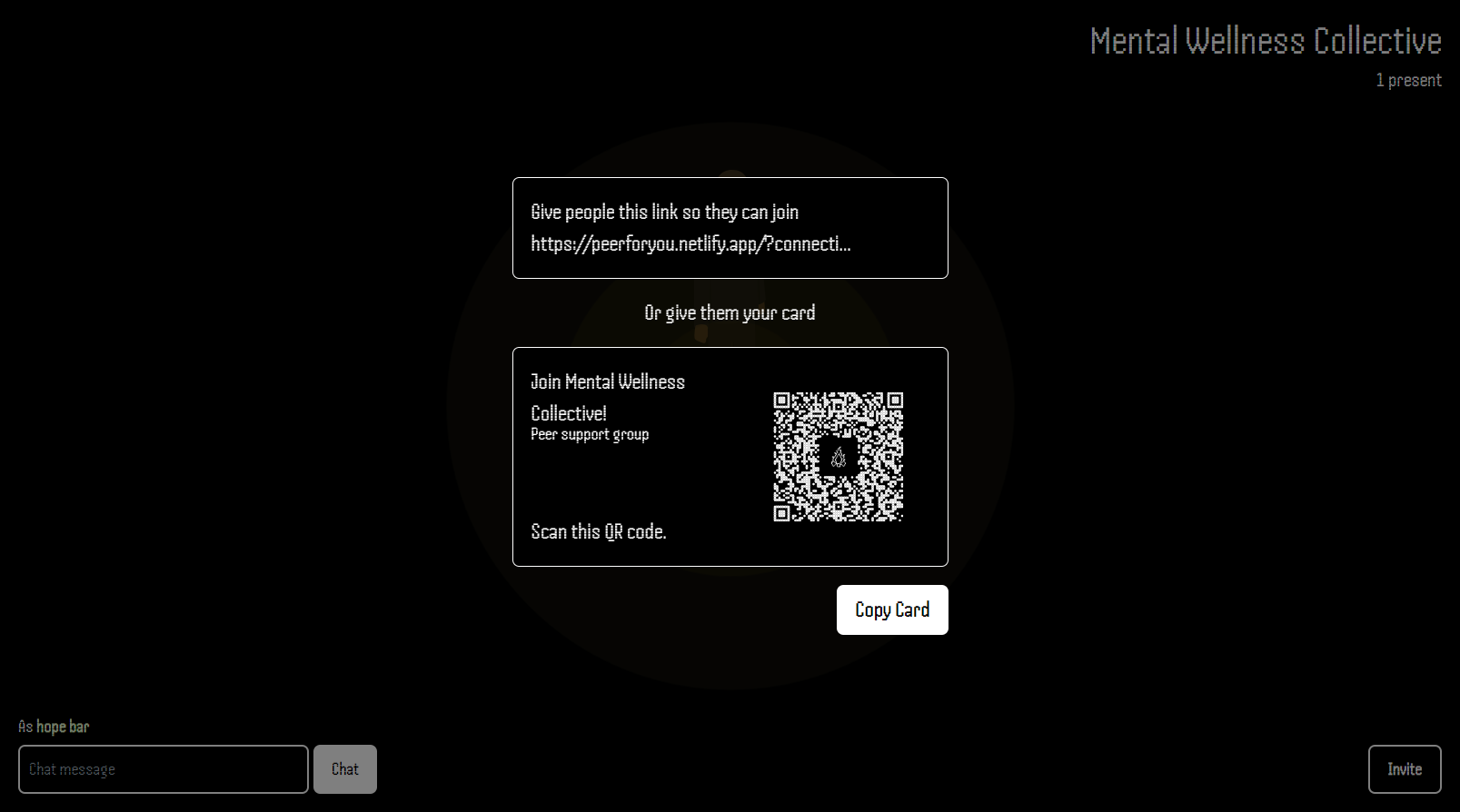
On the bottom right is the invite button. Clicking this will bring up an invitation modal:
This is the invitation modal. You can invite members in two ways:
- Copy the invitation link and give them to your invitees.
- A more elegant version: a card with a QR code. Copy this card and share with your invitees. They will be able to scan this QR code and get the appropriate link.
Here is an example of inviting users using WhatsApp:
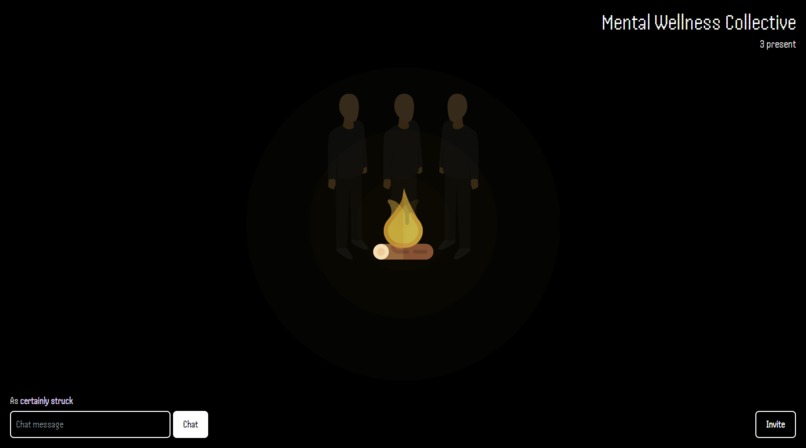
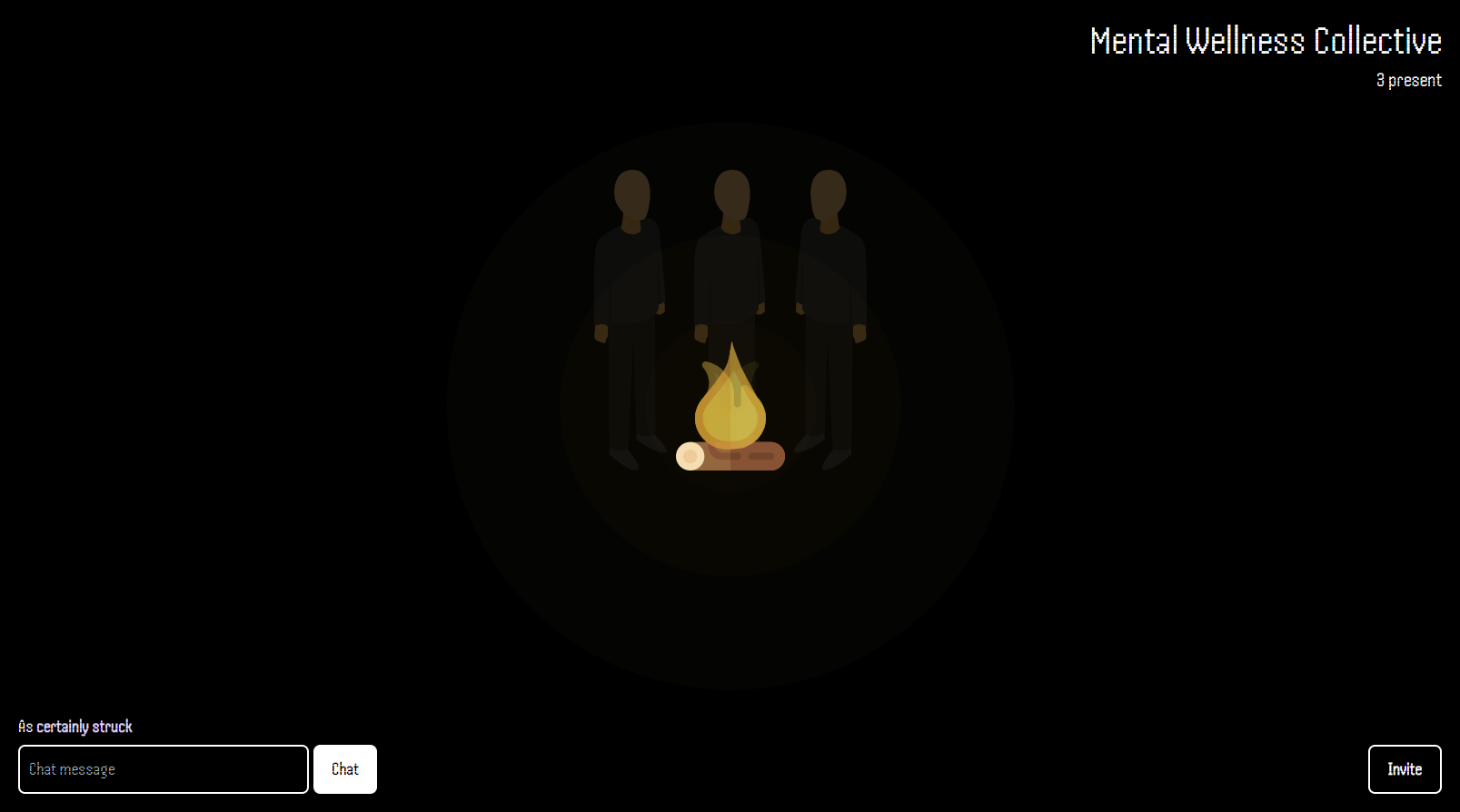
Once members receive and click on their invite links, they will be redirected to that group. Here is the page the member will see:
As you can see the total number of members have now been updated, and so have the number of avatars.
Uninterrupted, unrecorded chat
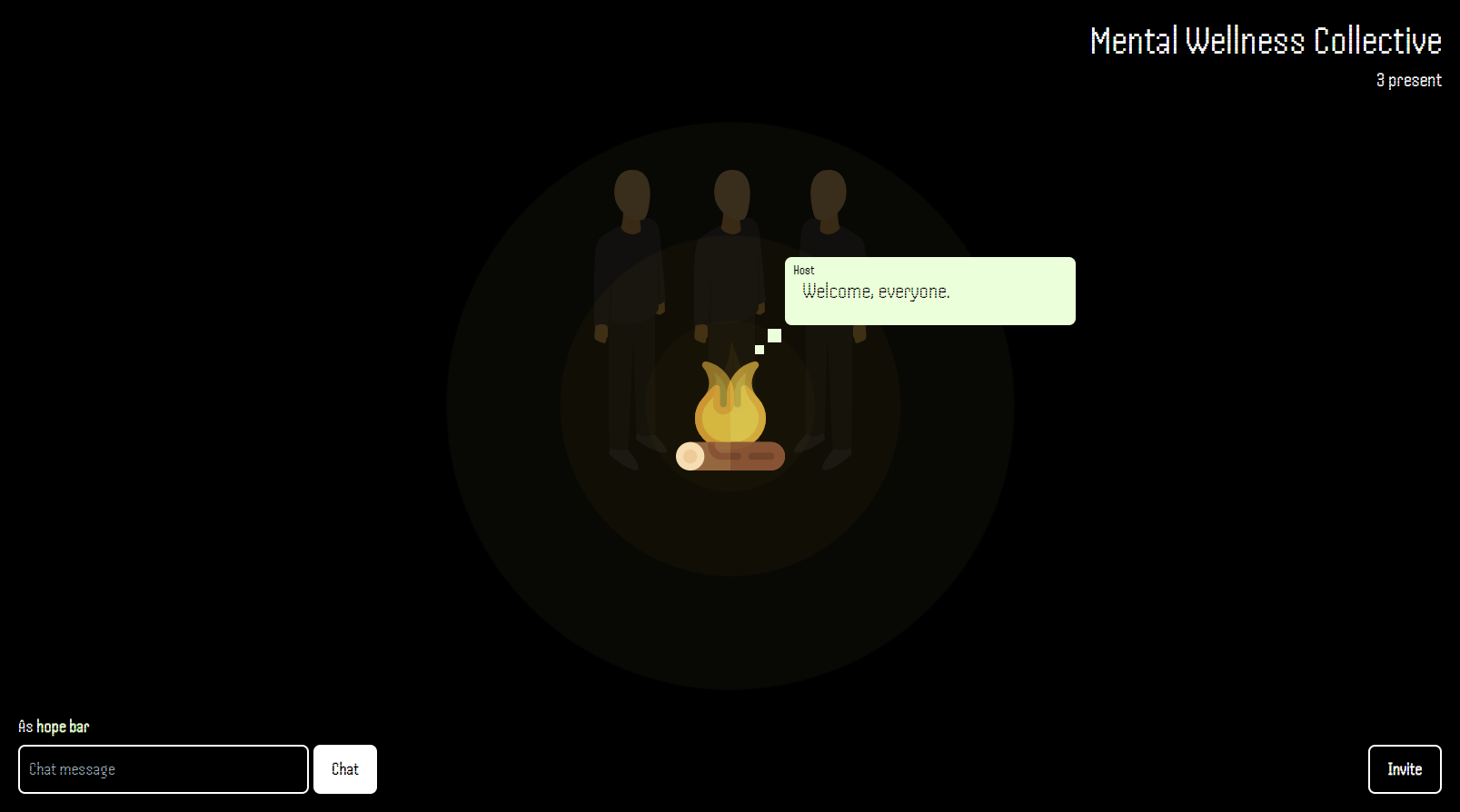
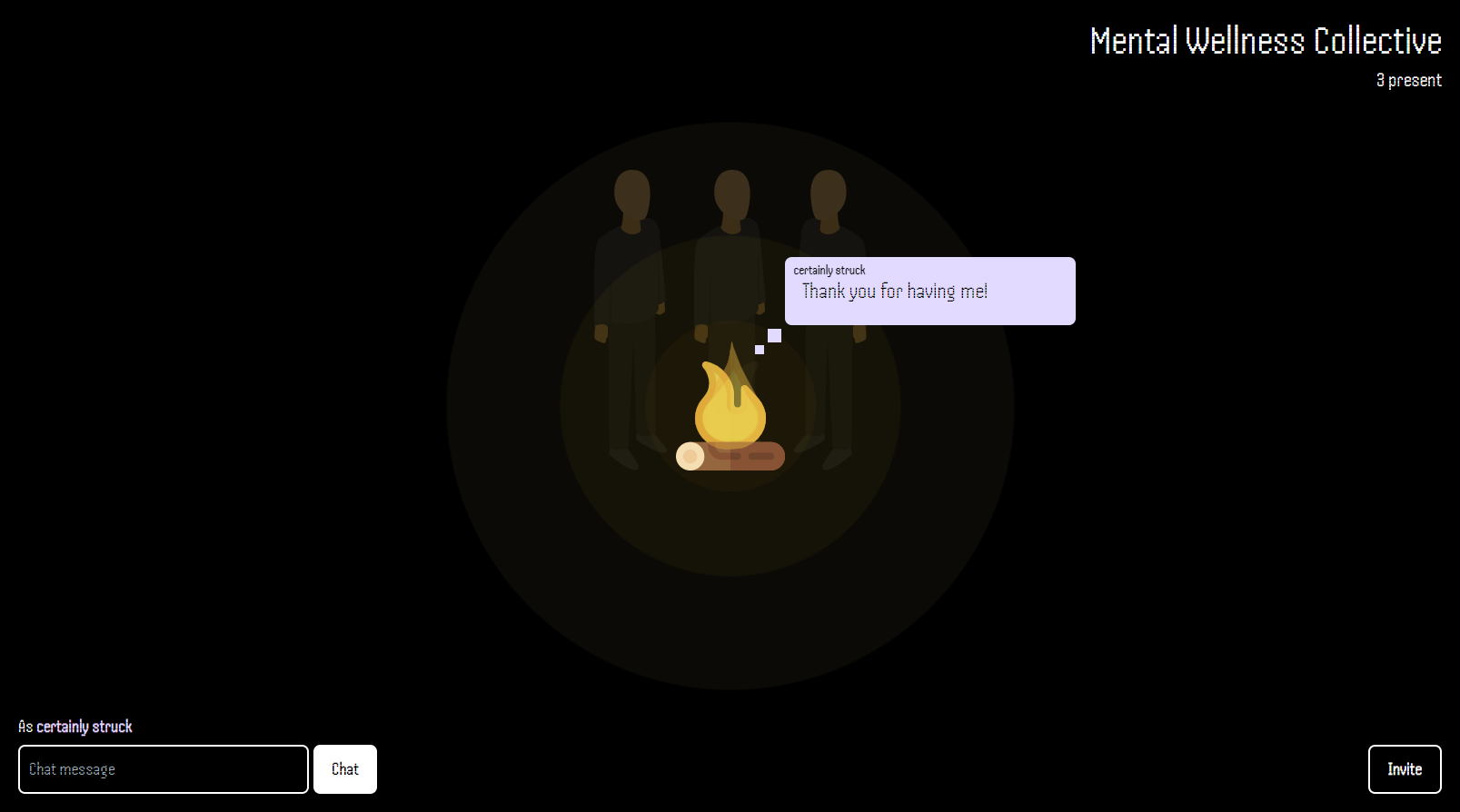
In these groups, any member can chat by entering text in the input box and sending it. Once text has been sent, it will be displayed in the middle. While someone's message is still visible, no other member can chat; this ensures no one gets interrupted and everyone feels heard. The message box that shows up will also display the member's color and assigned nickname. This message box will also display whether or not the chatter is the host or just a member.
As is the theme of this application, no data will be recorded or persisted.
How we built it
To facilitate real-time chat features, I've used Ably Realtime. I had recently used this for another project and found it to be very good.
For design and styling, I've used TailwindCSS.
And for interactivity, I've used React with Vite as its main tooling.
To ensure what this application was aiming for, which is anonymity and privacy, I made sure that no history of chat and group creation is persisted and recorded. Each single message/chat will only exist within the timespan that it is displayed. Groups will not have any history and once everyone is finished, they will be gone as well.
Accomplishments that we're proud of
I'm really proud of the unique design and features of this application, like the campfire and the avatars reflecting the number of members.
What we learned & what's next
I hope this application will at least be useful to somebody and I hope that I can continue to improve it further.


Log in or sign up for Devpost to join the conversation.